Introduction
CPQ for SaaS helps subscription-based software companies configure products, manage pricing, generate quotes, handle approvals, and connect sales deals with billing and revenue workflows. CPQ stands for configure, price, and quote. In SaaS, this means sales teams can build subscription packages, apply usage-based pricing, manage add-ons, calculate discounts, create renewals, process amendments, and send accurate quotes without relying on manual spreadsheets or disconnected finance systems.
CPQ matters because SaaS revenue models are often complex. Companies may sell monthly subscriptions, annual contracts, usage-based plans, seat-based pricing, hybrid packages, enterprise discounts, professional services, renewals, expansions, and custom contract terms. A strong SaaS CPQ platform helps sales, finance, revenue operations, legal, and customer success teams work from the same pricing and deal logic.
Real-world use cases include:
- Subscription quoting for recurring SaaS plans and packages
- Usage-based pricing for consumption, credits, events, API calls, or data volume
- Renewals and amendments for customer lifecycle changes
- Discount and approval workflows for revenue protection
- Quote-to-cash automation from quote creation to billing and revenue recognition
- Sales-led and product-led growth support for flexible SaaS monetization
- Contract and order accuracy for finance, legal, and revenue teams
Evaluation Criteria for Buyers:
- Subscription pricing support
- Usage-based pricing flexibility
- Renewal and amendment handling
- Billing and revenue integration
- Approval workflow control
- CRM integration
- Quote document automation
- Pricing governance
- Revenue operations visibility
- Ease of use for sales and finance teams
Best for: CPQ for SaaS is best for B2B SaaS companies, subscription businesses, AI software vendors, cloud service providers, revenue operations teams, sales operations teams, finance teams, and companies selling recurring, usage-based, or hybrid software pricing models.
Not ideal for: CPQ for SaaS may not be ideal for very small SaaS startups with one simple plan, fixed pricing, and low quote volume. In those cases, basic CRM quoting, billing software, or proposal tools may be enough until pricing and sales operations become more complex.
Key Trends in CPQ for SaaS
- Usage-based pricing support is becoming more important as SaaS companies move beyond simple seat-based subscriptions.
- Quote-to-cash unification is becoming a priority because sales, billing, revenue recognition, and finance teams need one consistent deal record.
- Renewal and expansion workflows are now central because SaaS growth depends heavily on customer retention and account expansion.
- AI-assisted quoting is starting to help teams suggest products, review deal risk, identify pricing gaps, and speed up approval workflows.
- Product-led and sales-led pricing models are becoming more connected, requiring CPQ tools to support self-service plans and enterprise contracts.
- Finance-grade pricing governance is becoming more important as companies need cleaner revenue data and fewer billing errors.
- Flexible packaging is a key trend as SaaS companies experiment with bundles, credits, modules, tiers, and consumption-based offers.
- CRM and billing integration is now essential because disconnected quoting and billing can create manual work and revenue leakage.
- Deal desk automation is helping sales teams move complex enterprise deals through legal, finance, and approval steps faster.
- Revenue lifecycle visibility is becoming a major requirement for SaaS companies that want better forecasting, renewals, and customer expansion planning.
How We Selected These Tools
The tools in this list were selected based on their relevance to SaaS CPQ, subscription quoting, quote-to-cash workflows, recurring revenue management, usage-based pricing, billing integration, and revenue operations. The goal is not to name one universal winner, but to help SaaS buyers compare credible tools by business model, complexity, and growth stage.
Selection factors include:
- Market recognition in CPQ, quote-to-cash, subscription billing, or revenue operations
- Ability to support SaaS subscriptions, renewals, amendments, and usage-based pricing
- Strength of CRM, billing, finance, and revenue system integrations
- Support for sales approvals, discounting, deal desk, and pricing governance
- Suitability for startups, mid-market SaaS companies, and large enterprises
- Quote document automation and contract workflow support
- Ability to reduce billing errors and manual finance handoffs
- Support for modern monetization models such as credits, commits, and hybrid pricing
- Security, permissions, auditability, and administrative controls
- Implementation support, documentation, ecosystem maturity, and partner availability
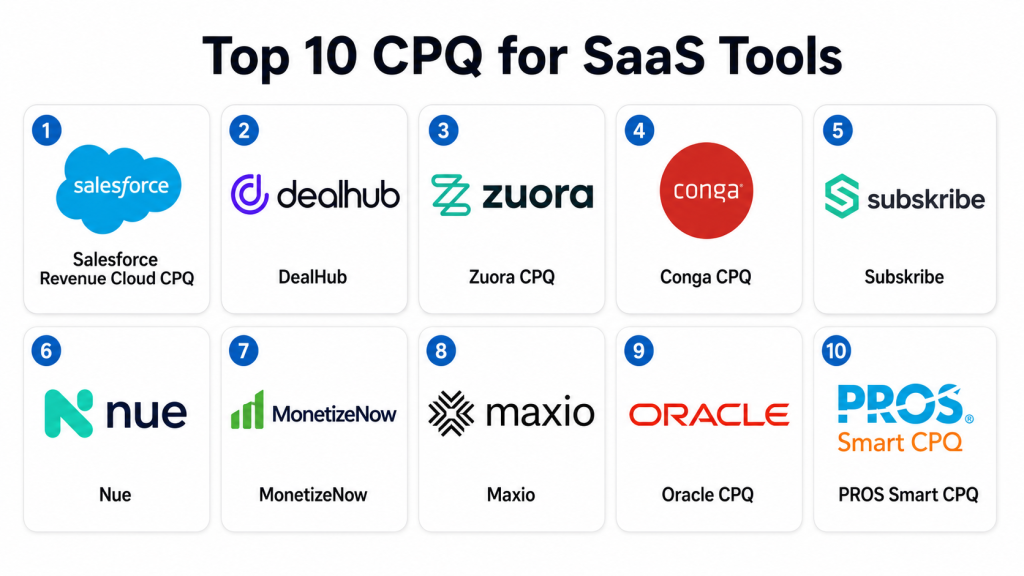
Top 10 CPQ for SaaS Tools
1- Salesforce Revenue Cloud CPQ
Short description: Salesforce Revenue Cloud CPQ helps SaaS sales teams configure products, apply pricing rules, manage approvals, and generate accurate quotes inside the Salesforce ecosystem. It is best suited for SaaS companies already using Salesforce as their core CRM.
Key Features
- Subscription and product configuration
- Pricing, discounting, and approval workflows
- Quote generation and guided selling
- CRM-native sales workflow integration
- Renewal and amendment support depending on configuration
- Revenue lifecycle support through Salesforce ecosystem
- Partner, sales, and deal desk collaboration
Pros
- Strong fit for SaaS companies using Salesforce CRM
- Large ecosystem of apps, partners, and implementation resources
- Useful for enterprise sales teams with complex approval workflows
Cons
- Can require careful configuration for SaaS pricing complexity
- Billing and revenue workflows may need additional setup or tools
- Smaller SaaS teams may find administration heavy
Platforms / Deployment
Web / Cloud
Security & Compliance
Salesforce enterprise products commonly support SSO, MFA, role-based access, permissions, audit features, encryption options, and administrative controls depending on edition and configuration. Specific certifications and compliance coverage should be verified directly with Salesforce. Not publicly stated for every configuration.
Integrations & Ecosystem
Salesforce Revenue Cloud CPQ works best when Salesforce is the central sales platform. It can connect with billing, ERP, revenue recognition, contract, analytics, and partner systems through native features, APIs, and ecosystem apps.
Common integration areas include:
- Salesforce CRM
- Billing systems
- ERP platforms
- Contract lifecycle tools
- Partner portals
- Revenue analytics tools
Support & Community
Salesforce provides documentation, enterprise support, training resources, implementation partners, and a large user community. Support levels depend on contract, edition, and implementation scope.
2- DealHub
Short description: DealHub is a quote-to-cash and CPQ platform designed for sales teams that need guided selling, quote automation, contract workflows, subscription management, and deal collaboration. It is useful for SaaS companies that want CPQ connected with deal rooms and revenue workflows.
Key Features
- SaaS CPQ and guided selling
- Subscription and pricing workflows
- Quote and proposal automation
- Digital sales room support
- Contract and approval workflows
- Deal desk collaboration
- CRM and revenue workflow integrations
Pros
- Strong fit for SaaS sales teams with complex deal workflows
- Combines CPQ, contract, and buyer collaboration features
- Helps improve quote consistency and sales process control
Cons
- Advanced setup may require revenue operations involvement
- Best value comes when teams use broader quote-to-cash features
- Integration needs should be validated before rollout
Platforms / Deployment
Web / Cloud
Security & Compliance
DealHub supports business sales and revenue environments where permissions, access control, and data security are important. Specific details such as SSO, MFA, encryption, audit logs, and certifications should be verified directly with the vendor. Not publicly stated for every configuration.
Integrations & Ecosystem
DealHub integrates with CRM, contract, billing, and sales workflow tools. It is useful for SaaS companies that want a more connected sales process from configuration to quote approval and buyer engagement.
Common integration areas include:
- CRM systems
- Contract tools
- Billing platforms
- Sales engagement workflows
- Revenue operations tools
- Approval systems
Support & Community
DealHub provides customer support, onboarding assistance, documentation, and implementation guidance. Support depth varies by package, customer size, and deployment complexity.
3- Zuora CPQ
Short description: Zuora CPQ is built for subscription and recurring revenue businesses that need quoting connected with billing, payments, revenue, and monetization workflows. It is especially useful for SaaS companies with subscription, usage-based, or hybrid pricing models.
Key Features
- Subscription-focused CPQ
- Usage-based and recurring pricing support
- Quote-to-billing workflow alignment
- Amendments, renewals, and lifecycle changes
- Product catalog and pricing logic support
- Integration with Zuora Billing and revenue tools
- CRM and finance workflow connectivity
Pros
- Strong fit for subscription and SaaS monetization
- Helps reduce disconnects between quoting and billing
- Useful for complex recurring revenue models
Cons
- Best value comes when using broader Zuora monetization stack
- Setup can require finance and revenue operations alignment
- May be more than needed for simple SaaS pricing
Platforms / Deployment
Web / Cloud
Security & Compliance
Zuora enterprise solutions commonly support security and governance features suitable for subscription revenue workflows. Specific details such as SSO, MFA, encryption, audit logs, role-based access, and certifications should be verified directly with the vendor. Not publicly stated for every configuration.
Integrations & Ecosystem
Zuora CPQ connects quoting with subscription billing, revenue workflows, CRM systems, finance systems, and payment processes. It is useful when SaaS companies want the quote to match downstream billing and revenue logic.
Common integration areas include:
- CRM systems
- Zuora Billing
- Revenue recognition workflows
- Payment systems
- ERP platforms
- Finance reporting tools
Support & Community
Zuora provides enterprise support, documentation, implementation partners, customer resources, and subscription economy expertise. Support levels depend on agreement and platform scope.
4- Conga CPQ
Short description: Conga CPQ helps sales teams manage complex product configuration, pricing, quoting, approvals, and document generation. It is useful for SaaS companies that need strong quote workflows connected with contracts and revenue operations.
Key Features
- Product configuration and guided selling
- Pricing and discount management
- Quote document automation
- Approval workflows
- Contract and document workflow support
- CRM integration
- Revenue process automation
Pros
- Strong fit for document-heavy SaaS sales processes
- Useful for complex approvals and quote generation
- Works well when CPQ and contract workflows need alignment
Cons
- May require configuration for advanced SaaS monetization models
- Billing and revenue recognition may need separate integration
- Implementation effort depends on process complexity
Platforms / Deployment
Web / Cloud
Security & Compliance
Conga supports enterprise business workflows where access control, permissions, auditability, and secure document handling are important. Specific certifications, SSO, MFA, encryption, and compliance details should be verified directly with the vendor. Not publicly stated for every configuration.
Integrations & Ecosystem
Conga CPQ integrates with CRM, document generation, contract lifecycle management, billing, and business workflow systems. It is helpful for SaaS companies that need consistent quotes and contract-ready documents.
Common integration areas include:
- CRM systems
- Contract lifecycle management
- Document automation
- Billing platforms
- ERP systems
- Approval workflows
Support & Community
Conga provides product support, documentation, onboarding resources, implementation partners, and revenue workflow expertise. Support levels vary by customer agreement and solution package.
5- Subskribe
Short description: Subskribe is a quote-to-revenue platform built for modern SaaS companies that need CPQ, billing, and revenue workflows in one system. It is useful for SaaS teams that want to reduce reconciliation issues between quoting, billing, and revenue recognition.
Key Features
- SaaS CPQ
- Subscription billing support
- Revenue recognition workflow support
- Renewals, amendments, and expansions
- Usage-based and hybrid pricing support
- Unified quote-to-revenue data model
- Revenue operations automation
Pros
- Strong fit for SaaS companies with complex recurring revenue workflows
- Helps reduce handoff issues between sales and finance
- Useful for subscription, usage, and expansion models
Cons
- Best suited for SaaS and recurring revenue businesses
- May require process change for teams moving from separate tools
- Ecosystem depth should be validated for each tech stack
Platforms / Deployment
Web / Cloud
Security & Compliance
Subskribe serves SaaS revenue environments where financial data, customer contracts, and revenue workflows require secure handling. Specific security controls such as SSO, MFA, encryption, audit logs, RBAC, and certifications should be verified directly with the vendor. Not publicly stated for every configuration.
Integrations & Ecosystem
Subskribe is designed to connect quoting, billing, and revenue workflows for SaaS companies. It is most valuable when revenue operations teams want one connected flow from quote creation to revenue processing.
Common integration areas include:
- CRM systems
- Billing workflows
- Revenue recognition systems
- Finance tools
- Data warehouses
- Approval workflows
Support & Community
Subskribe provides onboarding, support, documentation, and SaaS revenue operations guidance. Support depth varies by customer agreement and implementation scope.
6- Nue
Short description: Nue is a quote-to-revenue platform designed for SaaS and modern software companies selling subscriptions, usage, credits, commits, services, and hybrid pricing models. It is useful for revenue teams that need flexible pricing and lifecycle management.
Key Features
- CPQ for SaaS and AI software models
- Subscription, usage, credit, and commit pricing
- Renewal and amendment workflows
- Billing and revenue lifecycle support
- Product-led and sales-led motion support
- Pricing and packaging flexibility
- Unified quote-to-revenue workflows
Pros
- Strong fit for modern SaaS pricing complexity
- Supports usage, credits, commits, and hybrid models
- Useful for companies moving beyond traditional subscription pricing
Cons
- Best suited for SaaS and software monetization use cases
- Buyers should validate integrations with existing finance stack
- May require pricing operations maturity to fully benefit
Platforms / Deployment
Web / Cloud
Security & Compliance
Nue supports revenue workflows that involve customer, pricing, billing, and contract data. Specific security controls such as SSO, MFA, encryption, audit logs, permissions, and certifications should be verified directly with the vendor. Not publicly stated for every configuration.
Integrations & Ecosystem
Nue connects revenue workflows across CRM, billing, usage, pricing, and finance systems. It is valuable for SaaS companies that need flexible monetization across self-service, sales-led, and enterprise sales motions.
Common integration areas include:
- CRM systems
- Billing tools
- Usage data systems
- Finance platforms
- Revenue workflows
- Data and analytics tools
Support & Community
Nue provides support, onboarding, documentation, and implementation guidance focused on modern SaaS and AI monetization models. Support scope varies by customer needs and agreement.
7- MonetizeNow
Short description: MonetizeNow is a quote-to-cash platform built for B2B SaaS companies that need CPQ, billing, and revenue recognition workflows in one connected system. It is useful for teams that want quoted terms to flow accurately into billing and finance processes.
Key Features
- SaaS CPQ
- Subscription and usage-based pricing support
- Billing workflow support
- Revenue recognition workflow support
- Renewals and amendments
- Quote-to-cash automation
- Pricing and packaging management
Pros
- Strong fit for B2B SaaS quote-to-cash complexity
- Helps reduce manual handoffs between sales and finance
- Useful for companies with recurring, usage, and hybrid pricing
Cons
- Best suited for SaaS companies rather than general CPQ use cases
- Buyers should validate integration depth with their finance systems
- Implementation may require revenue process cleanup
Platforms / Deployment
Web / Cloud
Security & Compliance
MonetizeNow handles sensitive customer, pricing, billing, and revenue data. Buyers should verify SSO, MFA, encryption, audit logs, role-based access, and compliance documentation directly with the vendor. Not publicly stated for every configuration.
Integrations & Ecosystem
MonetizeNow supports SaaS revenue operations by connecting sales quotes with billing and revenue workflows. It is useful for companies that want to reduce tool fragmentation across quote-to-cash.
Common integration areas include:
- CRM systems
- Billing systems
- Revenue recognition tools
- Finance platforms
- Data warehouses
- Approval workflows
Support & Community
MonetizeNow provides customer support, onboarding, product guidance, and implementation help for SaaS revenue workflows. Support levels depend on package and customer agreement.
8- Maxio
Short description: Maxio is a subscription billing and financial operations platform for SaaS businesses, with quote-to-cash capabilities that support recurring revenue workflows. It is useful for SaaS companies that want billing, revenue operations, subscription management, and finance visibility connected.
Key Features
- Subscription billing support
- Usage-based billing support
- Revenue recognition support
- SaaS financial operations workflows
- Quote-to-cash process support
- Subscription lifecycle management
- SaaS metrics and finance reporting
Pros
- Strong fit for SaaS finance and billing teams
- Useful for subscription and usage-based revenue models
- Helps connect billing operations with revenue visibility
Cons
- CPQ depth should be validated against complex sales needs
- Best suited for SaaS finance and subscription operations
- May need CRM and sales workflow integration
Platforms / Deployment
Web / Cloud
Security & Compliance
Maxio supports SaaS finance and billing workflows where data protection, permissions, and auditability are important. Specific controls such as SSO, MFA, encryption, audit logs, role-based access, and certifications should be verified directly with the vendor. Not publicly stated for every configuration.
Integrations & Ecosystem
Maxio integrates with CRM, accounting, billing, payment, and finance systems. It is useful for SaaS companies that need subscription revenue operations connected with financial reporting.
Common integration areas include:
- CRM systems
- Accounting tools
- Payment systems
- Billing workflows
- Revenue reporting
- SaaS metrics dashboards
Support & Community
Maxio provides customer support, documentation, onboarding resources, and SaaS finance expertise. Support depth varies by plan, customer size, and implementation requirements.
9- Oracle CPQ
Short description: Oracle CPQ is an enterprise CPQ platform for complex product configuration, pricing, quoting, approvals, and quote-to-order workflows. It is useful for larger SaaS and technology companies that need scalable enterprise CPQ integrated with Oracle or other business systems.
Key Features
- Complex product and package configuration
- Pricing and discount management
- Quote document generation
- Approval workflows
- Guided selling support
- CRM and ERP integration
- Enterprise quote-to-order automation
Pros
- Strong fit for large SaaS enterprises with complex sales processes
- Useful for multi-product, multi-region, and multi-channel quoting
- Works well in Oracle-centered enterprise environments
Cons
- May require significant configuration and administration
- SaaS billing and revenue workflows may need additional integration
- Smaller SaaS teams may find it too complex
Platforms / Deployment
Web / Cloud
Security & Compliance
Oracle enterprise cloud products commonly support identity management, access controls, encryption options, auditability, and administrative governance. Specific certifications and compliance coverage vary by service and region. Buyers should verify directly with Oracle.
Integrations & Ecosystem
Oracle CPQ integrates with Oracle sales, ERP, pricing, finance, commerce, and enterprise workflow systems. It can also connect with external CRM and billing systems depending on architecture.
Common integration areas include:
- Oracle CRM
- Oracle ERP
- Billing systems
- Pricing platforms
- Contract workflows
- Approval systems
Support & Community
Oracle provides enterprise support, documentation, consulting services, implementation partners, and a large technology ecosystem. Support experience depends on customer agreement and project scope.
10- PROS Smart CPQ
Short description: PROS Smart CPQ helps B2B companies configure offers, apply pricing intelligence, guide sales teams, and generate quotes. It is useful for SaaS and technology companies where pricing optimization, discount discipline, and deal guidance are important.
Key Features
- Configure, price, and quote workflows
- Pricing optimization support
- Sales guidance and recommendations
- Discount and approval workflows
- Quote automation
- CRM and ERP integration
- Margin and revenue protection support
Pros
- Strong fit for pricing-focused SaaS and technology companies
- Useful for deal guidance and discount governance
- Helps improve pricing discipline across sales teams
Cons
- SaaS-specific subscription lifecycle depth should be validated
- Best suited for teams with mature pricing operations
- May need billing and revenue system integrations
Platforms / Deployment
Web / Cloud
Security & Compliance
PROS serves enterprise pricing and revenue environments where security and governance are important. Specific controls such as SSO, MFA, encryption, audit logs, role-based access, and certifications should be verified directly with the vendor. Not publicly stated for every configuration.
Integrations & Ecosystem
PROS Smart CPQ connects quoting with pricing, CRM, ERP, revenue, and approval workflows. It is useful when pricing intelligence is a major part of the SaaS sales process.
Common integration areas include:
- CRM systems
- ERP platforms
- Pricing systems
- Revenue management tools
- Approval workflows
- Sales analytics platforms
Support & Community
PROS provides enterprise support, implementation guidance, documentation, and pricing expertise. Support levels depend on customer agreement, package, and deployment scope.
Comparison Table
| Tool Name | Best For | Platform Supported | Deployment | Standout Feature | Public Rating |
|---|---|---|---|---|---|
| Salesforce Revenue Cloud CPQ | Salesforce-based SaaS sales teams | Web | Cloud | CRM-native CPQ and approvals | N/A |
| DealHub | SaaS sales teams needing deal desk workflows | Web | Cloud | CPQ with digital sales rooms | N/A |
| Zuora CPQ | Subscription and usage-based SaaS businesses | Web | Cloud | Quote-to-billing subscription alignment | N/A |
| Conga CPQ | Document-heavy SaaS sales workflows | Web | Cloud | CPQ connected with contract workflows | N/A |
| Subskribe | Modern SaaS quote-to-revenue teams | Web | Cloud | Unified CPQ, billing, and revenue workflows | N/A |
| Nue | SaaS and AI companies with flexible pricing | Web | Cloud | Usage, credits, commits, and hybrid pricing | N/A |
| MonetizeNow | B2B SaaS quote-to-cash automation | Web | Cloud | CPQ, billing, and revenue recognition alignment | N/A |
| Maxio | SaaS finance and subscription operations | Web | Cloud | Subscription billing and revenue operations | N/A |
| Oracle CPQ | Large enterprise SaaS companies | Web | Cloud | Enterprise-scale quote-to-order workflows | N/A |
| PROS Smart CPQ | Pricing-focused SaaS and technology teams | Web | Cloud | Pricing optimization and deal guidance | N/A |
Evaluation & Scoring of CPQ for SaaS
The scoring below is comparative and buyer-oriented. It should be used as a shortlisting guide, not as a final purchasing decision. A tool with a lower weighted total may still be the best fit if it matches your SaaS pricing model, CRM stack, billing setup, revenue operations maturity, and sales complexity.
| Tool Name | Core 25% | Ease 15% | Integrations 15% | Security 10% | Performance 10% | Support 10% | Value 15% | Weighted Total |
| Salesforce Revenue Cloud CPQ | 8 | 8 | 9 | 8 | 8 | 9 | 7 | 8.15 |
| DealHub | 8 | 8 | 8 | 8 | 8 | 8 | 8 | 8.00 |
| Zuora CPQ | 9 | 7 | 8 | 8 | 8 | 8 | 7 | 7.95 |
| Conga CPQ | 8 | 7 | 8 | 8 | 8 | 8 | 7 | 7.75 |
| Subskribe | 9 | 8 | 8 | 7 | 8 | 8 | 8 | 8.20 |
| Nue | 9 | 8 | 8 | 7 | 8 | 7 | 8 | 8.05 |
| MonetizeNow | 9 | 8 | 8 | 7 | 8 | 7 | 8 | 8.05 |
| Maxio | 7 | 8 | 8 | 8 | 8 | 8 | 8 | 7.85 |
| Oracle CPQ | 8 | 7 | 9 | 8 | 8 | 8 | 7 | 7.95 |
| PROS Smart CPQ | 8 | 7 | 8 | 8 | 8 | 8 | 7 | 7.75 |
How to interpret the scores:
- Core score reflects SaaS CPQ depth, subscription quoting, usage pricing, renewals, amendments, and quote-to-cash fit.
- Ease score reflects usability for sales, revenue operations, deal desk, and finance teams.
- Integration score reflects fit with CRM, billing, ERP, revenue recognition, contract, and finance systems.
- Security score reflects visible enterprise governance signals and expected controls, not unverified certifications.
- Performance score reflects suitability for complex pricing, high quote volume, and multi-product SaaS sales.
- Value score reflects practical fit relative to capability, implementation effort, and expected revenue operations impact.
Which CPQ for SaaS Tool Is Right for You?
Solo / Freelancer
Solo consultants and independent revenue operations advisors usually do not need a full CPQ platform for themselves. Instead, they often help SaaS clients map pricing models, clean product catalogs, define approval rules, and prepare quote-to-cash workflows.
For consulting work, it is useful to understand Salesforce Revenue Cloud CPQ, DealHub, Zuora, Subskribe, Nue, MonetizeNow, and Maxio because these tools often appear in SaaS revenue stack discussions. A solo advisor should focus on tools that offer clear workflows, strong reporting, and clean handoffs between sales and finance.
SMB
Small and mid-sized SaaS companies should prioritize ease of use, fast setup, CRM compatibility, billing integration, and support for subscriptions and renewals. DealHub, Maxio, Subskribe, Nue, and MonetizeNow can be strong options depending on whether the biggest challenge is quoting, billing, revenue recognition, or flexible pricing.
SMBs should avoid overbuilding CPQ too early. The first priority should be accurate quotes, fewer billing errors, faster approvals, and a clean subscription lifecycle from first quote to renewal.
Mid-Market
Mid-market SaaS companies often need more structured quote-to-cash workflows, multi-product packaging, discount approvals, renewals, amendments, and usage-based pricing support. Salesforce Revenue Cloud CPQ, DealHub, Zuora CPQ, Subskribe, Nue, MonetizeNow, and Conga CPQ can be strong candidates.
Mid-market buyers should test how each platform handles real SaaS deal examples, including new sales, expansions, contractions, renewals, custom discounts, ramp deals, and usage-based pricing. The best platform should reduce friction between sales, finance, legal, and customer success.
Enterprise
Large SaaS and technology companies need CPQ systems that can support global sales teams, advanced approvals, complex price books, multi-product bundles, enterprise contracts, billing integration, and revenue governance. Salesforce Revenue Cloud CPQ, Oracle CPQ, Zuora CPQ, Conga CPQ, and PROS Smart CPQ are strong enterprise candidates.
Enterprise buyers should prioritize security, auditability, admin control, pricing governance, integration depth, scalability, and partner ecosystem. The best enterprise platform is usually the one that fits the existing CRM, finance, billing, legal, and revenue operations model.
Budget vs Premium
Budget-conscious SaaS teams should first define the main revenue operations problem. If the issue is quote generation, a lighter CPQ workflow may be enough. If the issue is billing mismatch, revenue recognition, renewals, and usage pricing, a broader quote-to-cash platform may deliver better value.
Premium platforms are more useful when SaaS companies need complex pricing, global approvals, product catalog governance, custom contracts, usage-based models, enterprise CRM integration, and finance-grade revenue workflows.
Feature Depth vs Ease of Use
Salesforce Revenue Cloud CPQ and Oracle CPQ offer strong enterprise depth but may require more administration. DealHub and Conga can be strong for sales workflow and document-heavy revenue processes. Zuora, Subskribe, Nue, and MonetizeNow are strong when billing, revenue, and subscription lifecycle alignment are critical.
Maxio is especially useful for SaaS finance and subscription operations, while PROS Smart CPQ is valuable when pricing optimization and discount guidance are major needs. Buyers should choose based on the actual revenue bottleneck, not just the longest feature list.
Integrations & Scalability
SaaS CPQ becomes powerful when it connects with CRM, billing, ERP, revenue recognition, contract management, payment systems, usage data, and finance reporting. Without integration, teams may still need manual re-entry after every signed quote.
Buyers should test whether product catalog data, pricing logic, quote terms, discount approvals, usage commitments, renewals, and amendments flow cleanly across systems. Integration quality often determines whether CPQ improves revenue operations or becomes another disconnected tool.
Security & Compliance Needs
CPQ for SaaS often stores sensitive customer data, pricing rules, discounts, contract terms, revenue information, and approval history. Buyers should evaluate SSO, MFA, encryption, role-based access, audit logs, data residency, admin controls, and permission structures.
Finance, legal, sales operations, and security teams should review the platform before final selection. SaaS companies should also confirm how each tool handles customer data, quote history, billing terms, and revenue-related workflows.
Frequently Asked Questions
1- What is CPQ for SaaS?
CPQ for SaaS is software that helps subscription-based software companies configure products, calculate pricing, and generate quotes. It supports SaaS-specific needs such as subscriptions, renewals, amendments, usage-based pricing, discounts, and approvals.
2- Why do SaaS companies need CPQ software?
SaaS companies need CPQ software because pricing and contract terms can become complex as the business grows. CPQ helps sales teams quote faster, reduce pricing mistakes, improve approval workflows, and align quotes with billing and finance processes.
3- What is the difference between CPQ and quote-to-cash?
CPQ focuses on configuring products, pricing deals, and generating quotes. Quote-to-cash is broader and includes quoting, contracting, billing, invoicing, collections, and revenue recognition. Many SaaS companies prefer quote-to-cash platforms when finance handoffs are a major pain point.
4- Can CPQ support usage-based pricing?
Yes, many modern SaaS CPQ platforms support usage-based pricing, but depth varies by vendor. Buyers should test real examples such as usage tiers, commits, credits, overages, minimum fees, ramp contracts, and hybrid subscription-plus-usage models.
5- Does SaaS CPQ support renewals and amendments?
Many SaaS-focused CPQ tools support renewals, amendments, expansions, contractions, and mid-term changes. Buyers should validate how each tool calculates proration, co-terming, contract changes, and billing handoffs before choosing a platform.
6- How much does CPQ for SaaS cost?
Pricing varies based on vendor, users, modules, quote volume, integrations, billing complexity, support level, and implementation scope. Many platforms use custom pricing. Buyers should compare license cost, setup cost, support, training, and long-term administration.
7- Can CPQ integrate with CRM and billing systems?
Yes, most SaaS CPQ platforms integrate with CRM and billing systems. Common integrations include Salesforce, HubSpot, ERP systems, billing platforms, revenue recognition tools, contract systems, and finance platforms. Integration depth should be tested with real deal flows.
8- What are common mistakes when choosing SaaS CPQ?
Common mistakes include ignoring billing integration, underestimating pricing complexity, failing to involve finance early, and choosing a tool based only on sales demos. Buyers should test renewals, amendments, usage pricing, approvals, and quote-to-billing accuracy.
9- Is Salesforce Revenue Cloud CPQ best for every SaaS company?
No, Salesforce Revenue Cloud CPQ is strong for companies deeply invested in Salesforce, but it may not be the best fit for every SaaS business. Companies with billing-heavy or usage-based models may also evaluate Zuora, Subskribe, Nue, MonetizeNow, Maxio, or DealHub.
10- Do early-stage SaaS startups need CPQ?
Early-stage SaaS startups may not need a full CPQ platform if pricing is simple and quote volume is low. However, once pricing becomes customized, renewals increase, approvals slow down deals, or billing errors appear, CPQ becomes more valuable.
Conclusion
CPQ for SaaS helps software companies bring structure, speed, and accuracy to complex subscription and usage-based selling. The right platform depends on pricing model, CRM stack, billing complexity, sales process, finance requirements, and revenue operations maturity. Salesforce Revenue Cloud CPQ is strong for Salesforce-centered SaaS sales teams, while DealHub and Conga support guided selling and deal workflow control. Zuora, Subskribe, Nue, and MonetizeNow are strong for SaaS companies that need deeper quote-to-cash and subscription lifecycle alignment. Maxio is useful for SaaS finance and billing operations, while Oracle CPQ and PROS Smart CPQ fit larger enterprises with complex quoting and pricing needs. Buyers should shortlist two or three tools, test real pricing scenarios, validate CRM and billing integrations, review security controls, and confirm that the chosen platform improves both sales speed and finance accuracy.
