Introduction
Citation and reference managers help students, researchers, writers, universities, and professional teams collect, organize, cite, and manage research sources in one place. Instead of saving papers manually, copying references, or formatting bibliographies by hand, these tools make the research process cleaner and faster.
They are useful for academic writing, thesis work, journal papers, legal research, healthcare studies, business reports, policy documents, and content-heavy knowledge work.
A good citation manager should offer easy reference capture, citation style support, PDF management, writing tool integrations, cloud sync, collaboration, export options, and reliable metadata handling.
Best for: students, researchers, universities, writers, legal teams, healthcare researchers, policy teams, and knowledge workers.
Not ideal for: users who only need one or two quick citations and do not manage research libraries regularly.
Key Trends in Citation & Reference Managers
- AI-assisted paper discovery and summarization are becoming more useful.
- Cloud syncing is now expected for multi-device research work.
- PDF annotation and full-text search are becoming core features.
- Browser capture tools are important for saving sources quickly.
- Collaboration features matter for teams, labs, and academic groups.
- Open-source tools remain popular among technical and academic users.
- Data privacy and ownership are becoming more important.
- Google Docs, Microsoft Word, and LaTeX integrations are key buying factors.
- Citation accuracy and metadata cleanup are still major user concerns.
- Simple interfaces are becoming important for beginners.
How We Selected These Tools
- Strong market adoption among researchers and academic users.
- Good citation and bibliography management features.
- Support for common writing platforms.
- PDF storage, annotation, and search capabilities.
- Useful browser capture and import features.
- Export support for common reference formats.
- Good fit for students, teams, universities, and professionals.
- Reliable ecosystem, documentation, and community support.
- Practical value compared with pricing and feature depth.
- Security details marked as “Not publicly stated” where unclear.
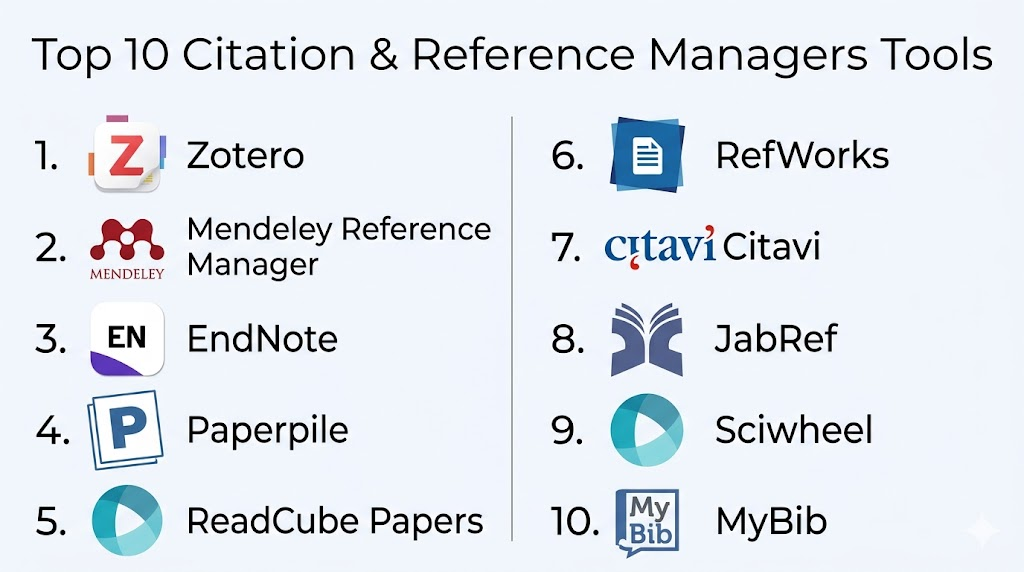
Top 10 Citation & Reference Managers Tools
1. Zotero
Short description: Zotero is a popular open-source reference manager used by students, researchers, writers, and academics. It helps users collect references, organize PDFs, generate citations, and build bibliographies.
Key Features
- Browser connector for saving sources.
- PDF storage and organization.
- Tags, notes, collections, and saved searches.
- Microsoft Word, LibreOffice, and Google Docs support.
- Large citation style library.
- Group libraries for collaboration.
- Open-source ecosystem.
Pros
- Strong free option for students and researchers.
- Great citation style support.
- Active community and flexible workflow.
Cons
- Heavy PDF storage may require paid storage.
- Advanced enterprise controls are limited.
- Interface may feel basic compared with premium tools.
Platforms / Deployment
Web / Windows / macOS / Linux / iOS
Cloud / Local / Hybrid
Security & Compliance
Basic account security and sync are available. Advanced compliance details such as SSO, audit logs, SOC 2, ISO 27001, and HIPAA are Not publicly stated.
Integrations & Ecosystem
Zotero works well across academic writing workflows and supports many common research formats.
- Microsoft Word
- Google Docs
- LibreOffice
- Browser connector
- BibTeX export
- Citation style library
Support & Community
Zotero has strong documentation, active forums, and a large academic user community.
2. Mendeley Reference Manager
Short description: Mendeley Reference Manager helps users manage references, organize PDFs, and create citations. It is commonly used by students and academic researchers.
Key Features
- Reference library management.
- PDF storage and reading.
- Web importer for saving sources.
- Microsoft Word citation plugin.
- Cloud syncing.
- Metadata extraction.
- Research discovery features.
Pros
- Good for PDF-heavy academic workflows.
- Useful for researchers managing many papers.
- Familiar tool in academic environments.
Cons
- Some users may prefer older workflows.
- Collaboration features may depend on account limits.
- Compliance details are not always clear.
Platforms / Deployment
Web / Windows / macOS / Linux
Cloud / Desktop / Hybrid
Security & Compliance
Account-based access and cloud storage are available. Advanced compliance details are Not publicly stated.
Integrations & Ecosystem
Mendeley works well for academic users who want PDF management and citation support.
- Microsoft Word
- Web importer
- PDF library
- Export formats
- Cloud sync
- Research discovery ecosystem
Support & Community
Documentation and help resources are available. Community strength is good due to broad academic use.
3. EndNote
Short description: EndNote is a mature reference management tool used by universities, researchers, medical writers, and publishing professionals. It is known for advanced citation and bibliography control.
Key Features
- Advanced reference library management.
- Microsoft Word citation integration.
- Large citation style support.
- PDF import and annotation.
- Duplicate detection.
- Online library sync.
- Research collaboration options.
Pros
- Strong for institutional and professional research.
- Powerful citation formatting.
- Good fit for complex academic writing.
Cons
- Can feel complex for beginners.
- Paid licensing may not suit all users.
- Requires learning for best results.
Platforms / Deployment
Web / Windows / macOS / iOS
Cloud / Desktop / Hybrid
Security & Compliance
Security and compliance features may vary by plan. Details such as SSO, audit logs, SOC 2, ISO 27001, and HIPAA should be verified directly.
Integrations & Ecosystem
EndNote is strong for formal writing and publishing workflows.
- Microsoft Word
- Citation style libraries
- PDF workflows
- Research database imports
- RIS export
- BibTeX export
Support & Community
EndNote offers documentation, training resources, and support options. Institutional support may vary by license.
4. Paperpile
Short description: Paperpile is a cloud-based reference manager designed for users who work heavily with Google Docs and browser-based research workflows.
Key Features
- Google Docs citation support.
- Browser-based reference capture.
- PDF management.
- Cloud storage and syncing.
- Simple tagging and folders.
- Citation style support.
- Clean beginner-friendly interface.
Pros
- Very easy for Google Docs users.
- Simple and fast setup.
- Good for students and small teams.
Cons
- Less suitable for desktop-first users.
- Advanced enterprise features may be limited.
- Not ideal for heavy LaTeX workflows.
Platforms / Deployment
Web / Browser extension
Cloud
Security & Compliance
Cloud account security is available. Advanced compliance details are Not publicly stated.
Integrations & Ecosystem
Paperpile works best inside browser-based and Google Workspace-style workflows.
- Google Docs
- Browser extension
- PDF management
- Citation styles
- Export formats
- Cloud sync
Support & Community
Paperpile has helpful documentation and product support. Community size is smaller than some older tools.
5. ReadCube Papers
Short description: ReadCube Papers focuses on reading, organizing, annotating, and managing academic papers. It is useful for researchers who work with many PDFs.
Key Features
- PDF library management.
- Paper discovery features.
- Annotation tools.
- Cloud sync.
- Citation support.
- Shared libraries.
- Metadata organization.
Pros
- Strong reading and PDF workflow.
- Modern interface.
- Useful for research-heavy users.
Cons
- Subscription pricing may not suit all users.
- Some features may be plan-dependent.
- Open-source flexibility is limited.
Platforms / Deployment
Web / Windows / macOS / iOS / Android
Cloud / Desktop / Hybrid
Security & Compliance
Account security and cloud storage are available. Advanced compliance details are Not publicly stated.
Integrations & Ecosystem
ReadCube Papers supports paper reading, annotation, and research organization.
- Microsoft Word
- Browser importer
- PDF annotation
- Shared libraries
- Export formats
- Paper discovery tools
Support & Community
Documentation and support are available. Community strength is moderate among academic users.
6. RefWorks
Short description: RefWorks is a web-based reference manager commonly used by universities, libraries, and academic institutions.
Key Features
- Web-based reference library.
- Citation and bibliography generation.
- Institutional access options.
- Collaboration features.
- Academic database imports.
- Writing tool support.
- Library-friendly administration.
Pros
- Good for universities and libraries.
- Easy web-based access.
- Suitable for institutional research support.
Cons
- Less useful without institutional access.
- Interface preference may vary.
- Advanced security details may require confirmation.
Platforms / Deployment
Web
Cloud
Security & Compliance
Institutional account management may be available. Specific compliance details are Not publicly stated unless confirmed directly.
Integrations & Ecosystem
RefWorks is designed for academic and library-supported workflows.
- Microsoft Word
- Academic database imports
- Citation styles
- RIS export
- Shared research libraries
- Institutional workflows
Support & Community
Support is often available through institutional library teams and vendor resources.
7. Citavi
Short description: Citavi combines citation management with knowledge organization and research planning. It is useful for thesis writers, researchers, and academic teams.
Key Features
- Reference management.
- Knowledge organization.
- Notes and categories.
- Research task planning.
- PDF annotation.
- Microsoft Word integration.
- Team collaboration options.
Pros
- Strong for long-form academic projects.
- Good note and knowledge organization.
- Useful for structured research planning.
Cons
- May feel complex for simple citation needs.
- Learning curve can be higher.
- Platform fit may vary by user environment.
Platforms / Deployment
Windows / Web features vary
Cloud / Desktop / Hybrid
Security & Compliance
Security and compliance details are Not publicly stated unless confirmed for a specific plan.
Integrations & Ecosystem
Citavi is useful for users who want to manage both references and research ideas.
- Microsoft Word
- PDF annotation
- Research databases
- Citation styles
- Export formats
- Team projects
Support & Community
Citavi provides documentation and support resources. Community strength is solid in academic environments.
8. JabRef
Short description: JabRef is an open-source reference manager focused on BibTeX and BibLaTeX workflows. It is especially useful for LaTeX users and technical researchers.
Key Features
- BibTeX and BibLaTeX management.
- Strong LaTeX support.
- Metadata lookup.
- Grouping and search.
- PDF file linking.
- Open-source desktop app.
- Import and export support.
Pros
- Excellent for LaTeX users.
- Free and open-source.
- Strong control over bibliography files.
Cons
- Less beginner-friendly.
- Collaboration features are limited.
- Interface may feel technical.
Platforms / Deployment
Windows / macOS / Linux
Desktop / Self-managed
Security & Compliance
Security depends on the user’s local setup. Enterprise compliance details are Not publicly stated.
Integrations & Ecosystem
JabRef is strongest for technical writing and LaTeX-based publishing.
- LaTeX
- BibTeX
- BibLaTeX
- PDF file linking
- Metadata lookup
- Git-based workflows
Support & Community
JabRef has open-source documentation, community support, and issue tracking.
9. Sciwheel
Short description: Sciwheel is a reference manager and research collaboration tool for academics, healthcare researchers, and scientific teams.
Key Features
- Reference collection.
- Browser-based saving.
- PDF annotation.
- Citation support.
- Shared projects.
- Research discovery.
- Cloud access.
Pros
- Good for collaborative research teams.
- Useful PDF annotation workflow.
- Suitable for scientific and healthcare research groups.
Cons
- Less widely known than some competitors.
- Pricing may vary.
- Compliance details should be verified.
Platforms / Deployment
Web / Browser extension
Cloud
Security & Compliance
Cloud account features are available. Advanced compliance details are Not publicly stated.
Integrations & Ecosystem
Sciwheel supports research collaboration and academic writing workflows.
- Browser extension
- Microsoft Word
- PDF annotation
- Shared projects
- Citation styles
- Research discovery
Support & Community
Support resources are available. Community strength may depend on team or institutional adoption.
10. MyBib
Short description: MyBib is a simple citation generator for users who need quick citations and bibliographies without managing a large research library.
Key Features
- Fast citation generation.
- Common citation style support.
- Web-based access.
- Bibliography creation.
- Manual source entry.
- Export options.
- Beginner-friendly workflow.
Pros
- Very easy to use.
- Good for quick student assignments.
- Minimal setup required.
Cons
- Not suitable for large research libraries.
- Limited PDF and annotation features.
- Not ideal for enterprise workflows.
Platforms / Deployment
Web
Cloud
Security & Compliance
Security and compliance details are Not publicly stated.
Integrations & Ecosystem
MyBib is best for quick citation creation rather than full research management.
- Web citation creation
- Bibliography export
- Common citation styles
- Manual entry
- Copy-paste workflows
- Student writing use cases
Support & Community
Support and documentation are basic. Community strength is Varies / Not publicly stated.
Comparison Table
| Tool Name | Best For | Platform(s) Supported | Deployment | Standout Feature | Public Rating |
|---|---|---|---|---|---|
| Zotero | Students, academics, open-source users | Web, Windows, macOS, Linux, iOS | Cloud / Local / Hybrid | Open-source citation management | N/A |
| Mendeley Reference Manager | Academic researchers and PDF users | Web, Windows, macOS, Linux | Cloud / Desktop / Hybrid | PDF-centered research workflow | N/A |
| EndNote | Universities and professional researchers | Web, Windows, macOS, iOS | Cloud / Desktop / Hybrid | Advanced citation control | N/A |
| Paperpile | Google Docs users | Web, browser extension | Cloud | Google Docs citation workflow | N/A |
| ReadCube Papers | PDF-heavy researchers | Web, Windows, macOS, iOS, Android | Cloud / Desktop / Hybrid | Reading and annotation workflow | N/A |
| RefWorks | Universities and libraries | Web | Cloud | Institutional reference management | N/A |
| Citavi | Thesis writers and structured researchers | Windows, web features vary | Cloud / Desktop / Hybrid | Knowledge organization plus citations | N/A |
| JabRef | LaTeX and BibTeX users | Windows, macOS, Linux | Desktop / Self-managed | BibTeX and BibLaTeX control | N/A |
| Sciwheel | Research teams | Web, browser extension | Cloud | Collaborative research workflow | N/A |
| MyBib | Quick citation generation | Web | Cloud | Simple bibliography creation | N/A |
Evaluation & Scoring of Citation & Reference Managers
| Tool Name | Core Features | Ease of Use | Integrations | Security | Performance | Support | Value | Weighted Total |
|---|---|---|---|---|---|---|---|---|
| Zotero | 9 | 8 | 9 | 6 | 8 | 9 | 10 | 8.55 |
| Mendeley Reference Manager | 8 | 8 | 8 | 6 | 8 | 7 | 8 | 7.65 |
| EndNote | 9 | 7 | 9 | 7 | 8 | 8 | 7 | 8.05 |
| Paperpile | 8 | 9 | 8 | 6 | 8 | 7 | 8 | 7.85 |
| ReadCube Papers | 8 | 8 | 7 | 6 | 8 | 7 | 7 | 7.35 |
| RefWorks | 8 | 7 | 8 | 7 | 8 | 8 | 7 | 7.60 |
| Citavi | 8 | 7 | 7 | 6 | 8 | 7 | 7 | 7.20 |
| JabRef | 8 | 6 | 8 | 6 | 8 | 8 | 9 | 7.55 |
| Sciwheel | 7 | 8 | 7 | 6 | 7 | 7 | 7 | 7.00 |
| MyBib | 5 | 10 | 5 | 4 | 8 | 5 | 9 | 6.55 |
Scores are comparative and should be used as guidance, not as a fixed ranking. A tool with a lower total may still be the best fit for a specific use case. For example, MyBib is not a full research manager, but it is useful for quick citations. JabRef may not be ideal for beginners, but it is excellent for LaTeX users.
Which Citation & Reference Managers Tool Is Right for You?
Solo / Freelancer
Solo researchers, students, writers, and independent consultants should choose tools that are simple, affordable, and easy to maintain. Zotero is a strong all-round option because it offers serious research features without forcing users into a complex setup.
MyBib is best for quick citations. Paperpile is useful for users who write mainly in Google Docs.
SMB
Small teams should focus on shared libraries, collaboration, simple onboarding, and export flexibility. Zotero, Paperpile, ReadCube Papers, and Sciwheel are practical options depending on the team’s research style.
If the team works mostly in Google Docs, Paperpile is a good fit. If the team needs a flexible research library, Zotero is worth considering.
Mid-Market
Mid-market organizations should look at user management, storage limits, collaboration, document integrations, and support quality. EndNote, RefWorks, Zotero, and ReadCube Papers can fit different mid-market needs.
Before rollout, teams should test citation accuracy, import/export workflows, and writing tool compatibility.
Enterprise
Enterprises, universities, hospitals, and research institutions should focus on administration, compliance, procurement, onboarding, and support. EndNote and RefWorks are often suitable for institutional environments.
However, enterprise buyers should verify SSO, audit logs, access control, data protection, and compliance documents before purchase.
Budget vs Premium
Budget users should consider Zotero, JabRef, and MyBib. Zotero is best for full reference management, JabRef is great for technical users, and MyBib is ideal for quick citation tasks.
Premium tools may be better when users need polished interfaces, team workflows, institutional support, or advanced PDF features.
Feature Depth vs Ease of Use
EndNote, Zotero, Citavi, and JabRef offer deeper functionality. Paperpile and MyBib are easier for beginners.
Choose deeper tools for large research libraries. Choose simpler tools for assignments, articles, and light research.
Integrations & Scalability
Google Docs users should consider Paperpile or Zotero. Microsoft Word users can evaluate Zotero, EndNote, Mendeley, RefWorks, Citavi, ReadCube Papers, and Sciwheel.
LaTeX users should consider JabRef or Zotero with BibTeX workflows.
Security & Compliance Needs
If security matters, do not choose only based on popularity. Ask about MFA, SSO, encryption, access control, audit logs, data location, backup, and retention.
For sensitive research, local tools may offer more control, but they also place more responsibility on the user or organization.
Frequently Asked Questions
1. What is a citation and reference manager?
A citation and reference manager helps users collect, organize, cite, and format research sources. It reduces manual work and helps keep academic or professional writing more organized.
2. Who should use citation management software?
Students, researchers, universities, writers, legal teams, healthcare researchers, policy teams, and business analysts can use these tools to manage sources and create bibliographies.
3. Which citation manager is best for beginners?
MyBib and Paperpile are simple for beginners. Zotero is also beginner-friendly while still offering advanced research management features.
4. Which tool is best for academic researchers?
Zotero, EndNote, Mendeley Reference Manager, RefWorks, ReadCube Papers, and Citavi are strong choices for academic researchers. The right option depends on writing tools, PDF needs, and budget.
5. Which citation manager is best for LaTeX users?
JabRef is especially useful for BibTeX and BibLaTeX workflows. Zotero can also work well for users who need BibTeX export support.
6. Do citation managers support Microsoft Word?
Many popular citation managers support Microsoft Word. Zotero, EndNote, Mendeley Reference Manager, RefWorks, Citavi, ReadCube Papers, and Sciwheel are commonly used with Word workflows.
7. Do citation managers support Google Docs?
Some citation managers support Google Docs directly or through browser-based tools. Zotero and Paperpile are popular choices for Google Docs users.
8. Are free citation managers good enough?
Yes, free tools can be strong enough for many users. Zotero and JabRef are good examples, while MyBib is useful for quick citation generation.
9. Can I move references from one tool to another?
Yes, many tools support export formats such as RIS and BibTeX. However, notes, folders, tags, PDFs, and annotations may not always transfer perfectly.
10. What is the biggest mistake users make with citation managers?
The biggest mistake is trusting imported metadata without checking it. Users should review author names, titles, journal names, publication details, and formatting before submission.
Conclusion
Citation and reference managers are important tools for anyone who regularly works with research, papers, reports, academic sources, or professional documentation. The best tool depends on your actual workflow. Zotero is a strong all-round choice, EndNote is powerful for institutional research, Paperpile is useful for Google Docs users, JabRef is ideal for LaTeX users, and MyBib is best for quick citation creation. Before choosing one platform, shortlist two or three tools, test them with real documents, check citation styles, review integrations, validate export options, and confirm security needs. A small pilot will quickly show which tool fits your research process best.
