Introduction
CAT tools, also known as Computer-Assisted Translation tools, help translators, localization teams, agencies, and businesses translate content faster and more consistently. A CAT tool does not fully replace a human translator. Instead, it supports the translator with translation memory, terminology databases, glossaries, quality checks, file handling, machine translation suggestions, and project management features.
These tools matter because global content is growing across websites, apps, documents, e-learning courses, support portals, software products, and marketing campaigns. Businesses need faster multilingual delivery without losing accuracy, brand tone, or terminology consistency. A strong CAT tool can reduce repeated work, improve translation quality, and help teams manage complex translation projects more efficiently.
Common real-world use cases include:
- Document translation for agencies and freelancers
- Software and app localization
- Website content translation
- Product manual and technical documentation translation
- Legal, medical, finance, and enterprise document translation
- E-learning and training content localization
- Terminology management for global brands
Buyers should evaluate:
- Translation memory quality
- Terminology and glossary management
- File format support
- Machine translation integration
- Quality assurance checks
- Collaboration and review workflows
- Project management features
- Offline and online availability
- Security and access controls
- Pricing and license flexibility
Best for: freelance translators, translation agencies, localization managers, language service providers, global enterprises, documentation teams, legal translation teams, product localization teams, and businesses handling repeated multilingual content.
Not ideal for: users who only need one-time casual translation, teams that rely fully on machine translation without human review, or businesses that do not need translation memory, terminology control, workflow tracking, or quality assurance.
Key Trends in CAT Tools for Modern Translation Workflows
- AI-assisted translation is becoming standard: CAT tools are increasingly combining translation memory, terminology, machine translation, and AI suggestions to help translators work faster while still keeping human review central.
- Human translator productivity is the main focus: The best CAT tools do not remove translators from the process. They help translators reduce repetitive work and focus more on meaning, tone, accuracy, and context.
- Terminology consistency is becoming more important: Global brands want approved terms, product names, legal phrases, and industry vocabulary to remain consistent across all languages.
- Cloud collaboration is growing: More teams want browser-based workflows where translators, reviewers, project managers, and clients can work together without manually sending files.
- Offline desktop tools still matter: Many professional translators still prefer desktop CAT tools for large files, confidential projects, complex formatting, and specialized translation workflows.
- Security expectations are rising: Businesses now expect role-based access, encrypted storage, secure file handling, project permissions, and clear data protection practices.
- Machine translation post-editing is common: Many teams use machine translation as a first draft, then rely on translators to refine accuracy, style, and cultural fit.
- Quality assurance automation is essential: Built-in checks for missing numbers, inconsistent terms, formatting problems, tags, punctuation, and untranslated segments help reduce errors.
- Integration with localization platforms is increasing: CAT tools are often connected with translation management systems, content platforms, design tools, and software localization workflows.
- Flexible pricing is becoming important: Freelancers, agencies, and enterprises need different pricing models, including subscriptions, perpetual licenses, cloud seats, and team plans.
How We Selected These Tools
The Top 10 CAT tools were selected using a practical SaaS and translation workflow evaluation model:
- Market adoption among translators, agencies, localization teams, and enterprise language departments
- Depth of translation memory, terminology, glossary, and quality assurance capabilities
- Support for common document, software, and localization file formats
- Fit for freelancers, agencies, SMBs, mid-market teams, and enterprise localization programs
- Reliability for large files, multilingual projects, and repeated translation workflows
- Collaboration features for translators, reviewers, project managers, and clients
- Integration with machine translation engines, translation management systems, APIs, and localization workflows
- Security posture signals such as permissions, access controls, and enterprise governance where publicly known
- Availability of documentation, training, onboarding, and support resources
- Overall value compared with functionality, usability, and professional workflow depth
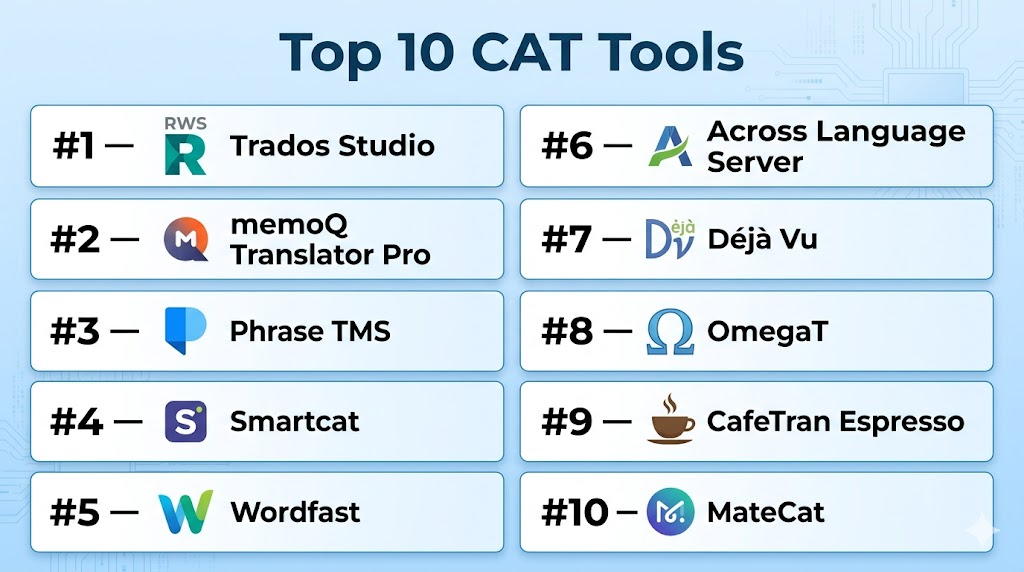
Top 10 CAT Tools
#1 — Trados Studio
Short description (2–3 lines): Trados Studio is one of the most widely recognized professional CAT tools for translators, agencies, and enterprise language teams. It is known for strong translation memory, terminology management, file support, and professional translation workflows.
Key Features
- Advanced translation memory management
- Terminology database support through MultiTerm
- Support for many document and localization file formats
- Quality assurance checks for consistency and formatting
- Machine translation integration
- Project package workflows for agencies and clients
- Desktop-based professional translation environment
Pros
- Strong industry recognition among professional translators and agencies
- Excellent fit for complex document translation workflows
- Rich translation memory and terminology capabilities
Cons
- Learning curve can be high for beginners
- Desktop setup may feel heavy compared with modern web-based tools
- Cost may be high for casual users or small projects
Platforms / Deployment
Windows desktop
Cloud-connected options available depending on product setup
Deployment: Desktop / Cloud-connected / Hybrid workflow options
Security & Compliance
Enterprise security details vary by deployment and plan. Access controls, project permissions, and secure file handling may depend on configuration. Specific compliance certifications should be verified before purchase.
Integrations & Ecosystem
Trados Studio has a mature ecosystem for professional translation workflows, agencies, terminology management, machine translation, and project exchange.
- Machine translation integrations
- Terminology tools
- Translation memory exchange
- Project package workflows
- File format filters
- Enterprise translation workflows
Support & Community
Trados has strong documentation, training materials, partner resources, and a large professional translator community. Support depth depends on license type and service plan.
#2 — memoQ Translator Pro
Short description (2–3 lines): memoQ Translator Pro is a professional CAT tool used by translators, agencies, and enterprise language teams. It offers strong translation memory, terminology, quality assurance, and collaboration features.
Key Features
- Translation memory and LiveDocs support
- Terminology management
- Quality assurance checks
- Support for many file formats
- Machine translation integration
- Project management features
- Collaboration through memoQ server and cloud options
Pros
- Strong productivity features for professional translators
- Good balance of desktop power and team collaboration
- Helpful terminology and quality assurance tools
Cons
- New users may need training to use advanced features properly
- Some collaboration features require additional setup
- Interface may feel specialized for non-translator users
Platforms / Deployment
Windows desktop
Cloud and server-based collaboration options
Deployment: Desktop / Cloud / Server / Hybrid depending on setup
Security & Compliance
Security features depend on deployment model and plan. Enterprise access control, user management, and project permissions may be available. Specific compliance details should be verified.
Integrations & Ecosystem
memoQ fits well into professional translation operations and agency workflows where consistency, reuse, and quality control are important.
- Machine translation engines
- Terminology databases
- Translation memories
- Server collaboration
- File format workflows
- Language service provider operations
Support & Community
memoQ provides documentation, training, support resources, and a strong professional user community. Support options depend on product plan and agreement.
#3 — Phrase TMS
Short description (2–3 lines): Phrase TMS is a cloud-based translation management and CAT environment designed for localization teams, agencies, and enterprises. It combines translation productivity, automation, machine translation, and workflow management.
Key Features
- Web-based CAT editor
- Translation memory and terminology management
- Machine translation and automation support
- Project management workflows
- Quality assurance checks
- API and integration ecosystem
- Team collaboration and reviewer workflows
Pros
- Strong cloud-based collaboration
- Good fit for distributed translation and localization teams
- Useful automation and integration options
Cons
- May require workflow planning for larger teams
- Subscription pricing may not suit all freelancers
- Some advanced features may be tied to higher plans
Platforms / Deployment
Web / Cloud
API-based integrations
Deployment: Cloud
Security & Compliance
Phrase offers enterprise security features such as user permissions, SSO, and governance controls depending on plan. Specific certifications and compliance details should be verified before purchase.
Integrations & Ecosystem
Phrase TMS works well for teams that want translation workflows connected with software localization, content systems, and automation.
- APIs
- Machine translation engines
- Content management workflows
- Software localization workflows
- Translation memory systems
- Enterprise automation processes
Support & Community
Phrase provides documentation, onboarding resources, customer support, and enterprise support options. Its ecosystem is strong among localization and product teams.
#4 — Smartcat
Short description (2–3 lines): Smartcat is a cloud-based CAT and translation workflow platform for translators, agencies, and businesses. It combines CAT editing, marketplace-style collaboration, project management, and payment workflows.
Key Features
- Cloud-based CAT editor
- Translation memory management
- Glossary and terminology support
- Machine translation integration
- Collaboration with translators and reviewers
- Project management dashboard
- Vendor and payment workflow support
Pros
- Easy access through a browser
- Good for collaboration between businesses, agencies, and freelancers
- Useful for managing translation projects and vendors in one place
Cons
- Some users may prefer desktop CAT tools for advanced control
- Vendor marketplace model may not suit every organization
- Enterprise security details should be reviewed carefully
Platforms / Deployment
Web / Cloud
Deployment: Cloud
Security & Compliance
Smartcat provides cloud-based account controls and project access features. Specific security certifications, SSO, audit logs, and compliance details should be verified based on plan.
Integrations & Ecosystem
Smartcat is useful for teams that want CAT functionality combined with workflow management and translator collaboration.
- Machine translation engines
- Translation memory workflows
- Glossary tools
- Project management
- Vendor collaboration
- Business translation workflows
Support & Community
Smartcat provides documentation, support resources, and onboarding materials. Community strength is visible among freelancers, agencies, and business translation users.
#5 — Wordfast
Short description (2–3 lines): Wordfast is a CAT tool family used by freelance translators, agencies, and language professionals. It is known for practical translation memory workflows and flexible options for different user needs.
Key Features
- Translation memory support
- Terminology and glossary tools
- Desktop and web-based options depending on product
- Support for common file formats
- Quality assurance checks
- Machine translation integration
- Simple workflows for freelance translators
Pros
- Practical choice for many freelance translators
- Offers different tool options for different working styles
- Generally easier to approach than some enterprise-heavy tools
Cons
- Advanced enterprise workflow depth may be more limited
- Interface and features vary across Wordfast products
- Some teams may need stronger collaboration controls
Platforms / Deployment
Windows / macOS depending on product
Web options available depending on product
Deployment: Desktop / Cloud options depending on product
Security & Compliance
Security and compliance details vary by product and deployment. Specific SSO, audit logs, encryption, and compliance certifications are not publicly stated for all use cases.
Integrations & Ecosystem
Wordfast is mostly used in professional translation workflows where translation memory reuse and file translation productivity matter.
- Translation memory workflows
- Glossary management
- Machine translation options
- Common file format handling
- Freelance translation workflows
- Agency collaboration processes
Support & Community
Wordfast has documentation, training resources, and a long-standing translator user community. Support options depend on the selected product and license.
#6 — Across Language Server
Short description (2–3 lines): Across Language Server is a translation management and CAT environment built for enterprises, language service providers, and regulated translation workflows. It focuses on secure translation processes, terminology, workflow control, and collaboration.
Key Features
- Translation memory management
- Terminology management
- Workflow and project management
- Enterprise collaboration features
- Quality assurance support
- Controlled access and user roles
- Server-based translation environment
Pros
- Strong fit for enterprise and regulated translation environments
- Good workflow control for complex organizations
- Useful for managing terminology and translation assets centrally
Cons
- May be too complex for individual translators
- Setup and administration can require planning
- Less lightweight than browser-first tools
Platforms / Deployment
Windows / Web components depending on setup
Deployment: Server / Enterprise / Hybrid options
Security & Compliance
Across is designed for controlled enterprise translation workflows. User roles, permissions, and secure project handling may be available depending on configuration. Specific compliance certifications should be verified.
Integrations & Ecosystem
Across fits organizations that need translation workflows managed within controlled business environments.
- Enterprise translation workflows
- Terminology databases
- Translation memory systems
- Project management processes
- Language service provider workflows
- Controlled internal collaboration
Support & Community
Across provides enterprise-oriented support and documentation. Community visibility is more specialized compared with broader freelancer-focused CAT tools.
#7 — Déjà Vu
Short description (2–3 lines): Déjà Vu is a professional CAT tool used by translators and agencies for translation memory, terminology, alignment, and file-based translation workflows. It is known for productivity-focused features and professional translator usage.
Key Features
- Translation memory support
- Terminology database support
- File format handling
- Auto-propagation of repeated content
- Quality assurance tools
- Alignment features
- Project-based translation management
Pros
- Useful for translators working with repeated content
- Good productivity features for professional translation
- Strong focus on translation memory reuse
Cons
- Interface may feel less modern than newer cloud tools
- Collaboration features may not be as strong as cloud-first platforms
- New users may need time to learn the workflow
Platforms / Deployment
Windows desktop
Deployment: Desktop
Security & Compliance
Security depends mainly on local environment, file handling practices, and user configuration. Enterprise compliance details are not publicly stated for all use cases.
Integrations & Ecosystem
Déjà Vu is mainly used in desktop-based professional translation workflows where translation memory and terminology reuse are important.
- Translation memory workflows
- Terminology databases
- File-based project workflows
- Alignment processes
- Repeated-content translation
- Professional translator workflows
Support & Community
Support resources and documentation are available. Community strength exists among experienced CAT tool users and professional translators.
#8 — OmegaT
Short description (2–3 lines): OmegaT is a free and open-source CAT tool used by translators who need translation memory, glossary support, and basic project-based translation workflows. It is a strong option for budget-conscious users and open-source supporters.
Key Features
- Open-source CAT tool
- Translation memory support
- Glossary support
- Project-based translation workflow
- Support for multiple file formats
- Fuzzy matching
- Community-driven development
Pros
- Free and open-source
- Good for translators who want basic CAT functionality
- Works well for budget-sensitive projects
Cons
- Interface is less polished than many commercial tools
- Advanced project management and collaboration features are limited
- Support depends largely on documentation and community
Platforms / Deployment
Windows / macOS / Linux
Deployment: Desktop / Self-managed local usage
Security & Compliance
Security depends on local device configuration and user practices. Enterprise compliance certifications are not publicly stated.
Integrations & Ecosystem
OmegaT is useful for translators who need a no-cost CAT environment and are comfortable managing projects locally.
- Translation memory files
- Glossary files
- Local project workflows
- Open-source translation processes
- File-based translation
- Community extensions and resources
Support & Community
OmegaT has documentation and an open-source user community. Formal enterprise support is limited compared with commercial CAT tools.
#9 — CafeTran Espresso
Short description (2–3 lines): CafeTran Espresso is a CAT tool used by freelance translators and language professionals who want a flexible desktop translation environment. It supports translation memory, terminology, machine translation, and project workflows.
Key Features
- Translation memory support
- Glossary and terminology management
- Machine translation integration
- Support for common file formats
- Project-based workflow
- Fuzzy matching and auto-completion
- Cross-platform availability
Pros
- Flexible option for freelance translators
- Cross-platform support is helpful for different users
- Good balance of translation memory and terminology features
Cons
- Interface may require learning for new users
- Smaller ecosystem than larger CAT platforms
- Enterprise collaboration features may be limited
Platforms / Deployment
Windows / macOS / Linux
Deployment: Desktop
Security & Compliance
Security depends on local setup and user file handling. Specific enterprise compliance certifications are not publicly stated.
Integrations & Ecosystem
CafeTran Espresso works best for individual translators and small teams managing translation projects locally.
- Translation memory workflows
- Glossary workflows
- Machine translation engines
- File-based projects
- Professional translation workflows
- Cross-platform desktop usage
Support & Community
CafeTran has documentation and user community resources. Support is more specialized compared with larger enterprise CAT vendors.
#10 — MateCat
Short description (2–3 lines): MateCat is a web-based CAT tool designed for online translation productivity. It is useful for translators and teams that want browser-based translation memory, machine translation support, and simple project workflows.
Key Features
- Web-based CAT editor
- Translation memory support
- Machine translation integration
- Collaborative translation workflow
- File upload and translation environment
- Basic quality and productivity features
- Browser-based access without heavy installation
Pros
- Easy to access from a browser
- Useful for quick translation projects
- Good fit for users who prefer cloud-based CAT workflows
Cons
- May not provide the same depth as premium desktop CAT tools
- Security-sensitive projects require careful review of data handling
- Advanced enterprise workflow features may be limited
Platforms / Deployment
Web / Cloud
Deployment: Cloud
Security & Compliance
Security and compliance details should be reviewed carefully before using it for confidential or regulated projects. Specific certifications are not publicly stated for all use cases.
Integrations & Ecosystem
MateCat is useful for simple browser-based CAT workflows and machine translation-assisted translation.
- Machine translation support
- Translation memory workflows
- File-based translation projects
- Browser-based collaboration
- Quick translation workflows
- Basic translator productivity tools
Support & Community
MateCat has documentation and community visibility among online CAT tool users. Formal support options may be more limited than enterprise platforms.
Comparison Table
| Tool Name | Best For | Platform(s) Supported | Deployment | Standout Feature | Public Rating |
|---|---|---|---|---|---|
| Trados Studio | Professional translators, agencies, enterprises | Windows | Desktop / Hybrid options | Mature translation memory and terminology ecosystem | N/A |
| memoQ Translator Pro | Translators, agencies, language teams | Windows, Web options | Desktop / Cloud / Server / Hybrid | Strong translation productivity and collaboration | N/A |
| Phrase TMS | Cloud localization and translation teams | Web, API | Cloud | Web-based CAT editor with automation | N/A |
| Smartcat | Businesses, agencies, freelancers | Web | Cloud | CAT workflow plus vendor collaboration | N/A |
| Wordfast | Freelance translators and agencies | Windows, macOS, Web options depending on product | Desktop / Cloud options | Practical translation memory workflow | N/A |
| Across Language Server | Enterprises and regulated translation workflows | Windows, Web components | Server / Hybrid options | Controlled enterprise translation environment | N/A |
| Déjà Vu | Professional translators and agencies | Windows | Desktop | Strong repeated-content translation productivity | N/A |
| OmegaT | Budget-conscious translators and open-source users | Windows, macOS, Linux | Desktop / Local | Free and open-source CAT workflow | N/A |
| CafeTran Espresso | Freelance translators and cross-platform users | Windows, macOS, Linux | Desktop | Flexible cross-platform CAT environment | N/A |
| MateCat | Online CAT users and quick translation projects | Web | Cloud | Browser-based CAT editing | N/A |
Evaluation & Scoring of CAT Tools
The scoring below is a comparative analyst assessment based on core CAT capabilities, usability, integrations, security signals, performance, support maturity, and price-to-value balance. It is not a public review rating.
| Tool Name | Core (25%) | Ease (15%) | Integrations (15%) | Security (10%) | Performance (10%) | Support (10%) | Value (15%) | Weighted Total (0–10) |
|---|---|---|---|---|---|---|---|---|
| Trados Studio | 10 | 7 | 8 | 8 | 9 | 9 | 7 | 8.35 |
| memoQ Translator Pro | 9 | 8 | 8 | 8 | 9 | 8 | 8 | 8.35 |
| Phrase TMS | 9 | 8 | 9 | 8 | 8 | 8 | 8 | 8.35 |
| Smartcat | 8 | 9 | 7 | 7 | 8 | 7 | 8 | 7.85 |
| Wordfast | 8 | 8 | 7 | 6 | 8 | 7 | 8 | 7.55 |
| Across Language Server | 8 | 6 | 7 | 8 | 8 | 8 | 7 | 7.35 |
| Déjà Vu | 8 | 7 | 6 | 6 | 8 | 7 | 8 | 7.30 |
| OmegaT | 6 | 6 | 5 | 6 | 7 | 6 | 10 | 6.65 |
| CafeTran Espresso | 7 | 7 | 6 | 6 | 7 | 6 | 8 | 6.90 |
| MateCat | 6 | 8 | 5 | 5 | 7 | 6 | 8 | 6.60 |
How to interpret these scores:
- The scoring is comparative and should be used as a starting point, not a final buying decision.
- High core feature scores usually reflect stronger translation memory, terminology, QA, and professional workflow depth.
- High ease scores reflect faster onboarding and simpler daily use.
- Security scores are conservative where public enterprise details are unclear.
- The best tool depends on your translation volume, file types, team size, budget, and workflow needs.
Which CAT Tool Is Right for You?
Solo / Freelancer
Freelance translators usually need a tool that improves productivity without creating unnecessary complexity. Important features include translation memory, terminology, file compatibility, machine translation support, and reasonable pricing.
Good options include:
- Wordfast for practical freelance translation workflows
- CafeTran Espresso for flexible cross-platform use
- OmegaT for free open-source translation work
- Trados Studio for freelancers working with agencies and enterprise clients
- memoQ Translator Pro for professional translators who want strong productivity features
Freelancers should choose based on the file formats they receive most often and whether their clients require a specific CAT tool.
SMB
Small and medium businesses often need translation support for documents, websites, product manuals, training material, or software content. They may not need a heavy enterprise server, but they do need consistency and simple collaboration.
Good options include:
- Smartcat for business translation collaboration
- Phrase TMS for cloud-based localization workflows
- Wordfast for smaller translation projects
- MateCat for quick online CAT workflows
- memoQ for more structured translation management
SMBs should avoid managing translation only through email and spreadsheets once content volume becomes recurring.
Mid-Market
Mid-market teams often manage multiple languages, translators, reviewers, departments, and content types. They need better workflow visibility, project tracking, terminology control, and review processes.
Good options include:
- Phrase TMS for cloud-based translation operations
- memoQ for professional translation teams
- Trados Studio for agency and enterprise document workflows
- Smartcat for translator collaboration and project management
- Across Language Server for controlled internal workflows
Mid-market buyers should test real translation files and review the full workflow from file intake to final delivery.
Enterprise
Enterprise organizations need more than translation productivity. They need security, governance, user roles, auditability, terminology control, vendor management, and scalable translation operations.
Good options include:
- Trados Studio for mature professional translation workflows
- memoQ for enterprise language teams and agencies
- Phrase TMS for cloud-based localization and automation
- Across Language Server for controlled enterprise environments
- Smartcat for business translation collaboration at scale
Enterprise teams should involve localization managers, security teams, legal teams, procurement, translators, reviewers, and IT teams during evaluation.
Budget vs Premium
Budget-focused users should prioritize tools that provide good translation memory and glossary features without high licensing costs. Premium users should prioritize workflow depth, support, file handling, automation, terminology, and collaboration.
Budget-friendly direction:
- OmegaT
- MateCat
- CafeTran Espresso
- Wordfast
Premium direction:
- Trados Studio
- memoQ Translator Pro
- Phrase TMS
- Across Language Server
The cheapest tool is not always the best value if it slows down work or causes formatting and quality issues.
Feature Depth vs Ease of Use
Some CAT tools are powerful but require training. Others are easier to use but may have fewer advanced features.
Best for feature depth:
- Trados Studio
- memoQ Translator Pro
- Phrase TMS
- Across Language Server
- Déjà Vu
Best for ease of use:
- Smartcat
- MateCat
- Wordfast
- CafeTran Espresso
- OmegaT
Teams should choose feature depth only when they truly need it. For simple projects, a lighter tool may be more productive.
Integrations & Scalability
Integrations matter when translation workflows connect with localization platforms, content systems, development workflows, or enterprise processes.
Strong integration candidates:
- Phrase TMS for cloud localization workflows
- memoQ for professional translation operations
- Trados Studio for agency and enterprise file workflows
- Smartcat for business collaboration
- Across Language Server for enterprise environments
Before choosing, test the tool with actual documents, translation memories, terminology files, machine translation engines, and review workflows.
Security & Compliance Needs
Security is important when translating legal documents, financial content, healthcare material, product roadmaps, technical documents, or confidential business content.
Security-focused buyers should check:
- User roles and permissions
- SSO and authentication options
- Audit logs
- Data storage location
- Encryption practices
- Offline vs cloud workflow needs
- Vendor access controls
- Confidentiality terms
- Project-level access controls
- Compliance documentation
For highly sensitive content, desktop or self-managed workflows may be preferred, but cloud tools can also be suitable if they meet the organization’s security requirements.
Frequently Asked Questions
1. What is a CAT tool?
A CAT tool is software that helps human translators translate more efficiently. It provides translation memory, glossaries, terminology support, quality checks, and file handling features.
2. Is a CAT tool the same as machine translation?
No. Machine translation automatically translates text, while a CAT tool assists human translators. Many CAT tools can integrate machine translation, but the translator remains in control.
3. What is translation memory?
Translation memory stores previously translated segments. When similar or repeated text appears later, the tool suggests existing translations to save time and improve consistency.
4. What is terminology management?
Terminology management helps translators use approved terms, brand words, product names, and technical vocabulary consistently across projects and languages.
5. Which CAT tool is best for beginners?
Beginners may find Wordfast, Smartcat, MateCat, CafeTran Espresso, or OmegaT easier to start with. However, the best choice depends on project type and client requirements.
6. Which CAT tool is best for professional translators?
Trados Studio, memoQ Translator Pro, Wordfast, Déjà Vu, and CafeTran Espresso are commonly used by professional translators. Each has different strengths and workflow styles.
7. Do CAT tools work offline?
Many desktop CAT tools work offline, including Trados Studio, memoQ Translator Pro, OmegaT, CafeTran Espresso, Wordfast desktop products, and Déjà Vu. Cloud tools usually require internet access.
8. Are CAT tools secure?
Security depends on the tool, deployment model, configuration, and user practices. For sensitive content, buyers should review access controls, encryption, data handling, and compliance details.
9. Can CAT tools handle different file formats?
Yes, most CAT tools support common document and localization file formats. However, file support varies, so teams should test real files before choosing a tool.
10. What are common mistakes when choosing a CAT tool?
Common mistakes include choosing only by price, ignoring file compatibility, skipping terminology setup, not testing quality checks, and selecting a tool that clients or teammates do not use.
Conclusion
CAT tools are essential for translators, agencies, localization teams, and businesses that want faster, more consistent, and more controlled translation workflows. The best CAT tool depends on your work style, budget, file types, translation volume, client requirements, security needs, and collaboration model. Trados Studio and memoQ are strong professional options. Phrase TMS and Smartcat are useful for cloud collaboration. Wordfast, CafeTran Espresso, Déjà Vu, and OmegaT can be practical choices for freelance and specialized workflows. Across Language Server is better suited for controlled enterprise environments, while MateCat can work well for simpler browser-based translation tasks.
