Introduction
Remote Sensing & Satellite Image Analysis Platforms are software solutions that allow organizations to collect, process, and analyze imagery from satellites, drones, and other aerial sensors. These platforms provide actionable insights for environmental monitoring, agriculture, urban planning, disaster management, and resource exploration.
In 2026, remote sensing is critical as industries demand real-time, high-resolution geospatial data for decision-making. Advances in AI, cloud computing, and sensor technologies have made satellite imagery more accessible and actionable than ever before.
Real-world use cases include:
- Monitoring deforestation and environmental changes.
- Precision agriculture with crop health monitoring.
- Urban planning and infrastructure development.
- Disaster detection and emergency response.
- Resource mapping, including water, minerals, and land cover.
Evaluation criteria for buyers:
- Image resolution and sensor support (optical, SAR, multispectral, hyperspectral).
- Processing and analytics capabilities (AI-based classification, change detection).
- Integration with GIS and other mapping tools.
- Cloud or on-premise deployment options.
- User interface and ease of use for technical and non-technical users.
- Support for time-series analysis and historical data.
- Data export formats and interoperability.
- Security and compliance standards.
- Scalability for large datasets.
- Pricing flexibility for research, commercial, or enterprise use.
Best for: Environmental agencies, agricultural companies, urban planners, defense organizations, research institutions, and enterprises with geospatial needs.
Not ideal for: Organizations without geospatial data requirements or those needing only basic mapping and visualization; simpler GIS tools may suffice.
Key Trends in Remote Sensing & Satellite Image Analysis
- Integration of AI and machine learning for automated feature detection and classification.
- Cloud-native platforms with scalable storage and processing.
- Increased use of hyperspectral and SAR imagery for advanced applications.
- Real-time data processing and near-live satellite feeds.
- Interoperability with GIS, IoT sensors, and environmental monitoring tools.
- Open data initiatives and access to global satellite imagery.
- Edge computing for drone and UAV image preprocessing.
- Automated change detection and anomaly alerts.
- Multi-platform support for web, desktop, and mobile analytics.
- Subscription and pay-per-use pricing models for flexible access.
How We Selected These Tools (Methodology)
- Evaluated market adoption and usage in government, agriculture, and research sectors.
- Assessed feature completeness: image preprocessing, classification, analytics, and visualization.
- Reviewed performance and reliability signals for large-scale datasets.
- Verified security and compliance standards where publicly known.
- Analyzed integration capabilities with GIS, ERP, and cloud platforms.
- Checked scalability and flexibility for research, enterprise, and commercial use.
- Considered AI and automation support in image analysis workflows.
- Reviewed user interface and accessibility for both technical and non-technical users.
- Evaluated customer support and community engagement.
- Compared pricing models and overall value for different organization sizes.
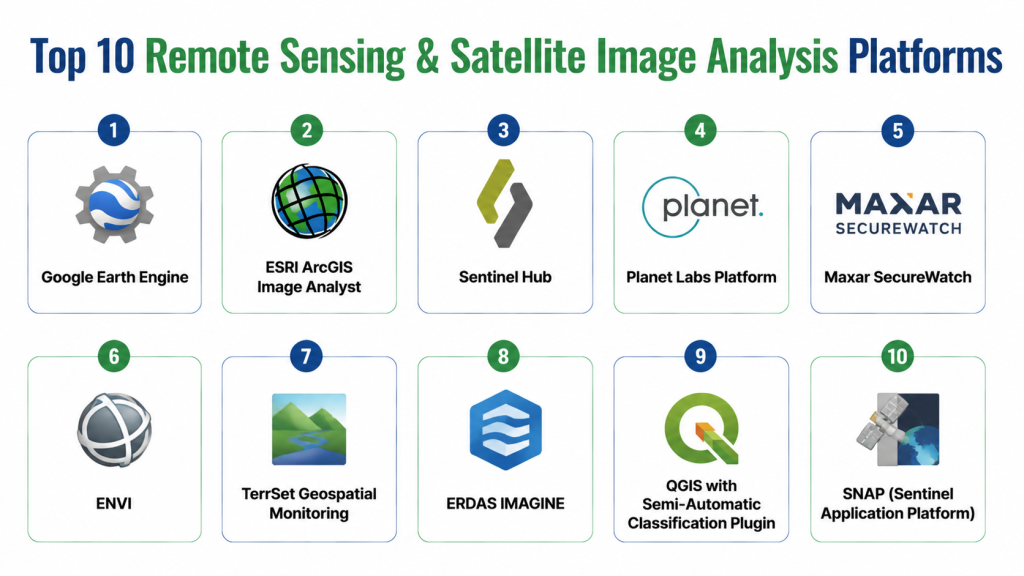
Top 10 Remote Sensing & Satellite Image Analysis Platforms
1- Google Earth Engine
Short description: Cloud-based geospatial analysis platform for processing large-scale satellite imagery, widely used for environmental monitoring and research.
Key Features
- Access to petabytes of satellite imagery
- Cloud-native image processing
- AI and machine learning integrations
- Time-series analysis for change detection
- Advanced visualization tools
- GIS data support
Pros
- Handles massive datasets efficiently
- Extensive public datasets and imagery
- Strong developer and research community
Cons
- Steep learning curve for beginners
- Limited offline capabilities
Platforms / Deployment
- Web
- Cloud
Security & Compliance
- Google cloud security standards
- Encryption and user authentication
Integrations & Ecosystem
Supports GIS, Python, JavaScript, and API access for custom workflows.
- GIS connectors (ArcGIS, QGIS)
- Python & JS SDKs
- API for data export
- Cloud storage integration
- Open data access
Support & Community
- Documentation, tutorials, forums, and active research community
2- ESRI ArcGIS Image Analyst
Short description: Comprehensive extension of ArcGIS for advanced image processing, classification, and 3D visualization.
Key Features
- Multispectral and hyperspectral image support
- Raster analysis and classification tools
- 3D visualization
- Change detection workflows
- AI-assisted image analytics
- Integration with ArcGIS ecosystem
Pros
- Enterprise-grade GIS integration
- Strong visualization and analysis tools
Cons
- Requires ArcGIS license
- Higher cost for small organizations
Platforms / Deployment
- Windows / Web
- Cloud / On-premise
Security & Compliance
- Role-based access, encryption
- Not publicly stated for certifications
Integrations & Ecosystem
Seamlessly integrates with ArcGIS, other ESRI extensions, and GIS databases.
- ArcGIS ecosystem
- GIS databases
- Cloud connectors
- API for automation
Support & Community
- ESRI support, knowledge base, user forums, training courses
3- Sentinel Hub
Short description: Cloud platform for satellite imagery processing, offering near-real-time data access from Sentinel and other satellites.
Key Features
- Satellite imagery processing API
- Cloud-native platform
- AI-powered analytics
- Custom workflows for large areas
- Multi-source imagery
- Time-series monitoring
Pros
- Rapid access to Sentinel and Landsat imagery
- Flexible processing and API integrations
Cons
- Requires technical expertise for advanced workflows
- Limited GUI for non-developers
Platforms / Deployment
- Web / API
- Cloud
Security & Compliance
- Data encryption and user authentication
- Not publicly stated
Integrations & Ecosystem
Integrates with GIS tools, cloud storage, and analytical pipelines.
- GIS integration
- Python & JS SDK
- Cloud storage
- API access
Support & Community
- Documentation, community forum, and API support
4- Planet Labs Platform
Short description: Provides high-frequency, high-resolution satellite imagery for commercial and research applications.
Key Features
- Daily global coverage
- High-resolution optical imagery
- AI-assisted change detection
- Analytics and visualization tools
- Cloud-native processing
- API for integration
Pros
- Frequent imagery updates
- Commercially oriented with strong analytics
Cons
- Premium pricing for full access
- Less suited for small-scale research projects
Platforms / Deployment
- Web / API
- Cloud
Security & Compliance
- Not publicly stated
Integrations & Ecosystem
Supports GIS, analytics, and custom workflows.
- API access
- GIS tools
- Data export formats
Support & Community
- Documentation, onboarding, and dedicated support
5- Maxar SecureWatch
Short description: Enterprise-grade satellite imagery platform for high-resolution Earth observation and analytics.
Key Features
- High-resolution imagery
- Historical archive access
- AI and machine learning analytics
- Change detection and monitoring
- API and custom integrations
- Cloud deployment
Pros
- Enterprise-grade image quality
- Extensive archive and analytics capabilities
Cons
- Expensive for smaller organizations
- Requires technical training
Platforms / Deployment
- Web / API
- Cloud
Security & Compliance
- Not publicly stated
Integrations & Ecosystem
Integrates with GIS tools, analytics software, and custom APIs.
- GIS software
- Analytical tools
- API access
Support & Community
- Support portal and enterprise account management
6- ENVI
Short description: Desktop and enterprise platform for geospatial imagery processing, including multispectral and hyperspectral analysis.
Key Features
- Multispectral/hyperspectral processing
- Change detection workflows
- Machine learning classification
- 3D visualization
- Raster analytics
- GIS integration
Pros
- Comprehensive image processing
- Advanced AI-assisted classification
Cons
- Desktop-focused, less cloud-native
- Requires training
Platforms / Deployment
- Windows / Linux
- On-premise / Cloud optional
Security & Compliance
- Not publicly stated
Integrations & Ecosystem
- ArcGIS, Python, and custom analytics pipelines
- GIS connectors
- API access
Support & Community
- Documentation, training, and support portal
7- TerrSet Geospatial Monitoring
Short description: Comprehensive geospatial software for monitoring, modeling, and analysis of satellite imagery.
Key Features
- Land change modeling
- Ecosystem and biodiversity analysis
- GIS and raster analytics
- Time-series analysis
- AI-assisted analytics
- Customizable workflows
Pros
- Strong for environmental research
- Extensive modeling capabilities
Cons
- Desktop-focused, not cloud-native
- Steep learning curve
Platforms / Deployment
- Windows
- On-premise
Security & Compliance
- Not publicly stated
Integrations & Ecosystem
- GIS tools
- Python scripts
- Data import/export pipelines
Support & Community
- Documentation, academic community, support forum
8- ERDAS IMAGINE
Short description: Industry-standard geospatial analysis software for advanced image processing and interpretation.
Key Features
- Multispectral and hyperspectral processing
- Raster and vector analysis
- Change detection and monitoring
- AI-assisted image classification
- GIS integration
- 3D visualization
Pros
- Widely used in professional geospatial analysis
- Powerful analytics capabilities
Cons
- Requires training
- Less cloud integration
Platforms / Deployment
- Windows
- On-premise / Cloud optional
Security & Compliance
- Not publicly stated
Integrations & Ecosystem
- ArcGIS
- GIS databases
- Python scripting
Support & Community
- Vendor support, documentation, training resources
9- QGIS with Semi-Automatic Classification Plugin
Short description: Open-source GIS software extended with plugins for satellite imagery classification and analysis.
Key Features
- Open-source geospatial platform
- Satellite image classification
- Raster and vector analysis
- Time-series analysis
- Customizable workflows
- Community-driven extensions
Pros
- Free and flexible
- Strong plugin ecosystem
Cons
- Requires technical expertise
- Community support varies
Platforms / Deployment
- Windows / macOS / Linux
- Self-hosted
Security & Compliance
- Varies / N/A
Integrations & Ecosystem
- Plugins for classification
- GIS data integration
- Python and R support
Support & Community
- Community forums, documentation, tutorials
10- SNAP (Sentinel Application Platform)
Short description: Open-source software for processing Sentinel satellite imagery, widely used for research and environmental monitoring.
Key Features
- Sentinel-1 and Sentinel-2 support
- Multispectral processing
- Raster analytics
- Time-series analysis
- Plugin support for custom workflows
- Visualization tools
Pros
- Free and research-friendly
- Strong support for Sentinel data
Cons
- Limited commercial support
- Requires technical knowledge
Platforms / Deployment
- Windows / macOS / Linux
- Self-hosted / Cloud optional
Security & Compliance
- Varies / N/A
Integrations & Ecosystem
- Plugins for processing and analysis
- GIS and Python integration
- Data export formats
Support & Community
- Documentation, user forums, academic community
Comparison Table (Top 10)
| Tool Name | Best For | Platform(s) Supported | Deployment | Standout Feature | Public Rating |
|---|---|---|---|---|---|
| Google Earth Engine | Environmental & research | Web | Cloud | Cloud-scale imagery processing | N/A |
| ESRI ArcGIS Image Analyst | GIS & enterprise | Windows / Web | Cloud / On-premise | Advanced 3D visualization | N/A |
| Sentinel Hub | Developers & researchers | Web / API | Cloud | Near-real-time satellite access | N/A |
| Planet Labs Platform | Commercial imagery users | Web / API | Cloud | Daily high-res coverage | N/A |
| Maxar SecureWatch | Enterprise analytics | Web / API | Cloud | High-resolution archive | N/A |
| ENVI | Desktop geospatial users | Windows / Linux | On-premise / Cloud | Hyperspectral processing | N/A |
| TerrSet Geospatial Monitoring | Environmental research | Windows | On-premise | Ecosystem modeling | N/A |
| ERDAS IMAGINE | Professional GIS analysts | Windows | On-premise / Cloud | Industry-standard analytics | N/A |
| QGIS + Semi-Automatic Plugin | Open-source GIS users | Windows / macOS / Linux | Self-hosted | Free flexible classification | N/A |
| SNAP | Sentinel imagery research | Windows / macOS / Linux | Self-hosted / Cloud | Open-source Sentinel support | N/A |
Evaluation & Scoring of Remote Sensing & Satellite Image Analysis Platforms
| Tool Name | Core | Ease | Integrations | Security | Performance | Support | Value | Weighted Total |
|---|---|---|---|---|---|---|---|---|
| Google Earth Engine | 9 | 7 | 8 | 9 | 9 | 8 | 7 | 8.3 |
| ESRI ArcGIS Image Analyst | 9 | 7 | 8 | 8 | 9 | 8 | 7 | 8.2 |
| Sentinel Hub | 8 | 8 | 7 | 7 | 8 | 7 | 8 | 7.7 |
| Planet Labs Platform | 8 | 7 | 7 | 7 | 8 | 7 | 7 | 7.5 |
| Maxar SecureWatch | 9 | 7 | 7 | 7 | 9 | 7 | 7 | 7.7 |
| ENVI | 8 | 6 | 7 | 7 | 8 | 7 | 7 | 7.3 |
| TerrSet Geospatial Monitoring | 8 | 6 | 6 | 7 | 7 | 6 | 7 | 6.8 |
| ERDAS IMAGINE | 9 | 6 | 7 | 7 | 8 | 7 | 7 | 7.4 |
| QGIS + Semi-Automatic Plugin | 7 | 7 | 7 | 6 | 7 | 6 | 8 | 6.9 |
| SNAP | 7 | 6 | 6 | 6 | 7 | 6 | 8 | 6.8 |
Interpretation: Weighted scores indicate relative suitability. Higher scores reflect stronger capabilities, ease, security, integrations, and value for organizations of varying sizes.
Which Remote Sensing Tool Is Right for You?
Solo / Freelancer
- QGIS + Semi-Automatic Plugin or SNAP for research and small projects without licensing costs.
SMB
- Sentinel Hub or Planet Labs for cloud access, scalable imagery, and API integrations.
Mid-Market
- Google Earth Engine or ENVI for environmental and urban analytics with advanced processing.
Enterprise
- ESRI ArcGIS Image Analyst, Maxar SecureWatch, or ERDAS IMAGINE for comprehensive analysis, enterprise deployment, and regulatory compliance.
Budget vs Premium
- Open-source platforms (QGIS, SNAP) suit tight budgets; premium cloud services offer analytics, AI, and near-real-time imagery.
Feature Depth vs Ease of Use
- Google Earth Engine and ENVI provide deep analytics but require technical skills; Sentinel Hub balances accessibility with AI workflows.
Integrations & Scalability
- Enterprises should prioritize cloud-native platforms with APIs and GIS integration for large-scale deployment.
Security & Compliance Needs
- Choose platforms offering encryption, SSO, RBAC, and compliance with industry standards if handling sensitive data.
Frequently Asked Questions (FAQs)
1- What types of imagery do these platforms support?
Most platforms support optical, multispectral, hyperspectral, and SAR imagery. Some specialize in specific satellite data like Sentinel or Landsat.
2- Can these tools process large datasets quickly?
Cloud-native platforms like Google Earth Engine and Sentinel Hub handle massive datasets efficiently. Desktop solutions may require high-performance hardware.
3- Are AI tools included?
Many platforms integrate AI for feature extraction, classification, and change detection, especially cloud-based and premium options.
4- How secure is my data?
Leading platforms provide encryption, access controls, and authentication. Open-source solutions rely on local infrastructure security.
5- Can I integrate with GIS tools?
Yes, most platforms support GIS integration, including ArcGIS, QGIS, and other analytical tools via APIs or plugins.
6- What’s the cost structure?
Open-source tools are free; premium platforms typically use subscriptions, pay-per-image, or enterprise licenses.
7- How long does deployment take?
Cloud platforms can be accessed almost immediately; enterprise deployments may take weeks to months depending on integrations.
8- Are historical datasets available?
Yes, platforms like Google Earth Engine, Maxar, and Planet Labs provide archives for time-series analysis.
9- Do these platforms support drones?
Some platforms ingest UAV/drone imagery, often requiring preprocessing to integrate with satellite data.
10- Which platform is best for beginners?
Sentinel Hub or QGIS with plugins offers accessible options with ample documentation and tutorials for newcomers.
Conclusion
Remote Sensing & Satellite Image Analysis Platforms are essential for organizations needing actionable geospatial insights. Solo researchers may start with open-source tools, while enterprises benefit from cloud-native, AI-enabled platforms for real-time monitoring, advanced analytics, and large-scale deployments. Next steps: shortlist 2–3 platforms aligned with your use case, run pilot analyses, and validate integrations, AI capabilities, and scalability.
