Introduction
Media Player Software helps users play audio, video, subtitles, playlists, streaming content, and local multimedia files across devices. These tools are commonly used for entertainment, training videos, content review, presentations, education, and media library management.
Today, users expect media players to support multiple file formats, smooth playback, subtitle synchronization, streaming support, and cross-device compatibility. Businesses and individuals also want stable playback performance without depending on extra codec installations or complicated setup.
Common use cases include watching movies, managing music libraries, streaming local media, reviewing creative content, running training sessions, and organizing home media collections.
Before selecting a Media Player Software solution, buyers should evaluate:
- File format support
- Subtitle compatibility
- Playback performance
- Platform compatibility
- Streaming support
- Library management
- Customization options
- Security and update practices
- Plugin ecosystem
- Ease of use
Best for: home users, content creators, educators, IT teams, video editors, training departments, and media enthusiasts.
Not ideal for: organizations needing enterprise-grade digital asset management or users who only stream content from browser-based services.
Key Trends in Media Player Software
- Growing demand for lightweight and fast media playback
- Increased use of self-hosted media streaming solutions
- Better subtitle management and accessibility support
- More focus on privacy-friendly open-source players
- Cross-device streaming becoming a standard requirement
- AI-assisted media organization and recommendations
- Better support for modern codecs and high-resolution formats
- Expansion of media server ecosystems
- Increased concern about unsafe codec packs and plugins
- Stronger integration between local playback and streaming libraries
How We Selected These Tools
The tools in this list were selected based on:
- Overall market popularity
- Long-term user trust and adoption
- Playback stability and performance
- Wide media format compatibility
- Cross-platform support
- Feature completeness
- Community strength and ecosystem
- Media library and streaming capabilities
- Open-source availability where relevant
- Fit for both personal and professional workflows
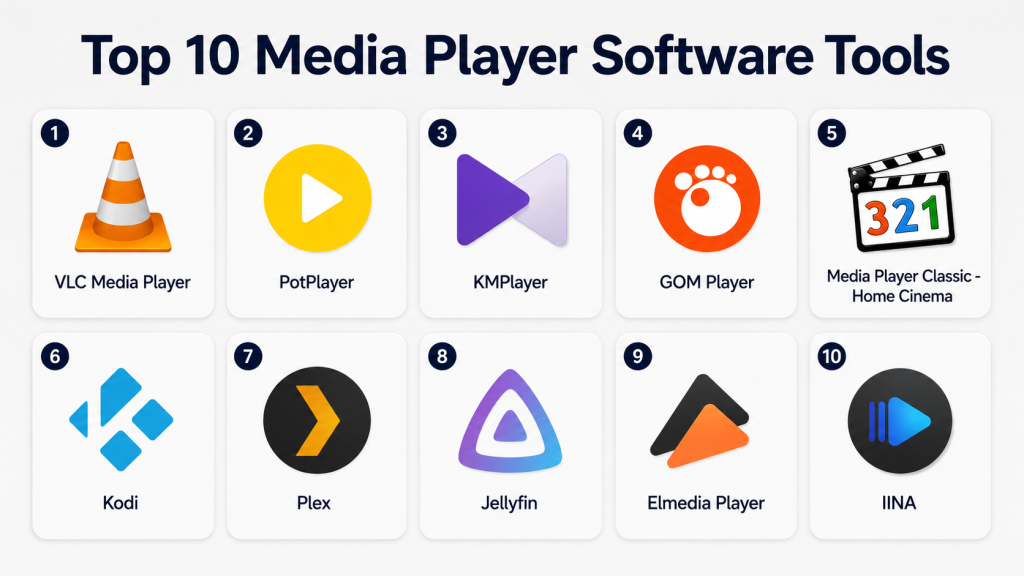
Top 10 Media Player Software Tools
1 — VLC Media Player
Short description: VLC Media Player is one of the most widely used media players for playing audio and video files across many formats without requiring additional codecs.
Key Features
- Wide file-format support
- Subtitle synchronization
- Playlist management
- Streaming support
- Cross-platform availability
- Hardware acceleration
- Open-source ecosystem
Pros
- Supports many formats out of the box
- Free and open source
- Reliable across different operating systems
Cons
- Interface feels outdated to some users
- Library management is basic
- Advanced settings may confuse beginners
Platforms / Deployment
Windows / macOS / Linux / iOS / Android
Local deployment
Security & Compliance
Open-source project with public visibility. Enterprise compliance details are Not publicly stated.
Integrations & Ecosystem
VLC supports local playback, network streams, and subtitle workflows.
- Subtitle files
- Streaming protocols
- Playlist formats
- Media conversion support
- Local media libraries
Support & Community
Very strong community support with extensive documentation and troubleshooting resources.
2 — PotPlayer
Short description: PotPlayer is a Windows-focused media player designed for advanced playback customization and high-performance video rendering.
Key Features
- Advanced playback controls
- Hardware acceleration
- High-resolution video support
- Subtitle customization
- Video filters
- Screen capture tools
- Audio enhancements
Pros
- Excellent playback performance
- Highly customizable
- Strong format compatibility
Cons
- Windows only
- Interface can feel overwhelming
- Advanced settings require learning
Platforms / Deployment
Windows
Local deployment
Security & Compliance
Security and compliance details are Not publicly stated.
Integrations & Ecosystem
PotPlayer integrates well with desktop playback workflows.
- Subtitle support
- Video filters
- Playlist tools
- Codec handling
- Local media playback
Support & Community
Good community-driven support with active user discussions and tutorials.
3 — KMPlayer
Short description: KMPlayer is a multimedia player built for users who want smooth playback, subtitle support, and compatibility with many audio and video formats.
Key Features
- Multi-format playback
- Subtitle support
- Playback speed controls
- Playlist support
- High-definition playback
- Mobile compatibility
- Audio tuning options
Pros
- Easy for everyday users
- Good subtitle handling
- Works across desktop and mobile
Cons
- Some users may not need all built-in features
- Enterprise-grade security information is limited
- Interface includes many controls
Platforms / Deployment
Windows / macOS / Android / iOS
Local deployment
Security & Compliance
Security and compliance details are Not publicly stated.
Integrations & Ecosystem
KMPlayer supports standard media playback and multimedia workflows.
- Subtitle support
- Playlist management
- Local media playback
- Mobile playback
- High-resolution video support
Support & Community
Moderate community support with documentation and user forums available.
4 — GOM Player
Short description: GOM Player is a user-friendly media player focused on subtitle support, playback customization, and general multimedia playback.
Key Features
- Subtitle search tools
- Playback controls
- Multiple format support
- Video effects
- Playlist handling
- Screen capture tools
- Audio adjustments
Pros
- Beginner-friendly interface
- Good subtitle experience
- Stable general playback
Cons
- Some advanced users may prefer deeper controls
- Compliance details are limited
- Feature depth is moderate
Platforms / Deployment
Windows / macOS / Android / iOS
Local deployment
Security & Compliance
Security and compliance details are Not publicly stated.
Integrations & Ecosystem
GOM Player fits personal media playback and subtitle-heavy workflows.
- Subtitle workflows
- Local media playback
- Playlists
- Playback adjustments
- Mobile support
Support & Community
Documentation and user resources are available with moderate community activity.
5 — Media Player Classic – Home Cinema
Short description: Media Player Classic – Home Cinema is a lightweight Windows media player designed for fast playback and low resource usage.
Key Features
- Lightweight playback engine
- Wide format compatibility
- Subtitle support
- Keyboard shortcuts
- Playlist support
- Low system usage
- Simple interface
Pros
- Fast and lightweight
- Good for older systems
- Simple and familiar interface
Cons
- Windows-only experience
- Traditional interface design
- Limited modern streaming features
Platforms / Deployment
Windows
Local deployment
Security & Compliance
Security and compliance details are Not publicly stated.
Integrations & Ecosystem
MPC-HC works best in simple desktop playback environments.
- Subtitle support
- Local media playback
- Playlist handling
- Codec compatibility
- Keyboard shortcut workflows
Support & Community
Strong technical community support with many online guides and forums.
6 — Kodi
Short description: Kodi is an open-source media center platform for managing movies, TV shows, music, and streaming content in one interface.
Key Features
- Media library organization
- Add-on ecosystem
- Streaming support
- Metadata management
- TV-friendly interface
- Remote control support
- Cross-platform support
Pros
- Excellent home media-center experience
- Highly customizable
- Large plugin ecosystem
Cons
- Setup can be complex
- Add-ons require careful management
- More advanced than basic media players
Platforms / Deployment
Windows / macOS / Linux / Android
Local / Self-managed deployment
Security & Compliance
Security depends on add-ons and deployment configuration. Enterprise compliance details are Not publicly stated.
Integrations & Ecosystem
Kodi supports advanced home media and streaming workflows.
- Plugins and add-ons
- Local media libraries
- Network storage
- Remote controls
- Metadata tools
Support & Community
Large open-source community with strong documentation and troubleshooting content.
7 — Plex
Short description: Plex is a media server and streaming platform that organizes and streams personal media libraries across devices.
Key Features
- Media server setup
- Cross-device streaming
- Metadata organization
- User profiles
- Mobile and TV apps
- Remote streaming
- Library management
Pros
- Polished streaming experience
- Excellent device compatibility
- Strong media organization
Cons
- Some features depend on paid plans
- Requires media-server setup
- Cloud-connected workflow may not suit all users
Platforms / Deployment
Web / Windows / macOS / Linux / Android / iOS / TV platforms
Hybrid deployment
Security & Compliance
Account-level security features are available. Compliance certifications are Not publicly stated.
Integrations & Ecosystem
Plex works well in streaming and home-library environments.
- TV applications
- Mobile applications
- Media server tools
- Remote access
- Metadata organization
Support & Community
Strong documentation, large user base, and active support ecosystem.
8 — Jellyfin
Short description: Jellyfin is an open-source self-hosted media server for users who want full control over media streaming and library management.
Key Features
- Self-hosted media streaming
- User profile management
- Media libraries
- Plugin support
- Streaming to multiple devices
- Metadata management
- Open-source ecosystem
Pros
- Strong privacy control
- No vendor lock-in
- Good for technical users
Cons
- Requires technical setup
- Self-management is required
- Maintenance depends on user skill
Platforms / Deployment
Windows / macOS / Linux / Web / Android
Self-hosted deployment
Security & Compliance
Security depends on deployment practices. Compliance details are Not publicly stated.
Integrations & Ecosystem
Jellyfin fits self-hosted media and privacy-focused workflows.
- Plugins
- Media libraries
- Streaming clients
- Network storage
- Open-source integrations
Support & Community
Strong open-source community support with active development discussions.
9 — Elmedia Player
Short description: Elmedia Player is a macOS-focused media player built for smooth playback and subtitle-friendly media viewing.
Key Features
- macOS playback optimization
- Subtitle support
- Streaming options
- Playlist support
- Playback controls
- Wide media support
- Clean interface
Pros
- Designed for Mac users
- Easy-to-use interface
- Smooth playback experience
Cons
- Limited to macOS
- Some advanced features require paid plans
- Less suitable for enterprise usage
Platforms / Deployment
macOS
Local deployment
Security & Compliance
Security and compliance details are Not publicly stated.
Integrations & Ecosystem
Elmedia Player works well in Apple-focused media environments.
- Subtitle handling
- Streaming support
- Local media playback
- Playlist workflows
- macOS media integration
Support & Community
Vendor documentation and customer support are available with moderate community visibility.
10 — IINA
Short description: IINA is a modern open-source media player designed specifically for macOS users who want a clean and native playback experience.
Key Features
- Modern macOS interface
- Subtitle support
- Gesture support
- Wide format playback
- Playlist handling
- Open-source ecosystem
- Playback customization
Pros
- Clean Apple-style design
- Lightweight and responsive
- Open-source transparency
Cons
- macOS-only platform
- Limited enterprise-focused features
- Mostly community-driven support
Platforms / Deployment
macOS
Local deployment
Security & Compliance
Open-source project. Enterprise compliance details are Not publicly stated.
Integrations & Ecosystem
IINA integrates well into macOS media workflows.
- Local playback
- Subtitle support
- Playlist management
- macOS gestures
- Open-source extensions
Support & Community
Strong community support among macOS users and open-source contributors.
Comparison Table
| Tool Name | Best For | Platform(s) Supported | Deployment | Standout Feature | Public Rating |
|---|---|---|---|---|---|
| VLC Media Player | General multimedia playback | Windows, macOS, Linux, iOS, Android | Local | Wide format support | N/A |
| PotPlayer | Advanced Windows playback | Windows | Local | Deep playback customization | N/A |
| KMPlayer | Everyday multimedia use | Windows, macOS, Android, iOS | Local | Multi-format support | N/A |
| GOM Player | Subtitle-focused users | Windows, macOS, Android, iOS | Local | Subtitle search tools | N/A |
| Media Player Classic – Home Cinema | Lightweight Windows playback | Windows | Local | Low system resource usage | N/A |
| Kodi | Home media centers | Windows, macOS, Linux, Android | Local / Self-managed | Add-on ecosystem | N/A |
| Plex | Media streaming and organization | Web, desktop, mobile, TV platforms | Hybrid | Media server streaming | N/A |
| Jellyfin | Self-hosted media management | Windows, macOS, Linux, Web | Self-hosted | Privacy-focused media server | N/A |
| Elmedia Player | macOS multimedia playback | macOS | Local | Mac-optimized playback | N/A |
| IINA | Modern macOS playback | macOS | Local | Native macOS experience | N/A |
Evaluation & Scoring of Media Player Software
| Tool Name | Core (25%) | Ease (15%) | Integrations (15%) | Security (10%) | Performance (10%) | Support (10%) | Value (15%) | Weighted Total |
|---|---|---|---|---|---|---|---|---|
| VLC Media Player | 9 | 8 | 8 | 7 | 9 | 8 | 10 | 8.55 |
| PotPlayer | 8 | 7 | 7 | 6 | 9 | 6 | 8 | 7.45 |
| KMPlayer | 8 | 8 | 6 | 6 | 8 | 6 | 7 | 7.25 |
| GOM Player | 7 | 8 | 6 | 6 | 8 | 6 | 7 | 7.00 |
| Media Player Classic – Home Cinema | 7 | 8 | 6 | 6 | 8 | 6 | 9 | 7.20 |
| Kodi | 9 | 7 | 9 | 6 | 8 | 8 | 9 | 8.10 |
| Plex | 9 | 8 | 9 | 7 | 8 | 8 | 7 | 8.15 |
| Jellyfin | 9 | 7 | 8 | 8 | 8 | 8 | 10 | 8.35 |
| Elmedia Player | 7 | 8 | 6 | 6 | 8 | 7 | 7 | 7.10 |
| IINA | 8 | 9 | 7 | 7 | 8 | 7 | 9 | 8.00 |
These scores are comparative rather than official vendor ratings. A higher score means the tool performs well across multiple practical criteria, but different users will value different strengths. VLC is excellent for general playback, Plex is stronger for streaming ecosystems, and Jellyfin is better for self-hosted control and privacy-focused workflows.
Which Media Player Software Tool Is Right for You?
Solo / Freelancer
VLC Media Player is the safest all-round choice for most solo users. PotPlayer is excellent for advanced Windows playback, while IINA and Elmedia Player are better suited for Mac users who prefer native experiences.
SMB
Small businesses should focus on reliability, compatibility, and easy deployment. VLC works well for simple office playback. Plex and Jellyfin are useful for managing internal media libraries or training content.
Mid-Market
Mid-sized teams should evaluate streaming workflows, user access, device compatibility, and media organization. Plex offers polished streaming workflows, while Jellyfin gives more infrastructure control.
Enterprise
Enterprise teams should review installation control, software update practices, plugin policies, and streaming security carefully. Many consumer media players do not publish detailed compliance information.
Budget vs Premium
Open-source tools such as VLC, Kodi, Jellyfin, and IINA offer excellent value. Premium tools may provide additional convenience, streaming capabilities, or advanced playback options.
Feature Depth vs Ease of Use
VLC balances usability and features well. PotPlayer and Kodi provide deeper customization but require more setup. Plex simplifies media streaming for non-technical users.
Integrations & Scalability
Kodi, Plex, and Jellyfin offer stronger ecosystems for scaling media libraries and streaming workflows. Simpler players focus more on direct local playback.
Security & Compliance Needs
Users should avoid unsafe plugins and unknown codec packs. Open-source tools provide better transparency, but secure deployment practices still matter.
Frequently Asked Questions (FAQs)
1. What is Media Player Software?
Media Player Software is used to play video, audio, subtitles, and multimedia content across desktop, mobile, and streaming environments.
2. Which Media Player Software is best for general use?
VLC Media Player is widely considered one of the best all-round choices because of its format compatibility and cross-platform support.
3. Which media player is best for Windows?
PotPlayer, VLC, KMPlayer, and Media Player Classic – Home Cinema are strong Windows-focused options.
4. Which media player is best for macOS?
IINA and Elmedia Player are popular among macOS users because of their native-style experience and smooth playback.
5. What is the difference between Plex and Jellyfin?
Plex uses a more polished hybrid streaming approach, while Jellyfin focuses on open-source self-hosted media management.
6. Are free media players safe?
Many are safe if downloaded from trusted sources. Users should avoid unsafe plugins and unofficial codec installations.
7. Which media player supports subtitles best?
VLC, PotPlayer, GOM Player, and Kodi are known for strong subtitle support and customization.
8. Can businesses use consumer media players?
Yes, but businesses should review security, licensing, update management, and deployment policies carefully.
9. What is the best lightweight media player?
Media Player Classic – Home Cinema is one of the lightest options for Windows systems.
10. What is the biggest mistake when choosing Media Player Software?
The biggest mistake is ignoring compatibility, playback performance, and security considerations when installing plugins or codecs.
Conclusion
Media Player Software continues to play an important role for personal entertainment, media review, training content, local playback, and streaming workflows. VLC Media Player remains one of the strongest all-round options because of its wide compatibility and reliability. PotPlayer is ideal for advanced Windows playback, while IINA and Elmedia Player provide cleaner macOS-focused experiences. Kodi, Plex, and Jellyfin are better choices for users building larger media-center or streaming environments. The best tool depends on your operating system, playback needs, streaming requirements, privacy expectations, and technical comfort level. Before selecting a tool, it is smart to test playback quality, subtitle handling, streaming performance, and device compatibility with your real media workflows.
