Introduction
DJ Mixing Software helps DJs mix tracks, manage music libraries, apply effects, create transitions, sync beats, record sets, and perform live using laptops, controllers, mixers, or mobile devices. In simple terms, it turns a digital music collection into a professional mixing environment.
Modern DJs need more than basic playback. They need reliable performance, smooth hardware support, accurate beat grids, streaming compatibility, stems or vocal separation, library management, cue points, looping, effects, recording, and stable live performance. DJ software is used by club DJs, wedding DJs, radio DJs, mobile entertainers, music producers, livestream performers, and beginners learning beatmatching.
Buyers should evaluate controller compatibility, audio engine stability, library management, supported file formats, effects, stems features, streaming support, recording, operating system support, learning curve, pricing, offline reliability, and customer support.
Best for: beginner DJs, professional DJs, event performers, clubs, music schools, creators, livestreamers, and mobile entertainment businesses.
Not ideal for: users who only need simple music playback, podcast editing, full studio production, or advanced DAW-based composition without live DJ mixing needs.
Key Trends in DJ Mixing Software
- AI-assisted stems and track separation are becoming more common, allowing DJs to isolate vocals, drums, bass, and instruments during live sets.
- Streaming library access is growing, but serious DJs still need offline files for reliability during events.
- Controller and hardware ecosystems matter more than ever, because many DJs choose software based on supported mixers, decks, and all-in-one systems.
- Mobile DJ workflows are improving, especially for quick practice, small events, and compact setups.
- Cloud library syncing is becoming useful, helping DJs manage cue points, playlists, and track data across devices.
- Performance stability remains the top priority, especially for clubs, weddings, festivals, and paid events.
- Beginner-friendly automation is expanding, including auto-sync, smart playlists, auto-looping, and guided workflows.
- Professional DJs still value manual control, including beatmatching, hot cues, custom mapping, external mixers, and advanced effects.
- Video mixing and livestream support are growing, especially for creators, hybrid events, and entertainment businesses.
- Pricing is shifting toward subscription and hardware-bundled access, so buyers should evaluate long-term cost carefully.
How We Selected These Tools
The tools in this list were selected based on practical DJ workflow needs, market recognition, reliability, and usefulness across different experience levels.
- Market adoption and mindshare among beginner, mobile, club, and professional DJs.
- Core DJ features such as beat sync, cue points, loops, effects, recording, and library management.
- Compatibility with popular controllers, mixers, decks, and audio interfaces.
- Stability during live performance and long DJ sets.
- Support for modern features such as stems, streaming, cloud syncing, and video where relevant.
- Ease of use for beginners and depth for advanced users.
- Platform availability across Windows, macOS, mobile, and web where applicable.
- Ecosystem strength, including hardware partners, mapping, documentation, and user communities.
- Suitability for different budgets, from free tools to premium professional setups.
- Practical value for real-world use cases such as clubs, weddings, livestreaming, and practice.
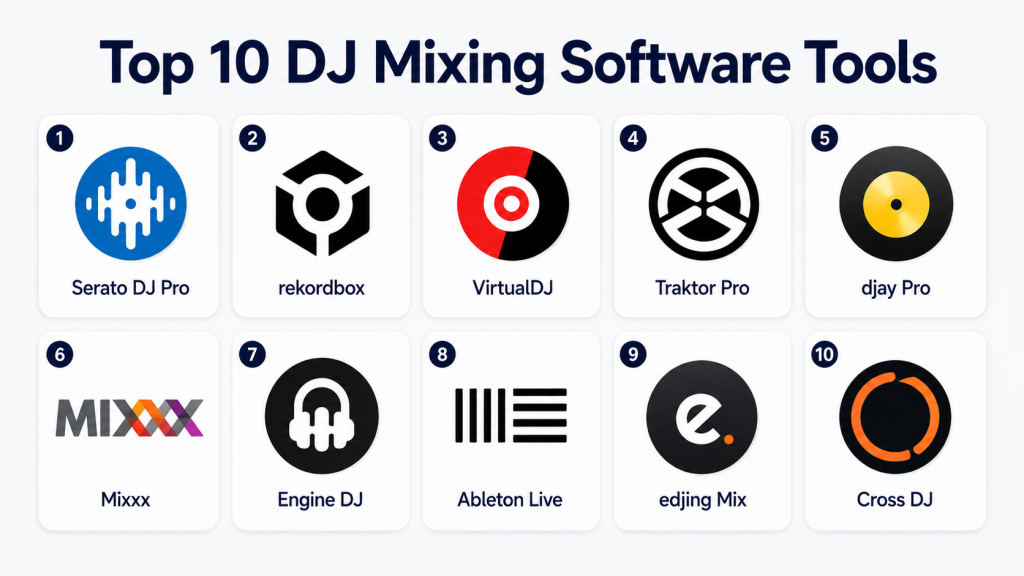
Top 10 DJ Mixing Software Tools
1 — Serato DJ Pro
Short description: Serato DJ Pro is a professional DJ mixing platform widely used by club DJs, scratch DJs, mobile DJs, and performers. It is known for reliable performance, strong hardware support, low-latency control, and a mature DJ workflow.
Key Features
- Professional two-deck and four-deck DJ mixing.
- Strong support for many DJ controllers, mixers, and turntable setups.
- Hot cues, loops, beat grids, sampler, and effects.
- Stems support for separating vocals, drums, bass, and melody elements.
- Recording and performance tools for live sets.
- Library management with crates and smart crates.
- Expansion options for video, DVS, and additional effects depending on plan and hardware.
Pros
- Strong reputation for live performance reliability.
- Excellent choice for scratch DJs and controller-based performers.
- Wide hardware ecosystem makes it flexible for many setups.
Cons
- Some advanced features may require paid add-ons or compatible hardware.
- Beginners may need time to understand library and performance controls.
- Full setup cost can increase when hardware and expansions are included.
Platforms / Deployment
Windows / macOS
Desktop
Security & Compliance
Account security features may vary by subscription and service access. Enterprise compliance details such as SOC 2, ISO 27001, HIPAA, audit logs, and RBAC are not publicly stated for general DJ use.
Integrations & Ecosystem
Serato DJ Pro has a strong hardware and performance ecosystem. It works with many controllers, mixers, DVS setups, and DJ-focused accessories.
- DJ controller support.
- DVS and turntable workflows.
- Expansion packs.
- Music library import workflows.
- Hardware partner ecosystem.
- Recording and performance output tools.
Support & Community
Serato has strong documentation, setup guides, hardware compatibility resources, and a large DJ community. Support quality may depend on product version, hardware, and account type.
2 — rekordbox
Short description: rekordbox is a DJ performance and music management platform closely associated with Pioneer DJ and AlphaTheta hardware. It is popular among club DJs, festival DJs, and performers who prepare music for CDJs and professional DJ booths.
Key Features
- Music library preparation for DJ performance.
- Beat grids, hot cues, memory cues, loops, and playlists.
- Performance mode for laptop-based DJ mixing.
- Strong compatibility with Pioneer DJ and AlphaTheta hardware.
- Cloud library and device syncing options depending on plan.
- Stems and creative performance tools in supported versions.
- Export workflow for USB-based club setups.
Pros
- Excellent for DJs using club-standard media players and controllers.
- Strong music preparation workflow for professional performances.
- Good choice for DJs moving between home setup and club booth.
Cons
- Best experience is often tied to compatible hardware and plans.
- Beginners may find the library preparation workflow detailed at first.
- Subscription and feature access can feel complex for some users.
Platforms / Deployment
Windows / macOS / iOS / Android depending on use case
Desktop / Cloud-assisted features vary by plan
Security & Compliance
Account security and cloud syncing features may be available depending on plan. Formal compliance details such as SOC 2, ISO 27001, HIPAA, RBAC, and audit logs are not publicly stated for typical DJ use.
Integrations & Ecosystem
rekordbox has a strong ecosystem for DJs using Pioneer DJ and AlphaTheta gear. Its biggest strength is music preparation and performance continuity between software and hardware.
- Pioneer DJ and AlphaTheta hardware support.
- USB export workflow.
- Cloud library options.
- Mobile preparation tools.
- Streaming service support may vary by region and plan.
- DJ booth performance workflow.
Support & Community
Documentation, product support, setup guides, and community discussions are widely available. The community is especially strong among club and festival DJs.
3 — VirtualDJ
Short description: VirtualDJ is a flexible DJ mixing platform used by beginners, mobile DJs, video DJs, and professionals. It is known for broad hardware support, video mixing, stems, karaoke features, and a beginner-friendly interface.
Key Features
- Audio and video DJ mixing.
- Real-time stems separation.
- Broad controller and hardware compatibility.
- Karaoke and event-friendly tools.
- Automix and playlist automation.
- Recording, broadcasting, and livestream support.
- Custom skins, mapping, and workflow customization.
Pros
- Very flexible for different DJ styles and event types.
- Strong video and karaoke capabilities.
- Useful for beginners and mobile DJs.
Cons
- Interface and features can feel busy for new users.
- Professional club DJs may prefer Serato or rekordbox depending on hardware.
- Licensing and usage terms should be checked carefully for commercial use.
Platforms / Deployment
Windows / macOS
Desktop
Security & Compliance
Account and licensing features may vary. Compliance certifications such as SOC 2, ISO 27001, HIPAA, advanced RBAC, and audit logs are not publicly stated for general DJ use.
Integrations & Ecosystem
VirtualDJ has a broad ecosystem around controllers, custom mappings, skins, video workflows, and event performance needs.
- DJ controller support.
- Video mixing output.
- Karaoke workflows.
- Broadcasting tools.
- Custom mapping.
- Plugin and customization ecosystem.
Support & Community
VirtualDJ has extensive documentation, active forums, and a large user community. It is especially helpful for users who need custom workflows and controller mappings.
4 — Traktor Pro
Short description: Traktor Pro is a professional DJ software platform known for creative mixing, effects, remix decks, and controller-based performance. It is popular among electronic music DJs, producers, and performers who like deep control.
Key Features
- Professional deck-based DJ mixing.
- Powerful effects and mixer controls.
- Remix decks and creative performance tools.
- Beat grids, loops, cue points, and sync.
- Hardware integration with selected DJ controllers.
- Flexible mapping for customized setups.
- Suitable for electronic, techno, house, and experimental DJ workflows.
Pros
- Strong creative performance features.
- Excellent effects engine and custom control options.
- Good for DJs who want a performance-focused workflow.
Cons
- Hardware ecosystem is narrower than some competitors.
- Beginners may need time to understand advanced controls.
- Development pace and feature priorities may not suit every DJ workflow.
Platforms / Deployment
Windows / macOS
Desktop
Security & Compliance
Account and licensing security may vary. Formal compliance features such as SOC 2, ISO 27001, HIPAA, audit logs, and enterprise RBAC are not publicly stated for general DJ software use.
Integrations & Ecosystem
Traktor Pro fits well into creative DJ and electronic performance setups. It works with selected hardware and supports mapping for custom workflows.
- Native Instruments hardware support.
- MIDI mapping.
- Audio routing options.
- Effects-heavy workflows.
- Remix and loop performance.
- External mixer setups.
Support & Community
Documentation, support resources, and community discussions are available. The community is strong among electronic music DJs and performance-focused users.
5 — djay Pro
Short description: djay Pro is a modern DJ mixing platform designed for desktop and mobile users. It is known for a clean interface, AI-powered features, streaming support, stems, and strong Apple ecosystem support.
Key Features
- Two-deck and four-deck DJ mixing.
- AI-powered neural mixing and stems features.
- Clean interface suitable for beginners and experienced DJs.
- Support for selected controllers and hardware.
- Mobile and desktop workflows.
- Automix and playlist features.
- Visual waveform, cue, loop, and effects tools.
Pros
- Very beginner-friendly while still offering advanced features.
- Strong mobile and Apple device experience.
- Good choice for practice, small events, and portable setups.
Cons
- Professional club hardware support may not match rekordbox or Serato.
- Some features depend on subscription plan and platform.
- Streaming availability may vary by region and service.
Platforms / Deployment
macOS / Windows / iOS / Android depending on edition
Desktop / Mobile
Security & Compliance
Account and subscription security may vary by platform. Formal compliance details such as SOC 2, ISO 27001, HIPAA, audit logs, and RBAC are not publicly stated for general use.
Integrations & Ecosystem
djay Pro works well with mobile devices, selected controllers, streaming services, and modern portable DJ workflows.
- Mobile DJ workflows.
- Selected DJ controller support.
- Streaming service support may vary.
- Apple ecosystem integration.
- Automix workflows.
- AI-assisted mixing features.
Support & Community
Documentation and support resources are available. The user community is strong among mobile DJs, beginners, and creators who prefer simple modern workflows.
6 — Mixxx
Short description: Mixxx is an open-source DJ mixing software suitable for beginners, hobbyists, students, and technically comfortable users. It provides core DJ features without requiring a typical commercial subscription.
Key Features
- Free and open-source DJ mixing.
- Two-deck and four-deck mixing workflows.
- Hot cues, loops, beat detection, and sync.
- Controller support through mappings.
- Recording and broadcasting features.
- Cross-platform desktop availability.
- Support for local music libraries.
Pros
- No typical subscription barrier.
- Good for learning and budget-conscious users.
- Open-source community and cross-platform support.
Cons
- Interface and workflow may feel less polished than premium tools.
- Hardware support depends on available mappings.
- Advanced commercial DJ features may be limited.
Platforms / Deployment
Windows / macOS / Linux
Desktop / Open-source
Security & Compliance
As an open-source desktop application, security depends on the user’s device, operating system, and download source. Formal compliance certifications are not publicly stated.
Integrations & Ecosystem
Mixxx is best suited for local music files, open-source workflows, and controller mapping. It is a practical learning tool and budget-friendly option.
- MIDI controller mappings.
- Local library support.
- Broadcasting tools.
- Recording workflow.
- Open-source customization.
- Community-supported hardware mapping.
Support & Community
Support is mainly community-based through documentation, forums, and open-source contributors. It is suitable for users comfortable with community-led support.
7 — Engine DJ
Short description: Engine DJ is a DJ platform linked with standalone DJ hardware workflows. It is useful for DJs who want to prepare music, manage libraries, and perform using compatible standalone systems without depending heavily on a laptop.
Key Features
- Music library preparation and management.
- Standalone hardware workflow support.
- Beat grids, cue points, loops, and playlists.
- On-device performance features through compatible hardware.
- USB and media preparation workflows.
- Streaming and cloud-related features may vary.
- Good for laptop-free DJ performance setups.
Pros
- Strong option for standalone DJ hardware users.
- Useful for DJs who want laptop-free performance.
- Good library preparation workflow for compatible systems.
Cons
- Best value depends on owning compatible hardware.
- Not a universal DJ software for all controller ecosystems.
- Users should check feature availability by device.
Platforms / Deployment
Windows / macOS for desktop preparation
Standalone hardware ecosystem / Desktop preparation
Security & Compliance
Security and compliance details are not publicly stated for general DJ workflows. Cloud-related features should be reviewed based on account and hardware setup.
Integrations & Ecosystem
Engine DJ is built around compatible standalone DJ hardware and preparation workflows. It is strong for DJs who prefer performance without a laptop.
- Standalone DJ hardware support.
- USB media workflow.
- Library preparation.
- Cue and playlist management.
- Streaming support may vary.
- Hardware-centered ecosystem.
Support & Community
Documentation and product support are available through the hardware ecosystem. Community strength is growing among standalone DJ system users.
8 — Ableton Live
Short description: Ableton Live is primarily a digital audio workstation, but many DJs use it for custom live sets, remix performances, mashups, looping, and hybrid DJ-production workflows. It is best for advanced users who want deep creative control.
Key Features
- Session View for live launching and performance.
- Audio warping and tempo control.
- Effects, instruments, loops, and samples.
- MIDI controller support.
- Recording and arrangement tools.
- Live remix and hybrid performance workflows.
- Strong ecosystem for producers and electronic artists.
Pros
- Excellent for creative live performances and remix sets.
- Strong production and performance combination.
- Good for DJs who also produce music.
Cons
- Not a traditional DJ software interface.
- Higher learning curve for beginners.
- Requires more preparation for classic DJ-style mixing.
Platforms / Deployment
Windows / macOS
Desktop
Security & Compliance
Account and licensing security may vary. Enterprise compliance details such as SOC 2, ISO 27001, HIPAA, audit logs, and RBAC are not publicly stated for typical music production use.
Integrations & Ecosystem
Ableton Live has a strong creative ecosystem with controllers, plugins, instruments, samples, and live performance tools.
- MIDI controller support.
- Audio plugins.
- Sample libraries.
- Hardware instruments.
- Live performance controllers.
- DAW and production workflows.
Support & Community
Ableton has strong documentation, learning resources, training content, and a large global community of producers, performers, and educators.
9 — edjing Mix
Short description: edjing Mix is a mobile-focused DJ mixing app designed for beginners, casual DJs, and users who want to practice or perform simple mixes from a phone or tablet. It is useful for portable, lightweight DJ workflows.
Key Features
- Mobile DJ mixing interface.
- Basic deck controls, cue points, and loops.
- Effects and sampler features.
- Sync and tempo controls.
- Music library access depending on platform.
- Practice-friendly workflow.
- Portable setup for casual mixing.
Pros
- Easy to start for beginners.
- Useful for mobile practice and casual DJing.
- Lower setup complexity compared with professional desktop systems.
Cons
- Not ideal for advanced club or festival performance.
- Hardware and professional workflow options are limited.
- Feature availability may vary by device and plan.
Platforms / Deployment
iOS / Android
Mobile
Security & Compliance
Security and compliance certifications are not publicly stated. Account, payment, and platform-level security depend on mobile app store and user account settings.
Integrations & Ecosystem
edjing Mix is mainly mobile-focused and suitable for casual mixing. It is not built around deep professional hardware ecosystems.
- Mobile music access.
- Touch-based DJ controls.
- Basic effects.
- Practice workflows.
- App-based subscription features may vary.
Support & Community
Support resources are available through app documentation and platform channels. Community strength is smaller than major professional DJ platforms.
10 — Cross DJ
Short description: Cross DJ is a DJ mixing application designed for straightforward mixing, library management, and performance. It is suitable for beginners, mobile DJs, and users who want a less complex DJ software experience.
Key Features
- Two-deck DJ mixing.
- Beat sync, loops, and cue points.
- Basic effects and mixer controls.
- Library browsing and playlist support.
- Controller support may vary.
- Recording and performance features depending on edition.
- Simple interface for learning DJ workflows.
Pros
- Easier to approach than some advanced professional tools.
- Good for basic mixing and practice.
- Suitable for users who want a lighter DJ setup.
Cons
- Smaller ecosystem than Serato, rekordbox, or VirtualDJ.
- Advanced performance features may be limited.
- Users should verify current platform and hardware support before choosing.
Platforms / Deployment
Windows / macOS / iOS / Android depending on edition
Desktop / Mobile
Security & Compliance
Security and compliance details are not publicly stated. Users should review account and payment settings based on the platform used.
Integrations & Ecosystem
Cross DJ focuses on simple DJ mixing rather than broad professional hardware integration. It can be useful for users who want basic mixing tools without a heavy learning curve.
- Music library browsing.
- Basic controller support may vary.
- Mobile and desktop workflows.
- Recording options depending on edition.
- Playlist-based mixing.
Support & Community
Support and documentation may vary by edition and platform. Community strength is more limited than larger DJ software ecosystems.
Comparison Table
| Tool Name | Best For | Platform(s) Supported | Deployment | Standout Feature | Public Rating |
|---|---|---|---|---|---|
| Serato DJ Pro | Professional DJs, scratch DJs, mobile DJs | Windows, macOS | Desktop | Reliable professional performance and hardware support | N/A |
| rekordbox | Club DJs and Pioneer DJ hardware users | Windows, macOS, iOS, Android | Desktop / Cloud-assisted | Club-ready music preparation workflow | N/A |
| VirtualDJ | Mobile DJs, video DJs, karaoke DJs | Windows, macOS | Desktop | Flexible audio, video, karaoke, and stems workflow | N/A |
| Traktor Pro | Electronic music DJs and creative performers | Windows, macOS | Desktop | Effects-heavy creative DJ performance | N/A |
| djay Pro | Beginners, mobile DJs, Apple ecosystem users | Windows, macOS, iOS, Android | Desktop / Mobile | Modern interface with AI-assisted mixing | N/A |
| Mixxx | Beginners, students, open-source users | Windows, macOS, Linux | Desktop / Open-source | Free open-source DJ mixing | N/A |
| Engine DJ | Standalone hardware DJs | Windows, macOS, standalone hardware | Desktop preparation / Hardware ecosystem | Laptop-free performance workflow | N/A |
| Ableton Live | Hybrid DJ-producer performers | Windows, macOS | Desktop | Live remix and production performance | N/A |
| edjing Mix | Mobile beginners and casual DJs | iOS, Android | Mobile | Portable phone and tablet DJ mixing | N/A |
| Cross DJ | Beginners and lightweight DJ users | Windows, macOS, iOS, Android | Desktop / Mobile | Simple DJ mixing workflow | N/A |
Evaluation & Scoring of DJ Mixing Software
| Tool Name | Core (25%) | Ease (15%) | Integrations (15%) | Security (10%) | Performance (10%) | Support (10%) | Value (15%) | Weighted Total (0–10) |
|---|---|---|---|---|---|---|---|---|
| Serato DJ Pro | 10 | 7 | 9 | 6 | 9 | 8 | 7 | 8.20 |
| rekordbox | 9 | 7 | 9 | 6 | 9 | 8 | 7 | 8.00 |
| VirtualDJ | 9 | 8 | 8 | 6 | 8 | 8 | 8 | 8.05 |
| Traktor Pro | 8 | 6 | 7 | 6 | 8 | 7 | 7 | 7.20 |
| djay Pro | 8 | 9 | 7 | 6 | 8 | 7 | 8 | 7.75 |
| Mixxx | 7 | 6 | 6 | 6 | 7 | 6 | 10 | 6.95 |
| Engine DJ | 8 | 7 | 8 | 6 | 8 | 7 | 7 | 7.45 |
| Ableton Live | 9 | 5 | 9 | 6 | 9 | 9 | 7 | 7.95 |
| edjing Mix | 6 | 9 | 5 | 5 | 6 | 6 | 7 | 6.35 |
| Cross DJ | 6 | 8 | 5 | 5 | 6 | 6 | 7 | 6.35 |
The scores are comparative and should be used as a buying guide, not as a fixed ranking for every DJ. A professional club DJ may value hardware compatibility more than mobile convenience. A beginner may value ease of use and low cost more than advanced stems or external mixer workflows. Security scores are lower for many tools because detailed enterprise compliance information is generally not publicly stated for DJ software.
Which DJ Mixing Software Tool Is Right for You?
Solo / Freelancer
Solo DJs should choose based on their performance style. If you perform weddings, parties, and private events, VirtualDJ and Serato DJ Pro are strong choices because they support flexible performance workflows. If you play club-style sets and want a professional setup, Serato DJ Pro or rekordbox is usually better.
If you are learning at home, Mixxx, djay Pro, or Cross DJ can be practical starting points. If you use a phone or tablet for practice, edjing Mix or djay Pro can help you understand mixing basics without a full desktop setup.
Recommended options: Serato DJ Pro, VirtualDJ, djay Pro, Mixxx.
SMB
Small DJ businesses, event companies, and entertainment teams need reliability, simple setup, recording, library organization, and hardware support. VirtualDJ is useful for mobile event businesses because it supports audio, video, karaoke, and flexible setups. Serato DJ Pro is strong for professional controller-based performance.
If the business uses club-style equipment or works with DJs who prepare USB sets, rekordbox is a strong choice. For teams with creators producing remixes and live edits, Ableton Live can support advanced performance and production workflows.
Recommended options: VirtualDJ, Serato DJ Pro, rekordbox, Ableton Live.
Mid-Market
Mid-market entertainment businesses, music academies, DJ collectives, and venues need standardization. They should choose software that works with their hardware, training process, and event type.
rekordbox is strong for venues and club-style workflows. Serato DJ Pro is strong for controller and scratch-focused setups. VirtualDJ can support mixed event formats, especially where video, karaoke, and flexible media are needed.
Recommended options: rekordbox, Serato DJ Pro, VirtualDJ, Engine DJ.
Enterprise
Large entertainment groups, venues, cruise entertainment teams, music schools, and event production companies should think beyond features. They need standard hardware setups, backup laptops, staff training, licensing clarity, audio reliability, and support process.
For enterprise-style use, no single DJ mixing tool is always best. The right choice depends on venue gear, DJ skill level, content format, and operational workflow. rekordbox may fit club environments, Serato DJ Pro may fit performance teams, and VirtualDJ may fit event businesses with mixed media needs.
Recommended options: rekordbox for club environments, Serato DJ Pro for professional performance teams, VirtualDJ for mixed-format event operations.
Budget vs Premium
Budget-conscious users should consider Mixxx because it provides core DJ mixing features without a typical commercial subscription. edjing Mix and Cross DJ may also suit casual mobile users.
Premium users should consider Serato DJ Pro, rekordbox, VirtualDJ, Traktor Pro, or djay Pro depending on hardware and performance style. Remember that total cost includes software, controller, audio interface, music library, headphones, speakers, and possible subscriptions.
Feature Depth vs Ease of Use
djay Pro, edjing Mix, and Cross DJ are easier for beginners. They help users understand basic mixing without overwhelming them.
Serato DJ Pro, rekordbox, VirtualDJ, and Traktor Pro provide deeper professional tools. Ableton Live is powerful but works differently from traditional DJ software, making it better for hybrid performers than beginners who want classic deck-based mixing.
Integrations & Scalability
Serato DJ Pro, rekordbox, and VirtualDJ have strong hardware ecosystems. rekordbox is especially strong for club-style preparation and Pioneer DJ or AlphaTheta workflows. Serato is strong for performance controllers, mixers, and scratch workflows.
Ableton Live has a strong production ecosystem with controllers, plugins, samples, and live performance tools. Engine DJ is best when used with compatible standalone hardware.
Security & Compliance Needs
DJ software usually does not focus on enterprise compliance in the same way as SaaS business platforms. However, DJs and businesses should still care about account security, music library backup, device protection, licensing, and offline reliability.
For business use, keep backup laptops, export playlists regularly, protect account access with strong authentication where available, and avoid depending only on streaming during paid events. If compliance documentation is required, validate directly with the vendor before purchase.
Frequently Asked Questions
1. What is DJ Mixing Software?
DJ Mixing Software lets users mix songs, control tempo, set cue points, apply effects, create loops, manage playlists, and perform live using a laptop, controller, mixer, or mobile device.
2. Which DJ Mixing Software is best for beginners?
djay Pro, Mixxx, Cross DJ, and edjing Mix are beginner-friendly options. They provide basic mixing tools without requiring a complex professional setup.
3. Which DJ software is best for professional DJs?
Serato DJ Pro, rekordbox, VirtualDJ, and Traktor Pro are strong professional options. The best choice depends on your controller, mixer, club setup, and performance style.
4. Do I need a DJ controller to use DJ software?
No, many tools can be used with a keyboard and mouse. However, a DJ controller gives better hands-on control for mixing, cueing, scratching, looping, and effects.
5. Can DJ software work without internet?
Yes, most desktop DJ software can work offline with local music files. However, streaming features, cloud sync, and account validation may require internet depending on the tool and plan.
6. What is stems mixing in DJ software?
Stems mixing allows DJs to separate parts of a song, such as vocals, drums, bass, and instruments. This helps create live mashups, cleaner transitions, and creative remix-style performances.
7. Is free DJ software good enough?
Free software like Mixxx can be good for learning and basic performance. Professional DJs may still need paid tools for stronger hardware support, advanced effects, stems, video, or commercial workflows.
8. What mistakes should beginners avoid?
Beginners often depend too much on sync, ignore music organization, skip beat grid checks, use low-quality audio files, and do not prepare backup equipment before performing live.
9. Can DJ software be used for livestreaming?
Yes, some DJ software supports broadcasting, recording, or routing audio into livestream tools. VirtualDJ, Serato DJ Pro, and Ableton Live can support livestream workflows depending on setup.
10. How important is hardware compatibility?
Hardware compatibility is very important. Before buying software, confirm that your controller, mixer, audio interface, or standalone device is supported properly.
Conclusion
DJ Mixing Software is an important part of modern DJ performance, but the best tool depends on the DJ’s real workflow. Serato DJ Pro is strong for professional controller and scratch workflows, rekordbox is excellent for club preparation and compatible hardware ecosystems, VirtualDJ is flexible for mobile and video DJs, Traktor Pro supports creative electronic performance, and djay Pro is beginner-friendly with modern AI-assisted features. Mixxx is useful for budget-conscious learners, while Ableton Live fits hybrid DJ-producer performances. Before choosing, shortlist two or three tools, test them with your real music library and hardware, check offline reliability, compare pricing, and practice a full set before using any software in a live event
