Introduction
Personal Knowledge Management tools help users collect, organize, connect, retrieve, and reuse information. In simple words, these tools act like a digital second brain where users can store notes, ideas, research, tasks, documents, meeting points, project plans, bookmarks, and learning material.
These tools matter because individuals and teams now deal with large volumes of information every day. Without a proper system, useful knowledge gets scattered across emails, chats, documents, browser tabs, notebooks, and random files. A good Personal Knowledge Management tool helps users think clearly, find information faster, and turn raw notes into useful action.
Common real-world use cases include:
- Organizing research notes and learning material
- Managing meeting notes and project knowledge
- Building a personal second brain
- Creating linked notes for writing, strategy, or study
- Storing ideas, references, tasks, and documents in one place
Buyers should evaluate:
- Note-taking flexibility
- Search quality
- Linking and backlinking
- Offline access
- Privacy and data ownership
- Cross-device sync
- Export options
- Collaboration features
- Integrations and APIs
- Pricing and long-term value
Best for: students, researchers, founders, consultants, writers, developers, product managers, marketers, educators, analysts, and knowledge workers who need a structured way to capture and reuse information.
Not ideal for: users who only need basic reminders, simple task lists, or teams that require full enterprise document management with strict compliance controls.
Key Trends in Personal Knowledge Management Tools
- AI-assisted knowledge retrieval: Many PKM tools are adding AI search, note summarization, writing support, and automatic knowledge discovery.
- Second-brain workflows: Users increasingly want tools that connect ideas through backlinks, tags, graph views, folders, and databases.
- Local-first and privacy-first design: More users want control over where their notes are stored, especially when notes include personal, business, or research information.
- Markdown-based writing: Markdown remains popular because it makes notes portable, readable, and easier to export.
- Connected notes over static folders: Linked thinking is becoming more important than traditional folder-only organization.
- Personal and team overlap: Many users want one tool that supports private notes, shared docs, project knowledge, and lightweight collaboration.
- Better mobile capture: Fast capture from mobile is becoming essential for saving ideas, web clips, voice notes, and quick thoughts.
- Flexible databases: Tools are blending notes, tables, tags, tasks, calendars, and databases into one workspace.
- Interoperability and export: Users want tools that avoid lock-in and allow export to open formats.
- Minimalist writing experience: Clean interfaces, distraction-free editing, and fast search are now major decision factors.
How We Selected These Tools
The Top 10 Personal Knowledge Management tools were selected using practical product evaluation logic. The goal is to compare widely recognized tools that support note-taking, knowledge capture, organization, linking, search, and long-term information reuse.
Selection criteria included:
- Market adoption and user recognition
- Core note-taking and knowledge management features
- Linking, backlinks, tags, folders, and database support
- Search quality and information retrieval
- Offline access and data ownership options
- Cross-platform availability
- Collaboration and sharing capabilities
- Security and privacy posture signals
- Integrations, APIs, and ecosystem strength
- Fit for students, creators, professionals, teams, and advanced knowledge workers
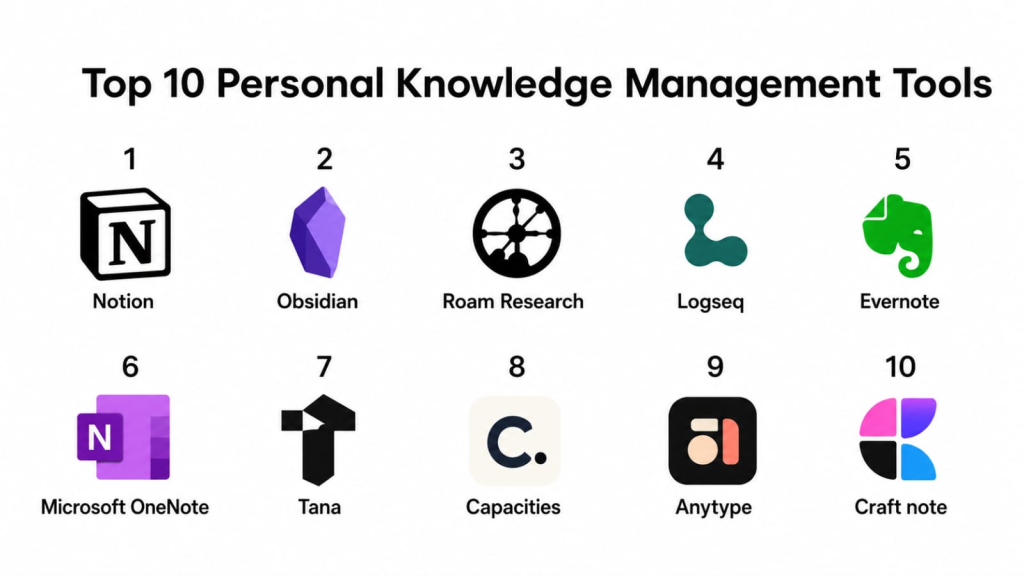
Top 10 Personal Knowledge Management Tools
#1 — Notion
Short description (2–3 lines): Notion is a flexible workspace tool that combines notes, documents, databases, wikis, tasks, and project planning. It is best for users who want a highly customizable knowledge hub for both personal and team workflows.
Key Features
- Notes, documents, and pages
- Databases with multiple views
- Templates for personal and team workflows
- Task and project tracking
- Shared workspaces
- Web, desktop, and mobile access
- AI-assisted writing and organization features where available
Pros
- Highly flexible for many PKM workflows
- Strong template and community ecosystem
- Useful for combining notes, tasks, projects, and documentation
Cons
- Can become messy without a clear structure
- Offline experience may not suit all users
- Advanced workspace controls may depend on plan type
Platforms / Deployment
Web / Windows / macOS / iOS / Android
Cloud-based service
Security & Compliance
Notion provides account security and workspace controls depending on plan. Specific compliance details may vary by plan and should be verified for business or sensitive use. For personal use, users should review privacy and workspace sharing settings carefully.
Integrations & Ecosystem
Notion has a strong ecosystem built around templates, databases, documents, productivity workflows, and team collaboration.
- Web clipper
- Calendar-style views
- Database templates
- API access
- Productivity integrations
- Shared workspaces
Support & Community
Notion has extensive documentation, customer support resources, and a large creator community. Its template ecosystem is one of the strongest in the PKM category.
#2 — Obsidian
Short description (2–3 lines): Obsidian is a markdown-based knowledge management tool focused on local files, backlinks, graph views, and connected notes. It is best for users who want data ownership, deep linking, and a powerful personal second brain.
Key Features
- Markdown-based notes
- Local-first file storage
- Backlinks and graph view
- Plugin ecosystem
- Canvas-style visual thinking
- Tags and folders
- Cross-device sync available through optional services
Pros
- Excellent for connected thinking and research
- Strong privacy and local file control
- Huge plugin ecosystem for advanced workflows
Cons
- Can feel complex for beginners
- Collaboration is not the core strength
- Setup and plugin choices may require time
Platforms / Deployment
Windows / macOS / Linux / iOS / Android
Local-first with optional cloud sync
Security & Compliance
Obsidian stores notes locally by default, which gives users strong control over their files. Enterprise-style certifications such as SOC 2, ISO 27001, HIPAA, SSO/SAML, RBAC, and audit logs are not publicly stated for general personal use.
Integrations & Ecosystem
Obsidian has one of the strongest plugin ecosystems in the PKM space. Users can customize workflows for writing, research, task management, publishing, and visual thinking.
- Community plugins
- Markdown compatibility
- Graph view
- Canvas
- Sync options
- Export-friendly file structure
Support & Community
Obsidian has documentation, support resources, forums, and a very strong community of PKM enthusiasts, researchers, writers, developers, and productivity users.
#3 — Roam Research
Short description (2–3 lines): Roam Research is a networked note-taking tool built around blocks, backlinks, daily notes, and linked thinking. It is best for users who want to connect ideas naturally and build a graph-based knowledge system.
Key Features
- Bi-directional linking
- Block-based notes
- Daily notes
- Graph-style knowledge structure
- Page references
- Nested outlines
- Research-friendly linking workflow
Pros
- Strong for networked thinking
- Good for research, writing, and idea development
- Daily notes workflow helps capture thoughts quickly
Cons
- Learning curve can be high for new users
- Interface may feel unusual for traditional note users
- Collaboration and enterprise features may be limited compared with broader workspaces
Platforms / Deployment
Web / Desktop availability may vary / Mobile browser or app support may vary
Cloud-based service
Security & Compliance
Not publicly stated for SOC 2, ISO 27001, HIPAA, SSO/SAML, RBAC, audit logs, and broad enterprise compliance controls.
Integrations & Ecosystem
Roam Research is centered on linked notes, outlines, and block references. Its ecosystem is strongest among users who prefer networked thought and research-heavy workflows.
- Backlinks
- Block references
- Daily notes
- Graph connections
- Outliner-style writing
- Community workflows
Support & Community
Roam has a dedicated community of advanced PKM users, researchers, and writers. Documentation and community learning resources are available, but beginners may need time to adjust.
#4 — Logseq
Short description (2–3 lines): Logseq is an open-source, local-first knowledge management tool built around outlining, backlinks, daily notes, and markdown-style workflows. It is useful for users who want privacy, structure, and connected thinking.
Key Features
- Local-first notes
- Outliner-based writing
- Backlinks and page references
- Daily journal workflow
- Graph view
- Plugin ecosystem
- Markdown and org-mode support where applicable
Pros
- Good for privacy-conscious PKM users
- Strong linked-note and outliner workflow
- Open-source approach appeals to technical users
Cons
- May feel technical for beginners
- Sync and setup choices may require attention
- Collaboration features are not the main strength
Platforms / Deployment
Windows / macOS / Linux / iOS / Android
Local-first / Self-managed options / Cloud sync options may vary
Security & Compliance
Logseq is local-first and open-source, giving users more control over their data. Enterprise compliance details such as SOC 2, ISO 27001, HIPAA, SSO/SAML, RBAC, and audit logs are not publicly stated for general personal use.
Integrations & Ecosystem
Logseq has a growing ecosystem focused on plugins, local files, connected notes, and privacy-friendly workflows.
- Plugins
- Backlinks
- Graph view
- Daily notes
- Markdown-style files
- Local-first workflows
Support & Community
Logseq has documentation, community forums, and open-source community support. It is popular among technical users, researchers, and privacy-focused note-takers.
#5 — Evernote
Short description (2–3 lines): Evernote is a long-standing note-taking and organization tool for capturing notes, web clips, documents, images, and ideas. It is best for users who want a familiar digital notebook with strong capture features.
Key Features
- Notes and notebooks
- Web clipping
- Document and image capture
- Search across notes
- Tags
- Tasks and reminders
- Cross-device sync
Pros
- Strong capture and storage workflow
- Useful for web research and document collection
- Familiar notebook-style organization
Cons
- Pricing and feature limits may not suit every user
- Linked-note workflows are not as strong as graph-based tools
- Some users may prefer newer, more flexible systems
Platforms / Deployment
Web / Windows / macOS / iOS / Android
Cloud-based service
Security & Compliance
Evernote provides account security and privacy controls. Specific compliance details such as SOC 2, ISO 27001, HIPAA, SSO/SAML, RBAC, and audit logs should be verified based on plan and use case.
Integrations & Ecosystem
Evernote’s ecosystem is strongest around capture, search, and document organization.
- Web clipper
- Email-to-note workflows where available
- Document capture
- Tasks
- Tags
- Cross-device sync
Support & Community
Evernote provides help documentation and customer support resources. It has a large long-time user base and many established workflows.
#6 — Microsoft OneNote
Short description (2–3 lines): Microsoft OneNote is a digital notebook app that supports free-form notes, sections, pages, drawing, images, and collaboration. It is best for users already working inside the Microsoft ecosystem.
Key Features
- Notebook, section, and page structure
- Free-form note canvas
- Handwriting and drawing support
- Image and file attachments
- Search
- Collaboration
- Microsoft ecosystem integration
Pros
- Strong for students, professionals, and Microsoft users
- Good support for handwriting and visual notes
- Useful free-form note structure
Cons
- Organization can become messy without discipline
- Not as strong for backlinks and graph-based thinking
- Advanced PKM workflows may require manual structure
Platforms / Deployment
Web / Windows / macOS / iOS / Android
Cloud-based sync through Microsoft account
Security & Compliance
Microsoft account security supports MFA options. Compliance and admin features may vary depending on account type and plan. For business use, buyers should verify SSO/SAML, audit logs, RBAC, SOC 2, ISO 27001, and HIPAA details based on their Microsoft environment.
Integrations & Ecosystem
OneNote fits naturally within the Microsoft ecosystem and works well with documents, meetings, education workflows, and team collaboration.
- Microsoft account sync
- Office file support
- Outlook integration where available
- Teams-related workflows where applicable
- Handwriting support
- Shared notebooks
Support & Community
Microsoft provides extensive documentation and support resources. OneNote also has a large user community across education, business, and personal productivity.
#7 — Tana
Short description (2–3 lines): Tana is a structured knowledge management tool built around nodes, references, supertags, and database-like organization. It is best for advanced users who want a flexible system for connected notes and structured information.
Key Features
- Node-based note structure
- Supertags for structured data
- References and backlinks
- Daily notes
- Query-style workflows
- Knowledge graph-style organization
- AI-assisted features where available
Pros
- Powerful for structured knowledge work
- Good for users who want notes and databases together
- Useful for research, planning, and complex thinking
Cons
- Learning curve may be high
- May feel too advanced for casual users
- Feature availability and platform maturity may vary
Platforms / Deployment
Web / Desktop and mobile availability may vary
Cloud-based service
Security & Compliance
Not publicly stated for SOC 2, ISO 27001, HIPAA, SSO/SAML, RBAC, audit logs, and broad enterprise compliance controls.
Integrations & Ecosystem
Tana’s ecosystem is built around structured notes, connected information, and advanced PKM workflows.
- Supertags
- Daily notes
- References
- Query workflows
- AI-assisted knowledge workflows
- Community templates and methods
Support & Community
Tana has a growing community of advanced PKM users. Documentation, learning content, and community support are helpful, but new users may need onboarding time.
#8 — Capacities
Short description (2–3 lines): Capacities is a personal knowledge management tool that organizes information as objects such as people, books, notes, meetings, and ideas. It is best for users who want a more structured and visual approach to knowledge organization.
Key Features
- Object-based knowledge organization
- Daily notes
- Backlinks and references
- Collections and tags
- Media and rich content support
- Visual knowledge structure
- Cross-device access
Pros
- Good for organizing different types of knowledge
- More structured than traditional note apps
- Useful for creators, researchers, and knowledge workers
Cons
- May require mindset shift from folder-based notes
- Some advanced features may depend on paid plans
- Not as widely adopted as older tools
Platforms / Deployment
Web / Windows / macOS / iOS / Android availability may vary
Cloud-based service
Security & Compliance
Not publicly stated for SOC 2, ISO 27001, HIPAA, SSO/SAML, RBAC, audit logs, and broad enterprise compliance controls.
Integrations & Ecosystem
Capacities focuses on object-based thinking and connected knowledge. Its ecosystem is growing around templates, personal knowledge workflows, and structured note-taking.
- Object-based notes
- Daily notes
- Collections
- Backlinks
- Tags
- Rich media support
Support & Community
Capacities provides support resources and has a growing community among PKM users who want structured, connected knowledge systems.
#9 — Anytype
Short description (2–3 lines): Anytype is a privacy-focused personal knowledge management tool designed around local-first principles, objects, and connected workspaces. It is best for users who care about data ownership and structured knowledge.
Key Features
- Local-first workspace
- Object-based organization
- Notes, tasks, and databases
- Templates
- Graph-style relationships
- Cross-device sync options
- Privacy-focused architecture
Pros
- Strong focus on data ownership and privacy
- Flexible for notes, tasks, and knowledge objects
- Good for users who want alternatives to cloud-only tools
Cons
- May take time to understand object-based workflows
- Collaboration and ecosystem maturity may vary
- Some users may find setup less familiar than traditional notes
Platforms / Deployment
Windows / macOS / Linux / iOS / Android
Local-first / Peer-to-peer or cloud sync options may vary
Security & Compliance
Anytype emphasizes privacy-focused and local-first principles. Specific enterprise compliance certifications such as SOC 2, ISO 27001, HIPAA, SSO/SAML, RBAC, and audit logs are not publicly stated for general personal use.
Integrations & Ecosystem
Anytype’s ecosystem is centered on private, connected workspaces and object-based knowledge organization.
- Object-based notes
- Templates
- Local-first storage
- Graph relationships
- Cross-device sync
- Personal databases
Support & Community
Anytype has documentation and an active community around privacy-first knowledge management. It appeals to users who want more control over personal information.
#10 — Craft
Short description (2–3 lines): Craft is a polished document and note-taking app focused on beautiful writing, structured pages, and organized personal or team knowledge. It is best for users who value design, writing experience, and shareable documents.
Key Features
- Rich document creation
- Nested pages
- Templates
- Media support
- Sharing and collaboration
- Cross-device access
- Clean writing interface
Pros
- Excellent writing and document experience
- Strong visual design and presentation
- Good for personal notes, documentation, and planning
Cons
- Less graph-focused than tools like Obsidian or Roam
- Advanced PKM linking may feel limited for power users
- Some features may require paid access
Platforms / Deployment
Web / Windows / macOS / iOS
Cloud-based service
Security & Compliance
Craft provides account security and workspace controls depending on plan. Specific compliance details such as SOC 2, ISO 27001, HIPAA, SSO/SAML, RBAC, and audit logs should be verified based on plan and use case.
Integrations & Ecosystem
Craft is strongest for polished writing, structured documents, and easy sharing. It works well for users who want notes that look clean and are easy to present.
- Templates
- Shared documents
- Nested pages
- Media embedding
- Cross-device sync
- Document export options
Support & Community
Craft provides support resources and has a strong user base among writers, creators, founders, and professionals who value clean document design.
Comparison Table
| Tool Name | Best For | Platform(s) Supported | Deployment | Standout Feature | Public Rating |
|---|---|---|---|---|---|
| Notion | Flexible personal and team workspaces | Web / Windows / macOS / iOS / Android | Cloud | Databases and custom workspaces | N/A |
| Obsidian | Local-first connected notes | Windows / macOS / Linux / iOS / Android | Local-first / Optional cloud sync | Markdown backlinks and graph view | N/A |
| Roam Research | Networked thinking and research | Web / Availability varies | Cloud | Block-based backlinks | N/A |
| Logseq | Open-source linked notes | Windows / macOS / Linux / iOS / Android | Local-first / Self-managed options | Outliner with backlinks | N/A |
| Evernote | Capture and digital notebooks | Web / Windows / macOS / iOS / Android | Cloud | Web clipping and note storage | N/A |
| Microsoft OneNote | Microsoft ecosystem users | Web / Windows / macOS / iOS / Android | Cloud | Free-form notebook canvas | N/A |
| Tana | Advanced structured PKM | Web / Availability varies | Cloud | Supertags and node-based knowledge | N/A |
| Capacities | Object-based knowledge organization | Web / Platform availability varies | Cloud | Knowledge objects and collections | N/A |
| Anytype | Privacy-focused personal knowledge | Windows / macOS / Linux / iOS / Android | Local-first / Sync options vary | Private object-based workspace | N/A |
| Craft | Polished documents and notes | Web / Windows / macOS / iOS | Cloud | Beautiful structured documents | N/A |
Evaluation & Scoring of Personal Knowledge Management Tools
| Tool Name | Core (25%) | Ease (15%) | Integrations (15%) | Security (10%) | Performance (10%) | Support (10%) | Value (15%) | Weighted Total (0–10) |
|---|---|---|---|---|---|---|---|---|
| Notion | 9 | 8 | 9 | 7 | 8 | 8 | 8 | 8.20 |
| Obsidian | 9 | 7 | 9 | 8 | 9 | 8 | 9 | 8.45 |
| Roam Research | 8 | 6 | 6 | 5 | 7 | 7 | 6 | 6.65 |
| Logseq | 8 | 7 | 8 | 8 | 8 | 7 | 9 | 7.90 |
| Evernote | 8 | 8 | 7 | 6 | 8 | 8 | 7 | 7.45 |
| Microsoft OneNote | 8 | 8 | 8 | 8 | 8 | 8 | 9 | 8.10 |
| Tana | 9 | 6 | 7 | 5 | 7 | 7 | 7 | 7.10 |
| Capacities | 8 | 7 | 6 | 5 | 8 | 7 | 7 | 7.00 |
| Anytype | 8 | 6 | 6 | 8 | 8 | 7 | 8 | 7.40 |
| Craft | 8 | 9 | 7 | 6 | 8 | 8 | 7 | 7.65 |
These scores are comparative and should be used as a shortlist guide, not as an absolute ranking. A lower score does not mean a tool is weak; it may simply serve a narrower workflow. For example, Obsidian scores highly for local-first linked notes, while Notion is stronger for flexible workspaces and databases. Security scores are conservative where public enterprise compliance details are unclear. Users should test tools with real notes, research, documents, and daily capture workflows before choosing.
Which Personal Knowledge Management Tool Is Right for You?
Solo / Freelancer
Solo users usually need a tool that helps capture ideas quickly, organize notes, and retrieve information without too much maintenance. The best tool depends on whether the user prefers folders, backlinks, databases, or simple notebooks.
Good options include:
- Obsidian for local-first linked notes
- Notion for dashboards, databases, and planning
- Evernote for capture-heavy workflows
- Craft for polished writing
- Anytype for privacy-focused personal knowledge
Solo users should avoid overly complex tools if they only need basic notes and reminders.
SMB
Small businesses, consultants, agencies, educators, creators, and coaching teams may need shared knowledge, templates, client notes, content planning, meeting notes, and lightweight documentation.
Good options include:
- Notion for shared workspaces and project knowledge
- Microsoft OneNote for Microsoft-based teams
- Craft for clean client-facing documents
- Evernote for capture and reference libraries
- Trello or task tools alongside PKM tools when task management is the main need
SMB users should check sharing permissions, export options, onboarding ease, and long-term structure before adoption.
Mid-Market
Mid-market teams often need stronger structure, repeatable templates, documentation quality, and collaboration. They may also need admin controls and clearer ownership of shared knowledge.
Good options include:
- Notion for team knowledge bases and databases
- Microsoft OneNote for Microsoft-centered environments
- Craft for structured documents
- Evernote for shared reference management
- Obsidian for personal knowledge workers who prefer local notes
Mid-market buyers should evaluate governance, access control, workspace structure, backup, and compliance expectations.
Enterprise
Enterprise needs are different from personal knowledge management. Large organizations usually require formal admin controls, permissions, SSO, audit logs, data retention policies, compliance documentation, and vendor support.
Better-fit options may include:
- Microsoft OneNote inside a managed Microsoft environment
- Notion under a business or enterprise plan
- Craft for team documents where governance needs are moderate
- Dedicated knowledge base or document management systems
- Internal wiki platforms for controlled documentation
Tools like Obsidian, Logseq, Anytype, and Roam may be excellent for individuals but should be reviewed carefully before enterprise-wide use.
Budget vs Premium
Budget users should start with tools that offer strong free or low-cost value.
Good budget-friendly options include:
- Obsidian
- Logseq
- Microsoft OneNote
- Anytype
- Notion
Premium users may prefer Notion, Craft, Evernote, Tana, or paid sync plans when they need collaboration, cloud access, polished documents, or advanced features.
Feature Depth vs Ease of Use
For deeper PKM features, consider:
- Obsidian
- Logseq
- Tana
- Roam Research
- Anytype
For easier daily use, consider:
- Notion
- Evernote
- Microsoft OneNote
- Craft
- Capacities
The best tool is not always the most powerful one. It is the one that users can maintain consistently.
Integrations & Scalability
Users who depend on many apps should evaluate APIs, web clipping, calendar support, file attachments, automation options, and export formats.
Strong integration-focused choices include:
- Notion for databases and workspace integrations
- Evernote for web clipping and capture
- Microsoft OneNote for Microsoft ecosystem users
- Obsidian for plugin-based extensibility
- Craft for polished document workflows
For long-term scalability, users should also check whether notes can be exported in readable formats.
Security & Compliance Needs
Personal knowledge systems often contain sensitive information such as business ideas, meeting notes, research, private thoughts, client references, study material, and strategic plans.
Users should check:
- Account security
- MFA availability
- Local vs cloud storage
- Export options
- Data deletion controls
- Workspace sharing settings
- File ownership
- Vendor privacy policy
- Compliance documentation for business use
For sensitive business, legal, healthcare, or client data, do not assume compliance unless the vendor clearly states it.
Frequently Asked Questions
1. What is a Personal Knowledge Management tool?
A Personal Knowledge Management tool helps users capture, organize, connect, and retrieve information. It can store notes, ideas, research, documents, tasks, references, and learning material.
2. Are PKM tools only for professionals?
No. Students, writers, researchers, creators, founders, developers, consultants, and everyday learners can all use PKM tools. Anyone who manages information can benefit from a better knowledge system.
3. Which PKM tool is best for beginners?
Notion, Evernote, Microsoft OneNote, and Craft are easier starting points for many beginners. Obsidian and Logseq are powerful but may require more setup.
4. Which tool is best for linked notes?
Obsidian, Roam Research, Logseq, Tana, and Capacities are strong choices for linked notes. They help users connect ideas through backlinks, references, and graph-style thinking.
5. Which PKM tool is best for privacy?
Obsidian, Logseq, and Anytype are strong options for users who prefer local-first or privacy-focused workflows. Users should still review sync and backup settings carefully.
6. Are PKM tools free?
Many PKM tools offer free plans or free local usage. Paid plans may include cloud sync, collaboration, AI features, advanced sharing, storage, or business controls.
7. Can PKM tools replace task management apps?
Some PKM tools include task features, but they may not fully replace dedicated task management apps. If tasks, deadlines, and team workflows are central, a dedicated task tool may still be better.
8. What is the biggest mistake when choosing a PKM tool?
The biggest mistake is choosing a complex tool before understanding the workflow. Users should first define whether they need simple notes, linked thinking, databases, research management, or team documentation.
9. Can PKM tools be used by teams?
Yes, some tools support shared workspaces and collaboration. Notion, OneNote, Craft, and Evernote are more team-friendly, while Obsidian, Logseq, and Anytype are often stronger for personal systems.
10. How important is export support?
Export support is very important for long-term knowledge ownership. Users should avoid building years of notes in a system without understanding how they can export or back up their data.
Conclusion
Personal Knowledge Management tools help users turn scattered information into a useful, searchable, and connected knowledge system. The best tool depends on the user’s thinking style, privacy needs, device preference, collaboration needs, and willingness to maintain structure.
Notion is strong for flexible dashboards, databases, and team knowledge. Obsidian is excellent for local-first linked notes and long-term personal knowledge ownership. Logseq is useful for open-source, outliner-based workflows. Evernote remains practical for capture-heavy note storage, while Microsoft OneNote works well for Microsoft ecosystem users. Tana, Capacities, and Anytype are strong for structured and object-based knowledge systems. Craft is best for polished writing and clean documents.
The best next step is to shortlist two or three tools, test them with real notes and research, check export options, review privacy settings, and choose the one that fits your daily thinking process instead of chasing the most feature-heavy option.
