Introduction
Newsreader apps help users collect, organize, read, save, and monitor news from different sources in one place. Instead of opening many websites, newsletters, blogs, magazines, or topic pages separately, a newsreader app gives you a cleaner reading dashboard where updates are easier to scan and manage.
For professionals, newsreader apps are useful for market research, competitor tracking, media monitoring, policy updates, product research, and personal knowledge building. For everyday readers, they reduce information overload and help create a focused reading habit.
Best for: researchers, founders, marketers, analysts, writers, journalists, students, knowledge workers, product teams, and anyone who needs to follow many trusted information sources regularly.
Not ideal for: users who only read casual trending news once in a while, teams needing full enterprise media intelligence, or organizations that require deep compliance archiving, legal discovery, or advanced newsroom workflow tools.
Buyers should evaluate:
- Source support
- Feed organization
- Search and filtering
- Mobile experience
- Offline reading
- AI summaries or smart recommendations
- Collaboration features
- Privacy controls
- Export and backup options
- Pricing and long-term value
Key Trends in Newsreader Apps for Modern Readers
- AI-assisted reading is becoming more common, especially for summarizing long articles, grouping similar stories, and reducing duplicate content.
- Personalized feeds are improving, but users still want control over what appears in their reading list.
- RSS is still important because it gives readers a direct way to follow websites without depending fully on social media algorithms.
- Newsletter-to-reader workflows are growing because many readers want newsletters inside the same place as feeds and saved articles.
- Cross-device syncing is now expected, especially between web, mobile, tablet, and desktop apps.
- Read-it-later features are merging with newsreader tools, allowing users to save, tag, annotate, and revisit important content.
- Privacy-focused reading is gaining attention as users want less tracking and fewer algorithmic distractions.
- Team knowledge sharing is becoming useful for research, marketing, intelligence, and content teams.
- Automation and filters are becoming key for power users who follow hundreds of sources.
- Interoperability matters because many users want export options, OPML support, APIs, browser extensions, and integration with note-taking tools.
How We Selected These Tools
The tools in this list were selected based on practical value, market recognition, user fit, and feature depth. The goal is not to name one universal winner, but to compare different types of newsreader apps for different needs.
Selection logic included:
- Strong mindshare among regular newsreader and RSS users
- Availability across common platforms
- Ability to organize multiple information sources
- Reading experience and interface quality
- Search, filtering, tagging, or smart feed features
- Mobile and desktop usability
- Support for saving, sharing, or exporting content
- Fit for solo users, professionals, and teams
- Ecosystem strength, including integrations and third-party app support
- Practical value compared with pricing and complexity
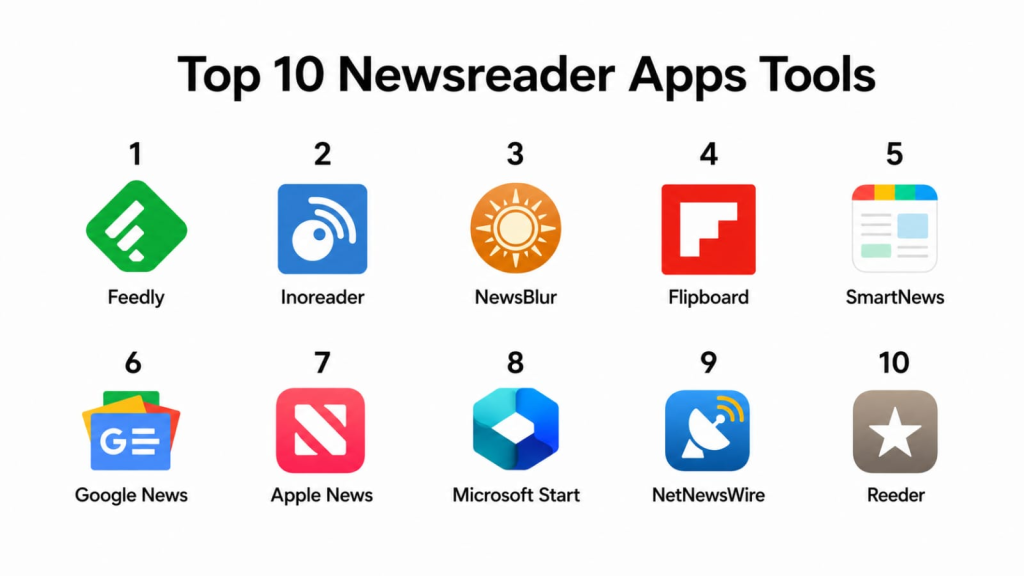
Top 10 Newsreader Apps Tools
#1 — Feedly
Short description: Feedly is a widely used newsreader and research platform for following websites, blogs, topics, newsletters, and industry updates. It is suitable for individual readers, researchers, marketing teams, cybersecurity teams, and market intelligence users.
Key Features
- Organize feeds into folders and topic-based collections
- Follow websites, blogs, publications, and industry sources
- AI-assisted topic monitoring and research features in selected plans
- Save articles to boards for later review
- Browser extension support for saving and adding sources
- Mobile apps for reading on the go
- Team-oriented features for shared research workflows
Pros
- Clean interface that works well for both beginners and advanced readers
- Strong source discovery and organization features
- Good fit for professionals who need structured information monitoring
Cons
- Advanced features may require paid plans
- Some users may find AI and team features more than they need
- Not ideal for users wanting a fully self-hosted reader
Platforms / Deployment
Web / iOS / Android
Cloud
Security & Compliance
SSO/SAML, audit logs, RBAC, SOC 2, ISO 27001, GDPR, HIPAA: Not publicly stated for all plans. Security details may vary by plan and business offering.
Integrations & Ecosystem
Feedly works well as part of a research and knowledge workflow. It can support article saving, sharing, and collection-building for teams and individuals.
- Browser extensions
- Save-to-board workflows
- Sharing workflows
- Mobile reading ecosystem
- Team research workflows
- API availability: Varies / N/A
Support & Community
Feedly has strong documentation and broad user familiarity. Support options may vary by plan, with stronger onboarding and team support generally expected for business users.
#2 — Inoreader
Short description: Inoreader is a powerful RSS and content monitoring app designed for users who want deep filtering, automation, rules, tags, and advanced reading control. It is especially useful for researchers, analysts, and power readers.
Key Features
- RSS feed reading and source organization
- Rules and filters for automation
- Keyword monitoring and search-based reading workflows
- Folders, tags, and saved articles
- Newsletter and content monitoring support
- Mobile apps for reading and managing feeds
- Text-to-speech and translation features in selected use cases
Pros
- Excellent choice for advanced filtering and automation
- Strong fit for heavy readers who follow many sources
- Useful for research, monitoring, and topic tracking
Cons
- Interface may feel detailed for casual users
- Best features may require a paid plan
- Some automation workflows need setup time
Platforms / Deployment
Web / iOS / Android
Cloud
Security & Compliance
SSO/SAML, MFA, encryption, audit logs, RBAC, SOC 2, ISO 27001, GDPR, HIPAA: Not publicly stated unless confirmed in a specific plan or contract.
Integrations & Ecosystem
Inoreader fits well into workflows that need filtering, saving, tagging, and monitoring. It is useful for people who want to turn news reading into a structured information pipeline.
- RSS and feed subscriptions
- Newsletter reading workflows
- Rules and filters
- Tags and folders
- Search-based monitoring
- Export/import support: Varies / N/A
Support & Community
Documentation is useful for setup and power-user features. Community awareness is strong among RSS users, but support depth may depend on plan level.
#3 — NewsBlur
Short description: NewsBlur is a personal newsreader focused on RSS, feed intelligence, training, and source control. It is a strong option for users who want a traditional feed reader with smart filtering and cross-device sync.
Key Features
- RSS and web feed reading
- Intelligence training to highlight or hide stories
- Saved stories and reading history
- Native mobile apps
- Folder-based feed organization
- Story sharing and social reading features
- Sync support with several third-party reader apps
Pros
- Good balance of classic RSS reading and smart filtering
- Useful for readers who want more control over feed quality
- Strong fit for users who prefer independent newsreader tools
Cons
- Interface may feel less polished than some mainstream apps
- Team and enterprise features are limited compared with larger platforms
- Not ideal for users who only want algorithmic news recommendations
Platforms / Deployment
Web / iOS / Android
Cloud / Self-hosted option may be possible for technical users, but setup varies
Security & Compliance
SSO/SAML, MFA, audit logs, RBAC, SOC 2, ISO 27001, HIPAA: Not publicly stated.
Integrations & Ecosystem
NewsBlur has a useful ecosystem for RSS readers and users who want syncing across reading apps. It is suitable for people who want control over their own sources.
- RSS feed support
- Third-party reader compatibility
- Saved story workflows
- Feed training
- Mobile apps
- API/extensibility: Varies / N/A
Support & Community
NewsBlur has an active user base among RSS readers. Support is generally practical, though large enterprise onboarding is not its main positioning.
#4 — Flipboard
Short description: Flipboard is a magazine-style newsreader app that helps users discover stories, follow topics, and read curated content in a visual format. It is suitable for casual readers, creators, marketers, and people who prefer a polished browsing experience.
Key Features
- Visual magazine-style reading interface
- Topic-based discovery
- Personalized content feed
- Ability to follow publishers and interests
- Save and organize stories
- Mobile-friendly reading experience
- Curated collections and sharing options
Pros
- Very easy to use for casual news discovery
- Attractive reading interface
- Good for users who prefer visual browsing over technical feed management
Cons
- Less control than advanced RSS readers
- Not ideal for deep filtering or automation
- Professional research workflows may need stronger tools
Platforms / Deployment
Web / iOS / Android
Cloud
Security & Compliance
SSO/SAML, MFA, encryption, audit logs, RBAC, SOC 2, ISO 27001, GDPR, HIPAA: Not publicly stated.
Integrations & Ecosystem
Flipboard focuses more on discovery and reading than deep workflow integration. It works best as a personal content discovery and magazine-style reading app.
- Topic feeds
- Publisher following
- Content saving
- Sharing features
- Mobile reading
- API/extensibility: Varies / N/A
Support & Community
Flipboard has broad consumer awareness and simple onboarding. Support and documentation are suitable for general users, while advanced business support is limited.
#5 — SmartNews
Short description: SmartNews is a news discovery app designed to deliver headlines and stories from different publishers in a simple mobile-first format. It is best for users who want quick access to current news without building detailed RSS workflows.
Key Features
- Personalized news feed
- Publisher and topic discovery
- Mobile-first reading experience
- Headline browsing
- Category-based news sections
- Local and general news discovery
- Simple reading interface
Pros
- Easy for non-technical users
- Good for fast news browsing
- Strong fit for mobile news consumption
Cons
- Limited advanced source control
- Not built for RSS power users
- Limited professional monitoring and research features
Platforms / Deployment
iOS / Android
Cloud
Security & Compliance
SSO/SAML, MFA, encryption, audit logs, RBAC, SOC 2, ISO 27001, GDPR, HIPAA: Not publicly stated.
Integrations & Ecosystem
SmartNews is designed mainly as a consumer news app, not as a workflow-heavy research platform.
- Topic browsing
- Publisher discovery
- Mobile notifications
- Category-based reading
- Saved reading: Varies / N/A
- Business integrations: Varies / N/A
Support & Community
Support is suitable for consumer app users. Community and professional workflow documentation are limited compared with dedicated RSS platforms.
#6 — Google News
Short description: Google News is a mainstream newsreader and discovery app that organizes stories from many publishers using personalization and topic clustering. It is suitable for general readers who want broad coverage and quick access to major stories.
Key Features
- Personalized news recommendations
- Topic and publisher following
- Local news sections
- Story clustering from multiple sources
- Cross-device Google account sync
- Mobile and web access
- Simple browsing experience
Pros
- Very accessible for everyday readers
- Strong discovery experience across many topics
- Useful for quickly comparing coverage from different publishers
Cons
- Less control than RSS-based readers
- Algorithmic feed may not match every user’s priorities
- Not designed for structured team research workflows
Platforms / Deployment
Web / iOS / Android
Cloud
Security & Compliance
Security and account protection depend on the broader Google account ecosystem. SSO/SAML, audit logs, RBAC, SOC 2, ISO 27001, HIPAA for this specific app: Not publicly stated.
Integrations & Ecosystem
Google News works well for people already using Google services, but it is not a deep RSS automation platform.
- Google account sync
- Topic following
- Publisher following
- Local news discovery
- Mobile notifications
- Business workflow integrations: Varies / N/A
Support & Community
Google News benefits from large-scale product documentation and broad user familiarity. Dedicated professional onboarding is not its core purpose.
#7 — Apple News
Short description: Apple News is a newsreader app for Apple users who want a polished reading experience across magazines, newspapers, and publishers. It is best suited for readers already invested in the Apple ecosystem.
Key Features
- Curated and personalized news feed
- Publisher and topic following
- Magazine-style reading experience
- Apple device integration
- Saved stories
- Notifications for selected topics
- Premium publication access in selected plans
Pros
- Strong reading experience on Apple devices
- Good for casual and premium publication reading
- Simple interface with low setup effort
Cons
- Limited availability outside Apple platforms
- Less flexible than RSS-based tools
- Not ideal for users needing open integrations or self-hosting
Platforms / Deployment
iOS / iPadOS / macOS
Cloud
Security & Compliance
Security depends on Apple account and device-level controls. SSO/SAML, RBAC, audit logs, SOC 2, ISO 27001, HIPAA for this specific app: Not publicly stated.
Integrations & Ecosystem
Apple News works best inside the Apple ecosystem. It is focused on reading and publisher access, not advanced workflow automation.
- Apple device integration
- Saved stories
- Topic following
- Publisher following
- Notifications
- Third-party integrations: Varies / N/A
Support & Community
Apple News has strong consumer-level usability and support through the Apple ecosystem. Enterprise onboarding and workflow documentation are not its focus.
#8 — Microsoft Start
Short description: Microsoft Start is a personalized news and information app that combines headlines, interests, weather, finance, and other content categories. It is suitable for users who want a general news dashboard connected to Microsoft services.
Key Features
- Personalized news feed
- Topic and interest selection
- Web and mobile access
- Integration with Microsoft content surfaces
- Local information and general updates
- Simple feed customization
- Broad news discovery experience
Pros
- Convenient for Microsoft ecosystem users
- Good for general news and daily updates
- Simple setup and easy browsing
Cons
- Not a dedicated RSS power-user platform
- Limited advanced filtering and automation
- Less suitable for structured research teams
Platforms / Deployment
Web / Windows / iOS / Android
Cloud
Security & Compliance
Security depends on Microsoft account controls. SSO/SAML, audit logs, RBAC, SOC 2, ISO 27001, HIPAA for this specific app: Not publicly stated.
Integrations & Ecosystem
Microsoft Start works as part of a broader Microsoft information experience. It is useful for general discovery rather than custom RSS automation.
- Microsoft account sync
- Interest-based personalization
- Web and mobile access
- News widgets and surfaces
- Notifications
- Business workflow integrations: Varies / N/A
Support & Community
Support is available through Microsoft’s general support ecosystem. Professional implementation support is not usually needed for this type of app.
#9 — NetNewsWire
Short description: NetNewsWire is a clean RSS reader for Apple users who prefer a fast, focused, and distraction-light reading experience. It is especially good for users who want classic RSS reading without heavy recommendation algorithms.
Key Features
- RSS and Atom feed reading
- Clean Apple-native interface
- Feed folders and organization
- Sync options depending on setup
- Keyboard-friendly reading experience
- Open-source project model
- Lightweight and focused design
Pros
- Excellent choice for Apple-focused RSS users
- Clean, fast, and distraction-light
- Good for users who prefer direct source control
Cons
- Limited to Apple platforms
- Fewer built-in business and collaboration features
- Not designed for AI summaries or heavy automation
Platforms / Deployment
macOS / iOS / iPadOS
Local app with sync options depending on service
Security & Compliance
SSO/SAML, MFA, audit logs, RBAC, SOC 2, ISO 27001, HIPAA: Not publicly stated.
Integrations & Ecosystem
NetNewsWire fits well for users who want a native RSS app and may connect it with RSS services or local feed reading workflows.
- RSS and Atom support
- Sync service compatibility: Varies / N/A
- OPML import/export: Varies / N/A
- Apple ecosystem support
- Open-source community
- Third-party automation: Varies / N/A
Support & Community
Community strength is good among Apple and RSS users. Support is more community-driven than enterprise-oriented.
#10 — Reeder
Short description: Reeder is a polished reading app for Apple users who want a refined interface for RSS, read-it-later services, and content consumption. It is popular among users who value design, speed, and focused reading.
Key Features
- Clean reading interface
- RSS and feed service support depending on version
- Read-it-later workflow support
- Apple-native experience
- Gesture-friendly navigation
- Saved and organized reading workflows
- Minimal, distraction-reduced design
Pros
- Strong design and reading experience
- Good fit for Apple users who read daily
- Works well for personal productivity and focused reading
Cons
- Limited outside Apple platforms
- Advanced team collaboration is not the focus
- Feature availability may vary by app version
Platforms / Deployment
macOS / iOS / iPadOS
Local app with cloud/service sync options depending on setup
Security & Compliance
SSO/SAML, MFA, audit logs, RBAC, SOC 2, ISO 27001, GDPR, HIPAA: Not publicly stated.
Integrations & Ecosystem
Reeder is strongest as a personal reading app. Its ecosystem value depends on the feed services and read-it-later tools a user connects.
- RSS service support
- Read-it-later workflows
- Apple ecosystem support
- Sync options: Varies / N/A
- Sharing workflows
- Automation/extensibility: Varies / N/A
Support & Community
Reeder has a loyal user base among Apple readers. Support is generally product-focused, while enterprise onboarding is not a major use case.
Comparison Table
| Tool Name | Best For | Platform(s) Supported | Deployment | Standout Feature | Public Rating |
|---|---|---|---|---|---|
| Feedly | Professionals, researchers, teams | Web, iOS, Android | Cloud | Organized feeds with research workflows | N/A |
| Inoreader | Power users and analysts | Web, iOS, Android | Cloud | Rules, filters, and monitoring | N/A |
| NewsBlur | RSS users wanting smart training | Web, iOS, Android | Cloud / Self-hosted varies | Feed intelligence training | N/A |
| Visual news discovery | Web, iOS, Android | Cloud | Magazine-style reading | N/A | |
| SmartNews | Mobile-first casual readers | iOS, Android | Cloud | Fast headline discovery | N/A |
| Google News | General news readers | Web, iOS, Android | Cloud | Story clustering and personalization | N/A |
| Apple News | Apple ecosystem readers | iOS, iPadOS, macOS | Cloud | Apple-native curated reading | N/A |
| Microsoft Start | Microsoft ecosystem users | Web, Windows, iOS, Android | Cloud | Personalized daily information feed | N/A |
| NetNewsWire | Apple RSS users | macOS, iOS, iPadOS | Local app / Sync varies | Clean open-source RSS reading | N/A |
| Reeder | Apple users wanting premium reading | macOS, iOS, iPadOS | Local app / Sync varies | Polished distraction-free reading | N/A |
Evaluation & Scoring of Newsreader Apps
| Tool Name | Core (25%) | Ease (15%) | Integrations (15%) | Security (10%) | Performance (10%) | Support (10%) | Value (15%) | Weighted Total |
|---|---|---|---|---|---|---|---|---|
| Feedly | 9 | 9 | 8 | 7 | 9 | 8 | 8 | 8.40 |
| Inoreader | 9 | 8 | 8 | 7 | 8 | 8 | 8 | 8.15 |
| NewsBlur | 8 | 7 | 8 | 6 | 8 | 7 | 8 | 7.55 |
| 7 | 9 | 6 | 6 | 8 | 7 | 8 | 7.35 | |
| SmartNews | 6 | 9 | 5 | 6 | 8 | 7 | 8 | 7.00 |
| Google News | 7 | 9 | 6 | 7 | 9 | 8 | 9 | 7.75 |
| Apple News | 7 | 9 | 6 | 7 | 9 | 8 | 7 | 7.55 |
| Microsoft Start | 7 | 8 | 6 | 7 | 8 | 8 | 8 | 7.40 |
| NetNewsWire | 7 | 8 | 7 | 6 | 9 | 7 | 9 | 7.55 |
| Reeder | 7 | 9 | 7 | 6 | 9 | 7 | 7 | 7.55 |
These scores are comparative, not absolute. A higher score does not always mean the tool is best for every reader. For example, Feedly and Inoreader score well for structured workflows, while NetNewsWire and Reeder may be better for Apple users who want a clean personal reader. Security scores are conservative where public compliance details are not clearly stated. Value depends heavily on whether the user needs free reading, professional monitoring, or team features.
Which Newsreader Apps Tool Is Right for You?
Solo / Freelancer
Solo users should focus on ease of use, reading comfort, and price. Good options include Feedly, Inoreader, Google News, Flipboard, NetNewsWire, and Reeder.
Choose Feedly if you want a balanced reader with strong organization. Choose Inoreader if you want filters and automation. Choose NetNewsWire or Reeder if you are an Apple user who wants a clean RSS experience.
SMB
Small businesses should choose tools that help teams track competitors, industry news, customer conversations, and market changes. Feedly and Inoreader are strong choices because they support structured source management and more professional workflows.
For simple daily news tracking, Google News, Microsoft Start, or Flipboard may be enough. However, they are not as strong for controlled feed monitoring.
Mid-Market
Mid-market teams usually need better organization, topic monitoring, shared research, and repeatable workflows. Feedly is a strong fit for team research and source tracking. Inoreader is useful when filtering and automation are important.
Teams should also check export options, access control, onboarding, and whether the tool supports the sources they care about.
Enterprise
Enterprises should be careful with security, compliance, access control, and administrative visibility. For enterprise-level market intelligence or threat intelligence, Feedly may be worth evaluating first. However, enterprises should validate SSO, audit logs, RBAC, data retention, and contract-level security documentation before adoption.
Consumer-style apps like Google News, Apple News, Flipboard, and SmartNews are useful for individual reading but may not meet enterprise governance needs.
Budget vs Premium
For budget-focused users, Google News, Microsoft Start, NetNewsWire, and free tiers of RSS tools may be enough. For premium workflows, Feedly, Inoreader, and selected paid reading apps can provide better organization, filters, and productivity.
The key question is simple: are you reading casually, or are you using news as part of research, work, marketing, or decision-making?
Feature Depth vs Ease of Use
If you want feature depth, choose Inoreader, Feedly, or NewsBlur. If you want simplicity, choose Google News, Flipboard, SmartNews, Apple News, or Microsoft Start.
Power users should prioritize filters, folders, search, tagging, OPML support, and source control. Casual readers should prioritize clean design, personalization, and mobile experience.
Integrations & Scalability
For scalable workflows, RSS-based platforms are usually better because they offer more control over sources and organization. Feedly, Inoreader, and NewsBlur are stronger here than general news discovery apps.
If you need to connect reading with note-taking, content planning, research boards, or team sharing, check integrations and export options before choosing.
Security & Compliance Needs
For personal use, basic account security may be enough. For business use, security must be checked carefully.
Important areas to validate:
- SSO/SAML
- MFA
- RBAC
- Audit logs
- Encryption practices
- Data retention
- Admin controls
- Compliance documentation
- Privacy policy
- Vendor support process
If these details are not clearly stated, treat them as Not publicly stated and confirm directly before using the tool for sensitive work.
Frequently Asked Questions
1. What is a newsreader app?
A newsreader app collects news, articles, blog posts, feeds, newsletters, and updates in one place. It helps users follow trusted sources without visiting many websites separately.
2. Are newsreader apps the same as RSS readers?
Not always. RSS readers focus on feeds from specific sources, while newsreader apps may also include curated news, recommendations, newsletters, publisher content, and topic-based discovery.
3. Which newsreader app is best for beginners?
Google News, Flipboard, SmartNews, Apple News, and Microsoft Start are easier for beginners. Feedly is also beginner-friendly if users want more control over sources.
4. Which newsreader app is best for power users?
Inoreader, Feedly, and NewsBlur are strong for power users. They offer better source control, filtering, feed organization, and research workflows.
5. Do newsreader apps have free plans?
Many newsreader apps offer free access or free versions, but advanced features may require payment. Pricing can vary based on features, devices, team use, and premium publisher access.
6. What common mistakes should users avoid?
The biggest mistake is adding too many sources too quickly. Users should start with a focused list, organize feeds into folders, remove low-value sources, and review saved content regularly.
7. Are newsreader apps secure?
Basic security depends on the app and account setup. For business use, users should check MFA, SSO, RBAC, audit logs, encryption, data handling, and compliance documentation before adoption.
8. Can teams use newsreader apps for research?
Yes, some tools can support team research, shared boards, source tracking, and monitoring workflows. Feedly and Inoreader are stronger choices for professional use than casual news apps.
9. Can I switch from one newsreader app to another?
Yes, but the process depends on export options. RSS users should check whether the app supports OPML import and export so feeds can be moved more easily.
10. What are the best alternatives to newsreader apps?
Alternatives include newsletters, social media lists, browser bookmarks, read-it-later apps, media monitoring platforms, search alerts, and knowledge management tools. The best choice depends on how structured your reading workflow needs to be.
Conclusion
Newsreader apps are valuable because they help users take control of information instead of depending only on scattered websites, social media feeds, or random recommendations. The best tool depends on your reading style, source needs, platform preference, and workflow depth. Feedly and Inoreader are strong for professional and structured reading. NewsBlur is useful for classic RSS users who want feed intelligence. Google News, Apple News, Microsoft Start, SmartNews, and Flipboard are better for casual discovery. NetNewsWire and Reeder are excellent for Apple users who want a focused reading experience. The smartest next step is to shortlist two or three tools, test them with your real sources, check mobile experience, validate export options, and confirm security needs before committing.
