Introduction
Terminology management tools help teams collect, organize, approve, translate, and reuse important business terms across content, software, documentation, marketing, legal material, product interfaces, and customer communication. These tools are especially useful when a company works in multiple languages and needs the same terms to be translated consistently every time.
Terminology management matters because inconsistent words can confuse customers, weaken brand trust, create legal risk, and slow down localization teams. For example, a product feature, medical term, financial phrase, brand slogan, or technical word should not be translated differently across websites, apps, manuals, help centers, and training content.
Common use cases include software localization, technical documentation, product terminology, legal translation, medical content, eCommerce localization, brand language governance, and multilingual marketing campaigns.
Buyers should evaluate termbase features, translation memory support, workflow approvals, role-based access, language coverage, import/export options, CAT tool integrations, automation, AI suggestions, quality checks, reporting, security, and support quality.
Best for: localization managers, translators, language service providers, technical writers, product teams, global marketing teams, legal teams, life sciences companies, software companies, and enterprises managing multilingual content.
Not ideal for: small teams translating occasional content manually, users who only need a simple glossary spreadsheet, or companies with no multilingual content governance needs.
Key Trends in Terminology Management Tools
- AI-assisted terminology extraction is becoming more useful for identifying repeated terms from documents, websites, product strings, and knowledge bases.
- Terminology governance is becoming more important as global brands need consistent product names, legal phrases, technical terms, and approved translations.
- Termbases are now connected with translation workflows, helping translators see approved terms inside CAT tools, TMS platforms, and localization editors.
- Real-time quality checks are improving, allowing teams to detect incorrect, forbidden, or missing terminology during translation and review.
- Multilingual brand consistency is a bigger priority, especially for SaaS, eCommerce, healthcare, finance, manufacturing, and global education companies.
- Integration with content systems is expanding, including CMS, product information systems, design tools, documentation platforms, and software localization workflows.
- Role-based terminology approval workflows are becoming standard, allowing linguists, subject matter experts, legal reviewers, and brand managers to approve terms before use.
- Cloud-based collaboration is now common, making it easier for distributed translation teams and vendors to access the latest approved terminology.
- Terminology data portability remains important, especially through import/export formats, APIs, TBX-style workflows, and migration support.
- Security and privacy expectations are rising, because terminology databases may contain product plans, legal wording, technical information, and confidential brand language.
How We Selected These Tools
The tools in this list were selected based on their usefulness for terminology management, localization, translation workflows, enterprise language operations, and multilingual content quality.
Selection criteria included:
- Market recognition among localization teams, translators, enterprises, and language service providers
- Strength of terminology management features such as termbases, glossaries, approved terms, forbidden terms, and language variants
- Integration with translation management systems, CAT tools, content workflows, and localization platforms
- Support for multilingual collaboration, approvals, quality checks, and review workflows
- Fit for different users, including freelancers, SMBs, language service providers, mid-market teams, and enterprises
- Import/export flexibility for terminology data and migration needs
- Security posture signals such as user permissions, role management, admin controls, and enterprise options
- Usability for linguists, translators, terminology managers, product teams, and subject matter experts
- Support resources, documentation quality, onboarding, and professional services availability
- Value for money based on feature depth, workflow fit, scalability, and team size
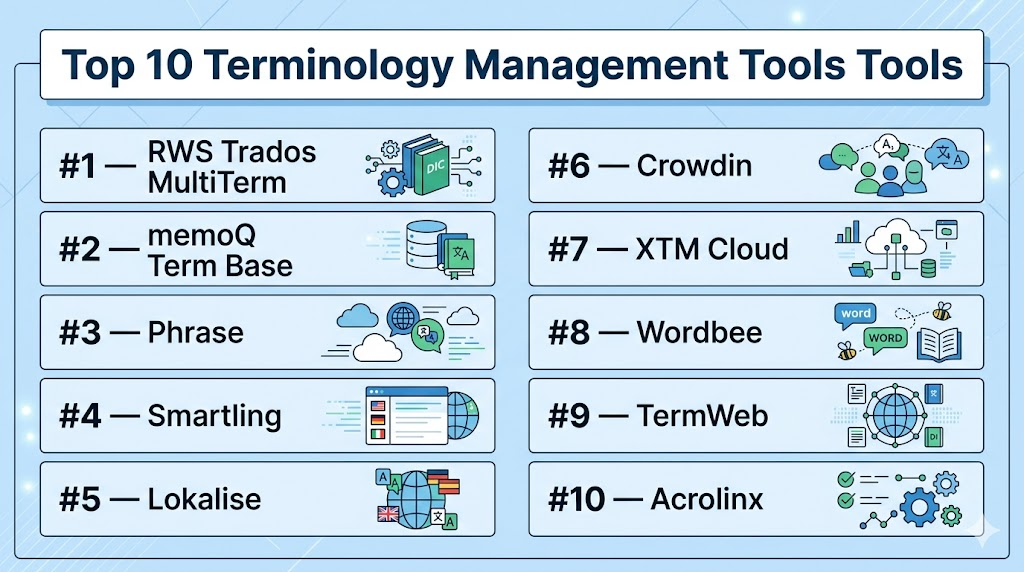
Top 10 Terminology Management Tools Tools
#1 — RWS Trados MultiTerm
Short description: RWS Trados MultiTerm is a dedicated terminology management solution used by translators, language service providers, and enterprise localization teams. It helps users create, manage, search, and apply multilingual termbases across translation workflows.
Key Features
- Dedicated terminology database management
- Multilingual termbase creation and maintenance
- Integration with Trados translation workflows
- Support for term metadata, definitions, usage notes, and context
- Term recognition during translation
- Import and export options for terminology data
- Suitable for professional translators and enterprise language teams
Pros
- Strong fit for professional translation and terminology workflows
- Useful for teams already using the Trados ecosystem
- Supports structured multilingual terminology management
Cons
- May feel complex for beginners or small non-technical teams
- Best value is often seen when used with other Trados tools
- Setup and termbase design may require terminology expertise
Platforms / Deployment
Windows / Web options may vary by product configuration
Cloud / Desktop / Hybrid options may vary by offering
Security & Compliance
RWS offers enterprise language technology products with business and admin controls depending on deployment and contract. Specific details such as SSO, SAML, MFA, audit logs, RBAC, SOC 2, ISO 27001, GDPR, and HIPAA should be verified directly. Unknown details should be treated as Not publicly stated.
Integrations & Ecosystem
RWS Trados MultiTerm is strongest inside professional translation and localization workflows where terminology must be available during translation and review.
Common ecosystem areas include:
- CAT tool workflows
- Translation memory systems
- Localization project management
- Enterprise translation operations
- Terminology review processes
- Language service provider workflows
Support & Community
RWS provides documentation, training resources, support options, and a broad professional translator community. Teams using it at scale may benefit from structured onboarding and terminology process design.
#2 — memoQ Term Base
Short description: memoQ Term Base is the terminology management capability within the memoQ translation environment. It helps translators, reviewers, and localization teams manage approved terms, forbidden terms, definitions, and multilingual equivalents during translation.
Key Features
- Termbase creation and management
- Term recognition inside translation workflows
- Support for approved and forbidden terminology
- Definitions, notes, examples, and metadata for terms
- Integration with memoQ translation memory and project workflows
- Collaboration support for translation teams
- Suitable for freelance translators, LSPs, and enterprises
Pros
- Strong terminology support inside a complete translation environment
- Useful for maintaining consistency across translation projects
- Flexible for both individual translators and teams
Cons
- Best suited for users already working in memoQ
- Non-translation teams may find it less intuitive than simple glossary tools
- Advanced workflows may require admin setup and training
Platforms / Deployment
Windows / Web options may vary by offering
Cloud / Desktop / Server options may vary by configuration
Security & Compliance
memoQ provides business and enterprise deployment options depending on product configuration. Specific security details such as SSO, audit logs, RBAC, SOC 2, ISO 27001, GDPR, and HIPAA should be verified directly. Unknown details should be listed as Not publicly stated.
Integrations & Ecosystem
memoQ Term Base works well when terminology needs to connect directly with translation, review, and quality assurance workflows.
Common ecosystem areas include:
- Translation memory workflows
- CAT tool projects
- Localization vendor collaboration
- Quality assurance checks
- Multilingual project management
- Enterprise translation teams
Support & Community
memoQ provides documentation, support resources, training materials, and a strong professional translator community. It is useful for users who need terminology integrated into active translation projects.
#3 — Phrase
Short description: Phrase is a localization platform that supports software localization, translation workflows, strings management, translation memory, and terminology through glossaries and termbase-style features. It is useful for product teams, developers, localization managers, and global content teams.
Key Features
- Glossary and terminology support for localization projects
- Translation memory and quality workflow features
- Software strings localization
- Developer-friendly integrations and API support
- Workflow automation for localization teams
- Collaboration between translators, reviewers, and product teams
- Useful for SaaS, apps, websites, and digital products
Pros
- Strong fit for software and product localization
- Useful integrations for developer and localization workflows
- Good balance of translation management and terminology control
Cons
- Teams needing only standalone terminology management may find it broader than required
- Advanced workflows may require setup planning
- Pricing and feature access may vary by plan
Platforms / Deployment
Web
Cloud
Security & Compliance
Phrase provides business and enterprise features depending on plan. Specific details such as SSO, SAML, MFA, audit logs, RBAC, SOC 2, ISO 27001, GDPR, and HIPAA should be verified directly. Unknown details should be treated as Not publicly stated.
Integrations & Ecosystem
Phrase fits modern product localization workflows where terminology needs to connect with software strings, translation, development, and review pipelines.
Common ecosystem areas include:
- Software localization
- Developer workflows
- Git-based workflows
- Translation memory systems
- Product content localization
- API-driven automation
Support & Community
Phrase provides documentation, support resources, onboarding materials, and developer-focused guidance. It is especially useful for teams localizing digital products at scale.
#4 — Smartling
Short description: Smartling is a translation management platform that supports localization workflows, translation memory, glossaries, content connectors, and quality processes. It is used by enterprises, marketing teams, product teams, and localization managers that need consistent multilingual content.
Key Features
- Glossary and terminology management features
- Translation memory and localization workflow management
- Content connectors for websites, apps, and business systems
- Workflow automation and review processes
- Quality checks and linguistic review support
- Collaboration for translators, reviewers, and project managers
- Useful for enterprise localization and global content operations
Pros
- Strong fit for enterprise localization programs
- Useful for managing terminology across content channels
- Good for teams that need translation workflows and connectors together
Cons
- May be more platform than small teams need
- Implementation can require planning and stakeholder alignment
- Exact pricing and features may vary by contract
Platforms / Deployment
Web
Cloud
Security & Compliance
Smartling provides enterprise-oriented localization workflows and business account controls depending on plan and contract. Specific details such as SSO, audit logs, RBAC, SOC 2, ISO 27001, GDPR, and HIPAA should be verified directly. Unknown details should be written as Not publicly stated.
Integrations & Ecosystem
Smartling is useful where terminology, translation workflows, and content systems must work together.
Common ecosystem areas include:
- Content management systems
- Marketing websites
- Product localization
- Translation memory workflows
- Business content connectors
- Enterprise localization operations
Support & Community
Smartling provides documentation, onboarding resources, customer support, and enterprise services depending on plan. It is best for teams with structured localization programs.
#5 — Lokalise
Short description: Lokalise is a localization and translation management platform for product teams, developers, marketers, and localization managers. It supports glossaries, translation memory, software localization workflows, collaboration, and automation.
Key Features
- Glossary and terminology support
- Translation memory and localization project management
- Software strings and product localization workflows
- Integrations with design, development, and collaboration tools
- Workflow automation and task management
- Reviewer and translator collaboration
- Useful for SaaS, mobile apps, websites, and product content
Pros
- Strong for product and software localization workflows
- Developer-friendly and collaboration-focused
- Useful for teams localizing fast-moving digital products
Cons
- Not a dedicated terminology-only solution
- Teams may need process discipline to maintain clean glossaries
- Advanced features may depend on selected plan
Platforms / Deployment
Web
Cloud
Security & Compliance
Lokalise provides business and enterprise features depending on plan. Specific security and compliance details such as SSO, audit logs, RBAC, SOC 2, ISO 27001, GDPR, and HIPAA should be verified directly. Unknown details should be listed as Not publicly stated.
Integrations & Ecosystem
Lokalise fits product localization workflows where terminology must stay connected to software strings, design tools, development platforms, and translation teams.
Common ecosystem areas include:
- Software localization
- Design workflows
- Git-based development
- Translation memory workflows
- Product content management
- Team collaboration
Support & Community
Lokalise provides documentation, onboarding resources, support options, and developer-oriented guidance. It is approachable for growing product teams and localization managers.
#6 — Crowdin
Short description: Crowdin is a localization management platform used by software teams, open-source projects, businesses, and localization managers. It supports glossaries, translation memory, automation, integrations, and collaborative translation workflows.
Key Features
- Glossary and terminology management features
- Translation memory and quality checks
- Software localization and file management
- Collaboration for translators, reviewers, and developers
- Integration with code repositories and project tools
- Automation for continuous localization workflows
- Suitable for open-source, SMB, and enterprise localization projects
Pros
- Strong fit for software localization and developer workflows
- Useful for collaborative translation at scale
- Good option for teams needing automation and glossary support together
Cons
- Terminology management may be part of broader localization workflows
- Setup can require planning for file structure and approvals
- Non-technical teams may need onboarding for best use
Platforms / Deployment
Web
Cloud
Security & Compliance
Crowdin provides business and enterprise features depending on plan. Specific details such as SSO, audit logs, RBAC, SOC 2, ISO 27001, GDPR, and HIPAA should be verified directly. Unknown items should be treated as Not publicly stated.
Integrations & Ecosystem
Crowdin is useful where terminology needs to support continuous localization and software release workflows.
Common ecosystem areas include:
- Code repositories
- Software localization files
- Translation memory workflows
- Open-source translation communities
- Project management tools
- API-based automation
Support & Community
Crowdin provides documentation, support options, and a strong community presence, especially among software and open-source localization teams.
#7 — XTM Cloud
Short description: XTM Cloud is a translation management system used by enterprises, language service providers, and localization teams. It includes terminology management features to support consistency across translation, review, and quality workflows.
Key Features
- Terminology and glossary management
- Translation memory and project workflow management
- Machine translation workflow support depending on configuration
- Linguistic quality checks
- Vendor and reviewer collaboration
- Workflow automation for localization projects
- Useful for enterprise and LSP translation operations
Pros
- Strong fit for structured translation management programs
- Useful for enterprise terminology and workflow governance
- Supports localization teams managing multilingual projects at scale
Cons
- May be too complex for small teams that only need a glossary
- Implementation and workflow design may require planning
- Feature access may vary by contract or configuration
Platforms / Deployment
Web
Cloud
Security & Compliance
XTM Cloud provides enterprise-oriented translation management capabilities depending on plan and contract. Specific details such as SSO, audit logs, RBAC, SOC 2, ISO 27001, GDPR, and HIPAA should be verified directly. Unknown details should be written as Not publicly stated.
Integrations & Ecosystem
XTM Cloud fits enterprise localization ecosystems where terminology, translation memory, machine translation, workflow automation, and quality control need to work together.
Common ecosystem areas include:
- Enterprise localization
- Translation memory management
- Machine translation workflows
- Content connectors
- Vendor collaboration
- Linguistic quality assurance
Support & Community
XTM provides documentation, support resources, customer services, and onboarding options depending on plan. It is best suited for organizations with mature localization needs.
#8 — Wordbee
Short description: Wordbee is a translation management and localization platform used by language service providers, enterprises, and translation teams. It supports terminology databases, translation memory, project management, vendor workflows, and quality control.
Key Features
- Terminology and glossary management
- Translation memory management
- Project and vendor management workflows
- Translation editor and review tools
- Quality assurance features
- Business process support for LSPs and enterprises
- Useful for multilingual content operations
Pros
- Strong fit for LSPs and translation-focused organizations
- Combines terminology with project and vendor management
- Useful for teams managing many clients, languages, and workflows
Cons
- May be more complex than needed for simple glossary management
- Setup and configuration can require time
- Buyers should verify which features are included in selected plans
Platforms / Deployment
Web
Cloud
Security & Compliance
Wordbee provides business and enterprise workflow features. Specific security details such as SSO, audit logs, RBAC, SOC 2, ISO 27001, GDPR, and HIPAA should be verified directly. Unknown details should be treated as Not publicly stated.
Integrations & Ecosystem
Wordbee is useful for organizations that need terminology management inside a complete translation business workflow.
Common ecosystem areas include:
- Translation project management
- Vendor and client workflows
- Translation memory systems
- Quality assurance
- Enterprise localization
- Language service provider operations
Support & Community
Wordbee provides documentation, onboarding help, and customer support options depending on customer type. It is especially relevant for LSPs and localization teams that need process control.
#9 — TermWeb
Short description: TermWeb is a dedicated terminology management system designed for creating, managing, approving, and sharing multilingual terminology. It is suitable for enterprises, public sector organizations, language teams, and terminology professionals who need structured term governance.
Key Features
- Dedicated terminology database management
- Multilingual term entries with definitions, notes, and metadata
- Approval workflows for terminology governance
- Search and term lookup capabilities
- Support for terminology collaboration across teams
- Integration possibilities depending on implementation
- Useful for structured terminology programs
Pros
- Strong focus on terminology rather than general translation only
- Useful for teams needing formal term governance
- Suitable for multilingual organizations with complex terminology needs
Cons
- May be too specialized for teams needing a simple glossary
- Implementation may require terminology management knowledge
- Integration details should be verified based on deployment needs
Platforms / Deployment
Web
Cloud / Self-hosted / Hybrid options may vary by offering
Security & Compliance
TermWeb supports business terminology management workflows. Specific details such as SSO, audit logs, RBAC, SOC 2, ISO 27001, GDPR, and HIPAA should be verified directly. Unknown items should be listed as Not publicly stated.
Integrations & Ecosystem
TermWeb is best suited to formal terminology programs where approved terms must be managed, reviewed, and distributed across multiple teams or systems.
Common ecosystem areas include:
- Enterprise terminology databases
- Translation workflows
- Technical documentation
- Public sector language management
- Subject matter expert review
- Multilingual governance
Support & Community
TermWeb support and onboarding may vary by vendor arrangement and implementation. It is best for organizations prepared to manage terminology as a formal knowledge asset.
#10 — Acrolinx
Short description: Acrolinx is an enterprise content governance platform that helps teams improve consistency, terminology use, tone, style, and content quality. While it is broader than terminology management, it is useful for organizations that need approved language and terminology enforced across content teams.
Key Features
- Terminology and approved language guidance
- Content quality and style checking
- Brand voice and tone governance
- Guidance for writers inside authoring workflows
- Content analytics and quality scoring depending on configuration
- Enterprise content governance support
- Useful for technical documentation, marketing, support, and regulated content
Pros
- Strong for enforcing approved terminology during content creation
- Useful for enterprise content consistency and governance
- Helps writers apply terminology before translation begins
Cons
- Not a traditional translation termbase tool
- May be too advanced for small teams
- Implementation requires content governance planning
Platforms / Deployment
Web / Integrations with authoring environments may vary
Cloud / Enterprise deployment options may vary
Security & Compliance
Acrolinx provides enterprise-focused content governance features depending on contract and deployment. Specific details such as SSO, audit logs, RBAC, SOC 2, ISO 27001, GDPR, and HIPAA should be verified directly. Unknown details should be written as Not publicly stated.
Integrations & Ecosystem
Acrolinx is valuable when terminology needs to be enforced directly in authoring, documentation, marketing, and enterprise content workflows.
Common ecosystem areas include:
- Technical documentation platforms
- Content management systems
- Marketing content workflows
- Authoring tools
- Brand governance systems
- Enterprise content quality programs
Support & Community
Acrolinx provides enterprise support, implementation guidance, and content governance resources depending on contract. It is best suited for organizations with mature content operations and terminology governance needs.
Comparison Table
| Tool Name | Best For | Platform(s) Supported | Deployment | Standout Feature | Public Rating |
|---|---|---|---|---|---|
| RWS Trados MultiTerm | Professional translators and enterprise terminology teams | Windows / Web options vary | Cloud / Desktop / Hybrid options vary | Dedicated multilingual termbase management | N/A |
| memoQ Term Base | Translators, LSPs, and memoQ-based teams | Windows / Web options vary | Cloud / Desktop / Server options vary | Term recognition inside translation workflows | N/A |
| Phrase | Product and software localization teams | Web | Cloud | Glossary support inside product localization workflows | N/A |
| Smartling | Enterprise localization and global content teams | Web | Cloud | Glossary and translation workflow governance | N/A |
| Lokalise | SaaS, app, and product localization teams | Web | Cloud | Developer-friendly glossary and localization workflow | N/A |
| Crowdin | Software teams and collaborative localization projects | Web | Cloud | Glossaries with continuous localization automation | N/A |
| XTM Cloud | Enterprise and LSP translation operations | Web | Cloud | Terminology inside enterprise translation management | N/A |
| Wordbee | LSPs and translation business workflows | Web | Cloud | Terminology with project and vendor management | N/A |
| TermWeb | Formal enterprise terminology governance | Web | Cloud / Self-hosted / Hybrid options vary | Dedicated terminology governance workflows | N/A |
| Acrolinx | Enterprise content consistency and terminology enforcement | Web / integrations vary | Cloud / enterprise options vary | Terminology enforcement during content creation | N/A |
Evaluation & Scoring of Terminology Management Tools
The scoring below is comparative and practical. It is based on common terminology management needs such as termbase depth, translation workflow fit, integrations, governance, security posture, support, ease of use, and value. A higher score does not mean the tool is best for every organization. A freelancer, LSP, product team, and enterprise content team may need very different terminology workflows.
| Tool Name | Core (25%) | Ease (15%) | Integrations (15%) | Security (10%) | Performance (10%) | Support (10%) | Value (15%) | Weighted Total (0–10) |
|---|---|---|---|---|---|---|---|---|
| RWS Trados MultiTerm | 9 | 7 | 8 | 8 | 8 | 8 | 7 | 7.95 |
| memoQ Term Base | 8 | 8 | 8 | 7 | 8 | 8 | 8 | 7.90 |
| Phrase | 8 | 8 | 9 | 8 | 8 | 8 | 8 | 8.15 |
| Smartling | 8 | 7 | 9 | 8 | 8 | 8 | 7 | 7.90 |
| Lokalise | 8 | 9 | 9 | 7 | 8 | 8 | 8 | 8.15 |
| Crowdin | 8 | 8 | 9 | 7 | 8 | 8 | 8 | 8.00 |
| XTM Cloud | 8 | 7 | 8 | 8 | 8 | 8 | 7 | 7.75 |
| Wordbee | 8 | 7 | 8 | 7 | 8 | 8 | 7 | 7.55 |
| TermWeb | 9 | 7 | 7 | 7 | 8 | 7 | 7 | 7.65 |
| Acrolinx | 8 | 7 | 8 | 8 | 8 | 8 | 7 | 7.75 |
How to interpret these scores:
- The scores are comparative and should be used for shortlisting, not as a final buying decision.
- Dedicated terminology teams should give more weight to termbase depth, metadata, approval workflows, and governance.
- Product localization teams should prioritize integrations, automation, and developer workflow support.
- Enterprises should carefully review security, access controls, vendor support, and implementation services.
- Always test the tool with real terminology, target languages, approval workflows, and translation projects before committing.
Which Terminology Management Tools Tool Is Right for You?
Solo / Freelancer
Freelance translators usually need a practical way to store client-approved terms, avoid inconsistent translations, and reuse terminology across projects. They may not need complex enterprise governance, but they do need fast lookup, term recognition, import/export, and compatibility with translation tools.
Good options include:
- RWS Trados MultiTerm for translators already using Trados workflows
- memoQ Term Base for translators working in memoQ
- Crowdin for freelance work connected to software localization
- Phrase for product localization projects
- Lingering spreadsheet workflows may work temporarily, but they become hard to manage as term volume grows
For freelancers, the best tool is usually the one that fits their CAT tool and client workflow.
SMB
Small and mid-sized businesses often need terminology consistency across websites, apps, help centers, marketing pages, product documents, and customer support content. They need a tool that is practical, easy to manage, and not too heavy for the team.
Good options include:
- Lokalise for SaaS and product teams
- Phrase for software localization and product content
- Crowdin for collaborative localization and developer workflows
- memoQ Term Base for translation-centered teams
- Smartling for businesses with broader localization operations
SMBs should focus on glossary usability, translation workflow fit, integrations, and whether non-linguists can help review terms.
Mid-Market
Mid-market organizations often have multiple products, regions, vendors, reviewers, and content channels. Terminology management becomes more important because inconsistent terms can affect brand trust, product adoption, and support quality.
Good options include:
- Phrase for product and software localization
- Smartling for global content localization
- Lokalise for fast-moving product teams
- XTM Cloud for structured translation operations
- Wordbee for teams managing complex translation projects and vendors
Mid-market buyers should evaluate approval workflows, user roles, vendor access, terminology quality checks, and import/export flexibility.
Enterprise
Enterprise teams often need formal terminology governance, strong security review, role-based access, multilingual approval processes, subject matter expert involvement, and integration with content systems.
Good options include:
- RWS Trados MultiTerm for professional enterprise terminology programs
- TermWeb for dedicated terminology governance
- Smartling for enterprise localization workflows
- XTM Cloud for translation management and terminology control
- Acrolinx for terminology enforcement during content creation
- Wordbee for enterprise or LSP-centered translation operations
Enterprise teams should involve localization, content operations, legal, security, product, documentation, and regional market experts before selecting a platform.
Budget vs Premium
Budget-conscious teams may start with simple glossaries inside localization platforms before buying a dedicated terminology system. However, if terminology is business-critical, a spreadsheet can quickly become a risk.
Budget-friendly or practical options may include:
- memoQ Term Base, if already using memoQ
- Crowdin, especially for software localization teams
- Lokalise, for product teams that need glossary features inside localization workflows
- Phrase, depending on team size and feature needs
Premium or enterprise-oriented options may include:
- RWS Trados MultiTerm
- Smartling
- XTM Cloud
- TermWeb
- Acrolinx
- Wordbee, depending on workflow scope
The best value depends on whether terminology is a supporting feature or a formal governance requirement.
Feature Depth vs Ease of Use
Some tools are terminology-first, while others include terminology as part of a broader localization platform.
For terminology depth:
- RWS Trados MultiTerm
- TermWeb
- memoQ Term Base
- XTM Cloud
- Wordbee
For ease of use inside modern localization workflows:
- Lokalise
- Phrase
- Crowdin
- Smartling
- Acrolinx, if the focus is content governance
Choose a terminology-first tool if term governance is the main need. Choose a localization platform if terminology must support software, website, and product translation workflows.
Integrations & Scalability
Terminology tools become more valuable when they connect with translation editors, translation memory, machine translation, CMS platforms, documentation tools, code repositories, design workflows, and quality checks.
Strong integration-focused choices include:
- Phrase for product and developer localization
- Lokalise for SaaS and app localization workflows
- Crowdin for continuous localization
- Smartling for enterprise content connectors
- XTM Cloud for enterprise translation management
- Acrolinx for content authoring and terminology enforcement
Scalability should include term volume, language coverage, user roles, approval workflows, vendor access, API availability, export formats, and quality checks.
Security & Compliance Needs
Terminology databases may contain sensitive product names, unreleased feature labels, legal wording, medical terminology, technical data, internal brand rules, and market-specific language. Security matters, especially for regulated industries and global enterprises.
Teams should evaluate:
- SSO and SAML availability
- MFA options
- Role-based access control
- Audit logs
- User permissions
- Vendor and guest access controls
- Data retention policies
- Export controls
- API security
- Regional data handling
- Contract-level privacy commitments
- Compliance documentation
- Backup and recovery practices
For sensitive terminology, buyers should request vendor documentation and test permission workflows before rollout.
Frequently Asked Questions
1. What are terminology management tools?
Terminology management tools help teams store, approve, translate, and reuse important words and phrases consistently across languages, documents, software, websites, and marketing content.
2. How are terminology tools different from glossaries?
A simple glossary may be a list of words and definitions. Terminology tools usually add multilingual equivalents, approval workflows, metadata, quality checks, integrations, and access controls.
3. Who needs terminology management software?
Localization teams, translators, technical writers, product teams, legal teams, marketing teams, software companies, language service providers, and enterprises managing multilingual content can benefit from terminology tools.
4. Can terminology tools improve translation quality?
Yes. Approved terminology helps translators use the right words consistently, reduces rework, and improves brand, product, legal, and technical accuracy across languages.
5. What pricing models do terminology tools use?
Pricing may depend on users, language pairs, projects, storage, enterprise features, workflow volume, or bundled translation management plans. Buyers should verify pricing directly based on real usage.
6. Are terminology tools useful for small businesses?
Yes, if the business translates product content, websites, apps, or marketing material regularly. However, very small teams may start with a glossary inside a localization platform before buying a dedicated terminology system.
7. What common mistakes should teams avoid?
Common mistakes include using spreadsheets for too long, not assigning term owners, skipping approval workflows, failing to define forbidden terms, and not connecting terminology to translation tools.
8. Can terminology tools integrate with CAT tools?
Yes, many terminology tools integrate with CAT tools or translation management systems. RWS Trados MultiTerm, memoQ Term Base, XTM Cloud, Wordbee, and similar platforms are commonly used in translation workflows.
9. Are terminology tools secure?
Many business and enterprise tools offer access controls and security features, but exact security details vary by vendor and plan. Buyers should verify SSO, audit logs, RBAC, encryption, and compliance documents directly.
10. Can terminology tools work with machine translation?
Yes, terminology can support machine translation workflows by improving consistency and guiding post-editing. Buyers should test how each tool applies terminology inside MT and quality assurance workflows.
Conclusion
Terminology management tools help organizations create consistent, accurate, and trusted multilingual content. The best tool depends on the workflow. Freelance translators may prefer RWS Trados MultiTerm or memoQ Term Base. Product teams may choose Phrase, Lokalise, or Crowdin. Enterprise localization teams may need Smartling, XTM Cloud, Wordbee, or TermWeb. Content governance teams may benefit from Acrolinx when terminology must be enforced before translation begins. There is no single best terminology tool for every organization because needs vary by content type, team size, language volume, integrations, and governance maturity. The best next step is to shortlist two or three tools, test them with real terminology, validate integrations, review security needs, and run a pilot with translators, reviewers, and subject matter experts.
