Introduction
Localization QA tools help teams check translated content for quality, consistency, formatting, terminology, grammar, punctuation, numbers, tags, placeholders, and language-specific issues before the content goes live. These tools are used to reduce translation mistakes across websites, mobile apps, software products, games, documents, ecommerce content, subtitles, help centers, and marketing campaigns.
Localization is no longer only about translating words. Modern companies need their products, apps, websites, and customer experiences to feel natural in every language and region. A small mistake in translation, currency format, date format, UI string, product name, or legal phrase can damage trust and create confusion for users.
Localization QA tools help teams catch errors earlier, improve translation quality, reduce rework, protect brand consistency, and support faster multilingual releases. They are especially useful when teams work with many languages, translators, reviewers, vendors, developers, and content systems.
Common use cases include software localization testing, website translation QA, app string validation, terminology checking, subtitle QA, document translation review, multilingual marketing checks, and automated quality control before release.
Buyers should evaluate localization QA tools based on file format support, automated QA checks, terminology validation, integration options, false positive handling, language support, reporting, collaboration, API support, scalability, security, and ease of use.
Best for: Localization managers, translation agencies, software teams, product teams, QA teams, language service providers, ecommerce teams, global marketing teams, gaming studios, and enterprises managing multilingual content at scale.
Not ideal for: Very small teams translating only occasional content, businesses that only need simple human proofreading, or teams that do not manage terminology, software strings, files, workflows, or multilingual quality processes.
Key Trends in Localization QA Tools
AI-assisted quality checks are becoming more practical. Modern localization QA platforms are moving beyond basic punctuation and missing-tag checks to detect tone issues, terminology gaps, style inconsistencies, mistranslations, and context problems.
Continuous localization is becoming standard for software teams. Localization QA tools are increasingly expected to work inside agile release workflows, connected with Git repositories, product strings, design tools, and translation management systems.
Terminology governance is becoming more important. Global companies need consistent product names, feature names, brand phrases, legal terms, and industry vocabulary across all languages and markets.
Context-aware QA is gaining attention. Translators and reviewers need to see where a string appears in the product, because the same word may need a different translation depending on screen, user action, or industry context.
API-driven localization workflows are growing. Businesses want localization QA to run automatically inside CI/CD pipelines, translation workflows, content systems, and release processes.
False positive reduction is becoming a serious requirement. A QA tool that creates too many irrelevant warnings can slow down reviewers and reduce trust in the process.
Multilingual compliance is becoming more sensitive. Regulated industries need stronger control over disclaimers, legal copy, medical terms, financial language, and required local-market phrasing.
Integration with TMS platforms is now expected. Localization QA works best when connected with translation memory, terminology databases, project workflows, review steps, and vendor management.
Visual localization QA is becoming more valuable. Teams need to detect text truncation, UI overflow, layout problems, missing translations, and broken placeholders inside real product screens.
Security expectations are increasing. Buyers want secure file handling, role-based access, private project spaces, audit logs, SSO options, and clear data handling practices.
How We Selected These Tools
The tools in this list were selected based on practical localization QA needs, market recognition, feature depth, usability, workflow flexibility, and suitability for different company sizes.
The evaluation considered how well each tool supports automated QA checks, terminology validation, consistency checks, number checks, punctuation checks, tags, placeholders, formatting, and file validation.
Ease of use was considered because localization QA tools are used by translators, reviewers, localization managers, project managers, QA engineers, and developers.
File format support was reviewed because localization teams often work with bilingual files, translation memories, resource files, subtitle formats, software strings, documents, and TMS exports.
Integration strength was considered because QA works best when connected with translation management systems, CAT tools, repositories, design tools, content systems, and automation pipelines.
Security posture was considered through access controls, deployment model, private project handling, user permissions, and enterprise administration options.
Scalability was reviewed because large teams need to manage many languages, many translators, multiple vendors, large file sets, and repeated release cycles.
Support and community were considered because localization QA adoption depends on training, profile setup, rule customization, troubleshooting, and long-term workflow governance.
The list includes a balanced mix of dedicated localization QA tools, cloud-based QA platforms, CAT/TMS tools with strong QA features, open and flexible workflows, and enterprise translation platforms.
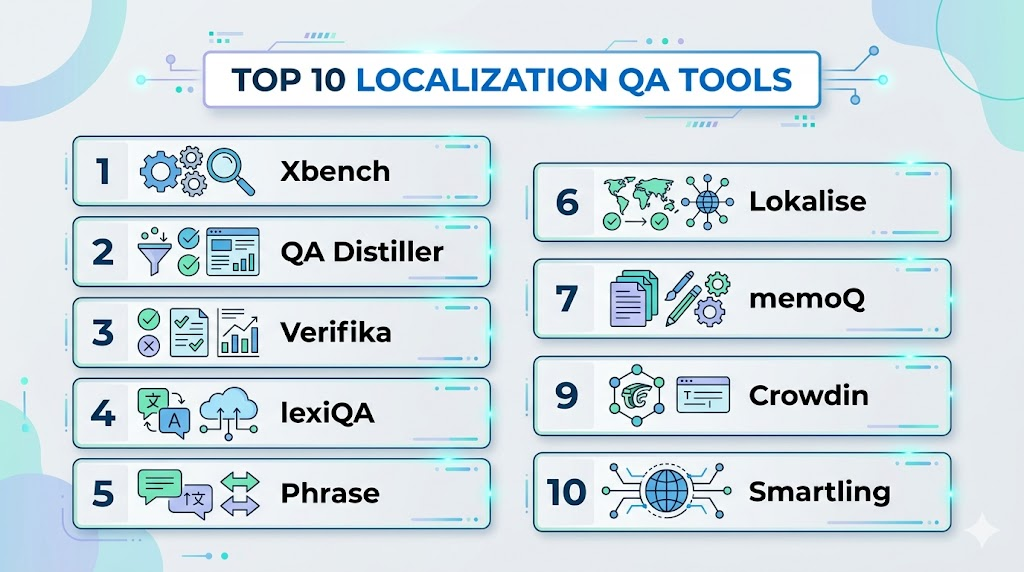
Top 10 Localization QA Tools
1. Xbench
Short description: Xbench is a widely used localization QA and terminology checking tool for translators, localization reviewers, and language service providers. It helps detect inconsistencies, terminology errors, missing translations, formatting issues, and common quality problems across bilingual files.
Key Features
- Automated QA checks for translation consistency and terminology
- Support for multiple bilingual and translation file formats
- Search and reference functionality across project files
- Terminology validation and glossary checking
- Detection of missing translations, mismatches, numbers, and tags
- Useful for translators, reviewers, and LSP workflows
- Works well as a standalone QA companion tool
Pros
- Strong reputation among professional translators and localization teams
- Useful for terminology and consistency checks
- Practical for agencies and freelance reviewers working across file types
Cons
- Interface may feel technical for new users
- Best results require QA profile setup and reviewer knowledge
- Collaboration features are more limited than cloud-native platforms
Platforms / Deployment
Windows. Desktop deployment.
Security & Compliance
Security depends on local installation, file handling, and organizational controls. Enterprise compliance certifications are Not publicly stated.
Integrations & Ecosystem
Xbench is often used alongside CAT tools, TMS exports, translation memories, and terminology files. It is useful when reviewers need an independent QA layer outside the main translation platform.
- CAT tool workflows
- Bilingual file review
- Terminology databases
- Translation memory checks
- Agency QA workflows
- Manual reviewer processes
Support & Community
Xbench has documentation, user knowledge, and a strong professional localization community. Support and learning resources are especially valuable for translators and QA reviewers.
2. QA Distiller
Short description: QA Distiller is a dedicated localization QA tool used to detect translation errors, formatting issues, terminology problems, missing translations, number mismatches, and language-specific issues. It is suitable for translators, agencies, and localization QA teams that need detailed automated checking.
Key Features
- Automated checks for omissions, inconsistencies, formatting, and terminology
- Language-independent and language-dependent QA rules
- Regular expression support for custom checking patterns
- Batch correction for selected error types
- QA profiles for reusable project settings
- Report generation for reviewers and project managers
- Command-line automation support for advanced workflows
Pros
- Strong dedicated localization QA feature set
- Useful for repeatable QA profiles and batch checking
- Good fit for agencies and structured translation review workflows
Cons
- May require training to reduce false positives
- Desktop-style QA workflow may not suit fully cloud-native teams
- Collaboration depends on surrounding project workflow
Platforms / Deployment
Windows. Desktop deployment. Command-line automation available.
Security & Compliance
Security depends on local file handling, workstation controls, and organizational process. Enterprise compliance certifications are Not publicly stated.
Integrations & Ecosystem
QA Distiller fits well into professional translation workflows where files are exported from CAT tools or translation management platforms for independent QA review.
- CAT tool exports
- Bilingual file checking
- Terminology lists
- Translation memory workflows
- Report-based QA review
- Command-line automation
Support & Community
QA Distiller provides product documentation and user support resources. It is known among professional localization QA users and translation service providers.
3. Verifika
Short description: Verifika is a dedicated localization QA tool designed to detect translation, terminology, formatting, consistency, and file-level issues. It is useful for language service providers, localization teams, and enterprises managing large multilingual projects.
Key Features
- Automated QA checks for translation quality issues
- Terminology, consistency, number, tag, and formatting validation
- Support for bilingual file review workflows
- Ability to work with large translation files
- Project-based QA checking across multiple files
- False positive handling and customizable checks
- Reporting for QA review and correction workflows
Pros
- Strong focus on professional localization QA
- Useful for large multilingual file sets
- Good support for structured QA workflows
Cons
- Requires localization knowledge for best use
- May be more detailed than small teams need
- Interface and setup may require onboarding
Platforms / Deployment
Windows. Desktop deployment.
Security & Compliance
Security depends on local file handling, desktop environment, and internal process controls. Compliance certifications are Not publicly stated.
Integrations & Ecosystem
Verifika works well as an independent QA layer for translation teams that need to validate bilingual files before delivery or release.
- CAT tool workflows
- Translation memory review
- Terminology checking
- Multilingual project QA
- Report-based quality control
- Agency delivery workflows
Support & Community
Verifika provides documentation, product support, and workflow guidance. It is used by professional localization teams that need detailed file-level QA.
4. lexiQA
Short description: lexiQA is a cloud-based linguistic QA platform designed to provide locale-specific quality checks, style guide validation, and API-based localization QA. It is useful for teams that want scalable, configurable, and more linguistically aware QA workflows.
Key Features
- Locale-specific linguistic QA checks
- QA-as-you-type workflow support
- API-based integration approach
- Customizable rules aligned with style guides
- Terminology and language-quality validation
- Support for multilingual localization workflows
- Designed for modular and scalable QA usage
Pros
- Strong focus on linguistic quality beyond basic technical checks
- API-based approach supports modern localization workflows
- Useful for teams needing locale-specific QA rules
Cons
- May require setup and customization for best results
- Enterprise fit depends on workflow and integration needs
- Pricing and compliance details should be verified directly
Platforms / Deployment
Web-based platform. Cloud deployment. API-based workflows.
Security & Compliance
lexiQA may support cloud-based project controls and API security depending on configuration. Specific compliance certifications should be verified directly.
Integrations & Ecosystem
lexiQA is useful for localization teams that want QA integrated into translation workflows, platforms, and custom systems.
- API integrations
- TMS workflows
- Style guide validation
- Terminology workflows
- Real-time QA processes
- Multilingual review pipelines
Support & Community
lexiQA provides product guidance, support resources, and implementation assistance. Community visibility is more specialized around localization QA and language technology users.
5. Phrase
Short description: Phrase is a translation management platform with built-in localization QA features for software, product content, and multilingual release workflows. It is best for product teams, localization managers, developers, and enterprises managing continuous localization.
Key Features
- Built-in QA checks for localization projects
- Translation memory and terminology management
- Workflow automation for multilingual content
- Developer-friendly integrations and API support
- Support for software strings and product localization
- Collaboration for translators, reviewers, and managers
- Project analytics and workflow visibility
Pros
- Strong fit for continuous localization and product teams
- Good integration ecosystem for developer workflows
- Combines translation management and QA in one platform
Cons
- May be more than teams need if they only want standalone QA
- Advanced workflows may require configuration
- Pricing and enterprise controls vary by package
Platforms / Deployment
Web-based platform. Cloud deployment.
Security & Compliance
Phrase may support SSO, user roles, permissions, and enterprise administration depending on plan. Specific compliance certifications should be verified during procurement.
Integrations & Ecosystem
Phrase is useful when QA needs to sit inside a broader localization management process connected with product, engineering, and content workflows.
- Git-based workflows
- API integrations
- Design and product workflows
- Translation memory
- Terminology databases
- Automation and localization pipelines
Support & Community
Phrase provides documentation, customer support, onboarding resources, and enterprise guidance. It has strong visibility among product localization teams.
6. Lokalise
Short description: Lokalise is a localization platform with built-in QA checks, translation management, developer workflows, and collaboration features. It is well suited for software teams, mobile app teams, product teams, and businesses managing agile localization.
Key Features
- Automated QA checks for translation quality
- Translation memory and glossary management
- Developer integrations for continuous localization
- Collaboration for translators, reviewers, and product teams
- Support for software strings and app localization
- Design and development workflow support
- Translation suggestions and workflow automation
Pros
- Strong for software and app localization workflows
- User-friendly interface for product and localization teams
- Useful integrations with development and design workflows
Cons
- Standalone QA depth may not match dedicated QA tools
- Pricing may not suit very small teams
- Governance and reporting needs should be reviewed by plan
Platforms / Deployment
Web-based platform. Cloud deployment.
Security & Compliance
Lokalise may support user permissions, SSO options, and enterprise controls depending on plan. Specific compliance certifications should be verified directly.
Integrations & Ecosystem
Lokalise works well for teams that need QA inside agile product localization workflows.
- Git repository workflows
- Design tool workflows
- API integrations
- Mobile app localization
- Translation memory and glossary workflows
- Project management and automation tools
Support & Community
Lokalise provides documentation, onboarding resources, customer support, and developer-focused guidance. It is widely recognized among software localization teams.
7. memoQ
Short description: memoQ is a translation environment and translation management platform with strong QA, terminology, translation memory, and project management features. It is widely used by translation agencies, enterprises, and professional translators.
Key Features
- Built-in QA checks for translations
- Translation memory and terminology management
- Project management for translation workflows
- Support for many file types and bilingual workflows
- Terminology consistency checking
- Collaboration for translators and reviewers
- Enterprise translation workflow support
Pros
- Strong CAT and TMS capabilities in one ecosystem
- Useful for agencies and professional translation teams
- Mature terminology and QA workflows
Cons
- May feel complex for beginners
- Setup and workflow design require localization expertise
- Cloud and enterprise configuration should be reviewed carefully
Platforms / Deployment
Windows desktop / Web-based components depending on edition. Cloud / On-premise / Hybrid options may vary.
Security & Compliance
memoQ may support user roles, permissions, server administration, and enterprise controls depending on deployment. Specific compliance certifications should be verified directly.
Integrations & Ecosystem
memoQ fits translation agencies and localization departments that need QA inside a broader professional translation environment.
- Translation memory workflows
- Terminology databases
- CAT tool workflows
- Project management
- Vendor workflows
- Enterprise localization systems
Support & Community
memoQ provides documentation, training resources, support options, and a strong professional translation community. It is well known among translators and language service providers.
8. Trados Studio
Short description: Trados Studio is a widely used computer-assisted translation environment with QA, terminology, translation memory, and project management features. It is suitable for professional translators, agencies, and enterprise localization teams.
Key Features
- Built-in translation quality checks
- Translation memory and terminology support
- Support for many file formats
- Consistency, number, tag, and formatting checks
- Project management and review workflows
- Integration with broader Trados ecosystem
- Useful for professional translation production
Pros
- Widely recognized in professional translation workflows
- Strong file format support and translation memory features
- Useful for agencies and enterprise localization teams
Cons
- Can feel complex for new users
- Desktop workflows may not suit every cloud-first team
- Advanced collaboration depends on ecosystem configuration
Platforms / Deployment
Windows desktop. Cloud and enterprise ecosystem options may vary.
Security & Compliance
Security depends on deployment, licensing, project handling, and enterprise configuration. Specific compliance certifications should be verified directly.
Integrations & Ecosystem
Trados Studio is useful for translation teams that need robust CAT workflows with QA and terminology support.
- Translation memory workflows
- Terminology databases
- Enterprise translation workflows
- File-based localization
- Review workflows
- Project management ecosystem
Support & Community
Trados has extensive documentation, training resources, support options, and a large professional translator community.
9. Crowdin
Short description: Crowdin is a localization management platform with QA checks, collaboration workflows, integrations, and support for software, app, game, website, and community translation projects. It is useful for developer-friendly and community-driven localization.
Key Features
- Built-in QA checks for translations
- Translation memory and glossary management
- Developer integrations and automation workflows
- Collaboration for translators, reviewers, and communities
- Support for software strings, apps, websites, and games
- In-context localization options depending on setup
- Workflow automation and project visibility
Pros
- Strong for developer and community localization workflows
- Good collaboration features for distributed contributors
- Useful for agile software localization projects
Cons
- Standalone QA depth may not match dedicated QA tools
- Governance needs should be reviewed for enterprise use
- Terminology management depth may vary by workflow
Platforms / Deployment
Web-based platform. Cloud deployment. Enterprise options may vary.
Security & Compliance
Crowdin may support permissions, project roles, SSO options, and enterprise controls depending on plan. Specific compliance certifications should be verified directly.
Integrations & Ecosystem
Crowdin works well for localization teams that need to connect translation QA with development, content, and community workflows.
- Git integrations
- API workflows
- Design tools
- App and software localization
- Community translation workflows
- Automation pipelines
Support & Community
Crowdin provides documentation, support resources, developer guides, and a strong community among software localization teams.
10. Smartling
Short description: Smartling is an enterprise translation management platform with quality management, workflow automation, translation memory, terminology, and localization governance features. It is suitable for larger businesses managing website, app, marketing, and enterprise content localization.
Key Features
- Translation management and workflow automation
- Quality checks and review workflows
- Translation memory and glossary management
- Website, app, and content localization support
- Vendor and project workflow visibility
- Enterprise collaboration and governance features
- Integration options for content and development systems
Pros
- Strong for enterprise localization operations
- Useful for managing complex multilingual workflows
- Good fit for teams needing governance and automation
Cons
- May be too advanced for small teams
- Pricing and implementation can require planning
- Dedicated QA depth should be compared with specialist tools
Platforms / Deployment
Web-based platform. Cloud deployment.
Security & Compliance
Smartling may support enterprise access controls, permissions, SSO options, and administrative governance. Specific compliance certifications should be verified during procurement.
Integrations & Ecosystem
Smartling works well when localization QA is part of a larger enterprise translation and content workflow.
- CMS workflows
- Website localization
- App localization
- Translation memory
- Glossary management
- Enterprise content systems
Support & Community
Smartling provides enterprise support, onboarding resources, documentation, and customer success services. It is commonly used by larger localization and global content teams.
Comparison Table
| Tool Name | Best For | Platform(s) Supported | Deployment | Standout Feature | Public Rating |
|---|---|---|---|---|---|
| Xbench | Translators and localization reviewers | Windows | Desktop | Independent terminology and consistency QA | N/A |
| QA Distiller | Dedicated localization QA workflows | Windows | Desktop | Detailed QA profiles and reports | N/A |
| Verifika | Large file and professional QA review | Windows | Desktop | Strong file-level localization QA | N/A |
| lexiQA | Locale-specific linguistic QA | Web / API | Cloud | API-based linguistic QA checks | N/A |
| Phrase | Product and continuous localization | Web | Cloud | QA inside developer-friendly TMS workflows | N/A |
| Lokalise | Software and app localization teams | Web | Cloud | Agile localization with QA checks | N/A |
| memoQ | Agencies and professional translation teams | Windows / Web components | Cloud / On-premise / Hybrid options may vary | Mature CAT and QA ecosystem | N/A |
| Trados Studio | Professional translators and enterprises | Windows / Cloud ecosystem options | Desktop / Cloud ecosystem options | Established CAT and terminology QA | N/A |
| Crowdin | Developer and community localization | Web | Cloud / Enterprise options may vary | Collaborative software localization QA | N/A |
| Smartling | Enterprise localization governance | Web | Cloud | Enterprise workflow and quality management | N/A |
Evaluation & Scoring of Localization QA Tools
| Tool Name | Core (25%) | Ease (15%) | Integrations (15%) | Security (10%) | Performance (10%) | Support (10%) | Value (15%) | Weighted Total (0–10) |
|---|---|---|---|---|---|---|---|---|
| Xbench | 8 | 7 | 7 | 6 | 8 | 7 | 9 | 7.55 |
| QA Distiller | 9 | 7 | 7 | 6 | 8 | 7 | 8 | 7.65 |
| Verifika | 9 | 7 | 7 | 6 | 8 | 7 | 8 | 7.65 |
| lexiQA | 8 | 8 | 8 | 7 | 8 | 7 | 7 | 7.65 |
| Phrase | 8 | 8 | 10 | 8 | 8 | 8 | 7 | 8.10 |
| Lokalise | 8 | 9 | 9 | 8 | 8 | 8 | 8 | 8.30 |
| memoQ | 9 | 7 | 8 | 8 | 8 | 8 | 8 | 8.10 |
| Trados Studio | 9 | 7 | 8 | 8 | 8 | 8 | 7 | 7.95 |
| Crowdin | 8 | 8 | 9 | 8 | 8 | 8 | 8 | 8.15 |
| Smartling | 8 | 7 | 9 | 9 | 8 | 9 | 7 | 8.10 |
These scores are comparative and should be used as a practical shortlist guide. A higher score usually means stronger workflow depth, integration capability, scalability, or enterprise fit. A lower score does not mean the tool is weak; it may simply focus on desktop QA, translator workflows, or a narrower quality-control use case. Buyers should validate these scores through real file testing, terminology checks, false positive review, integration testing, and security evaluation.
Which Localization QA Tools Tool Is Right for You?
Solo / Freelancer
Solo translators and freelance localization reviewers usually need a tool that is affordable, practical, and strong for terminology, consistency, number checks, and formatting validation.
Xbench, QA Distiller, Verifika, memoQ, and Trados Studio can be useful depending on the translator’s workflow. Xbench is strong for independent QA and terminology review. QA Distiller and Verifika are useful for detailed file checking. memoQ and Trados Studio are better when QA needs to sit inside a larger CAT workflow.
SMB
Small and medium-sized businesses usually need localization QA to reduce errors in websites, apps, marketing campaigns, product strings, and support content. They often need easier collaboration and workflow visibility than freelancers.
Lokalise, Phrase, Crowdin, and Smartling can be strong options depending on workflow needs. Software teams may prefer Lokalise, Phrase, or Crowdin because they connect well with development workflows. Marketing and content-heavy teams may prefer Smartling or a TMS with built-in quality controls.
Mid-Market
Mid-market teams often manage more languages, more content types, more reviewers, and more release cycles. They need stronger terminology governance, integrations, automation, and reporting.
Phrase, Lokalise, Crowdin, memoQ, Smartling, and lexiQA can be good choices. Product teams should prioritize Git, API, and design integrations. Translation agencies should prioritize CAT compatibility, terminology, QA reports, and vendor workflows. Linguistic quality teams should evaluate lexiQA, QA Distiller, Verifika, and Xbench for deeper QA control.
Enterprise
Enterprises need localization QA tools that support security, access control, automation, multilingual scale, vendor workflows, auditability, terminology governance, and integration with product or content systems.
Smartling, Phrase, memoQ, Trados ecosystem, Lokalise Enterprise, Crowdin Enterprise, and API-based QA tools like lexiQA may be strong candidates. Enterprise buyers should review SSO, role-based access, audit logs, data handling, API security, workflow governance, and vendor management features.
Budget vs Premium
Budget-sensitive users should consider whether they need a dedicated QA tool, a CAT tool with QA features, or a full translation management platform. A freelance translator may not need an enterprise TMS, while a global product team may quickly outgrow desktop-only QA.
Premium platforms make sense when teams need continuous localization, multiple languages, reviewer workflows, enterprise security, automation, integrations, and reporting. Buyers should compare total value, not just license cost.
Feature Depth vs Ease of Use
Dedicated QA tools such as QA Distiller, Verifika, and Xbench provide strong error detection, terminology checking, and file-based review. They are powerful but may require more QA knowledge.
Cloud localization platforms such as Lokalise, Phrase, Crowdin, and Smartling are easier for teams that need collaboration, workflow visibility, and integration. However, their built-in QA may not always match the depth of specialized QA tools for advanced linguistic checks.
Integrations & Scalability
Localization QA works best when it is connected to the broader localization workflow. Manual file exports can work for small teams, but larger teams need automation.
Software teams should check Git, API, CI/CD, design tool, and issue tracking integrations. Content teams should check CMS, marketing, and website localization workflows. Agencies should check CAT tool compatibility, file support, reporting, and client delivery processes.
Security & Compliance Needs
Security matters when localization files include product plans, unreleased features, legal text, customer content, financial copy, healthcare content, or confidential internal documents.
Buyers should evaluate SSO, MFA, RBAC, audit logs, encryption, data retention, user permissions, project access controls, vendor access, and deployment options. Do not assume compliance certifications. Always verify security and compliance details before procurement.
Frequently Asked Questions (FAQs)
1. What are localization QA tools?
Localization QA tools check translated content for errors such as missing translations, inconsistent terms, wrong numbers, broken tags, formatting issues, punctuation problems, and language-specific mistakes.
2. How are localization QA tools different from proofreading?
Proofreading relies on human review, while localization QA tools automatically detect technical and linguistic issues. The best workflows usually combine automated QA with human review.
3. What types of errors can localization QA tools detect?
They can detect missing text, untranslated segments, terminology mismatches, inconsistent translations, number errors, tag issues, formatting differences, punctuation problems, and placeholder mistakes.
4. What pricing models do localization QA tools use?
Pricing varies. Some tools use desktop licenses, some use subscriptions, and cloud platforms may price by users, projects, words, integrations, or enterprise requirements.
5. Which localization QA tool is best for freelancers?
Xbench, QA Distiller, Verifika, memoQ, and Trados Studio are commonly useful for freelance translators and reviewers. The best choice depends on file formats, workflow, budget, and client requirements.
6. Which localization QA tool is best for software teams?
Lokalise, Phrase, Crowdin, and Smartling are strong options for software localization because they support collaboration, integrations, automation, and workflow visibility.
7. Can localization QA tools replace human reviewers?
No. Localization QA tools reduce errors and save time, but human reviewers are still needed for meaning, tone, cultural nuance, legal sensitivity, and final language quality.
8. What are common mistakes when using localization QA tools?
Common mistakes include ignoring false positives, not configuring terminology, using default settings for every language, skipping human review, and failing to align QA rules with style guides.
9. Are localization QA tools secure?
Security depends on the tool, deployment model, access controls, and vendor practices. Buyers should verify encryption, permissions, SSO, data handling, and compliance documentation before using sensitive content.
10. Can localization QA tools support continuous localization?
Yes, many modern platforms support continuous localization through APIs, Git integrations, automated checks, and workflow automation. Dedicated desktop tools may need manual or command-line processes.
11. How difficult is it to switch localization QA tools?
Switching can be simple for small teams but harder when QA profiles, terminology rules, file formats, workflows, and integrations are deeply embedded. Teams should test real projects before migrating.
12. Are there alternatives to localization QA tools?
Alternatives include manual proofreading, CAT tool QA features, translation management systems, linguistic review workflows, style guide checks, and custom scripts. However, dedicated QA tools provide stronger consistency and automation.
Conclusion
Localization QA tools help teams improve translation quality, reduce release mistakes, protect terminology consistency, and manage multilingual content more confidently. The best tool depends on the team’s size, file types, content volume, languages, workflow maturity, and integration needs. Xbench, QA Distiller, and Verifika are strong dedicated QA options for translators, agencies, and reviewers. lexiQA is useful for teams needing API-based and locale-specific linguistic QA. Phrase, Lokalise, Crowdin, Smartling, memoQ, and Trados Studio are stronger when QA needs to sit inside broader translation management, CAT, or continuous localization workflows. There is no single best localization QA tool for every team. The best next step is to shortlist two or three options, test real files, check terminology validation, review false positives, validate integrations, and run a small pilot before making a final decision.
