Introduction
Writing assistance tools help people write better, faster, and more clearly. These tools can check grammar, spelling, punctuation, tone, readability, sentence structure, clarity, style, plagiarism risk, and even generate or rewrite content using AI. They are used by writers, marketers, students, founders, sales teams, customer support teams, product teams, and enterprises that create written content every day.
Writing quality matters because every email, blog, website page, proposal, social post, help article, ad, and product document reflects the brand. Poor writing can confuse readers, reduce trust, and slow down communication. A strong writing assistant helps teams improve quality while saving editing time.
Real-world use cases include blog writing, email polishing, proposal drafting, ad copy creation, academic writing support, business communication, customer support replies, product documentation, SEO content writing, and social media captions.
Buyers should evaluate grammar accuracy, AI writing quality, tone control, rewriting features, plagiarism support, brand voice, integrations, security, team collaboration, pricing, and ease of use.
Best for: content writers, marketers, students, agencies, editors, founders, sales teams, customer support teams, educators, product teams, and businesses that create regular written content.
Not ideal for: users who need full human editorial judgment, legal writing review, highly sensitive confidential writing without vendor security review, or creative writing where personal style matters more than automation.
Key Trends in Writing Assistance Tools
- AI writing is moving from simple generation to workflow support, helping users brainstorm, draft, rewrite, summarize, optimize, and repurpose content faster.
- Brand voice control is becoming more important, especially for marketing teams, agencies, SaaS companies, and enterprises managing content at scale.
- Grammar tools are becoming full writing platforms, covering clarity, tone, structure, inclusivity, readability, and audience fit.
- Browser and workspace integrations are now expected, allowing users to get writing help inside emails, documents, CMS tools, help desks, and collaboration platforms.
- Enterprise content governance is growing, with teams needing approved wording, terminology controls, security rules, and style consistency.
- Human review remains essential, because AI tools can improve drafts but may still miss context, facts, compliance concerns, and brand sensitivity.
- Multilingual writing support is becoming more valuable, especially for global teams creating emails, documentation, support replies, and marketing content.
- Security and privacy expectations are rising, especially when tools process internal documents, customer messages, contracts, or confidential business content.
- AI detection and originality checks are becoming part of writing workflows, especially in education, publishing, and professional content review.
- Team-based writing analytics are becoming useful, helping managers understand writing quality, consistency, and adoption across departments.
How We Selected These Tools
The tools in this list were selected based on practical value for real writing workflows across individuals, small businesses, content teams, and enterprises.
Selection criteria included:
- Market adoption and recognition among writers, students, marketers, businesses, and teams
- Strength of grammar, spelling, punctuation, clarity, and tone suggestions
- AI writing and rewriting capabilities
- Fit for different content types, including blogs, emails, documents, ads, support replies, and academic drafts
- Integrations with browsers, document editors, email tools, CMS platforms, and productivity suites
- Security posture signals such as account controls, business plans, permissions, and admin features
- Collaboration features for teams, agencies, and enterprises
- Support for style guides, brand voice, terminology, and content governance
- Ease of use for non-technical users
- Value for money based on feature depth, writing quality, and workflow fit
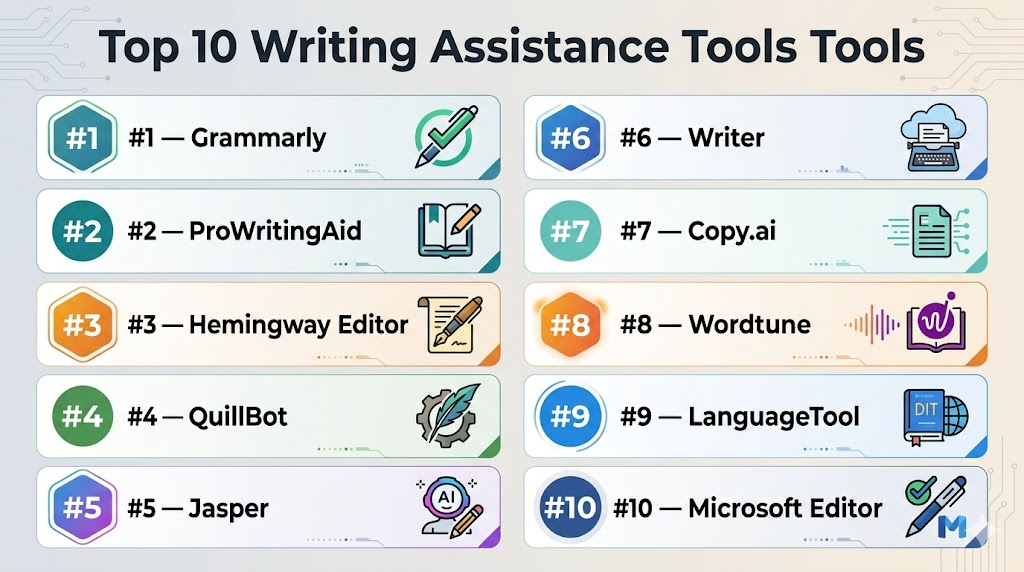
Top 10 Writing Assistance Tools Tools
#1 — Grammarly
Short description: Grammarly is a popular writing assistant that helps users improve grammar, spelling, punctuation, tone, clarity, and writing style. It is useful for individuals, students, professionals, marketers, and business teams writing across many platforms.
Key Features
- Grammar, spelling, and punctuation checking
- Tone detection and clarity suggestions
- AI-assisted rewriting and drafting features
- Browser extension and document editor support
- Style guide and brand tone options depending on plan
- Team and business features depending on plan
- Useful for emails, documents, blogs, messages, and customer communication
Pros
- Easy to use across everyday writing workflows
- Strong grammar, tone, and clarity support
- Good fit for individuals and teams that write frequently
Cons
- Suggestions may not always fit context or brand style
- Advanced business controls may require higher plans
- Sensitive content should be reviewed against privacy and security needs
Platforms / Deployment
Web / Windows / macOS / iOS / Android / Browser extensions
Cloud
Security & Compliance
Grammarly provides account-based access and business features depending on plan. Specific details such as SSO/SAML, MFA, audit logs, RBAC, SOC 2, ISO 27001, GDPR, and HIPAA should be verified directly. Unknown details should be treated as Not publicly stated.
Integrations & Ecosystem
Grammarly works well because it appears inside many common writing environments, helping users improve text without constantly switching tools.
Common integrations and ecosystem areas include:
- Browser-based writing
- Email workflows
- Document editors
- Productivity suites
- Customer communication tools
- Business writing workflows
Support & Community
Grammarly provides help documentation, account support, learning resources, and business support options depending on plan. Its broad user base makes it easy to find writing tips and practical usage guidance.
#2 — ProWritingAid
Short description: ProWritingAid is a writing improvement tool focused on grammar, style, structure, readability, repetition, pacing, and detailed writing reports. It is especially useful for authors, bloggers, editors, students, and long-form writers.
Key Features
- Grammar and spelling checks
- Style, readability, and structure reports
- Repetition, pacing, and sentence variety analysis
- Long-form writing feedback
- Writing goals and improvement suggestions
- Integrations with popular writing environments
- Useful for books, blogs, essays, articles, and professional drafts
Pros
- Strong for long-form writing and deep editing
- Helps writers understand writing patterns over time
- Useful for authors, editors, and serious content creators
Cons
- Can feel detailed for users who only need quick corrections
- Suggestions still require human judgment
- Business and enterprise security details should be verified directly
Platforms / Deployment
Web / Windows / macOS / Browser extensions
Cloud / Desktop options may vary by offering
Security & Compliance
ProWritingAid provides account-based access and writing analysis features. Specific security details such as SSO, audit logs, RBAC, SOC 2, ISO 27001, GDPR, and HIPAA should be verified directly. Unknown details should be written as Not publicly stated.
Integrations & Ecosystem
ProWritingAid fits writing-heavy workflows where users need deeper editorial feedback and structured writing improvement.
Common ecosystem areas include:
- Long-form writing tools
- Document editors
- Browser-based writing
- Creative writing workflows
- Academic writing workflows
- Editing and proofreading workflows
Support & Community
ProWritingAid provides documentation, writing education content, user support, and a strong community among authors and editors. It is valuable for users who want to improve writing skill, not only fix errors.
#3 — Hemingway Editor
Short description: Hemingway Editor is a readability-focused writing tool that helps users make writing clearer, shorter, and easier to understand. It is useful for bloggers, marketers, business writers, students, and editors who want plain-language content.
Key Features
- Readability scoring
- Highlights complex and hard-to-read sentences
- Flags passive voice
- Suggests simpler alternatives for some phrases
- Helps reduce wordiness
- Web and desktop options depending on version
- Useful for blogs, web copy, emails, essays, and business content
Pros
- Very simple and easy to learn
- Strong for improving clarity and readability
- Good for plain-English editing
Cons
- Not a full grammar checker
- Limited AI generation and collaboration features
- May oversimplify writing if every suggestion is followed blindly
Platforms / Deployment
Web / Windows / macOS
Cloud / Desktop options may vary by offering
Security & Compliance
Hemingway Editor provides focused writing and readability functionality. Advanced enterprise security features such as SSO, audit logs, RBAC, SOC 2, ISO 27001, GDPR, and HIPAA are Not publicly stated unless verified directly.
Integrations & Ecosystem
Hemingway is usually used as a focused editing layer rather than a complete writing platform.
Common ecosystem areas include:
- Blog editing
- Plain-language writing
- Website copy review
- Academic draft cleanup
- Business communication review
- Final readability checks
Support & Community
Hemingway is simple enough that most users can learn it quickly. Support resources and product guidance are available depending on the version, but it is not built as a large enterprise writing platform.
#4 — QuillBot
Short description: QuillBot is a writing assistant known for paraphrasing, rewriting, grammar checking, summarization, and citation-related support. It is useful for students, researchers, bloggers, professionals, and writers who need to improve or rephrase drafts.
Key Features
- Paraphrasing and rewriting modes
- Grammar and spelling correction
- Summarization tools
- Tone and fluency improvements
- Citation and academic support features depending on offering
- Browser and document workflow support depending on plan
- Useful for rewriting, simplifying, and improving sentence flow
Pros
- Strong paraphrasing and rewriting workflow
- Helpful for students, researchers, and content writers
- Good for improving unclear or repetitive sentences
Cons
- Rewritten content still needs human review
- Overuse can make writing sound generic
- Should not be used to hide plagiarism or misuse sources
Platforms / Deployment
Web / Browser extensions / Desktop integrations may vary
Cloud
Security & Compliance
QuillBot provides account-based access and writing features. Specific details such as SSO, audit logs, RBAC, SOC 2, ISO 27001, GDPR, and HIPAA should be verified directly. Unknown details should be listed as Not publicly stated.
Integrations & Ecosystem
QuillBot fits workflows where users need quick rewriting, summarization, grammar improvement, and sentence-level editing.
Common ecosystem areas include:
- Academic writing
- Research summaries
- Blog writing
- Browser-based editing
- Document workflows
- Student writing support
Support & Community
QuillBot provides help documentation, user support, and learning resources. It is widely used by people who need quick paraphrasing and writing improvement.
#5 — Jasper
Short description: Jasper is an AI writing platform focused on marketing content, campaign copy, blogs, ads, social media posts, emails, and brand messaging. It is useful for marketers, agencies, founders, and content teams creating content at scale.
Key Features
- AI-assisted content drafting
- Marketing templates for ads, blogs, emails, and social posts
- Brand voice features depending on plan
- Campaign content workflows
- Collaboration features for teams
- Content repurposing and idea generation
- Useful for marketing teams, agencies, and growth teams
Pros
- Strong for marketing and campaign content workflows
- Helps teams create first drafts faster
- Useful for content repurposing and creative variation
Cons
- AI-generated content needs fact-checking and editing
- May be more than needed for basic grammar correction
- Costs may be high for occasional users
Platforms / Deployment
Web
Cloud
Security & Compliance
Jasper provides business and team features depending on plan. Specific security details such as SSO, audit logs, RBAC, SOC 2, ISO 27001, GDPR, and HIPAA should be verified directly. Unknown details should be treated as Not publicly stated.
Integrations & Ecosystem
Jasper is useful in marketing environments where teams need ideation, drafting, rewriting, and brand consistency support.
Common ecosystem areas include:
- Blog writing
- Ad copy workflows
- Email marketing
- Social media content
- Brand voice management
- Campaign planning
Support & Community
Jasper provides documentation, templates, learning materials, support options, and onboarding resources depending on plan. It is best suited for marketing teams that produce content regularly.
#6 — Writer
Short description: Writer is an enterprise-focused AI writing and content governance platform. It helps teams create, review, and standardize content while maintaining brand voice, terminology, compliance rules, and style consistency.
Key Features
- AI writing support for teams
- Brand voice and style guide controls
- Terminology and approved language governance
- Content quality and compliance guidance
- Collaboration and admin features
- Enterprise-focused workflow options
- Useful for marketing, support, product, HR, and documentation teams
Pros
- Strong for enterprise content governance
- Helps maintain brand voice and approved language
- Useful for teams that need controlled AI writing workflows
Cons
- May be too advanced for solo writers
- Implementation may require content governance planning
- Pricing and exact features may vary by contract
Platforms / Deployment
Web
Cloud
Security & Compliance
Writer provides enterprise-focused features depending on plan and contract. Specific details such as SSO/SAML, MFA, audit logs, RBAC, SOC 2, ISO 27001, GDPR, and HIPAA should be verified directly. Unknown details should be written as Not publicly stated.
Integrations & Ecosystem
Writer is useful for companies that want writing help inside controlled business content workflows.
Common ecosystem areas include:
- Marketing content governance
- Customer support writing
- Product content
- HR communication
- Brand voice workflows
- Enterprise content operations
Support & Community
Writer provides documentation, customer support, enterprise onboarding, and implementation guidance depending on contract. It is best suited for teams with formal content operations and governance needs.
#7 — Copy.ai
Short description: Copy.ai is an AI writing platform focused on marketing copy, sales content, emails, social media posts, product descriptions, and campaign ideas. It is useful for founders, marketers, agencies, sales teams, and growth teams.
Key Features
- AI-assisted marketing and sales writing
- Templates for emails, ads, social media, and website copy
- Content ideation and rewriting
- Workflow automation options depending on plan
- Brand voice features depending on offering
- Team collaboration features
- Useful for go-to-market and campaign workflows
Pros
- Good for fast marketing and sales drafts
- Helps teams create multiple content variations
- Useful for reducing blank-page friction
Cons
- AI content needs human editing and fact-checking
- Not a deep grammar analysis tool
- Enterprise controls should be verified before sensitive use
Platforms / Deployment
Web
Cloud
Security & Compliance
Copy.ai provides account and team features depending on plan. Specific details such as SSO, audit logs, RBAC, SOC 2, ISO 27001, GDPR, and HIPAA should be verified directly. Unknown details should be treated as Not publicly stated.
Integrations & Ecosystem
Copy.ai fits fast-moving marketing and sales teams that need quick drafts, message variations, and campaign ideas.
Common ecosystem areas include:
- Sales emails
- Marketing campaigns
- Website copy
- Social media posts
- Product descriptions
- Workflow automation
Support & Community
Copy.ai provides help resources, templates, and support options depending on plan. It is approachable for marketers and founders who need quick content drafts.
#8 — Wordtune
Short description: Wordtune is a writing assistant focused on rewriting, improving tone, shortening, expanding, and clarifying sentences. It is useful for professionals, students, marketers, and non-native English writers who want better sentence-level writing.
Key Features
- Sentence rewriting and rephrasing
- Tone and clarity suggestions
- Shorten and expand options
- AI writing assistance depending on feature set
- Browser-based writing support
- Useful for emails, documents, posts, and business writing
- Helps users improve wording quickly
Pros
- Easy for quick sentence-level improvements
- Helpful for improving tone and clarity
- Good for non-native English writers and busy professionals
Cons
- Less focused on long-form content strategy
- Not as deep as full editorial reporting tools
- Rewritten text still needs review for meaning and accuracy
Platforms / Deployment
Web / Browser extensions
Cloud
Security & Compliance
Wordtune provides account-based access and writing assistance features. Specific security details such as SSO, audit logs, RBAC, SOC 2, ISO 27001, GDPR, and HIPAA should be verified directly. Unknown details should be listed as Not publicly stated.
Integrations & Ecosystem
Wordtune fits everyday writing workflows where users need quick improvements without heavy content management.
Common ecosystem areas include:
- Email writing
- Document editing
- Browser-based writing
- Academic drafts
- Business communication
- Social media copy
Support & Community
Wordtune provides help resources and user support options. It is simple to adopt for individuals who want quick sentence improvement.
#9 — LanguageTool
Short description: LanguageTool is a multilingual grammar, spelling, and style checking tool. It is useful for writers, students, professionals, multilingual teams, and businesses that write in more than one language.
Key Features
- Grammar, spelling, and style checking
- Support for multiple languages
- Browser extensions and document editor support
- Personal dictionary and writing suggestions
- Desktop and cloud options may vary by offering
- Useful for multilingual writing workflows
- Helpful for everyday business and academic writing
Pros
- Strong multilingual writing support
- Good alternative for users writing across languages
- Works across common writing environments
Cons
- Suggestion quality may vary by language
- Advanced team features may depend on plan
- Enterprise security needs should be verified directly
Platforms / Deployment
Web / Windows / macOS / Browser extensions
Cloud / Desktop options may vary by offering
Security & Compliance
LanguageTool provides account-based access and business options depending on plan. Specific details such as SSO, audit logs, RBAC, SOC 2, ISO 27001, GDPR, and HIPAA should be verified directly. Unknown details should be written as Not publicly stated.
Integrations & Ecosystem
LanguageTool is useful for users and teams that need writing assistance across multiple languages and work environments.
Common ecosystem areas include:
- Browser-based writing
- Document editors
- Email tools
- Multilingual content workflows
- Academic writing
- Business communication
Support & Community
LanguageTool provides documentation, help resources, and support options depending on plan. It is especially useful for multilingual writers and international teams.
#10 — Microsoft Editor
Short description: Microsoft Editor is a writing assistant built into Microsoft writing workflows and browser-based writing. It helps users improve grammar, spelling, clarity, and style in documents, emails, and everyday business communication.
Key Features
- Grammar and spelling suggestions
- Clarity and conciseness recommendations depending on environment
- Browser extension support
- Integration with Microsoft productivity tools
- Useful for documents, emails, and workplace communication
- Personal and business usage options may vary by account type
- Works well for teams already using Microsoft tools
Pros
- Convenient for Microsoft users
- Good for everyday writing correction
- Easy to adopt without adding a complex new tool
Cons
- Not as specialized as dedicated AI writing platforms
- Advanced brand voice and content governance may be limited
- Feature access can vary by account type and environment
Platforms / Deployment
Web / Windows / macOS / Browser extensions
Cloud / Desktop options may vary by Microsoft environment
Security & Compliance
Microsoft Editor operates within Microsoft account and productivity environments. Specific security controls, compliance details, admin features, and data handling depend on the selected Microsoft plan and configuration. Unknown details should be treated as Not publicly stated.
Integrations & Ecosystem
Microsoft Editor is strongest for people already writing inside Microsoft productivity and browser-based workflows.
Common ecosystem areas include:
- Document editing
- Email writing
- Browser-based writing
- Business communication
- Productivity suites
- Enterprise workplace tools
Support & Community
Microsoft provides documentation, product support, admin resources, and a large user ecosystem. It is a practical choice for teams already using Microsoft environments.
Comparison Table
| Tool Name | Best For | Platform(s) Supported | Deployment | Standout Feature | Public Rating |
|---|---|---|---|---|---|
| Grammarly | Everyday grammar, tone, and business writing | Web / Windows / macOS / iOS / Android / Browser extensions | Cloud | Real-time grammar and clarity support | N/A |
| ProWritingAid | Authors, editors, and long-form writers | Web / Windows / macOS / Browser extensions | Cloud / Desktop options vary | Detailed writing reports and style analysis | N/A |
| Hemingway Editor | Readability and plain-language editing | Web / Windows / macOS | Cloud / Desktop options vary | Simple readability improvement | N/A |
| QuillBot | Paraphrasing, rewriting, and summarization | Web / Browser extensions / integrations vary | Cloud | Strong paraphrasing workflow | N/A |
| Jasper | Marketing teams and campaign content creation | Web | Cloud | AI-assisted marketing content workflows | N/A |
| Writer | Enterprise content governance and brand voice | Web | Cloud | Controlled AI writing for teams | N/A |
| Copy.ai | Marketing, sales, and growth content workflows | Web | Cloud | AI copy generation and workflow support | N/A |
| Wordtune | Sentence rewriting and tone improvement | Web / Browser extensions | Cloud | Quick rephrasing and clarity improvement | N/A |
| LanguageTool | Multilingual grammar and style checking | Web / Windows / macOS / Browser extensions | Cloud / Desktop options vary | Multilingual writing assistance | N/A |
| Microsoft Editor | Microsoft users and everyday business writing | Web / Windows / macOS / Browser extensions | Cloud / Desktop options vary | Built-in writing help for Microsoft workflows | N/A |
Evaluation & Scoring of Writing Assistance Tools
The scoring below is comparative and practical. It reflects common writing assistance needs such as core writing quality, ease of use, integrations, security posture, reliability, support, and value. A higher score does not mean the tool is best for every user. A student, marketer, enterprise content team, author, and customer support team may all need different writing support.
| Tool Name | Core (25%) | Ease (15%) | Integrations (15%) | Security (10%) | Performance (10%) | Support (10%) | Value (15%) | Weighted Total (0–10) |
|---|---|---|---|---|---|---|---|---|
| Grammarly | 9 | 9 | 8 | 8 | 9 | 8 | 8 | 8.50 |
| ProWritingAid | 8 | 8 | 7 | 7 | 8 | 8 | 9 | 7.90 |
| Hemingway Editor | 6 | 9 | 5 | 5 | 8 | 6 | 9 | 6.85 |
| QuillBot | 8 | 9 | 7 | 6 | 8 | 7 | 8 | 7.70 |
| Jasper | 8 | 8 | 8 | 8 | 8 | 8 | 7 | 7.85 |
| Writer | 9 | 8 | 8 | 9 | 8 | 8 | 7 | 8.20 |
| Copy.ai | 8 | 8 | 7 | 7 | 8 | 7 | 8 | 7.60 |
| Wordtune | 7 | 9 | 7 | 6 | 8 | 7 | 8 | 7.45 |
| LanguageTool | 8 | 8 | 7 | 7 | 8 | 7 | 8 | 7.60 |
| Microsoft Editor | 7 | 9 | 8 | 8 | 8 | 8 | 8 | 7.90 |
How to interpret these scores:
- These scores are comparative and should be used for shortlisting, not as a final buying decision.
- Grammar-focused users should prioritize accuracy, integrations, and ease of use.
- Marketing teams should evaluate AI drafting, brand voice, content templates, and collaboration features.
- Enterprise buyers should give more weight to security, governance, admin controls, and approved language workflows.
- Always test tools with real writing samples before choosing one for a team.
Which Writing Assistance Tools Tool Is Right for You?
Solo / Freelancer
Solo writers and freelancers usually need tools that improve writing quality, reduce editing time, and work across multiple content formats. They may create blogs, proposals, newsletters, emails, social posts, product descriptions, or client content.
Good options include:
- Grammarly for grammar, tone, and daily writing quality
- ProWritingAid for long-form editing and deeper writing reports
- QuillBot for paraphrasing and rewriting
- Hemingway Editor for readability and plain-language editing
- Wordtune for quick sentence improvement
For solo users, the best tool is usually the one that fits daily workflow and improves writing without making it sound generic.
SMB
Small and mid-sized businesses need writing tools for marketing, sales, customer support, emails, documentation, proposals, and internal communication. They need tools that are easy to adopt, affordable, and useful across departments.
Good options include:
- Grammarly for business writing across teams
- Jasper for marketing and campaign content
- Copy.ai for sales and marketing copy
- LanguageTool for multilingual writing
- Microsoft Editor for teams already using Microsoft tools
SMBs should focus on ease of use, pricing, integrations, team adoption, and how much editing time the tool saves.
Mid-Market
Mid-market teams often manage higher content volume, more approvals, and stronger brand consistency needs. They may need style guides, brand voice, workflow structure, and collaboration features.
Good options include:
- Grammarly for wide writing support across departments
- Writer for content governance and brand voice
- Jasper for marketing content workflows
- ProWritingAid for editorial-heavy teams
- LanguageTool for multilingual content teams
Mid-market buyers should evaluate admin controls, shared style rules, team permissions, workflow fit, and integration depth.
Enterprise
Enterprise teams need stronger security, governance, brand control, approved terminology, admin management, and scalable writing support. Writing tools may be used across marketing, HR, legal, sales, support, product, and documentation teams.
Good options include:
- Writer for enterprise content governance
- Grammarly for broad business writing support
- Microsoft Editor for Microsoft-centered organizations
- Jasper for marketing content production
- LanguageTool for multilingual teams
Enterprise buyers should involve IT, security, legal, compliance, brand, and content operations teams before rollout.
Budget vs Premium
Budget-conscious users may start with basic grammar, readability, and rewriting tools. Free or lower-cost options can help with simple improvements, but teams may need paid plans for collaboration, security, and advanced AI support.
Budget-friendly options may include:
- Hemingway Editor
- LanguageTool
- QuillBot
- Microsoft Editor
- ProWritingAid, depending on plan
Premium or team-focused options may include:
- Grammarly
- Writer
- Jasper
- Copy.ai
- ProWritingAid, depending on workflow depth
The best value depends on whether the user needs basic correction, deep editing, AI content creation, or enterprise governance.
Feature Depth vs Ease of Use
Some tools are lightweight and simple, while others are full content platforms.
For ease of use:
- Grammarly
- Hemingway Editor
- Wordtune
- QuillBot
- Microsoft Editor
For feature depth:
- Writer
- Jasper
- ProWritingAid
- LanguageTool
- Copy.ai
Choose a simple tool for everyday writing improvement. Choose a deeper platform when content volume, brand consistency, collaboration, and governance become important.
Integrations & Scalability
Writing assistance tools become more useful when they work inside the platforms people already use. A tool with strong integrations improves writing quality without forcing users to change their workflow.
Strong integration-focused options include:
- Grammarly for broad everyday writing environments
- Microsoft Editor for Microsoft productivity users
- LanguageTool for multilingual browser and document workflows
- Writer for enterprise content workflows
- Jasper for marketing content workflows
Scalability should include team seats, admin controls, style guides, shared rules, brand voice, privacy settings, and user management.
Security & Compliance Needs
Security matters when writing tools process customer messages, contracts, internal documents, product plans, legal drafts, HR content, and confidential communication.
Teams should evaluate:
- SSO and SAML availability
- MFA options
- Role-based access control
- Audit logs
- Admin controls
- Data retention policies
- AI training and data usage policies
- Content processing rules
- Team permissions
- Vendor security documentation
- Sensitive content handling
- Compliance documentation
For sensitive content, enterprises should request security documentation and define internal usage rules before using writing tools across departments.
Frequently Asked Questions
1. What are writing assistance tools?
Writing assistance tools help users improve written content through grammar checking, spelling correction, clarity suggestions, rewriting, tone improvement, AI drafting, readability checks, and style guidance.
2. Are writing assistance tools only for grammar checking?
No. Many modern tools also support AI writing, paraphrasing, tone control, summarization, brand voice, readability analysis, plagiarism checks, and team content governance.
3. Which writing assistance tool is best for everyday business writing?
Grammarly, Microsoft Editor, LanguageTool, and Wordtune are useful for everyday business writing. The best option depends on your writing environment, budget, and security needs.
4. Which tool is best for long-form writing?
ProWritingAid is strong for long-form editing and detailed writing reports. Grammarly, Hemingway Editor, Jasper, and Writer can also support long-form workflows depending on the goal.
5. Which writing tools are best for marketing teams?
Jasper, Copy.ai, Grammarly, Writer, and ProWritingAid are useful for marketing teams. Teams should compare AI drafting, brand voice, templates, collaboration, and review workflows.
6. What pricing models do writing assistance tools use?
Most tools use free plans, monthly subscriptions, annual subscriptions, team plans, or enterprise contracts. AI writing tools may also limit usage based on credits, seats, words, or feature access.
7. Are AI writing tools safe for business use?
They can be safe if the vendor’s privacy, data handling, and security controls match your business needs. Teams should review whether content is stored, used for model training, or accessible to admins.
8. Can writing assistance tools replace human editors?
They can reduce editing workload, but they do not fully replace human editors. Human review is still important for facts, context, tone, compliance, legal risk, and brand quality.
9. What common mistakes should users avoid?
Common mistakes include accepting every suggestion blindly, publishing AI drafts without review, ignoring brand voice, uploading sensitive data without review, and relying too much on generic rewriting.
10. Are writing tools useful for non-native English writers?
Yes. Tools like Grammarly, Wordtune, QuillBot, LanguageTool, and Microsoft Editor can help non-native writers improve grammar, clarity, tone, and sentence structure.
Conclusion
Writing assistance tools help individuals and teams write clearer, faster, and more consistently. The best tool depends on the writing workflow. Grammarly is strong for everyday grammar and tone improvement. ProWritingAid is useful for long-form editing. Hemingway Editor helps with readability. QuillBot supports paraphrasing. Jasper and Copy.ai help marketing teams create drafts and campaign content. Writer supports enterprise brand voice and content governance. Wordtune improves sentence clarity, LanguageTool supports multilingual writing, and Microsoft Editor fits Microsoft-based workplaces. No single tool is best for everyone because writing needs vary by content type, team size, privacy requirements, budget, and review process. The best next step is to shortlist two or three tools, test them with real writing samples, review security needs, compare integrations, and choose the platform that improves quality without slowing the team down.
