Introduction
Cross-browser testing platforms are specialized tools that let developers and QA teams check how websites and web applications perform across multiple browsers, devices, and operating systems. They help ensure that the design, functionality, and user experience remain consistent regardless of the user’s device or browser choice. In today’s environment, where users access applications through Chrome, Firefox, Safari, Edge, or mobile browsers, cross-browser testing is critical to avoid errors, poor user experience, or lost revenue.
These platforms are particularly useful for validating responsive designs, detecting browser-specific errors, testing integrations with third-party services, ensuring accessibility compliance, and automating tests within CI/CD workflows.
Real-world use cases include:
- Checking responsive web layouts across desktop, tablet, and mobile devices
- Detecting JavaScript or CSS errors in different browsers
- Verifying third-party integrations or embedded components
- Ensuring accessibility and compliance standards are met
- Running automated regression tests during development cycles
Evaluation criteria to consider when selecting a platform:
- Browser and OS coverage
- Real device versus emulated testing
- Automation and scripting support
- CI/CD and developer tool integrations
- Performance and load testing capabilities
- Security and compliance features
- Reporting and collaboration tools
- Ease of use and onboarding
- Pricing and scalability
Best for: QA engineers, front-end developers, product managers, IT teams, agencies, and companies of any size looking to maintain consistent performance across browsers.
Not ideal for: Projects with minimal browser diversity needs, static websites, or teams relying only on internal manual testing.
Key Trends in Cross-browser Testing Platforms
- AI-driven test automation for faster script generation and error detection
- Integration with CI/CD pipelines for continuous testing
- Use of real device clouds to improve accuracy over emulators
- Enhanced visual regression testing using AI
- Cross-platform support for web, mobile, and hybrid apps
- Pay-per-use and subscription cloud pricing models
- Low-code or no-code testing interfaces for faster onboarding
- Improved API integrations for microservices and modern architectures
- Stronger security and compliance support for enterprise adoption
- Collaboration features for distributed QA teams
How We Selected These Tools
- Evaluated market adoption and mindshare among enterprise and SMB users
- Reviewed feature completeness for manual and automated testing
- Assessed reliability and performance based on real-world usage
- Verified security posture including encryption and access controls
- Examined CI/CD and developer tool integrations
- Considered ecosystem support, plugins, and extensibility
- Compared documentation, onboarding, and community engagement
- Evaluated cost models against feature set and scalability
- Balanced enterprise, SMB, and developer-focused solutions
- Ensured global applicability across browsers, devices, and OS
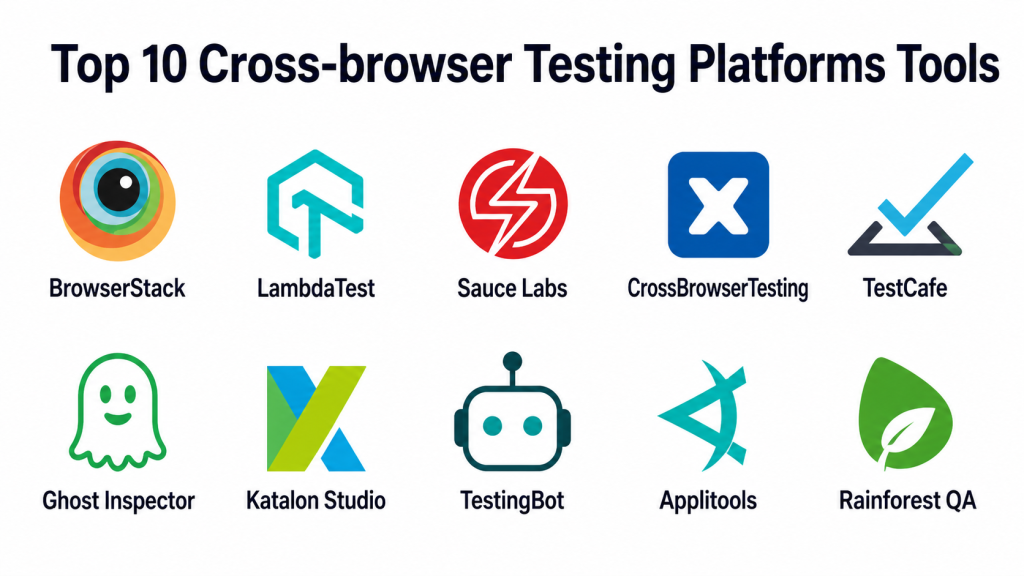
Top 10 Cross-browser Testing Platforms Tools
#1 — BrowserStack
Short description: Cloud-based real device and browser testing for QA teams and developers.
Key Features
- 3,000+ real devices and browser combinations
- Selenium, Cypress, and Playwright automation
- Visual testing and screenshot comparisons
- Local testing for internal apps
- CI/CD integrations with common developer tools
- Debugging with network and console logs
Pros
- Extensive device and browser coverage
- Strong CI/CD support
Cons
- High cost for large teams
- Limited offline testing
Platforms / Deployment
Web / Windows / macOS / Linux / iOS / Android
Cloud
Security & Compliance
SSO/SAML, encryption, RBAC
SOC 2 compliant
Integrations & Ecosystem
Supports CI/CD, automation frameworks, and collaboration tools
- GitHub, Jenkins, CircleCI
- Selenium, Cypress, Playwright
- Slack, Jira notifications
Support & Community
Comprehensive documentation, responsive support, active developer community
#2 — LambdaTest
Short description: Cloud-based cross-browser testing platform for web and mobile apps.
Key Features
- 3,000+ browser and OS combinations
- Selenium, Cypress, and Appium automation
- Visual regression testing
- CI/CD and Slack integrations
- Real-time collaborative testing
Pros
- Affordable and scalable
- Strong automation capabilities
Cons
- Performance may vary on older devices
- Limited real-device availability in some regions
Platforms / Deployment
Web / Windows / macOS / Linux / iOS / Android
Cloud
Security & Compliance
SSL encryption, SSO support
Not publicly stated for SOC 2/ISO
Integrations & Ecosystem
Integrates with CI/CD tools and automation frameworks
- Jenkins, GitLab, GitHub
- Selenium, Cypress, Playwright
- API access for custom workflows
Support & Community
Detailed documentation and active user forums
#3 — Sauce Labs
Short description: Enterprise-focused automated testing for web and mobile applications.
Key Features
- Real device and virtual machine testing
- Selenium, Appium, JavaScript automation
- CI/CD pipeline integration
- Visual and functional testing
- Analytics dashboards
Pros
- Enterprise-grade reliability
- Broad automation framework support
Cons
- Expensive for small teams
- Steep learning curve for advanced features
Platforms / Deployment
Web / Windows / macOS / Linux / iOS / Android
Cloud
Security & Compliance
SOC 2 Type II, SAML/SSO, encryption, RBAC
Integrations & Ecosystem
Integrates with Jenkins, GitLab, Bamboo
Supports Selenium, Appium, Cypress
Support & Community
Premium support with active forums
#4 — CrossBrowserTesting
Short description: Live and automated browser testing with desktop and mobile support.
Key Features
- Over 2,000 browser/device combinations
- Selenium, Appium, JavaScript support
- Automated screenshot testing
- Parallel test execution
- CI/CD and Git integrations
Pros
- Easy to implement
- Detailed reporting features
Cons
- Limited free plan capabilities
- Slower updates for new browsers
Platforms / Deployment
Web / Windows / macOS / Linux / iOS / Android
Cloud
Security & Compliance
Not publicly stated
Integrations & Ecosystem
Integrates with GitHub, Jenkins, Travis CI
API support for custom pipelines
Support & Community
Documentation and ticket-based support
#5 — TestCafe
Short description: Node.js-based automation tool for cross-browser testing without Selenium.
Key Features
- Supports all modern browsers
- No Selenium required
- Easy setup and scripting
- CI/CD automation support
- Parallel test execution
Pros
- Lightweight and fast
- Simple setup
Cons
- Limited real-device mobile testing
- Minimal visual testing features
Platforms / Deployment
Web / Windows / macOS / Linux
Cloud / Self-hosted
Security & Compliance
Not publicly stated
Integrations & Ecosystem
Works with GitHub, Jenkins, Travis CI, GitLab
API available for custom workflows
Support & Community
Active open-source community and documentation
#6 — Ghost Inspector
Short description: Browser automation and testing focused on visual regression.
Key Features
- Record and playback tests
- Cross-browser automation
- Visual testing and screenshots
- CI/CD integrations
- Slack and email notifications
Pros
- Visual-focused testing
- Easy for non-developers
Cons
- Limited mobile testing
- Complex workflows need scripting
Platforms / Deployment
Web / Windows / macOS / Linux
Cloud
Security & Compliance
Not publicly stated
Integrations & Ecosystem
Slack, Jira, GitHub integration
API access for test management
Support & Community
Documentation and email support
#7 — Katalon Studio
Short description: All-in-one automation suite for web, API, and mobile testing.
Key Features
- Selenium and Appium automation
- Cross-browser desktop and mobile execution
- Test management and analytics
- CI/CD integration support
- Visual scripting
Pros
- Comprehensive automation
- Multi-platform testing
Cons
- Learning curve for beginners
- Resource-intensive tests
Platforms / Deployment
Web / Windows / macOS / Linux / iOS / Android
Cloud / Self-hosted
Security & Compliance
Not publicly stated
Integrations & Ecosystem
Jenkins, Git, Jira integration
Supports Selenium/Appium frameworks
Support & Community
Active community forums and documentation
#8 — TestingBot
Short description: Cloud-based Selenium and Appium testing platform.
Key Features
- 2,500+ browser/device combinations
- Automated and manual testing
- Parallel test execution
- CI/CD pipeline support
- Screenshot and video capture
Pros
- Affordable for SMBs
- Easy automation integration
Cons
- Limited analytics
- Less modern UI
Platforms / Deployment
Web / Windows / macOS / Linux / iOS / Android
Cloud
Security & Compliance
Not publicly stated
Integrations & Ecosystem
Selenium, Appium support
CI/CD: Jenkins, GitHub Actions
Support & Community
Documentation and email support
#9 — Applitools
Short description: AI-powered visual testing and cross-browser validation.
Key Features
- AI visual regression detection
- Cross-browser and device coverage
- CI/CD integration
- Parallel execution
- Analytics dashboards
Pros
- Excellent visual validation
- Reduces false positives
Cons
- Expensive for small teams
- Limited non-visual functional testing
Platforms / Deployment
Web / Windows / macOS / Linux / iOS / Android
Cloud
Security & Compliance
SAML/SSO, encryption, SOC 2 Type II
Integrations & Ecosystem
Selenium, Cypress, Jenkins, GitHub integration
API for custom testing pipelines
Support & Community
Premium support options
#10 — Rainforest QA
Short description: Combines human-assisted and automated testing across browsers and devices.
Key Features
- Crowd-sourced test execution
- AI-driven automation scripts
- Cross-browser and device coverage
- CI/CD integration
- Visual and functional reporting
Pros
- Mixes human insight with automation
- Fast regression testing
Cons
- Pricing scales with volume
- Dependent on remote testers
Platforms / Deployment
Web / Windows / macOS / Linux / iOS / Android
Cloud
Security & Compliance
Not publicly stated
Integrations & Ecosystem
Jenkins, GitHub, Slack
API support for CI/CD workflows
Support & Community
Documentation and responsive support
Comparison Table
| Tool Name | Best For | Platform(s) Supported | Deployment | Standout Feature | Public Rating |
|---|---|---|---|---|---|
| BrowserStack | Enterprise & QA teams | Web/Win/macOS/Linux/iOS/Android | Cloud | Real device cloud & CI/CD support | N/A |
| LambdaTest | SMBs & automation teams | Web/Win/macOS/Linux/iOS/Android | Cloud | Affordable & scalable automation | N/A |
| Sauce Labs | Enterprise QA pipelines | Web/Win/macOS/Linux/iOS/Android | Cloud | Enterprise-grade reliability | N/A |
| CrossBrowserTesting | Developers & QA testers | Web/Win/macOS/Linux/iOS/Android | Cloud | Parallel execution & live testing | N/A |
| TestCafe | Developers needing simplicity | Web/Win/macOS/Linux | Cloud/Self-hosted | No Selenium required | N/A |
| Ghost Inspector | Visual regression focus | Web/Win/macOS/Linux | Cloud | Visual testing & playback | N/A |
| Katalon Studio | Multi-platform automation | Web/Win/macOS/Linux/iOS/Android | Cloud/Self-hosted | Comprehensive automation suite | N/A |
| TestingBot | SMB QA teams | Web/Win/macOS/Linux/iOS/Android | Cloud | Affordable and simple integration | N/A |
| Applitools | Enterprise visual testing | Web/Win/macOS/Linux/iOS/Android | Cloud | AI-powered visual validation | N/A |
| Rainforest QA | Hybrid human-automation tests | Web/Win/macOS/Linux/iOS/Android | Cloud | AI + human-assisted testing | N/A |
Evaluation & Scoring
| Tool Name | Core (25%) | Ease (15%) | Integrations (15%) | Security (10%) | Performance (10%) | Support (10%) | Value (15%) | Weighted Total |
|---|---|---|---|---|---|---|---|---|
| BrowserStack | 9 | 8 | 8 | 9 | 9 | 8 | 7 | 8.5 |
| LambdaTest | 8 | 9 | 7 | 8 | 8 | 8 | 9 | 8.3 |
| Sauce Labs | 9 | 7 | 8 | 9 | 9 | 9 | 6 | 8.2 |
| CrossBrowserTesting | 8 | 8 | 7 | 7 | 8 | 7 | 8 | 7.7 |
| TestCafe | 7 | 9 | 7 | 7 | 7 | 7 | 9 | 7.7 |
| Ghost Inspector | 7 | 8 | 6 | 7 | 7 | 7 | 8 | 7.2 |
| Katalon Studio | 8 | 7 | 8 | 7 | 8 | 7 | 7 | 7.5 |
| TestingBot | 7 | 8 | 7 | 6 | 7 | 7 | 8 | 7.2 |
| Applitools | 9 | 7 | 8 | 8 | 9 | 8 | 6 | 8.0 |
| Rainforest QA | 8 | 7 | 7 | 7 | 8 | 7 | 7 | 7.5 |
Scores reflect comparative strengths for core features, ease of use, integrations, security, performance, support, and value. Weighted totals help prioritize tools based on team needs.
Which Tool Is Right for You
Solo / Freelancer
TestCafe or LambdaTest for lightweight, affordable, and automated testing. Ideal for small projects and minimal devices.
SMB
LambdaTest or TestingBot offer cost-effective solutions with automation and multi-device support.
Mid-Market
BrowserStack or CrossBrowserTesting provide scalability, CI/CD integration, and parallel execution for larger QA teams.
Enterprise
Applitools, Sauce Labs, and Katalon Studio deliver enterprise-grade reliability, security, and device coverage.
Budget vs Premium
Budget: TestCafe, LambdaTest, TestingBot
Premium: BrowserStack, Sauce Labs, Applitools
Feature Depth vs Ease of Use
Depth: Katalon Studio, Applitools, Sauce Labs
Ease: LambdaTest, TestCafe, Ghost Inspector
Integrations & Scalability
Prioritize strong CI/CD integrations, API support, and scalable cloud/device options.
Security & Compliance Needs
Choose platforms with SSO, encryption, RBAC, and SOC 2 support for sensitive applications.
Frequently Asked Questions
1. What is the pricing model for cross-browser testing platforms?
Pricing ranges from pay-per-use cloud access to subscription plans. Enterprise plans include more devices and parallel execution.
2. Can I use these platforms for mobile app testing?
Yes, most support iOS and Android devices through real-device clouds or emulators.
3. How easy is onboarding for new testers?
Tools like LambdaTest and TestCafe are beginner-friendly. Enterprise platforms may require training for advanced features.
4. Do these platforms support automated testing?
Yes, all top platforms support Selenium, Cypress, Appium, or native automation scripts.
5. Can these tools integrate with CI/CD pipelines?
Yes, most integrate with Jenkins, GitHub Actions, GitLab, CircleCI, and similar tools.
6. How reliable are virtual devices compared to real devices?
Real devices provide more accurate rendering and performance insights. Virtual devices are faster and cheaper but less precise.
7. Are visual regression tests available?
Yes, Applitools, BrowserStack, and Ghost Inspector provide AI-powered visual regression testing.
8. Can I execute parallel tests?
Yes, parallel execution is widely supported to speed up testing across multiple browsers and devices.
9. What security features are offered?
Enterprise platforms may provide SSO, encryption, RBAC, and SOC 2 compliance. Smaller tools may offer basic security.
10. What are alternatives to cross-browser testing platforms?
Alternatives include manual testing, browser developer tools, and open-source frameworks like Selenium.
Conclusion
Cross-browser testing platforms help ensure consistent website and application performance across devices and browsers. The best tool depends on team size, budget, automation needs, and security requirements. Solo developers may prefer lightweight tools, SMBs need affordable scalable options, and enterprises require feature-rich, secure platforms. Teams should shortlist 2–3 tools, run a pilot, and validate integrations and compliance before full adoption.
