Introduction
Accessibility auditing tools are specialized software solutions that help organizations identify, assess, and fix accessibility issues on websites, web applications, and digital content. These tools ensure that all users, including people with disabilities, can access content effectively, complying with standards such as WCAG and ADA. By integrating these tools into development and QA workflows, teams can maintain inclusive and high-quality digital experiences.
Ensuring accessibility is not just about compliance. Inclusive digital design improves user engagement, increases market reach, and enhances brand reputation. Organizations that proactively test for accessibility can avoid potential legal risks and create better experiences for all users.
Real-world use cases include:
- Detecting color contrast and readability issues
- Evaluating keyboard navigation and focus order
- Testing screen reader compatibility
- Identifying missing alt text and semantic markup errors
- Monitoring ongoing compliance for dynamic web content
Evaluation criteria to consider:
- WCAG, ADA, and Section 508 compliance coverage
- Automated and manual testing capabilities
- Integration with development pipelines and CI/CD tools
- Reporting and actionable remediation guidance
- Multi-browser and device support
- Security and privacy features
- Ease of use and onboarding
- Collaboration for team workflows
- Cost, scalability, and licensing options
Best for: UX designers, developers, QA teams, accessibility specialists, and product managers of organizations of all sizes.
Not ideal for: Static websites with minimal user interaction or small projects where manual checks may suffice.
Key Trends in Accessibility Auditing Tools
- AI-assisted detection of complex accessibility issues
- CI/CD pipeline integration for automated testing
- Cloud-based platforms for multi-browser and multi-device coverage
- Accessibility monitoring for mobile and progressive web apps
- Low-code/no-code interfaces for non-technical users
- Visual regression testing to detect accessibility regressions
- Expanded reporting and analytics for compliance tracking
- Collaboration features for distributed teams
- Subscription and usage-based pricing models
- Continuous accessibility monitoring as a service
How We Selected These Tools
- Evaluated market adoption and user popularity
- Reviewed feature completeness for automated and manual testing
- Considered reliability and performance in real-world scenarios
- Assessed security and compliance posture
- Examined integrations with development and CI/CD tools
- Checked ecosystem support, extensibility, and plugins
- Evaluated ease of use and onboarding
- Compared reporting and remediation guidance
- Balanced open-source, SMB-friendly, and enterprise solutions
- Focused on applicability across browsers, devices, and content types
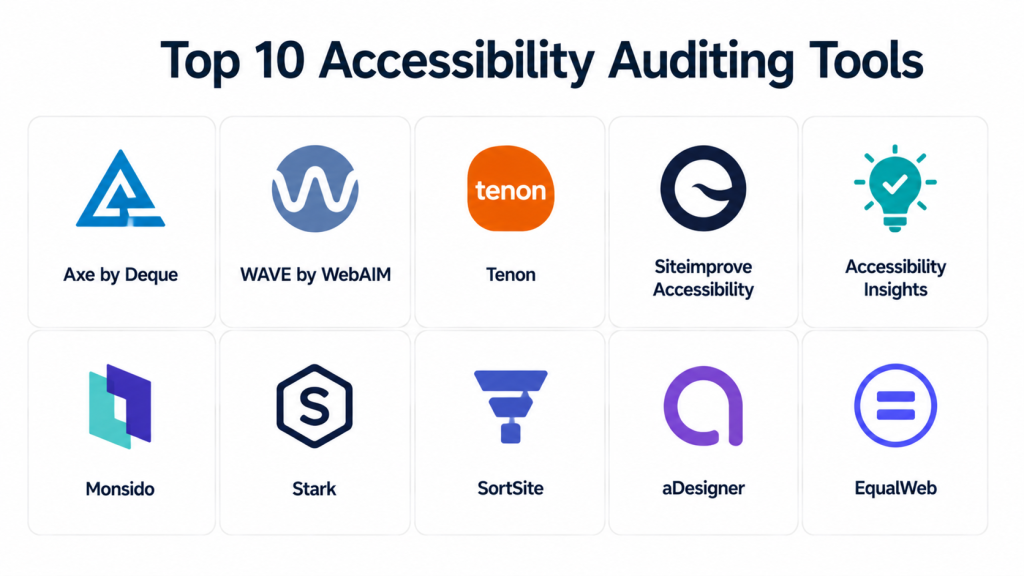
Top 10 Accessibility Auditing Tools
#1 — Axe by Deque
Short description: Developer-focused accessibility engine integrated into browsers and workflows for automated testing and remediation guidance.
Key Features
- Automated accessibility testing via browser extensions
- CI/CD pipeline integration
- Comprehensive WCAG compliance checks
- Detailed remediation guidance
- Support for dynamic JavaScript content
Pros
- Developer-friendly API and automation
- Accurate detection of issues
Cons
- Some manual testing is still required
- Limited visual regression testing
Platforms / Deployment
Web / Windows / macOS / Linux
Cloud / Self-hosted
Security & Compliance
Not publicly stated
Integrations & Ecosystem
- Jenkins, GitHub Actions, CI/CD pipelines
- Selenium and Cypress frameworks
- Browser extensions for Chrome and Firefox
Support & Community
Comprehensive documentation, active developer community
#2 — WAVE by WebAIM
Short description: Visual accessibility auditing tool providing annotated reports for designers and content editors.
Key Features
- Browser extensions for Chrome and Firefox
- Visual issue annotation
- Color contrast and semantic markup evaluation
- WCAG and Section 508 compliance checks
- Exportable compliance reports
Pros
- Easy to use for non-technical users
- Visual representation of accessibility issues
Cons
- Limited automation
- Not ideal for CI/CD integration
Platforms / Deployment
Web / Windows / macOS / Linux
Cloud
Security & Compliance
Not publicly stated
Integrations & Ecosystem
- Exportable reports for documentation
- Works alongside other QA and design tools
Support & Community
Documentation and WebAIM forums
#3 — Tenon
Short description: API-based accessibility testing tool for developers looking to integrate automated audits into development workflows.
Key Features
- API for automated testing
- WCAG compliance coverage
- CI/CD pipeline support
- Support for dynamic web content
- Detailed remediation guidance
Pros
- Flexible integration for development workflows
- Developer-centric design
Cons
- Requires coding knowledge
- Limited visual testing
Platforms / Deployment
Web / Windows / macOS / Linux
Cloud
Security & Compliance
Not publicly stated
Integrations & Ecosystem
- Jenkins, GitHub Actions, GitLab
- API for custom automation workflows
Support & Community
Documentation and email support
#4 — Siteimprove Accessibility
Short description: Enterprise-level automated accessibility testing with dashboards and insights for content teams.
Key Features
- Automated website scanning
- Compliance dashboards with trends and metrics
- WCAG and ADA checks
- Remediation prioritization
- Team collaboration features
Pros
- Enterprise-ready reporting and dashboards
- Integrates with content management workflows
Cons
- Higher cost for smaller teams
- Training needed for advanced features
Platforms / Deployment
Web / Windows / macOS / Linux
Cloud
Security & Compliance
Not publicly stated
Integrations & Ecosystem
- CMS integration: Drupal, WordPress, Adobe Experience Manager
- CI/CD pipeline support
Support & Community
Professional support and documentation
#5 — Accessibility Insights
Short description: Free, guided accessibility toolset for developers and testers focusing on automated and step-by-step audits.
Key Features
- Fast automated WCAG checks
- Guided assessments for keyboard navigation and focus
- Reporting and issue tracking
- CI/CD integration support
- Step-by-step remediation guidance
Pros
- Free and beginner-friendly
- Guided testing assists new users
Cons
- Limited advanced analytics
- Not enterprise dashboard-ready
Platforms / Deployment
Web / Windows / macOS / Linux
Cloud / Self-hosted
Security & Compliance
Not publicly stated
Integrations & Ecosystem
- GitHub Actions and Azure DevOps
- Visual Studio Code extensions
- API for automation
Support & Community
Active open-source community
#6 — Monsido
Short description: Website governance platform with automated accessibility monitoring and reporting.
Key Features
- Automated scanning and issue tracking
- WCAG and ADA compliance reports
- Content quality governance
- Analytics dashboards
- Collaboration for enterprise teams
Pros
- Combines accessibility and governance
- Enterprise-level reporting
Cons
- Less flexible for developers
- Customization may require consulting
Platforms / Deployment
Web / Windows / macOS / Linux
Cloud
Security & Compliance
Not publicly stated
Integrations & Ecosystem
- CMS and API integrations
- CI/CD support
Support & Community
Documentation and professional support
#7 — Stark
Short description: Designer-focused accessibility tool for evaluating color contrast and visual accessibility.
Key Features
- Color contrast analysis
- Simulated vision impairments
- WCAG compliance validation
- Browser and design tool extensions
- Collaborative design workflow support
Pros
- Designer-friendly and visual-focused
- Assists with inclusive design decisions
Cons
- Limited automation
- Less suited for dynamic content testing
Platforms / Deployment
Web / Windows / macOS
Cloud
Security & Compliance
Not publicly stated
Integrations & Ecosystem
- Figma, Sketch, Adobe XD extensions
- Browser extensions for quick testing
Support & Community
Documentation and community forums
#8 — SortSite
Short description: Automated testing suite covering accessibility, SEO, and web quality assurance.
Key Features
- WCAG and ADA automated checks
- Multi-browser scanning
- SEO and link analysis
- Detailed remediation reports
- Batch scanning for large sites
Pros
- Broad functionality for QA teams
- Easy reporting for stakeholders
Cons
- Interface complexity
- Limited automation customization
Platforms / Deployment
Web / Windows / macOS
Cloud / Self-hosted
Security & Compliance
Not publicly stated
Integrations & Ecosystem
- API and CMS integrations
- CI/CD pipeline support
Support & Community
Professional support and documentation
#9 — aDesigner
Short description: Tool focused on screen reader testing for visually impaired users to verify accessibility compliance.
Key Features
- Screen reader simulation
- Keyboard navigation checks
- WCAG validation
- Accessible PDF and document testing
- Reporting for developers
Pros
- Accurate assistive technology testing
- Focused on visually impaired users
Cons
- Limited automation
- Less scalable for large websites
Platforms / Deployment
Windows / macOS
Cloud / Self-hosted
Security & Compliance
Not publicly stated
Integrations & Ecosystem
- Compatible with developer environments and accessibility workflows
Support & Community
Documentation available
#10 — EqualWeb
Short description: Accessibility overlay and automated auditing solution for quick remediation and continuous compliance monitoring.
Key Features
- Accessibility overlay for instant fixes
- Automated WCAG and ADA scans
- Compliance dashboards and reporting
- Multi-platform support
- Customization and branding features
Pros
- Rapid implementation
- Continuous monitoring
Cons
- Overlay cannot replace full remediation
- Less developer-centric customization
Platforms / Deployment
Web / Windows / macOS / Linux
Cloud
Security & Compliance
Not publicly stated
Integrations & Ecosystem
- CMS and website platform integration
- API for automated audits
Support & Community
Professional support and documentation
Comparison Table
| Tool Name | Best For | Platform(s) Supported | Deployment | Standout Feature | Public Rating |
|---|---|---|---|---|---|
| Axe by Deque | Developers & QA teams | Web/Win/macOS/Linux | Cloud / Self-hosted | API & CI/CD automation | N/A |
| WAVE | Designers & content teams | Web/Win/macOS/Linux | Cloud | Visual issue annotations | N/A |
| Tenon | Developers | Web/Win/macOS/Linux | Cloud | API-based accessibility checks | N/A |
| Siteimprove | Enterprise teams | Web/Win/macOS/Linux | Cloud | Dashboards & insights | N/A |
| Accessibility Insights | Developers & testers | Web/Win/macOS/Linux | Cloud / Self-hosted | Guided assessments | N/A |
| Monsido | Enterprise & QA teams | Web/Win/macOS/Linux | Cloud | Governance & auditing | N/A |
| Stark | Designers | Web/Win/macOS | Cloud | Color contrast & visual checks | N/A |
| SortSite | QA & accessibility teams | Web/Win/macOS | Cloud / Self-hosted | Multi-check platform | N/A |
| aDesigner | Screen reader testing | Windows / macOS | Cloud / Self-hosted | Assistive technology simulation | N/A |
| EqualWeb | Quick remediation | Web/Win/macOS/Linux | Cloud | Overlay & continuous monitoring | N/A |
Evaluation & Scoring
| Tool Name | Core (25%) | Ease (15%) | Integrations (15%) | Security (10%) | Performance (10%) | Support (10%) | Value (15%) | Weighted Total |
|---|---|---|---|---|---|---|---|---|
| Axe by Deque | 9 | 8 | 8 | 7 | 8 | 8 | 7 | 8.0 |
| WAVE | 7 | 9 | 6 | 6 | 7 | 7 | 9 | 7.5 |
| Tenon | 8 | 7 | 8 | 6 | 7 | 7 | 8 | 7.6 |
| Siteimprove | 9 | 7 | 8 | 7 | 8 | 8 | 6 | 7.8 |
| Accessibility Insights | 8 | 8 | 7 | 6 | 7 | 7 | 8 | 7.5 |
| Monsido | 8 | 7 | 7 | 6 | 7 | 7 | 7 | 7.3 |
| Stark | 7 | 9 | 6 | 6 | 7 | 7 | 8 | 7.4 |
| SortSite | 8 | 7 | 7 | 6 | 7 | 7 | 7 | 7.3 |
| aDesigner | 7 | 8 | 6 | 6 | 7 | 6 | 7 | 6.9 |
| EqualWeb | 8 | 8 | 7 | 6 | 7 | 7 | 7 | 7.4 |
Scores reflect relative strengths across core features, ease of use, integrations, security, performance, support, and value.
Which Accessibility Auditing Tool Is Right for You
Solo / Freelancer
Accessibility Insights or WAVE are ideal for individuals and small projects due to ease of use and low cost.
SMB
Axe by Deque or Tenon offer automation and integration with development workflows at affordable prices.
Mid-Market
Siteimprove or Monsido provide dashboards, reporting, and collaboration features suitable for mid-sized teams.
Enterprise
Siteimprove, Monsido, and EqualWeb deliver enterprise-grade reporting, monitoring, and compliance tools.
Budget vs Premium
Budget: Accessibility Insights, WAVE, Stark
Premium: Siteimprove, Monsido, EqualWeb
Feature Depth vs Ease of Use
Depth: Siteimprove, Monsido, Axe by Deque
Ease: WAVE, Accessibility Insights, Stark
Integrations & Scalability
Select tools with strong API and CI/CD integrations for large-scale or multi-site testing.
Security & Compliance Needs
Enterprise users should prioritize tools with SOC 2, encryption, and SSO support.
Frequently Asked Questions
1. What is the pricing model for accessibility auditing tools?
Pricing ranges from free/open-source to subscription plans based on the number of sites and users.
2. Can these tools integrate with CI/CD pipelines?
Yes, tools like Axe by Deque, Tenon, and Accessibility Insights can integrate with CI/CD for automated checks.
3. How accurate are automated accessibility audits?
Automated tools identify many issues but manual verification is often needed for complex or subjective cases.
4. Do these tools support WCAG compliance?
Most tools support WCAG standards, ensuring compliance with international accessibility guidelines.
5. Are mobile apps supported?
Some tools include mobile testing or overlays, but dedicated mobile accessibility testing may be needed.
6. How easy is onboarding for new users?
Beginner-friendly tools like WAVE and Accessibility Insights require minimal training, while enterprise platforms may need guidance.
7. Can accessibility issues be fixed directly through these tools?
Tools provide guidance or overlays, but actual fixes typically require developer implementation.
8. What reporting features are available?
Reports show issue severity, remediation steps, and compliance scoring.
9. Are CMS integrations available?
Yes, Siteimprove, Monsido, and EqualWeb integrate with WordPress, Drupal, and Adobe Experience Manager.
10. What are alternatives to accessibility auditing tools?
Manual testing, user testing with assistive technology, and open-source frameworks like Lighthouse are alternatives.
Conclusion
Accessibility auditing tools are essential for creating inclusive digital experiences and ensuring compliance. The choice depends on team size, automation needs, budget, and integration requirements. Freelancers may benefit from lightweight tools, mid-market teams from dashboard-enabled solutions, and enterprises from full-featured monitoring platforms. Shortlist 2–3 tools, run pilot audits, and validate integrations and remediation processes for best results.
