Introduction
App Distribution Platforms (Enterprise) are software solutions that allow organizations to securely deploy, manage, and distribute applications across their workforce or customer base. These platforms streamline the distribution of mobile, desktop, and web apps, ensuring that the right versions reach the right devices while maintaining security and compliance.
Enterprise app distribution is critical for seamless operations, faster updates, and improved end-user experience. Key use cases include:
- Internal enterprise app deployment: Securely distributing proprietary apps to employees
- Cross-platform app management: Managing apps on iOS, Android, Windows, and macOS
- Automated version control: Ensuring users receive the latest updates and patches
- Beta testing and pilot programs: Distributing pre-release versions to selected users
- Compliance and auditing: Ensuring app access follows enterprise policies
When evaluating app distribution platforms, buyers should consider deployment options, device support, security features, user authentication, update management, analytics, integrations with enterprise tools, scalability, pricing models, and customer support
Best for: IT managers, mobile and desktop app teams, DevOps and enterprise software teams, organizations with multiple platforms and devices
Not ideal for: Small-scale apps, consumer apps distributed via public app stores, or organizations without internal app management needs
Key Trends in App Distribution Platforms (Enterprise)
- AI-driven deployment insights for predictive update scheduling
- Automated rollback and error mitigation for failed deployments
- Unified dashboards for cross-platform application management
- Enhanced device management and compliance enforcement
- Integration with CI/CD pipelines and DevOps workflows
- Cloud-native deployment options for scalability and redundancy
- Multi-tenancy for managing multiple business units or geographies
- Granular user access and role-based management for security
- Real-time analytics for adoption and usage tracking
- Flexible pricing models, including per-device and subscription-based plans
How We Selected These Tools
- Evaluated market adoption and enterprise mindshare
- Assessed feature completeness for deployment, updates, and management
- Verified reliability through enterprise usage and performance metrics
- Reviewed security posture, including encryption, SSO, MFA, audit logs, and compliance certifications
- Examined integration capabilities with DevOps, ITSM, MDM, and analytics tools
- Considered ecosystem maturity, SDKs, and APIs
- Prioritized platforms with multi-device and multi-platform support
- Balanced ease of use with enterprise-grade features
- Factored scalability and pricing transparency for large organizations
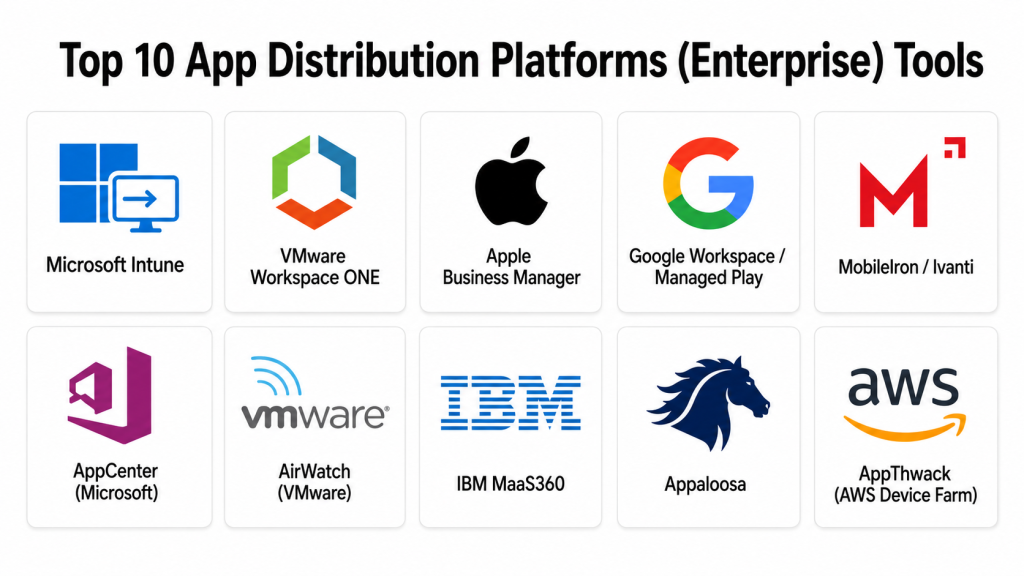
Top 10 App Distribution Platforms (Enterprise) Tools
#1 — Microsoft Intune
Short description: Enterprise app deployment platform for managing mobile and desktop applications across Windows, iOS, and Android
Key Features
- Device and app management for multiple platforms
- Secure distribution with role-based access
- Automated app updates and version control
- Integration with Azure Active Directory
- Policy compliance enforcement
- Remote wipe and device management
- Reporting and analytics dashboards
Pros
- Comprehensive enterprise-grade management
- Tight integration with Microsoft ecosystem
- Strong security and compliance features
Cons
- Complex setup for multi-platform environments
- Licensing may be expensive for small teams
Platforms / Deployment
- Web / Windows / macOS / iOS / Android
- Cloud / Hybrid
Security & Compliance
- SSO/SAML, MFA, encryption, audit logs, RBAC
- SOC 2, ISO 27001, GDPR
- HIPAA: Not publicly stated
Integrations & Ecosystem
Integrates with Azure, Office 365, SCCM, and other enterprise tools
- REST APIs
- SDKs for app management
- Mobile Device Management (MDM) integration
Support & Community
Enterprise support, documentation, Microsoft community forums
#2 — VMware Workspace ONE
Short description: Unified endpoint management and enterprise app distribution platform for desktops and mobile devices
Key Features
- Application catalog for employees
- Automated app deployment and updates
- Device enrollment and lifecycle management
- Integration with enterprise security policies
- Analytics for app usage and performance
- Remote access and troubleshooting tools
- Cross-platform support for Windows, macOS, iOS, and Android
Pros
- Robust enterprise features
- Supports hybrid and remote workforce
- Strong security and compliance controls
Cons
- Learning curve for complex deployments
- Premium pricing for full feature set
Platforms / Deployment
- Web / Windows / macOS / iOS / Android
- Cloud / Hybrid
Security & Compliance
- SSO/SAML, encryption, audit logs, RBAC
- SOC 2, ISO 27001, GDPR
- HIPAA: Not publicly stated
Integrations & Ecosystem
Integrates with Active Directory, Slack, Jira
- API support for custom workflows
- SDKs for mobile and desktop apps
Support & Community
Documentation, enterprise support, active community
#3 — Apple Business Manager
Short description: Apple’s enterprise solution for deploying apps to iOS and macOS devices in organizational settings
Key Features
- Bulk app distribution for enterprise devices
- Integration with Mobile Device Management (MDM) solutions
- Automated enrollment and assignment
- Volume purchase program support
- Secure authentication via Apple ID
- Update management and version control
Pros
- Seamless integration with Apple ecosystem
- Simple bulk deployment
- Secure and compliant
Cons
- Limited to iOS and macOS devices
- Requires MDM for full functionality
Platforms / Deployment
- iOS / macOS
- Cloud
Security & Compliance
- SSO, encryption, audit logs
- SOC 2, GDPR
- HIPAA: Not publicly stated
Integrations & Ecosystem
Integrates with Jamf, Intune, VMware Workspace ONE
- API support for app distribution
- MDM integration
Support & Community
Apple documentation, enterprise support
#4 — Google Workspace / Managed Play
Short description: Enterprise distribution platform for Android apps with centralized management and security controls
Key Features
- Managed Google Play for app deployment
- Device enrollment and management
- Automated app updates
- Role-based access control
- Compliance and policy enforcement
- App analytics and reporting
Pros
- Scalable for large organizations
- Seamless Android integration
- Centralized app management
Cons
- Limited to Android devices
- Requires enterprise subscriptions
Platforms / Deployment
- Android
- Cloud
Security & Compliance
- SSO/SAML, encryption, audit logs
- SOC 2, GDPR
- HIPAA: Not publicly stated
Integrations & Ecosystem
Integrates with Intune, VMware Workspace ONE, Slack
- API for automation
- Mobile device management integration
Support & Community
Google enterprise support, documentation, forums
#5 — MobileIron / Ivanti
Short description: Enterprise app distribution platform for secure deployment and management of mobile and desktop apps
Key Features
- Multi-platform app distribution
- Policy enforcement and compliance
- Remote app management
- Automated updates and versioning
- User authentication and role management
- Analytics and reporting dashboards
Pros
- Enterprise-grade security and compliance
- Cross-platform support
- Flexible deployment options
Cons
- Complex initial configuration
- Premium pricing for full features
Platforms / Deployment
- iOS / Android / Windows / macOS
- Cloud / Hybrid
Security & Compliance
- SSO/SAML, MFA, encryption, audit logs
- SOC 2, ISO 27001, GDPR
- HIPAA: Not publicly stated
Integrations & Ecosystem
Integrates with Active Directory, Slack, Jira
- REST APIs and SDKs
- MDM integration
Support & Community
Documentation, enterprise support, active forums
#6 — AppCenter (Microsoft)
Short description: Enterprise platform for distributing mobile and desktop apps with build, test, and release management
Key Features
- Build and distribute iOS, Android, Windows apps
- Automated deployment pipelines
- Beta testing and user feedback
- Crash and performance monitoring
- Analytics for app usage
Pros
- Integrates CI/CD with app distribution
- Supports multiple platforms
- Developer-friendly interface
Cons
- Limited enterprise MDM features
- Microsoft ecosystem dependent
Platforms / Deployment
- iOS / Android / Windows / macOS
- Cloud
Security & Compliance
- SSO, encryption, audit logs
- SOC 2, GDPR
- HIPAA: Not publicly stated
Integrations & Ecosystem
Integrates with GitHub, Azure DevOps, Slack
- API for automated workflows
- SDKs for mobile apps
Support & Community
Documentation, enterprise support
#7 — AirWatch (VMware)
Short description: Enterprise app and device management platform with secure app distribution capabilities
Key Features
- Secure app catalog
- Device enrollment and policy enforcement
- Automated app updates
- Remote app deployment
- Analytics dashboards
Pros
- Strong security controls
- Enterprise-ready deployment
- Supports multiple platforms
Cons
- Premium pricing
- Steep learning curve
Platforms / Deployment
- iOS / Android / Windows / macOS
- Cloud / Hybrid
Security & Compliance
- SSO/SAML, encryption, audit logs
- SOC 2, ISO 27001, GDPR
- HIPAA: Not publicly stated
Integrations & Ecosystem
Integrates with Active Directory, Slack, Jira
- API and SDK support
Support & Community
Documentation, enterprise support
#8 — IBM MaaS360
Short description: Enterprise app distribution and device management solution with integrated security and analytics
Key Features
- Multi-platform app deployment
- Policy enforcement and compliance
- Remote app and device management
- Automated updates and version control
- Analytics and reporting
Pros
- Enterprise-grade security
- Centralized management
- Cross-platform support
Cons
- Premium subscription pricing
- Complex setup for multi-platform deployments
Platforms / Deployment
- iOS / Android / Windows / macOS
- Cloud / Hybrid
Security & Compliance
- SSO/SAML, encryption, audit logs
- SOC 2, ISO 27001, GDPR
- HIPAA: Not publicly stated
Integrations & Ecosystem
Integrates with Slack, Jira, Active Directory
- API support for automation
Support & Community
Documentation, enterprise support
#9 — Appaloosa
Short description: Enterprise platform for secure mobile app distribution and management
Key Features
- Private app store for internal apps
- Role-based access and authentication
- App version management
- Analytics for adoption and usage
- Automated updates
Pros
- Simple deployment for enterprise apps
- Strong user access controls
- Easy reporting and analytics
Cons
- Limited multi-platform features
- Smaller ecosystem than competitors
Platforms / Deployment
- iOS / Android
- Cloud
Security & Compliance
- SSO, encryption
- SOC 2, GDPR
- HIPAA: Not publicly stated
Integrations & Ecosystem
Integrates with Slack, Jira, APIs
- SDK for mobile apps
Support & Community
Documentation, email support
#10 — AppThwack (AWS Device Farm)
Short description: Enterprise platform for distributing apps and testing on real devices across multiple platforms
Key Features
- Real-device app testing
- Automated deployment
- Crash and performance monitoring
- Multi-platform support
- Analytics dashboards
Pros
- Combines app distribution with testing
- Supports real-device monitoring
- Scalable for enterprise
Cons
- Premium pricing
- AWS ecosystem dependent
Platforms / Deployment
- iOS / Android / Windows / macOS
- Cloud
Security & Compliance
- Encryption, audit logs
- SOC 2, GDPR
- HIPAA: Not publicly stated
Integrations & Ecosystem
Integrates with AWS services, Slack, Jira
- SDK support for mobile apps
Support & Community
Documentation, enterprise support
Comparison Table
| Tool Name | Best For | Platform(s) Supported | Deployment | Standout Feature | Public Rating |
|---|---|---|---|---|---|
| Microsoft Intune | Enterprise device management | iOS / Android / Windows / macOS | Cloud / Hybrid | Multi-platform app management | N/A |
| VMware Workspace ONE | Enterprise apps | iOS / Android / Windows / macOS | Cloud / Hybrid | Unified endpoint management | N/A |
| Apple Business Manager | iOS / macOS enterprises | iOS / macOS | Cloud | Bulk deployment and MDM integration | N/A |
| Google Workspace / Managed Play | Android enterprise apps | Android | Cloud | Managed Play for app distribution | N/A |
| MobileIron / Ivanti | Enterprise mobile management | iOS / Android / Windows / macOS | Cloud / Hybrid | Secure enterprise app distribution | N/A |
| AppCenter | Developer CI/CD + distribution | iOS / Android / Windows / macOS | Cloud | Integrated build and distribution | N/A |
| AirWatch | Enterprise app distribution | iOS / Android / Windows / macOS | Cloud / Hybrid | Secure app catalog | N/A |
| IBM MaaS360 | Enterprise management | iOS / Android / Windows / macOS | Cloud / Hybrid | Security and analytics | N/A |
| Appaloosa | Internal app store | iOS / Android | Cloud | Private enterprise app store | N/A |
| AppThwack / AWS Device Farm | App testing + distribution | iOS / Android / Windows / macOS | Cloud | Real-device testing | N/A |
Evaluation & Scoring
| Tool Name | Core (25%) | Ease (15%) | Integrations (15%) | Security (10%) | Performance (10%) | Support (10%) | Value (15%) | Weighted Total |
|---|---|---|---|---|---|---|---|---|
| Microsoft Intune | 9 | 7 | 8 | 9 | 9 | 8 | 7 | 8.4 |
| VMware Workspace ONE | 9 | 7 | 7 | 8 | 9 | 7 | 6 | 7.8 |
| Apple Business Manager | 7 | 8 | 6 | 8 | 7 | 6 | 6 | 7.0 |
| Google Workspace / Managed Play | 7 | 8 | 6 | 7 | 7 | 6 | 6 | 6.9 |
| MobileIron / Ivanti | 8 | 7 | 7 | 8 | 8 | 7 | 6 | 7.5 |
| AppCenter | 8 | 8 | 7 | 7 | 8 | 7 | 6 | 7.5 |
| AirWatch | 8 | 7 | 7 | 8 | 8 | 7 | 6 | 7.5 |
| IBM MaaS360 | 8 | 7 | 6 | 8 | 8 | 7 | 6 | 7.4 |
| Appaloosa | 7 | 8 | 6 | 7 | 7 | 6 | 6 | 6.9 |
| AppThwack / AWS Device Farm | 8 | 7 | 7 | 8 | 8 | 7 | 6 | 7.5 |
Which App Distribution Platform Is Right for You?
Solo / Freelancer
AppCenter or Appaloosa offer lightweight distribution with easy deployment
SMB
VMware Workspace ONE or MobileIron provide multi-platform support and compliance
Mid-Market
Microsoft Intune, VMware Workspace ONE, IBM MaaS360 offer enterprise-grade management with analytics
Enterprise
Microsoft Intune, VMware Workspace ONE, IBM MaaS360 provide AI-assisted deployment insights, compliance controls, and multi-platform distribution
Budget vs Premium
Budget: AppCenter, Appaloosa
Premium: Microsoft Intune, VMware Workspace ONE, IBM MaaS360
Feature Depth vs Ease of Use
Feature-rich enterprise tools require learning curves (Intune, Workspace ONE)
Simpler platforms offer fast onboarding but limited analytics (AppCenter, Appaloosa)
Integrations & Scalability
Enterprise teams benefit from API and SDK integrations and hybrid cloud deployment
Security & Compliance Needs
Choose platforms with SSO, encryption, audit logs, SOC 2, ISO 27001, GDPR compliance, and optional HIPAA adherence
Frequently Asked Questions (FAQs)
1. What pricing models do enterprise app distribution platforms offer?
Pricing ranges from per-device subscriptions to enterprise licensing models depending on features and scale
2. How quickly can I deploy apps with these platforms?
Small-scale deployments can be done in hours; enterprise-wide deployments may require days for device enrollment and policy setup
3. Can these platforms manage multiple platforms simultaneously?
Yes, leading platforms support iOS, Android, Windows, and macOS for unified management
4. Do these tools support automated app updates?
Yes, most platforms offer automated deployment and version control to ensure users get the latest app versions
5. Are there AI-driven insights for app distribution?
Some platforms provide AI-assisted deployment insights and predictive analytics for large-scale rollouts
6. Can I integrate these platforms with DevOps or CI/CD pipelines?
Yes, API and SDK support allow integration with CI/CD, ITSM, and enterprise management tools
7. Do these platforms provide security and compliance reporting?
Yes, dashboards typically show compliance status, access logs, and policy adherence across all managed devices
8. Can I restrict app distribution to specific users or groups?
Yes, role-based access and group policies are standard in enterprise distribution platforms
9. Are analytics and usage reporting available?
Yes, enterprise dashboards provide app adoption, usage metrics, and performance data
10. Are there lightweight options for small teams?
Yes, AppCenter and Appaloosa offer simpler deployment options for smaller organizations
Conclusion
Enterprise app distribution platforms are essential for securely managing multi-platform app deployments while ensuring compliance and security. The right platform depends on organizational size, device types, budget, and required integrations. Small teams can leverage AppCenter or Appaloosa for simple deployments, while
