Introduction
Email client software is an application that allows users to send, receive, and organize email messages efficiently. Unlike web-based email interfaces, these clients provide enhanced productivity features such as offline access, advanced search, multiple account integration, and support for attachments and calendars. In today’s business environment, choosing the right email client is essential for seamless communication, collaboration, and security management.Modern email clients have evolved to include AI-powered features, integrated task management, and analytics, making them more than just a messaging tool. Enterprises and individuals rely on these clients to streamline communication, reduce email fatigue, and ensure compliance with data protection policies.
Real-world use cases:
- Corporate teams managing multiple email accounts across departments
- Freelancers and consultants handling clients across various domains
- IT and security teams enforcing secure email practices
- Remote teams integrating email with project management and collaboration tools
- Sales and marketing professionals leveraging email tracking and automation
Evaluation criteria:
- Security and encryption features
- Integration with calendars and collaboration tools
- Multi-account and cross-platform support
- AI-powered productivity features
- Offline access and synchronization
- Customization and automation options
- Performance and reliability
- User interface and ease of use
- Compliance with GDPR, HIPAA, or other regulations
- Cost and licensing options
Best for: IT managers, enterprise teams, sales and marketing professionals, and freelancers managing multiple email accounts.
Not ideal for: Users who rely exclusively on lightweight webmail interfaces or do not require advanced integrations and offline functionality.
Key Trends in Email Client Software
- AI-powered inbox management and email categorization
- Smart reply and automated follow-up suggestions
- Enhanced security with end-to-end encryption and phishing detection
- Integration with collaboration platforms and project management tools
- Cross-platform compatibility with seamless synchronization
- Cloud and hybrid deployment models for flexibility
- Advanced search, tagging, and folder management
- Analytics for tracking open rates, responses, and productivity metrics
- Mobile-first design for on-the-go access
- Automation workflows for repetitive email tasks
How We Selected These Tools (Methodology)
- Market adoption and industry mindshare
- Feature completeness, including AI, security, and integrations
- Performance reliability and resource efficiency
- Security posture, including encryption and compliance capabilities
- Extensibility through APIs and third-party integrations
- Usability across solo, SMB, and enterprise users
- Cross-platform and device compatibility
- Support and community resources
- Pricing flexibility and licensing options
- Alignment with emerging productivity and AI trends
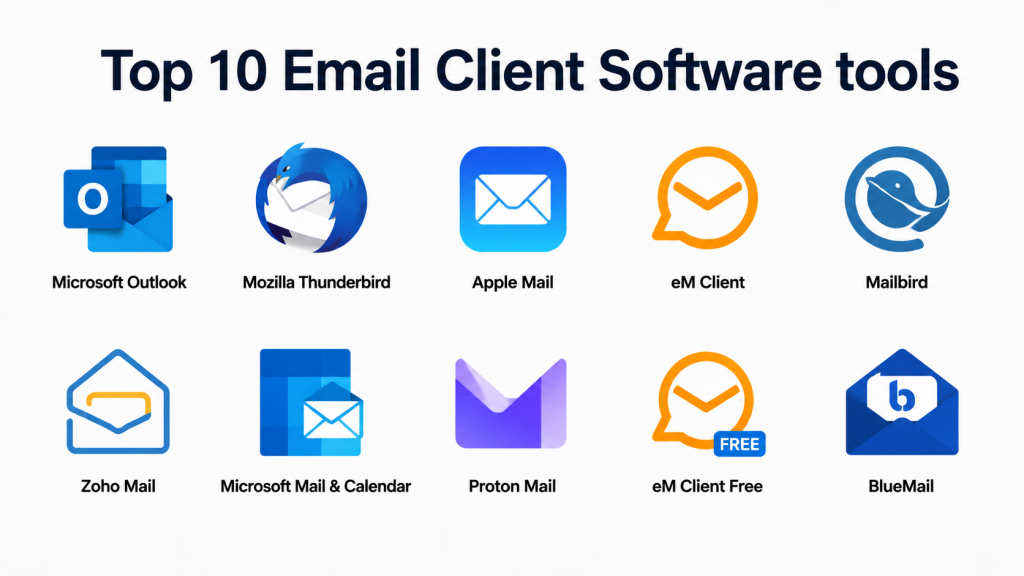
Top 10 Email Client Software Tools
#1 — Microsoft Outlook
Short description: Enterprise-grade email client with integrated calendar, task management, and collaboration features.
Key Features
- Advanced email organization and search
- Calendar and task integration
- AI-powered scheduling suggestions
- Multi-account support
- Offline access and sync
- Enterprise security and compliance tools
- Collaboration with Teams and SharePoint
Pros
- Widely adopted in enterprises
- Rich productivity and collaboration features
Cons
- Can be resource-heavy
- Learning curve for new users
Platforms / Deployment
- Windows, macOS, iOS, Android
- Cloud / Desktop / Hybrid
Security & Compliance
- SSO, MFA, encryption, and audit logs
- SOC 2, ISO 27001, GDPR compliant
Integrations & Ecosystem
- Microsoft 365 ecosystem
- Exchange, SharePoint, Teams integrations
- Third-party productivity apps
Support & Community
- Extensive documentation
- Enterprise support and community forums
#2 — Mozilla Thunderbird
Short description: Open-source email client offering robust customization and multiple account management.
Key Features
- Multi-account support
- Advanced search and filtering
- Encrypted messaging options
- Customizable UI and extensions
- Offline access and local storage
- Calendar and task integration
- Add-on ecosystem
Pros
- Free and open-source
- Highly customizable for advanced users
Cons
- Interface may feel dated
- Fewer enterprise integrations
Platforms / Deployment
- Windows, macOS, Linux
- Desktop
Security & Compliance
- S/MIME and OpenPGP support
- Not publicly stated: SOC 2, ISO 27001
Integrations & Ecosystem
- Supports calendar add-ons
- Plugin and API extensions
- IMAP, POP3, SMTP integration
Support & Community
- Active open-source community
- Extensive user forums and documentation
#3 — Apple Mail
Short description: Native macOS and iOS email client with deep integration with Apple ecosystem.
Key Features
- Unified inbox and multiple account support
- Smart mailbox management
- Calendar and reminder integration
- AI-powered email suggestions
- Offline access
- Rich text formatting and attachment previews
Pros
- Optimized for Apple devices
- Seamless ecosystem integration
Cons
- Limited to Apple hardware
- Smaller feature set compared to enterprise clients
Platforms / Deployment
- macOS, iOS
- Desktop / Mobile
Security & Compliance
- S/MIME and encryption
- Not publicly stated: SOC 2, ISO 27001
Integrations & Ecosystem
- Apple Calendar and Reminders
- iCloud synchronization
- Third-party productivity app support
Support & Community
- Apple support documentation
- Community forums
#4 — eM Client
Short description: Comprehensive email client for Windows and macOS with integrated calendar, tasks, and chat.
Key Features
- Unified inbox and multi-account support
- Calendar, tasks, and chat integration
- Email translation and search
- PGP encryption
- Offline access and synchronization
- Customizable interface
- Automated backups
Pros
- All-in-one email and collaboration solution
- User-friendly interface
Cons
- Windows-focused development
- Paid version required for multiple accounts
Platforms / Deployment
- Windows, macOS
- Desktop
Security & Compliance
- S/MIME, PGP encryption
- Not publicly stated: SOC 2, ISO 27001
Integrations & Ecosystem
- Calendar and task syncing
- Chat integration for Teams/Slack
- API extensions
Support & Community
- Dedicated documentation
- Email and community support
#5 — Mailbird
Short description: Windows email client focused on productivity with integrated app ecosystem.
Key Features
- Multi-account support
- Unified inbox
- Integration with Slack, WhatsApp, Google Calendar
- AI-powered email sorting
- Offline access
- Customizable layouts
- Productivity-focused shortcuts
Pros
- Great for solo and SMB users
- Easy to set up and use
Cons
- Windows-only
- Limited enterprise features
Platforms / Deployment
- Windows
- Desktop
Security & Compliance
- Not publicly stated
Integrations & Ecosystem
- Slack, Google Calendar, WhatsApp integration
- API for automation
- Third-party productivity tools
Support & Community
- Documentation and user forums
- Email support
#6 — Zoho Mail
Short description: Cloud-based email client with strong collaboration and business-focused features.
Key Features
- Web and desktop client access
- AI-powered inbox organization
- Integrated calendar, tasks, and notes
- Multi-user collaboration
- Email analytics and tracking
- Offline mode
- Security and compliance tools
Pros
- Cloud-native for SMBs and enterprises
- Strong AI productivity features
Cons
- Learning curve for advanced features
- Dependent on internet connectivity
Platforms / Deployment
- Web, Windows, macOS, iOS, Android
- Cloud / Desktop hybrid
Security & Compliance
- SSO, encryption, audit logs
- GDPR compliant
Integrations & Ecosystem
- CRM and productivity suite integration
- API access for automation
- Third-party app ecosystem
Support & Community
- Dedicated enterprise support
- Documentation and forums
#7 — Microsoft Mail & Calendar
Short description: Lightweight Windows 10/11 client integrated with Outlook services for personal and SMB users.
Key Features
- Unified inbox
- Calendar integration
- Windows notifications and live tiles
- Multi-account support
- Focused inbox and AI categorization
- Offline access
Pros
- Pre-installed on Windows devices
- Simple and lightweight
Cons
- Limited enterprise-grade features
- Not as customizable as Outlook
Platforms / Deployment
- Windows, iOS, Android
- Desktop / Mobile
Security & Compliance
- Encryption and SSO for Microsoft accounts
- Not publicly stated: SOC 2, ISO 27001
Integrations & Ecosystem
- Microsoft 365 integration
- Calendar and Teams collaboration
- Windows APIs
Support & Community
- Microsoft support and documentation
- Community forums
#8 — Proton Mail
Short description: Privacy-focused email client offering end-to-end encryption for personal and professional use.
Key Features
- End-to-end encrypted messaging
- OpenPGP compatibility
- Anonymous account creation
- Cross-platform support
- Spam filtering and security alerts
- Secure attachments and links
Pros
- Strong privacy and security
- Zero-access encryption
Cons
- Limited integrations with third-party apps
- Free version has feature restrictions
Platforms / Deployment
- Web, Windows, macOS, iOS, Android
- Cloud
Security & Compliance
- End-to-end encryption, GDPR compliant
- Not publicly stated: SOC 2, ISO 27001
Integrations & Ecosystem
- Web and mobile apps
- OpenPGP support
- Limited third-party API
Support & Community
- Proton documentation
- Email support
#9 — eM Client Free
Short description: Free edition of eM Client for personal or small business email management.
Key Features
- Multi-account support
- Calendar and tasks
- Email search and filtering
- Offline access
- Basic encryption
Pros
- Free for up to 2 accounts
- Intuitive interface
Cons
- Limited advanced features
- Restricted account support
Platforms / Deployment
- Windows, macOS
- Desktop
Security & Compliance
- S/MIME encryption
- Not publicly stated
Integrations & Ecosystem
- Limited productivity integrations
- API access for basic automation
Support & Community
- Documentation
- Community forums
#10 — BlueMail
Short description: Multi-platform email client with unified inbox, AI features, and collaborative tools.
Key Features
- Unified inbox for multiple accounts
- Smart push notifications
- AI-assisted email management
- Calendar and group support
- Cross-platform syncing
Pros
- Mobile and desktop support
- Collaboration-friendly
Cons
- Limited enterprise security controls
- Ads in free version
Platforms / Deployment
- Windows, macOS, Linux, iOS, Android
- Cloud / Desktop
Security & Compliance
- Not publicly stated
Integrations & Ecosystem
- Calendar integration
- Cloud account support
- Productivity apps
Support & Community
- Documentation
- Community forums
Comparison Table (Top 10)
| Tool Name | Best For | Platform(s) Supported | Deployment | Standout Feature | Public Rating |
|---|---|---|---|---|---|
| Microsoft Outlook | Enterprise teams | Win, macOS, iOS, Android | Cloud/Desktop/Hybrid | Productivity & collaboration | N/A |
| Mozilla Thunderbird | Open-source customization | Win, macOS, Linux | Desktop | Extensions & multi-account | N/A |
| Apple Mail | Apple ecosystem users | macOS, iOS | Desktop/Mobile | Seamless Apple integration | N/A |
| eM Client | SMB and enterprise users | Windows, macOS | Desktop | Calendar & task integration | N/A |
| Mailbird | Solo users & SMB | Windows | Desktop | Productivity integrations | N/A |
| Zoho Mail | SMB & cloud teams | Web, Win, macOS, iOS, Android | Cloud/Desktop | Collaboration & AI features | N/A |
| Microsoft Mail & Calendar | Windows personal & SMB users | Windows, iOS, Android | Desktop/Mobile | Lightweight & simple interface | N/A |
| Proton Mail | Privacy-focused users | Web, Win, macOS, iOS, Android | Cloud | End-to-end encryption | N/A |
| eM Client Free | Personal use | Windows, macOS | Desktop | Free multi-account support | N/A |
| BlueMail | Multi-platform collaborative | Win, macOS, Linux, iOS, Android | Cloud/Desktop | Unified inbox & AI | N/A |
Evaluation & Scoring of Email Client Software
| Tool Name | Core (25%) | Ease (15%) | Integrations (15%) | Security (10%) | Performance (10%) | Support (10%) | Value (15%) | Weighted Total |
|---|---|---|---|---|---|---|---|---|
| Microsoft Outlook | 10 | 9 | 10 | 9 | 10 | 9 | 9 | 9.5 |
| Mozilla Thunderbird | 9 | 8 | 8 | 9 | 8 | 8 | 9 | 8.5 |
| Apple Mail | 8 | 9 | 7 | 9 | 8 | 8 | 8 | 8.3 |
| eM Client | 9 | 8 | 8 | 9 | 8 | 8 | 8 | 8.4 |
| Mailbird | 8 | 9 | 7 | 8 | 8 | 7 | 8 | 8.0 |
| Zoho Mail | 9 | 8 | 9 | 9 | 9 | 8 | 8 | 8.5 |
| Microsoft Mail & Calendar | 7 | 9 | 7 | 8 | 8 | 7 | 8 | 7.9 |
| Proton Mail | 8 | 7 | 6 | 10 | 8 | 7 | 8 | 8.0 |
| eM Client Free | 7 | 8 | 6 | 8 | 7 | 6 | 7 | 7.2 |
| BlueMail | 8 | 8 | 7 | 8 | 8 | 7 | 8 | 7.9 |
Interpretation: Weighted totals provide a comparative overview across features, usability, integrations, security, and performance. Higher scores indicate suitability for enterprises or advanced users, while smaller teams may prioritize ease-of-use or cloud-native features.
Which Email Client Software Tool Is Right for You?
Solo / Freelancer
- Mailbird or eM Client Free for lightweight, productivity-oriented email
- Proton Mail for privacy-conscious individuals
SMB
- Zoho Mail or eM Client for multi-account and collaboration support
- Microsoft Mail & Calendar for simple Windows integration
Mid-Market
- Microsoft Outlook or Zoho Mail for enterprise productivity and cloud integration
- eM Client for task and calendar management
Enterprise
- Microsoft Outlook or Zoho Mail for centralized management, compliance, and analytics
- Proton Mail for privacy-sensitive departments
Budget vs Premium
- Free options: Thunderbird, Mailbird Free, eM Client Free
- Premium/Enterprise: Microsoft Outlook, Zoho Mail, eM Client
Feature Depth vs Ease of Use
- Power users: Outlook, eM Client, Zoho Mail
- Simplicity and lightweight use: Mailbird, Microsoft Mail
Integrations & Scalability
- Outlook, Zoho Mail, and eM Client integrate with collaboration, CRM, and productivity apps
- Lightweight tools like Mailbird and Proton Mail are suitable for small teams or individual use
Security & Compliance Needs
- Enterprise-grade security: Outlook, Zoho Mail
- Privacy-focused: Proton Mail, Thunderbird
Frequently Asked Questions (FAQs)
- What is the cost of these email clients?
Free versions exist for Thunderbird, Mailbird Free, and eM Client Free. Enterprise editions require subscriptions or licensing fees. - Which email client is best for privacy?
Proton Mail and Thunderbird with encryption plugins provide strong privacy protections. - Can multiple accounts be managed in one client?
Yes, most clients like Outlook, eM Client, and Zoho Mail support multiple accounts across providers. - Do these clients support offline access?
Most desktop clients, including Outlook, Thunderbird, and Mailbird, allow offline email management. - Can email clients integrate with calendars and tasks?
Yes, Outlook, eM Client, Zoho Mail, and Apple Mail integrate calendars and task management for productivity. - Are these clients secure for enterprise use?
Enterprise-focused clients like Outlook and Zoho Mail provide encryption, SSO, MFA, and compliance capabilities. - Which clients are best for AI-assisted productivity?
Outlook, Zoho Mail, and Mailbird provide AI-powered inbox sorting, smart replies, and follow-up reminders. - Can these clients be used on mobile devices?
Yes, most provide iOS and Android apps with cross-device syncing. - Are open-source email clients reliable?
Yes, Thunderbird is widely used with strong community support and regular updates. - How do I switch between email clients?
Export existing emails, contacts, and calendars via IMAP or export tools, then import into the new client for seamless transition.
Conclusion
Email client software has become a cornerstone of productivity, security, and collaboration. Choosing the right tool depends on your team size, privacy requirements, AI-assisted productivity needs, and integration with other workflows. Solo users may prioritize lightweight, easy-to-use clients like Mailbird or eM Client Free. SMBs and mid-market teams benefit from Outlook, Zoho Mail, or eM Client. Enterprises with complex workflows and compliance needs can leverage Outlook and Zoho Mail, while privacy-focused users can use Proton Mail.
