Introduction
Email archiving tools help businesses securely store, organize, search, and retrieve emails for compliance, legal, operational, and security purposes. Instead of depending on scattered inboxes, deleted folders, or old PST files, these platforms create a centralized archive where business communication can be retained safely for years.
Email remains one of the most critical communication systems inside organizations. Contracts, approvals, invoices, HR discussions, customer communication, and legal records are often stored in email. Without a reliable archiving system, businesses may struggle during audits, investigations, disputes, or compliance reviews.
Common use cases include:
- Compliance retention
- Legal hold and eDiscovery
- Internal investigations
- Audit preparation
- Business continuity
- Mailbox storage optimization
When selecting an email archiving platform, buyers should evaluate retention controls, search speed, export capabilities, Microsoft 365 support, Google Workspace support, scalability, security controls, legal hold features, pricing transparency, and admin usability.
Best for: IT teams, legal departments, HR teams, compliance officers, finance organizations, healthcare companies, educational institutions, government agencies, and enterprises with strict retention requirements.
Not ideal for: individual users, freelancers with minimal compliance needs, or businesses that only require simple email backup instead of searchable long-term retention.
Key Trends in Email Archiving Tools
- AI-powered search is helping compliance and legal teams locate critical emails faster.
- Cloud-first archiving is becoming standard for Microsoft 365 and Google Workspace users.
- More businesses are demanding automated retention and deletion policies.
- Security-focused archiving is growing because archived emails often contain confidential information.
- Faster eDiscovery and export workflows are becoming critical for legal teams.
- Hybrid deployment support remains important for organizations with legacy Exchange environments.
- Role-based access control is now expected in enterprise environments.
- Integration with collaboration platforms and security ecosystems is improving.
- Simplified administration dashboards are helping smaller IT teams manage compliance workflows.
- Long-term retention management is becoming more important for regulated industries.
How We Selected These Tools
The tools in this list were selected based on practical business requirements and market relevance.
Selection criteria included:
- Market adoption and industry recognition
- Compatibility with Microsoft 365, Exchange, and Google Workspace
- Search and retrieval performance
- Retention and legal hold capabilities
- Security and governance features
- Integration ecosystem strength
- Reliability and scalability
- Fit for SMB, mid-market, and enterprise environments
- Documentation, onboarding, and support quality
- Long-term operational value
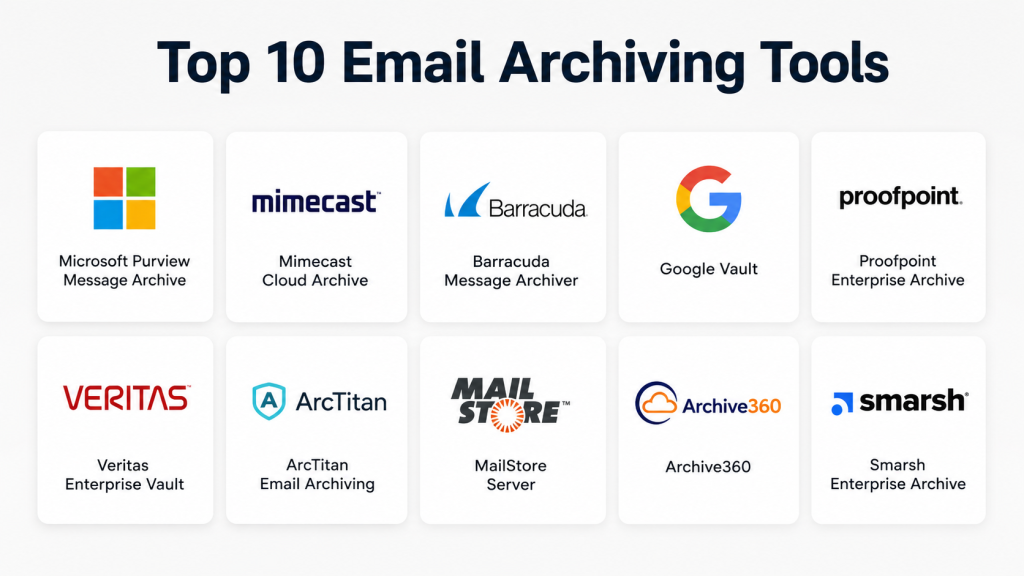
Top 10 Email Archiving Tools
1. Mimecast Cloud Archive
Short description: Mimecast Cloud Archive is an enterprise-grade email archiving solution designed for compliance, secure retention, search, and business continuity. It is widely used by organizations running Microsoft 365 and Exchange environments.
Key Features
- Cloud-based email retention
- Fast archive search
- Legal hold support
- eDiscovery workflows
- Retention policy management
- End-user archive access
- Integration with Mimecast email security
Pros
- Strong enterprise compliance capabilities
- Excellent fit for Microsoft environments
- Combines archiving with email resilience features
Cons
- Pricing may be high for smaller businesses
- Advanced features may require training
- Best suited for organizations already using Mimecast products
Platforms / Deployment
Web / Cloud / Hybrid
Security & Compliance
Supports secure archiving, access controls, retention management, and audit workflows. Specific certifications may vary by deployment and service plan.
Integrations & Ecosystem
Mimecast integrates well with enterprise email and security environments.
- Microsoft 365
- Exchange
- Mimecast security services
- Identity provider integrations
- Legal workflows
- Compliance export systems
Support & Community
Mimecast provides enterprise-level support, onboarding assistance, and strong documentation. Community presence is strongest among enterprise IT administrators.
2. Proofpoint Enterprise Archive
Short description: Proofpoint Enterprise Archive focuses on compliance retention, legal discovery, and supervision. It is commonly used by regulated industries and large enterprises.
Key Features
- Enterprise email archiving
- Legal hold management
- Compliance supervision
- Advanced search
- Retention controls
- eDiscovery support
- Integration with Proofpoint security tools
Pros
- Strong compliance capabilities
- Good fit for regulated sectors
- Powerful governance workflows
Cons
- May be complex for smaller teams
- Enterprise-focused pricing
- Requires planning for deployment
Platforms / Deployment
Web / Cloud / Hybrid
Security & Compliance
Supports secure retention, access controls, audit workflows, and compliance-focused governance features. Specific certifications should be validated directly with the vendor.
Integrations & Ecosystem
Proofpoint works well inside enterprise security and compliance ecosystems.
- Microsoft 365
- Exchange
- Proofpoint Email Protection
- Identity integrations
- Compliance workflows
- Legal discovery systems
Support & Community
Proofpoint offers enterprise support plans, onboarding services, documentation, and compliance-focused customer assistance.
3. Barracuda Cloud Archiving Service
Short description: Barracuda Cloud Archiving Service provides email retention, search, compliance, and legal hold capabilities for SMB and mid-market organizations.
Key Features
- Cloud-based email archiving
- Search and retrieval
- Legal hold support
- Retention management
- Role-based access
- Export capabilities
- Microsoft 365 support
Pros
- Easier administration compared to some enterprise tools
- Suitable for SMB and mid-market organizations
- Strong fit for Barracuda customers
Cons
- Advanced governance features may be limited
- Large enterprises may need deeper compliance tools
- Pricing varies by deployment needs
Platforms / Deployment
Web / Cloud / Hybrid
Security & Compliance
Provides retention controls, archive security, access management, and audit-focused workflows.
Integrations & Ecosystem
Barracuda integrates with common email environments and security systems.
- Microsoft 365
- Exchange
- Barracuda Email Protection
- Legal hold workflows
- Export systems
- Compliance workflows
Support & Community
Barracuda offers partner support, customer documentation, onboarding resources, and enterprise assistance.
4. Microsoft Purview
Short description: Microsoft Purview is Microsoft’s compliance and retention platform designed for Microsoft 365 environments. It combines governance, retention, audit, and eDiscovery capabilities.
Key Features
- Retention policy management
- Legal hold workflows
- eDiscovery support
- Audit capabilities
- Compliance management
- Integration with Microsoft 365
- Data lifecycle management
Pros
- Deep Microsoft ecosystem integration
- Useful for organizations already using Microsoft 365
- Strong governance capabilities
Cons
- Licensing can be confusing
- Some features require advanced plans
- Less ideal for non-Microsoft environments
Platforms / Deployment
Web / Cloud / Hybrid
Security & Compliance
Supports access controls, audit logs, retention, governance, and compliance management within Microsoft environments.
Integrations & Ecosystem
Microsoft Purview integrates deeply with Microsoft productivity and security tools.
- Exchange Online
- Microsoft 365
- Teams
- SharePoint
- OneDrive
- Microsoft identity services
Support & Community
Microsoft provides extensive documentation, enterprise support, and a large administrator community.
5. Google Vault
Short description: Google Vault is Google Workspace’s native retention and eDiscovery solution for Gmail and other supported Workspace services.
Key Features
- Gmail retention
- Search and export
- Legal hold support
- Workspace governance
- Retention rule management
- Admin controls
- eDiscovery workflows
Pros
- Simple for Google Workspace organizations
- Native integration with Gmail
- Easy management through Google admin tools
Cons
- Limited for non-Google environments
- Advanced enterprise governance may require third-party tools
- Some capabilities depend on Workspace licensing
Platforms / Deployment
Web / Cloud
Security & Compliance
Supports retention management, legal hold, export controls, and Workspace security workflows.
Integrations & Ecosystem
Google Vault works naturally within Google Workspace environments.
- Gmail
- Google Drive
- Google Chat
- Google Groups
- Admin Console
- Workspace identity controls
Support & Community
Google offers documentation, admin support, and Workspace customer assistance.
6. Smarsh Enterprise Archive
Short description: Smarsh Enterprise Archive is designed for regulated industries that need communication archiving, supervision, and compliance management across multiple channels.
Key Features
- Email archiving
- Multi-channel communication capture
- Compliance supervision
- Retention management
- Legal hold
- Search and export
- Regulatory workflows
Pros
- Strong for financial services and regulated industries
- Supports more than email communication
- Powerful supervision capabilities
Cons
- Complex for smaller organizations
- Enterprise-oriented deployment
- Higher operational cost compared to SMB tools
Platforms / Deployment
Web / Cloud / Hybrid
Security & Compliance
Supports retention policies, supervision, audit workflows, access controls, and regulated communication compliance.
Integrations & Ecosystem
Smarsh supports integrations with communication and compliance ecosystems.
- Microsoft 365
- Exchange
- Google Workspace
- Messaging platforms
- Collaboration tools
- Compliance review systems
Support & Community
Smarsh offers enterprise onboarding, customer support, and compliance-focused assistance.
7. Global Relay Archive
Short description: Global Relay Archive provides secure communication archiving, supervision, search, and retention management for regulated businesses.
Key Features
- Communication archiving
- Compliance supervision
- Secure search
- Legal hold
- Retention management
- Multi-channel capture
- Export workflows
Pros
- Excellent for regulated industries
- Strong governance capabilities
- Reliable archive supervision tools
Cons
- May be too advanced for SMBs
- Premium pricing structure
- Requires structured compliance processes
Platforms / Deployment
Web / Cloud / Hybrid
Security & Compliance
Supports audit workflows, retention management, supervision, access controls, and governance-focused compliance processes.
Integrations & Ecosystem
Global Relay supports integrations across enterprise communication systems.
- Microsoft 365
- Exchange
- Google Workspace
- Messaging systems
- Export workflows
- Compliance review tools
Support & Community
Provides enterprise-grade support, onboarding assistance, and regulated-industry customer guidance.
8. Veritas Enterprise Vault
Short description: Veritas Enterprise Vault is a mature enterprise archiving solution used for retention, eDiscovery, governance, and long-term information management.
Key Features
- Enterprise email archiving
- Retention controls
- eDiscovery support
- Storage optimization
- Hybrid deployment support
- Legacy archive management
- Governance workflows
Pros
- Strong enterprise history
- Useful for complex hybrid environments
- Good governance and retention capabilities
Cons
- Requires experienced administration
- Heavier deployment compared to cloud-native tools
- May be excessive for smaller businesses
Platforms / Deployment
Web / Windows / Cloud / Self-hosted / Hybrid
Security & Compliance
Supports secure retention, governance, audit workflows, and information management controls.
Integrations & Ecosystem
Veritas integrates with enterprise IT and storage ecosystems.
- Microsoft Exchange
- Microsoft 365
- Storage systems
- Governance workflows
- Discovery tools
- Enterprise archive systems
Support & Community
Veritas provides enterprise documentation, professional services, support plans, and onboarding assistance.
9. Jatheon Cloud
Short description: Jatheon Cloud is a focused email archiving platform built for retention, legal hold, compliance, and search management.
Key Features
- Email retention
- Legal hold workflows
- Search and export
- Role-based access
- Microsoft 365 support
- Google Workspace support
- Compliance controls
Pros
- Dedicated archiving focus
- Suitable for SMB and government organizations
- Easier evaluation compared to large enterprise suites
Cons
- Smaller ecosystem than major vendors
- Advanced governance features should be validated
- Limited market visibility compared to larger competitors
Platforms / Deployment
Web / Cloud / Hybrid
Security & Compliance
Supports retention controls, search management, access permissions, and audit workflows.
Integrations & Ecosystem
Jatheon supports integrations with major email environments.
- Microsoft 365
- Exchange
- Google Workspace
- Export systems
- Legal workflows
- Search management tools
Support & Community
Jatheon provides onboarding resources, documentation, and customer support for archive-focused deployments.
10. MailStore Server
Short description: MailStore Server is a practical self-hosted email archiving solution for SMBs and mid-sized businesses that want reliable retention and search capabilities.
Key Features
- Self-hosted email archiving
- Fast archive search
- Export and restore
- Retention support
- Multi-mailbox support
- PST import support
- Archive access management
Pros
- Practical for SMB environments
- Easy deployment for Windows environments
- Good value for self-hosted archiving
Cons
- Limited advanced compliance capabilities
- Less suitable for cloud-first enterprises
- Supervision workflows are more limited
Platforms / Deployment
Windows / Self-hosted / Hybrid
Security & Compliance
Supports archive security, retention workflows, access permissions, and audit-friendly administration.
Integrations & Ecosystem
MailStore integrates with common mailbox and archive systems.
- Microsoft Exchange
- Microsoft 365
- IMAP mailboxes
- PST imports
- Export workflows
- Email client support
Support & Community
MailStore offers documentation, support resources, and SMB-focused deployment assistance.
Comparison Table
| Tool Name | Best For | Platform(s) Supported | Deployment | Standout Feature | Public Rating |
|---|---|---|---|---|---|
| Mimecast Cloud Archive | Enterprise Microsoft environments | Web | Cloud / Hybrid | Archive plus continuity services | N/A |
| Proofpoint Enterprise Archive | Regulated industries | Web | Cloud / Hybrid | Compliance supervision | N/A |
| Barracuda Cloud Archiving Service | SMB and mid-market businesses | Web | Cloud / Hybrid | Easy archive management | N/A |
| Microsoft Purview | Microsoft 365 organizations | Web | Cloud / Hybrid | Native Microsoft governance | N/A |
| Google Vault | Google Workspace users | Web | Cloud | Native Gmail retention | N/A |
| Smarsh Enterprise Archive | Financial and regulated sectors | Web | Cloud / Hybrid | Multi-channel compliance | N/A |
| Global Relay Archive | Compliance-heavy organizations | Web | Cloud / Hybrid | Communication supervision | N/A |
| Veritas Enterprise Vault | Large enterprise environments | Web / Windows | Cloud / Self-hosted / Hybrid | Mature archive governance | N/A |
| Jatheon Cloud | SMB and government teams | Web | Cloud / Hybrid | Dedicated email archiving | N/A |
| MailStore Server | SMB self-hosted deployments | Windows | Self-hosted / Hybrid | Simple self-hosted archiving | N/A |
Evaluation & Scoring Table
| Tool Name | Core (25%) | Ease (15%) | Integrations (15%) | Security (10%) | Performance (10%) | Support (10%) | Value (15%) | Weighted Total |
|---|---|---|---|---|---|---|---|---|
| Mimecast Cloud Archive | 9 | 8 | 9 | 9 | 9 | 8 | 8 | 8.60 |
| Proofpoint Enterprise Archive | 9 | 7 | 9 | 9 | 9 | 8 | 7 | 8.35 |
| Barracuda Cloud Archiving Service | 8 | 8 | 8 | 8 | 8 | 8 | 8 | 8.00 |
| Microsoft Purview | 9 | 7 | 10 | 9 | 9 | 8 | 8 | 8.60 |
| Google Vault | 8 | 8 | 9 | 8 | 8 | 8 | 8 | 8.20 |
| Smarsh Enterprise Archive | 9 | 7 | 9 | 9 | 8 | 8 | 7 | 8.25 |
| Global Relay Archive | 9 | 7 | 8 | 9 | 8 | 8 | 7 | 8.10 |
| Veritas Enterprise Vault | 9 | 6 | 8 | 8 | 8 | 8 | 7 | 7.85 |
| Jatheon Cloud | 8 | 8 | 8 | 8 | 8 | 8 | 8 | 8.00 |
| MailStore Server | 7 | 8 | 7 | 7 | 8 | 7 | 9 | 7.55 |
The scores above are comparative and designed to help businesses evaluate tools based on common enterprise requirements. A lower score does not necessarily mean a weaker fit. Organizations should prioritize factors such as compliance requirements, budget, deployment preferences, and integration needs before selecting a platform.
Which Email Archiving Tool Is Right for You?
Solo / Freelancer
Most freelancers and solo professionals do not require advanced enterprise archiving unless they handle legal, healthcare, or financial communication. Simple retention or mailbox backup may be enough.
Recommended options:
- Google Vault
- Microsoft Purview
- MailStore Server
SMB
SMBs usually need affordable archiving, fast search, and simple administration without large compliance complexity.
Recommended options:
- Barracuda Cloud Archiving Service
- Jatheon Cloud
- MailStore Server
- Google Vault
Mid-Market
Mid-market companies often require legal hold, stronger search capabilities, export workflows, and department-level retention policies.
Recommended options:
- Mimecast Cloud Archive
- Microsoft Purview
- Barracuda Cloud Archiving Service
- Proofpoint Enterprise Archive
Enterprise
Large enterprises require governance, supervision, audit logs, advanced retention, and integration with security ecosystems.
Recommended options:
- Proofpoint Enterprise Archive
- Mimecast Cloud Archive
- Smarsh Enterprise Archive
- Global Relay Archive
- Veritas Enterprise Vault
Budget vs Premium
Budget-focused organizations should review Google Vault, Microsoft Purview, and MailStore Server first. Premium buyers with heavy compliance needs should evaluate Mimecast, Proofpoint, Smarsh, and Global Relay.
Feature Depth vs Ease of Use
Organizations seeking simplicity may prefer Barracuda, Google Vault, Jatheon, or MailStore Server. Businesses needing deeper governance should evaluate Proofpoint, Mimecast, Smarsh, Global Relay, or Veritas.
Integrations & Scalability
Microsoft-heavy organizations should evaluate Microsoft Purview, Mimecast, Proofpoint, Barracuda, and Veritas. Google Workspace organizations should review Google Vault first.
Security & Compliance Needs
Regulated industries should prioritize legal hold, retention enforcement, audit logging, encryption, supervision, and export reliability.
Strong compliance-focused options include:
- Proofpoint Enterprise Archive
- Mimecast Cloud Archive
- Smarsh Enterprise Archive
- Global Relay Archive
- Microsoft Purview
Frequently Asked Questions
1. What is an email archiving tool?
An email archiving tool securely stores business emails in a searchable archive for compliance, legal discovery, audits, and long-term retention.
2. How is email archiving different from backup?
Backup focuses on disaster recovery, while archiving focuses on long-term retention, compliance, search, and legal hold.
3. Do small businesses need email archiving?
Some SMBs do, especially in finance, healthcare, education, legal, and government-related industries where retention policies matter.
4. What pricing models are common?
Most vendors use per-user subscriptions, storage-based pricing, retention-based pricing, or enterprise quote-based pricing.
5. What is legal hold?
Legal hold prevents archived emails from being modified or deleted during investigations, legal disputes, or audits.
6. Are email archiving tools secure?
Most reputable tools provide encryption, retention controls, audit logs, access management, and role-based permissions.
7. Can these tools support Microsoft 365?
Yes. Most enterprise email archiving tools support Microsoft 365 and Exchange environments.
8. Can archived emails be exported?
Yes. Most platforms allow exports for audits, investigations, legal review, and migration workflows.
9. What are common implementation mistakes?
Common mistakes include weak retention policies, poor permission management, missing legal hold workflows, and inadequate testing.
10. What industries benefit most from email archiving?
Finance, healthcare, legal, education, government, insurance, and enterprise IT environments benefit heavily from email archiving.
Conclusion
Email archiving tools play a critical role in compliance, retention, legal discovery, operational continuity, and business governance. The right solution depends on company size, regulatory pressure, existing email platforms, deployment preference, and security requirements. Microsoft Purview and Google Vault are practical choices for businesses already using their ecosystems, while Mimecast, Proofpoint, Smarsh, and Global Relay are stronger for enterprise compliance and governance needs. Barracuda, Jatheon, and MailStore Server remain practical solutions for SMB and mid-market environments. Before making a final decision, organizations should shortlist a few platforms, test retention workflows, validate search speed, confirm compliance requirements, and evaluate long-term operational cost.
