Introduction
Webinar Platforms are software solutions that enable organizations to host live, virtual, or automated online events such as webinars, training sessions, product demos, and virtual conferences. These platforms provide tools for streaming, audience interaction, recording, and analytics—all from a centralized interface.
In today’s digital-first world, webinars have become a key channel for marketing, education, remote collaboration, and lead generation. Modern webinar platforms now include AI-powered automation, engagement analytics, identity management, cybersecurity layers, Zero Trust access, and role-based controls, ensuring both seamless user experience and secure data handling.
Common use cases:
- Hosting live webinars and virtual training sessions
- Lead generation and marketing campaigns
- Product demonstrations and onboarding
- Internal communication and employee training
- Educational courses and workshops
Key evaluation criteria:
- Streaming quality and scalability
- Audience engagement tools
- Automation and replay capabilities
- Integration with CRM and marketing tools
- Ease of use and UI
- Security features like RBAC, MFA, encryption
- Analytics and reporting
- Pricing and value
Best for: Marketers, educators, enterprises, startups, and content creators hosting online events.
Not ideal for: Small teams with minimal online engagement needs or those relying on simple video conferencing tools.
Key Trends in Webinar Platforms
- AI-driven webinar automation and content personalization
- Rise of on-demand and evergreen webinars
- Integration with marketing automation tools
- Hybrid event capabilities combining live and recorded sessions
- Advanced audience engagement tools like polls and Q&A
- Zero Trust security models for participant access
- Mobile-first webinar experiences
- Data-driven insights and analytics
- Cloud-native scalability
- Subscription-based pricing models
How We Evaluated Webinar Platforms (Methodology)
- Market adoption and industry popularity
- Feature completeness across webinar lifecycle
- Reliability and streaming performance
- Security posture and compliance readiness
- Integration ecosystem with CRM and marketing tools
- Ease of onboarding and usability
- Scalability for audience size
- Support quality and documentation
- Overall value for money
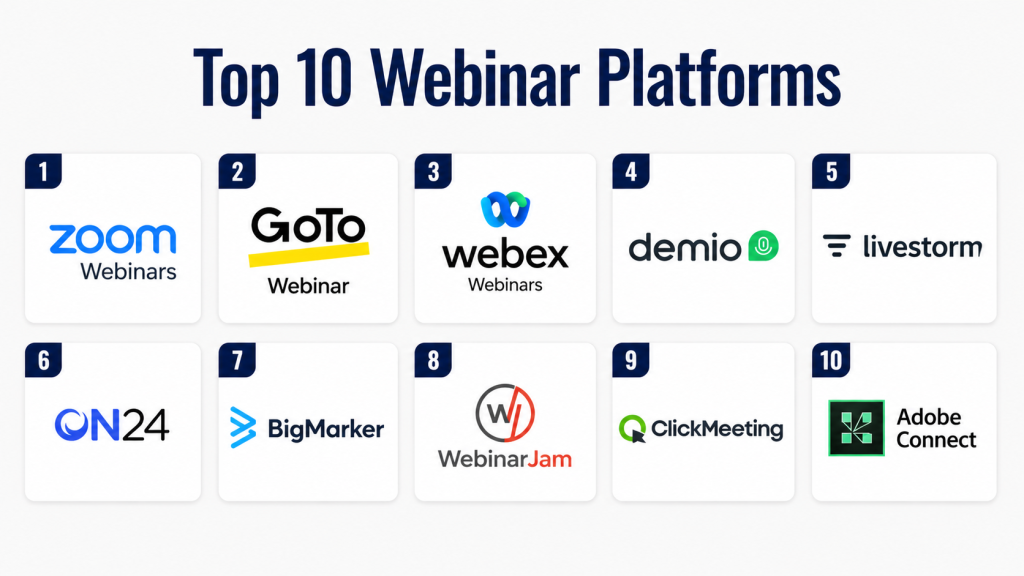
Top 10 Webinar Platforms
#1 — Zoom Webinars
Short description:
Zoom Webinars is one of the most widely used platforms for hosting large-scale online events. It offers reliable video streaming, audience engagement tools, and scalability. The platform supports thousands of attendees with ease. It integrates with various business tools. Zoom is known for its simplicity and performance. It is suitable for both small and enterprise webinars.
Key Features
- HD video streaming
- Audience Q&A and polling
- Webinar recording
- Breakout sessions
- Analytics dashboard
- Integration support
Pros
- Reliable performance
- Easy to use
Cons
- Limited branding options
- Add-on pricing
Platforms / Deployment
Web / Windows / macOS / iOS / Android / Cloud
Security & Compliance
SSO, MFA, encryption, RBAC. Compliance: Not publicly stated
Integrations & Ecosystem
- CRM tools
- Marketing platforms
- APIs
Support & Community
Extensive documentation and strong global support
#2 — GoTo Webinar
Short description:
GoTo Webinar is a robust platform designed for professional webinars and training sessions. It offers automation, analytics, and engagement tools. The platform supports both live and recorded webinars. It is known for reliability and ease of use. GoTo Webinar is widely used by businesses. It helps deliver high-quality presentations.
Key Features
- Webinar automation
- Audience engagement tools
- Analytics and reporting
- Recording and replay
- Custom branding
Pros
- Stable platform
- Strong analytics
Cons
- Pricing varies
- UI could improve
Platforms / Deployment
Web / Windows / macOS / Cloud
Security & Compliance
Encryption, SSO. Compliance: Not publicly stated
Integrations & Ecosystem
- CRM
- Marketing tools
Support & Community
Good customer support
#3 — Webex Webinars
Short description:
Webex Webinars is an enterprise-grade platform offering secure and scalable webinar hosting. It provides advanced collaboration tools and analytics. The platform integrates with enterprise systems. It is suitable for large organizations. Webex emphasizes security and reliability. It supports hybrid and virtual events.
Key Features
- High-quality streaming
- Engagement tools
- Analytics dashboard
- Recording features
- Enterprise integrations
Pros
- Strong security
- Enterprise scalability
Cons
- Complex interface
- Learning curve
Platforms / Deployment
Web / Windows / macOS / Cloud
Security & Compliance
SSO, encryption, RBAC. Compliance: Not publicly stated
Integrations & Ecosystem
- Enterprise tools
- CRM systems
Support & Community
Enterprise-level support
#4 — Demio
Short description:
Demio is a browser-based webinar platform focused on marketing and lead generation. It offers automation and engagement tools. The platform is easy to use and requires no downloads. It supports live and automated webinars. Demio is popular among marketers. It simplifies webinar hosting.
Key Features
- Live and automated webinars
- Engagement tools
- Analytics
- Custom branding
- Browser-based access
Pros
- No downloads required
- User-friendly
Cons
- Limited advanced features
- Pricing varies
Platforms / Deployment
Web / Cloud
Security & Compliance
Encryption. Compliance: Not publicly stated
Integrations & Ecosystem
- Marketing tools
- CRM
Support & Community
Responsive support
#5 — Livestorm
Short description:
Livestorm is a modern webinar platform designed for marketing and communication teams. It supports live, on-demand, and automated webinars. The platform offers engagement tools and analytics. It integrates with marketing systems. Livestorm is suitable for SMBs and enterprises. It focuses on ease of use.
Key Features
- Live and on-demand webinars
- Engagement tools
- Analytics
- CRM integration
- Automation workflows
Pros
- Clean interface
- Strong automation
Cons
- Pricing varies
- Limited offline support
Platforms / Deployment
Web / Cloud
Security & Compliance
Encryption, SSO. Compliance: Not publicly stated
Integrations & Ecosystem
- CRM
- Marketing tools
Support & Community
Good support
#6 — ON24
Short description:
ON24 is a premium webinar and digital experience platform designed for enterprise marketing. It offers advanced analytics and engagement tools. The platform supports large-scale events. It integrates with marketing automation systems. ON24 is widely used for lead generation. It focuses on data-driven insights.
Key Features
- Webinar hosting
- Engagement tools
- Analytics and reporting
- Marketing integration
- Lead generation tools
Pros
- Strong analytics
- Enterprise capabilities
Cons
- High cost
- Complex setup
Platforms / Deployment
Web / Cloud
Security & Compliance
SSO, encryption. Compliance: Not publicly stated
Integrations & Ecosystem
- Marketing platforms
- CRM
Support & Community
Enterprise support
#7 — BigMarker
Short description:
BigMarker is a flexible webinar platform supporting live, automated, and hybrid events. It offers customization and branding options. The platform includes engagement tools and analytics. It integrates with marketing systems. BigMarker is suitable for businesses of all sizes. It provides scalable webinar solutions.
Key Features
- Live and automated webinars
- Custom branding
- Engagement tools
- Analytics
- Integration support
Pros
- Highly customizable
- Scalable
Cons
- Learning curve
- UI complexity
Platforms / Deployment
Web / Cloud
Security & Compliance
Encryption. Compliance: Not publicly stated
Integrations & Ecosystem
- CRM
- Marketing tools
Support & Community
Good support
#8 — WebinarJam
Short description:
WebinarJam is a webinar platform designed for marketing and sales webinars. It supports live webinars with engagement features. The platform includes automation and analytics. It is easy to set up and use. WebinarJam is popular among marketers. It helps generate leads and sales.
Key Features
- Live webinars
- Engagement tools
- Automation
- Analytics
- Marketing integration
Pros
- Easy setup
- Strong marketing features
Cons
- Limited enterprise features
- Performance can vary
Platforms / Deployment
Web / Cloud
Security & Compliance
Not publicly stated
Integrations & Ecosystem
- Marketing tools
- CRM
Support & Community
Standard support
#9 — ClickMeeting
Short description:
ClickMeeting is a webinar platform designed for online meetings, training, and marketing. It offers live and automated webinars. The platform includes engagement tools and analytics. It is easy to use and affordable. ClickMeeting is suitable for SMBs. It provides reliable performance.
Key Features
- Live and automated webinars
- Engagement tools
- Analytics
- Recording
- Integration support
Pros
- Affordable
- Easy to use
Cons
- Limited advanced features
- UI improvements needed
Platforms / Deployment
Web / Cloud
Security & Compliance
Encryption. Compliance: Not publicly stated
Integrations & Ecosystem
- CRM
- Marketing tools
Support & Community
Good documentation
#10 — Adobe Connect
Short description:
Adobe Connect is a webinar platform designed for training and enterprise collaboration. It offers customization and engagement tools. The platform supports virtual classrooms and webinars. It integrates with enterprise systems. Adobe Connect is suitable for large organizations. It focuses on flexibility and control.
Key Features
- Virtual classrooms
- Custom layouts
- Engagement tools
- Recording and analytics
- Integration support
Pros
- Highly customizable
- Enterprise features
Cons
- Complex interface
- Learning curve
Platforms / Deployment
Web / Windows / macOS / Cloud
Security & Compliance
SSO, encryption. Compliance: Not publicly stated
Integrations & Ecosystem
- Enterprise tools
- CRM
Support & Community
Enterprise support
Comparison Table
| Tool Name | Best For | Platform(s) Supported | Deployment | Standout Feature | Public Rating |
|---|---|---|---|---|---|
| Zoom Webinars | All sizes | Web/Mobile/Desktop | Cloud | Reliability | N/A |
| GoTo Webinar | Training | Web/Desktop | Cloud | Automation | N/A |
| Webex Webinars | Enterprise | Web/Desktop | Cloud | Security | N/A |
| Demio | Marketing | Web | Cloud | Browser-based | N/A |
| Livestorm | SMB/Enterprise | Web | Cloud | Automation | N/A |
| ON24 | Enterprise marketing | Web | Cloud | Analytics | N/A |
| BigMarker | Custom events | Web | Cloud | Branding | N/A |
| WebinarJam | Marketing | Web | Cloud | Lead generation | N/A |
| ClickMeeting | SMB | Web | Cloud | Affordability | N/A |
| Adobe Connect | Training | Web/Desktop | Cloud | Customization | N/A |
Evaluation & Scoring of Webinar Platforms
| Tool Name | Core | Ease | Integrations | Security | Performance | Support | Value | Weighted Total |
|---|---|---|---|---|---|---|---|---|
| Zoom | 9 | 9 | 9 | 8 | 9 | 9 | 8 | 8.8 |
| GoTo Webinar | 8 | 8 | 8 | 8 | 8 | 8 | 7 | 7.9 |
| Webex | 9 | 7 | 9 | 9 | 9 | 9 | 7 | 8.5 |
| Demio | 7 | 9 | 7 | 7 | 8 | 8 | 8 | 7.8 |
| Livestorm | 8 | 9 | 8 | 7 | 8 | 8 | 8 | 8.2 |
| ON24 | 9 | 6 | 9 | 8 | 9 | 9 | 6 | 8.1 |
| BigMarker | 8 | 7 | 8 | 7 | 8 | 8 | 7 | 7.7 |
| WebinarJam | 7 | 8 | 7 | 6 | 7 | 7 | 8 | 7.2 |
| ClickMeeting | 7 | 9 | 7 | 6 | 7 | 7 | 9 | 7.6 |
| Adobe Connect | 8 | 6 | 8 | 8 | 8 | 8 | 7 | 7.6 |
Which Webinar Platform Is Right for You?
Solo / Freelancer
ClickMeeting or WebinarJam are simple and affordable.
SMB
Livestorm and Demio offer ease of use and automation.
Mid-Market
BigMarker and GoTo Webinar provide scalability and features.
Enterprise
Zoom, Webex, and ON24 offer advanced capabilities.
Budget vs Premium
Budget tools focus on simplicity. Premium tools offer advanced analytics and automation.
Feature Depth vs Ease of Use
Advanced tools provide more features but require training.
Integrations & Scalability
Choose tools with strong CRM and marketing integrations.
Security & Compliance Needs
Look for SSO, encryption, and RBAC for secure webinars.
Frequently Asked Questions
1. What is a webinar platform?
A webinar platform is software that allows users to host live or recorded online events. It includes tools for streaming, engagement, and analytics. These platforms are used for marketing, training, and communication. They help connect with audiences remotely. They simplify event management.
2. How much do webinar platforms cost?
Pricing varies based on features and audience size. Some platforms offer free plans. Others use subscription pricing. Enterprise tools are more expensive. Costs may include add-ons. Compare pricing before choosing.
3. Can webinars be recorded?
Yes, most platforms support recording. Recordings can be reused for training or marketing. They help reach a wider audience. Some platforms offer automated replays. This increases engagement.
4. Are webinar platforms secure?
Most platforms provide encryption and access controls. Some support SSO and MFA. Security varies by provider. Protecting participant data is important. Always review security features.
5. Can they integrate with CRM tools?
Yes, most platforms integrate with CRM systems. This helps manage leads and data. Integration improves marketing efficiency. APIs allow customization. Check compatibility before selecting.
6. How many attendees can join?
Capacity depends on the platform and plan. Some support hundreds, others thousands. Enterprise tools offer large-scale capacity. Always check limits. Choose based on your needs.
7. What are common mistakes?
Choosing based only on price is common. Ignoring integrations can cause issues. Some tools are too complex. Lack of training reduces effectiveness. Evaluate long-term needs.
8. Can small businesses use webinar platforms?
Yes, many platforms are designed for SMBs. They offer affordable pricing. These tools improve communication. They help generate leads. They support growth.
9. How does AI help in webinars?
AI automates tasks like engagement and analytics. It improves audience interaction. It provides insights. It reduces manual work. It enhances performance.
10. Can you switch platforms easily?
Switching is possible but requires planning. Data migration must be handled carefully. Integrations need reconfiguration. Training is required. Choose compatible tools.
Conclusion
Webinar Platforms have become a critical part of modern digital communication, enabling businesses to connect with audiences globally. From marketing and sales to education and internal training, these platforms provide the tools needed to deliver engaging and impactful online experiences. As remote and hybrid interactions continue to grow, investing in the right webinar solution is essential for staying competitive.
The ideal platform depends on your use case, audience size, and budget. Enterprise organizations may prefer platforms like Zoom, Webex, or ON24 for their scalability and advanced features, while SMBs and individual creators may benefit from tools like Demio, Livestorm, or ClickMeeting. Ease of use, integrations, and engagement features should be top priorities when evaluating options.
To make the best decision, shortlist a few platforms, test their capabilities, and assess how well they align with your goals. Focus on scalability, ROI, and security to ensure long-term success. With the right webinar platform, organizations can deliver seamless, engaging, and results-driven online events.
