Introduction
Meeting Room Booking Software helps organizations efficiently schedule, manage, and optimize the use of meeting spaces. Instead of relying on manual calendars or spreadsheets, these tools provide real-time visibility into room availability, prevent double bookings, and streamline scheduling workflows.
In modern hybrid workplaces, managing office space has become more complex. Teams are distributed, meeting patterns are dynamic, and workspace utilization needs to be optimized. Today’s solutions go beyond simple booking—they include analytics, integrations with collaboration tools, mobile access, and even smart office capabilities powered by IoT.
Common use cases:
- Booking meeting rooms across multiple office locations
- Managing hybrid workplace scheduling
- Avoiding scheduling conflicts
- Tracking room utilization and analytics
- Integrating with calendars and collaboration tools
What buyers should evaluate:
- Ease of use and user interface
- Calendar and collaboration integrations
- Real-time availability tracking
- Mobile accessibility
- Analytics and reporting
- Security and access control
- Scalability for multi-location offices
- Support and onboarding
Best for: Enterprises, co-working spaces, and hybrid workplaces managing shared meeting environments.
Not ideal for: Small teams with minimal scheduling needs or informal meeting setups.
Key Trends in Meeting Room Booking Software
- Hybrid workplace scheduling and desk booking integration
- AI-based space optimization and predictive usage
- Mobile-first booking experiences
- IoT-enabled smart room automation
- Real-time occupancy tracking
- Touchless booking systems
- Integration with workplace collaboration tools
- Analytics-driven decision-making for space utilization
How We Evaluate Meeting Room Booking Software (Methodology)
- Market adoption and industry presence
- Feature completeness and usability
- Integration ecosystem
- Performance and reliability
- Security capabilities
- Scalability for growing organizations
- Ease of onboarding and user adoption
- Customer support quality
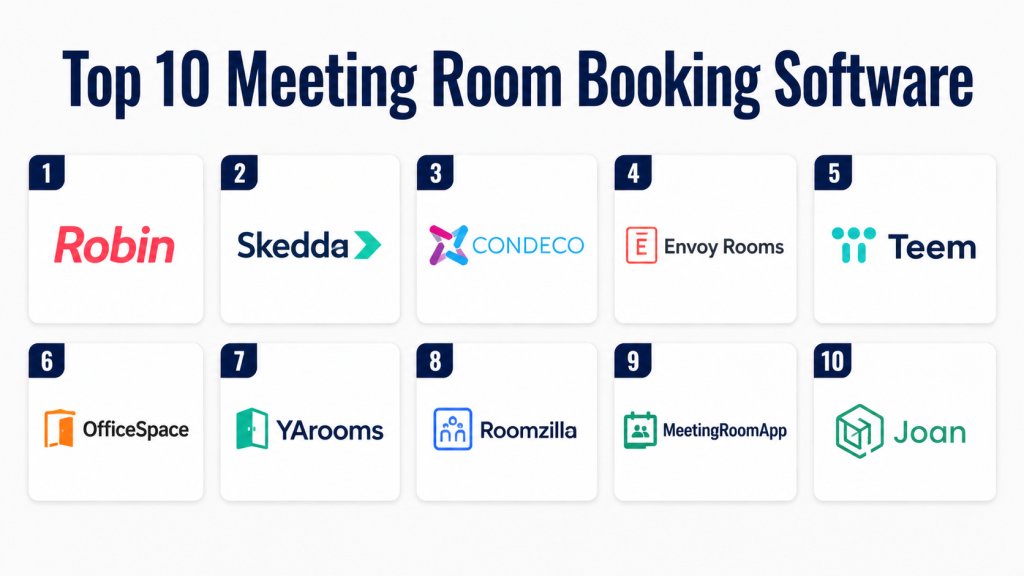
- Top 10 Meeting Room Booking Software
#1 — Robin
Short description:
Robin is a modern workplace scheduling platform designed for hybrid offices. It enables employees to book meeting rooms and desks seamlessly. The platform provides real-time availability and analytics insights. It is highly intuitive and user-friendly. Robin is ideal for companies optimizing flexible workspaces.
Key Features
- Room and desk booking
- Real-time availability
- Workplace analytics
- Mobile app support
- Calendar integration
Pros
- User-friendly interface
- Strong analytics
Cons
- Premium pricing
- Limited customization
Platforms / Deployment
Web, iOS, Android / Cloud
Security & Compliance
RBAC, encryption
Other: Not publicly stated
Integrations & Ecosystem
Robin integrates with major workplace tools to streamline scheduling and improve collaboration.
- Calendar tools
- Collaboration platforms
- Workplace systems
Support & Community
Strong onboarding support and documentation.
#2 — Skedda
Short description:
Skedda is a flexible booking platform designed for managing meeting rooms and shared spaces. It offers customizable booking rules and automation features. The platform is easy to configure and use. It is suitable for businesses and co-working spaces. Skedda provides a clean and efficient booking experience.
Key Features
- Space booking management
- Custom booking rules
- Automation tools
- Payment options
Pros
- Highly customizable
- Easy setup
Cons
- Limited enterprise features
- Basic analytics
Platforms / Deployment
Web / Cloud
Security & Compliance
Not publicly stated
Integrations & Ecosystem
Skedda supports integrations that enhance scheduling and payment workflows.
- Calendar systems
- Payment tools
Support & Community
Responsive support team.
#3 — Condeco
Short description:
Condeco is an enterprise-grade meeting room booking solution designed for large organizations. It supports multi-location scheduling and workspace management. The platform includes analytics and reporting tools. It is suitable for corporate environments. Condeco helps optimize office space usage.
Key Features
- Meeting room scheduling
- Workspace analytics
- Desk booking
- Mobile access
Pros
- Scalable for enterprises
- Advanced analytics
Cons
- Complex setup
- Higher cost
Platforms / Deployment
Web, Mobile / Cloud
Security & Compliance
SSO, RBAC
Other: Not publicly stated
Integrations & Ecosystem
Condeco integrates with enterprise systems to enable seamless scheduling workflows.
- Calendar tools
- Workplace platforms
Support & Community
Enterprise-level support services.
#4 — Envoy Rooms
Short description:
Envoy Rooms simplifies meeting room scheduling for modern offices. It offers intuitive booking features and real-time availability updates. The platform integrates with workplace tools. It is ideal for hybrid teams. Envoy Rooms enhances productivity and collaboration.
Key Features
- Room booking
- Real-time availability
- Calendar integration
- Analytics
Pros
- Easy to use
- Good integrations
Cons
- Limited advanced features
- Pricing varies
Platforms / Deployment
Web, iOS, Android / Cloud
Security & Compliance
Not publicly stated
Integrations & Ecosystem
Envoy Rooms integrates with workplace tools to improve scheduling efficiency.
- Calendar systems
- Collaboration apps
Support & Community
Good support and onboarding.
#5 — Teem
Short description:
Teem is a workplace experience platform with strong meeting room booking capabilities. It helps organizations manage meeting spaces effectively. The platform includes scheduling and analytics features. It is suitable for enterprises. Teem improves workplace productivity.
Key Features
- Room booking
- Scheduling tools
- Analytics
- Mobile access
Pros
- Easy to use
- Strong integrations
Cons
- Limited customization
- Pricing varies
Platforms / Deployment
Web, Mobile / Cloud
Security & Compliance
Not publicly stated
Integrations & Ecosystem
Teem integrates with collaboration and scheduling tools to streamline workflows.
- Calendar tools
- Collaboration platforms
Support & Community
Reliable support services.
#6 — OfficeSpace
Short description:
OfficeSpace is a workspace management platform with advanced booking features. It helps manage meeting rooms and desks efficiently. The platform provides analytics and planning tools. It is ideal for large organizations. OfficeSpace improves space utilization.
Key Features
- Room and desk booking
- Space planning
- Analytics tools
- Reporting
Pros
- Strong analytics
- Scalable solution
Cons
- Complex setup
- Higher pricing
Platforms / Deployment
Web / Cloud
Security & Compliance
Not publicly stated
Integrations & Ecosystem
OfficeSpace integrates with enterprise systems for advanced workspace management.
- Workplace systems
- Calendar tools
Support & Community
Enterprise-level support.
#7 — YArooms
Short description:
YArooms is a simple and efficient meeting room booking system. It offers scheduling and resource management features. The platform is easy to use and affordable. It is suitable for small to mid-sized businesses. YArooms provides good value for money.
Key Features
- Room booking
- Scheduling tools
- Resource management
- Analytics
Pros
- Affordable pricing
- Easy setup
Cons
- Limited advanced features
- Basic interface
Platforms / Deployment
Web / Cloud
Security & Compliance
Not publicly stated
Integrations & Ecosystem
YArooms supports integrations with calendar systems for seamless scheduling.
- Calendar tools
- Basic integrations
Support & Community
Good customer support.
#8 — Roomzilla
Short description:
Roomzilla is a user-friendly meeting room booking system designed for small offices. It provides real-time updates and easy scheduling. The platform is simple and efficient. It helps prevent booking conflicts. Roomzilla is ideal for small teams.
Key Features
- Room booking
- Real-time updates
- Scheduling tools
- Analytics
Pros
- Simple interface
- Easy to use
Cons
- Limited features
- Not scalable
Platforms / Deployment
Web / Cloud
Security & Compliance
Not publicly stated
Integrations & Ecosystem
Roomzilla supports basic integrations for scheduling workflows.
- Calendar tools
Support & Community
Basic support.
#9 — MeetingRoomApp
Short description:
MeetingRoomApp is a digital scheduling system for meeting rooms. It offers calendar integration and display features. The platform is suitable for organizations of all sizes. It simplifies room management. MeetingRoomApp provides efficient scheduling solutions.
Key Features
- Room scheduling
- Display integration
- Calendar sync
- Analytics
Pros
- Easy integration
- Simple interface
Cons
- Limited advanced features
- Smaller ecosystem
Platforms / Deployment
Web, Mobile / Cloud
Security & Compliance
Not publicly stated
Integrations & Ecosystem
MeetingRoomApp integrates with calendar tools to improve scheduling efficiency.
- Calendar systems
Support & Community
Responsive support.
#10 — Joan
Short description:
Joan is a smart meeting room booking system with hardware integration. It uses e-ink displays for scheduling. The platform provides real-time updates. It is suitable for modern offices. Joan enhances user experience with smart features.
Key Features
- Room booking
- E-ink display integration
- Real-time updates
- Analytics
Pros
- Innovative hardware integration
- Easy setup
Cons
- Hardware dependency
- Higher cost
Platforms / Deployment
Web / Cloud
Security & Compliance
Not publicly stated
Integrations & Ecosystem
Joan integrates with workplace tools for seamless scheduling.
- Calendar systems
- Office tools
Support & Community
Good support services.
Comparison Table
| Tool Name | Best For | Platform(s) Supported | Deployment | Standout Feature | Public Rating |
|---|---|---|---|---|---|
| Robin | Hybrid offices | Web, Mobile | Cloud | Analytics | N/A |
| Skedda | SMB | Web | Cloud | Custom rules | N/A |
| Condeco | Enterprise | Web, Mobile | Cloud | Scalability | N/A |
| Envoy Rooms | Modern offices | Web, Mobile | Cloud | Ease of use | N/A |
| Teem | Enterprises | Web, Mobile | Cloud | Integrations | N/A |
| OfficeSpace | Large offices | Web | Cloud | Space planning | N/A |
| YArooms | SMB | Web | Cloud | Affordability | N/A |
| Roomzilla | Small offices | Web | Cloud | Simplicity | N/A |
| MeetingRoomApp | All sizes | Web, Mobile | Cloud | Calendar sync | N/A |
| Joan | Smart offices | Web | Cloud | Hardware integration | N/A |
Evaluation & Scoring Table
| Tool Name | Core (25%) | Ease (15%) | Integrations (15%) | Security (10%) | Performance (10%) | Support (10%) | Value (15%) | Weighted Total |
|---|---|---|---|---|---|---|---|---|
| Robin | 9 | 9 | 8 | 7 | 8 | 9 | 8 | 8.4 |
| Skedda | 8 | 9 | 7 | 6 | 7 | 8 | 8 | 7.8 |
| Condeco | 9 | 7 | 8 | 8 | 9 | 9 | 7 | 8.3 |
| Envoy Rooms | 8 | 9 | 8 | 6 | 8 | 8 | 8 | 8.0 |
| Teem | 8 | 8 | 8 | 6 | 8 | 8 | 7 | 7.9 |
| OfficeSpace | 9 | 7 | 8 | 7 | 9 | 8 | 7 | 8.1 |
| YArooms | 7 | 9 | 6 | 6 | 7 | 7 | 8 | 7.4 |
| Roomzilla | 6 | 9 | 5 | 6 | 7 | 6 | 8 | 7.0 |
| MeetingRoomApp | 7 | 8 | 7 | 6 | 7 | 7 | 8 | 7.4 |
| Joan | 8 | 8 | 7 | 6 | 8 | 7 | 7 | 7.6 |
How to interpret:
These scores are based on weighted evaluation criteria. Higher scores indicate stronger overall capabilities. However, the best choice depends on your specific needs. Simpler tools are ideal for small teams, while enterprise solutions offer scalability and advanced features.
Which Meeting Room Booking Software Is Right for You?
Solo / Small Teams
Choose Roomzilla or YArooms for simple scheduling needs. These tools are easy to use and affordable. They provide basic features without complexity. Ideal for small offices with limited rooms.
SMB
Skedda and Envoy Rooms offer a balance of features and usability. They support integrations and automation. These platforms help growing teams manage space efficiently.
Mid-Market
Robin and Teem are strong options for mid-sized organizations. They provide analytics and better integrations. They support hybrid workplace strategies effectively.
Enterprise
Condeco and OfficeSpace are ideal for large organizations. They offer scalability, advanced analytics, and multi-location support. These platforms handle complex scheduling needs.
Budget vs Premium
Budget tools focus on simplicity and cost-effectiveness. Premium tools provide advanced analytics and integrations. Choose based on long-term needs and scalability.
Feature Depth vs Ease of Use
Simple tools are easier to adopt. Advanced tools offer more functionality but require training. Balance based on team capabilities.
Integrations & Scalability
Choose tools with strong integrations if you rely on calendars and collaboration platforms. Scalability is important for growing organizations.
Security & Compliance Needs
Enterprise users should prioritize platforms with RBAC and encryption. Security becomes critical for larger organizations.
Frequently Asked Questions (FAQs)
1. What is meeting room booking software?
Meeting room booking software is a tool that helps organizations schedule and manage meeting spaces. It prevents conflicts and ensures efficient use of resources. It provides real-time availability. It improves productivity. It simplifies scheduling workflows.
2. Do small teams need this software?
Small teams may not always need advanced tools. Basic scheduling methods can work. However, as teams grow, software becomes useful. It improves organization. It saves time and effort.
3. Can it integrate with calendars?
Yes, most tools integrate with calendar systems. This allows seamless scheduling. It reduces manual work. Integration is essential for efficiency. It improves workflow management.
4. Is meeting room booking software secure?
Security depends on the provider. Some tools offer encryption and access controls. Others provide basic security features. It is important to evaluate security. Enterprise users need stronger protection.
5. What features should I look for?
Look for ease of use, integrations, and analytics. Real-time updates are important. Mobile access is helpful. Choose based on your needs. Scalability is also important.
6. Can it handle multiple locations?
Yes, many tools support multi-location management. Enterprise platforms are best for this. They provide centralized control. This improves efficiency. Scalability is important.
7. Are mobile apps available?
Most platforms offer mobile apps. This allows booking on the go. Mobile access improves flexibility. It is useful for hybrid teams. It enhances user experience.
8. How much does it cost?
Pricing varies depending on features. Some tools are affordable. Others are premium solutions. Choose based on budget. Compare features before deciding.
9. Can I track room usage?
Yes, analytics tools provide usage insights. This helps optimize space. It improves efficiency. Data-driven decisions are possible. It enhances planning.
10. What are alternatives?
Alternatives include manual scheduling or spreadsheets. These are less efficient. Software solutions provide automation. They improve productivity. They reduce errors.
Conclusion
Meeting Room Booking Software has become essential for modern workplaces, especially in hybrid environments. These tools help organizations manage shared spaces efficiently while improving collaboration and productivity. From small offices to large enterprises, they provide structured and automated scheduling solutions.
Choosing the right platform depends on your organization’s size, budget, and operational complexity. Smaller teams benefit from simple tools, while enterprises require advanced features like analytics, integrations, and scalability. Security and ease of use should also be key considerations during selection.
To get started, shortlist a few tools that align with your needs and test them through demos or trials. Evaluate how well they integrate with your existing systems and how easily your team can adopt them. The right solution can significantly enhance workspace efficiency and overall employee experience.
