Introduction
Virtual Event Platforms are software solutions that allow organizations to host online events such as webinars, conferences, trade shows, and hybrid experiences. These platforms combine live streaming, audience interaction, networking, and analytics into a single environment, making event management efficient and scalable.
With the growing demand for digital engagement, virtual events have become a core part of business and marketing strategies. Modern platforms now include AI-powered networking, real-time analytics, and seamless integrations with CRM and marketing tools. This enables organizations to reach global audiences while delivering engaging and interactive experiences.
Common use cases:
- Hosting webinars and online conferences
- Running virtual expos and trade shows
- Conducting training sessions and workshops
- Managing hybrid events
- Engaging global audiences
What buyers should evaluate:
- Ease of use and onboarding
- Video quality and scalability
- Audience engagement tools
- Integration capabilities
- Analytics and reporting
- Security and access control
- Custom branding options
- Customer support quality
Best for: Businesses, enterprises, educators, and marketers hosting virtual or hybrid events.
Not ideal for: Small meetings where simple video conferencing tools are sufficient.
Key Trends in Virtual Event Platforms
- AI-driven attendee matchmaking and networking
- Hybrid event formats combining physical and virtual experiences
- Real-time analytics and performance tracking
- Gamification for enhanced engagement
- Mobile-first accessibility
- Integration with CRM and marketing automation tools
- On-demand event content and replays
- Stronger security and access control features
How We Evaluate Virtual Event Platforms (Methodology)
- Market adoption and popularity
- Feature completeness and innovation
- Ease of use for organizers and attendees
- Reliability and scalability
- Security capabilities
- Integration ecosystem
- Suitability across different event sizes
- Customer support and onboarding quality
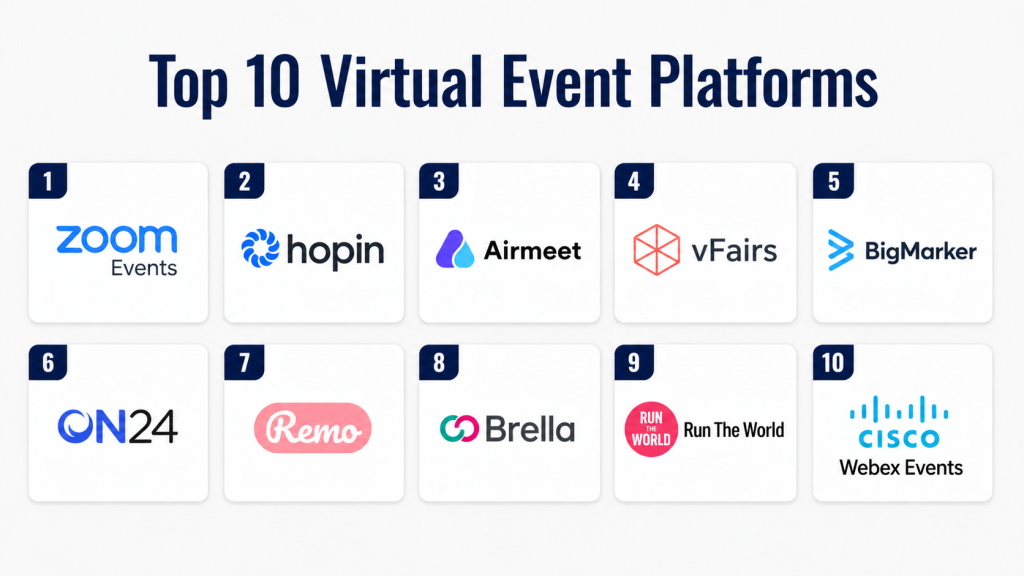
Top 10 Virtual Event Platforms
#1 — Zoom Events
Short description:
Zoom Events is a comprehensive platform for hosting virtual and hybrid events. It builds on the familiar Zoom interface, making it easy to use. The platform supports webinars, conferences, and networking sessions. It offers strong scalability and reliability. It is suitable for organizations of all sizes.
Key Features
- Webinar hosting
- Breakout sessions
- Ticketing and registration
- Networking tools
- Analytics dashboard
Pros
- Easy to use
- Reliable performance
Cons
- Limited customization
- Advanced features require upgrades
Platforms / Deployment
Web, Windows, macOS, iOS, Android / Cloud
Security & Compliance
Encryption, RBAC
Other: Not publicly stated
Integrations & Ecosystem
Integrates with CRM, productivity, and marketing tools.
- CRM systems
- Calendar tools
- Marketing platforms
Support & Community
Strong documentation and global support.
#2 — Hopin
Short description:
Hopin is a virtual event platform designed for large-scale events. It offers immersive features like stages, networking, and expo areas. The platform supports hybrid formats and engagement tools. It is suitable for enterprise-level events. It provides flexibility and scalability.
Key Features
- Multi-stage event hosting
- Networking lounges
- Expo booths
- Analytics tools
Pros
- Rich event experience
- Highly scalable
Cons
- Complex setup
- Higher pricing
Platforms / Deployment
Web / Cloud
Security & Compliance
Not publicly stated
Integrations & Ecosystem
Supports integrations with marketing and CRM tools.
- CRM tools
- Analytics platforms
Support & Community
Enterprise-level support.
#3 — Airmeet
Short description:
Airmeet is a virtual event platform focused on engagement and networking. It provides social lounges and interactive sessions. The platform is user-friendly and scalable. It is ideal for webinars and community events. It enhances attendee experience effectively.
Key Features
- Networking lounges
- Live sessions
- Audience interaction tools
- Analytics dashboard
Pros
- Strong engagement
- Easy to use
Cons
- Limited customization
- Smaller ecosystem
Platforms / Deployment
Web / Cloud
Security & Compliance
Not publicly stated
Integrations & Ecosystem
Integrates with CRM and marketing tools.
- CRM platforms
- Email tools
Support & Community
Responsive support team.
#4 — vFairs
Short description:
vFairs is a platform designed for immersive virtual and hybrid events. It supports trade shows and conferences. The platform offers customizable virtual environments. It includes engagement and analytics tools. It is suitable for large-scale events.
Key Features
- Virtual booths
- Custom environments
- Analytics tools
- Engagement features
Pros
- Highly customizable
- Scalable
Cons
- Complex setup
- Higher cost
Platforms / Deployment
Web / Cloud
Security & Compliance
Not publicly stated
Integrations & Ecosystem
Supports enterprise integrations.
- CRM systems
- Marketing platforms
Support & Community
Strong enterprise support.
#5 — BigMarker
Short description:
BigMarker is a webinar and virtual event platform with strong marketing features. It supports live and automated webinars. The platform includes branding tools and analytics. It is suitable for marketers and educators. It offers flexible event management.
Key Features
- Webinar hosting
- Automation tools
- Custom branding
- Analytics
Pros
- Marketing-focused
- Flexible
Cons
- Learning curve
- Pricing varies
Platforms / Deployment
Web / Cloud
Security & Compliance
Not publicly stated
Integrations & Ecosystem
Integrates with CRM and marketing tools.
- CRM tools
- Email platforms
Support & Community
Good support.
#6 — ON24
Short description:
ON24 is an enterprise virtual event platform focused on webinars and digital experiences. It provides advanced analytics and engagement tools. The platform is widely used by large organizations. It supports scalable events. It is ideal for lead generation and marketing.
Key Features
- Webinar hosting
- Engagement analytics
- Lead generation tools
- Content management
Pros
- Strong analytics
- Enterprise-ready
Cons
- Expensive
- Complex interface
Platforms / Deployment
Web / Cloud
Security & Compliance
Not publicly stated
Integrations & Ecosystem
Integrates with enterprise systems.
- CRM tools
- Marketing platforms
Support & Community
Enterprise support.
#7 — Remo
Short description:
Remo is a virtual event platform designed for interactive networking experiences. It uses table-based layouts to simulate real-life interactions. The platform is suitable for small to mid-sized events. It provides a unique experience. It is easy to use.
Key Features
- Interactive networking tables
- Video conferencing
- Event analytics
- Custom layouts
Pros
- Unique experience
- Easy setup
Cons
- Limited scalability
- Basic analytics
Platforms / Deployment
Web / Cloud
Security & Compliance
Not publicly stated
Integrations & Ecosystem
Supports basic integrations.
- CRM tools
- Email tools
Support & Community
Responsive support.
#8 — Brella
Short description:
Brella is a networking-focused virtual event platform. It uses AI to match attendees for meaningful connections. The platform supports hybrid events. It is suitable for conferences and business networking. It enhances engagement and interaction.
Key Features
- AI networking
- Event scheduling
- Analytics tools
- Hybrid support
Pros
- Strong networking
- Smart matchmaking
Cons
- Limited ticketing features
- Smaller ecosystem
Platforms / Deployment
Web, iOS, Android / Cloud
Security & Compliance
Not publicly stated
Integrations & Ecosystem
Integrates with event tools.
- CRM systems
- Event platforms
Support & Community
Good support.
#9 — Run The World
Short description:
Run The World is a virtual event platform focused on engagement and interaction. It offers networking, gamification, and social features. The platform is suitable for community events. It provides a modern interface. It supports various event types.
Key Features
- Networking tools
- Gamification features
- Event hosting
- Analytics
Pros
- Engaging experience
- Easy setup
Cons
- Limited enterprise features
- Smaller user base
Platforms / Deployment
Web / Cloud
Security & Compliance
Not publicly stated
Integrations & Ecosystem
Supports basic integrations.
- CRM tools
- Marketing platforms
Support & Community
Moderate support.
#10 — Cisco Webex Events
Short description:
Cisco Webex Events is a secure and scalable platform for virtual and hybrid events. It offers webinar hosting, networking, and analytics tools. The platform is suitable for enterprises. It provides strong security features. It ensures reliable performance.
Key Features
- Webinar hosting
- Networking tools
- Analytics dashboard
- Hybrid event support
Pros
- Strong security
- Reliable performance
Cons
- Complex setup
- Higher pricing
Platforms / Deployment
Web, Windows, macOS, iOS, Android / Cloud
Security & Compliance
Encryption, RBAC
Other: Not publicly stated
Integrations & Ecosystem
Integrates with enterprise systems.
- CRM tools
- Collaboration platforms
Support & Community
Enterprise-level support.
Comparison Table
| Tool Name | Best For | Platform(s) Supported | Deployment | Standout Feature | Public Rating |
|---|---|---|---|---|---|
| Zoom Events | All users | Web, Mobile | Cloud | Ease of use | N/A |
| Hopin | Large events | Web | Cloud | Scalability | N/A |
| Airmeet | Engagement | Web | Cloud | Networking | N/A |
| vFairs | Trade shows | Web | Cloud | Customization | N/A |
| BigMarker | Marketing | Web | Cloud | Webinars | N/A |
| ON24 | Enterprise | Web | Cloud | Analytics | N/A |
| Remo | Small events | Web | Cloud | Networking | N/A |
| Brella | Networking | Web, Mobile | Cloud | AI matchmaking | N/A |
| Run The World | Community | Web | Cloud | Engagement | N/A |
| Webex Events | Enterprise | Web, Mobile | Cloud | Security | N/A |
Evaluation & Scoring Table
| Tool Name | Core (25%) | Ease (15%) | Integrations (15%) | Security (10%) | Performance (10%) | Support (10%) | Value (15%) | Weighted Total |
|---|---|---|---|---|---|---|---|---|
| Zoom Events | 9 | 9 | 8 | 8 | 9 | 9 | 8 | 8.7 |
| Hopin | 9 | 7 | 8 | 7 | 9 | 8 | 7 | 8.0 |
| Airmeet | 8 | 9 | 7 | 6 | 8 | 8 | 8 | 7.9 |
| vFairs | 9 | 7 | 8 | 7 | 8 | 8 | 7 | 8.0 |
| BigMarker | 8 | 8 | 8 | 6 | 8 | 7 | 8 | 7.8 |
| ON24 | 9 | 6 | 9 | 8 | 9 | 9 | 7 | 8.3 |
| Remo | 7 | 9 | 6 | 6 | 7 | 7 | 8 | 7.4 |
| Brella | 8 | 8 | 7 | 6 | 8 | 7 | 8 | 7.7 |
| Run The World | 7 | 9 | 6 | 6 | 7 | 7 | 8 | 7.4 |
| Webex Events | 9 | 7 | 9 | 9 | 9 | 9 | 7 | 8.5 |
How to interpret:
These scores are comparative and based on weighted criteria. Higher scores indicate stronger overall capability, but the best choice depends on your needs. Smaller events may prioritize ease of use, while enterprise events require scalability and advanced features.
Which Virtual Event Platform Is Right for You?
Solo / Freelancer
Choose Remo or Run The World for simple and interactive events.
SMB
Zoom Events and Airmeet offer a balance of usability and features.
Mid-Market
BigMarker and Brella provide better engagement and analytics.
Enterprise
ON24, Hopin, and Webex Events are ideal for large-scale operations.
Budget vs Premium
Budget tools focus on simplicity, while premium tools offer advanced features.
Feature Depth vs Ease of Use
Choose simple tools for quick setup or advanced tools for deeper functionality.
Integrations & Scalability
Strong integrations are important for growing businesses.
Security & Compliance Needs
Enterprise users should prioritize platforms with strong security features.
Frequently Asked Questions (FAQs)
1. What is a virtual event platform?
A virtual event platform is software used to host online events such as webinars and conferences. It provides tools for streaming, engagement, and analytics. These platforms allow global participation. They simplify event management. They are widely used across industries.
2. Can these platforms support hybrid events?
Yes, most platforms support hybrid events combining in-person and virtual elements. They allow broader audience reach. Hybrid features are becoming standard. They improve flexibility and engagement.
3. Are virtual event platforms secure?
Most platforms include encryption and access controls. Some offer advanced security features. Security varies by provider. It is important to evaluate security before choosing. Enterprise tools offer stronger protection.
4. Do I need technical skills to use them?
Most platforms are designed for ease of use. They provide simple dashboards. Some advanced features require training. Overall, they are beginner-friendly. Support teams assist with setup.
5. How much do virtual event platforms cost?
Pricing varies based on features and scale. Some offer free plans. Others use subscription models. Enterprise tools are more expensive. Compare pricing before choosing.
6. Can I track attendee engagement?
Yes, most platforms provide analytics dashboards. You can track attendance and interactions. Some offer advanced insights. Analytics helps improve future events. It supports better decisions.
7. What integrations are available?
Common integrations include CRM, marketing, and analytics tools. Some offer APIs. Integrations improve workflows. They help automate processes. Always check compatibility.
8. Can I customize my event experience?
Yes, many platforms offer customization options. You can add branding and layouts. Some provide white-label solutions. Customization improves experience. It strengthens branding.
9. Are these platforms scalable?
Yes, most platforms support scalability. They can handle small to large events. Enterprise tools offer better scalability. Choose based on event size. Scalability ensures performance.
10. What are the benefits of virtual events?
Virtual events reduce costs and increase reach. They allow global participation. They provide analytics and insights. They are flexible and scalable. They improve engagement.
Conclusion
Virtual Event Platforms have become essential tools for hosting and managing modern events. They provide powerful capabilities for engagement, analytics, and scalability, making them critical for successful digital experiences.
Choosing the right platform depends on your event size, audience, and goals. Smaller organizers should focus on simplicity and affordability, while enterprises should prioritize scalability, integrations, and security.
To get started, shortlist a few platforms, test their features, and evaluate how well they align with your needs. A well-chosen platform can significantly improve engagement, reach, and event success.
#VirtualEvents, #EventPlatforms, #EventTech, #SaaSTools, #OnlineEvents
