Introduction
Event Management Software helps businesses and organizers plan, manage, and execute events efficiently using a centralized digital platform. These tools streamline everything from event registration and ticketing to attendee engagement and analytics, reducing manual work and improving event outcomes.
In today’s digital-first environment, events—whether virtual, hybrid, or in-person—require real-time coordination, automation, and secure data handling. Modern event management platforms now integrate AI-driven insights, identity management, cybersecurity layers, and access control systems, ensuring both operational efficiency and data protection.
Common use cases:
- Managing conferences, trade shows, and corporate events
- Handling registrations and ticketing
- Virtual and hybrid event hosting
- Attendee engagement and networking
- Event analytics and reporting
Key evaluation criteria:
- Event planning and workflow automation
- Registration and ticketing capabilities
- Integration with CRM and marketing tools
- Ease of use and UI
- Scalability for different event sizes
- Security features like RBAC, MFA, audit logs
- Customization and branding options
- Analytics and reporting
Best for: Event planners, corporate teams, marketing professionals, and organizations managing events at scale.
Not ideal for: Small one-time events with minimal complexity where manual coordination may suffice.
Key Trends in Event Management Software
- AI-powered event planning and attendee recommendations
- Growth of hybrid and virtual event platforms
- Automation of event workflows and communication
- Integration with CRM and marketing automation tools
- Mobile-first event apps for attendees
- Real-time analytics and engagement tracking
- Zero Trust security models for attendee data protection
- Personalization using attendee data insights
- Cloud-native platforms enabling scalability
- Subscription-based pricing models
How We Evaluated Event Management Software (Methodology)
- Market adoption and popularity
- Feature completeness across event lifecycle
- Reliability and performance
- Security posture and access control capabilities
- Integration ecosystem
- Ease of use and onboarding
- Scalability across event sizes
- Customer support quality
- Overall value and ROI
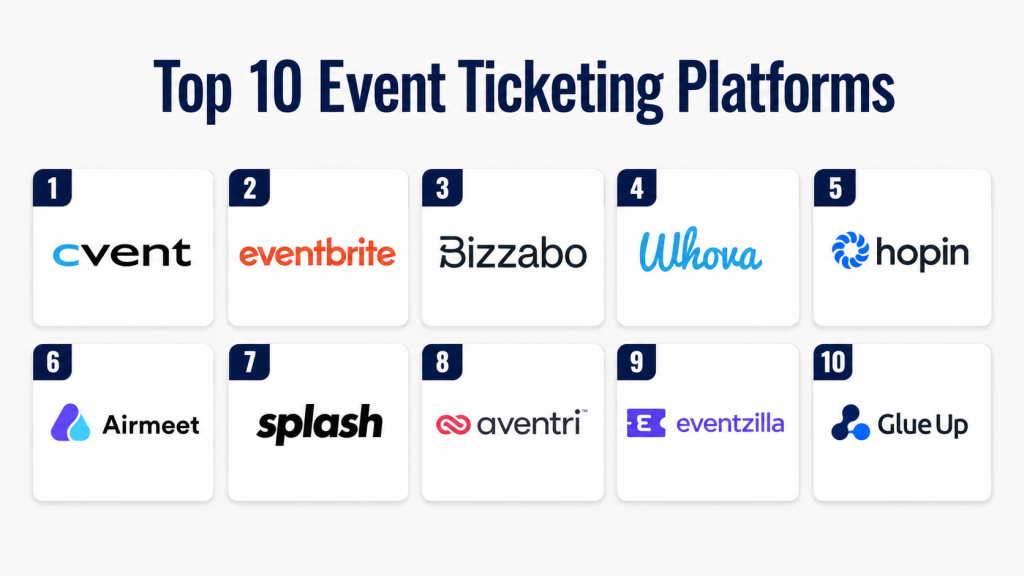
Top 10 Event Management Software
#1 — Cvent
Short description:
Cvent is one of the most widely used event management platforms for enterprise-level events. It provides end-to-end solutions covering event planning, registration, venue sourcing, and analytics. The platform supports both virtual and in-person events. It offers strong automation and reporting features. Cvent is trusted by large organizations for managing complex events. Its scalability makes it ideal for global events.
Key Features
- Event registration and ticketing
- Venue sourcing tools
- Event marketing automation
- Virtual and hybrid event support
- Analytics and reporting
- Attendee engagement tools
Pros
- Comprehensive feature set
- Strong enterprise capabilities
Cons
- Expensive for small users
- Complex interface
Platforms / Deployment
Web / Cloud
Security & Compliance
SSO, RBAC, encryption. Compliance: Not publicly stated
Integrations & Ecosystem
Integrates with CRM and marketing tools
- Salesforce
- Marketing platforms
- APIs
Support & Community
Enterprise-level support with training and onboarding
#2 — Eventbrite
Short description:
Eventbrite is a popular event management and ticketing platform used for small to large events. It focuses on easy event setup and ticket sales. The platform supports online and offline events. It provides marketing tools and analytics. Eventbrite is widely used by individual organizers and businesses. It offers a user-friendly interface.
Key Features
- Ticketing and registration
- Event promotion tools
- Payment processing
- Analytics dashboard
- Mobile app support
Pros
- Easy to use
- Wide audience reach
Cons
- Limited advanced features
- Service fees apply
Platforms / Deployment
Web / Mobile / Cloud
Security & Compliance
Encryption. Compliance: Not publicly stated
Integrations & Ecosystem
- Payment gateways
- CRM tools
- APIs
Support & Community
Good documentation and support
#3 — Bizzabo
Short description:
Bizzabo is a modern event management platform focused on engagement and data analytics. It supports virtual, hybrid, and in-person events. The platform provides tools for networking and attendee engagement. It integrates with marketing tools for better insights. Bizzabo is suitable for mid to large-scale events. It emphasizes data-driven event strategies.
Key Features
- Event management and registration
- Virtual event hosting
- Networking tools
- Analytics and insights
- Marketing integrations
Pros
- Strong engagement features
- Data-driven insights
Cons
- Pricing varies
- Learning curve
Platforms / Deployment
Web / Cloud
Security & Compliance
SSO, encryption. Compliance: Not publicly stated
Integrations & Ecosystem
- CRM systems
- Marketing tools
- APIs
Support & Community
Responsive support and onboarding
#4 — Whova
Short description:
Whova is an event management platform known for attendee engagement features. It provides tools for networking, agenda management, and communication. The platform supports both virtual and in-person events. It offers mobile apps for attendees. Whova is popular for conferences and corporate events. It enhances event experience significantly.
Key Features
- Event agenda management
- Networking tools
- Mobile event app
- Attendee engagement
- Analytics
Pros
- Strong engagement tools
- Easy to use
Cons
- Limited customization
- Pricing varies
Platforms / Deployment
Web / Mobile / Cloud
Security & Compliance
Not publicly stated
Integrations & Ecosystem
- CRM tools
- Communication platforms
Support & Community
Good customer support
#5 — Hopin
Short description:
Hopin is a virtual and hybrid event platform designed for large-scale digital events. It enables live streaming, networking, and audience engagement. The platform supports interactive sessions and virtual booths. Hopin integrates with marketing and CRM tools. It is suitable for global virtual events. It focuses on scalability and engagement.
Key Features
- Virtual event hosting
- Live streaming
- Networking features
- Interactive sessions
- Analytics
Pros
- Strong virtual capabilities
- Scalable platform
Cons
- Complex setup
- Pricing varies
Platforms / Deployment
Web / Cloud
Security & Compliance
Encryption. Compliance: Not publicly stated
Integrations & Ecosystem
- CRM tools
- Streaming services
Support & Community
Enterprise support
#6 — Airmeet
Short description:
Airmeet is a virtual event platform designed for webinars, conferences, and meetups. It focuses on engagement through networking and interactive sessions. The platform offers customizable event spaces. It integrates with marketing tools. Airmeet is suitable for virtual events. It enhances attendee interaction.
Key Features
- Virtual event hosting
- Networking lounges
- Interactive sessions
- Analytics tools
- Branding options
Pros
- Strong engagement
- Easy setup
Cons
- Limited offline features
- Pricing varies
Platforms / Deployment
Web / Cloud
Security & Compliance
Not publicly stated
Integrations & Ecosystem
- CRM
- Marketing tools
Support & Community
Responsive support
#7 — Splash
Short description:
Splash is an event marketing platform focused on branding and audience engagement. It helps create event pages and manage registrations. The platform integrates with marketing tools. It is suitable for brand-focused events. Splash emphasizes design and customization. It enhances event marketing.
Key Features
- Event page builder
- Registration management
- Marketing tools
- Branding customization
- Analytics
Pros
- Strong branding
- Marketing integration
Cons
- Limited event operations features
- Learning curve
Platforms / Deployment
Web / Cloud
Security & Compliance
Not publicly stated
Integrations & Ecosystem
- Marketing tools
- CRM
Support & Community
Standard support
#8 — Aventri
Short description:
Aventri is an enterprise event management platform offering end-to-end solutions. It supports event planning, execution, and analytics. The platform integrates with business tools. It is suitable for large organizations. Aventri focuses on scalability and automation. It provides detailed reporting.
Key Features
- Event planning tools
- Registration management
- Analytics and reporting
- Integration support
- Automation workflows
Pros
- Enterprise capabilities
- Strong analytics
Cons
- Complex interface
- Higher cost
Platforms / Deployment
Web / Cloud
Security & Compliance
SSO, encryption. Compliance: Not publicly stated
Integrations & Ecosystem
- CRM
- Marketing tools
Support & Community
Enterprise support
#9 — Eventzilla
Short description:
Eventzilla is a flexible event management platform supporting various event types. It offers ticketing, registration, and analytics features. The platform is easy to use and affordable. It supports both online and offline events. Eventzilla is suitable for SMBs. It provides customization options.
Key Features
- Ticketing and registration
- Event analytics
- Custom branding
- Payment integration
- Reporting
Pros
- Affordable
- Easy to use
Cons
- Limited advanced features
- Basic UI
Platforms / Deployment
Web / Cloud
Security & Compliance
Not publicly stated
Integrations & Ecosystem
- Payment tools
- CRM
Support & Community
Standard support
#10 — Glue Up
Short description:
Glue Up is an all-in-one platform for event management, CRM, and community engagement. It helps manage memberships and events. The platform integrates communication tools. It is suitable for organizations and associations. Glue Up enhances engagement and event management. It supports automation and analytics.
Key Features
- Event management
- CRM integration
- Community tools
- Automation workflows
- Analytics
Pros
- All-in-one solution
- Strong engagement
Cons
- Learning curve
- Pricing varies
Platforms / Deployment
Web / Cloud
Security & Compliance
Not publicly stated
Integrations & Ecosystem
- CRM
- Communication tools
Support & Community
Good support
Comparison Table
| Tool Name | Best For | Platform(s) Supported | Deployment | Standout Feature | Public Rating |
|---|---|---|---|---|---|
| Cvent | Enterprise events | Web | Cloud | End-to-end management | N/A |
| Eventbrite | Ticketing | Web/Mobile | Cloud | Easy setup | N/A |
| Bizzabo | Engagement | Web | Cloud | Data insights | N/A |
| Whova | Conferences | Web/Mobile | Cloud | Networking tools | N/A |
| Hopin | Virtual events | Web | Cloud | Live streaming | N/A |
| Airmeet | Webinars | Web | Cloud | Networking lounges | N/A |
| Splash | Marketing events | Web | Cloud | Branding | N/A |
| Aventri | Enterprise | Web | Cloud | Analytics | N/A |
| Eventzilla | SMB events | Web | Cloud | Affordability | N/A |
| Glue Up | Communities | Web | Cloud | CRM integration | N/A |
Evaluation & Scoring of Event Management Software
| Tool Name | Core | Ease | Integrations | Security | Performance | Support | Value | Weighted Total |
|---|---|---|---|---|---|---|---|---|
| Cvent | 9 | 6 | 9 | 8 | 9 | 9 | 7 | 8.3 |
| Eventbrite | 7 | 9 | 7 | 7 | 8 | 8 | 8 | 7.9 |
| Bizzabo | 8 | 7 | 8 | 7 | 8 | 8 | 7 | 7.7 |
| Whova | 7 | 9 | 7 | 6 | 8 | 7 | 8 | 7.6 |
| Hopin | 8 | 7 | 8 | 7 | 8 | 8 | 7 | 7.7 |
| Airmeet | 7 | 8 | 7 | 6 | 8 | 7 | 8 | 7.5 |
| Splash | 7 | 7 | 7 | 6 | 7 | 7 | 7 | 7.0 |
| Aventri | 8 | 6 | 8 | 7 | 8 | 8 | 7 | 7.6 |
| Eventzilla | 6 | 9 | 6 | 6 | 7 | 7 | 9 | 7.3 |
| Glue Up | 7 | 7 | 7 | 6 | 7 | 7 | 7 | 7.0 |
Which Event Management Software Is Right for You?
Solo / Freelancer
Eventbrite or Eventzilla are simple and cost-effective.
SMB
Airmeet and Whova offer engagement and ease of use.
Mid-Market
Bizzabo and Splash provide balance and scalability.
Enterprise
Cvent and Aventri offer advanced features and analytics.
Budget vs Premium
Budget tools focus on simplicity while premium tools offer advanced automation.
Feature Depth vs Ease of Use
Complex tools offer more features but require training.
Integrations & Scalability
Choose tools with strong integration ecosystems.
Security & Compliance Needs
Look for encryption, RBAC, and SSO for data protection.
Frequently Asked Questions
1. What is event management software?
Event management software helps plan, organize, and execute events. It handles registration, communication, and analytics. It reduces manual work and improves efficiency. These tools are used for conferences, webinars, and corporate events. They streamline event operations.
2. How much does event software cost?
Pricing varies based on features and event size. Some tools offer free tiers. Others use subscription or per-event pricing. Enterprise tools are more expensive. Costs may include setup and integrations. Always compare ROI before choosing.
3. Can it support virtual events?
Yes, many platforms support virtual and hybrid events. They offer live streaming and engagement tools. Virtual events are growing in popularity. These tools make remote participation easier. They also provide analytics.
4. Is event software secure?
Most platforms offer encryption and access controls. Some support SSO and role-based access. Security varies by provider. Protecting attendee data is important. Always review security features.
5. How long does implementation take?
Implementation can take a few days to weeks. Simple tools are faster to deploy. Enterprise tools take longer. Setup includes integrations and training. Planning helps ensure smooth onboarding.
6. Can it integrate with CRM tools?
Yes, most platforms integrate with CRM systems. This helps manage attendee data. It improves marketing and engagement. APIs allow custom integrations. Always check compatibility.
7. What are common mistakes?
Choosing based only on price is a mistake. Ignoring integrations can cause issues. Overly complex tools can be difficult to use. Lack of training reduces effectiveness. Evaluate long-term needs.
8. Can small businesses use it?
Yes, many tools are designed for SMBs. They offer affordable pricing. These tools improve efficiency. They reduce manual work. They help scale events.
9. How does AI help?
AI automates tasks like communication and analytics. It improves attendee engagement. It reduces manual effort. AI provides insights for better planning. It enhances event success.
10. Can you switch platforms easily?
Switching is possible but requires planning. Data migration must be handled carefully. Integrations need reconfiguration. Training is required. Choose compatible tools.
Conclusion
Event Management Software plays a critical role in modern event planning by simplifying operations, improving attendee engagement, and enabling data-driven decision-making. As events continue to evolve into hybrid and digital-first formats, these platforms provide the flexibility and scalability needed to manage complexity efficiently. From registration to post-event analytics, they offer a complete solution for event success.
Choosing the right platform depends on your event size, budget, and feature requirements. Enterprise solutions like Cvent provide comprehensive capabilities, while tools like Eventbrite and Eventzilla offer simplicity and affordability for smaller events. Integration, automation, and ease of use should be key priorities when evaluating options.
To get the best results, shortlist a few platforms, test their features, and evaluate how well they align with your event goals. Focus on scalability, ROI, and security to ensure long-term value. With the right software, organizations can deliver seamless and impactful event experiences.
