Introduction
Business Intelligence (BI) Tools help organizations collect, analyze, and visualize data to make better decisions. In simple terms, they turn raw data into dashboards, reports, and insights that business users can easily understand. With the growing importance of data-driven decision-making, BI tools are now a core part of modern organizations.
These tools are used for reporting, data visualization, performance tracking, forecasting, and self-service analytics. Common use cases include executive dashboards, sales performance tracking, financial reporting, customer analytics, and operational monitoring. Buyers should evaluate ease of use, visualization capabilities, data integration, scalability, real-time analytics, collaboration features, security, and pricing.
Best for: business analysts, data analysts, executives, and organizations aiming to make data-driven decisions.
Not ideal for: teams with very limited data or organizations without structured data systems.
Key Trends in Business Intelligence (BI) Tools
- Self-service analytics for non-technical users
- AI-powered insights and predictive analytics
- Real-time dashboards and streaming analytics
- Cloud-native and SaaS-based BI platforms
- Integration with data warehouses and lakes
- Embedded analytics in applications
- Natural language query capabilities
- Mobile BI and collaborative reporting
How We Evaluate Business Intelligence (BI) Tools (Methodology)
- Market adoption and popularity
- Visualization and dashboard capabilities
- Ease of use and learning curve
- Integration with data sources
- Performance and scalability
- Security and compliance features
- Collaboration and sharing capabilities
- AI and advanced analytics features
- Deployment flexibility
- Cost vs value
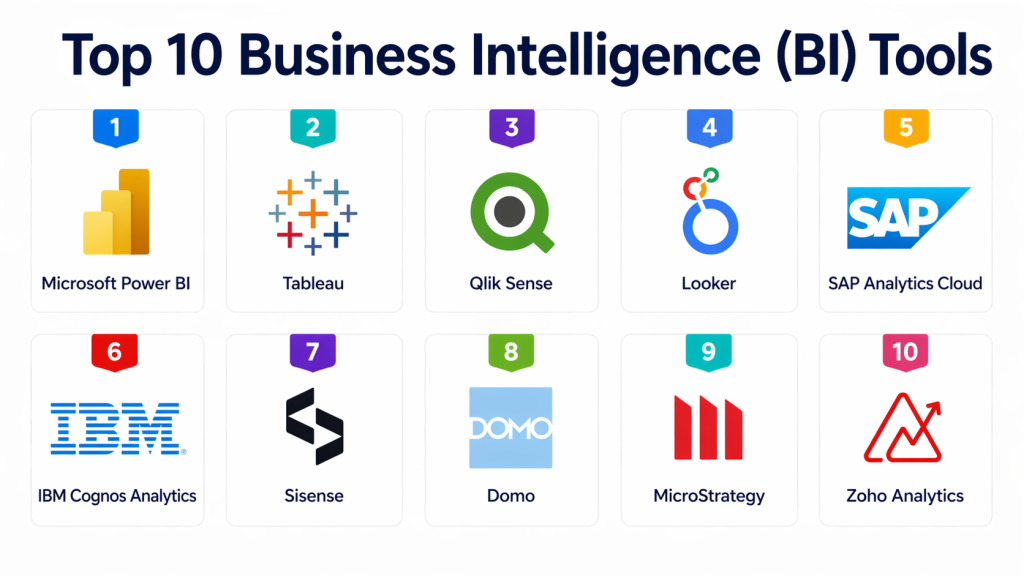
Top 10 Business Intelligence (BI) Tools
#1 — Microsoft Power BI
Short description : Microsoft Power BI is one of the most widely used BI tools, offering powerful data visualization and reporting capabilities. It is known for its ease of use and integration with Microsoft products.
Key Features
- Interactive dashboards
- Data visualization tools
- Integration with Excel and Azure
- AI-powered insights
- Real-time data streaming
- Natural language queries
- Data modeling
Pros
- User-friendly interface
- Strong Microsoft ecosystem integration
- Affordable pricing
Cons
- Limited customization compared to some competitors
- Performance issues with very large datasets
- Requires familiarity with Microsoft tools
Platforms / Deployment
- Web / Windows / Mobile
- Cloud / Self-hosted
Security & Compliance
Supports RBAC, encryption, and compliance standards.
Integrations & Ecosystem
- Integrates with Excel, Azure, SQL Server
- API connectivity
- Data warehouse integration
Support & Community
Strong community and documentation.
#2 — Tableau
Short description : Tableau is a leading BI platform known for its advanced data visualization capabilities. It enables users to create interactive and visually appealing dashboards.
Key Features
- Advanced data visualization
- Drag-and-drop interface
- Real-time analytics
- Data blending
- Dashboard sharing
- Mobile BI
- Integration with multiple data sources
Pros
- Best-in-class visualization
- Easy to use
- Strong community
Cons
- Expensive
- Requires data preparation tools
- Performance issues with large datasets
Platforms / Deployment
- Web / Windows / macOS
- Cloud / Self-hosted
Security & Compliance
Supports encryption, RBAC, and audit logs.
Integrations & Ecosystem
- Integrates with databases, cloud platforms, and ETL tools
- API connectivity
- Data source connectors
Support & Community
Large community and strong support.
#3 — Qlik Sense
Short description : Qlik Sense provides self-service BI and data analytics with an associative data model. It helps users explore data freely and uncover hidden insights.
Key Features
- Associative data model
- Self-service analytics
- Interactive dashboards
- AI-driven insights
- Data integration
- Real-time analytics
- Mobile access
Pros
- Powerful data exploration
- Flexible analytics
- Good scalability
Cons
- Learning curve
- UI may feel complex
- Cost considerations
Platforms / Deployment
- Web / Windows
- Cloud / Self-hosted
Security & Compliance
Supports RBAC, encryption, and audit logs.
Integrations & Ecosystem
- Integrates with databases and cloud platforms
- API connectivity
- Data pipeline integration
Support & Community
Active community and support.
#4 — Looker
Short description : Looker is a modern BI platform focused on data modeling and embedded analytics. It is widely used for creating scalable and governed analytics solutions.
Key Features
- Data modeling layer
- Embedded analytics
- Interactive dashboards
- Real-time reporting
- Collaboration tools
- API-driven architecture
- Integration with cloud platforms
Pros
- Strong data governance
- Flexible embedding capabilities
- Scalable architecture
Cons
- Requires technical expertise
- Cost may be high
- Learning curve for beginners
Platforms / Deployment
- Web / Cloud
- Cloud
Security & Compliance
Supports RBAC, encryption, and audit logging.
Integrations & Ecosystem
- Integrates with cloud data warehouses
- API connectivity
- Embedded analytics support
Support & Community
Strong support and growing community.
#5 — SAP Analytics Cloud
Short description : SAP Analytics Cloud combines BI, planning, and predictive analytics into a single platform. It is designed for enterprise-level analytics.
Key Features
- Data visualization
- Predictive analytics
- Planning and forecasting
- Integration with SAP systems
- Collaboration tools
- Real-time analytics
- Mobile access
Pros
- Strong enterprise capabilities
- Integrated planning features
- Good SAP ecosystem integration
Cons
- Complex implementation
- Expensive
- Best for SAP environments
Platforms / Deployment
- Web / Cloud
- Cloud
Security & Compliance
Supports RBAC, encryption, and compliance standards.
Integrations & Ecosystem
- Integrates with SAP ERP and data platforms
- API connectivity
- Data warehouse support
Support & Community
Enterprise support and documentation available.
#6 — IBM Cognos Analytics
Short description : IBM Cognos Analytics is a BI platform that provides reporting, dashboards, and AI-driven insights. It is suitable for enterprises with complex reporting needs.
Key Features
- Reporting and dashboards
- AI-powered insights
- Data exploration
- Data modeling
- Collaboration tools
- Real-time analytics
- Mobile support
Pros
- Strong reporting capabilities
- Enterprise-grade platform
- AI-driven insights
Cons
- Complex UI
- Learning curve
- Cost considerations
Platforms / Deployment
- Web / Windows
- Cloud / Self-hosted
Security & Compliance
Supports RBAC, encryption, and audit logs.
Integrations & Ecosystem
- Integrates with databases and enterprise systems
- API connectivity
- Data pipeline integration
Support & Community
Strong enterprise support.
#7 — Sisense
Short description : Sisense is a BI platform focused on embedded analytics and scalable data processing. It is ideal for organizations that need to integrate analytics into applications.
Key Features
- Embedded analytics
- Data visualization
- Data modeling
- API-driven architecture
- Real-time analytics
- Dashboard customization
- Integration capabilities
Pros
- Strong embedding capabilities
- Scalable architecture
- Flexible integration
Cons
- Complex setup
- Cost considerations
- Requires technical expertise
Platforms / Deployment
- Web / Cloud
- Cloud / Hybrid
Security & Compliance
Supports RBAC, encryption, and audit logs.
Integrations & Ecosystem
- Integrates with applications and databases
- API connectivity
- Data warehouse integration
Support & Community
Enterprise support and documentation available.
#8 — Domo
Short description : Domo is a cloud-based BI platform that provides dashboards, reporting, and collaboration tools for business users.
Key Features
- Data visualization
- Real-time dashboards
- Collaboration tools
- Data integration
- Mobile access
- Alerts and notifications
- Workflow automation
Pros
- Easy to use
- Strong collaboration features
- Cloud-native
Cons
- Expensive
- Limited customization
- Performance issues with large data
Platforms / Deployment
- Web / Mobile
- Cloud
Security & Compliance
Supports RBAC, encryption, and compliance features.
Integrations & Ecosystem
- Integrates with SaaS apps and databases
- API connectivity
- Data connectors
Support & Community
Good support and documentation.
#9 — MicroStrategy
Short description : MicroStrategy is an enterprise BI platform offering advanced analytics, reporting, and mobile BI capabilities.
Key Features
- Advanced analytics
- Reporting and dashboards
- Mobile BI
- Data modeling
- AI-powered insights
- Data integration
- Security features
Pros
- Strong enterprise features
- Scalable
- Good mobile support
Cons
- Complex setup
- Learning curve
- Costly
Platforms / Deployment
- Web / Windows / Mobile
- Cloud / Self-hosted
Security & Compliance
Supports RBAC, encryption, and audit logs.
Integrations & Ecosystem
- Integrates with databases and enterprise systems
- API connectivity
- Data warehouse support
Support & Community
Strong enterprise support.
#10 — Zoho Analytics
Short description : Zoho Analytics is a user-friendly BI platform offering reporting and dashboarding capabilities for small to mid-sized businesses.
Key Features
- Data visualization
- Dashboard creation
- Data blending
- AI-powered insights
- Collaboration tools
- Mobile BI
- Integration with Zoho apps
Pros
- Affordable
- Easy to use
- Good for SMBs
Cons
- Limited advanced features
- Less scalable than enterprise tools
- Smaller ecosystem
Platforms / Deployment
- Web / Mobile
- Cloud
Security & Compliance
Supports RBAC and encryption.
Integrations & Ecosystem
- Integrates with Zoho apps and databases
- API connectivity
- Data connectors
Support & Community
Active support and community.
Comparison Table (Top 10)
| Tool Name | Best For | Platforms | Deployment | Standout Feature | Public Rating |
|---|---|---|---|---|---|
| Power BI | SMB & Enterprise | Web/Windows | Cloud/On-prem | Ease of use | N/A |
| Tableau | Visualization | Web/Desktop | Cloud/On-prem | Advanced visuals | N/A |
| Qlik Sense | Data exploration | Web/Desktop | Cloud/On-prem | Associative model | N/A |
| Looker | Data modeling | Web | Cloud | Embedded analytics | N/A |
| SAP Analytics Cloud | Enterprise planning | Web | Cloud | Planning + BI | N/A |
| IBM Cognos | Enterprise reporting | Web/Desktop | Cloud/On-prem | Reporting strength | N/A |
| Sisense | Embedded BI | Web | Cloud | API-first analytics | N/A |
| Domo | Collaboration | Web/Mobile | Cloud | Real-time dashboards | N/A |
| MicroStrategy | Enterprise analytics | Web/Desktop | Cloud/On-prem | Mobile BI | N/A |
| Zoho Analytics | SMB analytics | Web/Mobile | Cloud | Affordability | N/A |
Which BI Tool Is Right for You?
Solo / Freelancer
Choose Zoho Analytics or Power BI for affordability and ease of use.
SMB
Power BI, Tableau, or Zoho Analytics provide strong features at reasonable cost.
Mid-Market
Qlik Sense, Domo, or Sisense offer scalability and integration.
Enterprise
SAP Analytics Cloud, MicroStrategy, or IBM Cognos are ideal for complex needs.
Budget vs Premium
Zoho Analytics and Power BI are budget-friendly, while Tableau and SAP are premium.
Feature Depth vs Ease of Use
Tableau offers deep visualization, while Power BI balances ease and features.
Integrations & Scalability
Looker and Sisense excel in integrations and embedding.
Security & Compliance Needs
Enterprise tools provide stronger compliance and governance.
Frequently Asked Questions (FAQs)
1. What is a BI tool?
A Business Intelligence tool helps organizations analyze data and convert it into meaningful insights through dashboards and reports. It simplifies complex datasets into visual formats that are easy to understand. These tools are widely used for decision-making across departments. They also support real-time and historical analysis. Overall, BI tools enable data-driven strategies.
2. Why should businesses use BI tools?
BI tools improve decision-making by providing accurate and timely insights. They help track performance, identify trends, and uncover opportunities. Businesses can reduce manual reporting efforts and improve efficiency. These tools also support forecasting and planning. Ultimately, they help organizations stay competitive in data-driven markets.
3. Are BI tools suitable for non-technical users?
Yes, many modern BI tools are designed for non-technical users with self-service features. They offer drag-and-drop interfaces and easy-to-use dashboards. Business users can create reports without coding knowledge. However, advanced features may still require technical expertise. This balance makes BI tools accessible to a wide audience.
4. Can BI tools integrate with multiple data sources?
Yes, BI tools can connect to various data sources such as databases, cloud platforms, spreadsheets, and applications. This integration allows organizations to combine data from different systems into a unified view. It helps eliminate data silos and improves reporting accuracy. Most tools provide connectors and APIs for seamless integration. Choosing a tool with strong integration capabilities is essential.
5. What is the difference between BI and data analytics tools?
BI tools focus on reporting, dashboards, and visualization of historical and current data. Data analytics tools go deeper into predictive and advanced analytics. While BI provides insights, analytics tools often involve statistical modeling and machine learning. Many modern platforms combine both capabilities. The choice depends on business needs.
6. Do BI tools support real-time analytics?
Yes, many BI tools offer real-time or near real-time analytics capabilities. This allows businesses to monitor operations as they happen. Real-time dashboards are useful for tracking performance metrics and alerts. However, the level of real-time support varies by tool. It is important to evaluate this feature based on your requirements.
7. How secure are BI tools?
BI tools typically include strong security features such as encryption, role-based access control, and audit logs. These features help protect sensitive data and ensure compliance. Enterprise tools often support additional governance controls. Security depends on both the tool and its configuration. Proper setup is essential for maintaining data protection.
8. What industries benefit most from BI tools?
Almost every industry benefits from BI tools, including finance, healthcare, retail, manufacturing, and technology. These tools help organizations analyze performance, optimize operations, and improve customer insights. They are especially useful in data-intensive industries. As data usage grows, BI adoption continues to expand across sectors.
9. How much do BI tools cost?
The cost of BI tools varies widely depending on features, deployment, and scale. Some tools offer free or low-cost plans for small teams. Enterprise platforms can be significantly more expensive. Pricing models may include subscriptions, user-based licensing, or usage-based costs. It is important to evaluate total cost of ownership.
10. How do I choose the right BI tool?
Start by identifying your business needs, data sources, and user requirements. Evaluate tools based on ease of use, integration, scalability, and cost. Consider whether you need advanced analytics or simple dashboards. Testing tools with real data can help in decision-making. The right tool should align with your long-term goals.
Conclusion
Business Intelligence tools are essential for transforming raw data into actionable insights. They empower organizations to make informed decisions, improve performance, and gain competitive advantage. From user-friendly tools like Power BI and Zoho Analytics to enterprise platforms like SAP Analytics Cloud and MicroStrategy, the market offers solutions for every need.
The best BI tool depends on your business size, data complexity, and technical requirements. Start by identifying your goals, shortlist a few tools, and test them with real data scenarios. This approach ensures you select a platform that aligns with your long-term analytics strategy.
