Introduction
Network Analysis Tools are platforms that help organizations inspect, diagnose, and optimize network traffic, performance, and behavior. In simple terms, these tools capture and analyze network data packets, flows, and metrics to identify bottlenecks, troubleshoot issues, and improve overall network efficiency.
As modern networks become more complex with cloud, hybrid infrastructure, and distributed systems, simple monitoring is no longer enough. Network analysis tools provide deep visibility into traffic patterns, application behavior, and performance issues. Common use cases include packet inspection, troubleshooting latency issues, security analysis, bandwidth optimization, and performance tuning. Buyers should evaluate packet capture capabilities, protocol analysis depth, scalability, ease of use, visualization tools, integration support, real-time analytics, automation features, and cost efficiency.
Best for: network engineers, IT operations teams, cybersecurity professionals, and enterprises managing complex network environments. Not ideal for: small environments with basic monitoring needs where simple tools are sufficient.
Key Trends in Network Analysis Tools
- Deep packet inspection (DPI) is becoming more advanced and efficient
- AI-driven traffic analysis is improving anomaly detection
- Cloud and hybrid network visibility is now essential
- Integration with security tools is increasing
- Real-time analytics and dashboards are standard
- Automation in troubleshooting workflows is growing
- Encrypted traffic analysis is becoming critical
- Scalable distributed monitoring systems are emerging
- Visualization tools are becoming more intuitive
- Integration with observability platforms is increasing
How We Selected These Tools (Methodology)
- Focused on tools with strong industry adoption and reliability
- Evaluated packet analysis and traffic inspection capabilities
- Assessed ease of use and visualization features
- Reviewed integration ecosystem with IT and security tools
- Considered scalability for enterprise environments
- Evaluated real-time analytics and performance insights
- Included tools for SMB, mid-market, and enterprise users
- Assessed security analysis capabilities
- Considered automation and reporting features
- Compared value vs cost efficiency
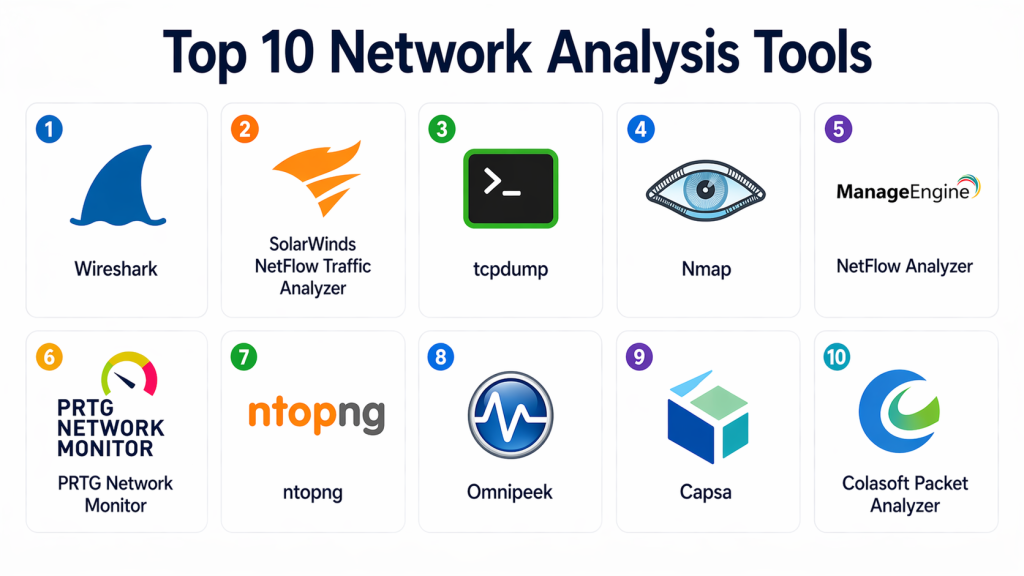
Top 10 Network Analysis Tools
#1 — Wireshark
Short description : Wireshark is one of the most popular network protocol analyzers used for deep packet inspection. It allows users to capture and analyze network traffic in real time. It is widely used by network engineers and security professionals. It supports a large number of protocols. It is highly flexible. It is ideal for troubleshooting and analysis.
Key Features
- Deep packet inspection
- Real-time traffic capture
- Protocol analysis
- Filtering and search
- Visualization tools
- Multi-platform support
Pros
- Free and open-source
- Highly detailed analysis
- Strong community support
Cons
- Complex for beginners
- Requires expertise
- Limited automation
Platforms / Deployment
- Windows / macOS / Linux
- Local installation
Security & Compliance
- Not publicly stated
Integrations & Ecosystem
Supports integration through plugins and exports for analysis workflows.
- Plugins
- APIs
- Export tools
Support & Community
Very large global community with extensive documentation.
#2 — SolarWinds NetFlow Traffic Analyzer
Short description : SolarWinds NetFlow Traffic Analyzer provides deep visibility into network traffic and bandwidth usage. It helps identify bottlenecks and optimize performance. It is widely used in enterprise environments. It supports flow-based monitoring. It integrates with SolarWinds ecosystem.
Key Features
- NetFlow analysis
- Bandwidth monitoring
- Traffic visualization
- Alerts and reporting
- Performance insights
Pros
- Strong enterprise features
- Detailed traffic insights
- Scalable
Cons
- Expensive
- Complex setup
- Requires training
Platforms / Deployment
- Web / Windows
- Self-hosted
Security & Compliance
- Not publicly stated
Integrations & Ecosystem
Integrates with network and IT tools for analysis.
- APIs
- IT systems
Support & Community
Enterprise-level support.
#3 — tcpdump
Short description : tcpdump is a command-line packet analyzer used for capturing network traffic. It is lightweight and powerful. It is widely used by engineers. It supports deep analysis. It is ideal for quick troubleshooting. It works well in Unix environments.
Key Features
- Packet capture
- Command-line interface
- Protocol filtering
- Lightweight design
- Real-time analysis
Pros
- Fast and efficient
- Free
- Flexible
Cons
- Not beginner-friendly
- No GUI
- Requires expertise
Platforms / Deployment
- Linux / Unix
- Local installation
Security & Compliance
- Not publicly stated
Integrations & Ecosystem
Works with other analysis tools.
- CLI tools
- Export formats
Support & Community
Strong open-source community.
#4 — Nmap
Short description : Nmap is a network scanning and analysis tool used for discovering hosts and services. It helps identify vulnerabilities and network structure. It is widely used in security analysis. It supports automation scripts. It is flexible and powerful.
Key Features
- Network scanning
- Port scanning
- Service detection
- Script engine
- Security analysis
Pros
- Powerful scanning capabilities
- Free
- Widely used
Cons
- Requires expertise
- Limited visualization
- Not full traffic analyzer
Platforms / Deployment
- Windows / Linux / macOS
- Local installation
Security & Compliance
- Not publicly stated
Integrations & Ecosystem
Supports scripting and integration with security tools.
- Scripts
- APIs
Support & Community
Large community.
#5 — ManageEngine NetFlow Analyzer
Short description : ManageEngine NetFlow Analyzer provides traffic analysis and bandwidth monitoring. It helps identify performance issues and optimize networks. It is suitable for SMB and enterprise. It offers dashboards and reporting. It is easy to use.
Key Features
- Flow-based analysis
- Bandwidth monitoring
- Traffic reports
- Alerts
- Visualization dashboards
Pros
- Easy to use
- Good reporting
- Affordable
Cons
- Limited advanced features
- Smaller ecosystem
- Requires setup
Platforms / Deployment
- Web / Windows / Linux
- Self-hosted
Security & Compliance
- Not publicly stated
Integrations & Ecosystem
Integrates with IT tools.
- APIs
- Monitoring tools
Support & Community
Good documentation.
#6 — PRTG Network Analyzer
Short description: PRTG provides network monitoring and analysis capabilities with easy-to-use dashboards. It supports multiple monitoring methods. It is suitable for SMB and enterprise teams. It offers visualization and alerts. It is flexible.
Key Features
- Traffic analysis
- Monitoring sensors
- Alerts
- Dashboards
- Reporting
Pros
- Easy to use
- Flexible
- Good visualization
Cons
- Licensing complexity
- Limited scalability
- Windows dependency
Platforms / Deployment
- Web / Windows
- Self-hosted
Security & Compliance
- Not publicly stated
Integrations & Ecosystem
Supports integrations with monitoring tools.
- APIs
- IT systems
Support & Community
Good support.
#7 — ntopng
Short description : ntopng is a network traffic analysis tool that provides real-time visibility into network usage. It supports flow analysis and dashboards. It is suitable for SMB and enterprise. It offers traffic insights. It is easy to deploy.
Key Features
- Traffic analysis
- Flow monitoring
- Real-time dashboards
- Alerts
- Reporting
Pros
- Good visibility
- Flexible
- Open-source option
Cons
- Limited enterprise features
- Requires setup
- Smaller ecosystem
Platforms / Deployment
- Linux / Windows
- Self-hosted
Security & Compliance
- Not publicly stated
Integrations & Ecosystem
Supports integration with network tools.
- APIs
- Monitoring systems
Support & Community
Active community.
#8 — Omnipeek
Short description : Omnipeek is a network analysis tool designed for deep packet inspection and troubleshooting. It provides visibility into network performance. It is used by enterprises. It offers advanced analytics. It is suitable for complex environments.
Key Features
- Packet analysis
- Traffic visualization
- Performance insights
- Troubleshooting tools
- Reporting
Pros
- Advanced analysis
- Enterprise-grade
- Good visualization
Cons
- Expensive
- Complex setup
- Requires expertise
Platforms / Deployment
- Windows
- Local installation
Security & Compliance
- Not publicly stated
Integrations & Ecosystem
Supports integration with network tools.
- APIs
- Analysis tools
Support & Community
Enterprise support.
#9 — Capsa
Short description : Capsa is a network analysis tool that provides packet capture and traffic analysis. It helps troubleshoot network issues. It is suitable for small and mid-sized teams. It offers visualization and reporting. It is easy to use.
Key Features
- Packet capture
- Traffic analysis
- Visualization
- Reporting
- Alerts
Pros
- Easy to use
- Good visualization
- Affordable
Cons
- Limited advanced features
- Windows-focused
- Smaller ecosystem
Platforms / Deployment
- Windows
- Local installation
Security & Compliance
- Not publicly stated
Integrations & Ecosystem
Supports basic integrations.
- APIs
- Export tools
Support & Community
Basic support.
#10 — Colasoft Packet Analyzer
Short description : Colasoft Packet Analyzer provides packet capture and analysis for troubleshooting and performance monitoring. It offers visualization and reporting. It is suitable for SMB and enterprise. It is easy to use. It supports real-time analysis.
Key Features
- Packet capture
- Traffic analysis
- Visualization
- Alerts
- Reporting
Pros
- Easy to use
- Good for troubleshooting
- Affordable
Cons
- Limited advanced capabilities
- Windows-only
- Smaller ecosystem
Platforms / Deployment
- Windows
- Local installation
Security & Compliance
- Not publicly stated
Integrations & Ecosystem
Supports integration with analysis tools.
- APIs
- Export formats
Support & Community
Basic support.
Comparison Table (Top 10)
| Tool | Best For | Platforms | Deployment | Standout Feature | Public Rating |
|---|---|---|---|---|---|
| Wireshark | Engineers | Multi-OS | Local | Deep packet inspection | N/A |
| SolarWinds | Enterprise | Windows | On-prem | NetFlow analysis | N/A |
| tcpdump | Advanced users | Linux | Local | CLI capture | N/A |
| Nmap | Security | Multi-OS | Local | Network scanning | N/A |
| ManageEngine | SMB | Web | On-prem | Flow analysis | N/A |
| PRTG | SMB | Windows | On-prem | Easy monitoring | N/A |
| ntopng | SMB | Multi-OS | On-prem | Traffic dashboards | N/A |
| Omnipeek | Enterprise | Windows | Local | Advanced analysis | N/A |
| Capsa | SMB | Windows | Local | Visualization | N/A |
| Colasoft | SMB | Windows | Local | Packet analysis | N/A |
Evaluation & Scoring of Network Analysis Tools
| Tool | Core | Ease | Integrations | Security | Performance | Support | Value | Total |
|---|---|---|---|---|---|---|---|---|
| Wireshark | 9.5 | 6.5 | 8.5 | 7.5 | 9.0 | 9.0 | 9.5 | 8.70 |
| SolarWinds | 9.0 | 7.5 | 8.5 | 8.0 | 9.0 | 8.5 | 7.0 | 8.35 |
| tcpdump | 8.5 | 6.0 | 8.0 | 7.0 | 8.5 | 8.0 | 9.5 | 7.95 |
| Nmap | 8.5 | 6.5 | 8.0 | 7.5 | 8.5 | 8.5 | 9.5 | 8.10 |
| ManageEngine | 8.0 | 8.5 | 7.5 | 7.5 | 8.0 | 8.0 | 8.5 | 8.05 |
| PRTG | 8.5 | 9.0 | 8.0 | 7.5 | 8.0 | 8.0 | 8.5 | 8.35 |
| ntopng | 8.0 | 8.0 | 7.5 | 7.0 | 8.0 | 7.5 | 8.5 | 7.85 |
| Omnipeek | 9.0 | 7.0 | 8.0 | 7.5 | 9.0 | 8.0 | 7.0 | 8.05 |
| Capsa | 7.5 | 8.5 | 7.0 | 7.0 | 7.5 | 7.5 | 8.5 | 7.65 |
| Colasoft | 7.5 | 8.5 | 7.0 | 7.0 | 7.5 | 7.5 | 8.5 | 7.65 |
These scores are comparative and should guide your selection based on needs and expertise.
Which Network Analysis Tool Is Right for You?
Solo / Freelancer
Use Wireshark or tcpdump for flexibility and cost.
SMB
PRTG, ManageEngine, ntopng are ideal.
Mid-Market
Datadog-style tools (if extended) or ManageEngine scale well.
Enterprise
SolarWinds, Omnipeek are strong choices.
Budget vs Premium
- Budget: Wireshark, tcpdump, Nmap
- Premium: SolarWinds, Omnipeek
Feature Depth vs Ease of Use
- Easy: PRTG, Capsa
- Advanced: Wireshark
Integrations & Scalability
- Best: SolarWinds
Security & Compliance Needs
- Strong: Enterprise tools
Frequently Asked Questions (FAQs)
1. What is a network analysis tool?
A network analysis tool captures and inspects network traffic to identify issues and optimize performance. It provides visibility into packets, flows, and protocols. This helps engineers understand how data moves across networks. It is essential for troubleshooting. It is widely used in IT operations.
2. Why are network analysis tools important?
They help detect performance issues, bottlenecks, and security threats. By analyzing traffic, teams can identify root causes quickly. This improves uptime and reliability. It also helps optimize network usage. It is critical for modern infrastructure.
3. Can network analysis tools detect security threats?
Yes, many tools can identify unusual traffic patterns and anomalies. They help detect potential attacks or vulnerabilities. However, they are not full security solutions. Integration with security tools improves effectiveness. They play a supporting role in cybersecurity.
4. Do small teams need network analysis tools?
Small teams may use basic tools initially. As networks grow, analysis becomes important. Even simple tools like Wireshark can provide insights. It helps improve performance and troubleshooting. It also prepares teams for scaling.
5. What is the difference between monitoring and analysis?
Monitoring tracks system health and alerts on issues. Analysis goes deeper to understand the root cause. It inspects traffic and protocols. Both are complementary. Together, they provide full visibility.
6. Are these tools difficult to use?
Some tools are easy with dashboards, while others require expertise. Packet analysis tools can be complex. Training may be needed. Choosing the right tool depends on your skills. Ease of use varies widely.
7. Can these tools integrate with DevOps platforms?
Yes, many tools support integration with DevOps and monitoring systems. This improves workflows and automation. Integration allows better visibility across systems. It also enhances troubleshooting. It is essential for modern environments.
8. What industries benefit most from these tools?
Industries with complex networks benefit the most. This includes telecom, banking, SaaS, and healthcare. These sectors require high performance and uptime. Network analysis helps maintain reliability. It also supports compliance.
9. What is deep packet inspection?
Deep packet inspection analyzes the content of data packets, not just headers. It provides detailed insights into traffic. It helps identify issues and security threats. It is widely used in network analysis. It requires advanced tools.
10. What is the biggest benefit of network analysis tools?
The biggest benefit is detailed visibility into network behavior. Teams can detect and resolve issues faster. It improves performance and reliability. It reduces downtime. It supports better decision-making.
Conclusion
Network analysis tools are essential for organizations that need deep visibility into network traffic and performance. They go beyond basic monitoring by providing detailed insights into how data flows across systems, helping teams troubleshoot issues, optimize performance, and improve security. While tools like Wireshark and tcpdump offer powerful free options, enterprise solutions like SolarWinds and Omnipeek provide advanced capabilities for large-scale environments. The best choice depends on your network complexity, team expertise, and operational needs. Start by identifying your requirements, test a few tools, and ensure they integrate well with your infrastructure before making a final decision.
