Introduction
Network Configuration Management (NCM) refers to the process of automating, tracking, auditing, and maintaining configurations across network devices such as routers, switches, firewalls, and load balancers. Instead of manually configuring each device, NCM tools ensure consistency, reduce errors, and provide centralized control over network infrastructure.
In modern IT environments—especially with hybrid cloud, remote work, and distributed architectures—network complexity has increased significantly. This makes NCM essential for ensuring uptime, enforcing security policies, and meeting compliance requirements. Organizations now rely on NCM tools to avoid misconfigurations, speed up changes, and maintain operational stability.
Real-World Use Cases
- Automated backup and restoration of configurations
- Bulk configuration updates across multiple devices
- Compliance audits for regulatory standards
- Tracking unauthorized configuration changes
- Disaster recovery and rollback capabilities
What Buyers Should Evaluate
- Multi-vendor device support
- Automation and orchestration capabilities
- Compliance and audit reporting
- Ease of use and UI experience
- Integration with ITSM, monitoring, and DevOps tools
- Security features like RBAC and audit logs
- Scalability for enterprise environments
- Deployment flexibility (cloud, on-premise, hybrid)
Best for: Network engineers, IT operations teams, MSPs, enterprises managing large or distributed networks.
Not ideal for: Very small teams with minimal infrastructure or organizations relying entirely on managed cloud networking services.
Key Trends in Network Configuration Management
- AI-powered configuration analysis to detect anomalies and predict failures
- Infrastructure as Code (IaC) adoption using tools like automation playbooks
- Cloud-native NCM platforms supporting hybrid infrastructures
- Continuous compliance monitoring replacing manual audits
- Zero Trust integration for enforcing strict network policies
- API-first architecture enabling deep integrations
- Network automation workflows reducing manual intervention
- Multi-vendor interoperability as a standard requirement
- Real-time change tracking and rollback capabilities
- DevOps alignment with CI/CD pipeline integrations
How We Selected These Tools (Methodology)
- High market adoption and industry recognition
- Comprehensive feature coverage (automation, compliance, backup)
- Proven performance and reliability in production environments
- Strong security capabilities like RBAC and audit logs
- Rich integration ecosystem (ITSM, monitoring, APIs)
- Support for multi-vendor network environments
- Suitability across SMB, mid-market, and enterprise segments
- Availability of support, documentation, and community engagement
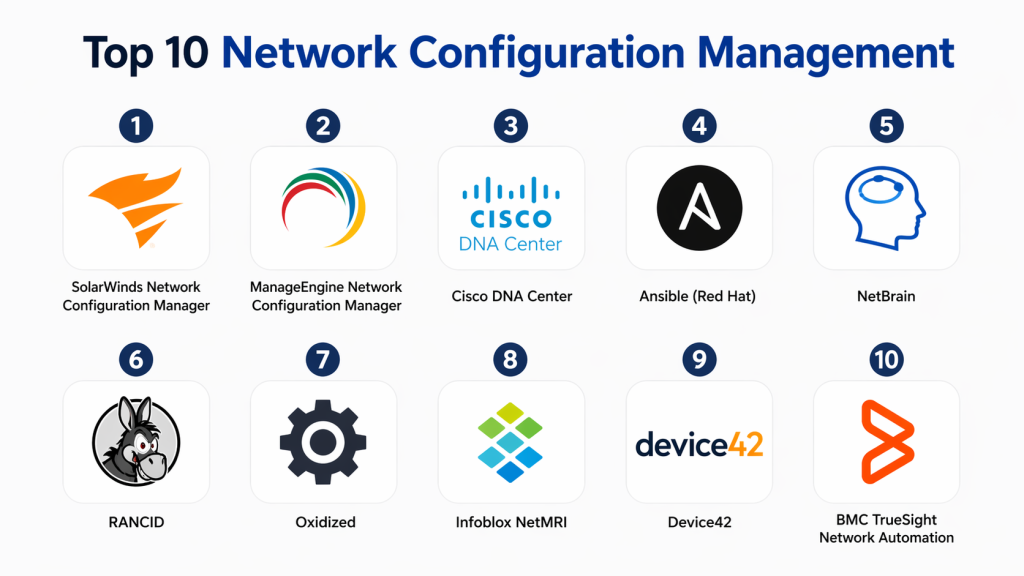
Top 10 Network Configuration Management
#1 — SolarWinds Network Configuration Manager
Short description :
SolarWinds NCM is a powerful enterprise-grade solution designed to manage complex network environments. It provides centralized configuration control, automated backups, and compliance monitoring. Widely used by large organizations, it supports multi-vendor devices and advanced automation workflows. Its strong reporting capabilities make it ideal for audit-heavy environments. Best suited for teams needing deep visibility and control.
Key Features
- Automated configuration backups
- Real-time change tracking
- Compliance policy enforcement
- Bulk configuration deployment
- Vulnerability detection
Pros
- Strong enterprise capabilities
- Advanced compliance features
Cons
- Complex setup
- Resource-heavy
Platforms / Deployment
Windows / On-premise
Security & Compliance
RBAC, audit logs, encryption, MFA
Integrations & Ecosystem
Integrates with enterprise IT tools and monitoring platforms.
- ITSM systems
- Monitoring tools
- APIs
Support & Community
Well-documented with enterprise-level support
#2 — ManageEngine Network Configuration Manager
Short description :
ManageEngine NCM offers a balanced mix of affordability and functionality. It provides automation, compliance tracking, and configuration backup features. Known for its ease of use, it is suitable for SMBs and enterprises. It supports a wide range of network devices. Ideal for teams seeking cost-effective network management.
Key Features
- Automated backups
- Configuration auditing
- Role-based access
- Firmware vulnerability tracking
- Change management
Pros
- User-friendly interface
- Affordable pricing
Cons
- Limited advanced automation
- UI could be modernized
Platforms / Deployment
Windows / Linux / On-premise
Security & Compliance
RBAC, audit logs
Integrations & Ecosystem
- ITSM platforms
- Monitoring tools
- APIs
Support & Community
Strong documentation and vendor support
#3 — Cisco DNA Center
Short description :
Cisco DNA Center is an advanced network management platform with built-in automation and AI-driven insights. It focuses on intent-based networking and deep visibility. Designed primarily for Cisco environments, it enables policy-based automation. Ideal for large enterprises heavily invested in Cisco infrastructure.
Key Features
- Intent-based networking
- AI-driven analytics
- Policy automation
- Network assurance
- Real-time insights
Pros
- Advanced automation capabilities
- Deep Cisco integration
Cons
- Limited multi-vendor support
- High cost
Platforms / Deployment
Appliance / On-premise
Security & Compliance
RBAC, encryption
Integrations & Ecosystem
- Cisco ecosystem
- APIs
Support & Community
Enterprise-grade support
#4 — Ansible (Red Hat)
Short description :
Ansible is a widely used automation platform that supports network configuration management through code-based playbooks. It is agentless and highly flexible, making it ideal for DevOps teams. It supports multi-vendor environments and integrates with CI/CD pipelines. Suitable for teams adopting Infrastructure as Code.
Key Features
- Automation playbooks
- Agentless deployment
- Multi-vendor support
- API integration
- Infrastructure as Code
Pros
- Highly flexible
- Open-source availability
Cons
- Requires technical expertise
- Limited UI
Platforms / Deployment
Linux / Cloud / Self-hosted
Security & Compliance
RBAC, encryption
Integrations & Ecosystem
- CI/CD tools
- DevOps platforms
Support & Community
Strong open-source community
#5 — NetBrain
Short description :
NetBrain focuses on network automation and dynamic mapping. It provides deep visibility and troubleshooting capabilities. Its automation features help reduce manual effort. Ideal for enterprises managing complex networks.
Key Features
- Dynamic network mapping
- Automation workflows
- Configuration analysis
- Troubleshooting automation
Pros
- Excellent visualization
- Strong troubleshooting tools
Cons
- Complex deployment
- Expensive
Platforms / Deployment
Windows / On-premise
Security & Compliance
Not publicly stated
Integrations & Ecosystem
- Monitoring tools
- ITSM platforms
Support & Community
Enterprise-level support
#6 — RANCID
Short description :
RANCID is an open-source tool designed for tracking network configuration changes. It is lightweight and reliable for basic needs. Ideal for small teams or custom setups. It focuses on configuration backups and change detection.
Key Features
- Configuration tracking
- Automated backups
- Change alerts
Pros
- Free and lightweight
- Easy to deploy
Cons
- Limited features
- No graphical interface
Platforms / Deployment
Linux / Self-hosted
Security & Compliance
Not publicly stated
Integrations & Ecosystem
- Script-based integrations
Support & Community
Community-supported
#7 — Oxidized
Short description :
Oxidized is a modern open-source tool for network configuration backups. It integrates with Git for version control. Ideal for DevOps teams. Provides automation and flexibility for configuration tracking.
Key Features
- Git-based versioning
- Automated backups
- Multi-vendor support
Pros
- Flexible and modern
- Lightweight
Cons
- Requires setup
- Limited UI
Platforms / Deployment
Linux / Self-hosted
Security & Compliance
Not publicly stated
Integrations & Ecosystem
- Git
- APIs
Support & Community
Active open-source community
#8 — Infoblox NetMRI
Short description :
Infoblox NetMRI is an enterprise-grade automation platform with strong compliance features. It provides configuration management and network automation. Ideal for large organizations needing advanced policy enforcement.
Key Features
- Configuration auditing
- Automation
- Compliance reporting
- Change tracking
Pros
- Strong compliance features
- Scalable
Cons
- Expensive
- Complex
Platforms / Deployment
On-premise
Security & Compliance
RBAC, audit logs
Integrations & Ecosystem
- Network tools
- APIs
Support & Community
Enterprise support
#9 — Device42
Short description :
Device42 is a hybrid IT infrastructure management tool that includes configuration tracking. It provides visibility into assets and dependencies. Useful for organizations managing complex environments.
Key Features
- Asset discovery
- Configuration tracking
- Dependency mapping
Pros
- Strong visualization
- Multi-purpose platform
Cons
- Limited NCM focus
- Less automation
Platforms / Deployment
Cloud / On-premise
Security & Compliance
RBAC
Integrations & Ecosystem
- ITSM tools
- APIs
Support & Community
Good support
#10 — BMC TrueSight Network Automation
Short description :
BMC TrueSight offers enterprise-grade automation and configuration management. It focuses on compliance and scalability. Suitable for large enterprises with strict governance needs.
Key Features
- Automation workflows
- Compliance enforcement
- Change management
Pros
- Enterprise scalability
- Strong automation
Cons
- Expensive
- Complex UI
Platforms / Deployment
On-premise
Security & Compliance
RBAC, audit logs
Integrations & Ecosystem
- ITSM platforms
- APIs
Support & Community
Enterprise-level support
Comparison Table (Top 10)
| Tool Name | Best For | Platform(s) Supported | Deployment | Standout Feature | Public Rating |
|---|---|---|---|---|---|
| SolarWinds NCM | Enterprise | Windows | On-premise | Compliance automation | N/A |
| ManageEngine NCM | SMB/Enterprise | Windows/Linux | On-premise | Ease of use | N/A |
| Cisco DNA Center | Cisco users | Appliance | On-premise | AI automation | N/A |
| Ansible | DevOps teams | Linux | Hybrid | IaC automation | N/A |
| NetBrain | Enterprise | Windows | On-premise | Visualization | N/A |
| RANCID | Small teams | Linux | Self-hosted | Lightweight | N/A |
| Oxidized | DevOps teams | Linux | Self-hosted | Git integration | N/A |
| Infoblox NetMRI | Enterprise | Varies | On-premise | Compliance | N/A |
| Device42 | Hybrid IT | Web | Hybrid | Asset visibility | N/A |
| BMC TrueSight | Enterprise | Varies | On-premise | Automation | N/A |
Evaluation & Scoring of Network Configuration Management
| Tool Name | Core | Ease | Integrations | Security | Performance | Support | Value | Weighted Total |
|---|---|---|---|---|---|---|---|---|
| SolarWinds | 9 | 7 | 8 | 8 | 9 | 8 | 7 | 8.2 |
| ManageEngine | 8 | 8 | 7 | 7 | 8 | 8 | 9 | 8.1 |
| Cisco DNA | 9 | 6 | 8 | 8 | 9 | 8 | 6 | 7.9 |
| Ansible | 8 | 6 | 9 | 7 | 8 | 7 | 9 | 8.0 |
| NetBrain | 8 | 6 | 7 | 7 | 8 | 7 | 6 | 7.3 |
| RANCID | 6 | 5 | 5 | 5 | 7 | 6 | 9 | 6.4 |
| Oxidized | 7 | 6 | 6 | 5 | 7 | 6 | 9 | 6.9 |
| Infoblox | 8 | 6 | 7 | 8 | 8 | 8 | 6 | 7.5 |
| Device42 | 7 | 7 | 7 | 7 | 7 | 7 | 7 | 7.0 |
| BMC TrueSight | 9 | 6 | 8 | 8 | 9 | 8 | 6 | 7.9 |
Interpretation:
These scores are comparative and meant to guide decision-making. Higher scores indicate stronger overall capability, especially for enterprise use. However, smaller teams may prioritize ease of use and cost over advanced features. Always evaluate tools in the context of your infrastructure and requirements.
Which Network Configuration Management Is Right for You?
Solo / Freelancer
Choose open-source tools like RANCID or Oxidized. These provide basic functionality without cost but require manual setup.
SMB
ManageEngine NCM is a strong choice due to affordability and ease of use. It balances features and usability.
Mid-Market
SolarWinds or Device42 provide a mix of automation and visibility. Suitable for growing infrastructures.
Enterprise
Cisco DNA Center or BMC TrueSight are ideal for large-scale operations with compliance requirements.
Budget vs Premium
- Budget: RANCID, Oxidized
- Premium: Cisco, BMC, SolarWinds
Feature Depth vs Ease of Use
- Advanced features: Cisco, SolarWinds
- Ease of use: ManageEngine
Integrations & Scalability
Choose API-driven tools like Ansible for scalability and integration flexibility.
Security & Compliance Needs
Enterprises should prioritize tools with RBAC, audit logs, and compliance automation.
Frequently Asked Questions (FAQs)
1. What is Network Configuration Management?
Network Configuration Management is the process of maintaining and controlling configurations across network devices. It helps ensure consistency, reduce errors, and improve network reliability. By automating configuration tasks, teams can reduce manual effort and improve operational efficiency. It also supports compliance and security requirements. Overall, it is essential for modern network operations.
2. How much do NCM tools cost?
Pricing varies depending on the vendor, features, and deployment model. Some tools offer subscription-based pricing, while others use perpetual licenses. Open-source tools are free but require maintenance and expertise. Enterprise solutions can be costly but provide advanced capabilities. It is important to consider total cost of ownership, including implementation and training.
3. Are open-source NCM tools sufficient?
Open-source tools can be sufficient for small environments or teams with technical expertise. They provide basic features like configuration tracking and backups. However, they lack advanced automation and user-friendly interfaces. Enterprises often prefer commercial tools for scalability and support. The choice depends on your needs and resources.
4. How long does implementation take?
Implementation time depends on network complexity and tool selection. Small environments can be set up within a few days. Larger organizations may require weeks or months. Integration with existing systems can add complexity. Proper planning and testing are critical for success.
5. What are common mistakes when adopting NCM?
Common mistakes include underestimating complexity and not planning properly. Teams often ignore integration and scalability requirements. Lack of training can reduce tool effectiveness. Choosing tools without considering future growth can lead to limitations. It is important to align tool selection with long-term goals.
6. Do NCM tools support cloud environments?
Many modern NCM tools support hybrid and cloud environments. However, some legacy tools are still focused on on-premise deployment. Cloud-native tools offer better scalability and flexibility. Always verify compatibility with your infrastructure. Hybrid support is increasingly important.
7. How do NCM tools improve security?
NCM tools enforce configuration policies and detect unauthorized changes. They provide audit logs and role-based access control. Automated backups ensure quick recovery from incidents. Compliance features help meet regulatory requirements. Overall, they reduce risk and improve network security.
8. Can NCM tools integrate with DevOps workflows?
Yes, many NCM tools integrate with DevOps pipelines. Tools like Ansible enable Infrastructure as Code practices. This allows automated configuration and deployment. Integration improves efficiency and consistency. It also aligns network operations with modern development workflows.
9. Is training required for NCM tools?
Training is often required, especially for advanced tools. It helps teams understand features and workflows. Open-source tools may require more technical knowledge. Vendors usually provide documentation and training resources. Proper training ensures better ROI.
10. How to choose the right NCM tool?
Start by assessing your network size and complexity. Evaluate features, integrations, and budget. Shortlist a few tools and test them in real scenarios. Check security and compliance capabilities. Choose a solution that aligns with your long-term strategy.
Conclusion
Network Configuration Management has become a foundational capability for modern IT infrastructure. As networks continue to scale and evolve, manual configuration approaches are no longer sustainable or secure. The right NCM tool can help organizations automate processes, reduce downtime, enforce compliance, and improve overall operational efficiency. However, the “best” tool depends on your specific requirements, such as network size, budget, and integration needs. Enterprises may prioritize scalability and compliance, while smaller teams focus on simplicity and cost. The smartest approach is to shortlist two or three tools, run a pilot in your environment, and validate performance, integrations, and security before making a final decision.
