Introduction
Status Page Tools are platforms that help organizations communicate system availability, outages, maintenance updates, and incident progress to users in real time. In simple terms, they act as a public or private communication layer that keeps customers informed when something goes wrong—or even when everything is working smoothly.
In modern digital environments where uptime expectations are extremely high, transparency is no longer optional. Users expect clear communication during incidents, and companies that fail to provide it risk losing trust. Status page tools are used to publish outage updates, display service health, notify users via email/SMS, and maintain historical uptime records. Common use cases include outage communication, planned maintenance announcements, SLA transparency, internal system visibility, and customer trust building. Buyers should evaluate customization, automation, incident workflows, integrations with monitoring tools, notification systems, branding options, uptime history tracking, access control, scalability, and compliance features.
Best for: SaaS companies, DevOps teams, IT operations, customer support teams, and enterprises managing customer-facing platforms. Not ideal for: small internal tools with limited users, where manual communication or basic dashboards may be sufficient.
Key Trends in Status Page Tools
- Automation of incident updates is becoming standard to reduce manual communication effort.
- Integration with observability platforms is critical for real-time status updates.
- Custom branding and white-labeling are increasingly important for customer-facing trust.
- Multi-channel notifications (email, SMS, webhook) are expected by default.
- Private/internal status pages are gaining traction for internal teams.
- AI-assisted incident summaries are emerging to simplify communication.
- Compliance and audit logs are becoming important for enterprise buyers.
- Historical uptime transparency is now a competitive differentiator.
- API-driven status updates are enabling automation-first workflows.
- Global scalability and localization are important for international SaaS platforms.
How We Selected These Tools (Methodology)
- We prioritized tools with strong market adoption and real-world usage.
- We evaluated feature completeness, including incident updates, notifications, and uptime tracking.
- We considered ease of use, especially during high-pressure incidents.
- We reviewed integration capabilities with monitoring and alerting tools.
- We assessed security features such as RBAC, encryption, and access controls where known.
- We included tools suitable for different business sizes, from startups to enterprises.
- We evaluated automation capabilities, including API-driven updates.
- We considered customization and branding flexibility.
- We factored in scalability and performance.
- We reviewed value vs cost, especially for growing SaaS companies.
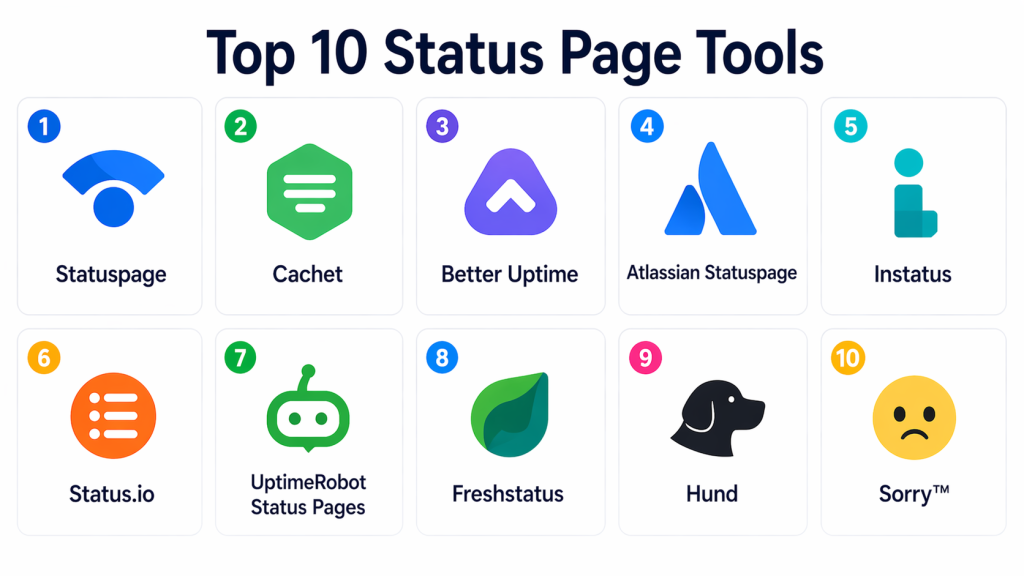
Top 10 Status Page Tools
#1 — Statuspage
Short description : Statuspage is one of the most widely used status page tools, designed for communicating system status and incidents to customers. It is known for reliability, customization, and strong integration capabilities. It supports public and private status pages. It is especially popular among SaaS companies. It provides a structured way to maintain transparency with users.
Key Features
- Public and private status pages
- Incident communication workflows
- Subscriber notifications (email/SMS)
- Custom branding
- Historical uptime tracking
- API for automation
- Integration with monitoring tools
Pros
- Easy to use and widely adopted
- Strong customization and branding
- Reliable communication during incidents
Cons
- Limited internal workflow features
- Requires integration for full automation
- Can be expensive for advanced usage
Platforms / Deployment
- Web
- Cloud
Security & Compliance
- Not publicly stated
Integrations & Ecosystem
Statuspage integrates with monitoring and alerting tools to automate incident updates and notifications.
- Monitoring tools
- APIs
- Notification systems
- DevOps workflows
Support & Community
Strong documentation and large user base. Widely adopted across SaaS companies.
#2 — Cachet
Short description : Cachet is an open-source status page tool that allows organizations to create customizable status dashboards. It is suitable for teams that want full control over deployment and data. It is widely used by developer-first teams. It supports incident tracking and uptime reporting. It is best for teams comfortable managing their own infrastructure.
Key Features
- Open-source platform
- Incident tracking
- Customizable dashboards
- Metrics display
- Self-hosting support
- API access
Pros
- Free and open-source
- Full customization
- Self-hosting flexibility
Cons
- Requires infrastructure management
- Limited enterprise features
- Community-driven support
Platforms / Deployment
- Web
- Self-hosted
Security & Compliance
- Not publicly stated
Integrations & Ecosystem
Cachet supports API-based integrations and can be extended for custom workflows.
- APIs
- Custom integrations
- Monitoring tools
Support & Community
Strong open-source community. Documentation varies.
#3 — Better Uptime
Short description : Better Uptime combines status pages with uptime monitoring and incident management. It provides a unified platform for monitoring and communication. It is especially useful for SMBs and startups. It simplifies alerting and status updates. It is a practical all-in-one solution.
Key Features
- Status pages
- Uptime monitoring
- Incident management
- Alerting and notifications
- API integrations
- Incident timelines
Pros
- All-in-one platform
- Easy to set up
- Good for SMB teams
Cons
- Less customizable than enterprise tools
- Limited scalability for large organizations
- Smaller ecosystem
Platforms / Deployment
- Web
- Cloud
Security & Compliance
- Not publicly stated
Integrations & Ecosystem
Better Uptime integrates with monitoring and alerting tools for automated workflows.
- Monitoring tools
- APIs
- Notification systems
Support & Community
Good documentation and easy onboarding.
#4 — Atlassian Statuspage (Enterprise Tier)
Short description : Atlassian Statuspage offers enterprise-grade status communication with advanced customization and integration capabilities. It is designed for large organizations needing reliable communication. It supports multiple services and complex environments. It is widely trusted. It fits enterprise SaaS platforms.
Key Features
- Multi-service status tracking
- Custom branding
- Subscriber notifications
- Incident management
- API integration
- Uptime history
Pros
- Enterprise-grade reliability
- Strong integration ecosystem
- Scalable for large organizations
Cons
- Higher cost
- Complex setup
- Overkill for small teams
Platforms / Deployment
- Web
- Cloud
Security & Compliance
- RBAC: Supported
- Encryption: Supported
- SSO/SAML: Supported
Integrations & Ecosystem
Strong integration with DevOps and monitoring tools for automated updates.
- Monitoring tools
- APIs
- DevOps platforms
Support & Community
Enterprise support and strong documentation.
#5 — Instatus
Short description : Instatus is a modern status page tool focused on simplicity and speed. It is designed for teams that want quick setup and minimal complexity. It offers fast deployment and clean UI. It is popular among startups. It is best for simple status communication.
Key Features
- Fast setup
- Clean UI
- Incident updates
- Subscriber notifications
- Custom domains
- API access
Pros
- Very easy to use
- Fast deployment
- Affordable
Cons
- Limited advanced features
- Not ideal for enterprise use
- Smaller ecosystem
Platforms / Deployment
- Web
- Cloud
Security & Compliance
- Not publicly stated
Integrations & Ecosystem
Supports basic integrations and API workflows.
- APIs
- Notification tools
Support & Community
Growing community and simple documentation.
#6 — Status.io
Short description : Status.io is a status page platform designed for high-performance and scalability. It supports large-scale systems and offers strong uptime tracking. It is suitable for enterprises. It provides reliable communication tools. It is best for organizations needing performance-focused status pages.
Key Features
- High-performance status pages
- Incident updates
- Notifications
- Custom branding
- Uptime metrics
- API support
Pros
- High scalability
- Strong uptime tracking
- Enterprise-ready
Cons
- Higher cost
- Less beginner-friendly
- Smaller ecosystem than competitors
Platforms / Deployment
- Web
- Cloud
Security & Compliance
- Not publicly stated
Integrations & Ecosystem
Integrates with monitoring tools and APIs for automated workflows.
- Monitoring tools
- APIs
- Notification systems
Support & Community
Enterprise-level support available.
#7 — UptimeRobot Status Pages
Short description : UptimeRobot offers basic status pages as part of its uptime monitoring service. It is ideal for small teams. It provides simple communication features. It is easy to use. It is best for basic needs.
Key Features
- Basic status pages
- Uptime monitoring
- Alerts
- Simple dashboards
- Notifications
Pros
- Easy to use
- Affordable
- Good for beginners
Cons
- Limited features
- Not scalable
- Basic customization
Platforms / Deployment
- Web
- Cloud
Security & Compliance
- Not publicly stated
Integrations & Ecosystem
Limited integrations focused on uptime monitoring workflows.
- Monitoring tools
- APIs
Support & Community
Good for beginners with simple documentation.
#8 — Freshstatus
Short description : Freshstatus is part of the Freshworks ecosystem and provides status page functionality for IT teams. It integrates with ITSM workflows. It is easy to use. It is suitable for SMB teams. It is a practical option.
Key Features
- Status pages
- Incident updates
- Notifications
- Integration with ITSM tools
- Custom branding
Pros
- Easy to use
- Good integration with ITSM
- Affordable
Cons
- Limited advanced features
- Smaller ecosystem
- Not enterprise-grade
Platforms / Deployment
- Web
- Cloud
Security & Compliance
- Not publicly stated
Integrations & Ecosystem
Works well with IT service management tools.
- ITSM tools
- APIs
Support & Community
Good onboarding and documentation.
#9 — Hund
Short description : Hund is a status page tool focused on design and transparency. It offers customizable dashboards and strong UI. It is suitable for SaaS companies. It emphasizes user communication. It is best for branding-focused teams.
Key Features
- Customizable UI
- Incident updates
- Notifications
- Metrics display
- Branding options
Pros
- Strong design focus
- Good customization
- Transparent communication
Cons
- Smaller ecosystem
- Limited enterprise features
- Less widely adopted
Platforms / Deployment
- Web
- Cloud
Security & Compliance
- Not publicly stated
Integrations & Ecosystem
Supports API-based integrations.
- APIs
- Monitoring tools
Support & Community
Smaller but focused community.
#10 — Sorry™
Short description : Sorry™ is a status page platform focused on reliability and simplicity. It helps teams communicate outages effectively. It offers structured workflows. It is suitable for SaaS companies. It is a modern tool.
Key Features
- Status pages
- Incident communication
- Notifications
- API access
- Custom branding
Pros
- Simple and reliable
- Good communication workflows
- Easy to use
Cons
- Limited ecosystem
- Not enterprise-grade
- Smaller community
Platforms / Deployment
- Web
- Cloud
Security & Compliance
- Not publicly stated
Integrations & Ecosystem
Supports integrations with monitoring and alerting tools.
- APIs
- Monitoring tools
Support & Community
Growing community and documentation.
Comparison Table (Top 10)
| Tool Name | Best For | Platform(s) | Deployment | Standout Feature | Public Rating |
|---|---|---|---|---|---|
| Statuspage | SaaS companies | Web | Cloud | Industry-standard status pages | N/A |
| Cachet | Developers | Web | Self-hosted | Open-source flexibility | N/A |
| Better Uptime | SMB teams | Web | Cloud | All-in-one monitoring + status | N/A |
| Atlassian Statuspage | Enterprise | Web | Cloud | Enterprise reliability | N/A |
| Instatus | Startups | Web | Cloud | Simple and fast setup | N/A |
| Status.io | Large systems | Web | Cloud | High performance | N/A |
| UptimeRobot | Beginners | Web | Cloud | Simple uptime pages | N/A |
| Freshstatus | IT teams | Web | Cloud | ITSM integration | N/A |
| Hund | Branding-focused teams | Web | Cloud | Custom UI | N/A |
| Sorry™ | SaaS teams | Web | Cloud | Simple communication | N/A |
Evaluation & Scoring of Status Page Tools
| Tool | Core | Ease | Integrations | Security | Performance | Support | Value | Total |
|---|---|---|---|---|---|---|---|---|
| Statuspage | 9.5 | 8.5 | 9.0 | 8.5 | 9.0 | 8.5 | 7.5 | 8.70 |
| Cachet | 7.5 | 6.5 | 7.0 | 7.0 | 7.5 | 7.0 | 9.0 | 7.45 |
| Better Uptime | 8.5 | 9.0 | 8.0 | 7.5 | 8.5 | 8.0 | 8.5 | 8.40 |
| Atlassian Statuspage | 9.0 | 7.5 | 9.0 | 8.5 | 9.0 | 8.5 | 7.0 | 8.35 |
| Instatus | 7.5 | 9.5 | 7.0 | 7.0 | 7.5 | 7.5 | 9.0 | 7.95 |
| Status.io | 8.5 | 7.5 | 8.0 | 7.5 | 8.5 | 8.0 | 7.5 | 8.05 |
| UptimeRobot | 7.0 | 9.0 | 6.5 | 7.0 | 7.5 | 7.5 | 9.0 | 7.80 |
| Freshstatus | 7.5 | 8.5 | 7.5 | 7.0 | 7.5 | 7.5 | 8.5 | 7.75 |
| Hund | 7.5 | 8.0 | 7.0 | 7.0 | 7.5 | 7.0 | 8.0 | 7.55 |
| Sorry™ | 7.5 | 8.5 | 7.0 | 7.0 | 7.5 | 7.5 | 8.0 | 7.70 |
These scores are comparative and help shortlist tools. The best choice depends on your specific needs, scale, and budget.
Which Status Page Tools Is Right for You?
Solo / Freelancer
Use Instatus or UptimeRobot for simplicity and cost.
SMB
Better Uptime, Freshstatus, Instatus offer balance.
Mid-Market
Status.io, Better Uptime provide scalability.
Enterprise
Statuspage, Atlassian Statuspage are best choices.
Budget vs Premium
- Budget: Instatus, Cachet
- Premium: Statuspage, Status.io
Feature Depth vs Ease of Use
- Easy: Instatus, UptimeRobot
- Advanced: Statuspage, Status.io
Integrations & Scalability
- Best: Statuspage, Atlassian Statuspage
Security & Compliance Needs
- Strong: Atlassian Statuspage
Frequently Asked Questions (FAQs)
1. What is a status page tool?
It is a platform used to communicate service availability and incidents to users in real time, improving transparency and trust.
2. Why is it important?
It helps businesses maintain credibility by informing users during outages instead of leaving them guessing about service issues.
3. Can status pages be automated?
Yes, most tools support automation through APIs and integrations with monitoring systems to update status automatically.
4. Are status pages public or private?
They can be both. Public pages are for customers, while private pages are used internally by teams.
5. Do small teams need status page tools?
Not always, but they become important when applications have external users or uptime expectations increase.
6. What features should I prioritize?
Look for automation, notifications, uptime history, customization, and integration with monitoring tools.
7. Can these tools integrate with DevOps workflows?
Yes, most tools integrate with monitoring, alerting, and CI/CD systems to streamline operations.
8. How much do status page tools cost?
Pricing varies widely, from free open-source tools to premium enterprise solutions depending on features and scale.
9. What is uptime history?
It is a record of service availability over time, showing past incidents and performance trends.
10. What is the biggest benefit?
The biggest benefit is transparency, which improves customer trust and reduces support workload.
Conclusion
Status page tools are essential for modern SaaS and digital businesses that prioritize transparency and user trust. They provide a clear way to communicate system health, manage incidents, and maintain credibility during outages. While tools like Statuspage and Atlassian Statuspage lead for enterprise use, options like Better Uptime, Instatus, and Freshstatus offer simpler and more affordable solutions. The right choice depends on your scale, integration needs, and communication strategy. Start by identifying your requirements, test a few tools, and ensure they align with your monitoring and incident workflows before making a decision.
