Introduction
Performance Testing Tools are software solutions used to evaluate how applications, APIs, and systems behave under different workloads. They measure speed, responsiveness, scalability, and stability to ensure systems perform efficiently in real-world conditions.
In modern digital environments—where users expect fast, always-available applications—performance testing has become a critical part of the software development lifecycle. These tools help teams identify bottlenecks, optimize infrastructure, and prevent system failures before production.
Real-world use cases:
- Testing web application speed under load
- Measuring API response time and scalability
- Identifying system bottlenecks
- Validating cloud infrastructure performance
- Supporting CI/CD performance validation
What buyers should evaluate:
- Load simulation capability
- Multi-protocol and API support
- Real-time analytics and reporting
- Ease of scripting and automation
- Cloud and distributed testing support
- Integration with DevOps pipelines
- Scalability and performance accuracy
- Monitoring and observability features
- Cost and licensing
Best for: QA engineers, performance testers, DevOps teams, developers, and enterprise IT teams
Not ideal for: Small static websites or non-scalable applications
Key Trends in Performance Testing Tools
- Shift toward cloud-native performance testing platforms
- Integration with CI/CD pipelines
- AI-driven performance analysis and insights
- Real-time observability and monitoring
- Kubernetes-based distributed testing
- API-first performance testing approach
- Scriptless and low-code testing solutions
- Multi-region and global load simulation
- DevOps automation-focused testing workflows
How We Selected These Tools (Methodology)
- Industry adoption and popularity
- Ability to simulate real-world workloads
- Protocol and API support coverage
- Integration with DevOps ecosystems
- Scalability and distributed testing capability
- Reporting and analytics strength
- Ease of scripting and usability
- Cloud and on-premise flexibility
- Community and enterprise support
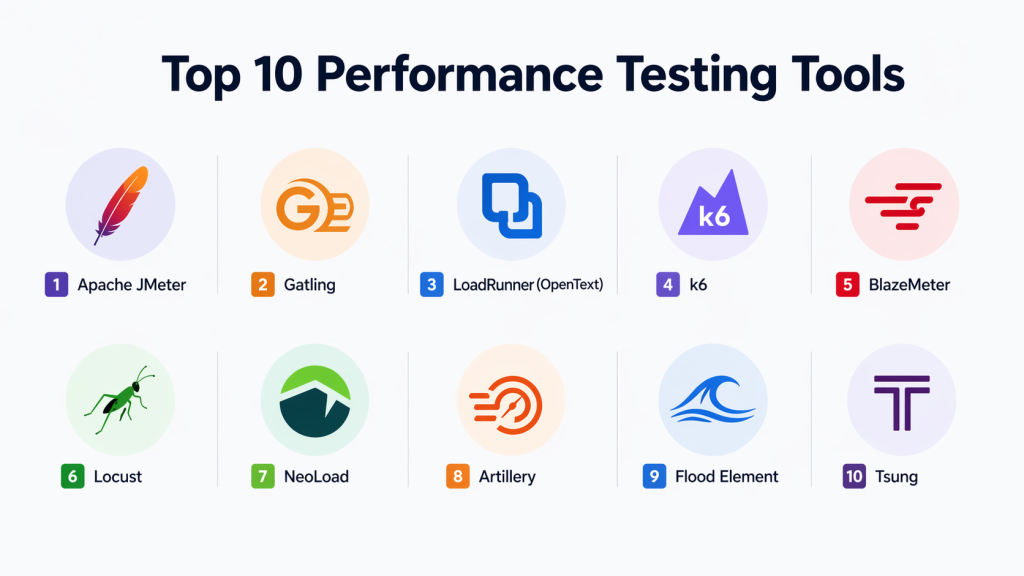
Top 10 Performance Testing Tools
#1 — Apache JMeter
Short description:
Apache JMeter is one of the most widely used open-source performance testing tools for web applications and APIs. It is highly flexible and supports multiple protocols, making it suitable for both functional and load testing scenarios.
Key Features
- Web and API performance testing
- Distributed load testing
- Plugin-based architecture
- Real-time reporting
- Multi-protocol support
Pros
- Free and open-source
- Highly customizable
Cons
- Complex UI
- Requires technical expertise
Platforms / Deployment
Windows / Linux / macOS / Cloud / On-premise
Security & Compliance
Supports secure protocols and authentication testing
Integrations & Ecosystem
- CI/CD pipelines
- Monitoring tools
- DevOps platforms
Support & Community
Large global open-source community
#2 — Gatling
Short description:
Gatling is a high-performance testing tool designed for developers to simulate heavy loads and measure system behavior. It is widely used in DevOps workflows due to its automation-friendly nature.
Key Features
- Code-based scripting
- High-performance load simulation
- Real-time metrics
- CI/CD integration
- API testing support
Pros
- Fast execution
- Developer-friendly
Cons
- Requires coding knowledge
- Limited GUI
Platforms / Deployment
Cloud / On-premise
Security & Compliance
Secure API testing support
Integrations & Ecosystem
- Jenkins
- GitHub Actions
- CI/CD tools
Support & Community
Active developer community
#3 — LoadRunner (OpenText)
Short description:
LoadRunner is an enterprise-grade performance testing tool used for simulating thousands of users across complex systems and protocols. It is widely used in mission-critical enterprise environments.
Key Features
- Multi-protocol testing
- Enterprise scalability
- Advanced analytics
- Real-time monitoring
- Cloud integration
Pros
- Extremely powerful
- Enterprise-ready
Cons
- Expensive
- Complex setup
Platforms / Deployment
Cloud / On-premise
Security & Compliance
Enterprise-grade security standards
Integrations & Ecosystem
- DevOps tools
- Monitoring platforms
Support & Community
Enterprise-level vendor support
#4 — k6
Short description:
k6 is a modern performance testing tool built for developers and DevOps teams. It is widely used for API performance testing and integrates well into CI/CD pipelines.
Key Features
- JavaScript-based scripting
- API load testing
- Cloud execution
- CI/CD integration
- Real-time metrics
Pros
- Lightweight
- Easy automation
Cons
- No GUI
- Requires scripting
Platforms / Deployment
Cloud / On-premise
Security & Compliance
Secure API testing support
Integrations & Ecosystem
- Grafana
- CI/CD tools
Support & Community
Strong open-source community
#5 — BlazeMeter
Short description:
BlazeMeter is a cloud-based performance testing platform that supports large-scale distributed testing and is compatible with JMeter scripts.
Key Features
- Cloud load testing
- JMeter compatibility
- API testing
- Real-time dashboards
- CI/CD integration
Pros
- Highly scalable
- Easy cloud usage
Cons
- Paid service
- Cloud dependency
Platforms / Deployment
Cloud
Security & Compliance
Enterprise security controls
Integrations & Ecosystem
- JMeter
- DevOps pipelines
Support & Community
Strong vendor support
#6 — Locust
Short description:
Locust is an open-source performance testing tool written in Python that allows users to define user behavior as code for flexible testing scenarios.
Key Features
- Python-based scripting
- Distributed load testing
- Real-time metrics
- Scalable architecture
- API testing
Pros
- Flexible
- Open-source
Cons
- Requires coding
- Limited UI
Platforms / Deployment
Cloud / On-premise
Security & Compliance
Supports secure API testing
Integrations & Ecosystem
- Python ecosystem
- DevOps tools
Support & Community
Active community
#7 — NeoLoad
Short description:
NeoLoad is an enterprise performance testing tool designed for continuous testing in DevOps environments.
Key Features
- Automated performance testing
- API testing
- CI/CD integration
- Real-time analytics
- Cloud support
Pros
- Automation-friendly
- Enterprise-ready
Cons
- Expensive
- Learning curve
Platforms / Deployment
Cloud / On-premise
Security & Compliance
Enterprise security support
Integrations & Ecosystem
- DevOps pipelines
- Monitoring systems
Support & Community
Strong enterprise support
#8 — Artillery
Short description:
Artillery is a lightweight performance testing tool designed for modern APIs and microservices in cloud-native environments.
Key Features
- YAML-based configuration
- API performance testing
- CI/CD integration
- Real-time reporting
- Cloud-native support
Pros
- Simple configuration
- Lightweight
Cons
- Limited enterprise features
- Requires scripting
Platforms / Deployment
Cloud / On-premise
Security & Compliance
API security testing support
Integrations & Ecosystem
- CI/CD tools
- Node.js ecosystem
Support & Community
Growing developer community
#9 — Flood Element
Short description:
Flood Element is a cloud-based distributed performance testing platform designed for global-scale load simulation.
Key Features
- Distributed testing
- Multi-region execution
- API testing support
- Real-time dashboards
- CI/CD integration
Pros
- Global scalability
- Cloud-native
Cons
- Paid solution
- Internet dependency
Platforms / Deployment
Cloud
Security & Compliance
Enterprise-grade security
Integrations & Ecosystem
- CI/CD tools
- DevOps platforms
Support & Community
Strong vendor support
#10 — Tsung
Short description:
Tsung is an open-source distributed performance testing tool designed for high-load simulation across multiple protocols.
Key Features
- Distributed testing
- Multi-protocol support
- High scalability
- Performance monitoring
- Script-based configuration
Pros
- Highly scalable
- Free and open-source
Cons
- Complex setup
- Limited UI
Platforms / Deployment
Linux / Cloud
Security & Compliance
Protocol-level security support
Integrations & Ecosystem
- Monitoring tools
- DevOps systems
Support & Community
Moderate community
Comparison Table (Top 10)
| Tool | Best For | Platform | Deployment | Standout Feature | Rating |
|---|---|---|---|---|---|
| JMeter | General testing | Multi | Hybrid | Flexibility | N/A |
| Gatling | Developers | Multi | Cloud | Speed | N/A |
| LoadRunner | Enterprise | Multi | Hybrid | Protocol support | N/A |
| k6 | DevOps | Multi | Cloud | CI/CD integration | N/A |
| BlazeMeter | Cloud testing | Multi | Cloud | Scalability | N/A |
| Locust | Developers | Multi | Hybrid | Python scripting | N/A |
| NeoLoad | Enterprise | Multi | Hybrid | Automation | N/A |
| Artillery | APIs | Multi | Cloud | Simplicity | N/A |
| Flood Element | Enterprise | Multi | Cloud | Global testing | N/A |
| Tsung | Advanced users | Multi | Hybrid | Distributed testing | N/A |
Evaluation & Scoring
| Tool | Core | Ease | Integrations | Security | Performance | Support | Value | Total |
|---|---|---|---|---|---|---|---|---|
| JMeter | 9 | 7 | 9 | 8 | 9 | 9 | 10 | 8.7 |
| Gatling | 9 | 8 | 9 | 8 | 10 | 8 | 9 | 8.7 |
| LoadRunner | 10 | 6 | 9 | 9 | 10 | 10 | 7 | 8.7 |
| k6 | 9 | 8 | 10 | 8 | 9 | 8 | 10 | 8.9 |
| BlazeMeter | 9 | 8 | 9 | 9 | 9 | 9 | 8 | 8.7 |
| Locust | 8 | 8 | 8 | 8 | 9 | 8 | 10 | 8.4 |
| NeoLoad | 9 | 7 | 9 | 9 | 9 | 9 | 8 | 8.6 |
| Artillery | 8 | 8 | 8 | 8 | 8 | 7 | 10 | 8.1 |
| Flood Element | 9 | 8 | 9 | 9 | 9 | 8 | 8 | 8.6 |
| Tsung | 8 | 6 | 7 | 8 | 10 | 7 | 10 | 8.0 |
Frequently Asked Questions (FAQs)
1. What is performance testing?
Performance testing checks how an application behaves under different workloads. It measures speed, stability, and responsiveness to ensure reliable user experience.
2. Why is performance testing important?
It helps identify bottlenecks before production. This ensures applications do not crash or slow down during peak traffic.
3. What is the difference between load testing and performance testing?
Performance testing is a broad term covering system speed and stability. Load testing is a subset that focuses specifically on user traffic simulation.
4. Which tools are best for performance testing?
Popular tools include JMeter, Gatling, k6, and LoadRunner. Each tool is suited for different scalability and complexity needs.
5. Are performance testing tools free?
Some tools like JMeter, k6, and Locust are open-source and free. Enterprise tools like LoadRunner and NeoLoad are paid solutions.
6. Can performance testing be automated?
Yes, most modern tools support automation and CI/CD integration. This helps teams test performance continuously during development.
7. What skills are needed for performance testing?
Basic programming knowledge, understanding of system architecture, and familiarity with APIs or web protocols are helpful.
8. Do performance testing tools support APIs?
Yes, most modern tools fully support API performance testing along with web and microservices testing.
9. When should performance testing be done?
It should be done during development, before release, and continuously in CI/CD pipelines for stable performance.
10. Which is the easiest performance testing tool for beginners?
JMeter and k6 are commonly recommended for beginners due to their large community support and simple setup options.Conclusion
Performance Testing Tools are essential for ensuring application stability, scalability, and responsiveness under real-world conditions. They help teams detect performance issues early, optimize infrastructure, and improve user experience.
From open-source tools like JMeter and k6 to enterprise platforms like LoadRunner and NeoLoad, each tool serves different performance testing needs.
Choosing the right tool depends on scalability requirements, technical expertise, and budget.
A well-planned performance testing strategy ensures reliable and high-performing applications in production environments.
