Introduction
Automated Testing Tools are software solutions that execute test cases automatically to validate application functionality, performance, and reliability. They eliminate repetitive manual testing efforts and enable faster, more accurate testing across development cycles.
In modern DevOps and agile environments, automated testing is essential for continuous integration and delivery. It ensures that applications remain stable even with frequent updates and deployments.
Real-world use cases:
- Regression testing for applications
- UI and functional testing
- API validation
- Continuous testing in CI/CD pipelines
- Cross-browser and cross-platform testing
What buyers should evaluate:
- Ease of test creation and maintenance
- Support for web, mobile, and APIs
- Integration with CI/CD tools
- Cross-browser and cross-platform capabilities
- Reporting and analytics features
- Scalability of test execution
- Scripting vs no-code support
- Community and support ecosystem
- Cost and licensing model
Best for: QA teams, developers, DevOps engineers, and enterprises adopting automation
Not ideal for: Small projects with minimal testing needs
Key Trends in Automated Testing Tools
- Rise of AI-driven test automation
- Shift toward low-code and no-code testing
- Integration with CI/CD pipelines
- Cloud-based testing platforms
- Increased focus on API and microservices testing
- Cross-platform and cross-browser automation
- Parallel and distributed test execution
- Test automation for mobile and web apps
- Continuous testing in DevOps workflows
How We Selected These Tools
- Industry adoption and popularity
- Feature completeness across testing types
- Ease of use and learning curve
- Integration with DevOps pipelines
- Scalability and performance
- Cross-platform support
- Community and vendor support
- Reliability in real-world testing
- Innovation and future readiness
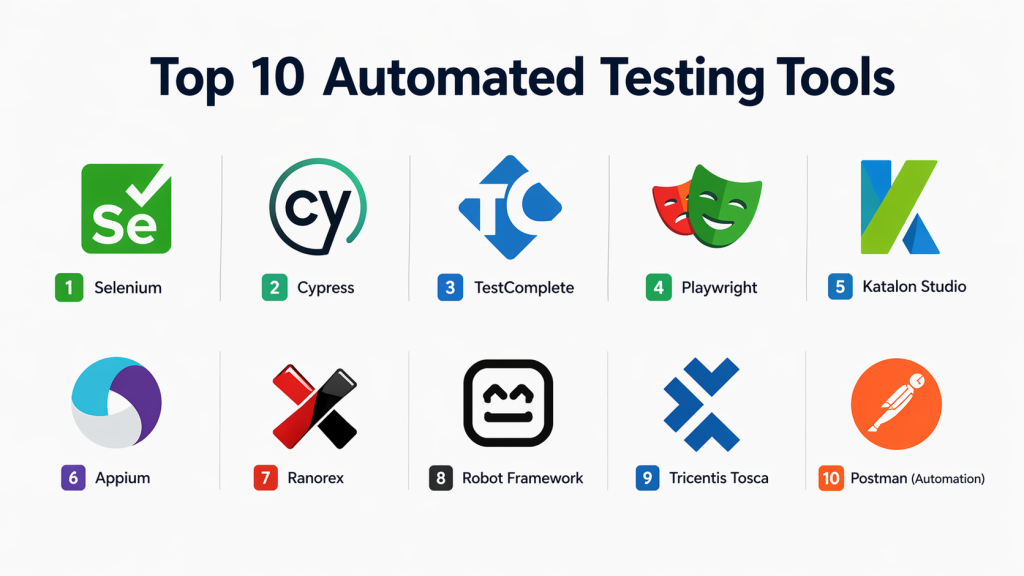
Top 10 Automated Testing Tools
#1 — Selenium
Short description:
Selenium is one of the most widely used open-source automation testing tools for web applications. It supports multiple programming languages and browsers, making it highly flexible for developers and QA teams.
Key Features
- Web automation testing
- Cross-browser testing
- Multi-language support
- Parallel test execution
- Open-source framework
Pros
- Free and widely supported
- Highly flexible
Cons
- Requires coding knowledge
- No built-in reporting
Platforms / Deployment
Windows / Linux / macOS / Cloud
Security & Compliance
Depends on implementation
Integrations & Ecosystem
- CI/CD tools
- Test frameworks
Support & Community
Large global community
#2 — Cypress
Short description:
Cypress is a modern JavaScript-based testing tool designed for front-end testing. It provides fast execution and an easy-to-use interface for developers.
Key Features
- End-to-end testing
- Real-time reloading
- Debugging tools
- Fast execution
- Browser automation
Pros
- Developer-friendly
- Easy setup
Cons
- Limited browser support
- JavaScript-only
Platforms / Deployment
Cloud / Local
Security & Compliance
Standard web testing security
Integrations & Ecosystem
- CI/CD tools
- JavaScript ecosystem
Support & Community
Strong developer community
3 — TestComplete
Short description:
TestComplete is a commercial automated testing tool that supports web, desktop, and mobile testing with both scripting and no-code options.
Key Features
- UI testing
- Cross-platform testing
- Script and keyword testing
- Object recognition
- Test reporting
Pros
- Easy for beginners
- Powerful features
Cons
- Expensive
- Requires licensing
Platforms / Deployment
Windows / Cloud
Security & Compliance
Enterprise-level controls
Integrations & Ecosystem
- CI/CD tools
- DevOps platforms
Support & Community
Vendor support
4 — Playwright
Short description:
Playwright is a modern automation framework for testing web applications across browsers. It supports multiple programming languages and provides reliable automation capabilities.
Key Features
- Cross-browser automation
- API testing support
- Parallel execution
- Headless testing
- Multi-language support
Pros
- Fast and reliable
- Modern architecture
Cons
- Requires coding
- Smaller ecosystem
Platforms / Deployment
Windows / Linux / macOS
Security & Compliance
Secure test execution
Integrations & Ecosystem
- CI/CD tools
- Dev frameworks
Support & Community
Growing community
#5 — Katalon Studio
Short description:
Katalon Studio is an all-in-one automated testing platform supporting web, API, mobile, and desktop testing with low-code capabilities.
Key Features
- Web and API testing
- Mobile testing
- Test recording
- Reporting dashboard
- CI/CD integration
Pros
- Easy to use
- All-in-one platform
Cons
- Limited flexibility
- Paid features
Platforms / Deployment
Windows / macOS / Cloud
Security & Compliance
Enterprise security features
Integrations & Ecosystem
- DevOps tools
- CI/CD pipelines
Support & Community
Active community
#6 — Appium
Short description:
Appium is an open-source mobile automation testing tool for Android and iOS applications. It allows testing using standard programming languages.
Key Features
- Mobile app testing
- Cross-platform support
- Native and hybrid apps
- Automation APIs
- Multi-language support
Pros
- Open-source
- Flexible
Cons
- Complex setup
- Slower execution
Platforms / Deployment
Windows / Linux / macOS
Security & Compliance
Mobile testing security support
Integrations & Ecosystem
- Mobile frameworks
- CI/CD tools
Support & Community
Large community
#7 — Ranorex
Short description:
Ranorex is a commercial test automation tool for desktop, web, and mobile applications with a user-friendly interface.
Key Features
- UI automation
- Cross-platform testing
- Object recognition
- Test reporting
- Recording tools
Pros
- Easy to use
- Strong UI testing
Cons
- Expensive
- Windows-focused
Platforms / Deployment
Windows
Security & Compliance
Enterprise controls
Integrations & Ecosystem
- DevOps tools
Support & Community
Vendor support
#8 — Robot Framework
Short description:
Robot Framework is an open-source automation framework that supports keyword-driven testing for web, API, and application testing.
Key Features
- Keyword-driven testing
- Extensible framework
- Library support
- Easy scripting
- Cross-platform testing
Pros
- Easy to learn
- Flexible
Cons
- Requires setup
- Limited UI
Platforms / Deployment
Windows / Linux / macOS
Security & Compliance
Depends on implementation
Integrations & Ecosystem
- Selenium
- CI/CD tools
Support & Community
Active community
#9 — Tricentis Tosca
Short description:
Tosca is an enterprise-level test automation platform that offers model-based testing and supports end-to-end testing scenarios.
Key Features
- Model-based testing
- Risk-based testing
- API testing
- Test data management
- Automation framework
Pros
- Enterprise-ready
- No-code capabilities
Cons
- Expensive
- Complex setup
Platforms / Deployment
Cloud / On-premise
Security & Compliance
Enterprise-grade security
Integrations & Ecosystem
- DevOps tools
- Enterprise systems
Support & Community
Enterprise support
#10 — Postman (Automation)
Short description:
Postman is widely used for API testing and automation. It provides tools for testing, monitoring, and automating APIs.
Key Features
- API testing
- Automation scripts
- Test collections
- Monitoring
- Collaboration tools
Pros
- Easy to use
- Strong API testing
Cons
- Limited UI testing
- Paid features
Platforms / Deployment
Web / Desktop / Cloud
Security & Compliance
API security testing
Integrations & Ecosystem
- CI/CD tools
- DevOps platforms
Support & Community
Very large community
Comparison Table
| Tool | Best For | Platform | Deployment | Standout Feature | Rating |
|---|---|---|---|---|---|
| Selenium | Web testing | Multi | Hybrid | Flexibility | N/A |
| Cypress | Frontend | Multi | Cloud | Speed | N/A |
| TestComplete | Enterprise | Multi | Hybrid | UI testing | N/A |
| Playwright | Developers | Multi | Local | Modern automation | N/A |
| Katalon | All-in-one | Multi | Hybrid | Simplicity | N/A |
| Appium | Mobile | Multi | Hybrid | Cross-platform | N/A |
| Ranorex | UI testing | Windows | Local | Ease of use | N/A |
| Robot Framework | Open-source | Multi | Hybrid | Keyword testing | N/A |
| Tosca | Enterprise | Multi | Hybrid | Model-based testing | N/A |
| Postman | API testing | Multi | Cloud | API automation | N/A |
Evaluation & Scoring
| Tool | Core | Ease | Integrations | Security | Performance | Support | Value | Total |
|---|---|---|---|---|---|---|---|---|
| Selenium | 9 | 7 | 10 | 8 | 9 | 10 | 10 | 8.9 |
| Cypress | 9 | 9 | 8 | 8 | 9 | 8 | 9 | 8.6 |
| TestComplete | 9 | 8 | 9 | 9 | 9 | 9 | 7 | 8.5 |
| Playwright | 9 | 8 | 9 | 8 | 9 | 8 | 9 | 8.6 |
| Katalon | 8 | 9 | 8 | 8 | 8 | 8 | 8 | 8.2 |
| Appium | 8 | 7 | 8 | 8 | 8 | 8 | 9 | 8.0 |
| Ranorex | 8 | 9 | 7 | 8 | 8 | 8 | 7 | 8.0 |
| Robot | 8 | 8 | 8 | 8 | 8 | 8 | 9 | 8.1 |
| Tosca | 9 | 8 | 9 | 9 | 9 | 9 | 7 | 8.6 |
| Postman | 8 | 9 | 9 | 8 | 8 | 9 | 9 | 8.4 |
Frequently Asked Questions (FAQs)
1. What are automated testing tools?
Automated testing tools execute test cases automatically to validate application functionality. They reduce manual effort and improve testing efficiency.
2. Why is automation testing important?
It speeds up testing cycles and ensures consistent results. It also helps detect bugs early in development.
3. Are automated testing tools free?
Some tools like Selenium and Robot Framework are free. Others like Tosca and TestComplete are paid.
4. Which tool is best for beginners?
Cypress and Katalon are beginner-friendly due to easy setup and UI.
5. Can automated testing be used in CI/CD?
Yes, most tools integrate with CI/CD pipelines for continuous testing.
6. Do these tools support mobile testing?
Yes, tools like Appium and Katalon support mobile app testing.
7. What skills are needed for automation testing?
Basic programming knowledge and understanding of testing concepts are helpful.
8. Is Selenium still relevant?
Yes, Selenium remains widely used for web automation testing.
9. Can automation testing replace manual testing?
No, it complements manual testing but does not fully replace it.
10. When should automation testing be used?
It is best used for repetitive and regression testing tasks.
Conclusion
Automated Testing Tools are essential for modern software development, enabling faster releases, improved quality, and reliable applications. They reduce manual effort and allow teams to scale testing efficiently.
From open-source tools like Selenium to enterprise platforms like Tosca, each solution offers unique capabilities suited for different needs.
Choosing the right tool depends on your project size, testing requirements, and technical expertise.
A strong automation strategy ensures consistent, high-quality software delivery in fast-paced development environments.
