Introduction
Workplace people analytics tools help HR teams, business leaders, and managers make better decisions using employee data. These tools collect information from HR systems, surveys, performance platforms, payroll tools, and workforce planning systems. The goal is to understand hiring trends, employee engagement, retention risk, skills gaps, workforce cost, diversity, and productivity patterns. Modern people analytics platforms are commonly used for workforce planning, attrition analysis, engagement tracking, organizational design, and leadership reporting.
For growing companies, people analytics is no longer only about creating HR reports. It helps leaders understand why employees leave, which teams need support, where skills are missing, and how workforce decisions affect business goals. A strong people analytics tool turns scattered employee data into useful dashboards, insights, and action plans. This makes HR more strategic and helps companies move from guesswork to evidence-based decisions.
Key Trends in Workplace People Analytics Tools
People analytics tools are becoming more focused on real business outcomes. HR teams now want insights that connect employee experience, retention, performance, workforce planning, and business growth. Tools with predictive analytics, AI-supported dashboards, and easy executive reporting are becoming more valuable. Integration with HRIS, payroll, engagement platforms, and communication tools is also important because workforce data is usually spread across many systems.
Another important trend is manager-friendly analytics. Earlier, people analytics was mainly used by HR analysts, but now managers also need simple dashboards. Tools that explain trends in plain language and recommend actions are more useful for daily decision-making. Security, role-based access, compliance readiness, and clean data governance are also critical because people data is sensitive.
Methodology
This list is based on market relevance, feature depth, workforce analytics capability, reporting quality, integration ecosystem, ease of use, security posture, and suitability for different company sizes. Preference is given to platforms that help HR teams analyze headcount, attrition, engagement, skills, compensation, diversity, workforce planning, and organizational health. Tools with strong dashboards, predictive insights, and HR system integrations are prioritized. Where details such as ratings, compliance certifications, or pricing are not clearly available, “N/A” or “Not publicly stated” is used.
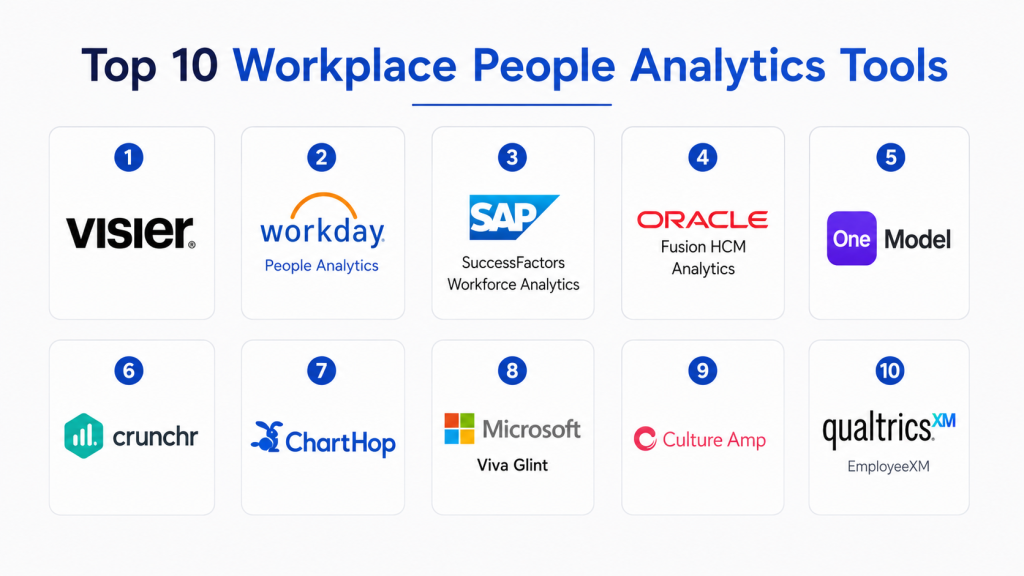
Top 10 Workplace People Analytics Tools
1. Visier
Short Description:
Visier is a strong people analytics platform built for workforce insights and strategic HR reporting.
It helps teams understand attrition, hiring, headcount, diversity, compensation, and workforce planning.
The platform is useful for companies that need deep analytics across multiple HR data sources.
It is best suited for mid-sized and large organizations with mature HR data needs.
Key Features
- Workforce analytics dashboards
- Attrition and retention insights
- Headcount and workforce planning
- Diversity and inclusion analytics
- Compensation and talent insights
- Predictive analytics support
- Executive-ready reporting
Pros
- Strong analytics depth for HR leaders
- Good fit for enterprise workforce planning
- Useful for connecting data from multiple systems
Cons
- May require implementation planning
- Can feel advanced for very small teams
- Pricing is usually enterprise-focused
Platforms/Deployment
Web-based platform.
Cloud deployment.
Mobile access may vary by package.
Self-hosted deployment is not commonly positioned.
Security & Compliance
Security features may include role-based access, data controls, and enterprise governance.
Specific compliance details vary by contract and region.
SOC 2, ISO, GDPR, or other certifications should be verified directly.
Use “Not publicly stated” where certification details are unclear.
Integrations & Ecosystem
Visier is designed to connect with HRIS, payroll, talent, recruiting, and workforce systems.
It is useful when organizations have data spread across different HR platforms.
Integration depth may depend on selected modules and technical setup.
API and connector availability should be checked during vendor evaluation.
Support & Community
Visier generally supports enterprise clients with onboarding and customer success resources.
Documentation, implementation guidance, and analytics support are important parts of adoption.
Support levels may vary by plan and customer size.
Community availability is more vendor-led than open-community driven.
2. Workday People Analytics
Short Description:
Workday People Analytics is designed for organizations already using the Workday ecosystem.
It helps HR teams understand workforce patterns through dashboards and guided insights.
The tool supports people leaders with employee data, trends, and decision-ready reporting.
It is a strong option for companies that want analytics inside their existing HCM platform.
Key Features
- Native Workday HCM analytics
- Workforce trend reporting
- Employee data visualization
- Guided insights for HR teams
- Headcount and talent analysis
- Executive reporting support
- Workforce planning visibility
Pros
- Strong fit for Workday customers
- Reduces need for separate analytics tools
- Good for centralized HR data reporting
Cons
- Best value comes inside Workday ecosystem
- Less suitable for companies not using Workday
- Customization may depend on configuration
Platforms/Deployment
Web-based platform.
Cloud deployment.
Designed mainly for Workday HCM users.
Mobile experience may depend on Workday access and configuration.
Security & Compliance
Security depends heavily on Workday’s enterprise access controls and configuration.
Role-based permissions are important for protecting employee data.
Compliance support may vary by region and customer setup.
Specific certifications should be verified directly with the vendor.
Integrations & Ecosystem
Workday People Analytics works best with Workday HCM data.
It may also connect with other business systems depending on setup.
Organizations already using Workday can benefit from smoother data flow.
External integration needs should be reviewed before final selection.
Support & Community
Workday offers enterprise support, documentation, implementation partners, and customer resources.
Support quality may depend on customer plan and partner involvement.
Workday’s large ecosystem can help with setup and ongoing optimization.
Training may be needed for HR teams and business leaders.
3. SAP SuccessFactors Workforce Analytics
Short Description:
SAP SuccessFactors Workforce Analytics helps organizations analyze workforce data inside the SAP ecosystem.
It supports HR leaders with insights on headcount, talent, workforce trends, and organizational planning.
The platform is useful for enterprises that need structured HR analytics and reporting.
It works best for companies already using SAP SuccessFactors or SAP-based HR systems.
Key Features
- Workforce analytics reporting
- HR metrics dashboards
- Headcount and talent analysis
- Workforce planning insights
- Employee data visibility
- Enterprise HR reporting
- SAP ecosystem alignment
Pros
- Strong fit for SAP SuccessFactors users
- Useful for enterprise HR reporting
- Supports structured workforce decision-making
Cons
- May require SAP expertise
- Implementation can be complex for smaller teams
- Best value depends on SAP ecosystem usage
Platforms/Deployment
Web-based platform.
Cloud deployment.
Primarily aligned with SAP SuccessFactors HCM.
Deployment options may vary by customer environment.
Security & Compliance
Security usually depends on SAP access controls, permissions, and governance setup.
Role-based access is important for protecting sensitive employee data.
Compliance details should be reviewed based on region and package.
Certifications should be verified directly before purchase.
Integrations & Ecosystem
SAP SuccessFactors Workforce Analytics integrates strongly with SAP HR and business systems.
It is helpful for companies with existing SAP infrastructure.
Integration with non-SAP tools may require additional planning.
Data quality and system mapping are important for accurate reporting.
Support & Community
SAP provides enterprise support, documentation, partners, and implementation resources.
Large organizations may benefit from SAP’s partner network.
Support levels can vary based on contract and service package.
Training is usually important for HR analytics adoption.
4. Oracle Fusion HCM Analytics
Short Description:
Oracle Fusion HCM Analytics helps organizations analyze workforce data within Oracle Cloud HCM.
It provides dashboards and insights for HR leaders, managers, and workforce planning teams.
The platform supports areas like hiring, retention, diversity, performance, and workforce cost.
It is suitable for companies using Oracle HCM and needing enterprise-level analytics.
Key Features
- Oracle HCM-native analytics
- Workforce performance dashboards
- Talent and retention insights
- Diversity and workforce reporting
- Prebuilt HR metrics
- Executive analytics views
- Data visualization support
Pros
- Strong fit for Oracle Cloud HCM users
- Good enterprise reporting capabilities
- Useful prebuilt HR analytics content
Cons
- Best suited for Oracle ecosystem users
- Setup may need technical support
- Less ideal for companies using many non-Oracle HR systems
Platforms/Deployment
Web-based platform.
Cloud deployment.
Designed for Oracle Cloud HCM environments.
Mobile access may vary by Oracle setup.
Security & Compliance
Security depends on Oracle’s identity, access, and permission model.
Role-based access helps protect sensitive HR data.
Compliance support may vary by region and deployment setup.
Specific certifications should be confirmed with Oracle.
Integrations & Ecosystem
Oracle Fusion HCM Analytics works closely with Oracle Cloud HCM data.
It may support broader Oracle analytics and business intelligence use cases.
External data connections should be checked during evaluation.
Organizations should review data mapping needs before implementation.
Support & Community
Oracle offers enterprise support, documentation, implementation partners, and training resources.
Support experience can vary by package and partner involvement.
Large companies may benefit from Oracle’s broad technology ecosystem.
Internal admin training is helpful for long-term success.
5. One Model
Short Description:
One Model is a people analytics platform focused on workforce data modeling and advanced HR insights.
It helps HR teams combine data from different systems into one analytics layer.
The platform is useful for teams that want stronger control over workforce data and metrics.
It fits organizations that need flexible analytics, data pipelines, and deep reporting.
Key Features
- Workforce data modeling
- People analytics dashboards
- Data integration from multiple HR systems
- Predictive analytics support
- Custom HR metrics
- Workforce planning insights
- Advanced reporting capabilities
Pros
- Strong data integration capabilities
- Flexible for advanced people analytics teams
- Useful for companies with complex HR data
Cons
- May require analytics maturity
- Setup can need technical involvement
- Not the simplest option for small teams
Platforms/Deployment
Web-based platform.
Cloud deployment.
Designed for people analytics and data integration.
Deployment specifics may vary by customer needs.
Security & Compliance
Security features may include access controls, permissions, and data governance.
Compliance details should be verified directly with the vendor.
Sensitive employee data requires strong internal governance.
Certifications are not always publicly stated in simple product summaries.
Integrations & Ecosystem
One Model is known for connecting data from multiple HR, talent, payroll, and workforce systems.
It can help create a unified data layer for people analytics.
Integration work may depend on data sources and internal architecture.
API and connector details should be reviewed during implementation planning.
Support & Community
Support may include onboarding, technical guidance, and analytics consulting.
Because the platform can be advanced, vendor support is important.
Customer success resources can help HR teams build reliable data models.
Community visibility is more vendor-led than open-community based.
6. Crunchr
Short Description:
Crunchr is a people analytics and workforce planning platform for HR teams.
It helps organizations understand workforce trends, talent risks, headcount, and organizational structure.
The tool is useful for companies that need clear dashboards without overwhelming complexity.
It can support HR leaders, people analytics teams, and business managers.
Key Features
- People analytics dashboards
- Workforce planning support
- Headcount and attrition insights
- Organizational analytics
- Data storytelling features
- Scenario planning support
- HR reporting dashboards
Pros
- Good balance of usability and analytics
- Useful for workforce planning conversations
- Strong for visual HR reporting
Cons
- Advanced customization may require setup
- Not every integration detail is public
- May be more suitable for mid-market and enterprise teams
Platforms/Deployment
Web-based platform.
Cloud deployment.
Mobile support may vary.
Self-hosted options are not commonly positioned.
Security & Compliance
Security usually includes user permissions and controlled access to employee data.
Compliance information should be verified directly with the vendor.
Companies should review data residency and privacy needs.
Specific certifications may be Not publicly stated.
Integrations & Ecosystem
Crunchr can connect with HR and workforce data sources to build analytics dashboards.
It is useful when HR teams want better reporting from existing systems.
Integration depth may vary by HRIS, payroll, or talent platform.
Data preparation is important for accurate insights.
Support & Community
Crunchr typically provides onboarding and customer support for HR analytics users.
Documentation and setup assistance can help teams adopt the platform faster.
Support levels may vary by plan and customer size.
Community visibility is limited compared with large enterprise suites.
7. ChartHop
Short Description:
ChartHop combines people analytics, org charts, headcount planning, and employee data visualization.
It helps leaders understand team structure, compensation, hiring plans, and workforce changes.
The platform is useful for companies that want visual people data and planning workflows.
It is especially helpful for growing organizations that need clearer workforce visibility.
Key Features
- Dynamic org charts
- Headcount planning
- People analytics dashboards
- Compensation planning support
- Employee profile visibility
- Workforce change tracking
- HRIS integrations
Pros
- Strong visual workforce planning experience
- Helpful for growing teams and HR leaders
- Good for org design and headcount conversations
Cons
- Deep analytics may be lighter than specialist platforms
- Best value depends on clean people data
- Some advanced features may need configuration
Platforms/Deployment
Web-based platform.
Cloud deployment.
Designed for HR, finance, and business leaders.
Mobile support may vary by use case.
Security & Compliance
Security may include role-based access and permission controls.
Employee data visibility should be configured carefully.
Compliance details should be verified directly with the vendor.
Specific certifications may be Not publicly stated.
Integrations & Ecosystem
ChartHop integrates with HRIS, payroll, identity, and workplace systems depending on plan.
It is useful for syncing employee data into visual dashboards.
The tool can support planning conversations across HR, finance, and leadership.
Integration availability should be checked against the company’s current tech stack.
Support & Community
ChartHop provides customer support, documentation, and onboarding resources.
Implementation support can help teams set up org charts and planning workflows.
Support quality may vary by plan.
Community resources are more vendor-led than open-source style.
8. Microsoft Viva Glint
Short Description:
Microsoft Viva Glint focuses on employee engagement, experience insights, and people feedback analytics.
It helps organizations understand employee sentiment, engagement trends, and manager action areas.
The platform is useful for companies using Microsoft workplace tools and employee listening programs.
It is best suited for organizations that want feedback data connected with people analytics.
Key Features
- Employee engagement analytics
- Pulse and lifecycle survey insights
- Manager dashboards
- Action planning support
- Sentiment trend analysis
- Microsoft ecosystem alignment
- Employee experience reporting
Pros
- Strong for employee listening and engagement analytics
- Good fit for Microsoft ecosystem users
- Helps managers turn feedback into action
Cons
- More focused on engagement than full workforce analytics
- Best value depends on Microsoft environment
- Setup and survey governance need planning
Platforms/Deployment
Web-based platform.
Cloud deployment.
Works within Microsoft Viva ecosystem.
Mobile access may depend on Microsoft user setup.
Security & Compliance
Security depends on Microsoft identity, admin controls, and tenant configuration.
Role-based access is important for manager and HR views.
Compliance support may vary by customer environment and region.
Organizations should verify privacy and data handling requirements.
Integrations & Ecosystem
Microsoft Viva Glint fits naturally into Microsoft workplace and employee experience environments.
It can support engagement data workflows and manager action planning.
Integration with broader HR systems may depend on setup.
Companies should review data connection needs before implementation.
Support & Community
Microsoft provides documentation, support channels, admin resources, and partner support.
Organizations may also use internal Microsoft admins for configuration.
Support experience can vary by Microsoft plan and enterprise agreement.
Training helps managers use insights responsibly.
9. Culture Amp
Short Description:
Culture Amp is an employee experience platform with strong engagement and people analytics capabilities.
It helps HR teams measure employee sentiment, performance, development, and culture trends.
The platform is useful for organizations that want feedback, analytics, and action planning together.
It works well for teams focused on culture, engagement, retention, and employee growth.
Key Features
- Employee engagement surveys
- People analytics dashboards
- Performance and development insights
- Action planning tools
- Benchmarking support
- Retention and culture analytics
- Manager reporting
Pros
- Strong employee experience focus
- Useful benchmarks and engagement insights
- Good balance of analytics and action planning
Cons
- May not replace a full enterprise workforce analytics platform
- Pricing may vary by company size and modules
- Some advanced analytics may depend on package selection
Platforms/Deployment
Web-based platform.
Cloud deployment.
Mobile access may vary.
Designed for HR, managers, and people leaders.
Security & Compliance
Security may include permissions, access controls, and data protection practices.
Compliance details should be reviewed directly with the vendor.
Employee survey anonymity and confidentiality settings are important.
Certifications may vary by region and package.
Integrations & Ecosystem
Culture Amp can integrate with HRIS, communication, performance, and workplace tools.
It supports employee experience data workflows across different HR processes.
Integration depth may vary by plan and system.
Companies should check supported integrations before purchase.
Support & Community
Culture Amp provides onboarding, support, resources, and people science guidance.
Its content and customer resources can help HR teams improve survey programs.
Support levels may depend on plan and customer size.
Community and learning resources are stronger than many smaller tools.
10. Qualtrics EmployeeXM
Short Description:
Qualtrics EmployeeXM helps organizations measure employee experience through surveys and analytics.
It supports engagement, lifecycle feedback, sentiment insights, and workforce experience tracking.
The platform is useful for companies that need flexible survey design and advanced analytics.
It is best suited for organizations with mature employee listening and experience programs.
Key Features
- Employee experience surveys
- Advanced survey analytics
- Lifecycle feedback programs
- Engagement and sentiment insights
- Action planning workflows
- Dashboard reporting
- Experience management ecosystem
Pros
- Very flexible survey and analytics capability
- Strong fit for large employee experience programs
- Useful for connecting feedback to action planning
Cons
- Can be complex for small teams
- Best results need good survey design and governance
- Pricing and modules may vary widely
Platforms/Deployment
Web-based platform.
Cloud deployment.
Mobile survey access may be available depending on setup.
Designed for enterprise experience management use cases.
Security & Compliance
Security features may include access controls, data privacy settings, and enterprise governance.
Compliance details should be reviewed directly with the vendor.
Survey confidentiality and data handling rules must be configured carefully.
Certifications may vary by region, product package, and customer agreement.
Integrations & Ecosystem
Qualtrics EmployeeXM can connect with HR systems, communication tools, and business applications.
It is useful for building employee listening programs across the employee lifecycle.
Integration depth may depend on selected modules and technical setup.
Organizations should review connector and API needs before implementation.
Support & Community
Qualtrics provides enterprise support, documentation, training, and partner resources.
Large organizations may benefit from implementation support and advisory services.
Support quality can vary by plan and service level.
Internal survey governance is important for long-term success.
Comparison Table
| Tool Name | Best For | Platform(s) Supported | Deployment | Standout Feature | Public Rating |
|---|---|---|---|---|---|
| Visier | Enterprise workforce analytics | Web | Cloud | Deep workforce analytics | N/A |
| Workday People Analytics | Workday HCM users | Web | Cloud | Native Workday insights | N/A |
| SAP SuccessFactors Workforce Analytics | SAP HR ecosystem | Web | Cloud | Enterprise HR reporting | N/A |
| Oracle Fusion HCM Analytics | Oracle HCM users | Web | Cloud | Prebuilt HCM dashboards | N/A |
| One Model | Advanced people analytics teams | Web | Cloud | Workforce data modeling | N/A |
| Crunchr | Workforce planning and reporting | Web | Cloud | Visual HR dashboards | N/A |
| ChartHop | Org design and headcount planning | Web | Cloud | Dynamic org charts | N/A |
| Microsoft Viva Glint | Employee listening and engagement | Web | Cloud | Manager action insights | N/A |
| Culture Amp | Employee experience analytics | Web | Cloud | Engagement and culture insights | N/A |
| Qualtrics EmployeeXM | Enterprise employee experience | Web | Cloud | Flexible experience analytics | N/A |
Evaluation & Scoring Table
| Tool Name | Core Features 25% | Ease of Use 15% | Integrations 15% | Security 10% | Performance 10% | Support 10% | Value 15% | Weighted Total |
|---|---|---|---|---|---|---|---|---|
| Visier | 9 | 8 | 9 | 9 | 9 | 8 | 8 | 8.60 |
| Workday People Analytics | 9 | 8 | 9 | 9 | 9 | 8 | 8 | 8.60 |
| SAP SuccessFactors Workforce Analytics | 8 | 7 | 9 | 9 | 8 | 8 | 8 | 8.10 |
| Oracle Fusion HCM Analytics | 8 | 7 | 9 | 9 | 8 | 8 | 8 | 8.10 |
| One Model | 9 | 7 | 9 | 8 | 8 | 8 | 8 | 8.25 |
| Crunchr | 8 | 8 | 8 | 8 | 8 | 8 | 8 | 8.00 |
| ChartHop | 8 | 9 | 8 | 8 | 8 | 8 | 8 | 8.15 |
| Microsoft Viva Glint | 8 | 8 | 9 | 9 | 8 | 8 | 8 | 8.30 |
| Culture Amp | 8 | 9 | 8 | 8 | 8 | 9 | 8 | 8.30 |
| Qualtrics EmployeeXM | 9 | 8 | 9 | 9 | 9 | 8 | 8 | 8.60 |
Practical Decision Guide
For Enterprise Workforce Analytics
Choose Visier, Workday People Analytics, SAP SuccessFactors Workforce Analytics, Oracle Fusion HCM Analytics, or One Model. These tools are better when you need deeper workforce reporting, multiple data sources, and leadership-level dashboards. They are useful for companies managing complex HR operations, global teams, or large employee populations. They may require stronger implementation planning and data governance.
For HR Teams Already Using a Major HCM Suite
Choose Workday People Analytics, SAP SuccessFactors Workforce Analytics, or Oracle Fusion HCM Analytics. These tools work best when your core employee data already lives inside the same ecosystem. They reduce data movement and make reporting more connected. They are not always the best fit if your HR data is spread across many non-native systems.
For Visual Org Planning and Headcount Insights
Choose ChartHop or Crunchr. These tools are helpful when leaders want to see team structure, headcount plans, workforce changes, and planning scenarios clearly. They are useful for HR, finance, and leadership teams working together. They can make people data easier to understand for non-technical users.
For Employee Experience and Engagement Analytics
Choose Microsoft Viva Glint, Culture Amp, or Qualtrics EmployeeXM. These tools are strong for listening programs, employee sentiment, pulse surveys, engagement trends, and action planning. They are ideal when your main goal is improving culture, retention, and employee experience. They may not fully replace a deep workforce analytics platform for compensation or headcount modeling.
For Advanced Data Teams
Choose One Model or Visier. These platforms are useful when your people analytics team needs deeper data modeling, stronger data pipelines, and custom reporting. They support more advanced analysis than basic HR dashboards. They are better when the company has clear analytics ownership and clean HR data practices.
Key Features to Look For in Workplace People Analytics Tools
Workforce Dashboards
A good people analytics tool should provide clear dashboards for headcount, hiring, attrition, engagement, diversity, compensation, and workforce planning. Dashboards should be easy for HR teams and leaders to understand. The best dashboards do not only show numbers; they explain what needs attention. Visual reporting helps leaders take faster action.
Attrition and Retention Insights
Retention analytics helps companies understand why employees leave and which teams may need support. Strong tools can show turnover patterns by department, role, manager, location, or tenure. Predictive insights can help HR act before problems become bigger. This is one of the most important use cases for people analytics.
Data Integration
People data often lives in HRIS, payroll, ATS, performance, engagement, and learning platforms. A good tool should connect with these systems or allow structured data imports. Better integration reduces manual reporting and spreadsheet dependency. Poor integration can weaken the accuracy of analytics.
Role-Based Access
People analytics tools handle sensitive employee information. Role-based access ensures that managers, HR teams, executives, and analysts see only the data they are allowed to view. This protects employee privacy and supports compliance. Access rules should be reviewed before rollout.
Predictive Analytics
Predictive analytics helps HR teams forecast attrition, hiring needs, workforce cost, and engagement risk. It is useful for planning instead of reacting. However, predictions should be used carefully and ethically. Human judgment is still important when interpreting employee data.
Action Planning
Insights are only useful when they lead to action. Some tools provide recommended actions, manager guidance, or workflow support. This helps leaders move from dashboards to improvement plans. Action planning is especially useful for engagement and employee experience programs.
Common Mistakes to Avoid
Choosing a Tool Without Clean Data
Even the best analytics tool will fail if employee data is incomplete or inconsistent. HR teams should clean job titles, departments, manager fields, hire dates, and employee status data before implementation. Clean data improves trust in dashboards. Bad data creates confusion and weak decision-making.
Buying Too Much Complexity Too Early
Small teams may not need a heavy enterprise analytics platform. If the company only needs basic headcount, retention, and engagement dashboards, a simpler tool may be enough. Overly complex tools can slow adoption. Match the tool to the team’s maturity.
Ignoring Manager Adoption
People analytics should not remain only inside HR. Managers need simple dashboards and clear explanations. If managers do not understand the insights, they will not act on them. Training and communication are important for adoption.
Not Defining Success Metrics
Before choosing a tool, define what success means. It may be reducing attrition, improving workforce planning, tracking engagement, or improving diversity reporting. Clear goals help evaluate whether the tool is working. Without goals, analytics becomes only reporting.
Weak Privacy Governance
Employee data is sensitive. Organizations must define who can access what data and how insights can be used. Poor governance can damage trust. Privacy, transparency, and ethical use should be part of every people analytics program.
Frequently Asked Questions
1. What are workplace people analytics tools?
Workplace people analytics tools help organizations collect, analyze, and understand employee data.
They are used for workforce planning, retention, hiring, engagement, and performance insights.
These tools turn HR data into dashboards and reports that leaders can use.
They help companies make better people decisions with evidence instead of guesswork.
2. Why are people analytics tools important for HR teams?
They help HR teams understand workforce trends more clearly.
Instead of relying only on manual reports, HR can see patterns in real time.
These tools support decisions around hiring, retention, engagement, and planning.
They also help HR become more strategic in business discussions.
3. Which companies should use people analytics tools?
Any company with growing employee data can benefit from people analytics.
Small teams may start with basic HR reporting, while larger companies need deeper analytics.
Mid-sized and enterprise organizations often gain the most value from dedicated tools.
The right choice depends on team size, data maturity, and business goals.
4. What data do people analytics tools use?
They may use data from HRIS, payroll, recruiting, performance, surveys, and learning systems.
Common data includes headcount, turnover, hiring, compensation, engagement, and skills.
Some tools also analyze workforce planning and organizational structure.
Data quality is very important for accurate insights.
5. Are people analytics tools secure?
Most serious people analytics tools include access controls and data protection features.
However, security details vary by vendor, plan, and deployment setup.
Companies should check role-based access, encryption, audit logs, and compliance details.
Sensitive employee data must always be handled carefully.
6. Can people analytics tools predict employee turnover?
Some advanced platforms offer predictive attrition or retention risk analytics.
These insights can help HR identify teams or roles that need attention.
Predictions should not be treated as final truth without human review.
They are best used as early warning signals for better conversations and planning.
7. What is the difference between HR reporting and people analytics?
HR reporting usually shows what already happened, such as headcount or turnover numbers.
People analytics goes deeper by explaining patterns, causes, and possible future risks.
It helps leaders understand why something is happening and what action to take.
This makes people analytics more strategic than basic reporting.
8. Do people analytics tools integrate with HR systems?
Yes, many tools integrate with HRIS, payroll, ATS, performance, and engagement platforms.
Integration helps bring scattered workforce data into one reporting layer.
The depth of integration depends on the vendor and the company’s systems.
Always check supported integrations before selecting a tool.
9. Are people analytics tools useful for employee engagement?
Yes, especially when they connect survey data with workforce trends.
Tools like Culture Amp, Microsoft Viva Glint, and Qualtrics EmployeeXM focus strongly on employee experience.
They help measure sentiment, engagement drivers, and manager action areas.
This helps companies improve culture and retention more effectively.
10. How should a company choose the right people analytics tool?
Start by identifying the main problem, such as attrition, planning, engagement, or reporting.
Then review integrations, ease of use, security, analytics depth, and support quality.
Choose a tool that matches your HR maturity and company size.
A successful tool should help leaders take action, not just view dashboards.
Conclusion
Workplace people analytics tools help companies understand their workforce with more clarity, confidence, and speed. They are valuable for HR teams that want to move beyond manual reporting and start making stronger decisions around hiring, retention, engagement, workforce planning, and organizational design. The best tool depends on your current HR systems, company size, analytics maturity, and leadership needs. Enterprise teams may prefer Visier, Workday People Analytics, SAP SuccessFactors Workforce Analytics, Oracle Fusion HCM Analytics, or One Model, while teams focused on engagement may prefer Microsoft Viva Glint, Culture Amp, or Qualtrics EmployeeXM. For visual workforce planning, ChartHop and Crunchr are strong options. Start with a clear business problem, clean your data, define access rules, train managers, and choose a platform that turns people data into practical action.
