Introduction
Workflow Form Automation Tools help businesses turn form submissions into automated business actions. Instead of manually checking emails, copying form data, assigning tasks, requesting approvals, or updating spreadsheets, these tools automate the flow of information from online forms into the right people, systems, and processes. A form can trigger approval routing, CRM updates, ticket creation, payment requests, document generation, email notifications, task assignment, and reporting.
These tools matter because modern teams need faster response times, fewer manual errors, and better control over business processes. Sales teams use them for lead routing, HR teams use them for employee requests, finance teams use them for reimbursement approvals, IT teams use them for service requests, and operations teams use them for multi-step internal workflows.
Real-world use cases include:
- Approval workflows: Route leave requests, expense claims, purchase requests, and onboarding forms to the right approvers.
- Lead management: Send website leads to sales teams, CRMs, email lists, and follow-up workflows.
- Support intake: Convert form submissions into tickets, tasks, and internal alerts.
- HR operations: Automate job applications, employee onboarding, policy acknowledgments, and internal requests.
- Document workflows: Generate PDFs, contracts, invoices, certificates, and reports from submitted form data.
- Payment workflows: Collect payments, confirm transactions, and notify finance or operations teams.
- Compliance workflows: Collect required data, track approvals, maintain submission history, and reduce manual handoffs.
Evaluation Criteria for Buyers:
- Form builder quality: Drag-and-drop builder, field types, templates, mobile responsiveness, and design options.
- Workflow automation depth: Routing, approvals, task assignment, reminders, status tracking, and multi-step automation.
- Conditional logic: Ability to show fields, route requests, or trigger actions based on submitted answers.
- Integrations: CRM, spreadsheets, helpdesk, project management, cloud storage, payments, and communication tools.
- Data management: Submission inbox, exports, dashboards, reports, filtering, and audit-friendly history.
- Security controls: Permissions, encryption, SSO, MFA, audit logs, spam protection, and role-based access.
- Compliance readiness: Consent fields, data retention, privacy controls, and regulated industry support.
- Scalability: Support for teams, departments, high submission volume, and complex business workflows.
- Ease of use: No-code setup, template availability, workflow builder simplicity, and admin experience.
- Value: Pricing model, included automation limits, number of users, submission limits, and support quality.
Best for: Workflow Form Automation Tools are best for HR teams, sales operations, marketing teams, finance teams, IT service teams, education teams, healthcare administration, nonprofits, agencies, SMBs, and enterprise departments that need structured data collection with automated follow-up actions.
Not ideal for: These tools may not be ideal for teams that only need a simple contact form with no routing, no approvals, and no integrations. They may also not be enough for highly complex enterprise application development, where custom software, BPM platforms, or low-code application builders may be more suitable.
Key Trends in Workflow Form Automation Tools
- AI-assisted workflow building: More platforms are adding AI features to help users generate forms, approval paths, routing logic, email messages, and workflow drafts faster.
- No-code process automation: Business teams want to automate request intake, approvals, notifications, and data movement without depending on developers.
- Approval-first workflows: HR, finance, procurement, and operations teams increasingly need structured approval flows with assigned reviewers, reminders, and decision tracking.
- CRM and helpdesk connectivity: Form submissions are expected to create leads, deals, tickets, tasks, contacts, and customer records automatically.
- Document generation from forms: Businesses want submitted form data to generate PDFs, proposals, contracts, letters, certificates, and invoices.
- Better data governance: Buyers now care more about permissions, access control, audit trails, privacy, and secure submission storage.
- Mobile-friendly internal workflows: Field teams, sales teams, and distributed employees need forms that work well on mobile devices.
- Conditional routing: Static forms are being replaced by smart forms that route requests based on department, location, amount, urgency, or customer type.
- Payment and commerce workflows: Forms are increasingly used for paid registrations, deposits, donations, orders, and service requests.
- Integrated business dashboards: Teams want to track submission status, workflow progress, bottlenecks, approvals, and completion rates from one place.
How We Selected These Tools
The tools in this list were selected using a practical SaaS and business workflow evaluation approach:
- Market adoption: We prioritized tools widely recognized in form building, workflow automation, approvals, and business process automation.
- Workflow depth: Tools were evaluated for approval routing, task assignment, notifications, conditional logic, reminders, and status tracking.
- Form builder capability: We considered ease of form creation, templates, field types, file uploads, calculations, payments, and mobile support.
- Integration ecosystem: Stronger consideration was given to tools that connect with CRMs, spreadsheets, project tools, helpdesks, storage apps, and automation platforms.
- Business fit: The list includes tools for solo users, SMBs, mid-market teams, and enterprise departments.
- Security posture signals: We considered visible access controls, authentication options, data handling, permissions, and compliance-related positioning where clearly known.
- Scalability: Tools were reviewed for team workspaces, high-volume usage, multi-step workflows, and cross-department adoption.
- Reporting and visibility: Submission tracking, workflow status, dashboards, exports, and audit-friendly records were considered.
- Ease of use: No-code setup, intuitive builders, templates, and user experience were important.
- Use-case balance: The final list includes form-first tools, workflow-first tools, CRM-connected tools, and automation platforms with form intake capabilities.
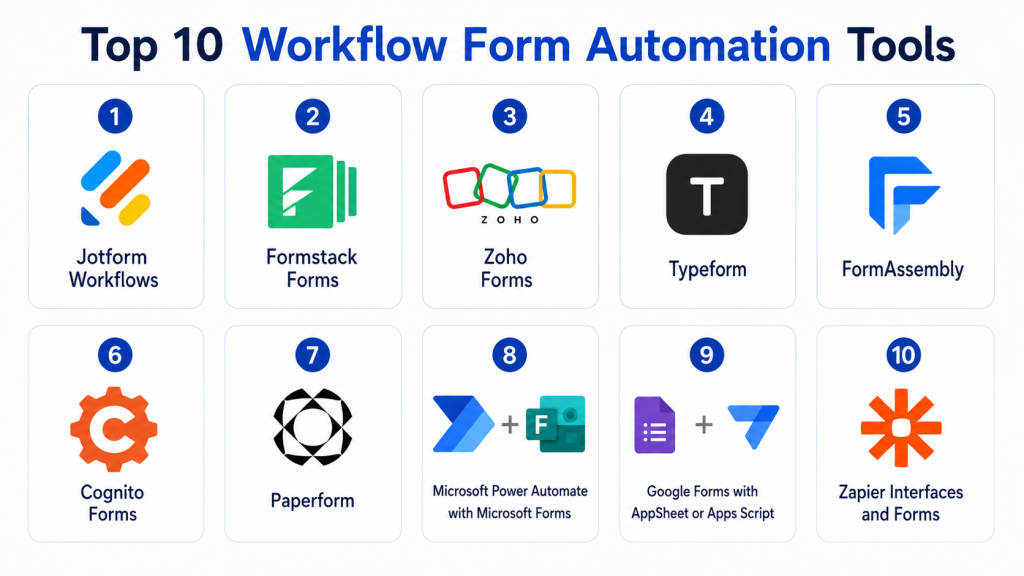
Top 10 Workflow Form Automation Tools
1- Jotform Workflows
Short description: Jotform Workflows helps teams build automated approval flows, task assignments, payment requests, and form-based business processes without coding. It is a strong choice for HR, finance, education, operations, and small business teams that need forms connected to action steps.
Key Features
- Drag-and-drop workflow builder for form-based processes.
- Approval routing with assigned reviewers and decision steps.
- Task assignment for checklist items, follow-ups, and internal actions.
- Conditional logic to route requests based on form responses.
- Automated reminders and email notifications.
- Payment request support inside workflows.
- Integrations with storage, communication, and productivity tools.
Pros
- Easy for non-technical users to create approval workflows.
- Strong fit for HR requests, finance approvals, IT tickets, and applications.
- Combines form building and workflow automation in one platform.
Cons
- Complex enterprise process requirements may need deeper governance review.
- Advanced usage may require paid plans.
- Teams must design workflows carefully to avoid confusing routing paths.
Platforms / Deployment
Web / iOS / Android
Cloud
Security & Compliance
Jotform provides account security and data protection features, but compliance details depend on the plan and configuration. Buyers should verify SSO, MFA, encryption, audit logs, HIPAA, GDPR, and role-based access requirements before using sensitive data.
Integrations & Ecosystem
Jotform Workflows connects form submissions with many business applications. It is useful when teams need to move data into storage, communication tools, spreadsheets, and workflow destinations.
- Google Drive
- Dropbox
- Slack
- Microsoft Teams
- Airtable
- Google Sheets
- Payment tools
Support & Community
Jotform offers documentation, templates, tutorials, and customer support resources. Its large user base makes it easier to find examples for approval workflows, request forms, payment workflows, and operational automation.
2- Formstack Forms
Short description: Formstack Forms is a business-focused form automation platform for collecting data, routing submissions, triggering approvals, generating documents, and connecting workflows. It is well suited for healthcare, education, finance, HR, operations, and enterprise departments.
Key Features
- Online form builder with workflow automation.
- Approval routing and multi-step submission review.
- Conditional logic and data validation.
- Document generation through Formstack ecosystem tools.
- E-signature workflow support through related Formstack products.
- Integration with CRM, storage, and productivity systems.
- Submission management, reporting, and process visibility.
Pros
- Strong for process-heavy teams and regulated business workflows.
- Good fit for forms, documents, and signature-based processes.
- Useful for replacing manual paperwork and email-based approvals.
Cons
- May be more expensive than lightweight form builders.
- Setup can require planning for complex workflows.
- Smaller teams may not need the full workflow suite.
Platforms / Deployment
Web
Cloud
Security & Compliance
Formstack provides business workflow and secure data collection capabilities. Buyers should verify plan-specific controls such as SSO, encryption, audit logs, HIPAA, GDPR, data retention, and access permissions before deployment.
Integrations & Ecosystem
Formstack works well when form data needs to move into business systems, documents, approval flows, and e-signature processes.
- Salesforce
- Google Sheets
- Microsoft tools
- Cloud storage tools
- Payment gateways
- E-signature workflows
- Document automation tools
Support & Community
Formstack provides documentation, onboarding resources, and customer support options. Larger teams should review implementation support, admin assistance, and workflow design guidance before purchase.
3- Zoho Forms
Short description: Zoho Forms is a form builder with automation, approval routing, notifications, task assignment, and strong integration with the Zoho ecosystem. It is ideal for SMBs and departments already using Zoho CRM, Zoho Desk, Zoho Projects, or Zoho Flow.
Key Features
- Drag-and-drop form builder with templates.
- Form automation rules and triggered actions.
- Approval workflows and task assignment.
- Email notifications and autoresponders.
- Integration with Zoho CRM and other Zoho apps.
- Payment forms and mobile data collection.
- Reports, exports, and submission tracking.
Pros
- Strong value for businesses already using Zoho apps.
- Good balance of form building and workflow automation.
- Useful for lead capture, approvals, support intake, and internal requests.
Cons
- Best experience is inside the Zoho ecosystem.
- Advanced workflow setup may require learning Zoho logic.
- Some integrations may need additional tools or configuration.
Platforms / Deployment
Web / iOS / Android
Cloud
Security & Compliance
Zoho Forms benefits from Zoho account and organization-level security controls. Buyers should verify MFA, SSO, encryption, audit logs, GDPR, data retention, and role-based access requirements for their plan.
Integrations & Ecosystem
Zoho Forms is strongest when connected with other Zoho applications. It can also connect with external apps through integrations and automation tools.
- Zoho CRM
- Zoho Desk
- Zoho Projects
- Zoho Campaigns
- Zoho Flow
- Google Sheets
- Payment gateways
Support & Community
Zoho provides documentation, knowledge base resources, product support, and a large ecosystem of users and partners. Teams already familiar with Zoho will usually adopt Zoho Forms faster.
4- Typeform
Short description: Typeform is a conversational form and survey platform that supports logic, integrations, and automated response workflows. It is best for marketing, product research, customer experience, lead capture, and feedback workflows where user experience matters.
Key Features
- Conversational one-question-at-a-time forms.
- Conditional logic and branching.
- Templates for lead capture, surveys, quizzes, and feedback.
- Response routing through integrations.
- CRM and marketing platform connections.
- Analytics and response summaries.
- Strong branding and design customization.
Pros
- Excellent user experience for customer-facing workflows.
- Strong for surveys, quizzes, lead capture, and research.
- Integrates well with marketing and CRM tools.
Cons
- Not ideal for heavy internal approval workflows.
- Can be more expensive than basic form tools.
- Long operational forms may not fit the conversational style.
Platforms / Deployment
Web
Cloud
Security & Compliance
Typeform provides security and privacy-related capabilities, but buyers should verify SSO, encryption, access permissions, GDPR, data retention, and plan-specific compliance requirements before use.
Integrations & Ecosystem
Typeform works well in marketing, research, and customer experience stacks. It is strong when form responses need to trigger CRM updates, campaign actions, or analytics workflows.
- HubSpot
- Salesforce
- Google Sheets
- Mailchimp
- Slack
- Google Analytics
- Automation platforms
Support & Community
Typeform provides documentation, templates, and support resources. Its community is strong among marketers, researchers, startups, and customer experience teams.
5- FormAssembly
Short description: FormAssembly is a data collection and workflow automation platform often used by organizations that need secure forms, Salesforce integration, compliance-focused workflows, and structured data handling. It is suitable for education, nonprofits, healthcare, finance, and enterprise teams.
Key Features
- Online form builder for secure data collection.
- Strong Salesforce integration capabilities.
- Conditional logic and form rules.
- Workflow automation and data routing.
- Payment collection support.
- Data quality and validation tools.
- Useful for regulated and CRM-connected workflows.
Pros
- Strong fit for Salesforce-centered organizations.
- Useful for secure and structured data collection.
- Good for complex forms, approvals, and operational intake.
Cons
- May be more complex than lightweight form tools.
- Best value depends on Salesforce or CRM-heavy workflows.
- Pricing and setup may not suit very small teams.
Platforms / Deployment
Web
Cloud / Varies by plan
Security & Compliance
FormAssembly is often positioned for secure data collection, but buyers should verify plan-specific controls such as SSO, encryption, audit logs, HIPAA, GDPR, PCI-related needs, and Salesforce security alignment.
Integrations & Ecosystem
FormAssembly is strongest in Salesforce-connected workflows. It is useful when teams need submitted data to update CRM records, trigger operational actions, or support compliant intake processes.
- Salesforce
- Payment gateways
- Email tools
- Webhooks
- CRM workflows
- Cloud storage tools
- Data routing workflows
Support & Community
FormAssembly provides documentation, customer support, and implementation resources. Teams with Salesforce-heavy requirements should review onboarding and admin support options carefully.
6- Cognito Forms
Short description: Cognito Forms is a practical form automation tool for calculations, payments, conditional logic, workflow actions, and structured submissions. It is useful for SMBs, nonprofits, service businesses, education teams, and operations teams that need forms with business logic.
Key Features
- Drag-and-drop form builder.
- Conditional logic and repeating sections.
- Calculation fields for quotes, estimates, and order forms.
- Payment collection support.
- File uploads and signatures depending on setup.
- Entry management and workflow features.
- Email notifications and submission routing.
Pros
- Strong for calculation-heavy forms and operational intake.
- Good value for SMBs and nonprofits.
- Useful for applications, registrations, service requests, and order forms.
Cons
- Interface may feel more functional than design-focused.
- Enterprise governance features should be reviewed carefully.
- Advanced integrations may require automation tools.
Platforms / Deployment
Web
Cloud
Security & Compliance
Cognito Forms provides business form features, but buyers should verify specific needs such as encryption, access control, HIPAA, GDPR, audit logs, and data retention before handling sensitive information.
Integrations & Ecosystem
Cognito Forms supports common business workflows where form data needs to connect with payments, spreadsheets, documents, or automation platforms.
- Payment gateways
- Google Sheets
- Microsoft Excel workflows
- Webhooks
- Email notifications
- Document workflows
- Automation tools
Support & Community
Cognito Forms provides documentation and support resources. It is useful for teams that want practical form automation without adopting a large enterprise workflow platform.
7- Paperform
Short description: Paperform combines forms, landing pages, payments, bookings, and automated workflows in a design-friendly interface. It is best for agencies, consultants, creators, service businesses, and marketing teams that need branded forms with automation.
Key Features
- Form builder with rich text and branded layouts.
- Conditional logic and calculations.
- Payment collection and order forms.
- Booking and appointment-style workflows.
- Automated emails and submission actions.
- Integrations with CRM, email, analytics, and automation tools.
- Useful for client intake, service orders, registrations, and lead capture.
Pros
- Strong design flexibility for customer-facing forms.
- Good fit for paid services, bookings, and branded intake workflows.
- Easier than building a landing page plus separate form tool.
Cons
- Not ideal for complex enterprise approval workflows.
- Some advanced automations may depend on integrations.
- May be more than needed for simple internal forms.
Platforms / Deployment
Web
Cloud
Security & Compliance
Paperform provides online form and payment-enabled workflows, but buyers should verify access controls, encryption, data processing, payment security, GDPR, and compliance needs based on their use case.
Integrations & Ecosystem
Paperform is useful when forms need to connect with marketing, payment, CRM, calendar, and no-code automation tools.
- Stripe
- PayPal
- Google Sheets
- Mailchimp
- CRM tools
- Calendar tools
- Automation platforms
Support & Community
Paperform offers documentation, templates, and support resources. It is popular among agencies, creators, consultants, and small businesses that need polished form experiences.
8- Microsoft Power Automate with Microsoft Forms
Short description: Microsoft Power Automate with Microsoft Forms lets Microsoft 365 users turn form submissions into automated workflows across Teams, Outlook, Excel, SharePoint, and other business systems. It is best for organizations already standardized on Microsoft 365.
Key Features
- Trigger workflows when Microsoft Forms responses are submitted.
- Route responses to Teams, Outlook, Excel, SharePoint, and other apps.
- Automate approvals using Power Automate approval actions.
- Create tasks, send alerts, and update records.
- Connect with Microsoft 365 and third-party services.
- Useful for HR, IT, finance, training, and internal operations.
- Supports low-code workflow creation.
Pros
- Strong fit for Microsoft 365 organizations.
- Good for internal approvals and business process automation.
- Works well with Teams, Outlook, Excel, and SharePoint.
Cons
- Requires understanding of Power Automate for advanced workflows.
- Form design is simpler than dedicated form builders.
- Licensing and connector availability should be reviewed.
Platforms / Deployment
Web
Cloud / Microsoft 365 environment
Security & Compliance
Security is connected to Microsoft 365 identity, tenant controls, admin policies, and licensing. Buyers should verify MFA, SSO, audit logs, role permissions, data loss prevention, retention, and compliance settings for their Microsoft environment.
Integrations & Ecosystem
This combination is strongest for Microsoft-first teams. It allows form data to trigger actions across the Microsoft ecosystem and supported external applications.
- Microsoft Forms
- Microsoft Teams
- Outlook
- Excel
- SharePoint
- OneDrive
- Power Automate connectors
Support & Community
Microsoft provides documentation, community forums, admin resources, and enterprise support through Microsoft 365 plans. Internal IT teams often prefer this option because it fits existing Microsoft governance.
9- Google Forms with AppSheet or Apps Script
Short description: Google Forms combined with AppSheet or Apps Script can automate form responses into spreadsheets, email alerts, lightweight apps, dashboards, and internal workflows. It is best for Google Workspace users who need flexible automation without buying a dedicated workflow form platform.
Key Features
- Simple form creation through Google Forms.
- Automatic response storage in Google Sheets.
- Apps Script automation for custom logic and notifications.
- AppSheet support for no-code app workflows.
- Email alerts and data routing.
- Lightweight approval and tracking workflows.
- Useful for education, operations, admin teams, and internal requests.
Pros
- Low-cost and accessible for Google Workspace users.
- Flexible for teams comfortable with Google Sheets.
- Good for internal workflows and lightweight automation.
Cons
- Advanced workflows may require technical setup.
- Less polished than dedicated workflow automation platforms.
- Governance depends heavily on Google Workspace configuration.
Platforms / Deployment
Web
Cloud / Google Workspace environment
Security & Compliance
Security is connected to Google Workspace identity, admin controls, file permissions, and account policies. Buyers should verify MFA, access controls, data retention, audit logs, and compliance needs based on their Workspace plan.
Integrations & Ecosystem
Google Forms automation works best with the Google ecosystem and no-code or script-based extensions.
- Google Forms
- Google Sheets
- Google Drive
- Gmail
- Google Apps Script
- AppSheet
- Google Workspace tools
Support & Community
Google provides documentation and Workspace support depending on plan. Community examples are extensive, but advanced automation may require technical or admin support.
10- Zapier Interfaces and Forms
Short description: Zapier Interfaces and Forms allow teams to collect data through simple forms and trigger automated workflows across thousands of connected apps. It is best for no-code automation teams, startups, SMBs, and operations teams that want form intake connected directly to app automation.
Key Features
- Form intake connected to automation workflows.
- Trigger Zaps from form submissions.
- Connect form data to CRM, spreadsheets, email, project tools, and databases.
- No-code automation builder.
- AI and app orchestration capabilities depending on setup.
- Useful for lead routing, task creation, notifications, and internal requests.
- Works well for teams already using Zapier as an automation layer.
Pros
- Strong integration reach across many apps.
- Good for turning form submissions into multi-app workflows.
- Useful for no-code operations and automation teams.
Cons
- Form builder depth may be lighter than dedicated form platforms.
- Costs can scale with task volume and automation complexity.
- Complex workflows need careful testing and monitoring.
Platforms / Deployment
Web
Cloud
Security & Compliance
Zapier provides account and workspace controls, but buyers should verify SSO, permissions, audit logs, encryption, data handling, app connection risks, and compliance requirements for their plan.
Integrations & Ecosystem
Zapier’s main strength is its automation ecosystem. It is useful when form submissions need to trigger actions across many different SaaS applications.
- CRM tools
- Google Sheets
- Slack
- Airtable
- Email platforms
- Project management tools
- Databases and workflow apps
Support & Community
Zapier provides documentation, templates, learning resources, and support options. Its community and ecosystem are strong among no-code builders, operations teams, and SMB automation users.
Comparison Table
| Tool Name | Best For | Platform Supported | Deployment | Standout Feature | Public Rating |
|---|---|---|---|---|---|
| Jotform Workflows | Approval workflows and task routing | Web, iOS, Android | Cloud | No-code approvals with forms and tasks | N/A |
| Formstack Forms | Enterprise workflow forms and process automation | Web | Cloud | Forms, documents, and e-signature workflows | N/A |
| Zoho Forms | Zoho ecosystem workflows and SMB automation | Web, iOS, Android | Cloud | Zoho CRM and approval automation | N/A |
| Typeform | Conversational lead capture and feedback workflows | Web | Cloud | User-friendly conversational form experience | N/A |
| FormAssembly | Salesforce-connected secure data collection | Web | Cloud / Varies | Salesforce-focused form automation | N/A |
| Cognito Forms | Calculations, payments, and structured submissions | Web | Cloud | Calculation fields and operational forms | N/A |
| Paperform | Branded forms, payments, and bookings | Web | Cloud | Landing-page-style form workflows | N/A |
| Microsoft Power Automate with Microsoft Forms | Microsoft 365 internal workflows | Web | Cloud | Microsoft-native approvals and automation | N/A |
| Google Forms with AppSheet or Apps Script | Google Workspace lightweight automation | Web | Cloud | Low-cost Google-based workflow automation | N/A |
| Zapier Interfaces and Forms | App-to-app workflow automation | Web | Cloud | Form submissions connected to broad automation | N/A |
Evaluation & Scoring of Workflow Form Automation Tools
| Tool Name | Core 25% | Ease 15% | Integrations 15% | Security 10% | Performance 10% | Support 10% | Value 15% | Weighted Total |
| Jotform Workflows | 9 | 9 | 9 | 8 | 8 | 8 | 8 | 8.6 |
| Formstack Forms | 9 | 7 | 9 | 8 | 8 | 8 | 7 | 8.1 |
| Zoho Forms | 8 | 8 | 9 | 8 | 8 | 8 | 9 | 8.3 |
| Typeform | 7 | 9 | 9 | 8 | 8 | 8 | 7 | 8.0 |
| FormAssembly | 9 | 7 | 9 | 8 | 8 | 8 | 7 | 8.1 |
| Cognito Forms | 8 | 8 | 7 | 7 | 8 | 7 | 8 | 7.7 |
| Paperform | 8 | 8 | 8 | 7 | 8 | 8 | 7 | 7.8 |
| Microsoft Power Automate with Microsoft Forms | 8 | 7 | 10 | 9 | 8 | 8 | 8 | 8.3 |
| Google Forms with AppSheet or Apps Script | 7 | 8 | 8 | 8 | 8 | 7 | 9 | 7.8 |
| Zapier Interfaces and Forms | 8 | 8 | 10 | 8 | 8 | 8 | 7 | 8.3 |
The scoring is comparative and should be used as a shortlist guide, not as a universal ranking. A high score means the tool performs strongly across the selected criteria, but the best tool depends on your workflow, ecosystem, security needs, and team skill level. Microsoft Power Automate is strong for Microsoft-first teams, while Google Forms with AppSheet or Apps Script is practical for Google Workspace users. Jotform, Formstack, Zoho Forms, and FormAssembly are stronger when forms, approvals, and structured business workflows are central to the process.
Which Workflow Form Automation Tools Tool Is Right for You?
Solo / Freelancer
Solo users usually need fast setup, simple forms, and easy automation. Jotform Workflows, Paperform, Cognito Forms, and Google Forms with Apps Script are practical options. If you want beautiful client intake forms or payment forms, Paperform works well. If you need approvals and tasks without technical setup, Jotform Workflows is easier.
For users already comfortable with Google Sheets, Google Forms with basic automation can be enough for lightweight workflows.
SMB
Small and midsize businesses should choose based on their main workflow type. Zoho Forms is strong for Zoho-based companies, Jotform Workflows is strong for approval-heavy teams, and Cognito Forms is useful for calculations, orders, and operational forms.
If the business needs data to move across many apps, Zapier Interfaces and Forms can help connect submissions to CRMs, email tools, spreadsheets, and project management systems.
Mid-Market
Mid-market teams need more structure, permissions, integrations, and reporting. Formstack Forms, Jotform Workflows, Zoho Forms, FormAssembly, and Zapier Interfaces and Forms are strong choices.
If the team runs on Salesforce, FormAssembly should be evaluated. If the team needs document generation and e-signature workflows, Formstack is a strong candidate. If the team needs fast department-level automation, Jotform and Zoho Forms are practical options.
Enterprise
Enterprise teams should prioritize governance, security controls, admin oversight, auditability, integration architecture, and support. Formstack Forms, FormAssembly, Microsoft Power Automate with Microsoft Forms, and Zapier Interfaces and Forms can be strong depending on the existing software stack.
Microsoft-first enterprises may prefer Microsoft Forms with Power Automate because it fits existing identity and admin controls. Salesforce-heavy teams may prefer FormAssembly. Workflow-heavy departments may consider Formstack for broader business process automation.
Budget vs Premium
Budget-friendly teams can start with Google Forms, Microsoft Forms, Cognito Forms, or entry-level plans from Jotform and Zoho Forms. These tools can cover basic request intake, notifications, and submission tracking.
Premium options like Formstack Forms, FormAssembly, and higher-tier automation platforms are better when workflows involve regulated data, complex approvals, document generation, CRM updates, and enterprise governance.
Feature Depth vs Ease of Use
For ease of use, Jotform Workflows, Typeform, Paperform, and Zoho Forms are strong. They help non-technical teams build useful workflows quickly.
For deeper process automation, Formstack Forms, FormAssembly, Microsoft Power Automate, and Zapier Interfaces and Forms provide stronger integration and workflow depth, but they may require more planning.
Integrations & Scalability
If integrations matter most, start with the system where your data must end up. Salesforce users should evaluate FormAssembly. Microsoft users should evaluate Microsoft Power Automate with Microsoft Forms. Zoho users should evaluate Zoho Forms. Teams connecting many SaaS tools should evaluate Zapier Interfaces and Forms.
For scalability, review team permissions, submission limits, automation limits, logs, API access, error handling, admin controls, and workflow monitoring.
Security & Compliance Needs
Security-sensitive teams should verify encryption, access controls, SSO, MFA, role permissions, audit logs, data retention, consent handling, and compliance documentation. Do not assume a tool is suitable for regulated data just because it supports online forms.
For HR, healthcare, finance, legal, and education workflows, security review should happen before launch. Run a pilot with sample data first, then validate real workflow requirements with internal IT, legal, or compliance teams.
Frequently Asked Questions
1. What are Workflow Form Automation Tools?
Workflow Form Automation Tools collect form submissions and automatically trigger actions such as approvals, task assignments, emails, CRM updates, tickets, documents, or reports. They reduce manual follow-up and help teams manage structured processes.
2. How are these tools different from normal form builders?
A normal form builder mainly collects responses. A workflow form automation tool goes further by routing submissions, assigning tasks, sending notifications, updating apps, generating documents, and tracking approval status.
3. Which tool is best for approval workflows?
Jotform Workflows, Formstack Forms, Zoho Forms, Microsoft Power Automate with Microsoft Forms, and FormAssembly are strong approval workflow options. The right choice depends on your software ecosystem and security requirements.
4. Can these tools connect to CRM systems?
Yes, many workflow form automation tools connect to CRMs. Zoho Forms connects well with Zoho CRM, FormAssembly is strong for Salesforce workflows, and Jotform, Typeform, Zapier, and Formstack can support CRM-connected processes.
5. Are Workflow Form Automation Tools secure?
Security depends on the tool, plan, and configuration. Buyers should verify SSO, MFA, encryption, role permissions, audit logs, data retention, and compliance needs before collecting sensitive data.
6. Can these tools replace email-based approvals?
Yes, they can reduce manual email approvals by creating structured workflows with assigned reviewers, reminders, status tracking, and decision records. This makes approvals easier to monitor and audit.
7. What are common implementation mistakes?
Common mistakes include building overly complex workflows, skipping user testing, ignoring mobile experience, not defining approver roles clearly, failing to test integrations, and collecting more data than needed.
8. Can form automation tools generate documents?
Yes, some tools support document generation directly or through connected products. Formstack, Jotform, FormAssembly, and automation platforms can help generate PDFs, contracts, invoices, letters, and reports from form data.
9. Are these tools suitable for small businesses?
Yes. Small businesses can use tools like Jotform Workflows, Zoho Forms, Cognito Forms, Paperform, and Zapier to automate lead capture, service requests, order forms, payment forms, and internal approvals.
10. How should I choose the right tool?
Start by mapping your workflow. Identify who submits the form, who approves it, where the data must go, what notifications are needed, and what security requirements apply. Then shortlist tools that fit your existing apps and budget.
Conclusion
Workflow Form Automation Tools help businesses move from static data collection to structured, automated processes. The right tool can reduce manual work, improve response times, prevent missed requests, and create better visibility across HR, sales, finance, IT, education, operations, and customer-facing workflows. Jotform Workflows is strong for no-code approvals, Formstack Forms is better for process-heavy business workflows, Zoho Forms works well for Zoho users, FormAssembly is valuable for Salesforce-centered teams, and Microsoft or Google-based options are practical for organizations already using those ecosystems. The best choice depends on your workflow complexity, integrations, security needs, team size, and budget. A smart next step is to shortlist two or three tools, build one real workflow in each, test approvals and integrations, review security controls, and then roll out the best-fit platform gradually.
