Introduction
Visitor Management Software helps organizations track, manage, and secure visitor access within offices, campuses, and facilities. These platforms replace traditional paper logbooks with digital systems that provide real-time visibility, automation, and compliance.
As workplaces become more security-conscious and hybrid-friendly, managing visitor access has become critical. Modern visitor management tools offer features like digital check-in, ID verification, badge printing, and integration with access control systems. They help improve security, streamline operations, and enhance the visitor experience.
Common use cases:
- Managing visitor check-ins and check-outs
- Tracking visitor history and logs
- Enhancing workplace security
- Automating badge printing
- Ensuring compliance with safety policies
What buyers should evaluate:
- Ease of use and onboarding
- Security and compliance features
- Integration with access control systems
- Visitor experience and interface
- Reporting and analytics
- Scalability across locations
- Customization capabilities
- Support and maintenance
Best for: Enterprises, offices, co-working spaces, educational institutions, and secure facilities.
Not ideal for: Small offices with minimal visitor traffic or simple manual processes.
Key Trends in Visitor Management Software
- Touchless check-in and contactless experiences
- Integration with access control and security systems
- AI-based identity verification
- Cloud-based deployment for scalability
- Real-time visitor tracking and alerts
- Mobile-first visitor management
- Compliance and data privacy focus
- Integration with workplace tools
How We Evaluate Visitor Management Software (Methodology)
- Market adoption and popularity
- Feature completeness and innovation
- Ease of use and user experience
- Integration ecosystem
- Performance and reliability
- Security capabilities
- Scalability across organizations
- Customer support and onboarding
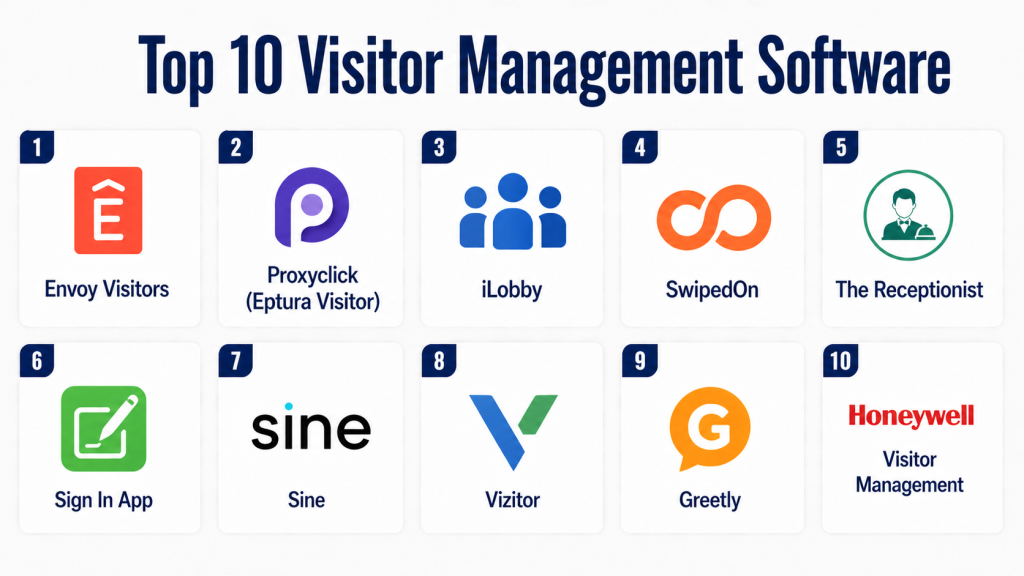
Top 10 Visitor Management Software
#1 — Envoy Visitors
Short description:
Envoy Visitors is a leading visitor management platform designed for modern workplaces. It provides digital check-in, visitor tracking, and security features. The platform enhances visitor experience and workplace safety. It is suitable for enterprises and offices. It offers strong integrations.
Key Features
- Digital check-in
- Visitor tracking
- Badge printing
- Notifications
Pros
- Easy to use
- Strong integrations
Cons
- Premium pricing
- Limited customization
Platforms / Deployment
iOS, Android, Web / Cloud
Security & Compliance
Not publicly stated
Integrations & Ecosystem
Integrates with workplace systems and security tools.
- Access control systems
- Calendar tools
Support & Community
Strong support and onboarding.
#2 — Proxyclick
Short description:
Proxyclick is a cloud-based visitor management solution focused on security and compliance. It offers visitor registration, screening, and analytics. The platform is suitable for enterprises. It provides flexibility and control. It improves workplace security.
Key Features
- Visitor registration
- Screening
- Analytics
- Notifications
Pros
- Strong security features
- Scalable
Cons
- Complex setup
- Higher cost
Platforms / Deployment
Web / Cloud
Security & Compliance
Not publicly stated
Integrations & Ecosystem
Supports integrations with security systems.
- Access control
- Workplace tools
Support & Community
Enterprise support.
#3 — iLobby
Short description:
iLobby is a visitor management platform designed for high-security environments. It offers advanced tracking and compliance features. The platform supports multiple locations. It is suitable for enterprises. It enhances security and efficiency.
Key Features
- Visitor tracking
- Compliance management
- Badge printing
- Reporting
Pros
- Enterprise-ready
- Strong compliance
Cons
- Expensive
- Complex implementation
Platforms / Deployment
Web / Cloud
Security & Compliance
Not publicly stated
Integrations & Ecosystem
Integrates with enterprise systems.
- Security systems
- Data platforms
Support & Community
Enterprise-level support.
#4 — SwipedOn
Short description:
SwipedOn is a simple visitor management system designed for ease of use. It provides digital check-in and tracking features. The platform is suitable for small to mid-sized businesses. It improves visitor experience. It is easy to deploy.
Key Features
- Digital check-in
- Visitor tracking
- Notifications
- Reporting
Pros
- Easy to use
- Affordable
Cons
- Limited advanced features
- Basic analytics
Platforms / Deployment
iOS, Android, Web / Cloud
Security & Compliance
Not publicly stated
Integrations & Ecosystem
Supports integrations with basic tools.
- Workplace apps
Support & Community
Good support.
#5 — The Receptionist
Short description:
The Receptionist is a visitor management software focused on front-desk operations. It provides check-in, notifications, and reporting. The platform is user-friendly. It is suitable for offices. It enhances visitor experience.
Key Features
- Check-in system
- Notifications
- Reporting
- Visitor logs
Pros
- Simple interface
- Reliable
Cons
- Limited customization
- Basic features
Platforms / Deployment
iPad, Web / Cloud
Security & Compliance
Not publicly stated
Integrations & Ecosystem
Supports integrations with office tools.
- Calendar systems
Support & Community
Reliable support.
#6 — Sign In App
Short description:
Sign In App provides visitor management with safety and compliance features. It supports visitor tracking and reporting. The platform is suitable for workplaces and schools. It improves security. It is easy to use.
Key Features
- Visitor tracking
- Safety features
- Reporting
- Notifications
Pros
- Easy setup
- Good compliance features
Cons
- Limited advanced integrations
- Pricing varies
Platforms / Deployment
iOS, Android, Web / Cloud
Security & Compliance
Not publicly stated
Integrations & Ecosystem
Supports integrations with workplace tools.
- Office systems
Support & Community
Good support.
#7 — Honeywell Visitor Management
Short description:
Honeywell Visitor Management is an enterprise solution for managing visitor access. It provides tracking, compliance, and security features. The platform is suitable for large organizations. It integrates with security systems. It enhances control.
Key Features
- Visitor tracking
- Security integration
- Compliance tools
- Reporting
Pros
- Enterprise-grade
- Strong security
Cons
- Expensive
- Complex setup
Platforms / Deployment
Web / Cloud
Security & Compliance
Not publicly stated
Integrations & Ecosystem
Integrates with enterprise security systems.
- Access control
- Security tools
Support & Community
Enterprise support.
#8 — Vizitor
Short description:
Vizitor is a visitor management system designed for offices and facilities. It provides check-in, tracking, and reporting features. The platform is easy to use. It is suitable for businesses. It improves efficiency.
Key Features
- Visitor check-in
- Tracking
- Reporting
- Notifications
Pros
- Affordable
- Easy to use
Cons
- Limited advanced features
- Smaller ecosystem
Platforms / Deployment
Web, Mobile / Cloud
Security & Compliance
Not publicly stated
Integrations & Ecosystem
Supports integrations with business tools.
- Office systems
Support & Community
Reliable support.
#9 — Greetly
Short description:
Greetly is a visitor management platform focused on digital reception. It offers check-in and tracking features. The platform is customizable. It is suitable for offices. It enhances visitor experience.
Key Features
- Digital check-in
- Visitor tracking
- Customization
- Notifications
Pros
- Customizable
- Easy to use
Cons
- Limited advanced features
- Pricing varies
Platforms / Deployment
iPad, Web / Cloud
Security & Compliance
Not publicly stated
Integrations & Ecosystem
Supports integrations with office tools.
- Calendar systems
Support & Community
Good support.
#10 — Sine
Short description:
Sine is a visitor management platform designed for workplaces and events. It offers check-in, tracking, and compliance features. The platform is scalable. It is suitable for enterprises. It improves security.
Key Features
- Visitor check-in
- Tracking
- Compliance
- Reporting
Pros
- Scalable
- Good compliance
Cons
- Complex setup
- Pricing varies
Platforms / Deployment
Web, Mobile / Cloud
Security & Compliance
Not publicly stated
Integrations & Ecosystem
Integrates with workplace tools.
- Security systems
- Office tools
Support & Community
Enterprise support.
Comparison Table
| Tool Name | Best For | Platform(s) | Deployment | Standout Feature | Public Rating |
|---|---|---|---|---|---|
| Envoy | Enterprises | Web/Mobile | Cloud | Integrations | N/A |
| Proxyclick | Enterprises | Web | Cloud | Security | N/A |
| iLobby | High security | Web | Cloud | Compliance | N/A |
| SwipedOn | SMB | Web/Mobile | Cloud | Simplicity | N/A |
| The Receptionist | Offices | iPad/Web | Cloud | Ease of use | N/A |
| Sign In App | SMB | Web/Mobile | Cloud | Safety | N/A |
| Honeywell | Enterprise | Web | Cloud | Security | N/A |
| Vizitor | SMB | Web/Mobile | Cloud | Affordability | N/A |
| Greetly | Offices | iPad/Web | Cloud | Customization | N/A |
| Sine | Enterprise | Web/Mobile | Cloud | Scalability | N/A |
Evaluation & Scoring Table
| Tool | Core | Ease | Integrations | Security | Performance | Support | Value | Total |
|---|---|---|---|---|---|---|---|---|
| Envoy | 9 | 9 | 9 | 7 | 9 | 9 | 8 | 8.6 |
| Proxyclick | 9 | 7 | 8 | 8 | 9 | 8 | 7 | 8.1 |
| iLobby | 9 | 6 | 8 | 8 | 9 | 9 | 7 | 8.1 |
| SwipedOn | 7 | 9 | 6 | 6 | 7 | 7 | 8 | 7.4 |
| Receptionist | 7 | 9 | 6 | 6 | 7 | 7 | 8 | 7.4 |
| Sign In App | 8 | 8 | 7 | 7 | 8 | 7 | 8 | 7.8 |
| Honeywell | 9 | 6 | 9 | 8 | 9 | 9 | 7 | 8.3 |
| Vizitor | 7 | 9 | 6 | 6 | 7 | 7 | 8 | 7.4 |
| Greetly | 7 | 9 | 6 | 6 | 7 | 7 | 8 | 7.4 |
| Sine | 8 | 7 | 7 | 7 | 8 | 8 | 7 | 7.7 |
Which Visitor Management Software Is Right for You?
Solo / Small Offices
If you run a small office or workspace, simple tools like SwipedOn or Vizitor are ideal. These platforms provide basic visitor check-in and tracking features. They are easy to deploy and require minimal setup. You can digitize your visitor logbook quickly. For low visitor volume, simplicity and affordability matter most.
SMB / Growing Businesses
Small to mid-sized businesses should consider tools like The Receptionist or Sign In App. These platforms offer a balance of usability and features. They provide notifications, reporting, and basic integrations. They are suitable for offices with moderate visitor traffic. These tools improve efficiency without adding complexity.
Mid-Market / Multi-Location Offices
Organizations managing multiple locations should choose platforms like Envoy Visitors or Proxyclick. These tools offer advanced analytics, integrations, and centralized control. They help standardize visitor processes across offices. They also provide better visibility and reporting. These platforms are ideal for scaling operations.
Enterprise / High-Security Environments
Large enterprises and secure facilities should use iLobby or Honeywell Visitor Management. These platforms provide advanced compliance, security, and integration capabilities. They support complex workflows and high visitor volumes. They also integrate with access control systems. These tools are designed for maximum security and control.
Budget vs Premium
Budget tools focus on essential check-in and tracking features at a lower cost. Premium tools offer advanced security, analytics, and integrations. If your needs are basic, budget solutions are sufficient. For compliance and enterprise-grade security, premium tools are better. Choose based on your operational needs.
Feature Depth vs Ease of Use
Some tools provide advanced features but require setup and training. Others are simple but limited in functionality. Small teams should prioritize ease of use. Larger organizations can benefit from feature-rich platforms. The right balance depends on your team’s capabilities.
Integrations & Scalability
Visitor management systems should integrate with access control, calendars, and workplace tools. This improves workflow efficiency and automation. Scalability is important for growing organizations. Choose platforms that can support multiple locations. Integration capability is critical for long-term success.
Security & Compliance Needs
Visitor data includes personal and access information, so security is essential. Choose platforms with secure data handling and access control. Enterprises should prioritize compliance features. Data protection ensures trust and reliability. Always evaluate security before implementation.
Frequently Asked Questions (FAQs)
1. What is visitor management software?
Visitor management software is a digital system used to track and manage visitors entering a facility. It replaces manual logbooks with automated processes. It helps improve security and efficiency. Users can register visitors, track entries, and generate reports. It is widely used in modern workplaces.
2. Do small offices need visitor management software?
Small offices may not require advanced systems but can benefit from basic tools. These tools improve organization and reduce manual work. They also enhance security by tracking visitors. Even small teams can use simple solutions effectively. It depends on visitor volume.
3. Can visitor management software improve security?
Yes, these tools improve security by tracking visitor access and maintaining logs. They provide alerts and notifications. Some platforms offer ID verification and compliance features. This reduces risks and improves monitoring. Security is a major benefit.
4. Is visitor management software easy to use?
Most modern platforms are designed for ease of use. They offer simple interfaces and quick setup. Users can learn them without technical expertise. However, advanced tools may require training. Ease of use varies by platform.
5. How much does visitor management software cost?
Pricing varies depending on features and scale. Some tools offer affordable plans for small businesses. Enterprise solutions are more expensive. Costs may include subscriptions or licenses. Choose based on your budget and needs.
6. Can these tools integrate with other systems?
Yes, many tools integrate with access control, calendars, and workplace systems. Integration improves workflow efficiency. It allows automation of processes. Compatibility is important. Always check integration options before selecting a tool.
7. What features should I look for?
Look for digital check-in, notifications, and reporting features. Security and compliance are also important. Integration capabilities matter. Ease of use should be considered. Choose features based on your needs.
8. Can visitor management software handle multiple locations?
Yes, many platforms support multi-location management. This is useful for growing organizations. It allows centralized control of visitor data. It improves efficiency across offices. Enterprise tools are best for this.
9. What are common mistakes when choosing software?
Choosing overly complex tools is a common mistake. Ignoring integration needs can cause issues. Not considering scalability can limit growth. Overpaying for unused features is another problem. Proper evaluation is important.
10. What are alternatives to visitor management software?
Alternatives include manual logbooks or spreadsheets. These are less efficient and error-prone. Software solutions provide automation and visibility. They improve security and efficiency. They are better for modern workplaces.
Conclusion
Visitor Management Software has become a critical component of modern workplace security and operations. It replaces outdated manual processes with automated systems that improve efficiency, tracking, and compliance. Organizations can monitor visitor activity in real time and ensure a smooth check-in experience, making workplaces more secure and professional.
Selecting the right solution depends on your organization’s size, visitor volume, and security requirements. Small offices can benefit from simple tools that offer basic functionality, while enterprises require advanced systems with integrations and compliance capabilities. Evaluating ease of use, scalability, and security features is essential before making a decision.
To get started, shortlist a few tools that align with your needs and test them in your environment. Ensure compatibility with your existing systems and validate security features. The right visitor management software will enhance workplace security, improve operational efficiency, and deliver a seamless visitor experience.
