Introduction
Virtual Lab Simulators help students, teachers, colleges, training institutes, and organizations perform lab-style learning through digital simulations. Instead of depending only on physical lab equipment, learners can explore experiments, test concepts, repeat procedures, make mistakes safely, and understand scientific ideas through interactive virtual environments.
These tools are especially useful in science, chemistry, biology, physics, engineering, healthcare, and technical education. They support practical learning when physical labs are limited, expensive, unsafe, or not easily available for every learner.
Virtual Lab Simulators are commonly used for:
- Science experiments
- Chemistry reactions
- Biology and anatomy practice
- Physics demonstrations
- Engineering simulations
- Remote learning
- Pre-lab preparation
- Skill-based training
- Concept reinforcement
- Safe experiment practice
When selecting a Virtual Lab Simulator, buyers should evaluate:
- Subject coverage
- Simulation quality
- Ease of use
- Curriculum alignment
- Teacher dashboard features
- Student progress tracking
- Device compatibility
- Safety and accessibility
- Pricing flexibility
- Support and documentation
Best for: schools, colleges, universities, online learning platforms, science teachers, STEM educators, medical educators, training institutes, and learners who need practical lab experience without depending only on physical labs.
Not ideal for: institutions that require full hands-on equipment training only, advanced research labs needing real instruments, or classrooms where digital devices and internet access are not available.
Key Trends in Virtual Lab Simulators
- Remote practical learning is becoming more important because students need access to experiments beyond the physical classroom.
- STEM-focused simulations are growing because science, technology, engineering, and math concepts become easier when learners can interact with them.
- Safe experiment practice is a major advantage because students can test risky or expensive experiments without real-world damage.
- Pre-lab preparation is becoming common because students can practice steps virtually before entering a physical lab.
- Data-driven learning is improving because teachers can track student activity, attempts, mistakes, and progress.
- Gamified lab learning is gaining attention because it keeps students engaged while they complete serious academic tasks.
- Cloud-based access is useful because learners can open simulations from different devices without heavy installation.
- Healthcare and anatomy simulations are growing because students need visual and repeatable practice before real clinical exposure.
- Curriculum-aligned content is becoming a key buying factor because schools want simulations that match course requirements.
- Hybrid learning support is becoming important because virtual labs can support both classroom and online education.
How We Selected These Tools
These Virtual Lab Simulators were selected based on their practical education value, subject coverage, simulation quality, classroom usefulness, and fit across different learning environments. The list includes tools for chemistry, biology, physics, STEM learning, engineering, anatomy, and broader science education.
Selection factors included:
- Recognition in education and STEM learning environments
- Quality of virtual experiments and simulations
- Usefulness for real classroom and online learning
- Support for teachers and learners
- Availability of ready-made lab activities
- Ease of access across devices
- Subject depth and variety
- Student engagement features
- Fit for schools, colleges, and training providers
- Overall value for practical learning
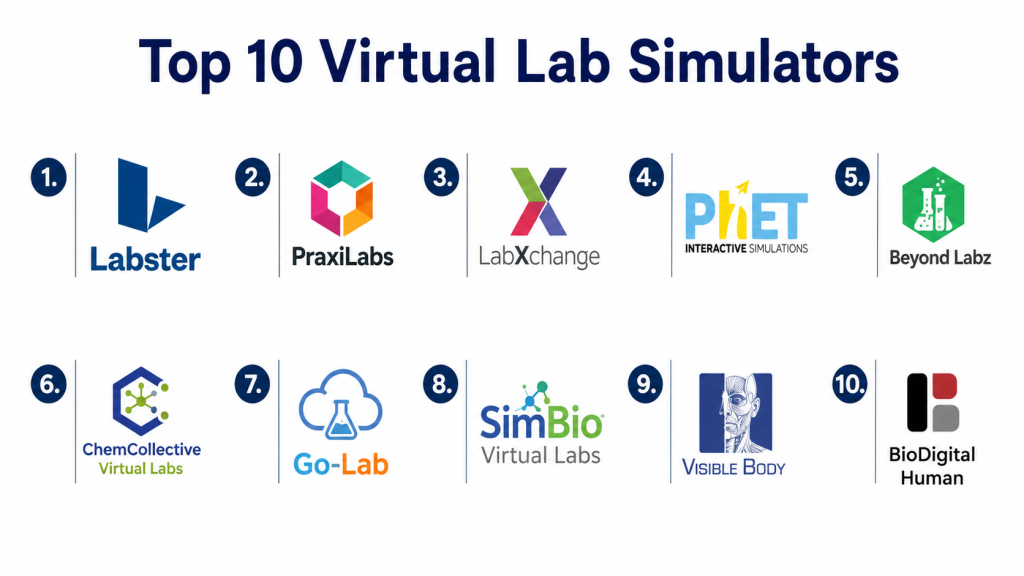
Top 10 Virtual Lab Simulators
1. Labster
Labster is a popular virtual lab simulation platform designed for science education. It provides interactive lab experiences in subjects such as biology, chemistry, physics, and health sciences. It is widely used by institutions that want immersive, guided, and curriculum-friendly virtual lab learning.
Key Features
- Interactive science lab simulations
- Strong coverage for biology, chemistry, and life sciences
- Scenario-based learning experience
- Guided experiment workflows
- Student progress support
- Useful for remote and classroom learning
- Designed for academic science programs
Pros
- Strong fit for schools, colleges, and universities.
- Makes complex science topics easier to understand.
- Useful for pre-lab practice and online science education.
Cons
- May be costly for small institutions.
- Best value depends on curriculum fit.
- Some learners may still need real lab practice for hands-on skills.
Platforms / Deployment
Web, Cloud-based learning, Browser-supported access, LMS-supported workflows may vary
Security & Compliance
Institution-level security and account controls may vary by plan. Specific compliance details are not publicly stated for all plans.
Integrations & Ecosystem
Labster fits well into science education programs where teachers need ready-made lab simulations and structured learning activities.
Common ecosystem areas include:
- Biology learning
- Chemistry simulations
- Physics concepts
- Health science education
- LMS workflows
- Remote lab practice
Support & Community
Labster provides institutional support, learning resources, and educator-focused guidance. Support depth may vary depending on plan, region, and institution size.
2. PraxiLabs
PraxiLabs is a virtual science lab platform that supports interactive experiments in chemistry, biology, and physics. It is useful for schools, colleges, and distance learning programs that need digital lab access for students.
Key Features
- Virtual experiments for science subjects
- Chemistry, biology, and physics coverage
- Interactive lab procedures
- Visual experiment demonstrations
- Student-friendly learning flow
- Useful for online science education
- Supports practice before real lab sessions
Pros
- Good option for institutions needing science lab access.
- Helps students repeat experiments safely.
- Useful for remote and blended learning environments.
Cons
- Subject depth may vary by course area.
- Institutions should check experiment availability before purchase.
- Some advanced practical skills still require physical labs.
Platforms / Deployment
Web, Cloud-based platform, Browser-supported access
Security & Compliance
Security controls and account management may vary by plan. Specific compliance certifications are not publicly stated for all deployments.
Integrations & Ecosystem
PraxiLabs works well for science departments that need virtual experiments for practical learning.
Common ecosystem areas include:
- Chemistry labs
- Biology labs
- Physics experiments
- Distance learning
- Science curriculum support
- Student practice workflows
Support & Community
PraxiLabs provides learning support and institutional guidance. Support quality may vary depending on plan and deployment size.
3. LabXchange
LabXchange is a digital learning platform that provides science learning resources, simulations, interactive content, and pathway-based learning. It is useful for teachers and students who want flexible science content and virtual learning activities.
Key Features
- Science learning resources
- Interactive simulations and activities
- Custom learning pathways
- Teacher and student learning support
- Suitable for biology and life science topics
- Flexible digital classroom use
- Supports self-paced learning
Pros
- Useful for flexible science learning.
- Good for teachers creating learning pathways.
- Helpful for students who need concept reinforcement.
Cons
- Not focused only on lab simulation.
- Advanced lab realism may be limited compared with dedicated simulators.
- Teachers may need time to organize content effectively.
Platforms / Deployment
Web, Cloud-based learning platform
Security & Compliance
Security and privacy controls may vary by platform use. Specific compliance details are not publicly stated for all classroom scenarios.
Integrations & Ecosystem
LabXchange fits well into science teaching where educators want to combine simulations, learning content, and structured pathways.
Common ecosystem areas include:
- Science education
- Biology learning
- Digital learning pathways
- Teacher-created content
- Student self-study
- Classroom activities
Support & Community
LabXchange provides learning resources and educator support materials. Community strength is useful for teachers looking for science content and classroom ideas.
4. PhET Interactive Simulations
PhET Interactive Simulations provides interactive simulations for science and mathematics topics. It is widely used by teachers and students because it is easy to access, visual, and useful for explaining complex concepts in physics, chemistry, biology, math, and earth science.
Key Features
- Interactive science and math simulations
- Strong physics and chemistry support
- Visual concept exploration
- Student-friendly interface
- Useful for classroom demonstrations
- Supports inquiry-based learning
- Works well for self-paced practice
Pros
- Easy to use for teachers and students.
- Strong value for concept visualization.
- Useful across many grade levels and subjects.
Cons
- Not always a full lab replacement.
- Some simulations are more concept-based than procedure-based.
- Teacher guidance may be needed for structured learning outcomes.
Platforms / Deployment
Web, Browser-supported access, Offline use may vary by simulation
Security & Compliance
Detailed institutional compliance information is not publicly stated for all use cases. Schools should review privacy and access requirements based on their own policies.
Integrations & Ecosystem
PhET fits well into classrooms where teachers need simple, visual, and interactive explanations.
Common ecosystem areas include:
- Physics learning
- Chemistry concepts
- Math visualization
- Biology concepts
- Classroom demonstrations
- Inquiry-based activities
Support & Community
PhET has strong educator usage, teaching resources, and classroom activity materials. Community support is broad among science and math educators.
5. Beyond Labz
Beyond Labz provides virtual science lab experiences for chemistry, biology, and physics. It is useful for students who need structured experiment practice and teachers who want virtual lab activities for classroom or remote learning.
Key Features
- Virtual chemistry lab
- Virtual biology lab
- Virtual physics lab
- Experiment-based learning
- Visual lab environment
- Useful for practice and reinforcement
- Supports science classroom workflows
Pros
- Strong fit for science experiment practice.
- Useful for schools needing virtual lab access.
- Helps students repeat experiments safely.
Cons
- Interface and experience may feel more traditional than newer platforms.
- Subject depth should be reviewed before adoption.
- May not replace all physical lab skill development.
Platforms / Deployment
Windows, macOS, Web or cloud access may vary by version
Security & Compliance
Security and compliance details are not publicly stated for all editions. Institutions should confirm deployment and data handling requirements before use.
Integrations & Ecosystem
Beyond Labz fits into science classrooms that need experiment-style virtual lab activities.
Common ecosystem areas include:
- Chemistry experiments
- Biology activities
- Physics simulations
- Lab preparation
- Classroom science practice
- Remote science learning
Support & Community
Support options may vary by product version and purchase channel. Teachers should review available documentation and training material before classroom rollout.
6. ChemCollective Virtual Labs
ChemCollective Virtual Labs is focused on chemistry learning and virtual lab activities. It allows students to work with chemicals, concentrations, reactions, and lab-style problem-solving in a digital environment.
Key Features
- Chemistry-focused virtual lab environment
- Solution preparation and reaction activities
- Practice with concentrations and mixtures
- Supports chemistry problem-solving
- Useful for classroom assignments
- Helps students learn lab reasoning
- Good for conceptual chemistry practice
Pros
- Strong chemistry-focused learning value.
- Useful for practicing lab calculations and reactions.
- Good option for chemistry teachers needing digital practice tools.
Cons
- Focused mainly on chemistry.
- Interface may not feel as modern as some commercial platforms.
- Not suitable for broad multi-subject virtual lab needs.
Platforms / Deployment
Web, Browser-supported access, Local use may vary
Security & Compliance
Compliance details are not publicly stated. Schools should review usage requirements based on internal policies.
Integrations & Ecosystem
ChemCollective works best as a chemistry-specific virtual lab support tool.
Common ecosystem areas include:
- Chemistry education
- Chemical reaction practice
- Solution preparation
- Lab-style assignments
- Concept reinforcement
- Student problem-solving
Support & Community
ChemCollective has educational resources for chemistry learning. Support is generally more resource-based than enterprise support-focused.
7. Go-Lab
Go-Lab is a digital learning ecosystem that provides online labs, inquiry learning spaces, and educational resources. It is useful for teachers who want to create inquiry-based science learning activities using virtual labs and structured learning spaces.
Key Features
- Online lab access
- Inquiry learning spaces
- Science learning resources
- Teacher-created learning activities
- Supports STEM education
- Useful for guided investigation
- Helps structure digital lab learning
Pros
- Good for inquiry-based science teaching.
- Allows teachers to build structured learning spaces.
- Useful for combining resources, labs, and activities.
Cons
- Requires teacher planning for best results.
- May not feel like a single ready-made lab simulator.
- Some labs and resources may vary in depth and quality.
Platforms / Deployment
Web, Cloud-based learning environment
Security & Compliance
Security and compliance details may vary by usage and platform configuration. Specific compliance certifications are not publicly stated for all scenarios.
Integrations & Ecosystem
Go-Lab fits well into classrooms where teachers want inquiry learning supported by online labs and digital resources.
Common ecosystem areas include:
- STEM learning
- Online labs
- Inquiry-based education
- Teacher-created activities
- Student investigations
- Digital science resources
Support & Community
Go-Lab has educator resources and community-driven learning materials. Teachers may need time to explore and select the most suitable lab activities.
8. SimBio Virtual Labs
SimBio Virtual Labs provides interactive biology-focused simulations and virtual labs. It is useful for biology, ecology, evolution, genetics, and life science education where learners need to explore living systems through guided simulation.
Key Features
- Biology-focused virtual labs
- Ecology and evolution simulations
- Guided inquiry learning
- Interactive data-based activities
- Useful for college and advanced school biology
- Supports conceptual understanding
- Helps students explore biological systems safely
Pros
- Strong fit for biology and life sciences.
- Useful for inquiry-driven learning.
- Helps students understand complex biological processes.
Cons
- Focused mainly on biology-related subjects.
- May not suit institutions needing chemistry or physics labs.
- Some activities may require teacher guidance.
Platforms / Deployment
Web, Cloud-based access, Desktop access may vary by product
Security & Compliance
Security and compliance details are not publicly stated for all editions. Institutions should confirm account and data requirements before adoption.
Integrations & Ecosystem
SimBio fits well into biology classrooms and life science courses that need interactive investigation.
Common ecosystem areas include:
- Biology education
- Ecology learning
- Evolution simulations
- Genetics activities
- Life science labs
- Data-based student inquiry
Support & Community
SimBio provides learning materials and product support. Support depth may depend on license type, institution size, and course needs.
9. Visible Body
Visible Body provides visual anatomy and physiology learning tools. It is widely useful for medical education, nursing, healthcare training, and life science learning. While it is not a general science lab simulator, it works strongly as a virtual anatomy and body systems simulator.
Key Features
- Detailed human anatomy models
- Physiology and body system visualization
- Interactive 3D exploration
- Useful for medical and health science education
- Supports visual learning
- Student study tools
- Classroom demonstration support
Pros
- Strong for anatomy and health science learning.
- Helps students understand body systems visually.
- Useful for healthcare training and biology education.
Cons
- Not suitable for chemistry or physics lab simulation.
- More focused on anatomy than experiment-based lab work.
- Advanced features may vary by product or plan.
Platforms / Deployment
Web, iOS, Android, Windows, macOS, Cloud-supported workflows may vary
Security & Compliance
Security and compliance details may vary by product and institution plan. Specific compliance details are not publicly stated for every edition.
Integrations & Ecosystem
Visible Body fits well into anatomy, biology, healthcare, and medical learning environments.
Common ecosystem areas include:
- Anatomy education
- Physiology learning
- Healthcare training
- Nursing education
- Student self-study
- Classroom demonstrations
Support & Community
Visible Body provides educational resources, support material, and institution-focused options. Support may vary by product and plan.
10. BioDigital Human
BioDigital Human is an interactive human anatomy and health visualization platform. It helps learners explore body systems, conditions, and medical concepts through 3D models. It is useful for health education, medical training, patient education, and anatomy learning.
Key Features
- Interactive 3D human body models
- Anatomy and health condition visualization
- Useful for medical and health education
- Visual explanation of body systems
- Web-based access
- Supports learning and demonstration
- Useful for patient and student education
Pros
- Strong for visual anatomy and health education.
- Useful for explaining complex body systems.
- Good fit for medical and healthcare training contexts.
Cons
- Not a broad science lab simulator.
- Best suited for anatomy and health-related subjects.
- Plan-level features may vary.
Platforms / Deployment
Web, Cloud-based platform, Mobile access may vary
Security & Compliance
Security and compliance details may vary by plan. Specific compliance certifications are not publicly stated for every use case.
Integrations & Ecosystem
BioDigital Human works well in healthcare, anatomy, and medical education workflows.
Common ecosystem areas include:
- Human anatomy learning
- Medical education
- Health condition visualization
- Patient education
- Biology classrooms
- Digital health training
Support & Community
BioDigital Human provides product support and educational resources. Institutional support may vary depending on plan and use case.
Comparison Table
| Tool Name | Best For | Platform(s) Supported | Deployment | Standout Feature | Public Rating |
|---|---|---|---|---|---|
| Labster | Immersive science lab simulations | Web | Cloud | Guided virtual science labs | N/A |
| PraxiLabs | Chemistry, biology, and physics practice | Web | Cloud | Interactive science experiments | N/A |
| LabXchange | Flexible science learning pathways | Web | Cloud | Science resources with interactive activities | N/A |
| PhET Interactive Simulations | Science and math concept visualization | Web | Cloud / Browser-based | Simple interactive STEM simulations | N/A |
| Beyond Labz | Structured science experiment practice | Windows, macOS, Web varies | Desktop / Cloud varies | Virtual labs for core science subjects | N/A |
| ChemCollective Virtual Labs | Chemistry practice and problem-solving | Web | Browser-based | Chemistry-focused virtual lab work | N/A |
| Go-Lab | Inquiry-based STEM learning | Web | Cloud | Online labs with inquiry learning spaces | N/A |
| SimBio Virtual Labs | Biology and life science simulations | Web, Desktop varies | Cloud / Desktop varies | Biology-focused inquiry simulations | N/A |
| Visible Body | Anatomy and health science education | Web, iOS, Android, Windows, macOS | Cloud / Device-based | Detailed human anatomy visualization | N/A |
| BioDigital Human | Human anatomy and medical visualization | Web | Cloud | Interactive 3D body and health models | N/A |
Evaluation & Scoring of Virtual Lab Simulators
| Tool Name | Core (25%) | Ease (15%) | Integrations (15%) | Security (10%) | Performance (10%) | Support (10%) | Value (15%) | Weighted Total |
|---|---|---|---|---|---|---|---|---|
| Labster | 9 | 8 | 8 | 7 | 8 | 8 | 8 | 8.15 |
| PraxiLabs | 8 | 8 | 7 | 7 | 8 | 7 | 8 | 7.70 |
| LabXchange | 7 | 8 | 7 | 7 | 7 | 7 | 9 | 7.45 |
| PhET Interactive Simulations | 8 | 9 | 7 | 7 | 8 | 8 | 9 | 8.05 |
| Beyond Labz | 8 | 7 | 6 | 6 | 7 | 7 | 8 | 7.20 |
| ChemCollective Virtual Labs | 7 | 7 | 6 | 6 | 7 | 7 | 9 | 7.10 |
| Go-Lab | 7 | 7 | 7 | 6 | 7 | 7 | 8 | 7.05 |
| SimBio Virtual Labs | 8 | 7 | 6 | 6 | 7 | 7 | 8 | 7.25 |
| Visible Body | 9 | 8 | 7 | 7 | 8 | 8 | 7 | 7.85 |
| BioDigital Human | 8 | 8 | 7 | 7 | 8 | 7 | 7 | 7.60 |
The scoring is comparative and should be used as a practical decision guide. A higher score does not mean the tool is best for every subject or institution. For example, PhET Interactive Simulations may be excellent for concept visualization, while Labster may be better for immersive lab-style learning. Visible Body and BioDigital Human are stronger for anatomy and health education, not general chemistry or physics labs. Institutions should test tools with their own courses, devices, teachers, and student needs before choosing.
Which Virtual Lab Simulator Is Right for You?
Solo / Freelancer
Independent tutors, online educators, and small content creators usually need tools that are simple, affordable, and easy to explain during lessons. They may not need a large institutional platform at the beginning.
Recommended options:
- PhET Interactive Simulations for science and math visualization
- ChemCollective Virtual Labs for chemistry practice
- LabXchange for science learning pathways
- BioDigital Human for anatomy explanation
- Visible Body for healthcare and body system teaching
Solo educators should focus on tools that are easy to open, easy to demonstrate, and useful for explaining one concept clearly.
SMB
Small schools, coaching centers, online academies, and training providers need practical virtual labs that can support regular teaching without heavy setup. They should choose tools that match their subject focus and learner level.
Recommended options:
- PraxiLabs for multi-subject science experiments
- Labster for immersive science learning
- PhET Interactive Simulations for classroom demonstrations
- Beyond Labz for structured science practice
- Go-Lab for inquiry-based learning activities
SMBs should avoid buying a large platform before checking course alignment. The best starting point is to test a few experiments with real teachers and students.
Mid-Market
Mid-sized schools, colleges, and training organizations need better structure, repeatable learning activities, teacher support, and student access management. They should consider both content quality and implementation effort.
Recommended options:
- Labster for immersive science programs
- PraxiLabs for virtual science departments
- LabXchange for flexible science resources
- SimBio Virtual Labs for biology programs
- Visible Body for anatomy and healthcare courses
Mid-market teams should check whether the simulator supports their syllabus, lab objectives, assessments, and student learning outcomes.
Enterprise
Large universities, education networks, healthcare institutions, and online learning platforms need scalable access, support, security review, integration options, and long-term content value.
Recommended options:
- Labster for institution-level science simulation
- PraxiLabs for structured science lab access
- Visible Body for medical and anatomy education
- BioDigital Human for health visualization
- LabXchange for broad science learning resources
- PhET Interactive Simulations for concept reinforcement at scale
Enterprise buyers should validate security, account management, support terms, accessibility, integration needs, and reporting capabilities before adoption.
Budget vs Premium
Budget-focused users may start with PhET Interactive Simulations, ChemCollective Virtual Labs, Go-Lab, and LabXchange because they can provide strong learning value with lower adoption barriers.
Premium buyers may prefer Labster, PraxiLabs, Visible Body, BioDigital Human, SimBio Virtual Labs, or Beyond Labz when they need deeper content, structured lessons, stronger visuals, and institution-level learning workflows.
Feature Depth vs Ease of Use
If ease of use is the priority, PhET Interactive Simulations, LabXchange, ChemCollective Virtual Labs, and BioDigital Human are practical choices. If feature depth is more important, Labster, PraxiLabs, SimBio Virtual Labs, Visible Body, and Beyond Labz may be stronger options.
The best choice depends on whether learners need simple concept visualization or complete lab-style guided experiments.
Integrations & Scalability
Institutions planning wide adoption should check LMS compatibility, student account handling, teacher dashboards, reporting, content assignment workflows, and device access. A virtual lab simulator should fit smoothly into the existing teaching process instead of creating extra work for teachers.
Scalability should be judged by:
- Number of students
- Number of courses
- Subject coverage
- Teacher training needs
- Student device access
- Reporting requirements
- Account management
- Support availability
- Curriculum fit
- Long-term content value
Security & Compliance Needs
Schools, colleges, and healthcare training programs should review account access, student data handling, privacy settings, role permissions, storage policies, and admin controls. This is important when learners are minors or when institutions manage large student groups.
If security and compliance details are not clearly published, institutions should mark them as Not publicly stated and verify directly before full deployment.
Frequently Asked Questions
1. What is a Virtual Lab Simulator?
A Virtual Lab Simulator is a digital tool that allows students to perform experiments, explore scientific concepts, and practice lab activities through interactive simulations instead of only using physical lab equipment.
2. Why are Virtual Lab Simulators useful for education?
They help students practice experiments safely, repeat procedures, understand complex concepts visually, and continue practical learning even when physical lab access is limited.
3. Can Virtual Lab Simulators replace physical labs?
They can support and improve lab learning, but they may not fully replace physical labs where hands-on equipment skills are required. They work best as a companion to real lab practice.
4. Which Virtual Lab Simulator is best for science education?
Labster, PraxiLabs, PhET Interactive Simulations, Beyond Labz, and LabXchange are strong options for science education. The right choice depends on subject, budget, and classroom needs.
5. Which tool is best for chemistry virtual labs?
ChemCollective Virtual Labs, Beyond Labz, PraxiLabs, and Labster are useful for chemistry learning. Teachers should check available experiments before selecting a tool.
6. Which tool is best for biology and anatomy learning?
SimBio Virtual Labs is useful for biology simulations, while Visible Body and BioDigital Human are strong for anatomy and health science visualization.
7. Are Virtual Lab Simulators suitable for remote learning?
Yes, many virtual lab tools are web-based or cloud-based, making them useful for remote, hybrid, and self-paced learning environments.
8. What is the biggest mistake institutions make when choosing virtual labs?
The biggest mistake is choosing a tool only because it looks visually impressive. Institutions should check curriculum fit, subject depth, teacher usability, student access, and support quality.
9. Do teachers need training to use Virtual Lab Simulators?
Yes, basic training is helpful. Teachers should learn how to assign simulations, guide students, connect activities with lessons, and evaluate learning outcomes.
10. How should an institution start using Virtual Lab Simulators?
Start with one subject, one course, and a small set of experiments. Test the simulator with real students, collect teacher feedback, review learning outcomes, and then expand gradually.
Conclusion
Virtual Lab Simulators can make practical learning more accessible, safe, repeatable, and engaging when selected carefully. Labster and PraxiLabs are strong options for structured virtual science labs, while PhET Interactive Simulations is excellent for visual concept exploration. ChemCollective Virtual Labs is valuable for chemistry practice, SimBio Virtual Labs supports biology learning, and Visible Body or BioDigital Human are strong choices for anatomy and health education. LabXchange and Go-Lab are useful for flexible learning pathways and inquiry-based activities. The best tool depends on subject requirements, student level, budget, device access, teacher readiness, and curriculum goals. The smartest next step is to shortlist a few tools, test them with real lessons, review support and security needs, and choose the simulator that improves practical learning without adding unnecessary complexity.
