Introduction
UX Prototyping Tools are software applications that help designers, developers, and product teams create interactive prototypes of websites, applications, and digital products. They allow teams to visualize user experiences, test workflows, and refine designs before development. These tools bridge the gap between conceptual design and functional products, enabling faster iteration and better alignment with user needs.
The demand for highly polished, user-centric digital experiences is growing. Businesses are investing more in UX because even small improvements can significantly impact conversion, retention, and brand perception. Prototyping tools are essential for cross-functional collaboration, allowing product managers, developers, and marketers to validate ideas early.
Real-world use cases include:
- Rapid creation of interactive app or website prototypes for stakeholder demos
- Testing user flows and onboarding experiences to reduce friction
- Collaborating across distributed teams with shared design spaces
- Validating accessibility and responsiveness across devices
- Simulating complex workflows for enterprise software
Buyers should evaluate the following criteria when choosing a tool:
- Ease of use and learning curve
- Fidelity of prototyping
- Integration with design systems and developer handoff tools
- Real-time collaboration capabilities
- Cross-platform support
- Security and compliance features
- AI-assisted features like auto-layout or predictive UX
- Pricing and value relative to features
- Performance and reliability
- Community support and documentation
Best for UX designers, product managers, digital agencies, and enterprise teams aiming to streamline design iteration. Ideal for teams of any size that prioritize collaboration and user testing. Not ideal for individuals or teams that only need static wireframes, simple mockups, or low-fidelity designs. In such cases, lightweight tools or basic design software may suffice.
Key Trends in UX Prototyping Tools
- AI-assisted design suggesting layouts, components, and interactions
- Real-time collaboration for multiple team members editing simultaneously
- Design-to-code automation generating production-ready code snippets
- Cross-platform adaptability for web, iOS, Android, and other devices
- Accessibility-first features with color contrast checks and screen reader simulations
- Integration with product analytics for informed design iteration
- Cloud-first deployment with secure storage and versioning
- Enhanced version control supporting branching and merging design iterations
- Embedded user testing for direct feedback collection
- Flexible subscription, per-seat, or enterprise licensing models
How We Selected These Tools
- Market adoption and mindshare across small to large enterprises
- Feature completeness covering interactive design, collaboration, and testing
- Reliability and performance under large, multi-page projects
- Security posture including access control, encryption, and compliance
- Integrations with popular design, development, and project management tools
- User feedback from real-world product teams
- Suitability for various company sizes: solo designers, SMBs, mid-market, and enterprise
- Innovation and adoption of AI-driven features
- Accessibility features and adherence to modern UX standards
- Cost-effectiveness relative to subscription price
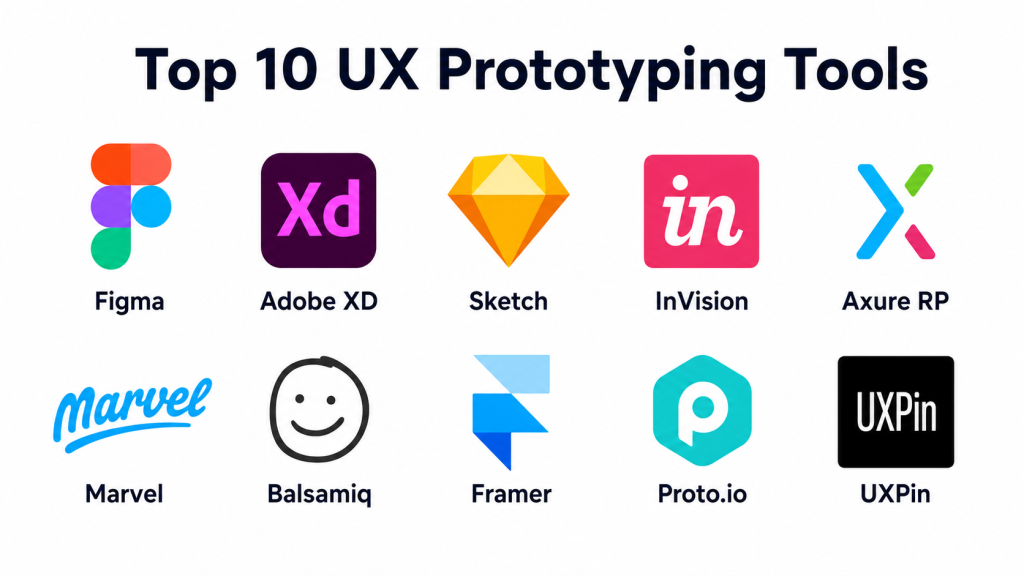
Top 10 UX Prototyping Tools
1 — Figma
Short description: Cloud-based collaborative design and prototyping tool ideal for teams needing real-time co-editing and rapid iteration
Key Features
- Real-time collaboration for multiple users
- Interactive prototyping with transitions and animations
- Component libraries for reusable elements
- Cross-platform access via web, Windows, macOS
- Version history with rollback
- Plugins for accessibility, charts, and icons
- Developer handoff with CSS/Swift/Android snippets
Pros
- Excellent for team collaboration and remote work
- Robust plugin ecosystem
Cons
- Limited offline capabilities
- Resource-intensive on large projects
Platforms / Deployment
- Web / Windows / macOS / Linux / iOS / Android
- Cloud
Security & Compliance
- SSO/SAML, MFA
- SOC 2, ISO 27001, GDPR
Integrations & Ecosystem
Supports Jira, Slack, Zeplin, and FigJam for workshops
- APIs for automation
- Community templates
- Plugin marketplace
- Developer handoff integrations
Support & Community
- Extensive documentation and forums
- Varies / Not publicly stated for enterprise support
2 — Adobe XD
Short description: Vector-based design and prototyping tool with strong integration into Adobe Creative Cloud
Key Features
- Interactive prototyping with voice triggers and animations
- Repeat Grid for rapid layout generation
- Coediting for collaborative design
- Plugin support for charts, icons, analytics
- Auto-animate transitions
- Asset integration from Adobe Creative Cloud
- Responsive design tools
Pros
- Deep integration with Adobe ecosystem
- Powerful vector editing
Cons
- Limited collaboration in free tier
- Performance lag on large projects
Platforms / Deployment
- Windows / macOS / iOS / Android
- Cloud / Desktop
Security & Compliance
- SSO/SAML, MFA
- Not publicly stated
Integrations & Ecosystem
- Integrates with Photoshop, Illustrator, Slack, Jira
- Plugin marketplace
- API support for workflow automation
Support & Community
- Adobe support channels and tutorials
- Community forums
3 — Sketch
Short description: macOS-only vector-based UX design tool with strong plugin ecosystem for prototyping and collaboration
Key Features
- Vector editing and precision layout tools
- Symbols and reusable components
- Interactive prototyping with artboard linking
- Plugin ecosystem
- Version control through Sketch Cloud
- Export to PNG, SVG, PDF
- Collaboration via Sketch for Teams
Pros
- Lightweight and intuitive
- Excellent plugin support
Cons
- macOS only
- Limited built-in collaboration
Platforms / Deployment
- macOS
- Cloud / Desktop
Security & Compliance
- Not publicly stated
Integrations & Ecosystem
- Zeplin, Abstract, InVision
- API access
- Asset libraries
Support & Community
- Tutorials, forums
- Varies / Not publicly stated
4 — InVision
Short description: Web-based tool optimized for collaboration, feedback, and stakeholder reviews
Key Features
- Interactive prototyping with animation and gestures
- Freehand collaboration board
- Version history and commenting
- Design system management
- Mobile preview apps
- Responsive layout support
- Jira, Slack, Trello integrations
Pros
- Strong collaboration and review features
- Ideal for distributed teams
Cons
- Less robust vector editing
- Performance slows on complex projects
Platforms / Deployment
- Web / iOS / Android
- Cloud
Security & Compliance
- SSO/SAML
- Not publicly stated
Integrations & Ecosystem
- Plugins for Jira, Slack, Trello, Photoshop
- API for workflow automation
- Pre-built templates and UI kits
Support & Community
- Tutorials and help center
- Active user community
5 — Axure RP
Short description: Enterprise-grade tool with advanced interactions and conditional logic
Key Features
- Conditional logic and dynamic content
- Responsive design
- Drag-and-drop widgets
- Team collaboration via Axure Cloud
- Annotation and documentation
- Version control
- Adaptive views for devices
Pros
- Supports complex prototypes
- Good for enterprise applications
Cons
- Steep learning curve
- Less suitable for simple prototypes
Platforms / Deployment
- Windows / macOS
- Desktop / Cloud
Security & Compliance
- Not publicly stated
Integrations & Ecosystem
- Jira, Confluence, Slack
- API and plugin support
- Asset libraries and widgets
Support & Community
- Tutorials, webinars
- Enterprise support options vary
6 — Marvel
Short description: Easy web-based tool for rapid design iteration and user testing
Key Features
- Drag-and-drop interface
- Interactive prototyping
- User testing integration
- Design handoff
- Version control and collaboration
- Pre-built templates
- Commenting and annotation
Pros
- Quick to learn
- Built-in user testing
Cons
- Limited advanced interactions
- Not ideal for complex workflows
Platforms / Deployment
- Web / iOS / Android
- Cloud
Security & Compliance
- Not publicly stated
Integrations & Ecosystem
- Jira, Slack, Sketch, Figma
- API for extensions
- Plugin support
Support & Community
- Tutorials and forums
- Varies / Not publicly stated
7 — Balsamiq
Short description: Focused on low-fidelity wireframes for rapid prototyping
Key Features
- Sketch-style wireframe editor
- Drag-and-drop components
- Collaboration via comments
- Version control
- Export to PDF/PNG
- Simplified interface
- Pre-built UI libraries
Pros
- Fast for low-fidelity mockups
- Easy onboarding for non-designers
Cons
- Not suitable for high-fidelity prototypes
- Limited interactivity
Platforms / Deployment
- Web / Windows / macOS
- Cloud / Desktop
Security & Compliance
- Not publicly stated
Integrations & Ecosystem
- Jira, Confluence, Trello
- Export/import from other design tools
- Asset libraries
Support & Community
- Tutorials and forums
- Community-driven support
8 — Framer
Short description: High-fidelity interactive tool with React-based code export
Key Features
- Advanced animations
- React component support
- Real-time collaboration
- Responsive layouts
- Component libraries
- Version control
- Developer handoff
Pros
- Ideal for advanced prototypes
- Strong developer integration
Cons
- Learning curve
- Higher subscription cost
Platforms / Deployment
- Web / macOS
- Cloud
Security & Compliance
- Not publicly stated
Integrations & Ecosystem
- Slack, Jira, Figma
- API access
- React component libraries
Support & Community
- Tutorials and forum
- Varies / Not publicly stated
9 — Proto.io
Short description: Web-based tool for mobile app prototypes with rich interactions
Key Features
- Mobile-first prototyping
- Interactive animations
- Drag-and-drop interface
- Component libraries
- Collaboration and feedback
- Device preview apps
- Version history
Pros
- Optimized for mobile apps
- Rapid iteration
Cons
- Limited desktop prototyping
- Some features require learning time
Platforms / Deployment
- Web / iOS / Android
- Cloud
Security & Compliance
- Not publicly stated
Integrations & Ecosystem
- Jira, Slack, Trello
- Pre-built templates
- API access
Support & Community
- Tutorials and support center
- Community forums
10 — UXPin
Short description: Advanced tool with code-based interactions and design system integration
Key Features
- High-fidelity prototypes
- Code components and React integration
- Design system management
- Collaboration and commenting
- Version control
- Accessibility and responsive design
- Integration with analytics tools
Pros
- Excellent for complex prototypes
- Strong design system support
Cons
- Learning curve for non-technical users
- Higher subscription cost
Platforms / Deployment
- Web / Windows / macOS
- Cloud
Security & Compliance
- SSO/SAML
- Not publicly stated
Integrations & Ecosystem
- Slack, Jira, Figma, Sketch
- API for extensions
- Design system libraries
Support & Community
- Tutorials and forums
- Enterprise support options
Comparison Table (Top 10)
| Tool Name | Best For | Platform(s) Supported | Deployment | Standout Feature | Public Rating |
|---|---|---|---|---|---|
| Figma | Teams, collaborative | Web / Windows / macOS / Linux / iOS / Android | Cloud | Real-time co-editing | N/A |
| Adobe XD | Adobe users | Windows / macOS / iOS / Android | Cloud / Desktop | Auto-animate transitions | N/A |
| Sketch | macOS designers | macOS | Cloud / Desktop | Vector precision + symbols | N/A |
| InVision | Collaborative teams | Web / iOS / Android | Cloud | Freehand boards | N/A |
| Axure RP | Enterprise workflows | Windows / macOS | Desktop / Cloud | Conditional logic | N/A |
| Marvel | Rapid prototyping | Web / iOS / Android | Cloud | Built-in user testing | N/A |
| Balsamiq | Low-fidelity mockups | Web / Windows / macOS | Cloud / Desktop | Sketch-style wireframes | N/A |
| Framer | Advanced interactive | Web / macOS | Cloud | React-based prototypes | N/A |
| Proto.io | Mobile-first apps | Web / iOS / Android | Cloud | Mobile-first animations | N/A |
| UXPin | Design system-heavy | Web / Windows / macOS | Cloud | Code-based interactions | N/A |
Evaluation & Scoring
| Tool Name | Core (25%) | Ease (15%) | Integrations (15%) | Security (10%) | Performance (10%) | Support (10%) | Value (15%) | Weighted Total (0–10) |
|---|---|---|---|---|---|---|---|---|
| Figma | 9 | 9 | 9 | 8 | 9 | 8 | 9 | 8.95 |
| Adobe XD | 8 | 8 | 8 | 7 | 8 | 8 | 8 | 8.0 |
| Sketch | 7 | 8 | 7 | 6 | 8 | 7 | 8 | 7.45 |
| InVision | 7 | 8 | 8 | 7 | 7 | 8 | 7 | 7.45 |
| Axure RP | 9 | 7 | 8 | 7 | 8 | 8 | 7 | 8.0 |
| Marvel | 7 | 9 | 7 | 6 | 7 | 7 | 8 | 7.3 |
| Balsamiq | 6 | 9 | 6 | 6 | 7 | 6 | 8 | 6.85 |
| Framer | 8 | 7 | 7 | 7 | 8 | 7 | 7 | 7.55 |
| Proto.io | 7 | 8 | 7 | 6 | 7 | 7 | 7 | 7.1 |
| UXPin | 9 | 7 | 8 | 7 | 8 | 8 | 7 | 7.95 |
Scores are comparative. Weighted totals combine feature richness, usability, ecosystem, security, performance, support, and value. Use these scores as a benchmark for decision-making.
Which UX Prototyping Tool Is Right for You?
Solo / Freelancer
Marvel, Balsamiq, Figma (free tiers)
Focus on ease of use and cost-efficiency
SMB
Figma, Adobe XD, UXPin
Focus on collaboration and scalable workflows
Mid-Market
InVision, Axure RP, Framer
Balance complexity with team collaboration
Enterprise
UXPin, Axure RP, Figma Enterprise
Prioritize security, compliance, and advanced workflows
Budget vs Premium
Budget: Balsamiq, Marvel
Premium: UXPin, Framer, Figma Enterprise
Feature Depth vs Ease of Use
Feature Depth: Axure RP, UXPin, Framer
Ease of Use: Balsamiq, Marvel, Figma
Integrations & Scalability
Integrate with Jira, Slack, Sketch, Figma, and analytics platforms
Security & Compliance Needs
Choose tools with SSO, MFA, SOC 2, ISO 27001, or GDPR if handling sensitive data
Frequently Asked Questions
1. What is a UX prototyping tool used for?
These tools help design interactive mockups and simulate user experiences before development.
2. Can I collaborate in real-time?
Yes, most modern tools like Figma and Adobe XD allow multiple users to edit simultaneously.
3. Do these tools generate production-ready code?
Some, like Framer or UXPin, provide code snippets; most focus on design-to-development handoff.
4. Are there free options?
Yes, Figma, Marvel, and Balsamiq offer free tiers with limited features.
5. Which tool is best for mobile app prototyping?
Proto.io and Marvel specialize in mobile-first interactive prototypes.
6. How steep is the learning curve?
Balsamiq and Marvel are beginner-friendly; Axure RP and UXPin require more training.
7. Can I test prototypes with real users?
Marvel and Figma provide user testing integrations or feedback tools.
8. Are these tools secure for enterprise use?
Enterprise versions usually offer SSO, MFA, and compliance certifications.
9. Can I integrate these tools with other software?
Yes, most tools support Jira, Slack, Trello, and design handoff platforms.
10. Can I switch tools easily?
Prototypes may need export or rebuild, but most tools allow file import/export to simplify migration.
Conclusion
UX Prototyping Tools are essential for teams seeking to deliver better user experiences efficiently. The right choice depends on your team size, complexity of projects, collaboration needs, and security requirements. Solo designers may prefer lightweight tools like Marvel or Balsamiq, while enterprises benefit from UXPin or Axure RP. Evaluate your workflows, shortlist 2–3 tools, and run pilot projects to validate integrations, security, and user experience.
