Introduction
Tax Filing Consumer Apps are software platforms that help individuals and small businesses prepare, calculate, and file their taxes digitally without needing deep accounting expertise. These tools simplify complex tax laws through guided workflows, automation, and smart validation checks, making tax filing more accessible and efficient.
In today’s digital-first world, tax compliance is becoming more automated and regulated. Governments are pushing e-filing, and users expect faster refunds, AI-assisted deductions, and seamless integrations with financial systems. Modern tax apps now offer features like real-time error detection, automated income imports, and personalized tax optimization, making them essential for both individuals and freelancers.
Real-world use cases:
- Filing personal income tax returns quickly
- Managing freelance and gig income taxes
- Claiming deductions and tax credits accurately
- Handling investment and multiple income sources
- Filing taxes across different financial accounts
What buyers should evaluate:
- Ease of use and guided experience
- Accuracy and compliance support
- Automation and AI features
- Integration with banks and financial tools
- Security and data protection
- Pricing structure and value
- Support for complex tax scenarios
- Customer support and audit assistance
Best for: Individuals, freelancers, gig workers, and small business owners who want a simple, cost-effective way to file taxes digitally.
Not ideal for: Large enterprises or highly complex tax situations requiring dedicated accountants or legal advisors.
Key Trends in Tax Filing Consumer Apps
- AI-powered tax assistance for deduction optimization
- Automated financial data imports from banks and payroll systems
- Mobile-first tax filing experiences
- Real-time compliance updates based on tax law changes
- Subscription-based pricing models
- Integration with financial ecosystems like budgeting and accounting tools
- Enhanced security features such as MFA and encryption
- Cloud-based accessibility for anytime filing
- Guided workflows for beginners with minimal tax knowledge
How We Selected Tax Filing Consumer Apps (Methodology)
- Evaluated market popularity and adoption
- Assessed feature completeness and flexibility
- Compared ease of use and onboarding experience
- Reviewed accuracy and reliability indicators
- Analyzed security and compliance capabilities
- Examined integration ecosystems
- Evaluated customer support and resources
- Compared pricing and value for money
- Ensured coverage across different user segments
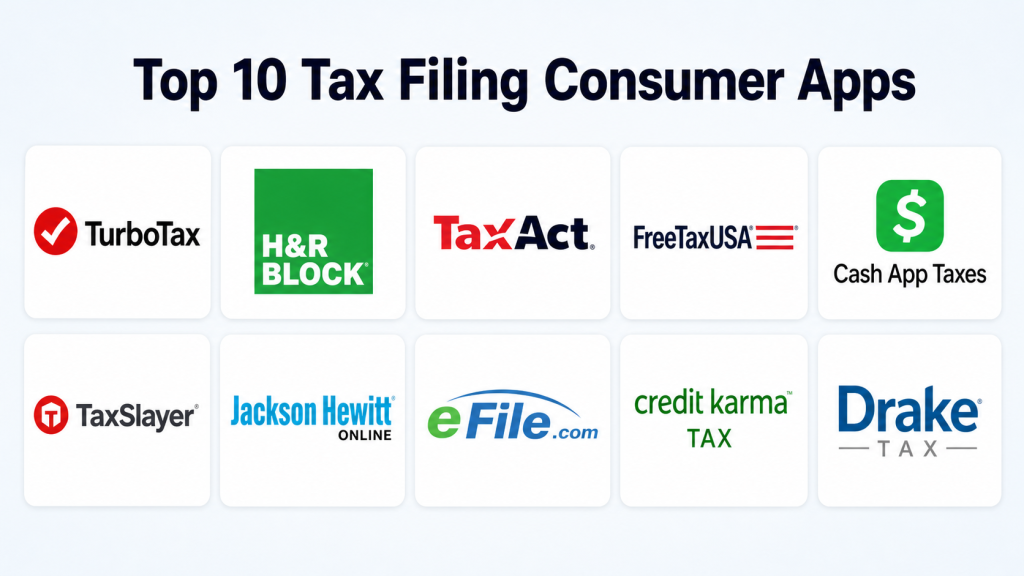
Top 10 Tax Filing Consumer Apps
#1 — TurboTax
Short description :
TurboTax is one of the most widely used tax filing platforms globally, designed for individuals, freelancers, and small business owners. It offers a highly guided experience that walks users step-by-step through tax filing. The platform uses intelligent prompts to identify deductions and credits. It supports a wide range of tax situations, including investments and self-employment income. Users benefit from automation features like document import and error checking. TurboTax also provides access to live experts for additional support. It is ideal for users seeking accuracy and ease of use.
Key Features
- Step-by-step guided filing
- AI-based deduction suggestions
- Automatic data import from financial institutions
- Real-time error detection
- Expert support options
- Mobile and web access
Pros
- Very user-friendly
- Strong automation and accuracy
Cons
- Higher pricing tiers
- Frequent upselling
Platforms / Deployment
Web / Windows / macOS / iOS / Android — Cloud
Security & Compliance
Encryption, MFA — Other details not publicly stated
Integrations & Ecosystem
TurboTax integrates with a wide range of financial platforms to automate data entry and improve accuracy.
- Bank account integration
- Investment account syncing
- Payroll data imports
- API-based data connections
Support & Community
Extensive documentation, live chat, and strong community forums
#2 — H&R Block
Short description:
H&R Block is a well-known tax filing solution offering both digital and in-person support options. It caters to individuals and small businesses who may need occasional expert assistance. The platform provides a structured filing process with clear instructions. Users can switch between self-filing and professional help. It supports a wide range of tax scenarios, including investments and property income. Its hybrid approach makes it flexible and reliable. The interface is clean and accessible for beginners.
Key Features
- Online and in-person support
- Deduction optimization tools
- Document upload capabilities
- Error detection system
- Audit support services
Pros
- Access to tax professionals
- Flexible filing methods
Cons
- Pricing can vary
- Slight learning curve
Platforms / Deployment
Web / Windows / macOS / iOS / Android — Cloud
Security & Compliance
Encryption, MFA — Other details not publicly stated
Integrations & Ecosystem
Supports integration with financial systems for streamlined tax filing.
- Bank integrations
- Payroll data syncing
- Document uploads
Support & Community
Strong support network including physical offices and online help
#3 — TaxAct
Short description :
TaxAct is a budget-friendly tax filing app designed for individuals and small businesses. It offers a balance between affordability and functionality. The platform provides guided workflows and deduction suggestions. It supports a variety of tax scenarios, including investments and self-employment income. Users benefit from a straightforward interface and clear instructions. TaxAct is ideal for cost-conscious users who still need reliable features. It delivers strong value without premium pricing.
Key Features
- Affordable pricing plans
- Guided filing experience
- Deduction finder tools
- Multi-form support
- Refund tracking
Pros
- Cost-effective
- Comprehensive features
Cons
- UI less polished
- Limited advanced support
Platforms / Deployment
Web / iOS / Android — Cloud
Security & Compliance
Encryption — Other details not publicly stated
Integrations & Ecosystem
Provides essential integrations to streamline tax data handling.
- Bank data import
- Investment tracking
- Form uploads
Support & Community
Moderate support and helpful documentation
#4 — FreeTaxUSA
Short description :
FreeTaxUSA is a low-cost tax filing platform known for its simplicity and transparency. It offers free federal filing and affordable state filing options. The platform is designed for individuals with straightforward tax needs. It provides accurate calculations and essential features. Users benefit from a clean and minimal interface. It is ideal for budget-conscious filers. Despite its simplicity, it remains reliable and effective.
Key Features
- Free federal filing
- Simple interface
- Deduction support
- Refund tracking
- Optional audit support
Pros
- Very affordable
- Easy to use
Cons
- Limited advanced features
- Basic interface
Platforms / Deployment
Web — Cloud
Security & Compliance
Encryption — Other details not publicly stated
Integrations & Ecosystem
Focused on essential functionality with limited integrations.
- Manual data entry
- Basic imports
Support & Community
Basic support with optional paid assistance
#5 — Cash App Taxes
Short description :
Cash App Taxes offers free tax filing integrated within the Cash App ecosystem. It is designed for individuals with simple tax scenarios. The platform focuses on speed and ease of use. Users can file taxes directly from their mobile devices. It supports common tax forms and straightforward filings. While it lacks advanced features, it provides a smooth experience. It is ideal for mobile-first users.
Key Features
- Free filing
- Mobile-first design
- Simple workflows
- Standard tax support
- Fast processing
Pros
- Completely free
- Easy and quick
Cons
- Limited features
- Not for complex taxes
Platforms / Deployment
iOS / Android — Cloud
Security & Compliance
Encryption, MFA — Other details not publicly stated
Integrations & Ecosystem
Integrated with Cash App for seamless financial management.
- Payment integration
- Financial account linking
Support & Community
Limited support options
#6 — TaxSlayer
Short description :
TaxSlayer is a reliable tax filing platform aimed at freelancers and self-employed individuals. It offers affordable pricing and strong support for complex tax scenarios. The platform includes deduction tracking and guided filing workflows. Users benefit from a simple interface and efficient processing. It supports various income types, including gig economy earnings. TaxSlayer balances affordability and functionality effectively.
Key Features
- Self-employed tax support
- Deduction tracking
- Guided workflows
- Refund calculator
- Audit assistance
Pros
- Affordable
- Good for freelancers
Cons
- Limited UI polish
- Fewer advanced integrations
Platforms / Deployment
Web / iOS / Android — Cloud
Security & Compliance
Encryption, MFA — Other details not publicly stated
Integrations & Ecosystem
Supports essential integrations for tax data management.
- Bank imports
- Income tracking
- Document uploads
Support & Community
Moderate support and documentation
#7 — Jackson Hewitt Online
Short description :
Jackson Hewitt Online provides digital tax filing with optional expert assistance. It is suitable for individuals seeking guided filing with backup support. The platform offers straightforward workflows and deduction tools. Users can access professional help when needed. It supports various tax scenarios, including basic and intermediate filings. Its hybrid approach makes it flexible for different users.
Key Features
- Online filing with expert support
- Deduction tools
- Error checking
- Refund tracking
- Audit support
Pros
- Flexible support options
- Easy to use
Cons
- Limited advanced features
- Pricing varies
Platforms / Deployment
Web — Cloud
Security & Compliance
Encryption — Other details not publicly stated
Integrations & Ecosystem
Basic integrations for data input and processing.
- Manual data entry
- Limited imports
Support & Community
Good support with optional expert help
#8 — eFile.com
Short description :
eFile.com is a simple and efficient tax filing platform designed for quick and easy returns. It focuses on providing a streamlined filing experience. The platform supports common tax scenarios and standard forms. Users benefit from guided workflows and fast processing. It is ideal for individuals with straightforward tax needs. Its simplicity makes it accessible to beginners.
Key Features
- Simple filing process
- Guided workflows
- Error checking
- Refund tracking
- Standard form support
Pros
- Easy to use
- Fast filing
Cons
- Limited advanced features
- Basic UI
Platforms / Deployment
Web — Cloud
Security & Compliance
Encryption — Other details not publicly stated
Integrations & Ecosystem
Minimal integrations focused on simplicity.
- Manual inputs
- Basic imports
Support & Community
Basic support resources
#9 — Credit Karma Tax
Short description :
Credit Karma Tax offers free tax filing services integrated with its financial platform. It is designed for users seeking a no-cost solution. The platform provides guided filing and basic deduction tools. It supports standard tax scenarios and offers a clean interface. Users benefit from integration with financial data. It is ideal for simple tax filings.
Key Features
- Free tax filing
- Guided workflows
- Financial data integration
- Refund tracking
- Basic deduction tools
Pros
- Free to use
- Simple interface
Cons
- Limited features
- Not suitable for complex filings
Platforms / Deployment
Web — Cloud
Security & Compliance
Encryption — Other details not publicly stated
Integrations & Ecosystem
Integrated with financial tracking ecosystem.
- Credit tracking
- Financial data syncing
Support & Community
Limited support options
#10 — Drake Tax (Consumer Tier)
Short description :
Drake Tax is traditionally a professional tax software but offers features suitable for advanced individual users. It is designed for those with complex tax needs. The platform provides detailed tools for tax calculations and reporting. Users benefit from powerful features and customization. It is more suited for experienced users rather than beginners. It offers high flexibility for advanced scenarios.
Key Features
- Advanced tax calculations
- Multi-form support
- Reporting tools
- Custom workflows
- Data import features
Pros
- Powerful features
- Suitable for complex taxes
Cons
- Steep learning curve
- Not beginner-friendly
Platforms / Deployment
Windows — Hybrid
Security & Compliance
Not publicly stated
Integrations & Ecosystem
Supports integrations for advanced tax workflows.
- Data imports
- Financial system integration
Support & Community
Professional-level support and resources
Comparison Table
| Tool Name | Best For | Platforms Supported | Deployment | Standout Feature | Public Rating |
|---|---|---|---|---|---|
| TurboTax | All users | Web, Mobile | Cloud | AI guidance | N/A |
| H&R Block | Hybrid support | Web, Mobile | Cloud | Expert assistance | N/A |
| TaxAct | Budget users | Web, Mobile | Cloud | Affordable plans | N/A |
| FreeTaxUSA | Free filing | Web | Cloud | Low cost | N/A |
| Cash App Taxes | Simple returns | Mobile | Cloud | Free mobile filing | N/A |
| TaxSlayer | Freelancers | Web, Mobile | Cloud | Self-employed tools | N/A |
| Jackson Hewitt | Assisted filing | Web | Cloud | Expert help | N/A |
| eFile.com | Quick filing | Web | Cloud | Fast workflow | N/A |
| Credit Karma Tax | Free users | Web | Cloud | No-cost filing | N/A |
| Drake Tax | Advanced users | Windows | Hybrid | Professional features | N/A |
Evaluation & Scoring of Tax Filing Consumer Apps
| Tool Name | Core (25%) | Ease (15%) | Integrations (15%) | Security (10%) | Performance (10%) | Support (10%) | Value (15%) | Weighted Total |
|---|---|---|---|---|---|---|---|---|
| TurboTax | 9 | 9 | 8 | 8 | 9 | 9 | 7 | 8.6 |
| H&R Block | 8 | 8 | 7 | 8 | 8 | 9 | 7 | 8.0 |
| TaxAct | 7 | 7 | 7 | 7 | 8 | 7 | 9 | 7.6 |
| FreeTaxUSA | 6 | 8 | 5 | 7 | 7 | 6 | 10 | 7.3 |
| Cash App Taxes | 6 | 9 | 5 | 7 | 7 | 6 | 10 | 7.5 |
| TaxSlayer | 7 | 8 | 6 | 7 | 7 | 7 | 8 | 7.4 |
| Jackson Hewitt | 7 | 7 | 6 | 7 | 7 | 8 | 7 | 7.1 |
| eFile.com | 6 | 8 | 5 | 7 | 7 | 6 | 8 | 6.9 |
| Credit Karma Tax | 6 | 8 | 6 | 7 | 7 | 6 | 10 | 7.4 |
| Drake Tax | 8 | 5 | 7 | 7 | 8 | 7 | 6 | 7.2 |
Interpretation:
These scores are comparative and intended to highlight strengths across tools. A higher score indicates a better balance of features, usability, and value. However, the best choice depends on your specific needs—budget users may prioritize value, while freelancers may focus on advanced features. Always align scoring with your personal or business requirements.
Which Tax Filing Consumer Apps Is Right for You?
Solo / Freelancer
Freelancers should prioritize tools like TurboTax or TaxSlayer that offer strong deduction tracking and self-employment features. These tools simplify complex income structures and help maximize returns.
SMB
Small businesses benefit from H&R Block or TaxAct due to their balance of affordability and feature depth. They provide structured workflows and optional expert assistance.
Mid-Market
Users with multiple income streams or investments should choose tools with advanced features and integrations. TurboTax and Drake Tax are strong options here.
Enterprise
Tax filing consumer apps are not ideal for enterprise use. Organizations should consider professional tax software or consulting services.
Budget vs Premium
Budget users can choose FreeTaxUSA or Cash App Taxes. Premium users should consider TurboTax for advanced capabilities.
Feature Depth vs Ease of Use
TurboTax offers deep functionality, while FreeTaxUSA focuses on simplicity. Choose based on complexity of your tax needs.
Integrations & Scalability
Users with multiple financial accounts should choose tools with strong integrations to reduce manual data entry.
Security & Compliance Needs
Always choose tools with MFA and encryption. This is critical for protecting sensitive financial data.
Frequently Asked Questions (FAQs)
1. What are tax filing consumer apps?
Tax filing consumer apps are digital platforms that help individuals prepare and file their tax returns efficiently. They simplify complex tax rules using guided workflows and automation. These tools reduce manual effort and improve accuracy. Many include features like deduction suggestions and real-time validation. They are widely used by individuals and freelancers. They make tax filing faster and more accessible.
2. Are these apps secure?
Most tax filing apps implement encryption and multi-factor authentication to protect user data. They follow industry-standard security practices to ensure confidentiality. However, detailed certifications may not always be publicly stated. Users should enable all available security features. Avoid using unsecured networks while filing. Always verify the credibility of the platform before use.
3. Can freelancers use these tools?
Yes, many tax apps are designed specifically for freelancers and gig workers. They support income tracking, expense deductions, and self-employment tax calculations. These tools simplify complex filing requirements. They also help maximize deductions and reduce errors. Platforms like TurboTax and TaxSlayer are particularly suitable. Freelancers benefit from automation and guided workflows.
4. Are free tax apps reliable?
Free tax apps are reliable for simple tax scenarios and basic filings. They provide accurate calculations and essential features. However, they may lack advanced capabilities needed for complex tax situations. Users with multiple income sources may need paid plans. Always review the results carefully. Choose reputable providers for best results.
5. Do these apps support multiple countries?
Most tax filing apps are designed for specific countries and tax systems. Some may support multiple regions, but this is limited. Users should verify compatibility before selecting a tool. International tax scenarios often require specialized software. Local compliance is critical for accuracy. Always choose a tool aligned with your region.
6. Can I switch tools mid-filing?
Switching tools mid-filing is possible but may require re-entering data. Some platforms allow import of previous filings, which can help. However, switching can lead to delays and inconsistencies. It is best to choose a tool early in the process. Always save backups of your data. Ensure compatibility before switching.
7. Do I need accounting knowledge?
No, most tax apps are designed for users without accounting expertise. They provide guided instructions and explanations throughout the process. However, having basic knowledge can help in understanding tax concepts. Complex cases may still require professional advice. These tools simplify most common scenarios. Beginners can use them easily.
8. How much do these apps cost?
Pricing varies widely depending on the tool and features. Some apps offer free filing for basic returns, while others charge for advanced features. Subscription models are becoming more common. Costs may increase based on complexity. Users should compare pricing and value. Choose a tool that fits your budget and needs.
9. What integrations are important?
Important integrations include bank accounts, payroll systems, and investment platforms. These integrations reduce manual data entry and improve accuracy. They also speed up the filing process. Tools with strong integration ecosystems are more efficient. Automation saves time and reduces errors. Choose tools with relevant integrations.
10. What mistakes should I avoid?
Avoid selecting a tool that doesn’t match your tax complexity. Always double-check your data before submission. Do not rely entirely on automation without reviewing results. Ensure all income sources are included. Use secure connections while filing. Missing deductions or errors can impact refunds.
Conclusion
Tax Filing Consumer Apps have become essential tools for simplifying tax compliance in an increasingly digital world. They reduce complexity, improve accuracy, and help users file taxes efficiently without requiring deep expertise. From AI-driven recommendations to automated data imports, these platforms are continuously evolving to meet modern financial needs. However, each tool has its strengths—some focus on affordability, while others prioritize advanced features or expert support.
Choosing the right app depends on your specific situation. Freelancers may need advanced deduction tools, while individuals with simple returns may prefer free solutions. The best approach is to shortlist two or three tools based on your needs, test their usability, and ensure they meet your integration and security requirements before committing.
