Introduction
Sleep tracking apps help users understand sleep duration, sleep quality, bedtime habits, snoring patterns, wake-up timing, recovery signals, and lifestyle impact on rest. These apps are useful for people who want better energy, improved focus, fitness recovery, stress control, and healthier routines.
They matter because sleep is now connected with wellness, productivity, fitness, mental health, and preventive care. Many apps now use smart alarms, wearable data, sound analysis, heart-rate signals, sleep debt tracking, and personalized coaching.
Common use cases include tracking sleep quality, identifying poor bedtime habits, improving wake-up timing, monitoring snoring, supporting fitness recovery, and building healthier daily routines.
Buyers should evaluate accuracy, platform support, wearable compatibility, privacy controls, ease of use, coaching quality, reports, integrations, pricing, and long-term habit-building value.
Best for: individuals, fitness users, wellness coaches, health-conscious professionals, students, parents, and teams interested in personal well-being.
Not ideal for: users needing medical diagnosis, clinical sleep testing, or treatment for serious sleep disorders without professional guidance.
Key Trends in Sleep Tracking Apps
- AI-based sleep insights are becoming more common for personalized recommendations.
- Smart alarms are improving wake-up timing based on lighter sleep stages.
- Wearable integrations are becoming more important for heart rate, movement, and recovery data.
- Apps are adding relaxation sounds, breathing exercises, and bedtime routines.
- Privacy expectations are increasing because sleep data is personal health-related data.
- Sleep debt and energy forecasting are becoming useful for productivity-focused users.
- More apps are combining sleep, stress, activity, and recovery in one dashboard.
- Non-wearable tracking through microphone and motion sensing is still useful for casual users.
- Subscription models are common, so long-term value matters.
- Integration with Apple Health, Google Fit, smartwatches, and fitness platforms is a key buying factor.
How We Selected These Tools
- Recognized adoption among sleep, wellness, and wearable users.
- Practical sleep tracking features for everyday users.
- Support for common platforms such as iOS, Android, or wearable ecosystems.
- Availability of useful reports, sleep scores, smart alarms, or coaching.
- Integration options with health and fitness ecosystems.
- Ease of onboarding for non-technical users.
- Suitability for different user types, from casual users to fitness-focused users.
- Privacy and security information where clearly available.
- Balance between standalone apps and wearable-supported apps.
- Overall usefulness for improving sleep habits over time.
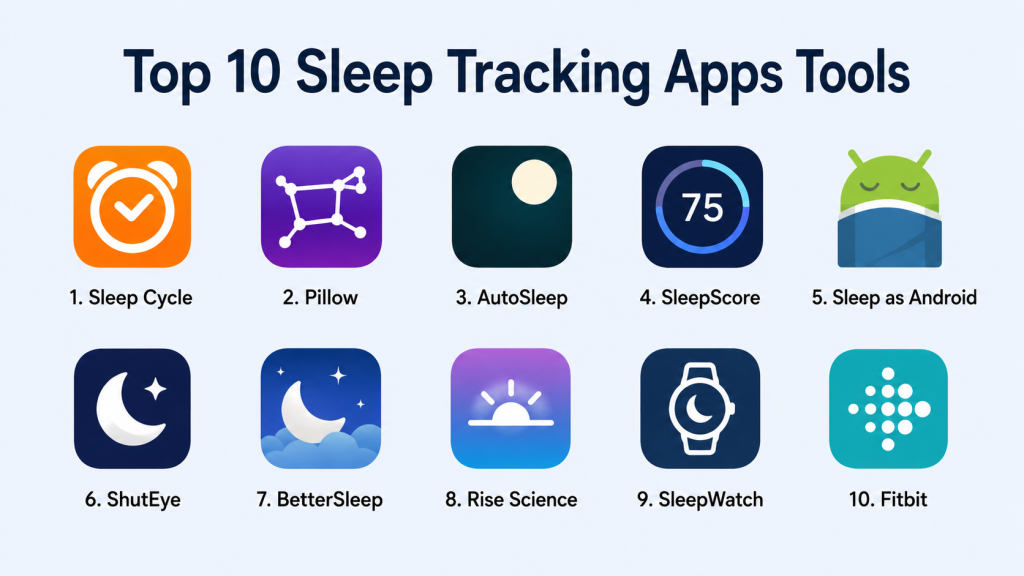
Top 10 Sleep Tracking Apps Tools
1. Sleep Cycle
Overview: Sleep Cycle is a popular sleep tracking app focused on sleep analysis, smart alarms, snoring detection, and sleep quality trends. It is useful for users who want simple sleep insights without needing complex setup.
Key Features
- Smart alarm based on sleep patterns
- Sleep quality score and trend tracking
- Snoring and sound detection
- Sleep notes for lifestyle comparison
- Gentle wake-up alarm options
- Sleep statistics and historical reports
- Works without mandatory wearable hardware
Pros
- Easy for beginners to start using.
- Smart alarm is useful for smoother mornings.
- Good balance of tracking and habit insights.
Cons
- Advanced insights may require a paid plan.
- Phone placement can affect tracking quality.
- Not a replacement for clinical sleep diagnosis.
Platforms / Deployment
iOS / Android
Cloud-based app experience
Security & Compliance
Not publicly stated for enterprise-grade certifications. Basic app privacy controls may vary by platform and region.
Integrations & Ecosystem
Sleep Cycle fits well into personal wellness routines and can work with health ecosystems depending on device and app settings.
- Apple Health support may be available
- Mobile alarm ecosystem
- Wearable compatibility may vary
- Sleep notes and lifestyle tracking
- Audio-based sleep analysis
Support & Community
Documentation and app help resources are available. Support quality may vary by subscription and platform.
2. Pillow
Overview: Pillow is a sleep tracking app mainly known among Apple users. It works well for people using iPhone and Apple Watch who want automatic sleep tracking, sleep stage insights, and wellness reporting.
Key Features
- Automatic sleep detection
- Apple Watch sleep tracking
- Sleep stage analysis
- Heart rate-based sleep insights
- Audio recording for snoring and sleep sounds
- Sleep trends and reports
- Smart alarm features
Pros
- Strong fit for Apple ecosystem users.
- Good wearable-based tracking experience.
- Clean sleep reports for daily review.
Cons
- Best value is mainly for Apple users.
- Some advanced features may need subscription.
- Android users may need alternatives.
Platforms / Deployment
iOS / Apple Watch
Cloud / mobile app-based
Security & Compliance
Not publicly stated for SOC 2, ISO, or HIPAA. Apple ecosystem privacy settings may apply depending on configuration.
Integrations & Ecosystem
Pillow works best when connected with Apple Health and Apple Watch data.
- Apple Health
- Apple Watch
- iPhone sensors
- Heart rate data
- Audio recordings
- Sleep trend dashboards
Support & Community
Support is available through app documentation and standard app support channels. Community strength is moderate.
3. AutoSleep
Overview: AutoSleep is a sleep tracking app built for Apple Watch users who want automatic sleep tracking without manually starting sessions. It is useful for users who prefer passive sleep monitoring.
Key Features
- Automatic sleep tracking
- Apple Watch-based data collection
- Sleep rings and visual reports
- Sleep quality and readiness indicators
- Heart rate and movement analysis
- Bedtime consistency tracking
- No manual sleep start required
Pros
- Strong automatic tracking experience.
- Useful visual dashboards.
- Good for Apple Watch users who want low-effort tracking.
Cons
- Limited usefulness without Apple Watch.
- Interface may feel detailed for beginners.
- Not suitable for Android users.
Platforms / Deployment
iOS / Apple Watch
Mobile app-based
Security & Compliance
Not publicly stated for formal compliance certifications.
Integrations & Ecosystem
AutoSleep is deeply tied to Apple Watch and Apple Health data.
- Apple Watch
- Apple Health
- Heart rate tracking
- Activity data
- Sleep rings
- Health trend review
Support & Community
Support is mainly through app resources and user documentation. Community visibility is stronger among Apple Watch users.
4. SleepScore
Overview: SleepScore focuses on sleep improvement through tracking, sleep scoring, coaching, and personalized insights. It is suitable for users who want guidance, not just raw sleep data.
Key Features
- Sleep score and quality tracking
- Personalized sleep advice
- Sleep improvement plans
- Snoring and environmental insights
- Sleep duration analysis
- Trend reports
- Non-wearable tracking options
Pros
- Strong focus on improvement guidance.
- Useful for users who want coaching.
- Simple sleep score makes progress easy to understand.
Cons
- Some features may depend on device compatibility.
- Premium features may require payment.
- Accuracy can vary by environment and device use.
Platforms / Deployment
iOS / Android
Cloud / mobile app-based
Security & Compliance
Not publicly stated for enterprise compliance certifications.
Integrations & Ecosystem
SleepScore supports personal wellness tracking and may connect with selected health platforms depending on device.
- Mobile sleep analysis
- Sleep coaching
- Health data support may vary
- Snoring insights
- Environmental sleep factors
- Personalized recommendations
Support & Community
Support resources are available. Community strength is moderate, with stronger value in guided sleep improvement.
5. Sleep as Android
Overview: Sleep as Android is a feature-rich sleep tracking app for Android users. It is known for smart alarms, sleep graphs, wearable support, anti-snoring tools, and automation-friendly features.
Key Features
- Smart wake-up alarm
- Sleep cycle tracking
- Snoring detection
- Wearable integrations
- CAPTCHA alarm options
- Sleep graphs and history
- Automation and ecosystem support
Pros
- Powerful feature set for Android users.
- Strong customization options.
- Useful integrations with wearables and smart devices.
Cons
- Interface may feel complex for casual users.
- Best experience requires proper setup.
- Not designed for iOS users.
Platforms / Deployment
Android
Mobile app-based
Security & Compliance
Not publicly stated for formal compliance certifications.
Integrations & Ecosystem
Sleep as Android has a strong ecosystem for Android users and connected devices.
- Wear OS
- Google Fit
- Smart alarms
- Wearable sensors
- Automation tools
- Smart device integrations may vary
Support & Community
Documentation and user community are relatively strong for Android-focused sleep tracking users.
6. ShutEye
Overview: ShutEye combines sleep tracking with relaxation sounds, snore detection, sleep reports, and bedtime support. It is useful for users who want both tracking and sleep-aid content.
Key Features
- Sleep tracking reports
- Snore and sleep sound recording
- Relaxation sounds
- Sleep stories and meditation content
- Smart alarm
- Sleep quality analysis
- Bedtime routine support
Pros
- Good mix of tracking and relaxation content.
- Beginner-friendly interface.
- Useful for users struggling with bedtime routines.
Cons
- Some features may require subscription.
- Sound-based tracking may vary by environment.
- Not suitable for clinical-level analysis.
Platforms / Deployment
iOS / Android
Cloud / mobile app-based
Security & Compliance
Not publicly stated.
Integrations & Ecosystem
ShutEye is more focused on the mobile wellness experience than deep enterprise-style integrations.
- Sleep sounds
- Snore recordings
- Meditation content
- Smart alarm
- Mobile sleep reports
- Health integrations may vary
Support & Community
Support is available through app channels. Community depth is moderate.
7. BetterSleep
Overview: BetterSleep is a sleep and relaxation app focused on sleep sounds, meditation, bedtime stories, and sleep tracking. It is best for users who need help falling asleep as much as tracking sleep.
Key Features
- Sleep sounds and sound mixes
- Guided meditations
- Bedtime stories
- Sleep tracking
- Relaxation routines
- Personalized recommendations
- Sleep habit support
Pros
- Strong relaxation and sleep-aid library.
- Good for stress and bedtime routine improvement.
- Easy to use for non-technical users.
Cons
- Tracking depth may not match wearable-first apps.
- Subscription may be needed for full content access.
- Best for wellness support, not advanced sleep analytics.
Platforms / Deployment
iOS / Android
Cloud / mobile app-based
Security & Compliance
Not publicly stated.
Integrations & Ecosystem
BetterSleep works mainly as a wellness content and sleep support app.
- Sleep sound library
- Meditation content
- Mobile tracking
- Bedtime routines
- Personal wellness tracking
- Health integrations may vary
Support & Community
Support is available through app resources. Community value is stronger among wellness and relaxation users.
8. Rise Science
Overview: Rise Science focuses on sleep debt, energy prediction, circadian rhythm, and daily performance. It is useful for professionals, athletes, and productivity-focused users who want to understand how sleep affects energy.
Key Features
- Sleep debt tracking
- Energy schedule prediction
- Circadian rhythm insights
- Personalized sleep recommendations
- Habit coaching
- Calendar-style energy planning
- Sleep need estimation
Pros
- Strong focus on energy and performance.
- Useful for planning work and recovery.
- Helps users understand sleep debt clearly.
Cons
- May be more detailed than casual users need.
- Full value may depend on consistent use.
- Some features may require subscription.
Platforms / Deployment
iOS / Android
Cloud / mobile app-based
Security & Compliance
Not publicly stated for formal compliance certifications.
Integrations & Ecosystem
Rise Science is valuable when used alongside health, routine, and productivity habits.
- Sleep debt dashboard
- Energy prediction
- Health data support may vary
- Habit coaching
- Performance planning
- Circadian rhythm insights
Support & Community
Support is available through app resources. Community is focused on sleep performance and productivity.
9. SleepWatch
Overview: SleepWatch is a sleep tracking app designed around Apple Watch and iPhone users. It provides automatic tracking, sleep scores, heart rate insights, and personalized feedback.
Key Features
- Automatic sleep tracking
- Apple Watch support
- Sleep score and trend reports
- Heart rate dip analysis
- Personalized sleep insights
- Sleep goal tracking
- Daily sleep feedback
Pros
- Good fit for Apple Watch users.
- Simple sleep score and feedback.
- Helpful for tracking long-term trends.
Cons
- Best experience depends on Apple Watch.
- Advanced features may need subscription.
- Not ideal for Android users.
Platforms / Deployment
iOS / Apple Watch
Cloud / mobile app-based
Security & Compliance
Not publicly stated for formal certifications.
Integrations & Ecosystem
SleepWatch is closely connected to Apple health and wearable data.
- Apple Watch
- Apple Health
- Heart rate data
- Sleep goals
- Trend reporting
- Personalized feedback
Support & Community
Support is available through standard app channels. Community strength is moderate among Apple wearable users.
10. Fitbit
Overview: Fitbit offers sleep tracking through its wearable devices and app. It is useful for users who want sleep data connected with fitness, activity, heart rate, recovery, and general wellness.
Key Features
- Wearable-based sleep tracking
- Sleep score
- Sleep stages
- Heart rate and movement analysis
- Fitness and activity integration
- Wellness dashboard
- Long-term health trends
Pros
- Strong fitness and sleep combination.
- Useful for users already wearing Fitbit devices.
- Good long-term trend visibility.
Cons
- Requires Fitbit hardware for best experience.
- Some advanced insights may require paid plan.
- Less suitable for users wanting phone-only tracking.
Platforms / Deployment
iOS / Android / Fitbit devices
Cloud / wearable ecosystem
Security & Compliance
Not publicly stated here for specific formal certifications. Privacy settings and account controls are available through the Fitbit ecosystem.
Integrations & Ecosystem
Fitbit works well for users who want sleep, fitness, and wellness in one system.
- Fitbit wearables
- Mobile health dashboard
- Activity tracking
- Heart rate tracking
- Sleep score
- Wellness ecosystem integrations may vary
Support & Community
Fitbit has strong documentation, device support, and a large user community.
Comparison Table
| Tool Name | Best For | Platform(s) Supported | Deployment | Standout Feature | Public Rating |
|---|---|---|---|---|---|
| Sleep Cycle | Casual sleep tracking | iOS, Android | Cloud / Mobile | Smart alarm and snore detection | N/A |
| Pillow | Apple users | iOS, Apple Watch | Cloud / Mobile | Apple Watch sleep analysis | N/A |
| AutoSleep | Automatic Apple Watch tracking | iOS, Apple Watch | Mobile | Passive sleep tracking | N/A |
| SleepScore | Guided sleep improvement | iOS, Android | Cloud / Mobile | Sleep score and coaching | N/A |
| Sleep as Android | Android power users | Android | Mobile | Deep customization and smart alarms | N/A |
| ShutEye | Sleep sounds and tracking | iOS, Android | Cloud / Mobile | Relaxation plus sleep reports | N/A |
| BetterSleep | Relaxation-focused users | iOS, Android | Cloud / Mobile | Sleep sounds and meditation | N/A |
| Rise Science | Energy and sleep debt tracking | iOS, Android | Cloud / Mobile | Energy prediction | N/A |
| SleepWatch | Apple Watch sleep feedback | iOS, Apple Watch | Cloud / Mobile | Personalized wearable insights | N/A |
| Fitbit | Fitness and sleep tracking | iOS, Android, Fitbit devices | Cloud / Wearable | Sleep plus fitness ecosystem | N/A |
Evaluation & Scoring of Sleep Tracking Apps
| Tool Name | Core (25%) | Ease (15%) | Integrations (15%) | Security (10%) | Performance (10%) | Support (10%) | Value (15%) | Weighted Total |
|---|---|---|---|---|---|---|---|---|
| Sleep Cycle | 8 | 9 | 7 | 6 | 8 | 7 | 8 | 7.75 |
| Pillow | 8 | 8 | 8 | 6 | 8 | 7 | 7 | 7.55 |
| AutoSleep | 8 | 7 | 8 | 6 | 8 | 7 | 8 | 7.55 |
| SleepScore | 8 | 8 | 7 | 6 | 7 | 7 | 7 | 7.35 |
| Sleep as Android | 9 | 7 | 8 | 6 | 8 | 8 | 8 | 8.00 |
| ShutEye | 7 | 9 | 6 | 6 | 7 | 7 | 7 | 7.15 |
| BetterSleep | 7 | 9 | 6 | 6 | 7 | 7 | 8 | 7.30 |
| Rise Science | 8 | 8 | 7 | 6 | 8 | 7 | 8 | 7.65 |
| SleepWatch | 8 | 8 | 8 | 6 | 8 | 7 | 7 | 7.55 |
| Fitbit | 9 | 8 | 8 | 7 | 8 | 8 | 8 | 8.10 |
Scores are comparative and based on practical product fit, feature depth, ease of use, ecosystem strength, and general user value. A higher score does not mean the app is perfect for everyone. The best choice depends on your device, tracking style, budget, and whether you prefer simple sleep habits or deeper wearable-based insights.
Which Sleep Tracking Apps Tool Is Right for You?
Solo / Freelancer
Solo users should choose an app that is easy to use and does not require heavy setup. Sleep Cycle, ShutEye, BetterSleep, and Rise Science are good choices depending on the goal. Sleep Cycle is useful for simple tracking, while BetterSleep and ShutEye are better for relaxation and bedtime routines.
SMB
Small teams or wellness-focused organizations may prefer apps that help employees build healthier routines without needing technical management. Rise Science can be useful for performance and energy awareness. Fitbit can also work well when teams already use wearables.
Mid-Market
Mid-market users should focus on consistency, privacy, reporting, and device compatibility. Fitbit, SleepScore, Sleep Cycle, and Rise Science offer stronger long-term tracking value for different user groups. The right choice depends on whether the focus is wellness, productivity, fitness, or sleep improvement.
Enterprise
Enterprise use requires stronger privacy review, policy alignment, data handling checks, and clear employee consent. Fitbit may be better suited where wearable programs already exist. For workplace wellness, decision-makers should carefully review privacy terms, data access, and employee comfort before rollout.
Budget vs Premium
For budget-conscious users, start with apps that offer basic sleep tracking before moving to paid features. Sleep Cycle, Sleep as Android, and BetterSleep may provide useful entry points. Premium users may prefer Fitbit, Rise Science, Pillow, or SleepWatch for deeper insights.
Feature Depth vs Ease of Use
Sleep as Android and Fitbit provide stronger depth. Sleep Cycle, ShutEye, and BetterSleep are easier for casual users. AutoSleep and Pillow provide strong depth for Apple Watch users but may require comfort with wearable-based data.
Integrations & Scalability
Apple users should consider Pillow, AutoSleep, or SleepWatch. Android users should consider Sleep as Android or Sleep Cycle. Fitness-focused users should consider Fitbit. Users focused on energy, recovery, and productivity should consider Rise Science.
Security & Compliance Needs
Sleep data is personal, so users should review privacy settings, app permissions, audio recording controls, data sharing options, and account security. For business or wellness program use, avoid assuming compliance unless it is clearly stated by the vendor.
Frequently Asked Questions
1. What is a sleep tracking app?
A sleep tracking app monitors sleep duration, movement, sound, wake-up timing, and sometimes heart rate. It helps users understand patterns and improve sleep habits.
2. Are sleep tracking apps medically accurate?
Most sleep tracking apps are wellness tools, not medical diagnostic tools. For serious sleep issues, users should consult a qualified healthcare professional.
3. Do I need a smartwatch for sleep tracking?
Not always. Some apps use phone sensors or sound detection, while others work best with wearables. Smartwatches usually provide better heart rate and movement data.
4. Which app is best for Apple Watch users?
Pillow, AutoSleep, and SleepWatch are strong choices for Apple Watch users. The best option depends on whether you prefer automatic tracking, simple reports, or detailed analysis.
5. Which app is best for Android users?
Sleep as Android is a strong Android-focused choice. Sleep Cycle, ShutEye, BetterSleep, Rise Science, and Fitbit also support Android users depending on the use case.
6. Are sleep tracking apps free?
Many apps offer free features with optional paid plans. Premium plans often include advanced reports, coaching, sound libraries, or deeper insights.
7. What common mistakes should users avoid?
Users should avoid treating app data as medical proof, changing apps too often, ignoring privacy settings, and focusing only on sleep score instead of real habits.
8. Can sleep tracking apps integrate with health platforms?
Yes, many apps integrate with platforms such as Apple Health, Google Fit, smartwatches, or wearable ecosystems. Integration availability varies by app and device.
9. Is my sleep data private?
Privacy depends on the app, device, settings, and account controls. Users should check permissions, audio recording settings, data sharing options, and privacy policies.
10. What are the best alternatives to sleep tracking apps?
Alternatives include wearable fitness trackers, smart rings, sleep journals, professional sleep studies, bedtime routine apps, meditation apps, and consultation with sleep specialists.
Conclusion
Sleep tracking apps can be very useful for people who want to understand their sleep patterns, improve bedtime habits, wake up more comfortably, and connect sleep with energy, fitness, and daily performance. However, the best app depends on the user’s device, comfort level, budget, and goal. Apple Watch users may prefer Pillow, AutoSleep, or SleepWatch. Android users may find Sleep as Android more flexible. Fitness-focused users may prefer Fitbit, while productivity-focused users may like Rise Science. For relaxation and sleep support, BetterSleep and ShutEye are useful choices. The best next step is to shortlist two or three apps, test them for a few nights, check privacy settings, compare reports, and choose the one that helps you build better sleep habits consistently
