Introduction
Server Management Tools are software solutions that help IT teams monitor, configure, maintain, and optimize servers across physical, virtual, and cloud environments. These tools provide centralized control over server health, performance, security, and resource utilization.
In modern IT infrastructure, where hybrid and multi-cloud environments are common, server management tools are essential for ensuring uptime, reducing downtime, and improving operational efficiency. They simplify complex server operations through automation, monitoring, and centralized dashboards.
Real-world use cases:
- Monitoring server health and performance
- Automating server provisioning and configuration
- Managing patches and updates
- Troubleshooting server issues
- Optimizing resource utilization in data centers
What buyers should evaluate:
- Monitoring and alerting capabilities
- Automation and configuration management
- Scalability across environments
- Security and access controls
- Integration with cloud and DevOps tools
- Ease of deployment and usability
- Performance analytics and reporting
- Multi-server and multi-platform support
- Cost and licensing model
Best for:
IT administrators, DevOps teams, cloud engineers, and enterprises managing large server infrastructures.
Not ideal for:
Users managing only a single machine or basic personal computing environments.
Key Trends in Server Management Tools
- Increased adoption of cloud-native server management
- AI-driven monitoring and predictive maintenance
- Automation of patching and configuration tasks
- Integration with DevOps and CI/CD pipelines
- Unified hybrid and multi-cloud management
- Enhanced security monitoring and compliance tracking
- Infrastructure-as-Code (IaC) adoption
- Real-time observability and analytics
- Serverless and edge computing integration
How We Selected These Tools (Methodology)
- Market adoption and enterprise usage
- Feature completeness and scalability
- Monitoring and automation capabilities
- Security and compliance features
- Integration with cloud and DevOps ecosystems
- Ease of use and deployment
- Performance and reliability
- Vendor support and ecosystem strength
- Innovation and roadmap maturity
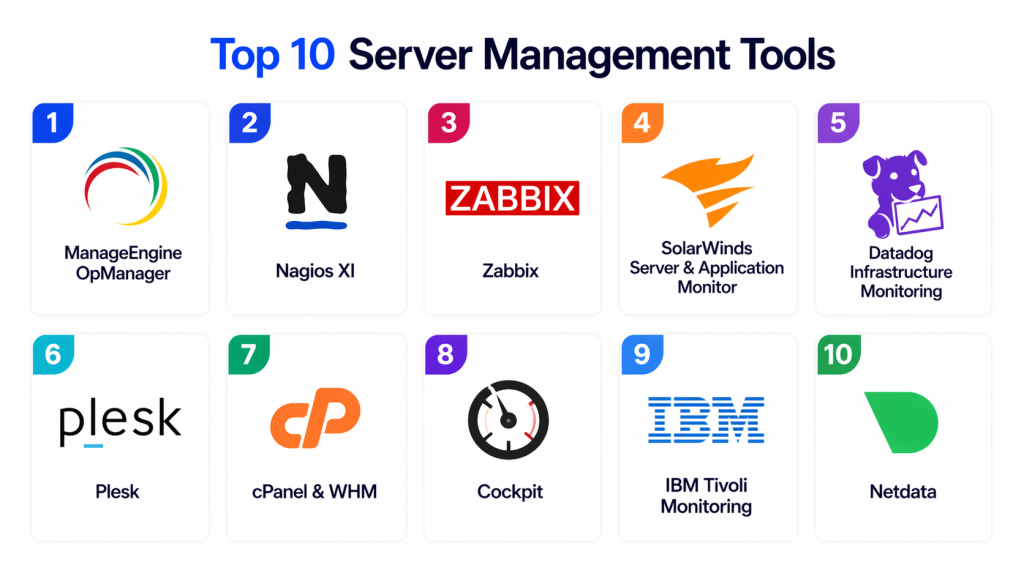
Top 10 Server Management Tools
#1 — ManageEngine OpManager
Short description:
ManageEngine OpManager is a comprehensive server and network management tool designed for real-time monitoring and performance tracking. It provides deep visibility into server health and infrastructure. Organizations use it for centralized IT operations. It is ideal for SMBs and enterprises.
Key Features
- Server performance monitoring
- Real-time alerts
- Resource utilization tracking
- Network monitoring integration
- Automation and reporting
Pros
- Easy to deploy
- Strong monitoring capabilities
Cons
- Limited advanced automation
- UI can feel complex
Platforms / Deployment
On-premise / Cloud
Security & Compliance
Role-based access control (RBAC)
Integrations & Ecosystem
- ITSM tools
- Network tools
- APIs
Support & Community
Good enterprise support
#2 — Nagios XI
Short description:
Nagios XI is a powerful IT infrastructure monitoring tool for servers, applications, and networks. It provides detailed performance insights and alerting capabilities. Organizations use it for proactive server management. It is ideal for enterprise IT environments.
Key Features
- Server monitoring
- Alerting system
- Performance tracking
- Plugin-based architecture
- Reporting tools
Pros
- Highly customizable
- Strong monitoring depth
Cons
- Complex setup
- Requires expertise
Platforms / Deployment
On-premise / Cloud
Security & Compliance
Access controls, encryption
Integrations & Ecosystem
- Plugins ecosystem
- DevOps tools
Support & Community
Strong community
#3 — Zabbix
Short description:
Zabbix is an open-source server monitoring and management platform. It provides real-time monitoring of servers, networks, and applications. Organizations use it for scalable infrastructure monitoring. It is ideal for enterprises preferring open-source solutions.
Key Features
- Real-time monitoring
- Alerting and notifications
- Performance tracking
- Data visualization
- Distributed monitoring
Pros
- Free and open-source
- Highly scalable
Cons
- Complex configuration
- Steep learning curve
Platforms / Deployment
On-premise / Cloud
Security & Compliance
User authentication, encryption
Integrations & Ecosystem
- APIs
- IT tools
Support & Community
Large open-source community
#4 — SolarWinds Server & Application Monitor
Short description:
SolarWinds SAM is a server monitoring tool designed to track performance and application health. It provides deep insights into server behavior. Organizations use it for enterprise monitoring. It is ideal for IT operations teams.
Key Features
- Application performance monitoring
- Server health tracking
- Alerts and notifications
- Resource utilization analysis
- Dashboards and reporting
Pros
- Deep analytics
- Easy visualization
Cons
- Expensive
- Resource-heavy
Platforms / Deployment
On-premise / Cloud
Security & Compliance
Encryption, RBAC
Integrations & Ecosystem
- ITSM tools
- Monitoring platforms
Support & Community
Strong enterprise support
#5 — Datadog Infrastructure Monitoring
Short description:
Datadog is a cloud-based server monitoring platform that provides real-time observability across servers and applications. It enables performance tracking and analytics. Organizations use it for cloud-native environments. It is ideal for DevOps teams.
Key Features
- Real-time monitoring
- Metrics and logs
- Distributed tracing
- Dashboards
- Alerting system
Pros
- Cloud-native
- Strong observability
Cons
- Expensive at scale
- Complex pricing
Platforms / Deployment
Cloud
Security & Compliance
Encryption, access controls
Integrations & Ecosystem
- Cloud platforms
- DevOps tools
- APIs
Support & Community
Strong support
#6 — Plesk
Short description:
Plesk is a web-based server management tool designed for managing web servers and hosting environments. It simplifies server administration tasks. Organizations use it for web hosting management. It is ideal for developers and hosting providers.
Key Features
- Web server management
- Domain management
- Security tools
- Automation
- Backup management
Pros
- Easy to use
- Great for hosting
Cons
- Limited enterprise features
- Licensing cost
Platforms / Deployment
Linux / Windows
Security & Compliance
SSL management, firewall
Integrations & Ecosystem
- Hosting tools
- Cloud services
Support & Community
Good support
#7 — cPanel & WHM
Short description:
cPanel & WHM is a widely used server management platform for web hosting environments. It provides an intuitive interface for server administration. Organizations use it for hosting and server management. It is ideal for hosting providers.
Key Features
- Server control panel
- User management
- Email and domain management
- Backup tools
- Security features
Pros
- Very easy to use
- Industry standard
Cons
- Expensive
- Limited customization
Platforms / Deployment
Linux
Security & Compliance
Firewall, SSL
Integrations & Ecosystem
- Hosting tools
- APIs
Support & Community
Large community
#8 — Cockpit
Short description:
Cockpit is a lightweight server management tool for Linux systems. It provides a web-based interface for server administration. Users can monitor and manage servers easily. It is ideal for Linux administrators.
Key Features
- Web-based management
- System monitoring
- Service control
- Storage management
- Network configuration
Pros
- Lightweight
- Easy to use
Cons
- Limited enterprise features
- Linux-only
Platforms / Deployment
Linux
Security & Compliance
User authentication
Integrations & Ecosystem
- Linux tools
Support & Community
Open-source community
#9 — IBM Tivoli Monitoring
Short description:
IBM Tivoli Monitoring is an enterprise server monitoring solution designed for large-scale IT environments. It provides deep performance analytics and monitoring. Organizations use it for mission-critical systems. It is ideal for enterprise infrastructure.
Key Features
- Server monitoring
- Performance analytics
- Alerts and reporting
- Automation
- Scalability
Pros
- Enterprise-grade
- Highly scalable
Cons
- Complex setup
- Expensive
Platforms / Deployment
On-premise / Hybrid
Security & Compliance
Enterprise security controls
Integrations & Ecosystem
- IBM ecosystem
- IT tools
Support & Community
Enterprise support
#10 — Netdata
Short description:
Netdata is a real-time performance monitoring tool for servers and applications. It provides instant visibility into system metrics. Organizations use it for lightweight monitoring. It is ideal for developers and DevOps teams.
Key Features
- Real-time monitoring
- Performance metrics
- Alerts
- Dashboards
- Lightweight agent
Pros
- Very fast
- Easy setup
Cons
- Limited enterprise features
- UI simplicity
Platforms / Deployment
Cloud / On-premise
Security & Compliance
Basic security controls
Integrations & Ecosystem
- DevOps tools
- APIs
Support & Community
Active community
Comparison Table (Top 10)
| Tool Name | Best For | Platform(s) Supported | Deployment | Standout Feature | Public Rating |
|---|---|---|---|---|---|
| ManageEngine OpManager | SMB | Multi | Hybrid | Easy monitoring | N/A |
| Nagios XI | Enterprise | Multi | Hybrid | Plugin system | N/A |
| Zabbix | Enterprise | Multi | Hybrid | Open-source scalability | N/A |
| SolarWinds SAM | Enterprise | Multi | Hybrid | Deep analytics | N/A |
| Datadog | Cloud teams | Multi | Cloud | Observability | N/A |
| Plesk | Hosting | Multi | Hybrid | Web management | N/A |
| cPanel | Hosting | Linux | On-prem | Ease of use | N/A |
| Cockpit | Linux admins | Linux | On-prem | Lightweight UI | N/A |
| IBM Tivoli | Enterprise | Multi | Hybrid | Scalability | N/A |
| Netdata | DevOps | Multi | Hybrid | Real-time metrics | N/A |
Evaluation & Scoring of Server Management Tools
| Tool Name | Core | Ease | Integrations | Security | Performance | Support | Value | Total |
|---|---|---|---|---|---|---|---|---|
| OpManager | 9 | 8 | 8 | 8 | 8 | 8 | 8 | 8.1 |
| Nagios XI | 9 | 6 | 8 | 8 | 9 | 8 | 8 | 8.2 |
| Zabbix | 9 | 7 | 8 | 8 | 9 | 7 | 9 | 8.4 |
| SolarWinds SAM | 9 | 7 | 9 | 9 | 9 | 9 | 7 | 8.6 |
| Datadog | 9 | 8 | 9 | 9 | 9 | 8 | 7 | 8.5 |
| Plesk | 8 | 9 | 7 | 8 | 8 | 8 | 8 | 8.0 |
| cPanel | 8 | 9 | 7 | 8 | 8 | 8 | 7 | 7.9 |
| Cockpit | 7 | 9 | 6 | 7 | 7 | 7 | 9 | 7.7 |
| IBM Tivoli | 9 | 6 | 8 | 9 | 9 | 9 | 7 | 8.3 |
| Netdata | 8 | 9 | 7 | 8 | 8 | 7 | 9 | 8.0 |
Which Server Management Tool Is Right for You?
Solo / Freelancer
Netdata or Cockpit for lightweight server monitoring.
SMB
OpManager, Plesk, and cPanel for ease and affordability.
Mid-Market
Zabbix and Datadog for scalability and monitoring depth.
Enterprise
SolarWinds, Nagios XI, and IBM Tivoli for large infrastructure.
Budget vs Premium
Open-source tools reduce cost; enterprise tools offer advanced features.
Feature Depth vs Ease of Use
Datadog is powerful; cPanel is simple.
Integrations & Scalability
Datadog and Zabbix excel.
Security & Compliance Needs
IBM Tivoli and SolarWinds provide strong controls.
Frequently Asked Questions (FAQs)
1. What are server management tools?
They are tools used to monitor and manage servers. They help ensure performance and uptime.
2. Why are they important?
They improve efficiency and reduce downtime. They are essential for IT operations.
3. Are these tools secure?
Yes, most include encryption and access control features.
4. Can they manage cloud servers?
Yes, many tools support hybrid and cloud environments.
5. Are open-source tools reliable?
Yes, but they may require technical expertise.
6. What industries use them?
IT, finance, hosting, and cloud service providers.
7. Do they support automation?
Yes, many tools automate monitoring and patching.
8. What are common challenges?
Complex setup and configuration are common issues.
9. Can they scale?
Yes, enterprise tools are highly scalable.
10. How do I choose the right tool?
Evaluate scalability, features, cost, and ease of use.
Conclusion
Server Management Tools are essential for maintaining modern IT infrastructure, ensuring performance, uptime, and security across complex environments. They simplify server operations through automation, monitoring, and centralized control.
Each tool offers unique strengths, from lightweight monitoring to enterprise-grade infrastructure management. The right choice depends on your organization’s scale, technical needs, and operational complexity.
A practical approach is to evaluate a few tools in real environments before final selection. This ensures compatibility with workflows and infrastructure requirements.
Choosing the right server management tool will improve reliability, reduce operational overhead, and enhance overall IT efficiency.
