Introduction
Scheduling Assistants help individuals, teams, and businesses manage meetings, appointments, interviews, demos, calls, bookings, and calendar coordination with less manual effort. These tools reduce back-and-forth messages by allowing people to share availability, book time slots, automate reminders, manage time zones, and connect calendars with daily workflows.
Scheduling is a small task that can create a big productivity problem when handled manually. Sales teams lose leads when demos are delayed, recruiters waste time coordinating interviews, consultants miss booking opportunities, and managers spend unnecessary time arranging meetings. Scheduling Assistants solve this by automating availability sharing, calendar matching, reminders, rescheduling, cancellation flows, and meeting preparation.
Real-world use cases:
- Booking sales demos and client calls.
- Scheduling interviews with candidates and hiring panels.
- Managing appointment bookings for consultants, coaches, and service providers.
- Coordinating internal meetings across teams and time zones.
- Automating reminders, follow-ups, and rescheduling workflows.
- Creating booking pages for events, webinars, and customer support.
Evaluation criteria for buyers:
- Calendar integrations with Google, Microsoft, and other systems.
- Ease of booking page setup and customization.
- Time zone handling and availability rules.
- Automation for reminders, cancellations, and follow-ups.
- Integrations with CRM, video meetings, payment tools, and marketing platforms.
- Team scheduling, round-robin, pooled availability, and routing logic.
- Security, privacy, and access controls.
- Mobile access and user experience.
- Reporting and booking analytics.
- Pricing fit for solo users, SMBs, and enterprises.
Best for: Freelancers, consultants, sales teams, recruiters, HR teams, customer success teams, healthcare clinics, coaches, agencies, service businesses, and enterprises that schedule meetings frequently.
Not ideal for: Very small teams with rare meetings, users who only need basic calendar invites, or businesses that already use a full booking system inside their CRM or industry-specific software.
Key Trends in Scheduling Assistants
- More tools are adding AI-powered scheduling suggestions to reduce manual calendar checks.
- Teams want round-robin scheduling for sales, support, recruiting, and customer success workflows.
- Scheduling is becoming more connected with CRM, email, video meeting, and payment systems.
- Businesses increasingly need time zone intelligence for global teams and remote work.
- More buyers expect booking page customization to match brand and customer experience.
- Automated reminders and no-show reduction workflows are now standard requirements.
- Teams are using scheduling data to understand meeting volume, conversion, and response time.
- Security-focused organizations are checking SSO, access controls, and data privacy policies.
- Scheduling tools are becoming part of broader revenue operations and customer journey workflows.
- More platforms support team availability, routing forms, group meetings, and resource scheduling.
How We Selected These Tools
- We reviewed widely used scheduling platforms across individual, SMB, mid-market, and enterprise needs.
- We prioritized tools with strong calendar integrations and practical scheduling automation.
- We considered use cases such as sales demos, recruiting interviews, consulting calls, service bookings, and team meetings.
- We evaluated booking page quality, availability rules, reminders, and rescheduling workflows.
- We considered integrations with CRM, video conferencing, email, payment, and productivity tools.
- We looked at team scheduling features such as round-robin, routing, pooled availability, and admin controls.
- We reviewed ease of use for both the scheduler and the person booking the meeting.
- We considered security features such as SSO, permissions, encryption, and admin management where clearly known.
- We avoided guessing public ratings, pricing, or certifications where details are not clearly known.
- We selected tools that provide practical value for real scheduling problems, not only basic calendar sharing.
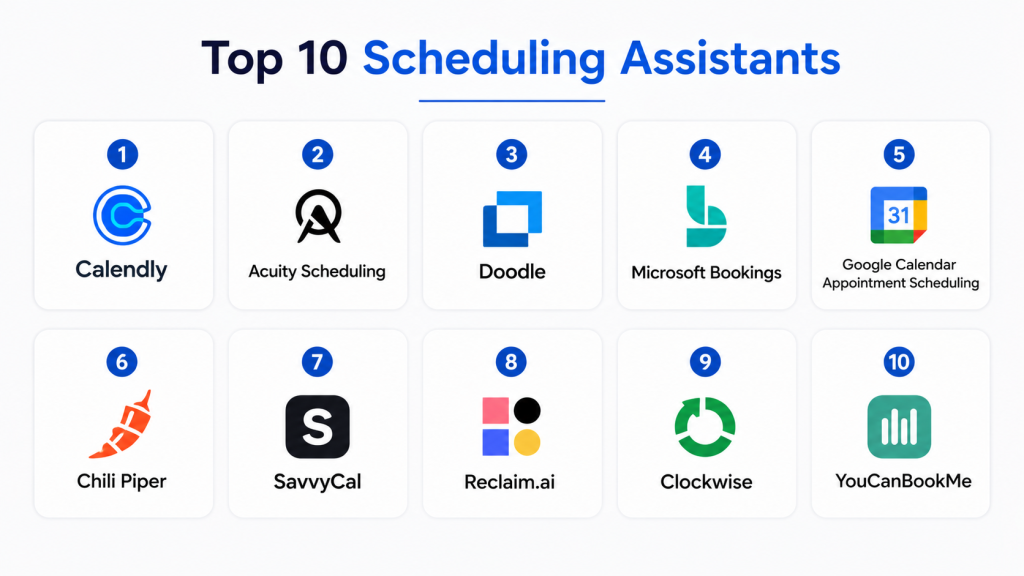
Top 10 Scheduling Assistants
#1 — Calendly
Short description: Calendly is one of the most widely used scheduling assistants for individuals, teams, and businesses.
It helps users share booking links, manage availability, automate reminders, and reduce back-and-forth scheduling.
The platform supports one-on-one, group, collective, and round-robin scheduling workflows.
It is best for sales, recruiting, consulting, customer success, and general business scheduling.
Key Features
- Custom booking pages.
- One-on-one and group scheduling.
- Round-robin and team scheduling.
- Calendar sync with Google and Microsoft calendars.
- Automated reminders and follow-ups.
- Video meeting integrations.
- Routing forms and workflow automation.
Pros
- Very easy to set up and use.
- Strong fit for individuals and teams.
- Large ecosystem of integrations.
Cons
- Advanced team routing may require higher plans.
- Branding customization can be limited on basic plans.
- Some complex scheduling workflows may need extra setup.
Platforms / Deployment
- Web / iOS / Android
- Cloud
Security & Compliance
Calendly supports common business security controls such as encryption and administrative controls.
Specific compliance details should be verified based on the selected plan and business requirement.
Integrations & Ecosystem
Calendly has a broad integration ecosystem for calendars, video meetings, CRM, email, marketing, and automation workflows. It is practical for teams that want scheduling to connect with customer and sales processes.
- Google Calendar and Microsoft Outlook.
- Zoom, Google Meet, and Microsoft Teams.
- Salesforce and HubSpot.
- Stripe and PayPal support may vary by plan.
- Zapier and workflow automation tools.
Support & Community
Calendly provides documentation, help resources, onboarding content, and customer support options. It has a large user base, which makes adoption easier for many external meeting guests.
#2 — Acuity Scheduling
Short description: Acuity Scheduling is an appointment scheduling tool designed for service providers, consultants, coaches, clinics, and small businesses.
It allows users to create booking pages, accept payments, send reminders, and manage client appointments.
The platform is useful for businesses that need client-facing booking and appointment management.
It is especially strong for service-based scheduling workflows.
Key Features
- Appointment booking pages.
- Client intake forms.
- Payment collection.
- Automated reminders.
- Calendar sync.
- Package, class, and service scheduling.
- Custom availability and cancellation rules.
Pros
- Strong for service-based businesses.
- Useful intake forms and payment features.
- Good appointment management workflow.
Cons
- Less focused on enterprise sales scheduling.
- Interface may feel feature-heavy for simple meeting booking.
- Advanced customization may need plan upgrades.
Platforms / Deployment
- Web / iOS / Android
- Cloud
Security & Compliance
Security features may include account controls and encrypted data handling.
Specific compliance details are Not publicly stated unless confirmed by the vendor.
Integrations & Ecosystem
Acuity Scheduling works well with calendars, payment tools, video meeting platforms, and website builders. It is practical for appointment-driven businesses.
- Google Calendar and Microsoft calendars.
- Zoom and video meeting tools.
- Payment processors.
- Website embedding options.
- Email marketing and automation tools.
Support & Community
Acuity provides help documentation, tutorials, and customer support resources. It is widely used by service professionals and small businesses.
#3 — Doodle
Short description: Doodle is a scheduling assistant known for group meeting polls and easy availability coordination.
It helps teams and external participants choose the best meeting time without long email threads.
Doodle is useful when several people need to vote on available time slots.
It is best for group coordination, committees, education, teams, and external meetings.
Key Features
- Group scheduling polls.
- One-on-one booking pages.
- Calendar integrations.
- Availability sharing.
- Automatic reminders.
- Deadline-based poll responses.
- Team scheduling options.
Pros
- Very useful for group coordination.
- Simple for external participants.
- Reduces manual meeting time voting.
Cons
- Less advanced for sales routing workflows.
- Not as deep for service appointment management.
- Some premium features require paid plans.
Platforms / Deployment
- Web / iOS / Android
- Cloud
Security & Compliance
Doodle provides standard account and data protection features.
Specific compliance certifications should be verified during vendor review.
Integrations & Ecosystem
Doodle integrates with common calendars and productivity workflows. It is most useful when meeting coordination involves multiple internal and external participants.
- Google Calendar.
- Microsoft Outlook.
- Video meeting support.
- Booking pages.
- Group polling workflows.
Support & Community
Doodle provides support articles, documentation, and customer support options. Its simple group scheduling model makes it easy for non-technical users.
#4 — Microsoft Bookings
Short description: Microsoft Bookings is a scheduling tool inside the Microsoft ecosystem for appointments, meetings, and service bookings.
It helps organizations create booking pages, manage staff availability, and schedule customer appointments.
The tool is useful for businesses already using Microsoft 365.
It is especially helpful for teams that want scheduling connected to Outlook and Teams.
Key Features
- Appointment booking pages.
- Staff availability management.
- Outlook calendar integration.
- Microsoft Teams meeting support.
- Customer reminders.
- Service-based booking options.
- Admin controls through Microsoft ecosystem.
Pros
- Strong fit for Microsoft 365 users.
- Useful for service appointments and internal scheduling.
- Easy connection with Outlook and Teams.
Cons
- Best value depends on Microsoft ecosystem usage.
- May not be as flexible as dedicated scheduling platforms.
- Advanced routing and CRM workflows may be limited.
Platforms / Deployment
- Web / Microsoft 365 / Mobile access may vary
- Cloud
Security & Compliance
Microsoft security features may include identity management, access controls, encryption, and tenant-level administration.
Specific compliance coverage depends on Microsoft licensing and configuration.
Integrations & Ecosystem
Microsoft Bookings works best with Outlook, Teams, and Microsoft 365. It is useful for companies that already manage users, calendars, and meetings inside Microsoft tools.
- Outlook Calendar.
- Microsoft Teams.
- Microsoft 365 admin environment.
- Staff and service booking workflows.
- Customer notification workflows.
Support & Community
Microsoft provides documentation, admin guidance, support resources, and a large partner ecosystem. Support depends on Microsoft licensing and service plan.
#5 — Google Calendar Appointment Scheduling
Short description: Google Calendar Appointment Scheduling helps users create appointment booking pages directly from Google Calendar.
It is useful for individuals and teams already using Google Workspace.
Users can share availability, allow guests to book time, and manage meetings from their calendar.
It is best for simple scheduling without adding a separate tool.
Key Features
- Appointment booking pages.
- Google Calendar integration.
- Availability rules.
- Email notifications.
- Google Meet support.
- Booking page sharing.
- Simple appointment management.
Pros
- Easy for Google Workspace users.
- No separate scheduling workflow needed.
- Good for simple appointment booking.
Cons
- Less advanced for sales teams and complex routing.
- Limited branding and workflow automation.
- Not a full service business booking platform.
Platforms / Deployment
- Web / Android / iOS
- Cloud
Security & Compliance
Security depends on Google account and Workspace configuration.
Specific compliance coverage should be reviewed based on the organization’s Google Workspace plan.
Integrations & Ecosystem
Google Calendar Appointment Scheduling works naturally with Google Workspace. It is ideal for users who want scheduling inside their existing calendar environment.
- Google Calendar.
- Google Meet.
- Gmail.
- Google Workspace admin controls.
- Basic booking page sharing.
Support & Community
Google provides help documentation, admin support resources, and a large user community. It is easiest for teams already familiar with Google Workspace.
#6 — Chili Piper
Short description: Chili Piper is a scheduling and routing platform built mainly for revenue teams.
It helps sales teams route inbound leads, book meetings instantly, and reduce lead response delays.
The platform supports round-robin scheduling, routing logic, handoffs, and CRM-connected workflows.
It is best for B2B sales, demand generation, and revenue operations teams.
Key Features
- Inbound lead routing.
- Instant meeting booking.
- Round-robin scheduling.
- CRM-based routing rules.
- Sales handoff automation.
- Meeting conversion analytics.
- Calendar and video meeting integrations.
Pros
- Strong for sales and revenue workflows.
- Helps reduce lead response time.
- Useful CRM-connected routing logic.
Cons
- More advanced than basic scheduling needs.
- Best suited for sales teams, not general users.
- Setup may require revenue operations input.
Platforms / Deployment
- Web
- Cloud
Security & Compliance
Business security controls such as role-based access and data protection may be available.
Specific compliance certifications should be verified during vendor review.
Integrations & Ecosystem
Chili Piper integrates deeply with sales and marketing workflows. It is useful when scheduling must connect directly to lead routing, CRM records, and revenue operations.
- Salesforce.
- HubSpot.
- Google Calendar and Outlook.
- Zoom and meeting platforms.
- Marketing and routing workflows.
Support & Community
Chili Piper provides onboarding, documentation, customer success support, and sales operations guidance. It is most valuable when teams invest in proper routing setup.
#7 — SavvyCal
Short description: SavvyCal is a scheduling assistant designed to make booking feel more personal and flexible.
It allows invitees to overlay their own calendar availability while selecting meeting times.
The platform is useful for consultants, founders, teams, and professionals who want a smoother booking experience.
It is best for users who care about guest-friendly scheduling and clean design.
Key Features
- Personalized scheduling links.
- Calendar overlay for invitees.
- Availability rules.
- Team scheduling.
- Meeting type customization.
- Calendar integrations.
- Workflow and automation support.
Pros
- Very guest-friendly booking experience.
- Clean and simple interface.
- Good for consultants and professionals.
Cons
- Smaller ecosystem than larger platforms.
- May not fit complex enterprise scheduling.
- Some advanced features depend on plan.
Platforms / Deployment
- Web
- Cloud
Security & Compliance
Security and privacy controls are available at the platform level.
Specific compliance certifications are Not publicly stated unless verified by the vendor.
Integrations & Ecosystem
SavvyCal integrates with calendar and workflow tools to support professional scheduling. It is useful for users who want a more thoughtful booking experience than basic link sharing.
- Google Calendar.
- Outlook Calendar.
- Zoom and video meeting tools.
- Zapier and automation workflows.
- Team scheduling support.
Support & Community
SavvyCal provides documentation, support resources, and responsive product guidance. It is popular among consultants, founders, and productivity-focused users.
#8 — Reclaim.ai
Short description: Reclaim.ai is an AI-powered scheduling assistant focused on calendar optimization, habits, tasks, and smart time blocking.
It helps users automatically schedule focus time, routines, tasks, and meetings around calendar availability.
The platform is useful for busy professionals and teams trying to protect productive time.
It is best for productivity-driven scheduling rather than client appointment booking.
Key Features
- AI-assisted calendar scheduling.
- Smart time blocking.
- Habit scheduling.
- Task scheduling.
- Calendar sync.
- Team scheduling support.
- Focus time protection.
Pros
- Excellent for personal productivity.
- Helps protect focus time automatically.
- Useful for busy knowledge workers.
Cons
- Not a traditional appointment booking platform.
- Less suited for service business scheduling.
- Advanced team use may require setup.
Platforms / Deployment
- Web
- Cloud
Security & Compliance
Security features may include account controls and calendar data protection.
Specific compliance details are Not publicly stated unless confirmed by the vendor.
Integrations & Ecosystem
Reclaim.ai connects with calendar and productivity workflows. It is strong for users who want automated calendar planning and better time management.
- Google Calendar.
- Task and productivity tools.
- Slack integrations.
- Team calendar workflows.
- Personal scheduling automation.
Support & Community
Reclaim.ai provides documentation, product resources, and support. It is useful for productivity-focused individuals and teams looking to reduce calendar overload.
#9 — Clockwise
Short description: Clockwise is an intelligent calendar assistant that helps teams create more focus time and reduce scheduling conflicts.
It automatically moves flexible meetings to improve calendars and protect productive work blocks.
The platform is helpful for teams with heavy meeting loads.
It is best for organizations that want better calendar health and team productivity.
Key Features
- Smart meeting scheduling.
- Focus time protection.
- Flexible meeting movement.
- Team calendar optimization.
- Slack status sync.
- Calendar analytics.
- Workday and availability controls.
Pros
- Strong for reducing calendar chaos.
- Helps teams protect focus time.
- Useful for meeting-heavy organizations.
Cons
- Not designed for client booking pages.
- Best value depends on team adoption.
- May require trust in automated calendar changes.
Platforms / Deployment
- Web
- Cloud
Security & Compliance
Security and privacy controls depend on platform configuration and calendar access.
Specific compliance details should be verified during vendor evaluation.
Integrations & Ecosystem
Clockwise works with calendar and collaboration tools to optimize team schedules. It is especially useful when internal meeting management is the main challenge.
- Google Calendar.
- Slack.
- Team scheduling workflows.
- Focus time management.
- Calendar analytics.
Support & Community
Clockwise provides help resources, documentation, and customer support. It is commonly used by teams that want better meeting discipline and calendar structure.
#10 — YouCanBookMe
Short description: YouCanBookMe is a scheduling assistant for appointment booking, client meetings, education, and service-based businesses.
It allows users to create booking pages, manage availability, customize forms, and automate notifications.
The platform is useful for individuals, teams, and organizations that need reliable appointment booking.
It is best for practical scheduling workflows with good customization options.
Key Features
- Custom booking pages.
- Calendar sync.
- Availability rules.
- Automated reminders.
- Booking forms and questions.
- Team scheduling.
- Custom branding and notifications.
Pros
- Flexible booking page customization.
- Good for client appointments and education.
- Simple and reliable scheduling workflow.
Cons
- Less advanced for revenue routing than sales-focused tools.
- Interface may feel less modern than some competitors.
- Advanced features may require paid plans.
Platforms / Deployment
- Web
- Cloud
Security & Compliance
Security controls may include account permissions and data protection features.
Specific compliance certifications are Not publicly stated unless verified by the vendor.
Integrations & Ecosystem
YouCanBookMe integrates with calendars and workflow tools to simplify appointment booking. It works well for users who need customizable booking experiences.
- Google Calendar.
- Microsoft Outlook.
- Zoom and video meeting tools.
- Zapier and automation workflows.
- Custom booking forms.
Support & Community
YouCanBookMe provides documentation, support resources, and customer service options. It is practical for educators, consultants, service providers, and small teams.
Comparison Table
| Tool Name | Best For | Platform(s) Supported | Deployment | Standout Feature | Public Rating |
|---|---|---|---|---|---|
| Calendly | General business scheduling | Web / iOS / Android | Cloud | Simple booking links and team scheduling | N/A |
| Acuity Scheduling | Service appointments | Web / iOS / Android | Cloud | Client intake and payment workflows | N/A |
| Doodle | Group meeting coordination | Web / iOS / Android | Cloud | Group scheduling polls | N/A |
| Microsoft Bookings | Microsoft 365 users | Web / Microsoft 365 / Mobile access varies | Cloud | Outlook and Teams-based booking | N/A |
| Google Calendar Appointment Scheduling | Google Workspace users | Web / Android / iOS | Cloud | Native Google Calendar booking pages | N/A |
| Chili Piper | Sales and revenue teams | Web | Cloud | Lead routing and instant meeting booking | N/A |
| SavvyCal | Guest-friendly scheduling | Web | Cloud | Calendar overlay booking experience | N/A |
| Reclaim.ai | Smart personal productivity scheduling | Web | Cloud | AI-assisted time blocking | N/A |
| Clockwise | Team calendar optimization | Web | Cloud | Focus time protection | N/A |
| YouCanBookMe | Custom appointment booking | Web | Cloud | Flexible booking page customization | N/A |
Evaluation & Scoring of Scheduling Assistants
| Tool Name | Core (25%) | Ease (15%) | Integrations (15%) | Security (10%) | Performance (10%) | Support (10%) | Value (15%) | Weighted Total (0–10) |
|---|---|---|---|---|---|---|---|---|
| Calendly | 9 | 9 | 9 | 8 | 9 | 8 | 8 | 8.7 |
| Acuity Scheduling | 8 | 8 | 8 | 7 | 8 | 7 | 8 | 7.8 |
| Doodle | 7 | 9 | 7 | 7 | 8 | 7 | 8 | 7.6 |
| Microsoft Bookings | 8 | 8 | 8 | 9 | 8 | 8 | 8 | 8.1 |
| Google Calendar Appointment Scheduling | 7 | 9 | 7 | 8 | 8 | 7 | 8 | 7.7 |
| Chili Piper | 9 | 7 | 9 | 8 | 8 | 8 | 7 | 8.2 |
| SavvyCal | 8 | 9 | 7 | 7 | 8 | 7 | 8 | 7.8 |
| Reclaim.ai | 8 | 8 | 7 | 7 | 8 | 7 | 8 | 7.6 |
| Clockwise | 8 | 8 | 7 | 7 | 8 | 7 | 8 | 7.6 |
| YouCanBookMe | 8 | 8 | 7 | 7 | 8 | 7 | 8 | 7.7 |
These scores are comparative and should be used as a practical guide, not a fixed universal ranking. Calendly performs strongly for general scheduling, Chili Piper is better for revenue teams, Acuity is stronger for service appointments, and Reclaim.ai or Clockwise are better for productivity-focused scheduling. The best choice depends on whether you need client booking, group coordination, lead routing, appointment payments, or calendar optimization. Always test the tool with your real calendar workflow before choosing.
Which Scheduling Assistant Is Right for You?
Solo / Freelancer
Solo users and freelancers should choose a tool that is simple, affordable, and easy for clients to use. Calendly, SavvyCal, YouCanBookMe, and Google Calendar Appointment Scheduling are strong options for consultants, coaches, creators, and independent professionals.
If you sell paid sessions or services, Acuity Scheduling may be more suitable because it supports appointment workflows, intake forms, and payment collection. If your main challenge is managing your own calendar and focus time, Reclaim.ai may be a better fit.
SMB
SMBs should focus on booking pages, team scheduling, reminders, and integrations with calendars, video meetings, and CRM tools. Calendly, Acuity Scheduling, Microsoft Bookings, and YouCanBookMe are practical choices for small teams.
If the business already uses Microsoft 365, Microsoft Bookings can be a simple starting point. If the business needs client appointments, intake forms, and payment workflows, Acuity Scheduling may be more useful.
Mid-Market
Mid-market teams often need round-robin scheduling, team routing, CRM integrations, and reporting. Calendly, Chili Piper, Doodle, and SavvyCal can support different scheduling needs.
Sales and customer success teams should consider Chili Piper or Calendly for routing and meeting automation. Internal teams that struggle with group scheduling may benefit more from Doodle or Clockwise.
Enterprise
Enterprises should prioritize security, admin controls, user management, CRM integration, reporting, and governance. Calendly, Chili Piper, Microsoft Bookings, and Clockwise may fit enterprise needs depending on the use case.
Large organizations should also review SSO, permissions, data handling, audit needs, calendar access, and integration with Microsoft, Google, Salesforce, or internal systems before rollout.
Budget vs Premium
Budget-conscious users can start with Google Calendar Appointment Scheduling, Doodle, or basic booking options from mainstream tools. These are useful when scheduling needs are simple and the team does not require deep routing.
Premium buyers should consider Calendly, Chili Piper, Acuity Scheduling, or Clockwise when they need automation, analytics, team scheduling, lead routing, payment workflows, or productivity optimization.
Feature Depth vs Ease of Use
For ease of use, Calendly, Doodle, SavvyCal, and Google Calendar Appointment Scheduling are strong choices. They are easy for both the organizer and the guest.
For feature depth, Chili Piper is stronger for revenue operations, Acuity Scheduling is stronger for service businesses, and Clockwise or Reclaim.ai are stronger for intelligent calendar optimization.
Integrations & Scalability
If scheduling needs to connect with CRM and sales workflows, choose Chili Piper or Calendly. If scheduling must connect with payments, intake forms, and service appointments, choose Acuity Scheduling or YouCanBookMe.
For companies already using Microsoft or Google, native options may reduce setup complexity. Scalability depends on users, meeting types, automation rules, and calendar governance.
Security & Compliance Needs
Scheduling tools access calendar data, guest information, meeting links, and sometimes payment or customer details. Companies should review SSO, MFA, access permissions, encryption, admin controls, and data retention before adoption.
Enterprises should also define who can create booking pages, connect calendars, access meeting data, and manage team scheduling rules. Security should be checked before rollout, not after teams start using the tool.
Frequently Asked Questions
1. What is a Scheduling Assistant?
A Scheduling Assistant is a tool that helps users book meetings, appointments, calls, interviews, and events automatically.
It removes the need for long back-and-forth emails by showing available time slots.
Many tools also handle reminders, cancellations, rescheduling, and calendar sync.
They are useful for individuals, teams, and businesses with frequent scheduling needs.
2. Why do businesses need scheduling assistants?
Businesses need scheduling assistants to save time, reduce missed meetings, and improve booking speed.
Sales teams can book demos faster, recruiters can schedule interviews smoothly, and service providers can manage appointments better.
Scheduling automation also improves the customer experience.
It helps teams stay organized without manual coordination.
3. Which scheduling tool is best for sales teams?
Chili Piper and Calendly are strong choices for sales teams.
Chili Piper is especially useful for lead routing, instant booking, and CRM-connected workflows.
Calendly works well for sales demos, team scheduling, and automated reminders.
The best choice depends on routing complexity and CRM requirements.
4. Which scheduling tool is best for service businesses?
Acuity Scheduling and YouCanBookMe are strong options for service-based businesses.
They support booking pages, intake forms, reminders, and appointment rules.
Acuity is especially useful when payments, packages, classes, or client forms are needed.
Service businesses should choose tools that reduce no-shows and simplify client booking.
5. Can scheduling assistants connect with Google Calendar and Outlook?
Yes, most leading scheduling assistants integrate with Google Calendar and Microsoft Outlook.
Calendar sync helps prevent double bookings and keeps availability accurate.
Some tools also support multiple calendars and team availability.
Buyers should confirm calendar compatibility before choosing a platform.
6. Do scheduling assistants support time zones?
Yes, most scheduling assistants automatically detect and manage time zones.
This is very useful for remote teams, global clients, interviews, and international sales calls.
Good time zone handling reduces confusion and missed meetings.
Always test booking pages from different regions before using them widely.
7. Can scheduling assistants reduce no-shows?
Yes, automated reminders, confirmation emails, rescheduling links, and calendar invites can reduce no-shows.
Some tools also support SMS reminders, buffer times, and cancellation rules.
Service businesses may benefit from payment collection or deposits.
The right reminder workflow can improve attendance and save time.
8. Are scheduling assistants secure?
Scheduling assistants can be secure, but buyers should review each vendor carefully.
These tools may access calendar data, guest emails, meeting links, and appointment details.
Businesses should check SSO, MFA, encryption, admin controls, and data privacy policies.
Security review is especially important for enterprises and regulated industries.
9. Can I accept payments through scheduling tools?
Some scheduling tools support payment collection directly or through integrations.
Acuity Scheduling and some booking-focused tools are stronger for paid appointments.
This is helpful for consultants, coaches, clinics, trainers, and service providers.
Always check payment processor support and transaction workflow before adoption.
10. How should I choose the best scheduling assistant?
Start by defining your main use case: sales demos, interviews, service appointments, group meetings, or productivity scheduling.
Then compare calendar integrations, automation, reminders, team scheduling, payments, and security needs.
Shortlist two or three tools and test them with real users.
Choose the tool that saves time without making the booking process complicated.
Conclusion
Scheduling Assistants help individuals and teams save time, reduce manual coordination, and create a smoother booking experience. The best tool depends on your use case. Calendly is strong for general business scheduling, Acuity Scheduling is useful for service appointments, Doodle is great for group coordination, Microsoft Bookings and Google Calendar Appointment Scheduling fit their ecosystems, Chili Piper is ideal for sales routing, and Reclaim.ai or Clockwise help with calendar productivity. Before choosing, shortlist two or three tools, test them with real meeting workflows, review integrations and security, and select the platform that makes scheduling easier for both your team and your guests.
