Introduction
Remote Access Software enables users to connect to and control computers or systems from a different location. It allows full desktop access, file management, troubleshooting, and collaboration as if the user were physically present.
In today’s hybrid work environment, remote access tools have become essential for IT support, remote work, and global collaboration. Businesses rely on these tools to maintain productivity, support distributed teams, and manage infrastructure efficiently.
Real-world use cases:
- Remote IT support and troubleshooting
- Work-from-home access to office systems
- Server and infrastructure management
- Remote collaboration and training
- Secure access to files and applications
What buyers should evaluate:
- Connection speed and latency
- Security features (encryption, MFA)
- Ease of use and setup
- Cross-platform compatibility
- File transfer capabilities
- Remote control performance
- Integration with IT tools
- Scalability for teams
- Pricing and licensing
Best for:
IT teams, MSPs, enterprises, developers, freelancers, and remote workers needing secure system access.
Not ideal for:
Users who only need simple file sharing or offline-only workflows.
Key Trends in Remote Access Software
- Zero-trust remote access security models
- AI-powered troubleshooting and automation
- Browser-based remote access solutions
- Integration with ITSM and DevOps tools
- Multi-device and cross-platform support
- Real-time collaboration features
- Cloud-first remote access replacing VPNs
- Session recording and analytics improvements
- Automation and unattended access
How We Selected These Tools (Methodology)
- Market adoption and popularity
- Performance and connection reliability
- Security and encryption standards
- Feature completeness
- Ease of use and onboarding
- Integration ecosystem
- Scalability across business sizes
- Cross-platform support
- Support quality and documentation
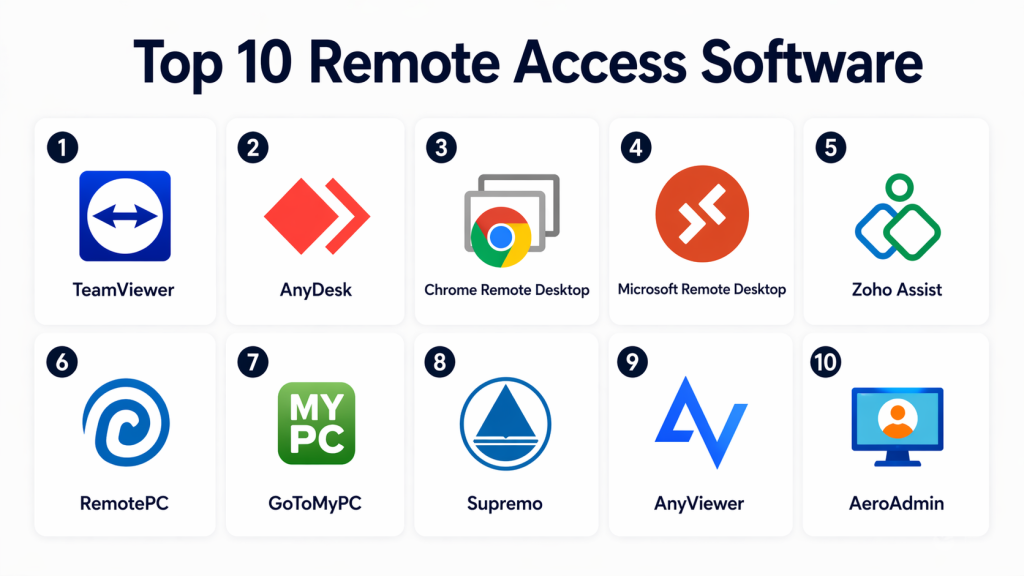
Top 10 Remote Access Software
#1 — TeamViewer
Short description:
TeamViewer is a widely used remote access platform designed for secure remote control and support. It allows users to connect across devices seamlessly. Businesses use it for IT support and collaboration workflows. It is ideal for enterprises and professionals needing reliable remote access.
Key Features
- Cross-platform remote control
- File transfer
- Session recording
- Multi-device support
- Remote collaboration
Pros
- Easy to use
- Feature-rich platform
Cons
- Expensive licensing
- Restrictions on free use
Platforms / Deployment
Web / Windows / macOS / Linux / iOS / Android — Cloud
Security & Compliance
Encryption, MFA
Integrations & Ecosystem
- IT tools
- APIs
- Collaboration platforms
Support & Community
Large global user base
#2 — AnyDesk
Short description:
AnyDesk is a lightweight remote desktop tool known for high-speed performance and low latency. It enables smooth remote connections across devices. Users rely on it for remote work and support. It is ideal for individuals and businesses needing fast access.
Key Features
- High-speed connection
- Low latency
- Remote control
- File transfer
- Session recording
Pros
- Fast performance
- Lightweight
Cons
- Limited advanced features
- Basic UI
Platforms / Deployment
Web / Windows / macOS / Linux / iOS / Android — Cloud
Security & Compliance
Encryption
Integrations & Ecosystem
- APIs
- IT tools
Support & Community
Active community
#3 — Chrome Remote Desktop
Short description:
Chrome Remote Desktop is a simple remote access tool designed for quick and easy connections. It works directly through a browser without complex setup. Users can securely access systems from anywhere. It is ideal for individuals and basic use cases.
Key Features
- Browser-based access
- Secure connections
- Simple setup
- Cross-device support
- Remote assistance
Pros
- Free to use
- Easy setup
Cons
- Limited features
- Not enterprise-focused
Platforms / Deployment
Web / Windows / macOS / Linux — Cloud
Security & Compliance
Encryption
Integrations & Ecosystem
- Browser-based tools
Support & Community
Basic support
#4 — Microsoft Remote Desktop
Short description:
Microsoft Remote Desktop is a built-in remote access solution for Windows systems. It allows secure connections to remote machines. Businesses use it for internal IT operations. It is ideal for organizations using Microsoft environments.
Key Features
- Remote desktop access
- Secure connections
- Session control
- File access
- Multi-device support
Pros
- Native integration
- Reliable
Cons
- Requires setup
- Limited flexibility
Platforms / Deployment
Windows / macOS / iOS / Android — Cloud
Security & Compliance
Encryption, authentication
Integrations & Ecosystem
- Microsoft ecosystem
Support & Community
Strong support
#5 — Zoho Assist
Short description:
Zoho Assist is a cloud-based remote support tool designed for IT teams and businesses. It provides unattended access and troubleshooting capabilities. Organizations use it to manage systems remotely. It is ideal for SMBs and support teams.
Key Features
- Unattended access
- Remote troubleshooting
- File transfer
- Session recording
- Multi-user support
Pros
- Affordable
- Easy to use
Cons
- Limited customization
- UI can improve
Platforms / Deployment
Web / Windows / macOS / Linux / iOS / Android — Cloud
Security & Compliance
Encryption
Integrations & Ecosystem
- CRM tools
- IT tools
Support & Community
Good support
#6 — RemotePC
Short description:
RemotePC is a cloud-based remote access solution for individuals and businesses. It provides secure access to systems from anywhere. Users can manage multiple devices easily. It is ideal for remote work and IT management.
Key Features
- Remote desktop access
- File transfer
- Multi-device support
- Always-on access
- Collaboration tools
Pros
- Cost-effective
- Scalable
Cons
- Basic interface
- Limited automation
Platforms / Deployment
Web / Windows / macOS / Linux / iOS / Android — Cloud
Security & Compliance
Encryption
Integrations & Ecosystem
- APIs
- IT tools
Support & Community
Reliable support
#7 — GoToMyPC
Short description:
GoToMyPC is a remote desktop solution designed for easy and secure access. It allows users to connect from anywhere without complex setup. Businesses use it for remote work and IT operations. It is ideal for professionals needing reliability.
Key Features
- Remote access
- File transfer
- Multi-device support
- Remote printing
- Secure login
Pros
- Easy to use
- Stable performance
Cons
- Expensive
- Limited customization
Platforms / Deployment
Web / Windows / macOS / iOS / Android — Cloud
Security & Compliance
Encryption, MFA
Integrations & Ecosystem
- Enterprise tools
Support & Community
Strong support
#8 — Supremo
Short description:
Supremo is a lightweight remote access tool designed for quick and secure connections. It requires minimal setup and works across devices. Businesses use it for support and management tasks. It is ideal for SMBs and IT professionals.
Key Features
- Remote control
- File transfer
- Easy setup
- Multi-platform support
- Secure access
Pros
- Lightweight
- Simple
Cons
- Limited enterprise features
- Basic UI
Platforms / Deployment
Web / Windows / macOS / Linux / iOS / Android — Cloud
Security & Compliance
Encryption
Integrations & Ecosystem
- IT tools
Support & Community
Moderate support
#9 — AnyViewer
Short description:
AnyViewer is a remote desktop tool designed for smooth performance and ease of use. It provides stable connections and reliable access. Users can control systems from anywhere efficiently. It is ideal for individuals and small teams.
Key Features
- Remote control
- File transfer
- Low latency
- Session management
- Multi-device support
Pros
- Stable
- Easy to use
Cons
- Limited ecosystem
- Fewer features
Platforms / Deployment
Web / Windows / macOS / iOS / Android — Cloud
Security & Compliance
Encryption
Integrations & Ecosystem
- Basic integrations
Support & Community
Growing community
#10 — AeroAdmin
Short description:
AeroAdmin is a simple remote access tool that allows full control of remote systems. It requires no installation and works instantly. Users can quickly establish connections for support tasks. It is ideal for quick access and small teams.
Key Features
- Remote control
- File transfer
- Unattended access
- Portable app
- Multi-session support
Pros
- No installation
- Simple interface
Cons
- Limited scalability
- Basic features
Platforms / Deployment
Windows — Cloud
Security & Compliance
Encryption
Integrations & Ecosystem
- Minimal integrations
Support & Community
Basic support
Comparison Table (Top 10)
| Tool Name | Best For | Platform(s) Supported | Deployment | Standout Feature | Public Rating |
|---|---|---|---|---|---|
| TeamViewer | Enterprise | Multi | Cloud | Cross-platform | N/A |
| AnyDesk | Speed | Multi | Cloud | Low latency | N/A |
| Chrome Remote Desktop | Individuals | Multi | Cloud | Free access | N/A |
| Microsoft Remote Desktop | Windows users | Multi | Cloud | Native integration | N/A |
| Zoho Assist | SMB support | Multi | Cloud | Remote support | N/A |
| RemotePC | Remote work | Multi | Cloud | Multi-device | N/A |
| GoToMyPC | Professionals | Multi | Cloud | Reliability | N/A |
| Supremo | SMB | Multi | Cloud | Lightweight | N/A |
| AnyViewer | Small teams | Multi | Cloud | Ease of use | N/A |
| AeroAdmin | Quick access | Windows | Cloud | No install | N/A |
Evaluation & Scoring of Remote Access Software
| Tool Name | Core | Ease | Integrations | Security | Performance | Support | Value | Total |
|---|---|---|---|---|---|---|---|---|
| TeamViewer | 9 | 9 | 9 | 9 | 8 | 9 | 7 | 8.6 |
| AnyDesk | 9 | 8 | 7 | 8 | 9 | 8 | 8 | 8.3 |
| Chrome Remote Desktop | 7 | 9 | 6 | 8 | 7 | 6 | 10 | 7.8 |
| Microsoft Remote Desktop | 8 | 7 | 8 | 9 | 8 | 8 | 8 | 8.1 |
| Zoho Assist | 8 | 8 | 8 | 8 | 7 | 8 | 9 | 8.1 |
| RemotePC | 8 | 8 | 7 | 8 | 8 | 7 | 9 | 8.1 |
| GoToMyPC | 8 | 8 | 7 | 8 | 8 | 8 | 7 | 7.9 |
| Supremo | 7 | 8 | 6 | 7 | 7 | 7 | 8 | 7.4 |
| AnyViewer | 7 | 8 | 6 | 7 | 8 | 7 | 8 | 7.5 |
| AeroAdmin | 6 | 9 | 5 | 7 | 7 | 6 | 9 | 7.2 |
How to interpret scores:
These scores compare tools across multiple criteria. Higher scores indicate better overall performance. Enterprise tools perform well in security and integrations, while simpler tools excel in usability and cost-effectiveness.
Which Remote Access Software Is Right for You?
Solo / Freelancer
Chrome Remote Desktop and AnyDesk are simple and cost-effective.
SMB
Zoho Assist and RemotePC provide strong value and usability.
Mid-Market
AnyDesk and GoToMyPC offer balanced features.
Enterprise
TeamViewer and Microsoft Remote Desktop are ideal for scalability and security.
Budget vs Premium
Free tools are suitable for individuals, while enterprises need premium solutions.
Feature Depth vs Ease of Use
Chrome Remote Desktop is simple, TeamViewer is feature-rich.
Integrations & Scalability
TeamViewer and Zoho Assist excel.
Security & Compliance Needs
Microsoft Remote Desktop and TeamViewer are strong choices.
Frequently Asked Questions (FAQs)
1. What is remote access software?
Remote access software allows users to connect to and control systems remotely. It enables full access to files, applications, and system functions. It is widely used for IT support and remote work.
2. Is remote access secure?
Most tools use encryption and authentication methods. Security depends on proper configuration. Using MFA improves protection significantly.
3. What is the difference between remote access and remote desktop?
Remote desktop is a type of remote access focused on controlling a full system. Remote access can include additional features like file transfer and monitoring.
4. Which tool is best for beginners?
Chrome Remote Desktop and AnyDesk are easy to use and require minimal setup. They are suitable for basic use cases.
5. Can I access systems from mobile devices?
Yes, most tools support mobile platforms. Users can connect via smartphones and tablets.
6. Are these tools free?
Some tools offer free versions with limited features. Paid plans provide advanced capabilities.
7. Can files be transferred using remote access tools?
Yes, most tools include file transfer features. This allows easy data movement between systems.
8. What industries use remote access software?
IT, healthcare, finance, and education sectors commonly use these tools. They support remote operations and collaboration.
9. What are common mistakes?
Ignoring security settings and using weak authentication are common mistakes. Always secure access properly.
10. How do I choose the right tool?
Evaluate security, performance, integrations, and cost. Choose based on your specific workflow needs.
Conclusion
Remote Access Software has become essential for modern businesses, enabling secure and efficient access to systems from anywhere. It supports remote work, IT management, and collaboration across distributed teams.
Each tool offers unique strengths, from simplicity and affordability to enterprise-grade security and scalability. The right choice depends on your specific requirements, team size, and operational needs.
Instead of relying on a single solution, it is best to evaluate multiple tools through real-world testing. This ensures compatibility with your workflows and infrastructure.
Choosing the right remote access tool will improve productivity, strengthen security, and support long-term operational efficiency.
