Introduction
Process Mining Tools help organizations analyze how work actually happens across systems by using event logs from ERP, CRM, ticketing, finance, HR, and operational platforms. Instead of relying on assumptions or outdated SOPs, these tools reveal real workflows, delays, bottlenecks, rework loops, compliance gaps, and automation opportunities.
In the business environment, process mining matters more than ever because companies are under pressure to improve efficiency, reduce costs, accelerate digital transformation, and support AI-driven automation. Leaders need evidence-based process improvement rather than guesswork.
Common Real-World Use Cases
- Procure-to-pay optimization
- Order-to-cash acceleration
- IT service management workflow improvement
- Claims processing in insurance
- HR onboarding and employee lifecycle optimization
- Manufacturing throughput and supply chain analysis
What Buyers Should Evaluate
- Data connectors and integration coverage
- Ease of setup and time-to-value
- Process discovery accuracy
- Root cause analysis features
- Automation recommendations
- Security and governance controls
- Scalability for large datasets
- Dashboarding and reporting
- Pricing transparency
- Vendor support and services
Best for: Operations leaders, CIOs, transformation teams, finance teams, shared services, consultants, and enterprises managing complex cross-functional workflows.
Not ideal for: Very small businesses with simple workflows, teams lacking structured data logs, or companies needing only lightweight task tracking instead of deep process intelligence.
Key Trends in Process Mining Tools
- AI copilots for anomaly detection and process recommendations
- Task mining + process mining convergence for desktop-to-enterprise visibility
- Embedded automation with RPA and workflow tools
- Real-time monitoring replacing one-time audits
- Compliance-first analytics for regulated industries
- Low-code dashboards for business users
- Cloud-first deployments with hybrid options for enterprises
- Outcome-based pricing emerging alongside user pricing
- GenAI summaries for executive reporting
- Stronger API ecosystems for custom analytics pipelines
How We Selected These Tools (Methodology)
We selected the Top 10 using the following evaluation logic:
- Market adoption and category recognition
- Depth of process discovery and conformance checking
- Analytics and visualization quality
- Integration ecosystem breadth
- Enterprise scalability signals
- Security and governance capabilities
- Ease of implementation and usability
- Automation ecosystem alignment
- Customer fit across SMB to enterprise segments
- Overall strategic relevance for 2026+ buyers
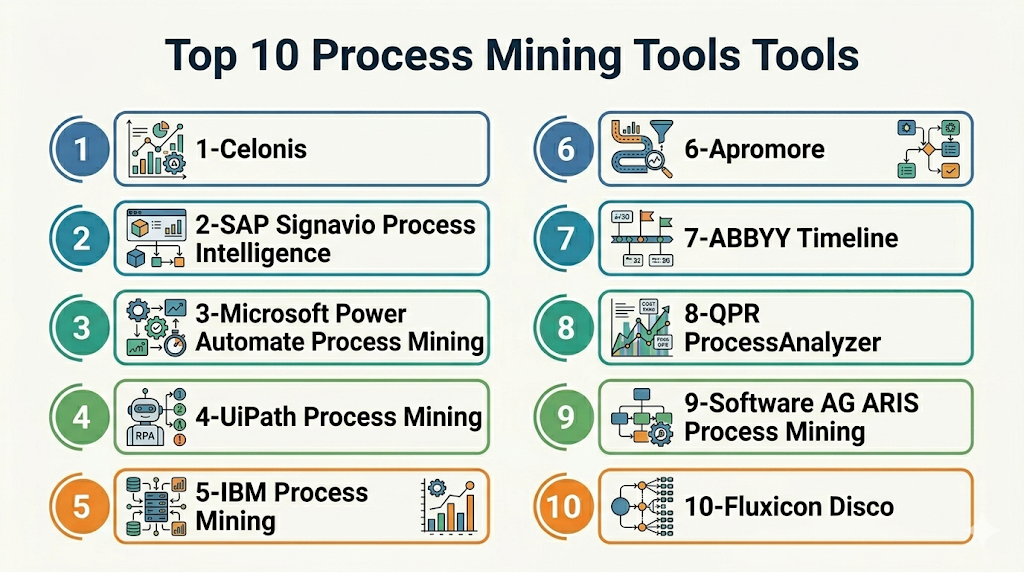
Top 10 Process Mining Tools Tools
Standalone Top 10 Tool Names
- Celonis
- SAP Signavio Process Intelligence
- Microsoft Power Automate Process Mining
- UiPath Process Mining
- IBM Process Mining
- Apromore
- ABBYY Timeline
- QPR ProcessAnalyzer
- Software AG ARIS Process Mining
- Fluxicon Disco
#1 — Celonis
Short description (2–3 lines): Celonis is one of the most recognized leaders in process mining. It is built for enterprises seeking deep operational insights, optimization, and execution management.
Key Features
- Advanced process discovery
- Root cause analysis
- Real-time KPI monitoring
- AI-driven recommendations
- Large connector ecosystem
- Action flows and automation triggers
- Executive dashboards
Pros
- Strong enterprise feature depth
- Mature ecosystem and services
- Excellent scalability
Cons
- Premium pricing
- Can require skilled implementation teams
- More than smaller firms may need
Platforms / Deployment
Cloud / Hybrid
Security & Compliance
SSO/SAML, RBAC, audit controls, encryption. Additional certifications vary by region.
Integrations & Ecosystem
Strong integrations across enterprise systems.
- SAP
- Oracle
- Salesforce
- ServiceNow
- APIs
- Data warehouses
Support & Community
Strong partner network, training resources, enterprise support tiers.
#2 — SAP Signavio Process Intelligence
Short description (2–3 lines): SAP Signavio combines process mining with process modeling and transformation tools, ideal for SAP-centric organizations.
Key Features
- SAP workflow visibility
- Process modeling suite
- Collaboration tools
- Compliance insights
- Benchmarking
- Journey mapping
- Analytics dashboards
Pros
- Excellent for SAP environments
- Strong business process suite
- Good governance features
Cons
- Best value often in SAP ecosystems
- Can be complex for smaller teams
Platforms / Deployment
Cloud / Hybrid
Security & Compliance
Enterprise controls, SSO, governance capabilities.
Integrations & Ecosystem
Strong SAP alignment plus external integrations.
- SAP ERP
- SAP S/4HANA
- APIs
- Third-party data connectors
Support & Community
Strong enterprise support with SAP ecosystem reach.
#3 — Microsoft Power Automate Process Mining
Short description (2–3 lines): Microsoft offers process mining integrated into the Power Platform, attractive for Microsoft-first organizations.
Key Features
- Power Platform integration
- Process mapping
- Automation recommendations
- Power BI connectivity
- Low-code workflows
- User-friendly dashboards
- Task mining alignment
Pros
- Great Microsoft ecosystem fit
- Good value for existing customers
- Strong automation tie-ins
Cons
- Less specialized depth than category leaders
- Best within Microsoft stack
Platforms / Deployment
Cloud
Security & Compliance
Enterprise Microsoft identity/security controls vary by plan.
Integrations & Ecosystem
- Dynamics
- Power BI
- Power Apps
- Office ecosystem
- APIs
Support & Community
Very large community and documentation ecosystem.
#4 — UiPath Process Mining
Short description (2–3 lines): UiPath combines process mining with automation and RPA, making it ideal for organizations scaling automation programs.
Key Features
- Process discovery
- Automation opportunity mapping
- RPA integration
- KPI dashboards
- Task mining support
- Workflow optimization
- AI enhancements
Pros
- Excellent automation synergy
- Good for transformation programs
- Strong enterprise brand
Cons
- Best value when using UiPath stack
- Setup complexity possible
Platforms / Deployment
Cloud / Self-hosted / Hybrid
Security & Compliance
RBAC, enterprise identity support, logging controls.
Integrations & Ecosystem
- UiPath robots
- ERP systems
- CRM platforms
- APIs
Support & Community
Large automation community and training ecosystem.
#5 — IBM Process Mining
Short description (2–3 lines): IBM Process Mining targets enterprises seeking operational intelligence with strong transformation and automation potential.
Key Features
- Process discovery
- Predictive insights
- Simulation
- Compliance monitoring
- KPI analysis
- Automation recommendations
- Enterprise reporting
Pros
- Strong enterprise credibility
- Useful predictive capabilities
- Good for large transformations
Cons
- Enterprise buying cycle can be slower
- Complexity for small teams
Platforms / Deployment
Cloud / Hybrid
Security & Compliance
Enterprise-grade controls; specifics vary.
Integrations & Ecosystem
- IBM ecosystem
- ERP tools
- APIs
- Data platforms
Support & Community
Global enterprise support availability.
#6 — Apromore
Short description (2–3 lines): Apromore is known for academic rigor and practical process mining capabilities suitable for enterprises and analysts.
Key Features
- Process discovery
- Conformance checking
- Variant analysis
- Simulation
- Dashboarding
- Improvement recommendations
- Collaboration tools
Pros
- Strong analytical depth
- Good for process specialists
- Flexible use cases
Cons
- Smaller ecosystem than giants
- Less mainstream mindshare
Platforms / Deployment
Cloud / Self-hosted
Security & Compliance
Varies / Not publicly stated.
Integrations & Ecosystem
- APIs
- CSV/data imports
- Enterprise connectors vary
Support & Community
Growing vendor support presence.
#7 — ABBYY Timeline
Short description (2–3 lines): ABBYY Timeline focuses on process intelligence with strong document-heavy workflow relevance.
Key Features
- Process intelligence
- Journey analytics
- KPI monitoring
- AI insights
- Document workflow optimization
- Process simulation
- Operational dashboards
Pros
- Strong for document-centric operations
- Good analytics experience
Cons
- Less mindshare than largest vendors
- May depend on use case fit
Platforms / Deployment
Cloud
Security & Compliance
Varies / Not publicly stated.
Integrations & Ecosystem
- CRM
- ERP
- Document systems
- APIs
Support & Community
Commercial vendor support available.
#8 — QPR ProcessAnalyzer
Short description (2–3 lines): QPR provides enterprise process mining with governance and operational analytics strengths.
Key Features
- Process mapping
- Bottleneck analysis
- KPI dashboards
- Conformance checks
- Governance workflows
- Data modeling
- Reporting
Pros
- Solid enterprise controls
- Useful governance focus
Cons
- Smaller market presence
- UI preferences vary by user
Platforms / Deployment
Cloud / Self-hosted
Security & Compliance
Varies / Not publicly stated.
Integrations & Ecosystem
- ERP systems
- APIs
- BI tools
Support & Community
Commercial support model.
#9 — Software AG ARIS Process Mining
Short description (2–3 lines): ARIS blends process mining with business process management and architecture tooling.
Key Features
- Process mining
- BPM suite alignment
- Governance controls
- Modeling tools
- Analytics
- Compliance support
- Transformation planning
Pros
- Strong BPM heritage
- Great for process governance
Cons
- Can be broad/complex
- May exceed SMB needs
Platforms / Deployment
Cloud / Hybrid
Security & Compliance
Enterprise controls vary by deployment.
Integrations & Ecosystem
- BPM systems
- APIs
- ERP connectors
Support & Community
Established enterprise vendor support.
#10 — Fluxicon Disco
Short description (2–3 lines): Disco is a respected analyst-friendly tool known for ease of use and fast desktop process mining.
Key Features
- Fast log import
- Visual process maps
- Filtering tools
- Variant exploration
- Analyst workflows
- Lightweight deployment
- Rapid discovery
Pros
- Very user friendly
- Fast learning curve
- Great for analysts and consultants
Cons
- Less enterprise automation depth
- Narrower ecosystem than suites
Platforms / Deployment
Windows / macOS
Security & Compliance
Local deployment benefits; enterprise controls vary.
Integrations & Ecosystem
- CSV imports
- Event logs
- Analyst workflows
Support & Community
Strong reputation among practitioners.
Comparison Table (Top 10)
| Tool Name | Best For | Platform(s) Supported | Deployment | Standout Feature | Public Rating |
|---|---|---|---|---|---|
| Celonis | Large enterprises | Web | Cloud/Hybrid | Execution management | N/A |
| SAP Signavio | SAP customers | Web | Cloud/Hybrid | SAP transformation fit | N/A |
| Microsoft Process Mining | Microsoft-first firms | Web | Cloud | Power Platform integration | N/A |
| UiPath Process Mining | Automation programs | Web | Cloud/Self-hosted/Hybrid | RPA synergy | N/A |
| IBM Process Mining | Large enterprises | Web | Cloud/Hybrid | Predictive insights | N/A |
| Apromore | Analysts/process teams | Web | Cloud/Self-hosted | Conformance depth | N/A |
| ABBYY Timeline | Document-heavy workflows | Web | Cloud | Journey analytics | N/A |
| QPR ProcessAnalyzer | Governance teams | Web | Cloud/Self-hosted | Governance focus | N/A |
| ARIS Process Mining | BPM-led firms | Web | Cloud/Hybrid | BPM alignment | N/A |
| Fluxicon Disco | Consultants/analysts | Windows/macOS | Desktop | Ease of use | N/A |
Evaluation & Scoring of Process Mining Tools
| Tool Name | Core (25%) | Ease (15%) | Integrations (15%) | Security (10%) | Performance (10%) | Support (10%) | Value (15%) | Weighted Total |
|---|---|---|---|---|---|---|---|---|
| Celonis | 10 | 7 | 10 | 9 | 9 | 9 | 6 | 8.65 |
| SAP Signavio | 9 | 7 | 9 | 9 | 8 | 9 | 7 | 8.30 |
| Microsoft | 8 | 9 | 9 | 9 | 8 | 8 | 9 | 8.55 |
| UiPath | 9 | 7 | 9 | 8 | 8 | 8 | 8 | 8.20 |
| IBM | 8 | 6 | 8 | 9 | 8 | 8 | 7 | 7.75 |
| Apromore | 8 | 7 | 7 | 7 | 7 | 7 | 8 | 7.40 |
| ABBYY | 7 | 8 | 7 | 7 | 7 | 7 | 8 | 7.35 |
| QPR | 7 | 7 | 7 | 7 | 7 | 7 | 8 | 7.15 |
| ARIS | 8 | 6 | 8 | 8 | 8 | 8 | 7 | 7.65 |
| Disco | 7 | 9 | 5 | 7 | 8 | 7 | 9 | 7.45 |
These scores are comparative, not absolute. A lower-scoring tool may still be the best fit for your specific budget, stack, or team maturity. Enterprises often prioritize integrations and governance, while smaller teams may value speed and simplicity more.
Which Process Mining Tools Is Right for You?
Solo / Freelancer
Choose Fluxicon Disco or Apromore for analyst-led discovery projects and consulting work.
SMB
Choose Microsoft Process Mining or UiPath if you already use those ecosystems.
Mid-Market
Choose Apromore, UiPath, or ABBYY Timeline for balance of depth and manageability.
Enterprise
Choose Celonis, SAP Signavio, IBM, or ARIS for scale, governance, and transformation programs.
Budget vs Premium
- Budget-conscious: Microsoft, Disco, Apromore
- Premium enterprise: Celonis, SAP Signavio, IBM
Feature Depth vs Ease of Use
- Deepest capabilities: Celonis, SAP Signavio
- Easier adoption: Microsoft, Disco
Integrations & Scalability
- Best enterprise integration reach: Celonis, SAP, Microsoft, UiPath
Security & Compliance Needs
- Regulated environments often prefer established enterprise vendors with governance controls.
Frequently Asked Questions (FAQs)
1. What are process mining tools used for?
They analyze system event logs to show how business processes actually run and where inefficiencies exist.
2. Are process mining tools only for enterprises?
No. Some tools fit mid-market and consulting teams, though enterprise demand is highest.
3. How long does implementation take?
Simple pilots may take weeks. Large enterprise rollouts can take months.
4. Do I need clean data?
Yes. Better source data improves insights significantly.
5. Can these tools integrate with ERP systems?
Most leading vendors support ERP integrations such as SAP and Oracle environments.
6. Are they secure?
Most enterprise vendors provide encryption, access controls, and identity integrations.
7. What is task mining?
Task mining captures user desktop interactions to complement process mining.
8. Can process mining identify automation opportunities?
Yes. Many platforms highlight repetitive tasks and bottlenecks suitable for automation.
9. Is pricing transparent?
Often not fully public. Enterprise pricing commonly depends on users, data volume, and scope.
10. What are alternatives to process mining?
BI tools, workflow analytics, BPM suites, operational consulting, and manual audits.
Conclusion
Process mining tools have become essential for organizations that want measurable efficiency gains, faster operations, and smarter automation decisions. The right platform depends on your data maturity, existing software stack, budget, and transformation goals. Enterprises often lean toward Celonis, SAP Signavio, or UiPath, while smaller teams may prefer Microsoft, Apromore, or Disco. There is no universal winner—fit matters more than brand recognition. Shortlist two or three options, run a focused pilot, validate integrations and security needs, then scale with confidence.
