Introduction
Policy & Procedure Management Tools help organizations create, manage, distribute, and track internal policies and standard operating procedures (SOPs) in a centralized and controlled way. These tools ensure that employees always have access to the latest policies, while organizations maintain compliance, consistency, and accountability.
As businesses scale and operate across multiple locations and regulatory environments, managing policies manually becomes inefficient and risky. Modern tools offer automation, version control, approval workflows, and real-time tracking, making it easier to maintain compliance and reduce operational risks. They are widely used in industries like healthcare, finance, IT, and manufacturing.
Common use cases include:
- Managing employee policies and SOPs
- Compliance with regulatory requirements
- Policy acknowledgment tracking
- Version control and document management
- Audit readiness and reporting
Key evaluation criteria:
- Document creation and version control
- Workflow automation and approvals
- Policy distribution and tracking
- Integration with enterprise systems
- Compliance and audit features
- Scalability and performance
- Ease of use and customization
- Security and access controls
Best for: Enterprises, HR teams, compliance officers, and organizations with structured governance needs.
Not ideal for: Small teams with minimal documentation requirements.
Key Trends in Policy & Procedure Management Tools
- Automation of policy workflows and approvals
- AI-driven document classification and recommendations
- Cloud-based policy management platforms
- Integration with GRC and compliance systems
- Real-time tracking and acknowledgment features
- Centralized policy repositories
- Mobile access for employees
- Enhanced audit and reporting capabilities
- Low-code customization for workflows
- Focus on employee engagement and usability
How We Evaluated Policy & Procedure Management Tools (Methodology)
- Assessed market adoption and enterprise usage
- Evaluated core policy management capabilities
- Reviewed automation and workflow features
- Considered integration ecosystem and scalability
- Assessed compliance and audit readiness
- Evaluated ease of use and customization
- Considered performance and reliability
- Assessed fit across SMB, mid-market, and enterprise
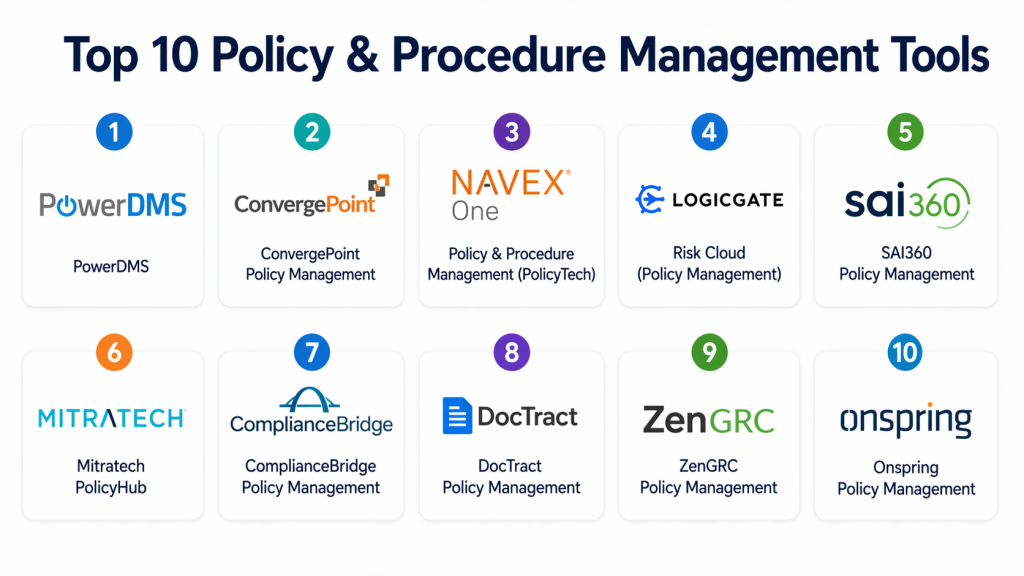
Top 10 Policy & Procedure Management Tools
#1 — PowerDMS
Short description: A leading policy management platform designed for compliance-heavy industries. Offers strong document control, versioning, and tracking features. Ideal for healthcare, public safety, and regulated sectors. Known for ease of use and audit readiness.
Key Features
- Policy management
- Version control
- Workflow automation
- Acknowledgment tracking
- Reporting
Pros
- User-friendly
- Strong compliance features
Cons
- Premium pricing
- Limited customization
Platforms / Deployment
Cloud
Security & Compliance
Encryption, audit logs (others not publicly stated)
Integrations & Ecosystem
- Compliance tools
- Enterprise systems
- APIs
Support & Community
Strong support.
#2 — ConvergePoint Policy Management
Short description: A SharePoint-based policy management tool providing workflow automation and document control. Ideal for organizations using Microsoft ecosystem.
Key Features
- Policy lifecycle management
- Workflow automation
- Version control
- Reporting
- Compliance tracking
Pros
- Strong Microsoft integration
- Flexible workflows
Cons
- Requires SharePoint
- Limited standalone use
Platforms / Deployment
Cloud / On-prem
Security & Compliance
Encryption, audit logs (others not publicly stated)
Integrations & Ecosystem
- Microsoft ecosystem
- APIs
Support & Community
Enterprise support.
#3 — NAVEX One PolicyTech
Short description: A comprehensive policy management platform offering governance, risk, and compliance features. Suitable for large enterprises managing global policies.
Key Features
- Policy management
- Compliance tracking
- Workflow automation
- Reporting
- Analytics
Pros
- Strong compliance capabilities
- Scalable
Cons
- Complex setup
- High cost
Platforms / Deployment
Cloud
Security & Compliance
Encryption, audit logs (others not publicly stated)
Integrations & Ecosystem
- GRC tools
- APIs
Support & Community
Enterprise support.
#4 — LogicGate Policy Management
Short description: A flexible platform offering customizable workflows for policy management. Known for ease of use and automation capabilities.
Key Features
- Workflow automation
- Policy tracking
- Reporting
- Integration
- Customization
Pros
- Flexible
- Easy customization
Cons
- Limited advanced features
- Smaller ecosystem
Platforms / Deployment
Cloud
Security & Compliance
Encryption, audit logs (others not publicly stated)
Integrations & Ecosystem
- APIs
- Enterprise tools
Support & Community
Good support.
#5 — SAI360 Policy Management
Short description: A GRC-focused platform offering policy and compliance management. Suitable for enterprises with complex regulatory requirements.
Key Features
- Policy lifecycle management
- Compliance tracking
- Risk management
- Reporting
- Workflow automation
Pros
- Comprehensive features
- Strong compliance support
Cons
- Complex UI
- Expensive
Platforms / Deployment
Cloud
Security & Compliance
Encryption, audit logs (others not publicly stated)
Integrations & Ecosystem
- GRC platforms
- APIs
Support & Community
Enterprise support.
#6 — DocRead (Policy Management)
Short description: A SharePoint-based policy management tool focused on document distribution and tracking. Ideal for organizations already using Microsoft tools.
Key Features
- Document distribution
- Acknowledgment tracking
- Version control
- Reporting
- Integration
Pros
- Easy to use
- Strong SharePoint integration
Cons
- Limited outside Microsoft ecosystem
- Basic features
Platforms / Deployment
Cloud / On-prem
Security & Compliance
Encryption (others not publicly stated)
Integrations & Ecosystem
- Microsoft tools
- APIs
Support & Community
Good support.
#7 — Process Street
Short description: A workflow automation platform that can be used for managing procedures and SOPs. Suitable for SMBs and growing teams.
Key Features
- Workflow automation
- SOP management
- Collaboration
- Reporting
- Integration
Pros
- Easy to use
- Affordable
Cons
- Limited compliance features
- Not dedicated policy tool
Platforms / Deployment
Cloud
Security & Compliance
Not publicly stated
Integrations & Ecosystem
- SaaS tools
- APIs
Support & Community
SMB-focused support.
#8 — Hyperproof Policy Management
Short description: A modern platform combining policy management with compliance automation. Suitable for mid-market and SMB organizations.
Key Features
- Policy tracking
- Compliance automation
- Reporting
- Workflow management
- Integration
Pros
- Easy to use
- Affordable
Cons
- Limited enterprise features
- Smaller ecosystem
Platforms / Deployment
Cloud
Security & Compliance
Encryption, audit logs (others not publicly stated)
Integrations & Ecosystem
- SaaS tools
- APIs
Support & Community
Good support.
#9 — ZenGRC Policy Management
Short description: A GRC platform offering policy and compliance management features. Suitable for organizations needing integrated governance tools.
Key Features
- Policy management
- Compliance tracking
- Risk management
- Reporting
- Workflow automation
Pros
- Integrated platform
- Scalable
Cons
- Learning curve
- UI limitations
Platforms / Deployment
Cloud
Security & Compliance
Encryption, audit logs (others not publicly stated)
Integrations & Ecosystem
- GRC tools
- APIs
Support & Community
Enterprise support.
#10 — Onspring Policy Management
Short description: A flexible platform offering customizable policy management workflows. Suitable for organizations needing tailored solutions.
Key Features
- Workflow customization
- Policy tracking
- Reporting
- Compliance management
- Integration
Pros
- Flexible
- Customizable
Cons
- Learning curve
- UI complexity
Platforms / Deployment
Cloud
Security & Compliance
Encryption, audit logs (others not publicly stated)
Integrations & Ecosystem
- Enterprise tools
- APIs
Support & Community
Good support.
Comparison Table (Top 10)
| Tool Name | Best For | Platform(s) | Deployment | Standout Feature | Public Rating |
|---|---|---|---|---|---|
| PowerDMS | Compliance | Web | Cloud | Policy tracking | N/A |
| ConvergePoint | Microsoft users | Web | Cloud/On-prem | SharePoint integration | N/A |
| NAVEX | Enterprise | Web | Cloud | Compliance | N/A |
| LogicGate | Mid-market | Web | Cloud | Flexibility | N/A |
| SAI360 | Enterprise | Web | Cloud | GRC integration | N/A |
| DocRead | SMB | Web | Cloud/On-prem | Document tracking | N/A |
| Process Street | SMB | Web | Cloud | Workflow automation | N/A |
| Hyperproof | SMB | Web | Cloud | Simplicity | N/A |
| ZenGRC | Governance | Web | Cloud | Integration | N/A |
| Onspring | Custom workflows | Web | Cloud | Flexibility | N/A |
Evaluation & Scoring of Policy & Procedure Management Tools
| Tool | Core | Ease | Integrations | Security | Performance | Support | Value | Total |
|---|---|---|---|---|---|---|---|---|
| PowerDMS | 9 | 9 | 8 | 8 | 8 | 8 | 8 | 8.5 |
| ConvergePoint | 8 | 7 | 9 | 8 | 8 | 8 | 7 | 8.0 |
| NAVEX | 9 | 6 | 8 | 9 | 8 | 8 | 7 | 8.1 |
| LogicGate | 8 | 8 | 7 | 8 | 8 | 7 | 8 | 7.9 |
| SAI360 | 9 | 6 | 8 | 9 | 8 | 8 | 7 | 8.1 |
| DocRead | 7 | 9 | 8 | 7 | 7 | 7 | 8 | 7.8 |
| Process Street | 7 | 9 | 7 | 7 | 7 | 7 | 9 | 7.9 |
| Hyperproof | 7 | 9 | 7 | 7 | 7 | 7 | 9 | 7.8 |
| ZenGRC | 8 | 7 | 8 | 8 | 8 | 7 | 8 | 7.9 |
| Onspring | 8 | 7 | 7 | 7 | 7 | 7 | 8 | 7.6 |
Interpretation:
Higher scores indicate stronger capabilities across policy management, compliance, and integrations. Enterprise tools excel in scalability and compliance, while modern tools offer better usability and value.
Which Policy & Procedure Management Tool Is Right for You?
Solo / Freelancer
Process Street is a simple and effective option.
SMB
Hyperproof or DocRead offer affordability and ease of use.
Mid-Market
LogicGate or ZenGRC provide balanced features.
Enterprise
PowerDMS, NAVEX, and SAI360 are top choices.
Budget vs Premium
- Budget: Process Street
- Premium: PowerDMS
Feature Depth vs Ease of Use
- Easy: PowerDMS
- Advanced: NAVEX
Integrations & Scalability
- Best integrations: ConvergePoint, ZenGRC
Security & Compliance
- High compliance: SAI360, NAVEX
FAQs
1. What are policy & procedure management tools?
These tools help organizations create, manage, and distribute policies and procedures. They centralize documentation and ensure version control. This improves compliance and consistency. They are widely used in regulated industries.
2. Who should use these tools?
Enterprises, HR teams, and compliance officers benefit the most. Organizations with strict regulations need these tools. They help manage complex policy workflows.
3. Are these tools expensive?
Pricing varies depending on features and scale. Enterprise tools are expensive. SMB tools are more affordable.
4. How long does implementation take?
Implementation depends on complexity. Cloud tools are faster. Large organizations take longer.
5. Do these tools support compliance?
Yes, most tools support compliance frameworks. They help organizations stay compliant.
6. Can they integrate with other systems?
Yes, integration with enterprise systems is common. APIs allow customization.
7. Are they secure?
Most tools include encryption and access controls. Security depends on the vendor.
8. What are common challenges?
Challenges include setup complexity and user adoption. Training helps overcome these.
9. What are alternatives?
Manual processes or basic tools can be used. However, they lack automation.
10. Do these tools use AI?
Some tools use AI for automation and analytics. This improves efficiency.
Conclusion
Policy & Procedure Management Tools are essential for organizations aiming to maintain consistency, compliance, and operational efficiency in today’s complex business environment. As companies scale and regulatory requirements grow, managing policies manually becomes increasingly difficult and error-prone. These tools provide a centralized platform for creating, updating, and tracking policies, ensuring that employees always have access to the latest information while maintaining accountability and audit readiness.
Selecting the right solution depends on your organization’s size, compliance requirements, and existing technology stack. Enterprises may benefit from comprehensive platforms like PowerDMS or NAVEX, while SMBs can opt for simpler tools like Process Street or Hyperproof. The best approach is to evaluate multiple options, test their workflows, and ensure they align with your governance and compliance strategy before making a final decision.
