Introduction
Phishing Simulation Tools help organizations train employees, test security awareness, and reduce susceptibility to phishing attacks. They simulate real-world phishing attempts, identify risky behavior, and provide actionable reporting. As phishing remains one of the top attack vectors for data breaches, these tools are critical for corporate security, especially in finance, healthcare, and large enterprise environments.
Real-world use cases include:
- Training employees on phishing recognition
- Testing organization-wide susceptibility to phishing emails
- Tracking risk-prone users and high-risk departments
- Evaluating security awareness program effectiveness
- Integrating with broader cybersecurity training initiatives
Evaluation criteria for buyers:
- Quality and variety of phishing templates
- Customization of simulation campaigns
- Reporting and analytics for user behavior
- Integration with learning management systems (LMS)
- Frequency and scheduling of simulations
- Real-time alerts and notifications
- Multi-language support for global organizations
- Ease of deployment and user management
- Compliance with GDPR, SOC 2, and other privacy standards
- Support and training resources for administrators
Best for: Enterprises, SMBs, and organizations looking to strengthen human-layer security through regular phishing simulations
Not ideal for: Organizations with limited employee base or minimal email infrastructure, where basic security awareness training may suffice
Key Trends in Phishing Simulation Tools
- Integration with security awareness training platforms
- AI-driven phishing email generation for realistic scenarios
- Analytics dashboards for behavior tracking and risk scoring
- Gamification of simulations to increase engagement
- Multi-channel simulations including email, SMS, and chat
- Integration with LMS and HR systems for automated training
- Continuous improvement using threat intelligence feeds
- Support for global organizations with multi-language templates
- Cloud-based deployment for scalability and ease of management
- Automated follow-up training for users who fall for simulations
How We Selected These Tools (Methodology)
- Market adoption and reputation in security awareness
- Variety and realism of phishing templates
- Analytics, reporting, and risk scoring capabilities
- Integration with LMS, HR, and security systems
- Frequency and customization of phishing campaigns
- Cloud, hybrid, and on-prem deployment flexibility
- Ease of use for administrators and end-users
- Multi-language and multi-region support
- Compliance with security and privacy standards
- Customer feedback and enterprise adoption
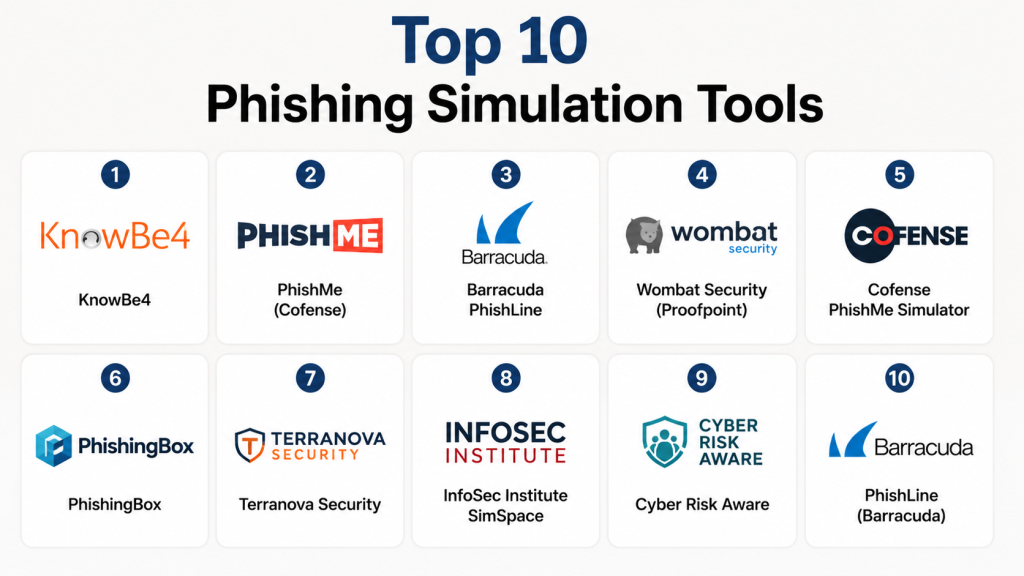
Top 10 Phishing Simulation Tools
1- KnowBe4
Short description: Comprehensive phishing simulation and security awareness training platform for enterprises of all sizes
Key Features
- Extensive library of phishing templates
- Automated campaign scheduling
- Risk scoring and reporting dashboards
- Integration with LMS and HR systems
- Simulated email, SMS, and social media phishing
- Real-time alerts for risky users
- Training modules for follow-up learning
Pros
- Large template library with high realism
- Scalable for enterprise deployments
- Detailed analytics and reporting
Cons
- Premium pricing for advanced features
- Onboarding may take time for large organizations
Platforms / Deployment
- Web / Cloud
Security & Compliance
- SOC 2
- GDPR, TLS encryption
Integrations & Ecosystem
Integrates with LMS, HR platforms, and email systems
- API and SDK support
- Centralized dashboards for analytics
- Follow-up training modules
Support & Community
- Enterprise support
- Documentation and tutorials
- Community forums
2- PhishMe (Cofense)
Short description: Offers phishing simulations and threat intelligence to enhance employee security awareness
Key Features
- Customizable phishing campaigns
- Automated email simulations
- Risk scoring and analytics
- Real-time alerts and reporting
- Training modules for users
- Integration with SIEM and LMS systems
- Threat intelligence feed for updated attacks
Pros
- Strong analytics and risk scoring
- Enterprise-grade simulation capabilities
- Integration with threat intelligence
Cons
- Premium pricing
- Technical setup may require expertise
Platforms / Deployment
- Web / Cloud
Security & Compliance
- SOC 2
- TLS encryption
Integrations & Ecosystem
Integrates with SIEM, LMS, and HR platforms
- API and reporting endpoints
- Dashboard analytics and alerts
Support & Community
- Enterprise support
- Documentation and case studies
3- Barracuda PhishLine
Short description: Security awareness and phishing simulation platform offering customizable campaigns and analytics
Key Features
- Email phishing simulations
- Multi-channel campaigns
- Risk scoring dashboards
- Follow-up training for users
- Automated campaign scheduling
- Multi-language support
- Integration with LMS and HR systems
Pros
- Easy-to-use interface
- Supports global organizations
- Scalable for mid-market and enterprise
Cons
- Limited free-tier options
- Advanced analytics require premium subscription
Platforms / Deployment
- Web / Cloud
Security & Compliance
- SOC 2
- TLS encryption
Integrations & Ecosystem
Integrates with LMS, HR platforms, and email systems
- API for automation
- Centralized reporting dashboards
Support & Community
- Enterprise support
- Documentation and training resources
4- Wombat Security (Proofpoint)
Short description: Provides phishing simulations and security awareness training for large-scale organizations
Key Features
- Extensive phishing template library
- Risk scoring for employees
- Automated campaign scheduling
- Integration with LMS
- Multi-language support
- Analytics dashboards for admins
- Real-time alerts
Pros
- Large enterprise focus
- Detailed analytics and reporting
- Multi-channel simulation
Cons
- Premium pricing
- Setup requires admin training
Platforms / Deployment
- Web / Cloud
Security & Compliance
- SOC 2
- GDPR, TLS encryption
Integrations & Ecosystem
Integrates with LMS and HR systems
- API support for campaign automation
- Analytics dashboards
Support & Community
- Enterprise support
- Documentation and tutorials
5- Cofense PhishMe Simulator
Short description: Simulates phishing attacks and provides employee training with threat intelligence integration
Key Features
- Email and social media phishing simulation
- Risk-based campaign scheduling
- Analytics and reporting dashboards
- Adaptive training for at-risk users
- API and LMS integration
- Real-time alerts
- Threat intelligence feeds
Pros
- Accurate risk detection
- Scales for enterprise users
- Integrates with existing security workflows
Cons
- Enterprise pricing
- May require technical expertise
Platforms / Deployment
- Web / Cloud
Security & Compliance
- SOC 2
- GDPR
Integrations & Ecosystem
Integrates with LMS, email platforms, and SIEM tools
- API endpoints for automation
- Centralized dashboards
Support & Community
- Enterprise support
- Documentation and guides
6- PhishingBox
Short description: User-friendly platform for creating phishing simulations and reporting security awareness metrics
Key Features
- Drag-and-drop email template creation
- Automated simulation campaigns
- Real-time analytics and risk scoring
- Integration with LMS
- Follow-up training modules
- Multi-language support
- Dashboard for administrators
Pros
- Easy to deploy for SMBs and enterprises
- Customizable templates
- Intuitive dashboard
Cons
- Less advanced analytics than enterprise platforms
- Limited threat intelligence integration
Platforms / Deployment
- Web / Cloud
Security & Compliance
- SOC 2
- TLS encryption
Integrations & Ecosystem
Integrates with LMS, HR platforms, and email systems
- API support for campaigns
- Dashboard reporting
Support & Community
- Documentation
- Enterprise support
7- Terranova Security
Short description: Provides phishing simulations and security awareness training with automated reporting and risk scoring
Key Features
- Email phishing simulations
- Risk scoring and analytics
- Multi-language templates
- Automated campaign scheduling
- LMS integration
- Dashboard reporting
- Follow-up training modules
Pros
- Strong content library
- Supports international organizations
- Scalable
Cons
- Enterprise pricing
- Setup can require admin guidance
Platforms / Deployment
- Web / Cloud
Security & Compliance
- SOC 2
- TLS encryption
Integrations & Ecosystem
Integrates with LMS and email systems
- API for automation
- Centralized reporting dashboards
Support & Community
- Enterprise support
- Documentation and guides
8- InfoSec Institute SimSpace
Short description: Security awareness platform providing phishing simulation campaigns and employee risk assessment
Key Features
- Email phishing campaigns
- User risk scoring and analytics
- LMS integration
- Customizable simulation templates
- Real-time alerts and dashboards
- Multi-language support
- Follow-up training
Pros
- Effective risk assessment
- Scalable for mid-market and enterprise
- Integrates with LMS
Cons
- Premium pricing
- Less focus on multi-channel attacks
Platforms / Deployment
- Web / Cloud
Security & Compliance
- SOC 2
- TLS encryption
Integrations & Ecosystem
Integrates with LMS and HR systems
- API support
- Reporting dashboards
Support & Community
- Enterprise support
- Documentation
9- Cyber Risk Aware
Short description: Provides phishing simulations, risk scoring, and security awareness training for organizations
Key Features
- Email and social phishing simulations
- Risk scoring dashboards
- LMS integration
- Multi-language templates
- Campaign automation
- Real-time alerts
- Reporting for administrators
Pros
- Scalable and cost-effective
- Easy-to-use interface
- Supports multiple languages
Cons
- Limited advanced analytics
- Enterprise features require premium plan
Platforms / Deployment
- Web / Cloud
Security & Compliance
- SOC 2
- TLS encryption
Integrations & Ecosystem
Integrates with LMS and HR systems
- API support for campaign automation
- Dashboard reporting
Support & Community
- Enterprise support
- Documentation
10- PhishLine (Barracuda)
Short description: Offers phishing simulation campaigns and security awareness training with detailed reporting
Key Features
- Email phishing simulations
- Risk scoring and dashboards
- Automated campaigns
- LMS integration
- Multi-language support
- Reporting and analytics
- Follow-up training for users
Pros
- Enterprise-focused
- Scalable and secure
- Easy to manage campaigns
Cons
- Premium pricing
- Advanced features require setup
Platforms / Deployment
- Web / Cloud
Security & Compliance
- SOC 2
- TLS encryption
Integrations & Ecosystem
Integrates with LMS, HR, and email systems
- API support
- Centralized dashboards
Support & Community
- Enterprise support
- Documentation and guides
Comparison Table (Top 10)
| Tool Name | Best For | Platform(s) Supported | Deployment | Standout Feature | Public Rating |
|---|---|---|---|---|---|
| KnowBe4 | Enterprise | Web / Cloud | Cloud | Extensive phishing templates | N/A |
| PhishMe (Cofense) | Enterprise | Web / Cloud | Cloud | AI-driven phishing campaigns | N/A |
| Barracuda PhishLine | Enterprise | Web / Cloud | Cloud | Multi-channel phishing simulation | N/A |
| Wombat Security | Enterprise | Web / Cloud | Cloud | Employee risk scoring | N/A |
| Cofense PhishMe Simulator | Enterprise | Web / Cloud | Cloud | Threat intelligence integration | N/A |
| PhishingBox | SMB & Mid-Market | Web / Cloud | Cloud | User-friendly campaign builder | N/A |
| Terranova Security | Enterprise | Web / Cloud | Cloud | Automated reporting & risk scoring | N/A |
| InfoSec Institute SimSpace | Mid-Market | Web / Cloud | Cloud | LMS integration | N/A |
| Cyber Risk Aware | SMB & Mid-Market | Web / Cloud | Cloud | Multi-language phishing templates | N/A |
| PhishLine (Barracuda) | Enterprise | Web / Cloud | Cloud | Enterprise-focused campaigns | N/A |
Evaluation & Scoring of Phishing Simulation Tools
| Tool Name | Core (25%) | Ease (15%) | Integrations (15%) | Security (10%) | Performance (10%) | Support (10%) | Value (15%) | Weighted Total |
|---|---|---|---|---|---|---|---|---|
| KnowBe4 | 9 | 8 | 8 | 8 | 8 | 8 | 7 | 8.0 |
| PhishMe | 9 | 7 | 8 | 8 | 8 | 7 | 7 | 7.7 |
| Barracuda PhishLine | 8 | 8 | 7 | 8 | 8 | 7 | 7 | 7.5 |
| Wombat Security | 8 | 7 | 7 | 8 | 8 | 7 | 7 | 7.4 |
| Cofense PhishMe Simulator | 8 | 7 | 7 | 8 | 8 | 7 | 7 | 7.5 |
| PhishingBox | 7 | 8 | 7 | 7 | 7 | 7 | 7 | 7.2 |
| Terranova Security | 7 | 7 | 7 | 7 | 7 | 7 | 7 | 7.0 |
| InfoSec Institute SimSpace | 7 | 7 | 7 | 7 | 7 | 7 | 7 | 7.0 |
| Cyber Risk Aware | 7 | 8 | 7 | 7 | 7 | 7 | 7 | 7.1 |
| PhishLine | 8 | 7 | 7 | 8 | 8 | 7 | 7 | 7.5 |
Which Phishing Simulation Tool Is Right for You?
Solo / Freelancer
PhishingBox and Cyber Risk Aware provide simple, cost-effective solutions
SMB
Terranova Security and InfoSec Institute SimSpace offer scalable training campaigns
Mid-Market
Wombat Security and Cofense PhishMe provide analytics and adaptive simulations
Enterprise
KnowBe4, Barracuda PhishLine, and PhishMe provide enterprise-grade campaign management, analytics, and risk scoring
Budget vs Premium
PhishingBox and Cyber Risk Aware are budget-friendly; KnowBe4 and PhishMe provide full enterprise capabilities
Feature Depth vs Ease of Use
PhishingBox and Cyber Risk Aware are simple and easy to deploy; KnowBe4, Barracuda, and PhishMe offer advanced analytics and integration
Integrations & Scalability
KnowBe4, Barracuda, and PhishMe scale for enterprise environments and integrate with LMS, HR, and security platforms
Security & Compliance Needs
SOC 2 and GDPR compliance are provided by KnowBe4, PhishMe, Barracuda, and Wombat Security
Frequently Asked Questions (FAQs)
1- What is a phishing simulation tool?
A platform that simulates phishing attacks to train employees and measure security awareness
2- Who needs phishing simulations?
Enterprises, SMBs, and organizations with sensitive data or regulatory obligations
3- Can simulations be customized?
Yes, templates can be modified to mimic real-world attacks
4- Do users know when they are being tested?
Simulations are designed to be realistic, often without prior notice
5- Can multi-channel phishing be simulated?
Yes, tools can simulate email, SMS, and social media phishing
6- Are reports provided?
Yes, dashboards and analytics provide risk scoring and campaign results
7- Do these tools integrate with LMS?
Most tools integrate with learning management systems for automated training
8- Can small businesses afford these tools?
Yes, solutions like PhishingBox or Cyber Risk Aware are cost-effective
9- Do they support global organizations?
Yes, multi-language templates support international teams
10- How often should simulations be run?
Organizations typically run campaigns quarterly or monthly, with follow-up training for at-risk users
Conclusion
Phishing Simulation Tools help organizations reduce human error, train employees, and detect potential security gaps. Tool selection depends on organization size, budget, and training requirements. Tools like PhishingBox and Cyber Risk Aware are suitable for SMBs, while KnowBe4, PhishMe, and Barracuda PhishLine provide enterprise-grade campaign management and analytics
