Introduction
Personal Finance Budgeting Apps help individuals track income, manage expenses, plan budgets, and improve financial habits from a single mobile or web platform. These apps provide tools like expense categorization, bill reminders, savings goals, financial insights, and sometimes AI-driven recommendations to help users make smarter money decisions.
They matter today because managing personal finances has become more complex with multiple income sources, digital payments, subscriptions, and rising living costs. Modern apps also focus on secure account access, data privacy, identity management, and safe financial data handling to protect sensitive user information.
Real-world use cases include:
- Tracking daily expenses and spending habits
- Creating monthly budgets and savings plans
- Managing bills, subscriptions, and payments
- Monitoring financial goals like savings or debt reduction
- Gaining insights into spending behavior
Evaluation Criteria for Buyers
- Ease of use and onboarding
- Expense tracking accuracy
- Budget planning features
- Bank account integration support
- Security and privacy controls
- Reporting and insights
- Mobile performance
- Pricing and value
- Goal-setting features
- Customer support
Best for: individuals, families, freelancers, and professionals who want better control over their spending, savings, and financial planning.
Not ideal for: users needing advanced investment management, business accounting tools, or complex financial planning requiring professional advisory platforms.
Key Trends in Personal Finance Budgeting Apps
- AI-driven financial insights: Apps now provide smart recommendations based on spending patterns
- Automated expense categorization: Reduces manual tracking effort
- Subscription tracking: Helps users manage recurring payments
- Secure banking integrations: Safer ways to connect financial accounts
- Goal-based budgeting: Focus on savings, debt reduction, and financial milestones
- Mobile-first design: Apps are optimized for everyday use on smartphones
- Data privacy focus: Stronger encryption and secure authentication
- Financial wellness tools: Integration of credit score tracking and financial education
- Real-time notifications: Instant alerts for spending and budget limits
- Multi-device syncing: Access across mobile and web platforms
How We Selected Personal Finance Budgeting Apps
- Market popularity and user adoption
- Feature completeness for budgeting and tracking
- Ease of use for daily financial management
- Security and privacy expectations
- Integration with financial accounts
- Support for different user types
- Platform availability
- Scalability for individuals and families
- Customer support quality
- Overall value for money
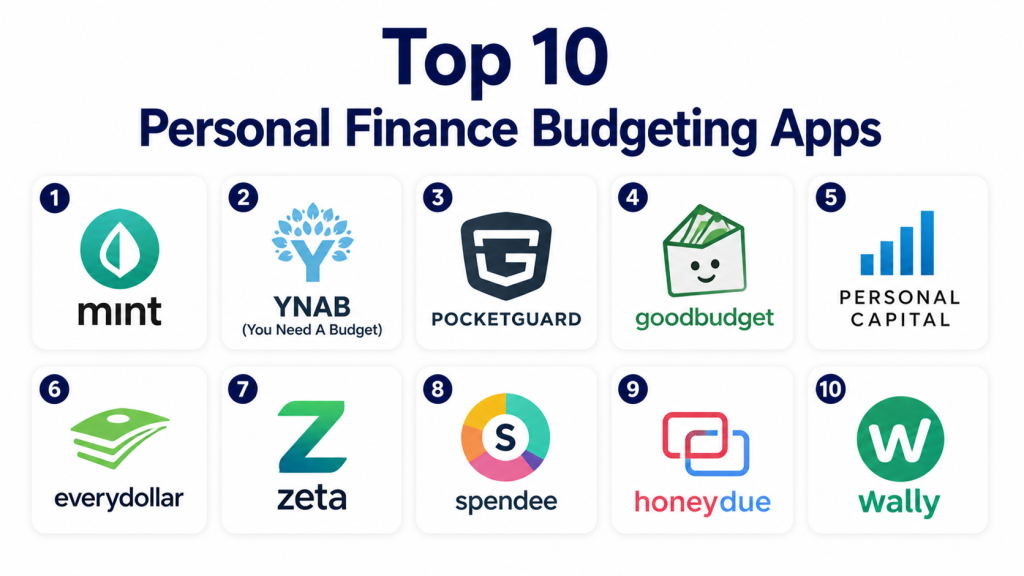
Top 10 Personal Finance Budgeting Apps
#1 — Mint
Short description: Mint is a widely used budgeting app that helps users track expenses, create budgets, and monitor financial health in one place. It automatically categorizes transactions and provides insights into spending patterns, making it ideal for beginners and everyday users.
Key Features
- Automatic expense tracking
- Budget creation tools
- Bill reminders
- Credit score monitoring
- Financial insights
- Categorized spending
- Alerts and notifications
Pros
- Easy to use
- Strong automation features
- Free to use
Cons
- Ads in free version
- Limited customization
- Data sync may vary
Platforms / Deployment
iOS / Android / Web
Cloud
Security & Compliance
Not publicly stated
Integrations & Ecosystem
Mint connects financial data and provides automated insights for users managing multiple accounts.
- Bank account sync
- Expense categorization
- Budget tracking
- Alerts
- Financial dashboards
Support & Community
Provides help resources and basic customer support.
#2 — YNAB (You Need A Budget)
Short description: YNAB is a budgeting app focused on proactive financial planning and zero-based budgeting. It helps users allocate every dollar intentionally, making it ideal for people serious about improving financial discipline.
Key Features
- Zero-based budgeting
- Goal tracking
- Real-time expense updates
- Financial reports
- Budget planning tools
- Multi-device sync
- Educational resources
Pros
- Strong budgeting methodology
- Helps reduce debt
- Great educational support
Cons
- Subscription required
- Learning curve
- Not beginner-friendly initially
Platforms / Deployment
iOS / Android / Web
Cloud
Security & Compliance
Not publicly stated
Integrations & Ecosystem
YNAB focuses on structured budgeting workflows and financial planning.
- Budget tracking
- Goal planning
- Expense management
- Reporting tools
- Financial education
Support & Community
Strong community and support resources.
#3 — PocketGuard
Short description: PocketGuard helps users understand how much money they can safely spend after accounting for bills, savings, and expenses. It is ideal for users who want a simplified view of their available spending.
Key Features
- Expense tracking
- Budget summaries
- Spending limits
- Bill tracking
- Savings goals
- Financial insights
- Alerts
Pros
- Simple interface
- Easy spending overview
- Good for beginners
Cons
- Limited advanced features
- Subscription for premium
- Customization options limited
Platforms / Deployment
iOS / Android / Web
Cloud
Security & Compliance
Not publicly stated
Integrations & Ecosystem
PocketGuard focuses on simplified financial tracking and spending awareness.
- Expense tracking
- Budget overview
- Bill management
- Alerts
- Financial summaries
Support & Community
Provides standard support and help resources.
#4 — Goodbudget
Short description: Goodbudget is based on the envelope budgeting method, allowing users to plan spending across categories. It is ideal for users who prefer manual budgeting control without relying heavily on automation.
Key Features
- Envelope budgeting
- Expense tracking
- Budget planning
- Sync across devices
- Reports
- Goal tracking
- Shared budgeting
Pros
- Great for manual budgeting
- Simple concept
- Good for families
Cons
- Manual data entry
- Limited automation
- Basic interface
Platforms / Deployment
iOS / Android / Web
Cloud
Security & Compliance
Not publicly stated
Integrations & Ecosystem
Goodbudget focuses on manual financial planning and category-based budgeting.
- Budget envelopes
- Expense tracking
- Reports
- Shared budgeting
- Financial planning
Support & Community
Basic support and documentation available.
#5 — Personal Capital
Short description: Personal Capital combines budgeting with wealth tracking and investment monitoring. It is suitable for users who want both spending insights and a broader financial overview.
Key Features
- Expense tracking
- Investment tracking
- Net worth dashboard
- Budgeting tools
- Financial insights
- Retirement planning
- Reports
Pros
- Strong financial overview
- Investment tracking included
- Useful dashboards
Cons
- Focus on wealth management
- Less budgeting depth
- Premium services cost
Platforms / Deployment
iOS / Android / Web
Cloud
Security & Compliance
Not publicly stated
Integrations & Ecosystem
Personal Capital connects budgeting with financial planning and investment tracking.
- Financial dashboards
- Expense tracking
- Investment tracking
- Reports
- Planning tools
Support & Community
Provides support and financial advisory resources.
#6 — EveryDollar
Short description: EveryDollar is a budgeting app based on zero-based budgeting, helping users assign every dollar to a category. It is simple and effective for users focused on financial discipline.
Key Features
- Budget planning
- Expense tracking
- Category allocation
- Goal setting
- Reports
- Monthly planning
- Financial tracking
Pros
- Simple design
- Easy budgeting method
- Good for beginners
Cons
- Limited free features
- Requires manual tracking
- Paid version for automation
Platforms / Deployment
iOS / Android / Web
Cloud
Security & Compliance
Not publicly stated
Integrations & Ecosystem
EveryDollar focuses on budgeting discipline and expense tracking.
- Budget creation
- Expense logging
- Financial tracking
- Reports
- Planning tools
Support & Community
Provides help resources and user support.
#7 — Zeta
Short description: Zeta is a budgeting app designed for couples and families to manage shared finances. It helps track expenses, budgets, and financial goals together.
Key Features
- Shared budgeting
- Expense tracking
- Bill reminders
- Goal tracking
- Financial insights
- Multi-user support
- Notifications
Pros
- Great for couples
- Shared financial view
- Easy collaboration
Cons
- Not ideal for solo users
- Limited advanced features
- Integration depth varies
Platforms / Deployment
iOS / Android
Cloud
Security & Compliance
Not publicly stated
Integrations & Ecosystem
Zeta focuses on shared financial management and collaboration.
- Shared accounts
- Budget tracking
- Expense logs
- Notifications
- Financial insights
Support & Community
Provides basic support and guidance.
#8 — Spendee
Short description: Spendee is a visually appealing budgeting app that helps users track expenses and manage budgets with clear dashboards. It is ideal for users who prefer visual insights.
Key Features
- Expense tracking
- Budget planning
- Visual dashboards
- Wallet management
- Reports
- Multi-currency support
- Financial insights
Pros
- Clean interface
- Visual insights
- Easy tracking
Cons
- Premium features required
- Limited free version
- Advanced tools missing
Platforms / Deployment
iOS / Android / Web
Cloud
Security & Compliance
Not publicly stated
Integrations & Ecosystem
Spendee focuses on visual budgeting and expense tracking.
- Expense dashboards
- Budget tracking
- Wallet management
- Reports
- Insights
Support & Community
Provides help resources and customer support.
#9 — Honeydue
Short description: Honeydue is designed for couples to manage finances together, offering expense tracking, bill reminders, and shared budgeting features.
Key Features
- Shared budgeting
- Expense tracking
- Bill reminders
- Notifications
- Financial insights
- Chat feature
- Goal tracking
Pros
- Built for couples
- Easy collaboration
- Free to use
Cons
- Limited solo use
- Fewer advanced features
- Customization limited
Platforms / Deployment
iOS / Android
Cloud
Security & Compliance
Not publicly stated
Integrations & Ecosystem
Honeydue focuses on shared financial tracking and communication.
- Expense tracking
- Shared budgets
- Notifications
- Chat features
- Insights
Support & Community
Basic support available.
#10 — Wally
Short description: Wally is a personal finance app that helps users track expenses, set budgets, and manage financial goals with a clean interface. It is suitable for users who want simple financial tracking.
Key Features
- Expense tracking
- Budget planning
- Goal setting
- Financial insights
- Reports
- Multi-currency support
- Data tracking
Pros
- Simple interface
- Easy tracking
- Good for beginners
Cons
- Limited advanced features
- Integration depth varies
- Premium features required
Platforms / Deployment
iOS / Android
Cloud
Security & Compliance
Not publicly stated
Integrations & Ecosystem
Wally focuses on basic financial tracking and budgeting.
- Expense tracking
- Budget planning
- Reports
- Financial insights
- Goal tracking
Support & Community
Provides standard support and help resources.
Comparison Table (Top 10)
| Tool Name | Best For | Platform(s) | Deployment | Standout Feature | Public Rating |
|---|---|---|---|---|---|
| Mint | Beginners | iOS, Android, Web | Cloud | Auto expense tracking | N/A |
| YNAB | Budget discipline | iOS, Android, Web | Cloud | Zero-based budgeting | N/A |
| PocketGuard | Spending control | iOS, Android, Web | Cloud | “Safe to spend” feature | N/A |
| Goodbudget | Manual budgeting | iOS, Android, Web | Cloud | Envelope budgeting | N/A |
| Personal Capital | Wealth tracking | iOS, Android, Web | Cloud | Net worth dashboard | N/A |
| EveryDollar | Simple budgeting | iOS, Android, Web | Cloud | Dollar allocation method | N/A |
| Zeta | Couples | iOS, Android | Cloud | Shared finances | N/A |
| Spendee | Visual tracking | iOS, Android, Web | Cloud | Visual dashboards | N/A |
| Honeydue | Couples budgeting | iOS, Android | Cloud | Shared expense tracking | N/A |
| Wally | Basic tracking | iOS, Android | Cloud | Clean UI budgeting | N/A |
Evaluation & Scoring of Personal Finance Budgeting Apps
| Tool Name | Core 25% | Ease 15% | Integrations 15% | Security 10% | Performance 10% | Support 10% | Value 15% | Weighted Total |
|---|---|---|---|---|---|---|---|---|
| Mint | 9.0 | 9.2 | 8.5 | 8.0 | 8.8 | 8.2 | 9.0 | 8.73 |
| YNAB | 9.5 | 8.0 | 8.2 | 8.2 | 8.6 | 8.5 | 7.8 | 8.56 |
| PocketGuard | 8.5 | 9.0 | 7.8 | 7.8 | 8.4 | 8.0 | 8.5 | 8.33 |
| Goodbudget | 8.0 | 8.5 | 6.5 | 7.5 | 8.0 | 7.5 | 8.2 | 7.78 |
| Personal Capital | 9.2 | 8.5 | 8.8 | 8.2 | 8.8 | 8.5 | 7.8 | 8.64 |
| EveryDollar | 8.5 | 8.8 | 7.0 | 7.8 | 8.3 | 7.8 | 8.0 | 8.08 |
| Zeta | 8.0 | 8.5 | 7.5 | 7.8 | 8.2 | 7.8 | 8.2 | 8.00 |
| Spendee | 8.2 | 9.0 | 7.2 | 7.5 | 8.3 | 7.7 | 8.0 | 8.07 |
| Honeydue | 8.0 | 8.8 | 7.0 | 7.5 | 8.0 | 7.6 | 8.3 | 7.98 |
| Wally | 7.8 | 8.5 | 6.8 | 7.5 | 7.9 | 7.5 | 8.0 | 7.77 |
How to interpret: Higher scores indicate better overall balance of features, usability, and value. However, the best app depends on your needs—some excel in simplicity while others focus on deep financial insights or collaboration.
Which Personal Finance Budgeting Apps Is Right for You?
Solo / Freelancer
If you are managing your finances alone, tools like Mint, PocketGuard, or Wally are great choices because they provide simple expense tracking, budgeting insights, and easy setup. Freelancers may prefer apps that allow flexible income tracking and category customization for irregular cash flow.
SMB / Small Families
Small households or families should look at apps like Zeta, Honeydue, or Goodbudget because they support shared budgeting and collaboration. These tools help track combined expenses, plan savings goals, and manage bills together efficiently.
Mid-Market Users
Users who want deeper financial insights along with budgeting should consider Personal Capital or YNAB. These apps offer better analytics, goal tracking, and long-term planning features that help improve financial discipline and visibility.
Enterprise / Advanced Users
For users needing advanced financial planning or wealth tracking, Personal Capital is the best option due to its investment tracking and net worth analysis. These users should prioritize tools with reporting, scalability, and deeper financial insights.
Budget vs Premium
Free tools like Mint and Honeydue are ideal for basic tracking, while paid tools like YNAB offer structured budgeting systems and advanced features. The choice depends on whether you need simple monitoring or disciplined financial planning.
Feature Depth vs Ease of Use
Apps like PocketGuard and Mint focus on ease of use, while YNAB offers deeper financial control but requires a learning curve. Choose based on how comfortable you are with managing budgets actively.
Integrations & Scalability
If you want automatic syncing with bank accounts and financial services, tools like Mint and Personal Capital are better. For manual control and privacy-focused users, Goodbudget works well without heavy integrations.
Security & Compliance Needs
Since financial data is sensitive, users should prioritize apps with secure login, encryption, and privacy controls. Always verify data-sharing permissions and avoid apps with unclear security practices.
Frequently Asked Questions (FAQs)
1. What are Personal Finance Budgeting Apps?
Personal finance budgeting apps are tools that help users track expenses, manage income, and create budgets. They provide insights into spending habits and help users plan savings and financial goals. These apps simplify financial management and reduce the need for manual calculations, making them useful for everyday money management.
2. Are budgeting apps safe to use?
Most budgeting apps use encryption and secure authentication to protect user data, but security levels vary by provider. Users should check privacy policies, enable strong passwords, and review permissions before linking financial accounts. Choosing trusted apps with good security practices reduces risks significantly.
3. Do I need to connect my bank account?
Connecting a bank account allows automatic transaction tracking and better financial insights, but it is not always required. Some apps allow manual entry of expenses for users who prefer more control or privacy. The choice depends on convenience versus security preference.
4. Which app is best for beginners?
Apps like Mint, PocketGuard, and Wally are best for beginners because they offer simple interfaces and automatic tracking. They require minimal setup and provide clear insights into spending habits. Beginners should start with easy tools before moving to advanced budgeting systems.
5. What is zero-based budgeting?
Zero-based budgeting is a method where every dollar is assigned a purpose, such as expenses, savings, or investments. Apps like YNAB and EveryDollar use this method to help users control spending. It is effective for people who want strict financial discipline.
6. Can budgeting apps help save money?
Yes, budgeting apps help users identify unnecessary spending and track savings goals. By analyzing expenses and setting limits, users can make better financial decisions. Over time, this improves savings habits and financial stability.
7. Are there free budgeting apps available?
Many budgeting apps offer free versions with basic features like expense tracking and budget creation. Premium versions usually provide advanced insights, integrations, and automation. Users can start with free plans and upgrade if needed.
8. What is the difference between budgeting and expense tracking?
Expense tracking records where money is spent, while budgeting involves planning how money should be spent. Budgeting apps combine both features to help users control finances effectively. Together, they provide a complete financial picture.
9. Can couples use budgeting apps together?
Yes, apps like Zeta and Honeydue are designed for couples to manage shared finances. They allow tracking of joint expenses, shared goals, and bill management. This improves financial transparency and collaboration between partners.
10. How do I choose the right budgeting app?
Choosing the right app depends on your needs, such as simplicity, advanced features, or shared budgeting. Users should compare ease of use, features, security, and pricing before deciding. Testing a few apps helps find the best fit.
Conclusion
Personal Finance Budgeting Apps are powerful tools that help individuals and families gain control over their finances, reduce unnecessary spending, and achieve financial goals. Whether you prefer simple expense tracking or structured budgeting systems, there is an app tailored to your needs. The right tool can make a significant difference in improving financial discipline and long-term savings.
However, the best app is not the same for everyone. Some users may prioritize ease of use, while others need deeper insights or shared financial management. Understanding your financial habits, goals, and comfort level with technology is key to selecting the right solution.
