Introduction
Notebook environments are interactive development platforms where users can write code, visualize data, document workflows, and run experiments—all in a single interface. Originally popularized by data science workflows, these environments are now critical across AI development, analytics, machine learning, and research collaboration.
In the modern landscape, notebook environments are evolving beyond simple coding tools. They now integrate Identity Management, Cybersecurity, Zero Trust architectures, and Access Control, making them enterprise-ready platforms for sensitive workloads. With increasing reliance on AI and distributed teams, secure and scalable notebook environments have become essential.
Real-world use cases include:
- Data science and machine learning experimentation
- AI model prototyping and prompt engineering
- Business analytics and reporting dashboards
- Collaborative research and documentation
- Secure enterprise data exploration
What buyers should evaluate:
- Collaboration capabilities
- Security features (SSO, RBAC, encryption)
- Scalability and performance
- Integration ecosystem
- Ease of use and onboarding
- Deployment flexibility
- Cost and licensing model
- AI/ML capabilities
- Governance and compliance support
Best for: Data scientists, ML engineers, developers, research teams, enterprises handling sensitive data, and AI-first startups.
Not ideal for: Simple scripting tasks, lightweight coding needs, or teams that don’t require collaboration or advanced analytics.
Key Trends in Notebook Environments
- AI-native notebooks with built-in copilots and auto-code generation
- Zero Trust security models becoming standard for enterprise deployments
- Integrated identity management with SSO, MFA, and RBAC controls
- Real-time collaboration similar to shared documents
- Hybrid deployment models for sensitive workloads
- Notebook-to-production pipelines for MLOps workflows
- Integration with data warehouses and lakehouses
- Version control and audit logging enhancements
- Low-code/no-code notebook interfaces emerging
- Usage-based pricing models replacing fixed licenses
How We Notebook Environments (Methodology)
We evaluated notebook environments based on:
- Market adoption and developer mindshare
- Feature completeness (coding, visualization, collaboration)
- Performance and scalability for large workloads
- Security posture including Zero Trust readiness
- Identity and access control capabilities
- Integration ecosystem (data tools, cloud, APIs)
- Flexibility across deployment models
- Ease of onboarding and usability
- Enterprise readiness and governance features
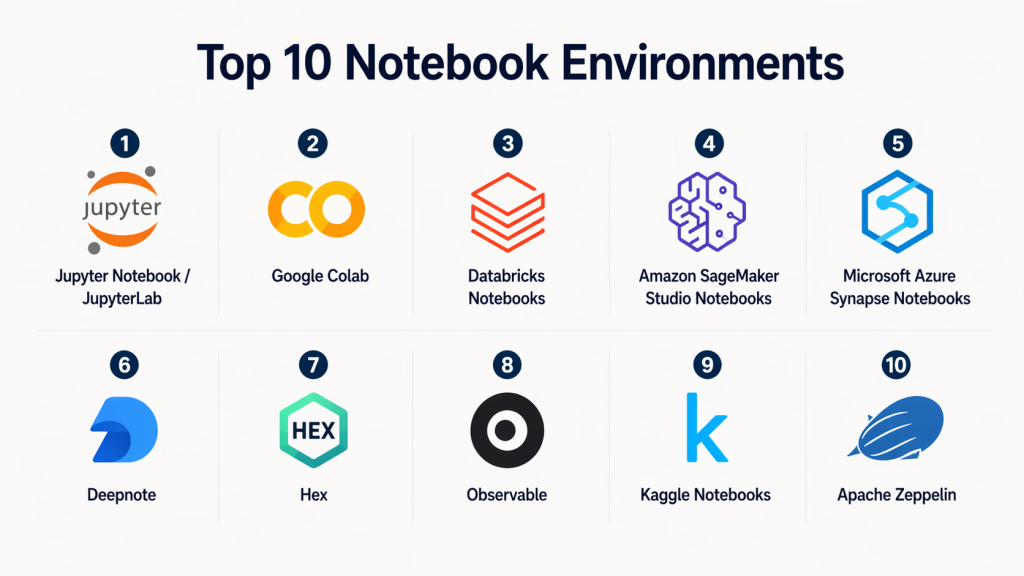
Top 10 Notebook Environments
#1 — Jupyter Notebook / JupyterLab
Short description :
Jupyter is the most widely used open-source notebook environment, ideal for data science, research, and education. It supports multiple programming languages and provides a flexible, extensible interface. JupyterLab enhances the experience with modular UI components. It is highly customizable and forms the backbone of many enterprise platforms. Best suited for developers and data scientists who want flexibility and control. It can be deployed locally or in enterprise environments.
Key Features
- Multi-language support via kernels
- Interactive data visualization
- Plugin ecosystem
- Notebook sharing and export
- Modular UI with JupyterLab
- Open-source extensibility
Pros
- Highly flexible and customizable
- Strong community support
Cons
- Requires setup and management
- Limited built-in security features
Platforms / Deployment
Web / Windows / macOS / Linux
Self-hosted / Cloud
Security & Compliance
Basic authentication, extensions for SSO, RBAC
Compliance: Not publicly stated
Integrations & Ecosystem
Works with major Python libraries, ML frameworks, and cloud services.
- TensorFlow, PyTorch
- Pandas, NumPy
- Kubernetes
- Git integrations
Support & Community
Large global community, extensive documentation, active ecosystem.
#2 — Google Colab
Short description :
Google Colab is a cloud-based notebook platform that requires no setup and offers free GPU/TPU access. It is widely used for AI experimentation, education, and prototyping. Integrated with Google ecosystem, it enables seamless sharing and collaboration. Best for beginners and quick experimentation. Ideal for teams that prioritize ease of use over deep customization.
Key Features
- Free GPU/TPU access
- Cloud-based execution
- Real-time collaboration
- Integration with Google Drive
- Pre-installed ML libraries
Pros
- No setup required
- Easy collaboration
Cons
- Limited enterprise controls
- Session time limits
Platforms / Deployment
Web
Cloud
Security & Compliance
Google account-based authentication
Compliance: Not publicly stated
Integrations & Ecosystem
Strong integration with Google services.
- Google Drive
- BigQuery
- TensorFlow
Support & Community
Good documentation, widely used in education.
#3 — Databricks Notebooks
Short description :
Databricks notebooks are part of a unified analytics platform built on Apache Spark. They enable collaborative data engineering, analytics, and AI development. Strong enterprise features make it ideal for large-scale workloads. It integrates deeply with data lakes and warehouses. Best for enterprises handling big data pipelines.
Key Features
- Apache Spark integration
- Collaborative notebooks
- Version control
- ML lifecycle tools
- Scalable compute clusters
Pros
- Enterprise-grade scalability
- Strong analytics capabilities
Cons
- Expensive for small teams
- Requires learning curve
Platforms / Deployment
Web
Cloud
Security & Compliance
SSO, RBAC, audit logs, encryption
Compliance: SOC 2, ISO (varies by deployment)
Integrations & Ecosystem
Deep integrations with enterprise data platforms.
- AWS, Azure, GCP
- Delta Lake
- MLflow
Support & Community
Enterprise support with strong documentation.
#4 — Amazon SageMaker Studio Notebooks
Short description :
SageMaker Studio provides managed notebooks for building, training, and deploying ML models. It is tightly integrated with AWS services. Ideal for organizations already using AWS infrastructure. Offers strong security and scalability. Best for ML engineers and enterprise teams.
Key Features
- Managed notebook environment
- Built-in ML tools
- Auto-scaling compute
- Model deployment pipelines
- Integration with AWS services
Pros
- Fully managed environment
- Strong AWS ecosystem
Cons
- AWS lock-in
- Complex pricing
Platforms / Deployment
Web
Cloud
Security & Compliance
IAM, encryption, audit logs
Compliance: Varies / AWS standards
Integrations & Ecosystem
Seamless AWS integration.
- S3, Lambda
- Redshift
- AWS IAM
Support & Community
Enterprise-level support via AWS.
#5 — Microsoft Azure Notebooks / Synapse Notebooks
Short description :
Azure notebooks are integrated within Microsoft’s analytics ecosystem. Synapse notebooks support big data analytics and ML workflows. Ideal for organizations using Microsoft stack. Strong security and identity integration. Best for enterprise and Azure users.
Key Features
- Integration with Azure services
- Collaborative notebooks
- Data pipeline integration
- Multi-language support
- Enterprise governance
Pros
- Strong enterprise security
- Seamless Azure integration
Cons
- Requires Azure ecosystem
- Learning curve
Platforms / Deployment
Web
Cloud
Security & Compliance
Azure AD, RBAC, MFA
Compliance: Varies / Microsoft standards
Integrations & Ecosystem
- Azure Data Lake
- Power BI
- Azure ML
Support & Community
Enterprise support and documentation.
#6 — Deepnote
Short description :
Deepnote is a collaborative notebook platform designed for teams. It combines real-time editing with strong integrations. Ideal for data teams and startups. Focuses on usability and collaboration. Provides cloud-based environment with modern UI.
Key Features
- Real-time collaboration
- Cloud-based execution
- Version control
- Data integrations
- Notebook sharing
Pros
- User-friendly interface
- Strong collaboration
Cons
- Limited offline use
- Smaller ecosystem
Platforms / Deployment
Web
Cloud
Security & Compliance
SSO, encryption
Compliance: Not publicly stated
Integrations & Ecosystem
- SQL databases
- APIs
- Git
Support & Community
Growing community, responsive support.
#7 — Hex
Short description :
Hex is a modern notebook platform designed for analytics teams. It combines SQL, Python, and visualization tools. Strong collaboration and reporting capabilities. Ideal for data analysts and business intelligence teams. Focused on storytelling and insights.
Key Features
- SQL + Python workflows
- Visualization tools
- Collaboration features
- Data connections
- Notebook publishing
Pros
- Great for analytics workflows
- Clean interface
Cons
- Limited ML capabilities
- Newer platform
Platforms / Deployment
Web
Cloud
Security & Compliance
SSO, RBAC
Compliance: Not publicly stated
Integrations & Ecosystem
- Snowflake
- BigQuery
- APIs
Support & Community
Growing adoption, good documentation.
#8 — Observable
Short description :
Observable is a notebook platform focused on JavaScript and data visualization. It is ideal for front-end developers and data visualization experts. Provides interactive notebooks with strong sharing capabilities. Best for dashboards and storytelling.
Key Features
- JavaScript-based notebooks
- Interactive visualizations
- Real-time updates
- Sharing and publishing
- Collaboration tools
Pros
- Excellent visualization capabilities
- Strong community
Cons
- Limited to JavaScript
- Not ideal for ML
Platforms / Deployment
Web
Cloud
Security & Compliance
Basic authentication
Compliance: Not publicly stated
Integrations & Ecosystem
- D3.js
- APIs
- Web frameworks
Support & Community
Active developer community.
#9 — Kaggle Notebooks
Short description :
Kaggle notebooks provide a cloud-based environment for data science competitions. Integrated with datasets and community resources. Ideal for learning and experimentation. Offers free compute resources. Best for beginners and data enthusiasts.
Key Features
- Free compute
- Dataset integration
- Community sharing
- Pre-installed libraries
- Competition support
Pros
- Great learning platform
- Free resources
Cons
- Limited enterprise features
- Not production-ready
Platforms / Deployment
Web
Cloud
Security & Compliance
Google account authentication
Compliance: Not publicly stated
Integrations & Ecosystem
- Kaggle datasets
- Python libraries
Support & Community
Large global community.
#10 — Zeppelin
Short description :
Apache Zeppelin is an open-source notebook focused on big data analytics. Supports multiple interpreters including Spark and SQL. Ideal for data engineers working with Hadoop ecosystem. Offers collaborative features and visualizations. Best for enterprise big data environments.
Key Features
- Multi-language support
- Spark integration
- Data visualization
- Collaboration tools
- Open-source
Pros
- Strong big data capabilities
- Flexible architecture
Cons
- Complex setup
- Less modern UI
Platforms / Deployment
Web / Linux
Self-hosted
Security & Compliance
Authentication, RBAC (basic)
Compliance: Not publicly stated
Integrations & Ecosystem
- Hadoop
- Spark
- Hive
Support & Community
Active open-source community.
Comparison Table (Top 10)
| Tool Name | Best For | Platform(s) Supported | Deployment | Standout Feature | Public Rating |
|---|---|---|---|---|---|
| Jupyter | Developers | Multi-platform | Hybrid | Open-source flexibility | N/A |
| Colab | Beginners | Web | Cloud | Free GPU | N/A |
| Databricks | Enterprise | Web | Cloud | Big data analytics | N/A |
| SageMaker | ML teams | Web | Cloud | AWS integration | N/A |
| Azure Notebooks | Enterprise | Web | Cloud | Azure ecosystem | N/A |
| Deepnote | Teams | Web | Cloud | Collaboration | N/A |
| Hex | Analysts | Web | Cloud | SQL + Python | N/A |
| Observable | Frontend devs | Web | Cloud | JS notebooks | N/A |
| Kaggle | Learners | Web | Cloud | Free datasets | N/A |
| Zeppelin | Big data | Web/Linux | Self-hosted | Spark support | N/A |
Evaluation & Scoring of Notebook Environments
| Tool Name | Core (25%) | Ease (15%) | Integrations (15%) | Security (10%) | Performance (10%) | Support (10%) | Value (15%) | Weighted Total |
|---|---|---|---|---|---|---|---|---|
| Jupyter | 9 | 7 | 9 | 6 | 8 | 9 | 9 | 8.3 |
| Colab | 7 | 9 | 7 | 6 | 7 | 8 | 9 | 7.8 |
| Databricks | 10 | 7 | 10 | 9 | 10 | 9 | 6 | 8.9 |
| SageMaker | 9 | 7 | 9 | 9 | 9 | 9 | 6 | 8.6 |
| Azure | 9 | 7 | 9 | 9 | 9 | 9 | 6 | 8.6 |
| Deepnote | 8 | 9 | 8 | 7 | 8 | 8 | 8 | 8.2 |
| Hex | 8 | 9 | 8 | 7 | 8 | 8 | 8 | 8.2 |
| Observable | 7 | 8 | 7 | 6 | 7 | 8 | 8 | 7.6 |
| Kaggle | 7 | 9 | 7 | 6 | 7 | 8 | 9 | 7.8 |
| Zeppelin | 8 | 6 | 8 | 7 | 8 | 7 | 8 | 7.7 |
How to interpret scores:
These scores are comparative and based on weighted criteria. A higher score indicates better overall balance across features, usability, and value. Enterprise tools score higher on scalability and security, while beginner tools score higher on ease of use and cost efficiency. Always align scores with your specific use case.
Which Notebook Environments Is Right for You?
Solo / Freelancer
- Use Colab, Kaggle, Jupyter
- Focus on simplicity and free compute
SMB
- Use Deepnote, Hex
- Balance collaboration and affordability
Mid-Market
- Use Azure, SageMaker
- Need integrations and scalability
Enterprise
- Use Databricks, SageMaker, Azure
- Prioritize security, governance, and performance
Budget vs Premium
- Budget: Colab, Kaggle
- Premium: Databricks, SageMaker
Feature Depth vs Ease of Use
- Deep features: Databricks
- Easy to use: Colab
Integrations & Scalability
- Best: Databricks, Azure
Security & Compliance Needs
- Best: Azure, SageMaker, Databricks
Frequently Asked Questions (FAQs)
1. What is a notebook environment?
A notebook environment is an interactive platform where users can write code, visualize data, and document workflows in one place. It combines code execution, outputs, and documentation. These tools are widely used in data science, machine learning, and analytics. They support multiple languages and allow real-time experimentation. Modern notebook environments also include collaboration and security features.
2. Are notebook environments secure for enterprise use?
Yes, many enterprise-grade notebook environments include security features like SSO, RBAC, encryption, and audit logs. Platforms such as Databricks and SageMaker are designed with enterprise security in mind. However, open-source tools may require additional configuration. Security also depends on deployment model and governance practices. Organizations should evaluate compliance needs carefully.
3. What is the difference between Jupyter and cloud notebooks?
Jupyter is typically self-hosted and open-source, offering full flexibility. Cloud notebooks like Colab or SageMaker are managed services that require no setup. Cloud options provide scalability and ease of use. However, they may have limitations in customization. The choice depends on control vs convenience.
4. Which notebook is best for beginners?
Google Colab and Kaggle notebooks are ideal for beginners. They offer free compute resources and require no installation. Pre-configured environments make it easy to start quickly. These platforms also provide tutorials and datasets. They are widely used for learning and experimentation.
5. Can notebook environments be used in production?
Yes, but usually as part of a broader pipeline. Tools like Databricks and SageMaker support production workflows. Notebooks can be converted into pipelines or APIs. However, standalone notebooks are not always ideal for production. Proper versioning and orchestration are required.
6. What are common mistakes when choosing a notebook tool?
Common mistakes include ignoring scalability, underestimating security needs, and choosing tools without integration support. Teams often select based on ease of use only. Another mistake is not planning for production workflows. It is important to evaluate long-term requirements.
7. How do notebook environments support collaboration?
Modern notebooks support real-time editing, comments, and sharing. Platforms like Deepnote and Hex focus heavily on collaboration. Teams can work simultaneously on the same notebook. Version control features also help track changes. Collaboration improves productivity and knowledge sharing.
8. Are notebook environments suitable for large datasets?
Yes, but only certain platforms handle large-scale data efficiently. Databricks and SageMaker are designed for big data workloads. Open-source tools may struggle without proper infrastructure. Cloud-based notebooks offer better scalability. Performance depends on backend compute resources.
9. How important is integration capability?
Integration is critical for connecting notebooks with data sources, APIs, and pipelines. Strong integrations reduce manual work and improve efficiency. Enterprise tools provide extensive ecosystems. Lack of integration can limit productivity. Always evaluate compatibility with your stack.
10. Can I switch between notebook platforms easily?
Switching is possible but may require effort. Differences in environments, dependencies, and integrations can create challenges. Exporting notebooks and adapting code is often needed. Some tools support standard formats like Jupyter notebooks. Planning ahead can simplify migration.
Conclusion
Notebook environments have evolved into powerful platforms that go far beyond simple code execution. Today, they sit at the intersection of data science, AI development, cybersecurity, and enterprise collaboration, making them a critical component of modern technology stacks. From open-source flexibility like Jupyter to enterprise-grade platforms like Databricks and SageMaker, the ecosystem offers options for every type of user and organization.
The “best” notebook environment ultimately depends on your specific needs—whether it’s ease of use, scalability, collaboration, or security requirements. A practical next step is to shortlist 2–3 tools that align with your workflow, run pilot projects, and validate their integration capabilities and security posture before making a final decision.
