Introduction
Mocking & Service Virtualization Tools enable software development and testing teams to simulate APIs, services, and dependent systems without requiring access to the actual live environments. These tools are essential in modern software delivery pipelines where microservices, third-party APIs, and distributed architectures make end-to-end testing complex. By creating realistic virtual services, developers and testers can validate applications earlier in the development lifecycle, reducing delays and uncovering potential issues before production deployment.
In the need for these tools is more critical than ever. Cloud-native architectures, increased reliance on third-party APIs, and AI-driven automation in testing demand robust virtualization solutions. Real-world use cases include:
- Simulating unavailable or costly third-party APIs during development.
- Testing microservices interactions in complex architectures.
- Accelerating QA cycles by decoupling dependent systems.
- Training AI/ML models without exposing sensitive production data.
- Validating performance under high-load conditions without affecting live systems.
When evaluating Mocking & Service Virtualization Tools, buyers should consider criteria such as:
- Ease of creating and managing virtual services.
- Integration with CI/CD pipelines.
- Performance under load and reliability.
- Security and compliance features.
- Platform and deployment flexibility.
- Support for protocol types (REST, SOAP, gRPC, JMS, etc.).
- Cost and licensing model.
- Analytics and monitoring capabilities.
Best for: Developers, QA engineers, DevOps teams, and enterprises building distributed systems or microservices who need efficient testing and simulation capabilities.
Not ideal for: Small teams working on monolithic applications with minimal external dependencies or organizations that only require simple API mocking without advanced virtualization.
Key Trends in Mocking & Service Virtualization Tools
- AI-assisted service simulation: Automated generation of realistic API responses and predictive testing scenarios.
- Cloud-native deployments: Support for Kubernetes, containers, and serverless testing environments.
- Integration with CI/CD pipelines: Native plugins for GitHub Actions, GitLab CI, Jenkins, and Azure DevOps.
- Enhanced observability: Real-time monitoring, logging, and reporting of virtual service interactions.
- Security-first virtualization: Built-in support for encryption, RBAC, audit logs, and compliance with SOC 2/GDPR/HIPAA.
- Protocol coverage expansion: Support for REST, SOAP, gRPC, JMS, MQ, Kafka, and custom protocols.
- Self-service portals for teams: Simplifying onboarding for non-technical testers and stakeholders.
- Shift toward SaaS-based models: Subscription pricing and managed service offerings reduce infrastructure overhead.
- Dynamic data virtualization: AI-driven simulation of realistic, sensitive-free data sets for testing.
- Scenario-based performance testing: Virtualized services enable load and chaos testing without impacting production.
How We Selected These Tools (Methodology)
- Evaluated market adoption and mindshare among enterprises and development teams.
- Assessed feature completeness, including supported protocols and service virtualization depth.
- Considered reliability and performance under heavy testing loads.
- Reviewed security posture and compliance capabilities.
- Checked integration possibilities with CI/CD tools, DevOps pipelines, and monitoring platforms.
- Analyzed customer fit across different company sizes and industries.
- Weighed community strength, documentation quality, and availability of professional support.
- Factored in cost models and flexibility for scaling teams and projects.
- Prioritized modern relevance, including AI-enhanced testing features.
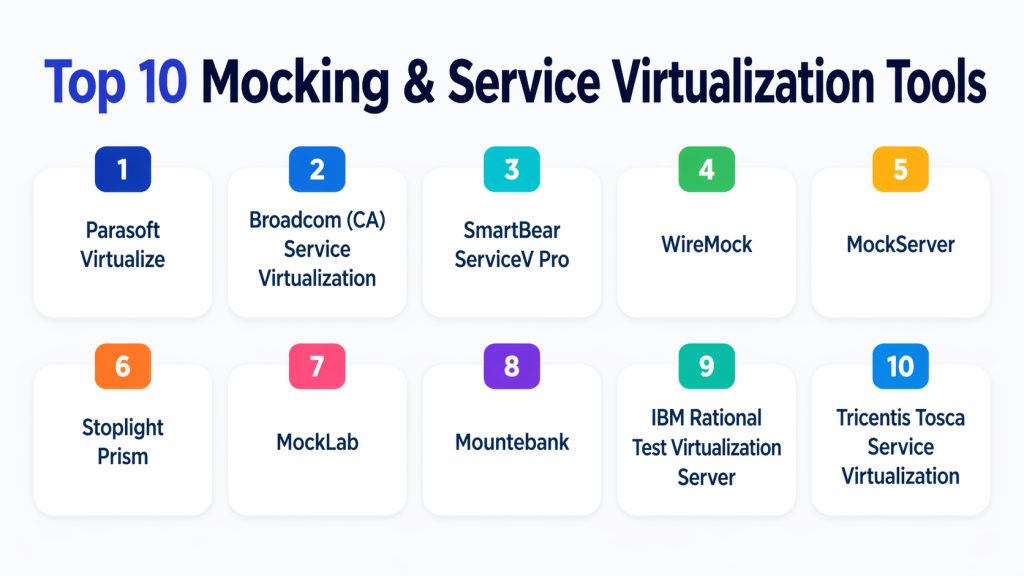
Top 10 Mocking & Service Virtualization Tools
#1 — Parasoft Virtualize
Short description : Parasoft Virtualize provides advanced service virtualization and API mocking for enterprise environments. Ideal for complex, microservices-driven applications, it enables teams to test early and continuously without waiting for dependent services.
Key Features
- Supports REST, SOAP, JMS, MQ, and other protocols.
- AI-assisted traffic simulation for realistic responses.
- Integration with CI/CD pipelines.
- Load testing with virtual services.
- Centralized test asset management.
- Versioning and lifecycle management for virtual assets.
Pros
- Enterprise-grade features for complex testing scenarios.
- Strong security and compliance support.
- High scalability for large teams and systems.
Cons
- Steep learning curve for new users.
- Licensing can be expensive for smaller teams.
Platforms / Deployment
- Windows / macOS / Linux
- Cloud / Self-hosted / Hybrid
Security & Compliance
- RBAC, SSO/SAML, encryption, audit logs
- SOC 2, ISO 27001, GDPR
Integrations & Ecosystem
Supports CI/CD, DevOps tools, and API management platforms.
- Jenkins, GitLab, Azure DevOps, Bamboo
- Swagger/OpenAPI
- ServiceNow, Jira integration
Support & Community
Comprehensive documentation, training, enterprise support tiers, active enterprise community.
#2 — Broadcom (CA) Service Virtualization
Short description : Broadcom Service Virtualization allows teams to simulate dependent systems for early testing. It focuses on enterprise-grade features and supports large-scale service interactions across heterogeneous environments.
Key Features
- Virtual services for APIs, mainframes, and message queues.
- Load and performance testing with virtualized services.
- Integration with popular CI/CD pipelines.
- Advanced data modeling for realistic test data.
- Centralized governance and reporting.
Pros
- Supports diverse enterprise protocols and systems.
- Mature product with long-term stability.
- Strong reporting and analytics.
Cons
- Complex setup and configuration.
- Pricing may be high for SMBs.
Platforms / Deployment
- Windows / Linux
- Self-hosted / Hybrid
Security & Compliance
- Encryption, RBAC, audit logs
- ISO 27001, SOC 2
Integrations & Ecosystem
Integrates with test automation tools, CI/CD platforms, and DevOps ecosystems.
- Jenkins, Bamboo, Azure DevOps
- Jira, ServiceNow
- API gateways
Support & Community
Enterprise-focused support, comprehensive documentation, moderate community presence.
#3 — SmartBear ServiceV Pro
Short description : SmartBear ServiceV Pro offers API mocking and service virtualization for functional and performance testing. Best suited for mid-market teams looking for intuitive virtual service creation.
Key Features
- REST and SOAP API virtualization.
- Easy recording and playback of service interactions.
- Integration with automated test frameworks.
- Centralized test repository.
- Scalable virtual service environments.
Pros
- User-friendly interface for quick onboarding.
- Good for mid-market and developer teams.
- Supports automated testing integration.
Cons
- Limited support for legacy protocols.
- Some advanced features only in higher-tier plans.
Platforms / Deployment
- Windows / macOS / Linux
- Cloud / Self-hosted
Security & Compliance
- SSO, RBAC
- Not publicly stated for compliance certifications
Integrations & Ecosystem
Supports CI/CD and testing frameworks:
- Jenkins, GitLab CI
- ReadyAPI, TestComplete
- REST/SOAP APIs
Support & Community
Varies / Active documentation and support portals.
#4 — WireMock
Short description : WireMock is a popular open-source API mocking tool for developers. It allows easy simulation of REST APIs and HTTP services, perfect for smaller teams or projects needing lightweight virtualization.
Key Features
- HTTP/HTTPS mocking with flexible stubbing.
- Record and replay capabilities.
- Java library and standalone server.
- Request matching and response templating.
- Extensible with plugins and custom scripts.
Pros
- Free and open-source.
- Highly customizable for developers.
- Lightweight and fast to deploy.
Cons
- Limited enterprise support.
- Less suited for complex multi-protocol environments.
Platforms / Deployment
- Windows / macOS / Linux
- Self-hosted
Security & Compliance
- Not publicly stated
Integrations & Ecosystem
Integrates with developer pipelines and testing frameworks:
- Maven, Gradle
- JUnit, TestNG
- CI/CD via scripts
Support & Community
Strong open-source community, extensive documentation.
#5 — MockServer
Short description : MockServer provides flexible API mocking and service virtualization for REST and HTTP-based systems. Designed for both development and testing teams, it supports automated testing and CI/CD integration.
Key Features
- REST and HTTP mock creation.
- Dynamic response templating.
- Record and playback traffic.
- Java, Docker, and standalone server options.
- Integration with automated test suites.
Pros
- Lightweight and fast deployment.
- Supports dynamic response generation.
- Free open-source option available.
Cons
- Limited GUI; mostly code-driven.
- Requires technical expertise for complex scenarios.
Platforms / Deployment
- Windows / macOS / Linux
- Cloud / Self-hosted
Security & Compliance
- Not publicly stated
Integrations & Ecosystem
- Jenkins, GitHub Actions, Docker
- JUnit, REST Assured, Postman
Support & Community
Active open-source community, good documentation.
#6 — Stoplight Prism
Short description : Stoplight Prism is an API mocking and service virtualization tool focused on REST and OpenAPI-based development. It helps teams validate APIs against specifications without live backends.
Key Features
- OpenAPI specification-driven mocking.
- Automatic response generation.
- Supports JSON and YAML formats.
- CLI and cloud deployment options.
- Developer-friendly and lightweight.
Pros
- Easy setup for API-first development.
- Strong OpenAPI compliance.
- Great for smaller teams and startups.
Cons
- Limited support for SOAP and legacy protocols.
- Advanced enterprise features are minimal.
Platforms / Deployment
- Windows / macOS / Linux
- Cloud / Self-hosted
Security & Compliance
- Not publicly stated
Integrations & Ecosystem
- CI/CD pipelines, GitHub, GitLab
- Node.js and JavaScript frameworks
- Postman and Swagger tools
Support & Community
- Community-driven support, active forums, documentation.
#7 — MockLab
Short description : MockLab is a hosted service virtualization platform for REST APIs, making it easy to mock, simulate, and test APIs in cloud environments. Suited for teams preferring SaaS solutions over self-hosted setups.
Key Features
- Cloud-based API mocking.
- Rapid environment provisioning.
- REST API simulation with OpenAPI support.
- Team collaboration and sharing.
- Logging and request tracking.
Pros
- Fully managed SaaS solution.
- Easy collaboration for distributed teams.
- Minimal setup required.
Cons
- Limited support for non-REST protocols.
- Dependence on cloud connectivity.
Platforms / Deployment
- Web / Cloud
- SaaS / Cloud-hosted
Security & Compliance
- Encryption in transit, RBAC
- Not publicly stated for formal certifications
Integrations & Ecosystem
- GitHub, GitLab
- CI/CD pipeline integration via API
- OpenAPI and Swagger tools
Support & Community
Professional support included, active customer forums.
#8 — Mountebank
Short description : Mountebank is an open-source, multi-protocol service virtualization tool. It allows developers to mock HTTP, HTTPS, TCP, and SMTP protocols, supporting end-to-end testing across heterogeneous environments.
Key Features
- Multi-protocol virtualization (HTTP, TCP, SMTP).
- Imposter simulation with dynamic responses.
- Lightweight, cross-platform deployment.
- Extensible via JavaScript.
- Logging and monitoring for test scenarios.
Pros
- Flexible protocol support.
- Open-source and free.
- Suitable for developers familiar with scripting.
Cons
- GUI is minimal; requires code-based setup.
- Enterprise-level support limited.
Platforms / Deployment
- Windows / macOS / Linux
- Self-hosted
Security & Compliance
- Not publicly stated
Integrations & Ecosystem
- CI/CD integration via scripts
- Node.js and automated testing frameworks
- REST API and messaging protocol support
Support & Community
Active open-source community, extensive online resources.
#9 — IBM Rational Test Virtualization Server
Short description : IBM Rational Test Virtualization Server is an enterprise-grade solution for virtualizing applications and services. It enables complex simulation of APIs, databases, and messaging systems for large-scale testing initiatives.
Key Features
- Service virtualization for APIs, JMS, and databases.
- Advanced data modeling and scenario simulation.
- Centralized test asset management.
- CI/CD integration and test automation.
- Security and audit logging.
Pros
- Enterprise-grade capabilities for complex systems.
- Strong compliance and security features.
- High scalability and performance.
Cons
- Higher learning curve for smaller teams.
- Cost may be prohibitive for SMBs.
Platforms / Deployment
- Windows / Linux
- Self-hosted / Hybrid
Security & Compliance
- RBAC, audit logs, encryption
- SOC 2, ISO 27001, GDPR
Integrations & Ecosystem
- Jenkins, Bamboo, Azure DevOps
- IBM Rational testing suite
- API gateways and monitoring platforms
Support & Community
Enterprise support tiers, extensive documentation, moderate community presence.
#10 — Tricentis Tosca Service Virtualization
Short description : Tricentis Tosca Service Virtualization helps teams simulate dependent systems to accelerate testing cycles. Focused on test automation integration and risk-based testing, it is ideal for enterprises with complex IT landscapes.
Key Features
- Virtual services for APIs and messaging systems.
- Integrated with Tosca test automation suite.
- Scenario-based simulation for QA and DevOps.
- Centralized management of virtual assets.
- Support for both cloud and on-premises testing.
Pros
- Tight integration with test automation.
- Enterprise-grade scalability.
- Advanced scenario management.
Cons
- Requires investment in Tricentis ecosystem.
- Learning curve for new teams.
Platforms / Deployment
- Windows / Linux
- Cloud / Self-hosted / Hybrid
Security & Compliance
- RBAC, SSO/SAML, encryption
- Not publicly stated for formal certifications
Integrations & Ecosystem
- CI/CD pipelines (Jenkins, GitLab, Azure DevOps)
- Tosca automation tools
- API management platforms
Support & Community
Enterprise support, extensive documentation, active user forums.
Comparison Table (Top 10)
| Tool Name | Best For | Platform(s) Supported | Deployment | Standout Feature | Public Rating |
|---|---|---|---|---|---|
| Parasoft Virtualize | Enterprise, complex microservices | Windows/macOS/Linux | Cloud / Self-hosted / Hybrid | AI-assisted traffic simulation | N/A |
| Broadcom Service Virtualization | Large enterprises | Windows/Linux | Self-hosted / Hybrid | Multi-protocol enterprise support | N/A |
| SmartBear ServiceV Pro | Mid-market teams | Windows/macOS/Linux | Cloud / Self-hosted | Easy-to-use virtual service creation | N/A |
| WireMock | Developer-focused | Windows/macOS/Linux | Self-hosted | Open-source REST API mocking | N/A |
| MockServer | Developers / automated tests | Windows/macOS/Linux | Cloud / Self-hosted | Dynamic response generation | N/A |
| Stoplight Prism | API-first development | Windows/macOS/Linux | Cloud / Self-hosted | OpenAPI-driven mocking | N/A |
| MockLab | Distributed teams / SaaS | Web | SaaS / Cloud | Fully hosted API mocking | N/A |
| Mountebank | Developers / open-source | Windows/macOS/Linux | Self-hosted | Multi-protocol support | N/A |
| IBM Rational Test Virtualization Server | Enterprise, large-scale | Windows/Linux | Self-hosted / Hybrid | Advanced scenario simulation | N/A |
| Tricentis Tosca Service Virtualization | Enterprises with test automation | Windows/Linux | Cloud / Self-hosted / Hybrid | Integration with Tosca automation | N/A |
Evaluation & Scoring of Mocking & Service Virtualization Tools
| Tool Name | Core (25%) | Ease (15%) | Integrations (15%) | Security (10%) | Performance (10%) | Support (10%) | Value (15%) | Weighted Total (0–10) |
|---|---|---|---|---|---|---|---|---|
| Parasoft Virtualize | 10 | 8 | 9 | 9 | 9 | 8 | 7 | 8.9 |
| Broadcom Service Virtualization | 9 | 7 | 8 | 9 | 8 | 7 | 6 | 8.0 |
| SmartBear ServiceV Pro | 8 | 9 | 8 | 7 | 8 | 7 | 8 | 8.1 |
| WireMock | 7 | 8 | 7 | 6 | 7 | 6 | 10 | 7.5 |
| MockServer | 7 | 7 | 7 | 6 | 7 | 6 | 9 | 7.4 |
| Stoplight Prism | 7 | 9 | 7 | 6 | 7 | 6 | 8 | 7.6 |
| MockLab | 8 | 9 | 7 | 7 | 8 | 7 | 7 | 7.9 |
| Mountebank | 7 | 7 | 6 | 6 | 7 | 6 | 10 | 7.3 |
| IBM Rational Test Virtualization Server | 10 | 7 | 9 | 9 | 9 | 8 | 6 | 8.6 |
| Tricentis Tosca Service Virtualization | 9 | 8 | 9 | 8 | 9 | 8 | 7 | 8.5 |
Which Mocking & Service Virtualization Tools Tool Is Right for You?
Solo / Freelancer
- Lightweight, open-source tools like WireMock, MockServer, or Mountebank.
- Low overhead, easy to deploy locally, minimal cost.
SMB
- Cloud-friendly solutions like MockLab or Stoplight Prism.
- Quick onboarding, collaborative features, SaaS deployment reduces infrastructure management.
Mid-Market
- Tools with user-friendly GUI and CI/CD integration: SmartBear ServiceV Pro, Stoplight Prism.
- Supports moderate complexity without enterprise-level overhead.
Enterprise
- Full-featured virtualization for complex environments: Parasoft Virtualize, Broadcom Service Virtualization, IBM Rational Test Virtualization Server, Tricentis Tosca.
- Advanced protocol support, enterprise security, compliance, and scalability.
Budget vs Premium
- Open-source options for cost-sensitive teams: WireMock, MockServer, Mountebank.
- Premium, enterprise-grade tools offer performance, integrations, and advanced virtualization.
Feature Depth vs Ease of Use
- Enterprise tools offer depth but require expertise.
- Mid-market and SaaS tools balance features with usability.
Integrations & Scalability
- Evaluate pipeline integration and protocol support.
- Cloud/SaaS options simplify scaling; self-hosted options offer control for complex environments.
Security & Compliance Needs
- Enterprises handling sensitive data must prioritize RBAC, SSO, audit logs, and encryption.
Frequently Asked Questions (FAQs)
Q1: What is the difference between mocking and service virtualization?
Answer: Mocking typically refers to simulating individual APIs or endpoints for testing purposes, often with hardcoded responses. Service virtualization creates a more comprehensive simulation of dependent systems, including multiple services, databases, and messaging protocols, allowing end-to-end testing without impacting production.
Q2: Are these tools suitable for microservices architectures?
Answer: Yes. Service virtualization is particularly useful in microservices environments where multiple services depend on each other. It enables developers and testers to simulate unavailable or costly dependencies, ensuring continuous testing and faster development cycles.
Q3: Do I need coding skills to use these tools?
Answer: It depends on the tool. Open-source tools like WireMock, MockServer, and Mountebank are code-driven and require programming knowledge. SaaS or GUI-focused tools like MockLab, Stoplight Prism, and SmartBear ServiceV Pro offer visual interfaces, reducing the need for coding.
Q4: How do these tools integrate with CI/CD pipelines?
Answer: Most tools provide plugins or APIs for integration with Jenkins, GitLab CI, GitHub Actions, Azure DevOps, and Bamboo. This allows automated testing with virtual services, enabling teams to run tests continuously without relying on live dependent systems.
Q5: Can I simulate non-REST protocols?
Answer: Enterprise-grade tools like Parasoft Virtualize, Broadcom Service Virtualization, and IBM Rational Test Virtualization Server support multiple protocols, including SOAP, JMS, MQ, gRPC, and databases. Open-source and SaaS tools may have more limited protocol support.
Q6: Are these tools secure for sensitive data?
Answer: Enterprise tools include RBAC, SSO/SAML, audit logs, and encryption to safeguard test environments. However, open-source and lightweight tools may require additional security configurations, particularly when handling sensitive data in virtualized services.
Q7: What are common mistakes when adopting these tools?
Answer: Common pitfalls include: not updating virtual services to match real endpoints, overcomplicating mocks, neglecting performance testing with virtualized systems, and failing to integrate with CI/CD pipelines. Proper planning and governance are essential.
Q8: How do pricing models vary?
Answer: Open-source tools are free but may require more manual setup. SaaS solutions use subscription pricing, often per user or per service. Enterprise tools usually involve licensing fees based on features, deployment scale, and support levels.
Q9: Can I switch tools mid-project?
Answer: Switching is possible but requires careful migration of test assets and virtual service definitions. Using standardized formats like OpenAPI specifications helps reduce rework and ensures smoother transitions.
Q10: What alternatives exist if I don’t need full virtualization?
Answer: Lightweight API mocking, stubs, or sandbox environments provided by API vendors may suffice. For teams with minimal dependencies, these simpler solutions can reduce overhead while still enabling effective testing.
Conclusion
Mocking & Service Virtualization Tools have become essential in modern software development, particularly with the rise of microservices, API-driven architectures, and cloud-native applications. Selecting the right tool depends on your team size, technical expertise, protocol requirements, and integration needs. Open-source tools provide cost-effective flexibility, SaaS solutions simplify setup and collaboration, while enterprise-grade platforms deliver advanced capabilities, scalability, and compliance features. Teams should prioritize tools that align with their CI/CD workflows, security standards, and long-term scalability. A practical next step is to shortlist 4–5 tools from this list, run pilots in your environment, and validate integrations and security to determine the best fit for your organization’s testing needs.
