Introduction
Mobile Analytics SDKs are software development kits that help app developers and businesses track, measure, and analyze user interactions within mobile applications. By integrating these SDKs, teams gain insights into app performance, retention, engagement, and conversion metrics. This data empowers product managers, marketers, and developers to make informed decisions that improve user experience, optimize monetization, and reduce churn.
Mobile apps increasingly rely on real-time, actionable insights. Predictive analytics, automated event tracking, and AI-driven behavior modeling are now expected features for effective app management. Real-world use cases include monitoring in-app purchases, tracking user flows, analyzing crashes, measuring feature adoption, and personalizing user experiences. When evaluating Mobile Analytics SDKs, buyers should consider the following:
- Data collection and event tracking capabilities
- Real-time reporting and dashboards
- Integration with marketing and development tools
- Privacy compliance (GDPR, CCPA, HIPAA)
- Ease of implementation and SDK footprint
- AI and predictive analytics features
- Cost and licensing model
- Multi-platform support (iOS, Android, web)
- Customization and flexibility of analytics dashboards
- Quality of support and community resources
Best for: Mobile app developers, product managers, marketers, analytics teams, and companies of all sizes seeking actionable insights.
Not ideal for: Organizations without mobile apps, those relying solely on web analytics, or teams looking for extremely lightweight analytics solutions.
Key Trends in Mobile Analytics SDKs
- AI-driven behavioral analytics for predictive insights and user churn prevention
- Automated event tracking without manual instrumentation
- Privacy-first SDKs with built-in compliance for GDPR, CCPA, and HIPAA
- Multi-platform support including mobile, web, and connected devices
- Server-side and edge analytics for improved performance
- Integration with marketing automation, A/B testing, and CRM tools
- Real-time dashboards with dynamic segmentation and filters
- Lightweight SDKs to reduce app bundle size and improve load times
- Cross-app user journey mapping for omnichannel insights
- Usage-based pricing and subscription models for flexibility
How We Selected These Tools
- Market adoption and recognition among mobile developers
- Feature completeness, including advanced analytics and AI capabilities
- Reliability, performance, and minimal impact on app performance
- Security and privacy posture
- Ecosystem and integration capabilities with other tools
- Customer fit across industries, app types, and company sizes
- Quality of support and documentation
- Innovation in reporting, predictive analytics, and user segmentation
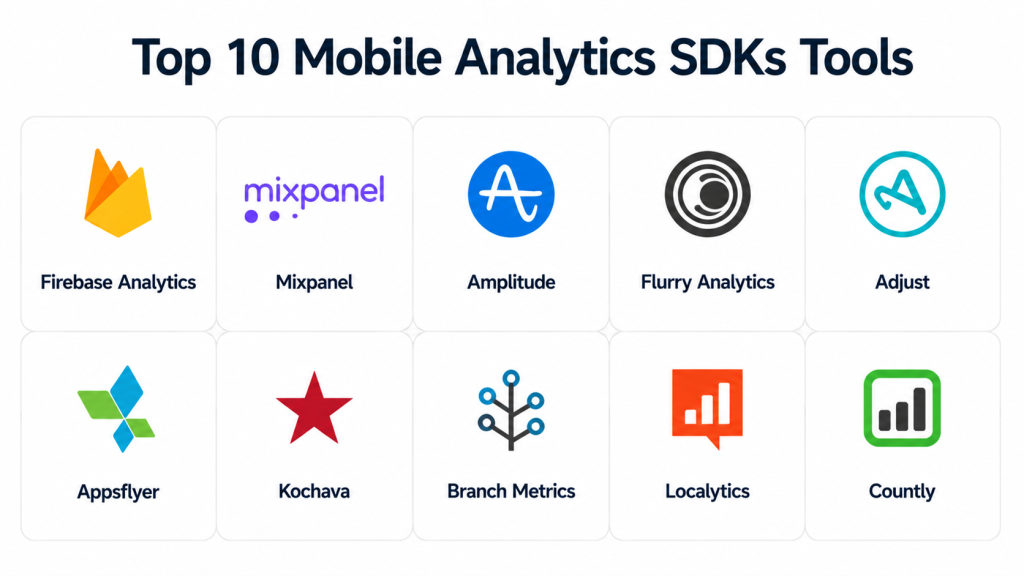
Top 10 Mobile Analytics SDKs Tools
#1 — Firebase Analytics
Short description: Firebase Analytics provides mobile analytics for iOS and Android, helping developers track user interactions and app behavior.
Key Features
- Automatic event tracking
- Funnel and retention analysis
- Push notification integration
- Real-time dashboards
- AI-powered insights
- Free tier with scalable paid options
Pros
- Tight integration with Google ecosystem
- Generous free tier
Cons
- Limited customization in free tier
- Advanced features require other Firebase products
Platforms / Deployment
- iOS / Android / Web
- Cloud
Security & Compliance
- Not publicly stated
Integrations & Ecosystem
- BigQuery export
- AdMob integration
- Remote Config integration
Support & Community
- Extensive documentation
- Active developer community
- Paid support available
#2 — Mixpanel
Short description: Mixpanel provides behavioral analytics, enabling event tracking and cohort analysis for data-driven product decisions.
Key Features
- Event-based analytics
- Cohort segmentation
- A/B testing support
- Funnel and retention tracking
- AI predictive analytics
- Custom dashboards
Pros
- Advanced segmentation and insights
- Strong AI-driven predictive analytics
Cons
- Higher cost for enterprise features
- Steep learning curve
Platforms / Deployment
- iOS / Android / Web
- Cloud
Security & Compliance
- SOC 2 Type II
- GDPR compliance
Integrations & Ecosystem
- Salesforce
- Slack
- Segment
- Zapier
- API for custom integration
Support & Community
- Documentation and tutorials
- Community forums
- Priority support for enterprise
#3 — Amplitude
Short description: Amplitude specializes in behavioral analytics for product teams, providing insights into retention, engagement, and conversion.
Key Features
- Behavioral cohort analysis
- Real-time event tracking
- Revenue and conversion metrics
- Cross-platform user journey mapping
- Predictive analytics
- Customizable dashboards
Pros
- Strong behavioral insights
- Scalable for enterprise apps
Cons
- Pricing may be high for smaller teams
- Setup complexity for advanced features
Platforms / Deployment
- iOS / Android / Web
- Cloud
Security & Compliance
- SOC 2 Type II
- GDPR compliance
Integrations & Ecosystem
- Slack, Jira, Segment
- Marketing automation platforms
- Data warehouse exports
Support & Community
- Documentation and tutorials
- Community forums
- Enterprise support tiers
#4 — Flurry Analytics
Short description: Flurry Analytics offers app metrics including engagement, retention, and demographic insights for iOS and Android.
Key Features
- Session tracking and retention analysis
- Demographic insights
- Real-time dashboards
- Funnel visualization
- Event-based tracking
- Free SDK
Pros
- Completely free
- Easy integration
Cons
- Limited advanced analytics
- Less flexible reporting
Platforms / Deployment
- iOS / Android
- Cloud
Security & Compliance
- Not publicly stated
Integrations & Ecosystem
- Yahoo DSP marketing insights
- API access
- Limited third-party integrations
Support & Community
- Documentation
- Community forums
- Email support
#5 — Adjust
Short description: Adjust provides mobile attribution, analytics, and fraud prevention for optimizing marketing campaigns.
Key Features
- Attribution tracking
- Funnel and cohort analysis
- Fraud prevention
- Real-time dashboards
- Deep linking
- Ad network integrations
Pros
- Accurate attribution
- Strong fraud prevention
Cons
- Complex setup for multi-channel campaigns
- Paid model only
Platforms / Deployment
- iOS / Android / Web
- Cloud
Security & Compliance
- GDPR, SOC 2
- Data encryption
Integrations & Ecosystem
- Google Ads, Facebook
- CRM tools
- API for workflows
Support & Community
- Dedicated account managers
- Documentation
- Knowledge base
#6 — Appsflyer
Short description: Appsflyer combines mobile attribution with analytics to optimize campaigns and ROI.
Key Features
- Multi-channel attribution
- Retention and funnel analysis
- Fraud prevention
- Real-time dashboards
- Deep linking
- Audience segmentation
Pros
- Comprehensive marketing insights
- Strong anti-fraud measures
Cons
- Costly for small apps
- Requires expertise
Platforms / Deployment
- iOS / Android / Web
- Cloud
Security & Compliance
- GDPR, SOC 2, ISO 27001
Integrations & Ecosystem
- Ad networks, CRM tools
- API for data export
- Marketing automation integration
Support & Community
- Documentation and webinars
- Enterprise support
- Community forums
#7 — Kochava
Short description: Kochava offers mobile attribution and analytics with fraud protection and real-time reporting.
Key Features
- Attribution tracking
- Engagement analytics
- Fraud detection
- Real-time dashboards
- Multi-touch attribution
- Audience segmentation
Pros
- Accurate attribution and ROI
- Advanced fraud protection
Cons
- Enterprise-focused pricing
- Steep learning curve
Platforms / Deployment
- iOS / Android / Web
- Cloud
Security & Compliance
- GDPR, SOC 2
- HIPAA not publicly stated
Integrations & Ecosystem
- Ad networks, CRMs
- API for analytics
- Marketing automation tools
Support & Community
- Documentation
- Account manager support
- Community forums
#8 — Branch Metrics
Short description: Branch Metrics provides deep linking, attribution, and analytics to optimize user journeys.
Key Features
- Deep linking
- Multi-channel attribution
- Cohort analysis
- Retention tracking
- Fraud detection
- Marketing tool integration
Pros
- Strong deep linking
- Unified marketing analytics
Cons
- Limited advanced behavioral analytics
- Paid tiers required
Platforms / Deployment
- iOS / Android / Web
- Cloud
Security & Compliance
- GDPR, SOC 2
Integrations & Ecosystem
- CRMs and marketing automation
- Ad networks
- API for reporting
Support & Community
- Documentation
- Community forums
- Dedicated premium support
#9 — Localytics
Short description: Localytics provides mobile analytics and engagement tools to improve retention and conversion.
Key Features
- Event tracking and funnels
- Push notifications and in-app messaging
- Cohort analysis
- Real-time dashboards
- AI-powered predictive insights
- Segmentation and personalization
Pros
- Combines analytics and engagement
- Predictive analytics for retention
Cons
- Limited free tier
- Enterprise pricing high
Platforms / Deployment
- iOS / Android / Web
- Cloud
Security & Compliance
- Not publicly stated
Integrations & Ecosystem
- Marketing automation
- CRM systems
- API access
Support & Community
- Documentation
- Email and chat support
- Limited community resources
#10 — Countly
Short description: Countly is an open-source analytics SDK for tracking behavior, performance, and engagement.
Key Features
- Open-source platform
- Event tracking
- Retention and cohort analysis
- Push notifications
- Custom dashboards
- Multi-platform support
Pros
- Open-source and customizable
- Self-hosted option
Cons
- Requires technical setup
- Community support varies
Platforms / Deployment
- iOS / Android / Web
- Cloud / Self-hosted / Hybrid
Security & Compliance
- Not publicly stated
Integrations & Ecosystem
- APIs for custom integration
- Plugin support
- Marketing tool integrations
Support & Community
- Community-driven support
- Documentation
- Optional paid enterprise support
Comparison Table (Top 10)
| Tool Name | Best For | Platform(s) Supported | Deployment | Standout Feature | Public Rating |
|---|---|---|---|---|---|
| Firebase Analytics | Developers & SMEs | iOS, Android, Web | Cloud | Google ecosystem integration | N/A |
| Mixpanel | Product & Marketing Teams | iOS, Android, Web | Cloud | Advanced behavioral analytics | N/A |
| Amplitude | Product & Enterprise Apps | iOS, Android, Web | Cloud | Behavioral cohort analysis | N/A |
| Flurry Analytics | SMB Apps | iOS, Android | Cloud | Completely free analytics | N/A |
| Adjust | Mobile Marketing Teams | iOS, Android, Web | Cloud | Attribution & fraud prevention | N/A |
| Appsflyer | Marketing & Attribution | iOS, Android, Web | Cloud | Multi-channel marketing insights | N/A |
| Kochava | Enterprise Marketing Teams | iOS, Android, Web | Cloud | Attribution & fraud detection | N/A |
| Branch Metrics | Marketing & Growth Teams | iOS, Android, Web | Cloud | Deep linking and attribution | N/A |
| Localytics | Marketing & Retention Teams | iOS, Android, Web | Cloud | Integrated engagement analytics | N/A |
| Countly | Developers & Open-source Enthusiasts | iOS, Android, Web | Cloud/Self-hosted/Hybrid | Open-source & customizable | N/A |
Evaluation & Scoring of Mobile Analytics SDKs
| Tool Name | Core (25%) | Ease (15%) | Integrations (15%) | Security (10%) | Performance (10%) | Support (10%) | Value (15%) | Weighted Total (0–10) |
|---|---|---|---|---|---|---|---|---|
| Firebase Analytics | 9 | 9 | 8 | 7 | 9 | 8 | 9 | 8.7 |
| Mixpanel | 9 | 8 | 9 | 8 | 9 | 8 | 8 | 8.5 |
| Amplitude | 9 | 8 | 9 | 8 | 9 | 8 | 8 | 8.5 |
| Flurry Analytics | 7 | 9 | 6 | 6 | 7 | 7 | 9 | 7.3 |
| Adjust | 8 | 7 | 8 | 8 | 8 | 8 | 7 | 7.8 |
| Appsflyer | 8 | 7 | 8 | 8 | 8 | 8 | 7 | 7.8 |
| Kochava | 8 | 7 | 8 | 8 | 8 | 8 | 7 | 7.8 |
| Branch Metrics | 8 | 8 | 7 | 7 | 8 | 8 | 7 | 7.6 |
| Localytics | 8 | 7 | 7 | 7 | 8 | 7 | 7 | 7.4 |
| Countly | 8 | 7 | 7 | 7 | 8 | 7 | 8 | 7.5 |
Scores reflect comparative evaluation across tools for core features, ease, integrations, security, performance, support, and value. Weighted totals highlight overall suitability for different users.
Which Mobile Analytics SDK Tool Is Right for You?
Solo / Freelancer
- Firebase Analytics, Flurry Analytics
- Lightweight, easy integration, minimal cost
SMB
- Mixpanel, Amplitude, Firebase Analytics
- Strong insights without complex infrastructure
Mid-Market
- Appsflyer, Adjust, Branch Metrics
- Advanced attribution, multi-channel tracking
Enterprise
- Amplitude, Kochava, Mixpanel
- Scalable, predictive analytics, robust integrations
Budget vs Premium
- Budget: Flurry, Firebase Analytics
- Premium: Amplitude, Mixpanel, Appsflyer
Feature Depth vs Ease of Use
- Depth: Amplitude, Mixpanel, Adjust
- Ease: Firebase Analytics, Flurry
Integrations & Scalability
- Appsflyer, Kochava, Branch Metrics excel at multi-platform integrations
Security & Compliance Needs
- Enterprise SDKs prioritize GDPR, SOC 2, and encryption standards
Frequently Asked Questions (FAQs)
1. What is the pricing model for these SDKs?
Pricing varies: some offer free tiers (Firebase, Flurry), others are subscription-based or usage-based.
2. How difficult is SDK implementation?
Most SDKs provide documentation and examples. Firebase and Flurry are easiest, while Mixpanel and Amplitude may need advanced setup.
3. Can these SDKs track offline usage?
Yes, many SDKs support offline event queuing and sync when online.
4. Are these SDKs GDPR and CCPA compliant?
Leading SDKs provide compliance tools and guidance, but the app owner is responsible for final compliance.
5. How real-time are the analytics?
Firebase, Mixpanel, and Amplitude provide near real-time dashboards; some SDKs batch events causing slight delays.
6. Do they support multiple platforms?
Yes, all top SDKs support iOS, Android, and web, with some providing cross-device tracking.
7. Can I integrate with marketing and CRM tools?
Yes, most SDKs offer native integrations or APIs for custom workflows.
8. How do I switch SDKs if needed?
Data migration may be partial; parallel integration is recommended to preserve historical data.
9. Are these SDKs suitable for small apps?
Yes, Firebase and Flurry are ideal for small apps with low cost and simple setup.
10. Is technical support available?
Support varies: free tiers have community support; paid tiers include dedicated account managers and enterprise support.
Conclusion
Mobile Analytics SDKs are essential for understanding user behavior, improving engagement, and driving app performance. Choosing the right SDK depends on team size, budget, platform requirements, and analytics sophistication. Solo developers and small teams may start with Firebase or Flurry, while mid-market and enterprise teams benefit from Mixpanel, Amplitude, or Appsflyer. Evaluate integration capabilities, predictive analytics, and compliance features to ensure the solution fits your needs. Shortlist 2–3 SDKs, run a pilot, and assess insights for actionable improvements.
