Introduction
Markdown editors are tools designed to write and format text using Markdown—a lightweight markup language that converts plain text into structured documents. These editors are widely used for writing blogs, documentation, notes, and technical content because they combine simplicity with powerful formatting capabilities.
In modern workflows, Markdown has become a standard for developers, writers, and knowledge workers. Its portability, readability, and compatibility with version control systems make it ideal for both individual and collaborative environments. As content creation and documentation needs grow, Markdown editors are evolving with features like live preview, AI assistance, and integrations with publishing platforms.
Common use cases include:
- Writing blogs and articles
- Technical documentation and README files
- Note-taking and personal knowledge management
- Content drafting and publishing workflows
- Code documentation and collaboration
What buyers should evaluate:
- Live preview and editing experience
- Ease of use and interface design
- Export formats (PDF, HTML, etc.)
- Cross-platform availability
- Offline support
- Collaboration capabilities
- Integration with version control systems
- Customization and extensions
- Performance with large documents
- Pricing and licensing
Best for: Developers, technical writers, bloggers, content creators, and teams working with structured text.
Not ideal for: Users who prefer rich-text editors with no formatting syntax or teams needing complex document workflows like legal documentation.
Key Trends in Markdown Editors
- AI-assisted writing: Auto-complete, summarization, and formatting suggestions
- Live preview improvements: Real-time rendering with minimal lag
- Git-first workflows: Deep integration with version control systems
- Cross-platform consistency: Seamless experience across devices
- Plugin ecosystems: Custom extensions for advanced workflows
- Cloud syncing: Real-time access across devices
- Collaboration features: Shared editing and commenting
- Minimalist writing environments: Focus modes and distraction-free UIs
How We Selected These Tools (Methodology)
- Evaluated popularity among developers and writers
- Assessed feature completeness and usability
- Reviewed performance and stability
- Considered offline and cross-platform support
- Analyzed integration with Git and publishing tools
- Evaluated customization and plugin ecosystems
- Included tools for different user types (beginner to advanced)
- Focused on actively maintained tools
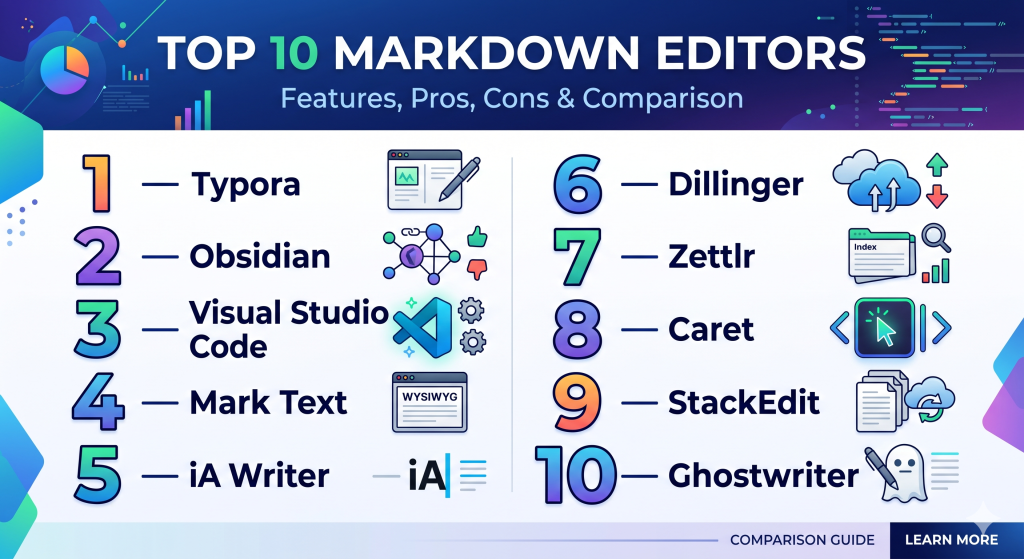
Top 10 Markdown Editors Tools
#1 — Typora
Short description: A minimalist Markdown editor with seamless live preview and a distraction-free writing experience.
Key Features
- Real-time WYSIWYG rendering
- Clean interface with no split preview
- Export to PDF, HTML, and more
- Themes and customization
- Image handling and embedding
Pros
- Extremely intuitive
- Smooth writing experience
Cons
- Limited collaboration features
- Paid after trial
Platforms / Deployment
Windows / macOS / Linux
Offline
Security & Compliance
Not publicly stated
Integrations & Ecosystem
Limited integrations; focuses on standalone usage.
Support & Community
Strong user base; good documentation.
#2 — Obsidian
Short description: A Markdown-based knowledge management tool with powerful linking and plugin capabilities.
Key Features
- Markdown editing
- Backlinks and graph view
- Plugin ecosystem
- Offline-first storage
- Custom themes
Pros
- Highly customizable
- Excellent for knowledge systems
Cons
- Learning curve
- No native real-time collaboration
Platforms / Deployment
Windows / macOS / Linux / iOS / Android
Offline / Optional sync
Security & Compliance
Local storage; varies by setup
Integrations & Ecosystem
- Plugin ecosystem
- Community extensions
Support & Community
Very strong community support.
#3 — Visual Studio Code
Short description: A powerful code editor with Markdown support through extensions.
Key Features
- Built-in Markdown preview
- Extension marketplace
- Git integration
- Customizable environment
- Syntax highlighting
Pros
- Extremely flexible
- Strong developer ecosystem
Cons
- Overkill for simple writing
- Requires setup
Platforms / Deployment
Windows / macOS / Linux
Offline
Security & Compliance
Varies by setup
Integrations & Ecosystem
- Git
- Extensions marketplace
- Dev tools
Support & Community
Massive global community.
#4 — Mark Text
Short description: An open-source Markdown editor focused on simplicity and real-time preview.
Key Features
- Live preview
- Clean interface
- Open-source
- Multiple export options
- Syntax highlighting
Pros
- Free and open-source
- Easy to use
Cons
- Limited advanced features
- Smaller community
Platforms / Deployment
Windows / macOS / Linux
Offline
Security & Compliance
N/A
Integrations & Ecosystem
Minimal integrations.
Support & Community
Growing open-source community.
#5 — iA Writer
Short description: A distraction-free Markdown editor designed for focused writing.
Key Features
- Focus mode
- Syntax highlighting
- Cross-platform sync
- Export options
- Clean UI
Pros
- Excellent writing experience
- Minimal distractions
Cons
- Limited collaboration
- Premium pricing
Platforms / Deployment
Windows / macOS / iOS / Android
Cloud / Offline
Security & Compliance
Not publicly stated
Integrations & Ecosystem
Limited integrations.
Support & Community
Strong documentation.
#6 — Dillinger
Short description: A browser-based Markdown editor with live preview and cloud integration.
Key Features
- Live preview
- Cloud storage support
- Import/export
- Browser-based
- Simple UI
Pros
- No installation required
- Easy to access anywhere
Cons
- Requires internet
- Limited advanced features
Platforms / Deployment
Web
Cloud
Security & Compliance
Not publicly stated
Integrations & Ecosystem
- Google Drive
- Dropbox
Support & Community
Basic support.
#7 — Zettlr
Short description: A Markdown editor designed for academic writing and research workflows.
Key Features
- Citation management
- Markdown editing
- Export to multiple formats
- File management
- Open-source
Pros
- Great for researchers
- Powerful export options
Cons
- Complex interface
- Learning curve
Platforms / Deployment
Windows / macOS / Linux
Offline
Security & Compliance
N/A
Integrations & Ecosystem
- Reference managers
Support & Community
Academic-focused community.
#8 — Caret
Short description: A fast and minimal Markdown editor with strong keyboard support.
Key Features
- Live preview
- Keyboard shortcuts
- Syntax highlighting
- Offline editing
- Minimal UI
Pros
- Fast performance
- Clean interface
Cons
- Limited updates
- Smaller ecosystem
Platforms / Deployment
Windows / macOS / Linux
Offline
Security & Compliance
Not publicly stated
Integrations & Ecosystem
Minimal.
Support & Community
Limited community.
#9 — StackEdit
Short description: A browser-based Markdown editor with offline capabilities and syncing.
Key Features
- Live preview
- Offline support
- Sync with cloud services
- Export options
- Blogging integrations
Pros
- Works offline in browser
- Easy syncing
Cons
- UI feels dated
- Limited customization
Platforms / Deployment
Web
Cloud / Offline
Security & Compliance
Not publicly stated
Integrations & Ecosystem
- Google Drive
- Dropbox
Support & Community
Moderate support.
#10 — Ghostwriter
Short description: A distraction-free Markdown editor for writers with a clean interface.
Key Features
- Focus mode
- Live preview
- Syntax highlighting
- Export options
- Themes
Pros
- Clean writing experience
- Lightweight
Cons
- Limited integrations
- Smaller user base
Platforms / Deployment
Windows / Linux
Offline
Security & Compliance
N/A
Integrations & Ecosystem
Minimal.
Support & Community
Small but active community.
Comparison Table (Top 10)
| Tool Name | Best For | Platform(s) Supported | Deployment | Standout Feature | Public Rating |
|---|---|---|---|---|---|
| Typora | Writers | Desktop | Offline | Live preview | N/A |
| Obsidian | PKM | Desktop, Mobile | Offline | Graph view | N/A |
| VS Code | Developers | Desktop | Offline | Extensions | N/A |
| Mark Text | Free users | Desktop | Offline | Open-source | N/A |
| iA Writer | Focus writing | Desktop, Mobile | Cloud/Offline | Focus mode | N/A |
| Dillinger | Quick edits | Web | Cloud | Browser-based | N/A |
| Zettlr | Researchers | Desktop | Offline | Citations | N/A |
| Caret | Minimalists | Desktop | Offline | Speed | N/A |
| StackEdit | Browser users | Web | Cloud/Offline | Sync | N/A |
| Ghostwriter | Writers | Desktop | Offline | Simplicity | N/A |
Evaluation & Scoring of Markdown Editors
| Tool Name | Core | Ease | Integrations | Security | Performance | Support | Value | Weighted Total |
|---|---|---|---|---|---|---|---|---|
| Typora | 9 | 9 | 6 | 6 | 9 | 8 | 8 | 8.2 |
| Obsidian | 9 | 7 | 7 | 8 | 9 | 9 | 9 | 8.6 |
| VS Code | 10 | 7 | 10 | 8 | 9 | 10 | 9 | 9.0 |
| Mark Text | 7 | 8 | 5 | 6 | 8 | 6 | 9 | 7.4 |
| iA Writer | 8 | 9 | 5 | 6 | 8 | 7 | 7 | 7.6 |
| Dillinger | 6 | 9 | 6 | 5 | 7 | 6 | 9 | 7.2 |
| Zettlr | 8 | 6 | 6 | 6 | 8 | 7 | 8 | 7.4 |
| Caret | 7 | 8 | 4 | 5 | 9 | 5 | 8 | 7.0 |
| StackEdit | 7 | 8 | 7 | 6 | 8 | 6 | 8 | 7.5 |
| Ghostwriter | 7 | 9 | 4 | 5 | 8 | 6 | 9 | 7.3 |
How to interpret scores:
- Scores are comparative within this list
- Higher scores indicate better overall capability
- Developer-focused tools score high in integrations
- Writing-focused tools score high in ease of use
- Choose based on your workflow needs
Which Markdown Editors Tool Is Right for You?
Solo / Freelancer
- Best: Typora, iA Writer
SMB
- Best: Obsidian, StackEdit
Mid-Market
- Best: VS Code, Obsidian
Enterprise
- Best: VS Code
Budget vs Premium
- Budget: Mark Text, Dillinger
- Premium: Typora, iA Writer
Feature Depth vs Ease of Use
- Deep: VS Code
- Easy: Typora
Integrations & Scalability
- Strong: VS Code
Security & Compliance Needs
- Best: VS Code (configurable environments)
Frequently Asked Questions (FAQs)
What is a Markdown editor?
A tool for writing text using Markdown formatting syntax.
Are Markdown editors free?
Many are free or open-source; some offer premium features.
Can I export Markdown files?
Yes, most tools support export to PDF, HTML, and more.
Are they good for blogging?
Yes, widely used for content writing.
Do they support collaboration?
Some do, but many are single-user focused.
Can I use them offline?
Most desktop editors support offline use.
Are they secure?
Depends on the tool and storage method.
What’s the best for developers?
VS Code.
What’s the easiest to use?
Typora.
Are there open-source options?
Yes, like Mark Text and Zettlr.
Conclusion
Markdown editors offer a powerful yet simple way to create structured content. Whether you’re a developer writing documentation or a writer drafting articles, these tools provide flexibility and efficiency. The right choice depends on your workflow, need for integrations, and preference for simplicity or customization. Test a few options, evaluate your needs, and choose the editor that enhances your writing experience without adding complexity.
