Introduction
Kitchen Display Systems (KDS) are digital platforms that replace traditional paper tickets in restaurant kitchens with interactive screens that display orders in real time. These systems streamline operations, reduce errors, and enhance communication between front-of-house and kitchen staff. In 2026, with labor shortages, higher customer expectations, and the rise of delivery and ghost kitchens, KDS tools have become essential for restaurants, cloud kitchens, and food service chains.
Real-world use cases include:
- Quick-service restaurants managing high-volume orders efficiently.
- Fine-dining establishments ensuring complex orders are coordinated accurately.
- Ghost kitchens optimizing multi-brand operations in shared spaces.
- Delivery-focused kitchens integrating directly with online ordering platforms.
- Cafeterias and corporate food services tracking inventory and prep status.
Buyers should evaluate:
- Ease of use for staff training and adoption.
- Integration capabilities with POS, ordering, and inventory systems.
- Real-time performance and reliability under peak loads.
- Customization options for workflows and screens.
- Security & compliance for payment data and staff management.
- Analytics & reporting for operational insights.
- Scalability to handle multiple kitchen stations or locations.
- Hardware compatibility with tablets, monitors, and printers.
- Cloud vs on-prem deployment considerations.
- Support & community resources for onboarding and troubleshooting.
Best for: Restaurant managers, kitchen supervisors, multi-location operators, and technology-driven kitchens seeking to optimize order flow and reduce errors.
Not ideal for: Small single-location restaurants with low order volume, or establishments with minimal staff who may not require digital workflow management.
Key Trends in Kitchen Display Systems (KDS) Tools
- Increasing adoption of AI-assisted order routing and predictive prep times.
- Cloud-native deployments for multi-location visibility and remote management.
- Integration with mobile ordering apps and delivery platforms for seamless order flow.
- Support for multi-brand kitchens and ghost kitchen operations.
- Enhanced analytics dashboards for operational efficiency and staff performance tracking.
- Touchless and voice-enabled interfaces to improve hygiene and speed.
- Customizable workflows for different kitchen types, meal preparation styles, and order priorities.
- Emphasis on security and compliance, including encryption and RBAC for sensitive data.
- Subscription-based pricing with tiered features and pay-as-you-grow models.
- Interoperability standards to connect with POS, inventory, and ERP systems.
How We Evaluated Kitchen Display Systems (KDS)
- Market adoption and mindshare across restaurants, chains, and cloud kitchens.
- Feature completeness including order routing, ticket management, and analytics.
- Reliability and performance signals under high-volume order scenarios.
- Security posture including access control, encryption, and compliance measures.
- Integration ecosystem with POS systems, delivery apps, and inventory platforms.
- Fit for diverse customer segments: SMB, mid-market, enterprise.
- User experience and ease of onboarding for kitchen staff.
- Hardware and deployment flexibility: tablets, monitors, cloud, and on-prem options.
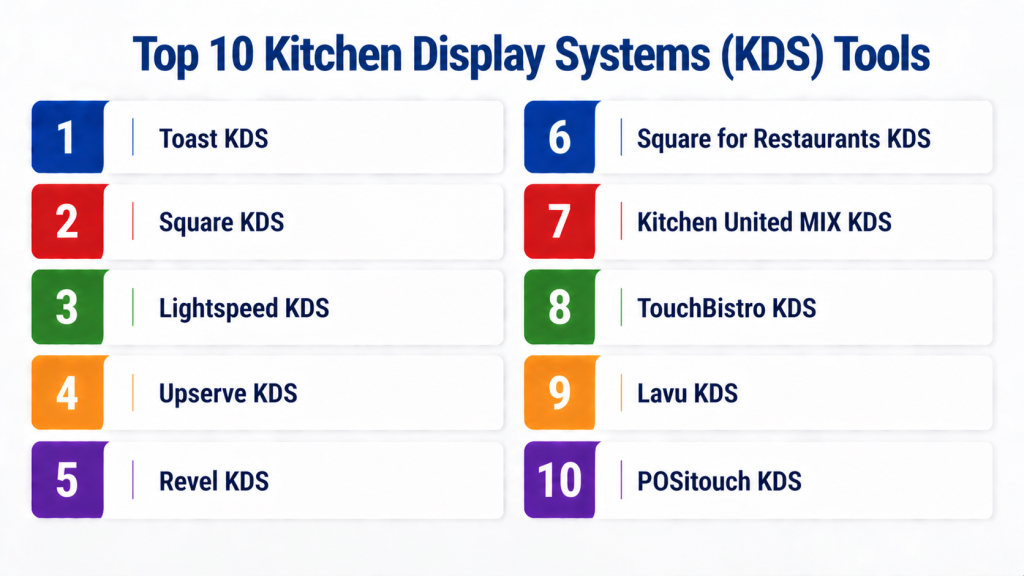
- Top 10 Kitchen Display Systems (KDS) Tools
#1 — Toast KDS
Short description: Toast KDS is designed for restaurants seeking real-time digital order management. It integrates seamlessly with the Toast POS system, providing kitchen staff with an intuitive interface that prioritizes efficiency and order accuracy. Suitable for QSRs, casual dining, and multi-location operations.
Key Features
- Real-time order display with automatic ticket routing
- Multi-kitchen station support for complex workflows
- Color-coded order statuses for quick visual cues
- Integration with Toast POS and third-party delivery apps
- Customizable views and prep timers
- Analytics dashboard for operational insights
Pros
- Seamless integration with Toast POS ecosystem
- Scalable for multi-location operations
Cons
- Limited outside the Toast POS ecosystem
- Subscription cost may be high for smaller operations
Platforms / Deployment
- iOS / Android / Web
- Cloud-based
Security & Compliance
- SOC 2 compliant, encryption in transit and at rest
- MFA support, RBAC, audit logs
Integrations & Ecosystem
- Integrates with Toast POS, delivery platforms, and inventory systems
- APIs for custom integrations
Support & Community
- 24/7 support, onboarding programs, active community forums
#2 — Square KDS
Short description: Square KDS provides a simple, visually organized system for kitchen staff to manage orders efficiently. Ideal for small to medium restaurants, it emphasizes ease of use and tight integration with the Square POS and payment systems.
Key Features
- Automatic order routing from POS
- Multi-device sync for kitchen stations
- Real-time updates on order modifications
- Intuitive color-coded order prioritization
- Analytics for order performance
Pros
- Very easy to set up and use
- Good for small to mid-size restaurants
Cons
- Fewer advanced features than enterprise KDS
- Limited customization options
Platforms / Deployment
- iOS / Android / Web
- Cloud-based
Security & Compliance
- PCI compliance, encryption, MFA
- Not publicly stated: SOC 2, ISO 27001
Integrations & Ecosystem
- Native Square POS integration
- Supports third-party apps via API
- Limited marketplace extensions
Support & Community
- Standard support tiers, knowledge base available
#3 — Lightspeed KDS
Short description: Lightspeed KDS is tailored for restaurants, cafes, and bars seeking flexible order management. It integrates tightly with Lightspeed POS, offering real-time tracking, preparation alerts, and multi-location visibility.
Key Features
- Multi-location order routing
- Configurable ticket priorities and prep timers
- Visual alerts for modifications or urgent orders
- Integration with POS, loyalty, and delivery apps
- Performance dashboards and reporting
Pros
- Flexible for different kitchen workflows
- Strong analytics and reporting capabilities
Cons
- Requires Lightspeed POS for full functionality
- Learning curve for advanced features
Platforms / Deployment
- iOS / Android / Web
- Cloud-based
Security & Compliance
- Not publicly stated for SOC 2 or ISO certifications
- Standard encryption and access controls
Integrations & Ecosystem
- Native POS integration, third-party delivery APIs
- Customizable API endpoints for extensions
Support & Community
- Onboarding support, community forums, knowledge base
#4 — Upserve KDS
Short description: Upserve KDS is aimed at full-service and fine-dining restaurants. It prioritizes order accuracy, table tracking, and real-time kitchen communication to enhance customer satisfaction.
Key Features
- Real-time order tracking and notifications
- Table-to-kitchen linking for coordinated prep
- Order history for repeat and modified orders
- Integration with POS, loyalty, and delivery systems
- Performance and efficiency reporting
Pros
- Strong focus on service and order accuracy
- Detailed reporting and operational insights
Cons
- Requires Upserve POS for optimal use
- Less suitable for high-volume QSR
Platforms / Deployment
- iOS / Android / Web
- Cloud-based
Security & Compliance
- Not publicly stated, standard encryption, RBAC
- PCI compliance
Integrations & Ecosystem
- Upserve POS and third-party integrations
- API for custom workflows
Support & Community
- 24/7 support, setup guidance, community resources
#5 — Revel KDS
Short description: Revel KDS is a robust, enterprise-grade solution suitable for high-volume restaurants and chains. It provides detailed order management, station routing, and operational analytics.
Key Features
- Multi-station kitchen routing
- Real-time ticket updates and prioritization
- Integration with Revel POS and inventory
- Analytics dashboard with KPIs
- Support for multiple locations and brands
Pros
- Enterprise-ready with scalable architecture
- Strong reporting and analytics
Cons
- Requires Revel POS for full capabilities
- Can be complex to configure
Platforms / Deployment
- iOS / Android / Web
- Cloud / Hybrid
Security & Compliance
- Not publicly stated, encryption in transit and at rest
- Standard access control features
Integrations & Ecosystem
- POS integration, inventory systems, delivery apps
- API support for custom integrations
Support & Community
- Dedicated support tiers, onboarding assistance
#6 — Square for Restaurants KDS
Short description: Square for Restaurants KDS combines simplicity with essential digital kitchen tools for small to mid-size operations. It emphasizes speed, accuracy, and real-time order communication.
Key Features
- Automatic order routing from Square POS
- Real-time order status updates
- Visual alerts for modifications
- Multi-device support
- Reporting dashboards
Pros
- Easy adoption and low setup cost
- Great for small teams
Cons
- Limited advanced customization
- Dependent on Square POS
Platforms / Deployment
- iOS / Android / Web
- Cloud-based
Security & Compliance
- PCI compliance, encryption, MFA
- Not publicly stated: SOC 2
Integrations & Ecosystem
- Square POS, APIs for delivery apps
- Limited third-party integrations
Support & Community
- Online knowledge base, standard support
#7 — Kitchen United MIX KDS
Short description: Designed for ghost kitchens and multi-brand operations, Kitchen United MIX KDS provides centralized order management across multiple brands and locations with real-time updates.
Key Features
- Multi-brand order management
- Centralized dashboard for kitchens
- Real-time prep timers and order alerts
- POS and delivery platform integrations
- Analytics for operational efficiency
Pros
- Optimized for complex, multi-brand kitchens
- Supports high-volume operations
Cons
- Not tailored for small single-brand restaurants
- Requires technical integration with POS/delivery systems
Platforms / Deployment
- Web / iOS / Android
- Cloud-based
Security & Compliance
- Not publicly stated
- Standard access controls
Integrations & Ecosystem
- POS integration, delivery platforms, API extensions
Support & Community
- Dedicated onboarding, limited public community
#8 — TouchBistro KDS
Short description: TouchBistro KDS focuses on quick-service and casual dining restaurants, providing clear order display, priority routing, and visual cues for kitchen efficiency.
Key Features
- Real-time order display with color-coded alerts
- Multi-station routing for prep optimization
- Integration with TouchBistro POS
- Performance dashboards for managers
- Order history and analytics
Pros
- Simple, intuitive interface
- Affordable for SMB operations
Cons
- Limited features outside TouchBistro ecosystem
- Less advanced reporting than enterprise KDS
Platforms / Deployment
- iOS / Web
- Cloud-based
Security & Compliance
- Not publicly stated
- Standard encryption and access control
Integrations & Ecosystem
- TouchBistro POS, delivery platform APIs
Support & Community
- Knowledge base, onboarding support, standard helpdesk
#9 — Lavu KDS
Short description: Lavu KDS is designed for restaurants seeking affordable, intuitive kitchen management with integration to Lavu POS and mobile ordering systems.
Key Features
- Digital ticket management with real-time updates
- Multi-device support for stations
- Integration with Lavu POS
- Alerts for modified or urgent orders
- Analytics for prep times and efficiency
Pros
- Easy to deploy and train staff
- Cost-effective for SMBs
Cons
- Limited advanced features
- Dependent on Lavu POS
Platforms / Deployment
- iOS / Android / Web
- Cloud-based
Security & Compliance
- Not publicly stated
- Standard encryption
Integrations & Ecosystem
- Lavu POS, delivery platforms, API support
Support & Community
- Online support and knowledge base
#10 — POSitouch KDS
Short description: POSitouch KDS provides real-time order management, multi-station routing, and detailed operational analytics, catering to both high-volume restaurants and full-service operations.
Key Features
- Multi-station routing and order prioritization
- Integration with POSitouch POS and inventory systems
- Real-time alerts for changes and modifications
- Reporting dashboards for performance tracking
- Support for multi-location operations
Pros
- Strong feature set for large operations
- Detailed analytics and reporting
Cons
- Requires POSitouch POS for full capability
- Setup and training may be complex
Platforms / Deployment
- Windows / iOS / Android / Web
- Cloud / Hybrid
Security & Compliance
- Not publicly stated
- Standard RBAC and encryption
Integrations & Ecosystem
- POSitouch POS, inventory systems, API for custom extensions
Support & Community
- Dedicated support tiers, onboarding programs
Comparison Table
| Tool Name | Best For | Platform(s) Supported | Deployment | Standout Feature | Public Rating |
|---|---|---|---|---|---|
| Toast KDS | Multi-location QSR | iOS, Android, Web | Cloud | Real-time routing & prep timers | N/A |
| Square KDS | SMB & casual dining | iOS, Android, Web | Cloud | Simple setup & order prioritization | N/A |
| Lightspeed KDS | Restaurants & bars | iOS, Android, Web | Cloud | Multi-location workflow flexibility | N/A |
| Upserve KDS | Fine dining | iOS, Android, Web | Cloud | Table-to-kitchen linking | N/A |
| Revel KDS | Enterprise chains | iOS, Android, Web | Cloud/Hybrid | Enterprise-grade analytics | N/A |
| Square for Restaurants KDS | SMB | iOS, Android, Web | Cloud | Ease of adoption | N/A |
| Kitchen United MIX | Ghost kitchens | Web, iOS, Android | Cloud | Multi-brand management | N/A |
| TouchBistro KDS | QSR & casual | iOS, Web | Cloud | Intuitive color-coded interface | N/A |
| Lavu KDS | SMB restaurants | iOS, Android, Web | Cloud | Affordable & simple deployment | N/A |
| POSitouch KDS | Full-service & high-volume | Windows, iOS, Android, Web | Cloud/Hybrid | Multi-station routing & analytics | N/A |
Evaluation & Scoring of Kitchen Display Systems (KDS)
| Tool Name | Core (25%) | Ease (15%) | Integrations (15%) | Security (10%) | Performance (10%) | Support (10%) | Value (15%) | Weighted Total (0–10) |
|---|---|---|---|---|---|---|---|---|
| Toast KDS | 9 | 8 | 8 | 8 | 9 | 8 | 7 | 8.3 |
| Square KDS | 7 | 9 | 6 | 7 | 8 | 7 | 8 | 7.6 |
| Lightspeed KDS | 8 | 7 | 7 | 7 | 8 | 7 | 7 | 7.5 |
| Upserve KDS | 8 | 7 | 7 | 7 | 8 | 7 | 7 | 7.5 |
| Revel KDS | 9 | 6 | 8 | 7 | 9 | 8 | 6 | 7.9 |
| Square for Restaurants KDS | 7 | 9 | 6 | 7 | 8 | 7 | 8 | 7.6 |
| Kitchen United MIX | 8 | 7 | 8 | 7 | 9 | 7 | 6 | 7.6 |
| TouchBistro KDS | 7 | 8 | 6 | 7 | 8 | 7 | 8 | 7.5 |
| Lavu KDS | 7 | 8 | 6 | 7 | 8 | 7 | 8 | 7.5 |
| POSitouch KDS | 8 | 6 | 8 | 7 | 9 | 7 | 7 | 7.7 |
Interpretation: Weighted scores provide a comparative lens to evaluate KDS tools. Higher scores indicate stronger performance across core features, usability, integrations, and overall value. Organizations should balance these scores with specific operational needs and budget constraints.
Which Kitchen Display Systems (KDS) Is Right for You?
Solo / Freelancer
Opt for simple, cloud-based solutions like Square KDS or Lavu KDS. They are easy to deploy, cost-effective, and require minimal training.
SMB
Mid-sized restaurants benefit from TouchBistro KDS or Square for Restaurants KDS, offering intuitive interfaces, multi-station support, and integrations with POS and delivery platforms.
Mid-Market
Multi-location and growing restaurants may prefer Lightspeed KDS or Upserve KDS for workflow flexibility, analytics, and performance tracking.
Enterprise
High-volume chains or ghost kitchens should consider Revel KDS, POSitouch KDS, or Kitchen United MIX for robust routing, multi-brand management, and advanced reporting.
Budget vs Premium
Cloud-based SMB solutions offer cost savings with essential features. Enterprise systems provide deep analytics, customization, and scalability but come at a premium.
Feature Depth vs Ease of Use
Simpler systems like Square KDS prioritize usability. Enterprise solutions like Revel KDS prioritize feature depth but require staff training.
Integrations & Scalability
Evaluate integration with your POS, delivery platforms, and inventory management. Enterprise-grade KDS scales across locations and brands, while SMB solutions serve single locations efficiently.
Security & Compliance Needs
Ensure encryption, access controls, and PCI compliance. Larger organizations should assess RBAC, audit logs, and SOC 2 certifications where available.
Frequently Asked Questions (FAQs)
1. What is a KDS and how does it differ from POS?
A Kitchen Display System (KDS) digitizes order tickets for kitchen staff, showing real-time orders and statuses. Unlike POS systems that handle payments and sales, KDS focuses on workflow, order preparation, and communication between front-of-house and kitchen staff, reducing errors and improving efficiency.
2. Are KDS tools suitable for small restaurants?
Yes, cloud-based solutions like Square KDS or Lavu KDS are ideal for small restaurants. They are cost-effective, easy to deploy, and reduce manual errors, allowing small teams to manage orders efficiently without heavy investment in hardware or training.
3. How do KDS systems integrate with delivery platforms?
Many KDS platforms offer native integrations or APIs that allow online and delivery orders to appear directly on kitchen screens. This reduces manual input, minimizes errors, and ensures orders are tracked from the point of sale to preparation and delivery.
4. What hardware is required for KDS deployment?
KDS tools typically use tablets, monitors, or dedicated screens in the kitchen. Cloud-based systems support iOS, Android, and web-enabled devices, letting restaurants leverage existing hardware or invest in dedicated screens for optimal workflow.
5. Can KDS improve order accuracy?
Yes, KDS tools provide real-time order updates, color-coded alerts, and prep timers. These features reduce mistakes, ensure accurate meal preparation, and help kitchens meet customer expectations more consistently, improving service quality.
6. How long does onboarding take?
For small restaurants, setup and staff training usually take a few hours. Larger or multi-location operations may require several days to configure workflows, integrate POS/delivery systems, and train staff for efficient use of the KDS.
7. Are KDS systems secure?
Most KDS platforms implement encryption, access controls, and role-based permissions. Enterprise-grade systems may include audit logs, MFA, and compliance with standards like PCI, protecting order and customer data from unauthorized access.
8. What types of restaurants benefit most from KDS?
Quick-service restaurants, full-service dining, ghost kitchens, and multi-brand operations benefit the most. They rely on real-time order management, multi-station coordination, and high-volume accuracy to optimize kitchen efficiency.
9. Can KDS systems scale as my restaurant grows?
Yes, cloud-based KDS platforms are scalable for multiple stations and locations. They can handle increased order volumes, additional kitchen staff, and integration with more POS or delivery platforms as your operations expand.
10. Are there alternatives to KDS for small operations?
For very small restaurants, manual ticketing or simple POS order screens may suffice. However, KDS provides measurable benefits in speed, accuracy, and analytics even for smaller teams, making it worthwhile in most modern kitchens.
Conclusion
Kitchen Display Systems (KDS) have become an essential tool for modern restaurants, cloud kitchens, and multi-location operations. By digitizing order management, they streamline workflows, reduce errors, and enhance communication between front-of-house and kitchen staff. Choosing the right KDS depends on factors such as restaurant size, order volume, and integration needs with POS and delivery platforms.
For small and mid-sized restaurants, cloud-based solutions like Square KDS, Lavu KDS, and TouchBistro KDS offer affordability, ease of use, and quick setup. Larger enterprises and multi-brand kitchens benefit from robust platforms like Revel KDS, POSitouch KDS, or Kitchen United MIX, which provide advanced routing, analytics, and multi-location management for high-volume operations. Decision-makers should weigh feature depth against usability and ensure their KDS scales with growth.
Ultimately, the best KDS is the one that aligns with your operational workflows, budget, and long-term growth plans. We recommend shortlisting 2–3 platforms, running a pilot in your kitchen, and validating integrations, security, and staff adoption. A thoughtful approach ensures that your KDS investment improves efficiency, enhances accuracy, and supports a better customer experience.
