Introduction
In-product Messaging Platforms are software solutions that allow businesses to communicate directly with users inside their applications or websites. They improve engagement, provide instant support, guide users through workflows, and deliver contextual messages without leaving the product. These platforms are crucial for modern SaaS products, mobile apps, and e-commerce platforms aiming to boost retention and user satisfaction.
Real-world use cases include onboarding new users with guided messages, providing in-app support for troubleshooting, sending personalized promotions, notifying users of feature updates, and collecting surveys or feedback.
When evaluating these platforms, buyers should consider AI-driven personalization, multi-channel support, integrations with CRM and analytics platforms, ease of deployment, workflow automation, security and compliance, scalability, customization options, reporting and insights, and pricing.
Best for: Product managers, customer success teams, SaaS companies, e-commerce platforms, mobile app developers, and enterprises seeking to improve in-app engagement and support.
Not ideal for: Small businesses with minimal digital engagement, simple websites without complex user interactions, or teams without technical resources to manage integrations.
Key Trends in In-product Messaging Platforms
- AI-driven personalization based on user behavior
- Omnichannel messaging including web, mobile, and in-app notifications
- Integration with automation platforms for contextual messaging
- Compliance with GDPR, SOC 2, and privacy regulations
- Low-code/no-code setup for rapid deployment
- Analytics and reporting for engagement tracking
- Multi-language and localization capabilities
- Interactive messaging with surveys, polls, and product tours
- Predictive messaging using AI and behavioral insights
- Flexible subscription and usage-based pricing models
How We Selected These Tools
- Market adoption and mindshare across industries
- Feature completeness and automation capabilities
- Reliability, uptime, and platform performance
- Security and compliance posture
- Integrations and API availability
- Scalability for different business sizes
- Ease of setup and administration
- Customer support quality and community engagement
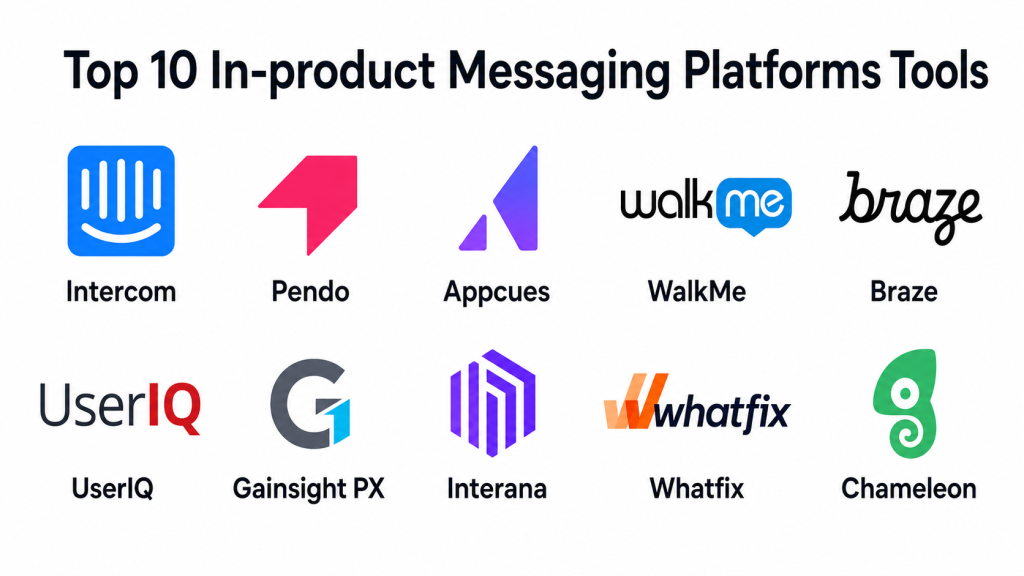
Top 10 In-product Messaging Platforms Tools
#1 — Intercom
Short description: A leading platform for in-app messaging and customer engagement for SaaS and digital businesses.
Key Features
- AI-powered messaging and automated workflows
- Product tours and onboarding guides
- Multi-language support
- Integration with CRM, support, and analytics platforms
- Reporting and engagement analytics
Pros
- Comprehensive engagement and automation tools
- Easy customization and segmentation
Cons
- Premium pricing for advanced features
- Can be complex for new users
Platforms / Deployment
- Web / iOS / Android
- Cloud
Security & Compliance
- MFA, encryption
- GDPR
Integrations & Ecosystem
- Salesforce
- HubSpot
- Slack
- Zapier
Support & Community
- Knowledge base and tutorials
- Customer success support
- Community forums
#2 — Pendo
Short description: Focused on product adoption and in-app guidance for software applications.
Key Features
- User onboarding guides and walkthroughs
- In-app messaging and tooltips
- Analytics for feature usage
- Segmentation and targeting
- Surveys and feedback collection
Pros
- Strong product adoption focus
- Detailed user behavior analytics
Cons
- Limited messaging outside product context
- Pricing may be high for small teams
Platforms / Deployment
- Web / iOS / Android
- Cloud
Security & Compliance
- Not publicly stated
Integrations & Ecosystem
- Salesforce
- Jira
- Analytics tools
Support & Community
- Documentation and webinars
- Dedicated support
#3 — Appcues
Short description: Enables non-technical teams to create in-app experiences and messaging.
Key Features
- Drag-and-drop editor for in-app flows
- Onboarding checklists and product tours
- User segmentation and targeting
- Analytics and reporting
- Multi-language support
Pros
- Easy to create onboarding experiences
- No coding required
Cons
- Limited automation compared to enterprise solutions
- Analytics features are basic
Platforms / Deployment
- Web / iOS / Android
- Cloud
Security & Compliance
- Not publicly stated
Integrations & Ecosystem
- Segment
- Salesforce
- HubSpot
Support & Community
- Knowledge base
- Chat support
#4 — WalkMe
Short description: Enterprise-grade platform for user guidance and in-app messaging.
Key Features
- Step-by-step guidance and automation
- In-app messaging and notifications
- Behavior-driven targeting
- Analytics dashboard
- Multi-platform support
Pros
- Enterprise-ready features
- Strong analytics and automation
Cons
- High complexity
- Premium pricing
Platforms / Deployment
- Web / iOS / Android
- Cloud / Hybrid
Security & Compliance
- SOC 2, GDPR
- Encryption
Integrations & Ecosystem
- Salesforce
- Workday
- ServiceNow
Support & Community
- Dedicated enterprise support
- Extensive documentation
#5 — Braze
Short description: Omnichannel engagement platform including in-app messaging, push, and email.
Key Features
- Real-time in-app messaging
- Push notifications and email campaigns
- Advanced segmentation
- AI-driven personalization
- Analytics for engagement tracking
Pros
- Powerful omnichannel capabilities
- AI personalization
Cons
- Premium pricing for full features
- Can be complex to implement
Platforms / Deployment
- Web / iOS / Android
- Cloud
Security & Compliance
- SOC 2, GDPR
- Encryption
Integrations & Ecosystem
- Segment
- Salesforce
- Marketing automation platforms
Support & Community
- Customer support and onboarding
- Community resources
#6 — UserIQ
Short description: Focused on SaaS adoption with in-product messaging and analytics.
Key Features
- In-app messaging and tours
- Usage analytics and reporting
- Segmentation and targeting
- Feedback collection
- Multi-language support
Pros
- Strong for SaaS adoption
- Easy to set up
Cons
- Limited external messaging
- Smaller integration ecosystem
Platforms / Deployment
- Web / iOS / Android
- Cloud
Security & Compliance
- Not publicly stated
Integrations & Ecosystem
- Salesforce
- Intercom
- Analytics tools
Support & Community
- Knowledge base
- Email support
#7 — Gainsight PX
Short description: In-app engagement platform for user onboarding and feature adoption.
Key Features
- Onboarding flows and guides
- In-app messaging and notifications
- Analytics and adoption tracking
- Behavior-based targeting
- Feedback collection
Pros
- Enterprise-focused features
- Strong analytics
Cons
- Premium pricing
- Complex configuration
Platforms / Deployment
- Web / iOS / Android
- Cloud
Security & Compliance
- GDPR
- Not publicly stated for SOC 2
Integrations & Ecosystem
- Salesforce
- Marketo
- Segment
Support & Community
- Documentation
- Customer support
#8 — Interana
Short description: Provides behavioral analytics and in-product messaging insights.
Key Features
- User behavior tracking
- Segmentation for targeted messaging
- A/B testing for messaging
- Analytics dashboards
- Integration with CRM and marketing tools
Pros
- Deep behavioral analytics
- Data-driven messaging insights
Cons
- Messaging features are secondary
- Requires analytics expertise
Platforms / Deployment
- Web
- Cloud
Security & Compliance
- Not publicly stated
Integrations & Ecosystem
- Salesforce
- Segment
- HubSpot
Support & Community
- Email support
- Knowledge base
#9 — Whatfix
Short description: Digital adoption platform with in-product guidance and messaging.
Key Features
- Interactive walkthroughs and flows
- In-app messaging and tooltips
- Analytics and reporting
- Multi-language support
- Behavior-based targeting
Pros
- Easy onboarding and guidance
- Supports multiple platforms
Cons
- Limited AI automation
- Pricing can be high for smaller teams
Platforms / Deployment
- Web / iOS / Android
- Cloud
Security & Compliance
- GDPR
- Not publicly stated for SOC 2
Integrations & Ecosystem
- Salesforce
- Workday
- HubSpot
Support & Community
- Knowledge base
- Email support
#10 — Chameleon
Short description: Tool for in-app messaging and user onboarding targeted at product teams.
Key Features
- Product tours and tooltips
- In-app messages and modals
- Segmentation and targeting
- Analytics dashboards
- Multi-language support
Pros
- Simple to implement
- No coding required
Cons
- Limited automation
- Smaller integration ecosystem
Platforms / Deployment
- Web / iOS / Android
- Cloud
Security & Compliance
- Not publicly stated
Integrations & Ecosystem
- Salesforce
- HubSpot
- Segment
Support & Community
- Documentation
- Email support
Comparison Table
| Tool Name | Best For | Platform(s) Supported | Deployment | Standout Feature | Public Rating |
|---|---|---|---|---|---|
| Intercom | SaaS & digital businesses | Web/iOS/Android | Cloud | Product tours & messaging | N/A |
| Pendo | Product adoption | Web/iOS/Android | Cloud | Feature usage analytics | N/A |
| Appcues | Non-technical teams | Web/iOS/Android | Cloud | Drag-and-drop onboarding | N/A |
| WalkMe | Enterprises | Web/iOS/Android | Cloud/Hybrid | Step-by-step guidance | N/A |
| Braze | Omnichannel engagement | Web/iOS/Android | Cloud | AI-driven personalization | N/A |
| UserIQ | SaaS adoption | Web/iOS/Android | Cloud | In-app messaging | N/A |
| Gainsight PX | Enterprise SaaS | Web/iOS/Android | Cloud | Adoption tracking & guides | N/A |
| Interana | Analytics-driven messaging | Web | Cloud | Behavioral insights | N/A |
| Whatfix | Digital adoption | Web/iOS/Android | Cloud | Interactive walkthroughs | N/A |
| Chameleon | Product teams | Web/iOS/Android | Cloud | Quick in-app tours | N/A |
Evaluation & Scoring
| Tool Name | Core (25%) | Ease (15%) | Integrations (15%) | Security (10%) | Performance (10%) | Support (10%) | Value (15%) | Weighted Total |
|---|---|---|---|---|---|---|---|---|
| Intercom | 9 | 8 | 8 | 8 | 9 | 8 | 7 | 8.3 |
| Pendo | 8 | 7 | 7 | 7 | 8 | 7 | 7 | 7.4 |
| Appcues | 7 | 9 | 6 | 7 | 7 | 7 | 8 | 7.4 |
| WalkMe | 9 | 6 | 8 | 9 | 9 | 8 | 6 | 8.0 |
| Braze | 9 | 7 | 8 | 8 | 9 | 8 | 7 | 8.1 |
| UserIQ | 7 | 8 | 6 | 7 | 7 | 7 | 7 | 7.0 |
| Gainsight PX | 8 | 6 | 7 | 8 | 8 | 7 | 6 | 7.4 |
| Interana | 7 | 7 | 6 | 7 | 7 | 6 | 6 | 6.7 |
| Whatfix | 8 | 8 | 7 | 7 | 8 | 7 | 7 | 7.6 |
| Chameleon | 7 | 9 | 6 | 7 | 7 | 6 | 7 | 7.1 |
Scores are comparative to highlight strengths in features, ease, integrations, security, performance, support, and value.
Which In-product Messaging Platforms Tool Is Right for You
Solo / Freelancer
Appcues, Chameleon: easy setup, no coding, suitable for small user bases.
SMB
Intercom, UserIQ, Pendo: robust features, engagement-focused, manageable pricing.
Mid-Market
Braze, Whatfix, Gainsight PX: scalable, data-driven messaging, strong analytics.
Enterprise
WalkMe, Braze, Intercom: enterprise-grade compliance, advanced automation, wide integrations.
Budget vs Premium
Budget: Chameleon, Appcues
Premium: WalkMe, Braze, Intercom
Feature Depth vs Ease of Use
Ease: Appcues, Chameleon
Feature Depth: WalkMe, Braze, Intercom
Integrations & Scalability
Extensive integrations: Intercom, WalkMe, Braze
Scalable: Gainsight PX, Whatfix
Security & Compliance Needs
Enterprise-grade: WalkMe, Braze, Intercom
Basic: Chameleon, Appcues
Frequently Asked Questions
1. How are pricing models structured
Most platforms offer tiered subscriptions or usage-based pricing depending on active users and messaging volume
2. How easy is onboarding
Tools like Appcues and Chameleon provide drag-and-drop editors; enterprise tools may require setup and training
3. Can I switch platforms easily
Switching may involve migration of flows, messages, and analytics; pilot tests are recommended
4. How accurate is AI messaging
Accuracy depends on setup, AI models, and behavioral data; enterprise AI provides better targeting
5. Which integrations are most common
CRM, analytics, marketing automation, and product analytics platforms are typical integration points
6. How scalable are these platforms
Cloud-based platforms scale well; hybrid or on-prem setups may require additional infrastructure
7. What about security and compliance
Enterprise solutions support GDPR, SOC 2, and encryption; SMB-focused tools provide basic security
8. Can I customize in-app messages
Yes, most platforms allow custom flows, targeting, multi-language support, and interactive content
9. Are in-product messages better than email
In-product messages provide context-sensitive guidance and higher engagement than external email campaigns
10. How do I measure success
Platforms provide dashboards for adoption metrics, engagement rates, user behavior, and message performance
Conclusion
In-product Messaging Platforms are essential for guiding users, improving engagement, and providing real-time support. Choosing the right solution depends on company size, required features, integrations, and compliance requirements. Shortlist 2–3 tools, run pilot campaigns, and validate messaging workflows and analytics before full deployment
