Introduction
HR Analytics Platforms help organizations turn workforce data into useful insights for hiring, retention, performance, engagement, workforce planning, diversity, productivity, and employee experience. Instead of making people decisions only through guesswork, HR teams can use analytics dashboards, reports, and predictive models to understand what is happening across the workforce.
These platforms matter because companies now manage distributed teams, changing skill needs, hiring pressure, retention challenges, and employee engagement expectations. HR analytics gives leaders better visibility into workforce health, talent risks, compensation patterns, team performance, and future staffing needs.
Real-world use cases:
- Tracking employee turnover and retention risks.
- Measuring hiring funnel performance and recruitment quality.
- Understanding employee engagement and productivity trends.
- Planning workforce capacity and skill gaps.
- Supporting diversity, equity, and inclusion reporting.
- Connecting HR, finance, and business data for better decisions.
Evaluation criteria for buyers:
- HR data integration with HCM, payroll, ATS, and performance systems.
- Dashboard quality and ease of reporting.
- Predictive analytics and workforce planning features.
- Data security, privacy, and access controls.
- Scalability for large employee datasets.
- Custom reporting and self-service analytics.
- Support for executives, HR leaders, and people managers.
- Implementation effort and support quality.
Best for: HR leaders, people analytics teams, CHROs, HR business partners, workforce planning teams, finance leaders, and enterprises that need better workforce visibility.
Not ideal for: Very small teams with limited HR data, businesses without structured HR systems, or companies that only need basic employee reports from payroll software.
Key Trends in HR Analytics Platforms
- More focus on predictive workforce analytics for retention, hiring, and talent planning.
- Increased use of AI-assisted insights to identify patterns in employee data.
- Stronger demand for self-service dashboards for HR leaders and managers.
- Growing need to connect HR, finance, payroll, performance, and engagement data.
- Better support for skills analytics and workforce capability planning.
- More attention to employee privacy, role-based access, and responsible data use.
- Growth of manager-level analytics to help leaders act faster.
- Deeper focus on diversity, equity, inclusion, and pay equity insights.
- Increased use of scenario planning for headcount, hiring, and workforce cost.
- More integration with collaboration, productivity, and employee experience platforms.
How We Selected These Tools
- We reviewed platforms with strong recognition in HR, people analytics, workforce planning, and HCM ecosystems.
- We prioritized tools that support workforce dashboards, reporting, predictive insights, and employee analytics.
- We considered fit across enterprise, mid-market, and growing companies.
- We looked at integration strength with HRIS, HCM, payroll, ATS, performance, and engagement systems.
- We evaluated platform usability for HR teams, executives, analysts, and people managers.
- We considered security features such as SSO, RBAC, encryption, and audit controls where clearly known.
- We included both dedicated people analytics platforms and analytics modules inside major HR suites.
- We avoided guessing public ratings, certifications, or compliance details where they are not clearly known.
- We considered reporting flexibility, visualization, and workforce planning capabilities.
- We focused on tools that help organizations move from static HR reporting to practical decision-making.
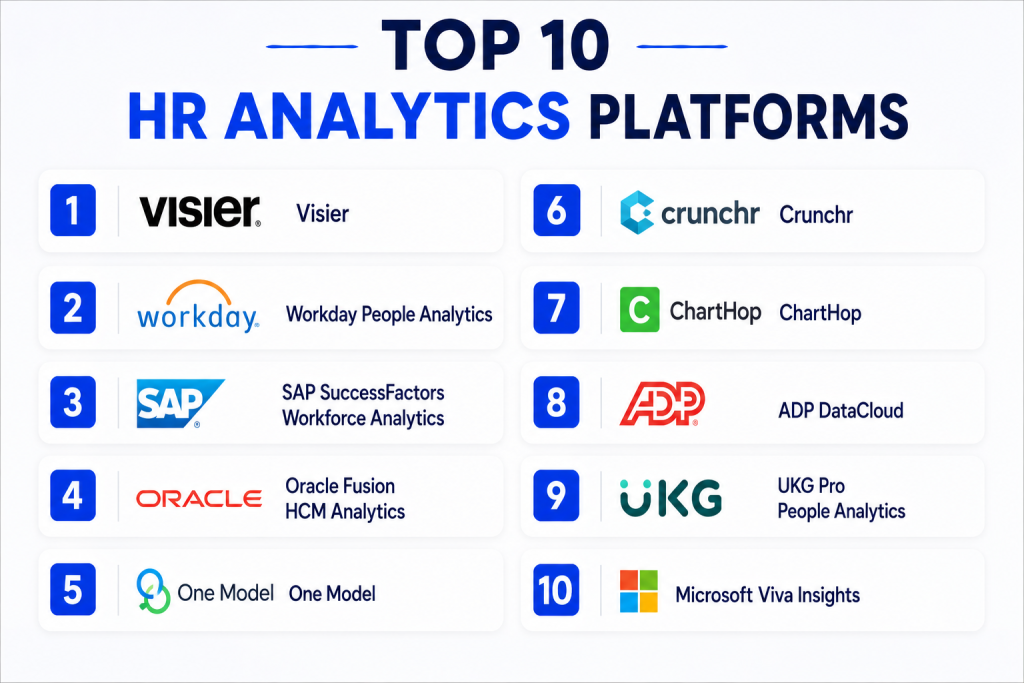
Top 10 HR Analytics Platforms
#1 — Visier
Short description: Visier is a dedicated people analytics and workforce planning platform for HR leaders and business executives.
It helps organizations analyze retention, hiring, performance, productivity, and workforce cost.
The platform is strong for enterprises that want deep HR insights beyond basic reporting.
It is especially useful when HR data comes from many systems and needs one analytics layer.
Key Features
- Workforce analytics dashboards.
- Predictive retention and talent insights.
- Workforce planning and scenario modeling.
- HR data integration from multiple systems.
- Executive-ready people analytics reports.
- Diversity and workforce composition analysis.
- Benchmarking and trend analysis.
Pros
- Strong people analytics depth.
- Useful for enterprise workforce planning.
- Good for connecting fragmented HR data.
Cons
- May be complex for small teams.
- Implementation can require data preparation.
- Pricing may not suit very small companies.
Platforms / Deployment
- Web
- Cloud
Security & Compliance
SSO, role-based access, encryption, and enterprise security controls are commonly expected.
Specific certifications should be verified during vendor evaluation.
Integrations & Ecosystem
Visier is designed to connect with HR, payroll, talent, finance, and business systems. It is useful when organizations need a unified analytics layer across many workforce data sources.
- HCM integrations.
- Payroll system connections.
- Talent and performance data integration.
- Data warehouse connectivity.
- API and enterprise data workflows.
Support & Community
Visier provides enterprise onboarding, documentation, customer success support, and people analytics guidance. Support depth depends on the selected plan and implementation scope.
#2 — Workday People Analytics
Short description: Workday People Analytics helps Workday customers understand workforce trends through dashboards and AI-supported insights.
It is useful for companies already using Workday as their core HCM system.
The platform connects HR data with workforce planning, talent, compensation, and finance context.
It is best suited for mid-market and enterprise organizations invested in the Workday ecosystem.
Key Features
- Workforce dashboards and insights.
- Embedded analytics inside Workday.
- Talent, compensation, and headcount reporting.
- Workforce planning support.
- AI-assisted insights and trend analysis.
- Role-based reporting access.
- Integration with Workday HCM data.
Pros
- Strong fit for Workday customers.
- Reduces need for separate HR reporting systems.
- Good connection between HR and business data.
Cons
- Best value comes inside the Workday ecosystem.
- May be less flexible for non-Workday data environments.
- Advanced customization may require expertise.
Platforms / Deployment
- Web / Mobile
- Cloud
Security & Compliance
Workday provides enterprise-grade security controls such as role-based access and encryption.
Specific compliance requirements should be verified based on region and contract.
Integrations & Ecosystem
Workday People Analytics works best when connected to Workday HCM and related Workday modules. It also supports broader enterprise reporting through Workday’s integration ecosystem.
- Workday HCM.
- Workday Financial Management.
- Talent and performance modules.
- Workforce planning workflows.
- Enterprise reporting integrations.
Support & Community
Workday offers documentation, customer support, implementation partners, training resources, and a large enterprise customer ecosystem.
#3 — SAP SuccessFactors Workforce Analytics
Short description: SAP SuccessFactors Workforce Analytics helps organizations analyze HR data across talent, workforce, and business outcomes.
It is designed for companies using SAP SuccessFactors and enterprise HR processes.
The platform supports workforce reporting, planning, and analytics for HR leaders.
It fits large organizations that need structured HR insights across regions and departments.
Key Features
- Workforce reporting and dashboards.
- Talent and employee lifecycle analytics.
- Headcount and workforce trend analysis.
- HR KPI tracking.
- Integration with SAP SuccessFactors modules.
- Workforce planning support.
- Role-based analytics access.
Pros
- Strong fit for SAP SuccessFactors users.
- Good for large enterprise HR reporting.
- Supports structured workforce analytics.
Cons
- Best suited for SAP ecosystem users.
- Setup and customization can be complex.
- Smaller teams may find it too heavy.
Platforms / Deployment
- Web / Mobile
- Cloud
Security & Compliance
SAP enterprise security controls may include role-based access, encryption, and governance features.
Specific compliance details should be confirmed with SAP documentation or vendor review.
Integrations & Ecosystem
SAP SuccessFactors Workforce Analytics integrates naturally with SAP HR and talent modules. It is useful when workforce insights need to connect with enterprise business systems.
- SAP SuccessFactors HCM.
- Talent management modules.
- Learning and performance data.
- SAP reporting ecosystem.
- Enterprise data connectors.
Support & Community
SAP provides enterprise support, partner implementation services, documentation, and training resources. Support quality depends on contract and deployment scope.
#4 — Oracle Fusion HCM Analytics
Short description: Oracle Fusion HCM Analytics provides workforce insights for organizations using Oracle Cloud HCM.
It helps HR teams understand hiring, retention, diversity, performance, and workforce trends.
The platform is designed for enterprise reporting and decision support.
It is best for companies already invested in Oracle’s cloud business applications.
Key Features
- Prebuilt HR analytics dashboards.
- Workforce, talent, and retention reporting.
- Integration with Oracle Cloud HCM.
- Diversity and workforce composition insights.
- Predictive and trend analytics.
- Role-based reporting.
- Enterprise data model support.
Pros
- Strong fit for Oracle HCM customers.
- Good prebuilt dashboards for HR teams.
- Enterprise-ready analytics structure.
Cons
- Best suited to Oracle ecosystem users.
- May require technical support for customization.
- Smaller teams may not need its full depth.
Platforms / Deployment
- Web / Mobile
- Cloud
Security & Compliance
Oracle cloud security typically includes identity management, access controls, encryption, and monitoring features.
Specific compliance claims should be verified during evaluation.
Integrations & Ecosystem
Oracle Fusion HCM Analytics works closely with Oracle Cloud HCM and related Oracle analytics services. It can also support broader business reporting in Oracle environments.
- Oracle Cloud HCM.
- Oracle Analytics.
- Finance and workforce data connections.
- Talent and performance modules.
- Enterprise reporting workflows.
Support & Community
Oracle offers documentation, training, enterprise support, partner services, and a large business applications ecosystem.
#5 — One Model
Short description: One Model is a people analytics platform focused on unifying HR data and enabling advanced workforce insights.
It helps HR teams combine data from many HR systems into one analytics model.
The platform supports dashboards, reporting, data modeling, and predictive analytics.
It is best for organizations that need flexible, deep people analytics across many data sources.
Key Features
- HR data integration and modeling.
- People analytics dashboards.
- Predictive workforce insights.
- Custom metrics and reporting.
- Workforce planning support.
- Data warehouse-friendly architecture.
- Advanced analytics for HR teams.
Pros
- Strong data modeling flexibility.
- Good for organizations with multiple HR systems.
- Useful for mature people analytics teams.
Cons
- Requires analytics and data maturity.
- Implementation may need technical involvement.
- Smaller HR teams may find it advanced.
Platforms / Deployment
- Web
- Cloud
Security & Compliance
Enterprise security controls such as role-based permissions and encryption are commonly expected.
Specific certifications are Not publicly stated unless verified by the buyer.
Integrations & Ecosystem
One Model is built to connect HR data from multiple systems and create a clean people analytics layer. It is especially valuable for companies with complex HR technology stacks.
- HRIS and HCM integrations.
- ATS and recruiting data.
- Payroll and compensation data.
- Engagement and performance systems.
- Data warehouse and BI workflows.
Support & Community
One Model provides customer support, implementation help, documentation, and analytics guidance. It is best suited for teams ready to invest in people analytics maturity.
#6 — Crunchr
Short description: Crunchr is a workforce analytics and planning platform designed for HR leaders and people analytics teams.
It helps organizations analyze workforce trends, skills, diversity, costs, and future workforce scenarios.
The platform is useful for strategic HR planning and executive reporting.
It is suitable for mid-market and enterprise companies that need workforce planning visibility.
Key Features
- Workforce analytics dashboards.
- Strategic workforce planning.
- Scenario modeling.
- Diversity and workforce composition reporting.
- Skills and capability insights.
- HR data integration.
- Executive reporting.
Pros
- Strong workforce planning capabilities.
- Clear dashboards for HR and leadership teams.
- Useful for strategy-focused HR analytics.
Cons
- May require data preparation before implementation.
- Less suitable for very small companies.
- Advanced use cases may require specialist support.
Platforms / Deployment
- Web
- Cloud
Security & Compliance
Security details such as access controls and encryption should be reviewed during vendor evaluation.
Specific compliance certifications are Not publicly stated unless confirmed by the vendor.
Integrations & Ecosystem
Crunchr connects HR data into workforce analytics and planning models. It is useful when companies need to visualize workforce structure and plan future talent needs.
- HRIS and HCM integrations.
- Workforce planning data.
- Diversity and skills data.
- Finance and headcount planning inputs.
- Reporting and dashboard exports.
Support & Community
Crunchr provides onboarding, documentation, and customer support. Support depth depends on customer size, implementation needs, and selected service package.
#7 — ChartHop
Short description: ChartHop combines people analytics, org charts, compensation planning, and workforce visibility in one platform.
It gives HR and leadership teams a clear view of employee data, team structure, and organizational change.
The platform is helpful for growing companies that need better people operations visibility.
It is especially useful for org planning, headcount planning, and people data collaboration.
Key Features
- Dynamic org charts.
- People analytics dashboards.
- Headcount and workforce planning.
- Compensation planning support.
- Employee data visualization.
- Integrations with HR and productivity tools.
- Scenario planning for organizational changes.
Pros
- Strong visual workforce planning.
- Useful for growing companies and people teams.
- Good for org structure and headcount visibility.
Cons
- Not as deep as specialist enterprise analytics platforms.
- Some features may depend on integrations.
- Advanced reporting may require setup.
Platforms / Deployment
- Web
- Cloud
Security & Compliance
Security features may include role-based access and data permissions.
Specific certifications should be verified by buyers.
Integrations & Ecosystem
ChartHop integrates with HR, payroll, recruiting, collaboration, and productivity tools to create a connected people operations view.
- HRIS integrations.
- ATS and recruiting tools.
- Payroll and compensation systems.
- Slack and collaboration tools.
- Productivity and identity systems.
Support & Community
ChartHop provides documentation, onboarding resources, and customer support. It is popular among people operations teams looking for visual workforce planning.
#8 — ADP DataCloud
Short description: ADP DataCloud provides workforce analytics for organizations using ADP payroll and HR solutions.
It helps companies analyze payroll, turnover, headcount, compensation, and workforce trends.
The platform is useful for HR and finance teams that want insights from ADP workforce data.
It is best suited for businesses already using ADP as a core HR or payroll system.
Key Features
- Workforce and payroll analytics.
- Turnover and retention insights.
- Compensation and benchmarking support.
- Headcount reporting.
- HR dashboards and trends.
- Integration with ADP workforce data.
- Manager and leadership reporting.
Pros
- Strong value for ADP customers.
- Useful payroll and workforce reporting.
- Helps connect HR and finance insights.
Cons
- Best fit is within the ADP ecosystem.
- May be limited for companies using many non-ADP systems.
- Advanced analytics needs may require additional tools.
Platforms / Deployment
- Web / Mobile
- Cloud
Security & Compliance
ADP generally provides enterprise security and data protection controls.
Specific compliance details should be verified based on product and contract.
Integrations & Ecosystem
ADP DataCloud works well with ADP HR and payroll products. It is valuable for companies that want workforce insights directly from payroll and HR data.
- ADP payroll systems.
- ADP HR solutions.
- Workforce benchmarking.
- Compensation analytics.
- HR reporting workflows.
Support & Community
ADP provides customer support, documentation, account services, and a large partner ecosystem. Support options vary by plan and product package.
#9 — UKG Pro People Analytics
Short description: UKG Pro People Analytics helps organizations analyze workforce data from the UKG ecosystem.
It supports HR reporting, workforce trends, employee insights, and manager dashboards.
The platform is useful for companies using UKG for HR, payroll, workforce management, and talent processes.
It is best for mid-market and enterprise teams that want analytics inside their HR suite.
Key Features
- Workforce analytics dashboards.
- HR, payroll, and employee reporting.
- Manager-ready people insights.
- Talent and workforce trend analysis.
- Diversity and employee data reporting.
- UKG ecosystem integration.
- Role-based reporting access.
Pros
- Strong fit for UKG customers.
- Good for HR and workforce management analytics.
- Helpful for manager-level reporting.
Cons
- Best value comes inside the UKG ecosystem.
- Customization may require setup support.
- May not replace advanced standalone people analytics tools.
Platforms / Deployment
- Web / Mobile
- Cloud
Security & Compliance
UKG provides enterprise security controls such as access management and encryption.
Specific compliance details should be confirmed during vendor review.
Integrations & Ecosystem
UKG Pro People Analytics works closely with UKG HR, payroll, and workforce management products. It can help connect people data with scheduling, pay, and employee lifecycle information.
- UKG Pro.
- Payroll and workforce management data.
- Talent and employee lifecycle reporting.
- Manager dashboards.
- HR reporting workflows.
Support & Community
UKG provides documentation, customer support, services, and a broad customer community. Support levels depend on contract and implementation scope.
#10 — Microsoft Viva Insights
Short description: Microsoft Viva Insights helps organizations understand work patterns, collaboration habits, meeting load, focus time, and employee experience signals.
It is especially useful for companies using Microsoft 365 heavily.
The platform focuses more on productivity and collaboration analytics than traditional HR reporting.
It works well as part of a broader employee experience and workforce wellbeing strategy.
Key Features
- Work pattern and collaboration analytics.
- Meeting and focus time insights.
- Manager and leader dashboards.
- Employee wellbeing signals.
- Microsoft 365 ecosystem integration.
- Privacy-focused aggregated reporting.
- Recommendations for better work habits.
Pros
- Strong fit for Microsoft 365 environments.
- Useful for productivity and wellbeing insights.
- Easy adoption for Microsoft-focused organizations.
Cons
- Not a complete HR analytics platform by itself.
- Best value depends on Microsoft 365 usage.
- Traditional HR metrics may need other systems.
Platforms / Deployment
- Web / Microsoft Teams / Microsoft 365
- Cloud
Security & Compliance
Microsoft enterprise security controls include identity, access, encryption, and privacy features.
Specific compliance needs should be verified based on Microsoft licensing and configuration.
Integrations & Ecosystem
Microsoft Viva Insights is deeply connected with Microsoft 365 and Teams. It works well alongside HR analytics platforms when organizations want collaboration and work pattern insights.
- Microsoft Teams.
- Outlook and calendar data.
- Microsoft 365 ecosystem.
- Viva employee experience suite.
- Power BI and reporting workflows.
Support & Community
Microsoft provides documentation, enterprise support, training content, and a large partner ecosystem. Support depends on Microsoft licensing and service plan.
Comparison Table
| Tool Name | Best For | Platform(s) Supported | Deployment | Standout Feature | Public Rating |
|---|---|---|---|---|---|
| Visier | Enterprise people analytics | Web | Cloud | Deep workforce analytics and planning | N/A |
| Workday People Analytics | Workday HCM customers | Web / Mobile | Cloud | Embedded Workday workforce insights | N/A |
| SAP SuccessFactors Workforce Analytics | SAP SuccessFactors users | Web / Mobile | Cloud | Enterprise HR reporting and workforce KPIs | N/A |
| Oracle Fusion HCM Analytics | Oracle Cloud HCM users | Web / Mobile | Cloud | Prebuilt Oracle HCM analytics | N/A |
| One Model | Mature people analytics teams | Web | Cloud | Flexible HR data modeling | N/A |
| Crunchr | Strategic workforce planning | Web | Cloud | Workforce scenario planning | N/A |
| ChartHop | Growing people operations teams | Web | Cloud | Visual org and headcount planning | N/A |
| ADP DataCloud | ADP payroll and HR users | Web / Mobile | Cloud | Payroll-linked workforce analytics | N/A |
| UKG Pro People Analytics | UKG customers | Web / Mobile | Cloud | HR and workforce management insights | N/A |
| Microsoft Viva Insights | Microsoft 365 organizations | Web / Teams / Microsoft 365 | Cloud | Work pattern and productivity insights | N/A |
Evaluation & Scoring of HR Analytics Platforms
| Tool Name | Core (25%) | Ease (15%) | Integrations (15%) | Security (10%) | Performance (10%) | Support (10%) | Value (15%) | Weighted Total (0–10) |
|---|---|---|---|---|---|---|---|---|
| Visier | 9 | 8 | 9 | 8 | 9 | 8 | 8 | 8.5 |
| Workday People Analytics | 8 | 8 | 8 | 9 | 8 | 8 | 7 | 8.0 |
| SAP SuccessFactors Workforce Analytics | 8 | 7 | 8 | 9 | 8 | 8 | 7 | 7.8 |
| Oracle Fusion HCM Analytics | 8 | 7 | 8 | 9 | 8 | 8 | 7 | 7.8 |
| One Model | 9 | 7 | 9 | 8 | 8 | 8 | 8 | 8.2 |
| Crunchr | 8 | 8 | 8 | 8 | 8 | 7 | 8 | 7.9 |
| ChartHop | 8 | 9 | 8 | 8 | 8 | 8 | 8 | 8.1 |
| ADP DataCloud | 7 | 8 | 7 | 8 | 8 | 8 | 8 | 7.6 |
| UKG Pro People Analytics | 7 | 8 | 7 | 8 | 8 | 8 | 8 | 7.6 |
| Microsoft Viva Insights | 7 | 8 | 8 | 9 | 8 | 8 | 8 | 7.9 |
These scores are comparative and should be used as a decision guide, not as fixed universal rankings. A higher score means the platform performs strongly across the weighted criteria, but the best choice still depends on your HR system, company size, data maturity, and reporting goals. A company using Workday may prefer Workday People Analytics, while a company with many HR systems may benefit more from Visier or One Model. Always validate data integration, security, usability, and reporting needs before final selection.
Which HR Analytics Platform Is Right for You?
Solo / Freelancer
Solo consultants and freelancers usually do not need a full HR analytics platform unless they are managing people analytics projects for clients. For independent HR consultants, tools like ChartHop, Microsoft Viva Insights, or simple BI dashboards may be more practical than full enterprise platforms.
If the goal is to advise clients on workforce structure, org planning, or employee experience, a lightweight people analytics tool is easier to demonstrate and manage.
SMB
SMBs should prioritize ease of use, fast setup, and clean dashboards. ChartHop, ADP DataCloud, UKG Pro People Analytics, and Microsoft Viva Insights can be practical depending on the HR system already in use.
Small businesses should avoid overbuying complex enterprise analytics if they do not yet have clean HR data or a dedicated people analytics team.
Mid-Market
Mid-market companies often need stronger workforce planning, turnover analysis, headcount reporting, and manager dashboards. Crunchr, ChartHop, One Model, and Visier can be strong options depending on data complexity.
If the company already uses Workday, SAP SuccessFactors, Oracle, ADP, or UKG, the built-in analytics module may be a good first step before adding a dedicated people analytics layer.
Enterprise
Enterprises should focus on scalability, data governance, security, multi-system integration, and advanced workforce planning. Visier, One Model, Workday People Analytics, SAP SuccessFactors Workforce Analytics, and Oracle Fusion HCM Analytics are strong enterprise options.
Large organizations should also evaluate implementation support, data model flexibility, executive reporting, compliance, and integration with finance and business planning systems.
Budget vs Premium
Budget-conscious teams should begin with analytics already available inside their HRIS, payroll, or collaboration tools. ADP DataCloud, UKG Pro People Analytics, and Microsoft Viva Insights may be practical when those ecosystems are already in place.
Premium buyers should consider Visier, One Model, or Crunchr when they need deeper workforce planning, predictive insights, and multi-source HR data modeling.
Feature Depth vs Ease of Use
For feature depth, Visier, One Model, and Workday People Analytics are strong options. They support deeper people analytics and more strategic workforce decisions.
For ease of use and visual planning, ChartHop, Microsoft Viva Insights, and ecosystem-based analytics tools may be easier for managers and HR generalists to adopt.
Integrations & Scalability
If your HR data lives in many systems, choose a platform with strong integration and data modeling capabilities, such as Visier or One Model. If your data is mostly inside one HCM suite, using the analytics module from that vendor may be simpler.
Scalability also depends on employee count, data history, reporting complexity, and whether analytics will be used only by HR or also by finance, executives, and people managers.
Security & Compliance Needs
HR data is highly sensitive, so security must be reviewed carefully. Buyers should check SSO, MFA, RBAC, encryption, audit logs, data residency, privacy controls, and role-based reporting.
Regulated organizations should also review how employee data is processed, who can access sensitive metrics, and whether analytics outputs follow internal privacy and ethics policies.
Frequently Asked Questions
1. What is an HR Analytics Platform?
An HR Analytics Platform helps organizations analyze workforce data to make better people decisions.
It can track hiring, retention, engagement, performance, compensation, diversity, and workforce planning.
The goal is to turn HR data into useful dashboards, insights, and actions.
It helps HR teams move from basic reporting to strategic decision-making.
2. Why do companies need HR analytics?
Companies need HR analytics to understand workforce trends and solve people-related challenges.
It helps identify turnover risks, hiring gaps, productivity patterns, and engagement issues.
Leaders can use this data to improve planning, budgeting, and employee experience.
Without analytics, HR decisions often depend too much on assumptions.
3. What data is used in HR analytics?
HR analytics may use employee data, payroll data, recruiting data, engagement survey results, performance data, and learning data.
Some platforms also connect finance, productivity, and workforce planning information.
The quality of insights depends heavily on data accuracy and completeness.
Clean data is one of the most important success factors.
4. Are HR analytics platforms suitable for small businesses?
Small businesses can use HR analytics, but they may not need a large enterprise platform.
Many SMBs can start with dashboards inside payroll, HRIS, or engagement tools.
As the company grows, a dedicated HR analytics platform may become more useful.
The best choice depends on team size, data volume, and reporting needs.
5. Can HR analytics predict employee turnover?
Many HR analytics platforms can identify turnover risk patterns using historical data and workforce signals.
However, predictions are not perfect and should not be treated as final decisions.
HR teams should combine analytics with manager input, employee feedback, and ethical review.
Predictive insights are best used to guide support, not to label employees unfairly.
6. Do HR analytics platforms integrate with HRIS and payroll systems?
Yes, most leading platforms integrate with HRIS, HCM, payroll, ATS, performance, and engagement tools.
Integration quality varies depending on the vendor and the systems involved.
Buyers should confirm whether integrations are native, API-based, or custom.
Strong integration reduces manual reporting and improves data accuracy.
7. What are common mistakes when using HR analytics?
A common mistake is using poor-quality data without cleaning or validation.
Another mistake is focusing only on dashboards without linking insights to action.
Companies may also ignore privacy, manager training, and change management.
HR analytics works best when data, people, and business goals are aligned.
8. How secure are HR analytics platforms?
HR analytics platforms usually include access controls, encryption, and permission settings, but details vary by vendor.
Because employee data is sensitive, buyers should verify SSO, MFA, RBAC, audit logs, and privacy controls.
Security review should happen before implementation, not after rollout.
Organizations should also define who can see sensitive workforce metrics.
9. Can HR analytics help with diversity and inclusion?
Yes, HR analytics can help measure workforce representation, hiring patterns, promotion rates, pay gaps, and retention differences.
It can highlight where improvement is needed across departments, levels, or locations.
However, analytics should be used responsibly and with proper privacy safeguards.
The goal should be fairer decisions, not just reporting numbers.
10. How should a company choose an HR analytics platform?
Start by defining the main use cases, such as retention, workforce planning, hiring analytics, or executive reporting.
Then review existing HR systems, data quality, integration needs, and security requirements.
Shortlist two or three platforms and run a pilot with real workforce data.
Choose the tool that gives useful insights without creating unnecessary complexity.
Conclusion
HR Analytics Platforms help organizations understand their workforce with more clarity, accuracy, and confidence. The best platform depends on your company size, HR technology stack, data maturity, and people strategy. Visier and One Model are strong for deep people analytics, Workday, SAP, Oracle, ADP, and UKG analytics work well for customers already using those ecosystems, ChartHop is useful for visual org planning, Crunchr supports strategic workforce planning, and Microsoft Viva Insights adds productivity and collaboration visibility. Before making a final decision, shortlist two or three platforms, validate integrations, test dashboards with real HR users, review security controls, and choose the solution that helps leaders take better people-focused actions.
