Introduction
Help Desk & Service Desk Software is designed to help organizations manage customer support requests, internal IT issues, and service workflows efficiently. At its core, it centralizes communication—tickets, emails, chats, and calls—into a single system where teams can track, prioritize, and resolve issues.
In the modern business landscape, support is no longer just reactive—it’s proactive, automated, and data-driven. With AI-powered automation, omnichannel communication, and rising customer expectations, these tools are essential for delivering fast, consistent, and scalable support experiences.
Common use cases include:
- Customer support ticket management
- Internal IT service management (ITSM)
- Incident and problem tracking
- Knowledge base and self-service portals
- SLA tracking and reporting
What buyers should evaluate:
- Ticketing system capabilities
- Automation and AI features
- Omnichannel support (email, chat, phone, social)
- Integration ecosystem
- Security and compliance
- Scalability and performance
- Ease of use and onboarding
- Reporting and analytics
- Pricing flexibility
Best for: IT teams, customer support teams, SaaS companies, enterprises, and growing startups that handle high volumes of requests.
Not ideal for: Very small teams with minimal support needs or businesses that rely solely on direct communication tools like email or messaging apps.
Key Trends in Help Desk & Service Desk Software
- AI-powered ticket resolution: Automated replies, sentiment analysis, and predictive routing.
- Self-service expansion: Knowledge bases and AI chatbots reducing ticket volume.
- Omnichannel unification: Seamless support across email, chat, voice, and social.
- Low-code automation workflows: Drag-and-drop rule engines for non-technical users.
- Shift-left ITSM strategies: Empowering users to resolve issues independently.
- Data-driven support: Advanced analytics and customer insights dashboards.
- Cloud-first deployment: Majority of tools moving to SaaS-first models.
- Security-first approach: Stronger compliance requirements and audit capabilities.
- Integration-centric platforms: Deep integrations with CRM, DevOps, and collaboration tools.
How We Selected These Tools (Methodology)
- Strong market adoption and brand recognition
- Comprehensive feature sets across support workflows
- Proven reliability and scalability in production environments
- Security and compliance capabilities (where publicly known)
- Integration ecosystems and extensibility
- Suitability across SMB, mid-market, and enterprise segments
- User experience and ease of onboarding
- Support quality and community presence
- Balance between innovation (AI/automation) and stability
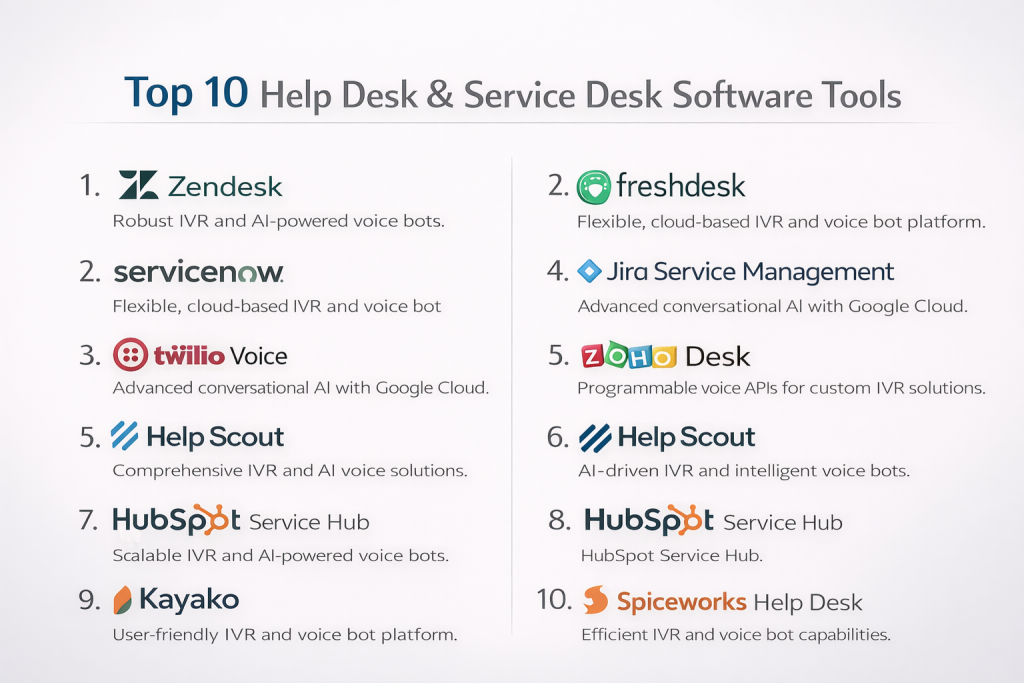
Top 10 Help Desk & Service Desk Software Tools
#1 — Zendesk
Short description: A widely used customer support platform offering omnichannel ticketing and automation. Best for businesses of all sizes.
Key Features
- Omnichannel ticketing system
- AI-powered automation and bots
- SLA management and reporting
- Knowledge base tools
- Workflow automation
- Customer satisfaction tracking
Pros
- Scalable and feature-rich
- Strong ecosystem and integrations
Cons
- Can be expensive at scale
- Complex setup for beginners
Platforms / Deployment
Cloud
Security & Compliance
SSO, encryption, GDPR support; others not publicly stated
Integrations & Ecosystem
Zendesk integrates with CRM, communication, and analytics tools.
- Salesforce
- Slack
- Jira
- Shopify
Support & Community
Strong documentation, enterprise support tiers, large user community
#2 — Freshdesk
Short description: A user-friendly help desk solution with automation and multichannel support. Ideal for SMBs and mid-sized teams.
Key Features
- Ticketing and automation
- AI chatbot capabilities
- SLA and escalation management
- Knowledge base
- Omnichannel support
Pros
- Easy to use
- Affordable pricing tiers
Cons
- Limited advanced customization
- Some features locked behind higher plans
Platforms / Deployment
Cloud
Security & Compliance
MFA, encryption; other certifications not publicly stated
Integrations & Ecosystem
Supports integrations across CRM and productivity tools.
- Zoho CRM
- Slack
- Microsoft Teams
Support & Community
Good onboarding and documentation, active support channels
#3 — ServiceNow
Short description: Enterprise-grade ITSM platform with deep automation and workflow management capabilities.
Key Features
- ITIL-based service management
- Incident and problem management
- Workflow automation
- CMDB integration
- Advanced analytics
Pros
- Highly customizable
- Enterprise-ready scalability
Cons
- Expensive
- Requires training and setup time
Platforms / Deployment
Cloud / Hybrid
Security & Compliance
Supports enterprise-grade security; specifics vary
Integrations & Ecosystem
Extensive enterprise integrations and APIs.
- SAP
- Oracle
- Microsoft ecosystem
Support & Community
Strong enterprise support and professional services
#4 — Jira Service Management
Short description: A service desk tool built for DevOps and IT teams, tightly integrated with development workflows.
Key Features
- Incident management
- SLA tracking
- Automation rules
- DevOps integrations
- Change management
Pros
- Excellent for technical teams
- Strong integration with Jira ecosystem
Cons
- Not ideal for non-technical users
- UI can feel complex
Platforms / Deployment
Cloud / Self-hosted
Security & Compliance
SSO, encryption; others not publicly stated
Integrations & Ecosystem
Deep integration with developer tools.
- Bitbucket
- Confluence
- GitHub
Support & Community
Large community, extensive documentation
#5 — Zoho Desk
Short description: Affordable and scalable help desk solution with strong automation and AI capabilities.
Key Features
- Ticket management
- AI assistant (Zia)
- Workflow automation
- Knowledge base
- Reporting tools
Pros
- Cost-effective
- Strong feature set
Cons
- UI can feel cluttered
- Limited enterprise capabilities
Platforms / Deployment
Cloud
Security & Compliance
Encryption, RBAC; others not publicly stated
Integrations & Ecosystem
Part of Zoho ecosystem with wide integrations.
- Zoho CRM
- Slack
- Google Workspace
Support & Community
Good documentation and support for SMBs
#6 — Help Scout
Short description: A simple, email-based support platform focused on customer experience.
Key Features
- Shared inbox
- Knowledge base
- Live chat
- Reporting
- Automation workflows
Pros
- Easy to use
- Clean interface
Cons
- Limited advanced features
- Not ideal for ITSM
Platforms / Deployment
Cloud
Security & Compliance
Not publicly stated
Integrations & Ecosystem
Integrates with popular tools for support workflows.
- HubSpot
- Slack
- Shopify
Support & Community
Strong customer support, smaller community
#7 — ManageEngine ServiceDesk Plus
Short description: ITSM-focused help desk with strong asset and incident management features.
Key Features
- Incident and problem management
- Asset management
- SLA tracking
- Automation
- Reporting
Pros
- Strong ITSM capabilities
- On-premise option available
Cons
- UI can be outdated
- Setup complexity
Platforms / Deployment
Cloud / Self-hosted
Security & Compliance
Role-based access, audit logs; others not publicly stated
Integrations & Ecosystem
Integrates within ManageEngine suite and external tools.
- Active Directory
- IT monitoring tools
Support & Community
Good enterprise support, active user base
#8 — HubSpot Service Hub
Short description: Customer service platform integrated with CRM, ideal for sales and support alignment.
Key Features
- Ticketing system
- CRM integration
- Automation
- Knowledge base
- Reporting
Pros
- Seamless CRM integration
- Easy onboarding
Cons
- Limited ITSM features
- Pricing scales quickly
Platforms / Deployment
Cloud
Security & Compliance
SSO, encryption; others not publicly stated
Integrations & Ecosystem
Deep integration with HubSpot ecosystem and external apps.
- Marketing Hub
- Sales tools
- Slack
Support & Community
Strong documentation and onboarding support
#9 — Kayako
Short description: Customer support platform focused on unified conversations and customer journey tracking.
Key Features
- Unified inbox
- Live chat
- Help center
- Automation
- Customer journey insights
Pros
- Strong customer experience focus
- Simple interface
Cons
- Limited scalability
- Fewer integrations
Platforms / Deployment
Cloud
Security & Compliance
Not publicly stated
Integrations & Ecosystem
Basic integrations for communication tools.
- Slack
- CRM tools
Support & Community
Moderate support resources
#10 — Spiceworks Help Desk
Short description: Free IT help desk solution designed for small IT teams.
Key Features
- Ticketing system
- Asset tracking
- Reporting
- Alerts
- Community-driven insights
Pros
- Free to use
- Strong community
Cons
- Limited enterprise features
- Ad-supported
Platforms / Deployment
Cloud / Self-hosted
Security & Compliance
Not publicly stated
Integrations & Ecosystem
Limited integrations compared to premium tools.
Support & Community
Very strong community support
Comparison Table (Top 10)
| Tool Name | Best For | Platform(s) Supported | Deployment | Standout Feature | Public Rating |
|---|---|---|---|---|---|
| Zendesk | All sizes | Web | Cloud | Omnichannel support | N/A |
| Freshdesk | SMBs | Web | Cloud | Ease of use | N/A |
| ServiceNow | Enterprise | Web | Cloud/Hybrid | ITSM depth | N/A |
| Jira Service Management | DevOps teams | Web | Cloud/Self-hosted | Dev integration | N/A |
| Zoho Desk | SMBs | Web | Cloud | Cost efficiency | N/A |
| Help Scout | Small teams | Web | Cloud | Simplicity | N/A |
| ManageEngine ServiceDesk Plus | IT teams | Web | Cloud/Self-hosted | Asset management | N/A |
| HubSpot Service Hub | CRM users | Web | Cloud | CRM integration | N/A |
| Kayako | CX teams | Web | Cloud | Customer journey tracking | N/A |
| Spiceworks | Small IT teams | Web | Cloud/Self-hosted | Free solution | N/A |
Evaluation & Scoring of Help Desk & Service Desk Software
| Tool | Core | Ease | Integrations | Security | Performance | Support | Value | Total |
|---|---|---|---|---|---|---|---|---|
| Zendesk | 9 | 7 | 9 | 8 | 9 | 9 | 7 | 8.4 |
| Freshdesk | 8 | 9 | 7 | 7 | 8 | 8 | 9 | 8.3 |
| ServiceNow | 10 | 6 | 9 | 9 | 9 | 9 | 6 | 8.5 |
| Jira Service Mgmt | 9 | 6 | 9 | 8 | 8 | 8 | 7 | 8.0 |
| Zoho Desk | 8 | 8 | 7 | 7 | 8 | 7 | 9 | 8.0 |
| Help Scout | 7 | 9 | 6 | 6 | 7 | 8 | 8 | 7.6 |
| ManageEngine | 9 | 6 | 7 | 8 | 8 | 8 | 8 | 7.9 |
| HubSpot | 8 | 9 | 8 | 7 | 8 | 8 | 7 | 8.1 |
| Kayako | 7 | 8 | 6 | 6 | 7 | 7 | 7 | 7.1 |
| Spiceworks | 6 | 7 | 5 | 5 | 6 | 8 | 10 | 6.8 |
How to interpret scores:
- Scores are comparative across this list, not absolute.
- Enterprise tools score higher in features but lower in ease/value.
- SMB tools excel in usability and cost efficiency.
- Choose based on priorities, not just total score.
Which Help Desk & Service Desk Software Tool Is Right for You?
Solo / Freelancer
- Best: Help Scout, Zoho Desk
- Focus on simplicity and low cost
SMB
- Best: Freshdesk, Zoho Desk
- Balance between automation and affordability
Mid-Market
- Best: Zendesk, HubSpot
- Need scalability and integrations
Enterprise
- Best: ServiceNow, Jira Service Management
- Require compliance, automation, and customization
Budget vs Premium
- Budget: Spiceworks, Zoho Desk
- Premium: ServiceNow, Zendesk
Feature Depth vs Ease of Use
- Feature-rich: ServiceNow, Jira
- Easy-to-use: Freshdesk, Help Scout
Integrations & Scalability
- Strong integrations: Zendesk, Jira, HubSpot
- Moderate: Zoho Desk, Freshdesk
Security & Compliance Needs
- Enterprise-grade: ServiceNow
- Standard: Zendesk, Freshdesk
Frequently Asked Questions (FAQs)
1. What is the difference between help desk and service desk?
Help desk focuses on reactive support, while service desk includes broader IT service management capabilities.
2. How much does help desk software cost?
Pricing varies widely—from free tools to enterprise platforms with premium pricing tiers.
3. Is cloud or on-premise better?
Cloud is easier to manage; on-premise offers more control.
4. Can small teams use these tools?
Yes, many tools offer lightweight plans for small teams.
5. How long does implementation take?
Ranges from a few hours (simple tools) to several months (enterprise systems).
6. What integrations are important?
CRM, communication tools, and DevOps integrations are most common.
7. Are AI features necessary?
Not required but increasingly valuable for automation and efficiency.
8. How secure are these platforms?
Most offer encryption and access controls; enterprise tools offer advanced compliance.
9. Can I switch tools later?
Yes, but data migration and retraining may be required.
10. What are alternatives?
Email-based support, CRM systems, or custom-built solutions.
Conclusion
Help Desk & Service Desk Software has evolved into a critical component of modern business operations, blending customer support with IT service management and automation. The right tool depends heavily on your organization’s size, technical needs, and growth plans rather than a one-size-fits-all solution. SMBs often benefit from simple, cost-effective platforms, while enterprises require deep customization, compliance, and scalability. As AI and automation continue to reshape support workflows, choosing a future-ready platform becomes even more important. The best approach is to shortlist two or three tools, test them in real scenarios, and validate how well they integrate with your existing systems. This ensures your final decision aligns with both current needs and long-term strategy.
