Introduction
Family organization apps help households manage calendars, tasks, grocery lists, school schedules, appointments, chores, meal plans, notes, reminders, and daily responsibilities in one shared digital space. In simple English, these apps help families stay coordinated without depending on scattered messages, paper notes, or memory.
These tools matter because modern families manage many moving parts: work schedules, school activities, health appointments, shopping, bills, travel, home tasks, and caregiving duties. A good family organization app reduces confusion, improves communication, and helps everyone know what needs to happen next.
Common real-world use cases include:
- Sharing family calendars and reminders
- Assigning chores and household tasks
- Managing grocery lists and meal plans
- Tracking school events, sports, and appointments
- Coordinating caregiving, travel, and family routines
Buyers should evaluate:
- Shared calendar quality
- Task and chore management
- Grocery list features
- Reminder controls
- Mobile app experience
- Family member access
- Ease of use for children and adults
- Privacy and account controls
- Integrations with calendars and productivity tools
- Free vs paid feature value
Best for: families, couples, caregivers, parents, busy households, shared living groups, home managers, and anyone who needs better coordination across people and responsibilities.
Not ideal for: users who only need a simple personal calendar, teams that need business-grade project management, or organizations requiring advanced compliance and admin controls.
Key Trends in Family Organization Apps
- AI-assisted planning: More apps are moving toward smarter reminders, schedule suggestions, task recommendations, and routine planning support.
- Shared household calendars: Families want one view of school events, appointments, travel, work schedules, sports, and personal commitments.
- Chore and responsibility tracking: Apps are adding better task assignment, recurring chores, completion tracking, and accountability features.
- Grocery and meal planning integration: Household organization increasingly includes food planning, shopping lists, and shared pantry needs.
- Cross-platform access: Families often use different devices, so strong iOS, Android, and web access is important.
- Privacy-focused family sharing: Since these apps may contain personal schedules, children’s activities, and home routines, privacy controls are becoming more important.
- Calendar interoperability: Syncing with Google Calendar, Apple Calendar, Outlook, and other systems is a major buying factor.
- Simple onboarding: The best apps are easy enough for non-technical users and older family members.
- Flexible pricing models: Many families prefer useful free plans, while paid plans must clearly justify value through sharing, automation, or advanced features.
- All-in-one household hubs: Users increasingly prefer apps that combine calendar, tasks, lists, notes, and reminders instead of using many separate tools.
How We Selected These Tools
The Top 10 family organization apps were selected using practical product evaluation logic. The goal is to compare widely recognized tools that help households coordinate tasks, calendars, lists, and routines.
Selection criteria included:
- Market adoption and general user recognition
- Strength of shared calendar and task features
- Grocery list and household planning support
- Ease of use for families and mixed-age users
- Mobile app quality and cross-device access
- Reminder and notification reliability
- Collaboration and sharing features
- Integration with popular calendar or productivity tools
- Fit for families, couples, caregivers, and shared households
- Overall value for free and paid users
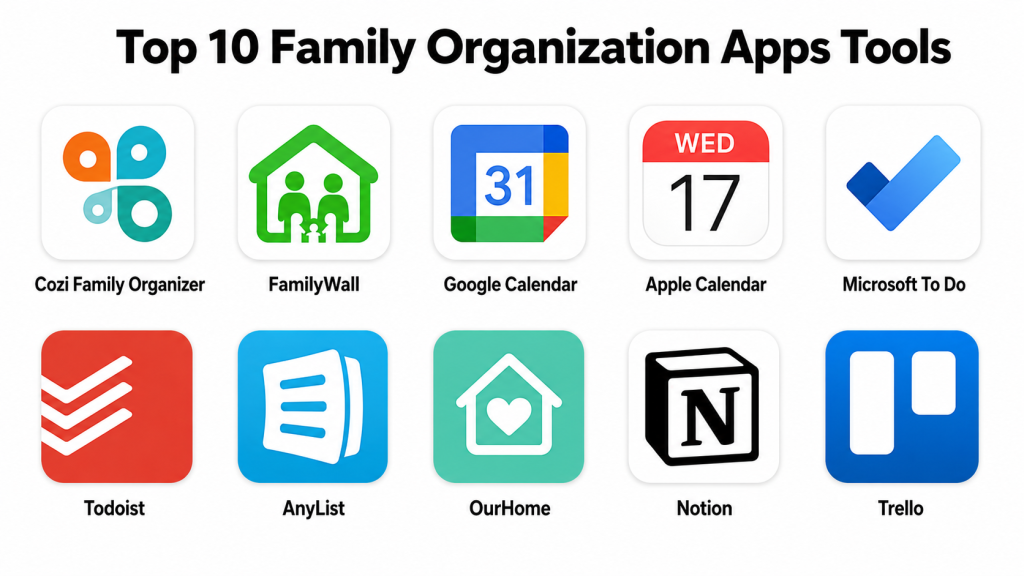
Top 10 Family Organization Apps Tools
#1 — Cozi Family Organizer
Short description (2–3 lines): Cozi Family Organizer is a dedicated family management app built around shared calendars, grocery lists, meal planning, and household tasks. It is best for families that want one simple place to manage daily life.
Key Features
- Shared family calendar
- Grocery lists
- To-do lists
- Meal planning tools
- Family journal features
- Color-coded family member schedules
- Mobile access for household coordination
Pros
- Strong all-in-one family organization experience
- Easy for parents and family members to understand
- Useful for managing school, home, shopping, and appointments
Cons
- Not designed for advanced business project management
- Some features may require a paid plan
- Interface may feel less modern than newer apps for some users
Platforms / Deployment
Web / iOS / Android
Cloud-based service
Security & Compliance
Not publicly stated for SSO/SAML, SOC 2, ISO 27001, HIPAA, RBAC, audit logs, and enterprise compliance controls.
Integrations & Ecosystem
Cozi focuses on household planning rather than complex third-party integrations. Its ecosystem is built around family calendars, shared lists, reminders, and basic daily coordination.
- Calendar sharing
- Grocery lists
- To-do lists
- Meal planning
- Mobile reminders
- Family member schedule views
Support & Community
Cozi provides help resources and standard customer support. It has strong recognition among families looking for a simple household organization system.
#2 — FamilyWall
Short description (2–3 lines): FamilyWall is a private family organizer designed for calendars, lists, messaging, location sharing, and family coordination. It is useful for households that want a more connected family hub.
Key Features
- Shared family calendar
- Private family messaging
- Shopping lists
- To-do lists
- Location sharing
- Photo and document sharing
- Family directory features
Pros
- Strong private family communication features
- Useful for coordinating multiple household activities
- Combines calendar, messaging, and lists in one place
Cons
- Some features may feel more than needed for simple users
- Advanced features may depend on paid access
- Security and compliance details are not broadly stated
Platforms / Deployment
Web / iOS / Android
Cloud-based service
Security & Compliance
Not publicly stated for SSO/SAML, SOC 2, ISO 27001, HIPAA, RBAC, audit logs, and enterprise compliance controls.
Integrations & Ecosystem
FamilyWall works as a family communication and coordination hub. Its strongest value is keeping family calendars, lists, communication, and shared information together.
- Family calendar
- Messaging
- Shopping lists
- To-do lists
- Location features
- Shared family information
Support & Community
FamilyWall provides standard support resources. Its community is strongest among families that want more than a simple calendar.
#3 — Google Calendar
Short description (2–3 lines): Google Calendar is a widely used calendar app that can work well for family scheduling through shared calendars, reminders, and event invitations. It is best for families already using Google accounts.
Key Features
- Shared calendars
- Event reminders
- Color-coded calendars
- Calendar invitations
- Recurring events
- Multi-device access
- Integration with Google ecosystem
Pros
- Easy to use and widely recognized
- Strong calendar sharing and reminder features
- Works well across web and mobile devices
Cons
- Not a dedicated family organizer
- Does not include built-in chore or grocery features
- Requires setup discipline for family use
Platforms / Deployment
Web / iOS / Android
Cloud-based service
Security & Compliance
Google provides strong account security features such as MFA options and account protection controls. Specific enterprise compliance may vary by Google service and plan. For family users, detailed enterprise controls such as SSO/SAML, RBAC, and audit logs are not typically the main use case.
Integrations & Ecosystem
Google Calendar has a strong ecosystem because it connects naturally with other Google services and many third-party tools.
- Gmail event detection
- Google Meet scheduling
- Google Tasks
- Google Keep
- Calendar sharing
- Third-party calendar subscriptions
Support & Community
Google Calendar has extensive help documentation and a very large user community. Support depth may depend on whether the user is on a consumer or business account.
#4 — Apple Calendar
Short description (2–3 lines): Apple Calendar is a built-in calendar app for Apple users that supports shared calendars, event alerts, recurring schedules, and family coordination. It is best for families using iPhones, iPads, and Macs.
Key Features
- Shared calendars
- Event reminders
- Recurring events
- Siri support
- iCloud syncing
- Location-based event details
- Apple ecosystem integration
Pros
- Very convenient for Apple households
- Clean interface and simple sharing
- Works well with iCloud and Apple devices
Cons
- Less useful for mixed-device families
- Not a full family organization app
- Does not provide advanced chore or grocery management by itself
Platforms / Deployment
macOS / iOS / Web through iCloud
Cloud-based service
Security & Compliance
Apple provides account security features such as two-factor authentication and privacy-focused account controls. Enterprise compliance details are not the main focus for family use and should be verified separately for business needs.
Integrations & Ecosystem
Apple Calendar works best inside the Apple ecosystem. It connects well with iCloud, Siri, reminders, contacts, and device-level notifications.
- iCloud syncing
- Siri reminders
- Apple Reminders
- Contacts
- Device notifications
- Shared calendars
Support & Community
Apple provides official help resources and broad user support channels. Community knowledge is strong because Apple Calendar is widely used by Apple device owners.
#5 — Microsoft To Do
Short description (2–3 lines): Microsoft To Do is a task and list management app that families can use for chores, shopping lists, reminders, and shared responsibilities. It is best for households already using Microsoft accounts.
Key Features
- Shared task lists
- Due dates and reminders
- Recurring tasks
- Step-based task breakdowns
- My Day planning
- Cross-device syncing
- Microsoft ecosystem support
Pros
- Simple and clean task management
- Good for chores, lists, and reminders
- Useful for families already using Microsoft tools
Cons
- Not a full family calendar app
- Grocery and meal planning features are basic
- Advanced family-specific workflows require manual setup
Platforms / Deployment
Web / Windows / macOS / iOS / Android
Cloud-based service
Security & Compliance
Microsoft account security supports MFA options. Enterprise security and compliance features may depend on the Microsoft plan being used. For family users, specific SSO/SAML, RBAC, audit logs, SOC 2, ISO 27001, and HIPAA details should be verified based on account type.
Integrations & Ecosystem
Microsoft To Do works well within the Microsoft ecosystem and is useful for turning family responsibilities into clear lists.
- Outlook tasks
- Microsoft account sync
- Shared lists
- Reminders
- Recurring tasks
- Cross-device access
Support & Community
Microsoft provides documentation and support resources. Community support is strong because Microsoft To Do is widely used for personal and work task management.
#6 — Todoist
Short description (2–3 lines): Todoist is a flexible task management app that can be adapted for family routines, chores, errands, projects, and reminders. It is best for families that want structured task tracking and repeatable workflows.
Key Features
- Shared projects
- Task assignments
- Recurring tasks
- Labels and filters
- Priority levels
- Calendar-style planning
- Cross-platform access
Pros
- Strong task management and recurring reminders
- Flexible enough for family, personal, and work use
- Good for households that like structured planning
Cons
- Not built only for families
- Grocery and meal planning require custom setup
- Some advanced features may require a paid plan
Platforms / Deployment
Web / Windows / macOS / Linux / iOS / Android
Cloud-based service
Security & Compliance
Todoist publicly supports account security features such as MFA. Enterprise-level compliance and administrative controls may vary by plan. If strict compliance is required, buyers should verify details directly.
Integrations & Ecosystem
Todoist has a strong productivity ecosystem and works well with calendars, automation tools, and task workflows.
- Calendar integrations
- Email-to-task workflows
- Automation tool connections
- Shared projects
- Labels and filters
- Productivity app integrations
Support & Community
Todoist provides documentation, onboarding resources, and help content. It has a strong productivity-focused community.
#7 — AnyList
Short description (2–3 lines): AnyList is a grocery list and recipe organization app that works well for families managing shared shopping, meal ideas, and household lists. It is best for grocery-heavy family coordination.
Key Features
- Shared grocery lists
- Recipe storage
- Meal planning calendar
- List categorization
- Cross-device syncing
- Household collaboration
- Recipe-to-list workflow
Pros
- Excellent for shared grocery planning
- Simple and reliable for households
- Useful for families that shop together or split errands
Cons
- Not a complete family management platform
- Meal planning is lighter than dedicated meal planning apps
- Some features may require paid access
Platforms / Deployment
Web / iOS / Android
Cloud-based service
Security & Compliance
Not publicly stated for SSO/SAML, SOC 2, ISO 27001, HIPAA, RBAC, audit logs, and enterprise compliance controls.
Integrations & Ecosystem
AnyList is strongest as a shared shopping and recipe planning tool. It supports family coordination around groceries, recipes, and routine household shopping.
- Shared grocery lists
- Recipe saving
- Meal planning support
- List categories
- Cross-device syncing
- Household list sharing
Support & Community
AnyList provides help resources and app support. It has a strong user base among families that want simple, reliable grocery list sharing.
#8 — OurHome
Short description (2–3 lines): OurHome is a family task and chore management app focused on assigning responsibilities, tracking completion, and encouraging household participation. It is useful for families that want better chore accountability.
Key Features
- Chore assignment
- Task tracking
- Reward system
- Family member profiles
- Shared shopping lists
- Activity tracking
- Household responsibility management
Pros
- Strong for chores and family accountability
- Helpful for teaching responsibility to children
- Combines task tracking with family motivation
Cons
- Not as strong for calendar-heavy planning
- Interface and feature availability may vary by device
- Not ideal for users who need advanced productivity integrations
Platforms / Deployment
iOS / Android
Cloud-based mobile app
Security & Compliance
Not publicly stated for SSO/SAML, SOC 2, ISO 27001, HIPAA, RBAC, audit logs, and enterprise compliance controls.
Integrations & Ecosystem
OurHome is focused on household tasks and family responsibility tracking rather than broad integrations.
- Chore assignment
- Reward tracking
- Shared shopping lists
- Family member task views
- Mobile notifications
Support & Community
Support availability may vary. Community strength is moderate among families looking for chore charts and responsibility tracking.
#9 — Notion
Short description (2–3 lines): Notion is a flexible workspace app that families can use to build custom dashboards for calendars, chores, travel plans, budgets, notes, and routines. It is best for users who want a highly customizable family operating system.
Key Features
- Custom family dashboards
- Notes and documents
- Task databases
- Calendar views
- Templates
- Shared pages
- Flexible organization system
Pros
- Highly customizable for many family workflows
- Useful for notes, planning, tasks, and documents
- Good for families that like building their own system
Cons
- Requires setup time
- May feel too complex for simple family needs
- Grocery and chore features must be built or adapted
Platforms / Deployment
Web / Windows / macOS / iOS / Android
Cloud-based service
Security & Compliance
Notion provides account security features and team/workspace controls depending on plan. Specific compliance details may vary by plan and should be verified for business or sensitive use. For general family organization, enterprise compliance controls may not be required.
Integrations & Ecosystem
Notion has a strong ecosystem of templates, databases, shared workspaces, and productivity integrations.
- Calendar and database views
- Shared pages
- Templates
- Web clipping
- App integrations
- Custom dashboards
Support & Community
Notion has documentation, guides, and a very large creator and template community. It is strong for users who like custom systems.
#10 — Trello
Short description (2–3 lines): Trello is a visual board-based task management app that families can use for chores, home projects, school planning, travel preparation, and shared responsibilities. It is best for visual planners.
Key Features
- Kanban-style boards
- Task cards
- Checklists
- Due dates
- Labels
- Shared boards
- Automation features
Pros
- Very visual and easy to understand
- Useful for household projects and chore boards
- Flexible for many planning styles
Cons
- Not built specifically for family life
- Calendar and grocery features require setup
- Too many boards can become messy without structure
Platforms / Deployment
Web / Windows / macOS / iOS / Android
Cloud-based service
Security & Compliance
Trello account security and compliance details may vary by Atlassian plan. For family use, specific SSO/SAML, audit logs, RBAC, SOC 2, ISO 27001, and HIPAA controls should be verified based on account type and plan.
Integrations & Ecosystem
Trello has a strong productivity ecosystem and works well for visual task management.
- Calendar power-ups
- Automation features
- Checklist workflows
- Shared boards
- Productivity integrations
- File attachments
Support & Community
Trello offers documentation and support resources. It has a large community of personal, family, and business users who share board templates and workflows.
Comparison Table
| Tool Name | Best For | Platform(s) Supported | Deployment | Standout Feature | Public Rating |
|---|---|---|---|---|---|
| Cozi Family Organizer | All-in-one family planning | Web / iOS / Android | Cloud | Shared family calendar and lists | N/A |
| FamilyWall | Private family hub | Web / iOS / Android | Cloud | Calendar, messaging, and lists in one app | N/A |
| Google Calendar | Shared family scheduling | Web / iOS / Android | Cloud | Strong calendar sharing | N/A |
| Apple Calendar | Apple-device families | macOS / iOS / Web | Cloud | iCloud calendar sharing | N/A |
| Microsoft To Do | Family tasks and lists | Web / Windows / macOS / iOS / Android | Cloud | Shared task lists | N/A |
| Todoist | Structured family task tracking | Web / Windows / macOS / Linux / iOS / Android | Cloud | Recurring tasks and shared projects | N/A |
| AnyList | Grocery and shopping coordination | Web / iOS / Android | Cloud | Shared grocery lists | N/A |
| OurHome | Chores and responsibility tracking | iOS / Android | Cloud | Chore assignment and rewards | N/A |
| Notion | Custom family dashboards | Web / Windows / macOS / iOS / Android | Cloud | Flexible family workspace | N/A |
| Trello | Visual household planning | Web / Windows / macOS / iOS / Android | Cloud | Kanban-style family boards | N/A |
Evaluation & Scoring of Family Organization Apps
| Tool Name | Core (25%) | Ease (15%) | Integrations (15%) | Security (10%) | Performance (10%) | Support (10%) | Value (15%) | Weighted Total (0–10) |
|---|---|---|---|---|---|---|---|---|
| Cozi Family Organizer | 9 | 8 | 6 | 5 | 8 | 7 | 8 | 7.45 |
| FamilyWall | 8 | 8 | 6 | 5 | 8 | 7 | 7 | 7.10 |
| Google Calendar | 8 | 9 | 9 | 8 | 9 | 8 | 9 | 8.55 |
| Apple Calendar | 8 | 9 | 7 | 8 | 9 | 8 | 9 | 8.20 |
| Microsoft To Do | 8 | 9 | 8 | 8 | 9 | 8 | 9 | 8.45 |
| Todoist | 9 | 8 | 9 | 7 | 9 | 8 | 8 | 8.35 |
| AnyList | 8 | 9 | 6 | 5 | 8 | 7 | 8 | 7.35 |
| OurHome | 7 | 8 | 5 | 5 | 7 | 6 | 7 | 6.55 |
| Notion | 9 | 7 | 9 | 7 | 8 | 8 | 8 | 8.05 |
| Trello | 8 | 8 | 9 | 7 | 8 | 8 | 8 | 8.05 |
These scores are comparative and should be used as a practical shortlist guide. A higher score does not always mean the tool is best for every family. For example, Google Calendar may score high for integrations, while Cozi may be better for dedicated family planning. Security scores are conservative where consumer-focused apps do not clearly publish enterprise-grade compliance details. The best choice depends on calendar needs, task complexity, household size, device ecosystem, and privacy expectations.
Which Family Organization App Tool Is Right for You?
Solo / Freelancer
Solo users may not need a full family organizer, but they may still benefit from task lists, reminders, calendars, and planning dashboards.
Good options include:
- Google Calendar for simple scheduling
- Apple Calendar for Apple users
- Microsoft To Do for daily tasks and reminders
- Todoist for structured task planning
- Notion for a custom personal dashboard
Solo users should avoid complex family-specific apps unless they also manage caregiving, shared housing, or household responsibilities.
SMB
Small teams, home-based businesses, coaching groups, tutors, caregivers, and family-run businesses may need shared tasks, calendars, notes, and responsibility tracking.
Good options include:
- Todoist for shared task management
- Trello for visual project planning
- Notion for shared documentation and planning
- Google Calendar for scheduling
- Microsoft To Do for simple task lists
SMB users should choose tools that support sharing, permissions, reminders, and repeatable workflows.
Mid-Market
Mid-market use cases may include community groups, care teams, school support groups, wellness programs, and small organizations that need structured coordination.
Good options include:
- Notion for flexible planning hubs
- Trello for visual workflows
- Todoist for task accountability
- Google Calendar for calendar interoperability
- Microsoft To Do for task simplicity
Mid-market users should evaluate user access, support quality, export options, and security settings before relying on any tool heavily.
Enterprise
Enterprise buyers usually need more than a family organization app. They may require admin controls, compliance documentation, audit logs, SSO, role-based permissions, and formal support.
Better-fit options for enterprise-style coordination include:
- Google Calendar within a managed Google environment
- Microsoft To Do within a managed Microsoft environment
- Trello under business-grade Atlassian plans
- Notion under business or enterprise plans
- Todoist for team-oriented task workflows
Dedicated family apps may not be ideal for enterprise needs unless the use case is simple and low-risk.
Budget vs Premium
Budget-focused families should start with free or low-cost options that solve the most urgent problem.
Good budget-friendly starting points include:
- Google Calendar
- Apple Calendar
- Microsoft To Do
- AnyList
- Cozi Family Organizer
Premium plans may be worth it when families need more reminders, sharing, custom planning, advanced lists, templates, or cross-device convenience.
Feature Depth vs Ease of Use
For ease of use, consider:
- Cozi Family Organizer
- Google Calendar
- Apple Calendar
- Microsoft To Do
- AnyList
For deeper customization and advanced workflows, consider:
- Notion
- Trello
- Todoist
- FamilyWall
- OurHome
The best choice depends on whether the family wants a ready-made app or a flexible system they can customize.
Integrations & Scalability
Families that already use Google, Apple, or Microsoft tools should usually start within that ecosystem. This reduces friction and makes adoption easier.
Strong integration choices include:
- Google Calendar for Google users
- Apple Calendar for Apple households
- Microsoft To Do for Microsoft users
- Todoist for productivity integrations
- Trello and Notion for flexible planning ecosystems
For families with mixed devices, web and mobile access should be tested before choosing.
Security & Compliance Needs
Family organization apps may contain sensitive information such as children’s schedules, addresses, appointments, household routines, and personal notes. Users should review privacy settings carefully.
Check for:
- Account security options
- Family member permissions
- Data sharing controls
- Location sharing settings
- Export and deletion options
- Password and login protection
- Clear privacy policies
For business or healthcare use, do not assume compliance unless the vendor clearly states it.
Frequently Asked Questions
1. What is a family organization app?
A family organization app helps households manage calendars, tasks, grocery lists, chores, reminders, notes, and shared routines. It keeps family responsibilities in one organized place.
2. Are family organization apps free?
Many family organization apps offer free plans or free basic features. Paid plans may include advanced reminders, better sharing, more storage, extra calendars, or premium support.
3. Which family organization app is best for beginners?
Cozi Family Organizer, Google Calendar, Apple Calendar, and Microsoft To Do are good beginner-friendly options. They are simple and easy to adopt for daily use.
4. Which app is best for chores?
OurHome is useful for chore assignment and family responsibility tracking. Todoist and Trello can also work well if the family wants a more customizable task system.
5. Which app is best for grocery lists?
AnyList is one of the strongest choices for shared grocery list management. Cozi also works well for families that want grocery lists along with calendars and meal planning.
6. Can family organization apps sync with calendars?
Yes, many apps support calendar sharing or calendar-style planning. Google Calendar, Apple Calendar, Cozi, Todoist, Trello, and Notion can all support different calendar workflows.
7. Are family organization apps secure?
Most apps provide basic account security, but compliance details may not always be publicly stated. Families should check privacy settings, login security, sharing permissions, and location-sharing controls.
8. What is the biggest mistake when choosing a family organization app?
The biggest mistake is choosing a complex app when the family only needs a simple calendar or list. Adoption matters more than features, so the app must be easy for everyone to use.
9. Can these apps be used by caregivers?
Yes, caregivers can use family organization apps to manage appointments, medications, visits, groceries, notes, and shared responsibilities. Privacy should be reviewed carefully for sensitive information.
10. Are family organization apps useful for school planning?
Yes, they are useful for school events, homework reminders, sports schedules, parent meetings, transportation planning, and activity coordination.
Conclusion
Family organization apps can make household life more structured, calm, and manageable. The right app depends on what the family needs most. Some families only need a shared calendar, while others need grocery lists, chore tracking, school planning, meal planning, shared notes, and reminders. A simple tool that everyone uses regularly is often better than a powerful tool that feels too complicated.
Cozi Family Organizer and FamilyWall are strong choices for dedicated family coordination. Google Calendar and Apple Calendar are excellent for simple shared scheduling. Microsoft To Do, Todoist, and Trello are practical for tasks and responsibilities. AnyList is strong for grocery planning, while Notion is ideal for families that want a fully custom household dashboard.
The best next step is to shortlist two or three apps, test them with real family routines, check whether everyone can use them comfortably, and validate calendar sharing, reminders, privacy settings, and list management before committing.
