Introduction
Email Deliverability Tools are specialized software designed to ensure that emails sent by organizations reach recipients’ inboxes reliably and securely. These tools help businesses monitor delivery rates, avoid spam filters, and optimize email campaigns for engagement and compliance. In simple terms, they make sure your emails are seen by the intended audience, not lost or blocked.
In modern business, where email remains a primary communication channel, reliable deliverability is critical. Poor deliverability can harm customer engagement, marketing ROI, and brand reputation. Organizations of all sizes rely on these tools to improve deliverability, monitor sender reputation, and maintain compliance with email standards and privacy regulations.
Real-world use cases include
- Monitoring and improving the inbox placement of marketing campaigns
- Testing emails for spam triggers and blacklists
- Managing sender reputation and domain authentication
- Analyzing engagement metrics to refine email strategy
- Ensuring compliance with GDPR, CAN-SPAM, and other regulations
Buyers should evaluate these criteria
- Inbox placement monitoring
- Spam filter testing
- DKIM, SPF, DMARC support
- Sender reputation analytics
- Email engagement tracking
- Multi-domain and IP monitoring
- Automation and alerting features
- Integrations with marketing platforms
- Ease of use and onboarding
- Cost-effectiveness
Best for Marketing teams, IT administrators, email deliverability specialists, and SMB to enterprise organizations managing large email campaigns
Not ideal for small businesses or occasional email users who rely on standard email services without mass campaigns
Key Trends in Email Deliverability Tools
- AI-powered deliverability prediction to optimize sending times and content
- Automated DKIM, SPF, and DMARC configuration and monitoring
- Integration with marketing automation and CRM platforms
- Real-time blacklist and spam filter monitoring
- Multi-IP and multi-domain reputation management
- Cloud-native platforms with global monitoring nodes
- Advanced analytics dashboards for engagement and delivery insights
- Enhanced compliance reporting for privacy regulations
- Automation of feedback loops and unsubscribe handling
- Predictive recommendations for email content and frequency
How We Selected These Tools
- Evaluated market adoption and recognition across SMB and enterprise segments
- Analyzed feature completeness including automation, monitoring, analytics, and integrations
- Reviewed performance and reliability indicators such as uptime and reporting accuracy
- Assessed security posture, compliance capabilities, and audit trails
- Considered integration options with email marketing and CRM systems
- Reviewed customer fit for various industry sizes and campaign types
- Compared pricing models and licensing flexibility
- Investigated support offerings, documentation quality, and community engagement
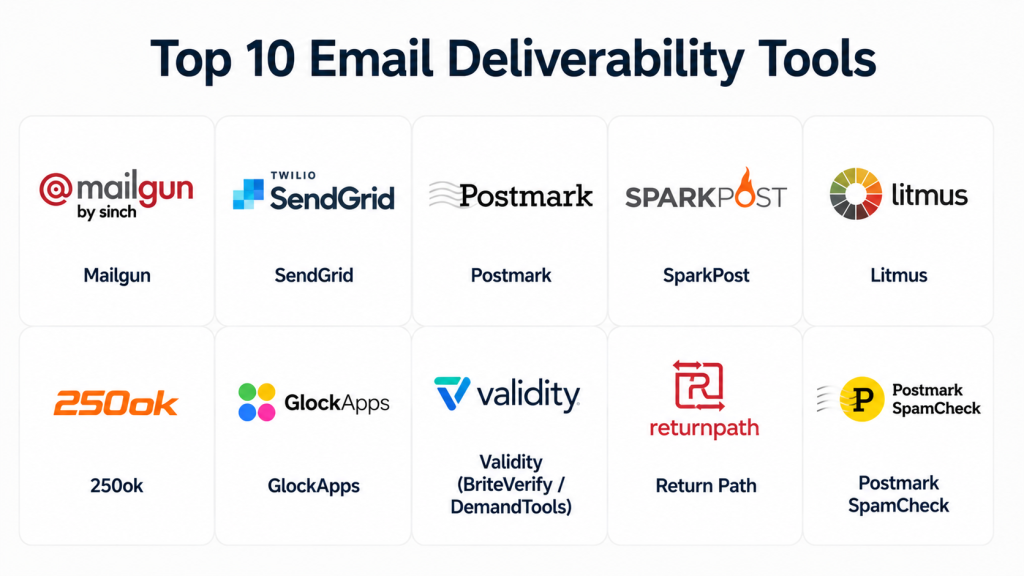
Top 10 Email Deliverability Tools
#1 — Mailgun
Short description: Mailgun offers email deliverability and transactional email solutions for developers and marketers needing high-volume and reliable sending.
Key Features
- Real-time email analytics
- Inbox placement and spam testing
- DKIM, SPF, and DMARC management
- SMTP and API sending options
- Automated email validation
- Multi-domain support
Pros
- High-volume sending capacity
- Developer-friendly APIs
Cons
- Interface may be complex for beginners
- Premium features can be expensive
Platforms / Deployment
- Web / Windows / macOS / Linux
- Cloud
Security & Compliance
- MFA, encryption
- Not publicly stated for SOC 2/ISO certifications
Integrations & Ecosystem
- API-first integration
- Marketing automation and CRM plugins
- Webhooks for event tracking
Support & Community
- Documentation and guides
- Support tiers available
- Active developer community
#2 — SendGrid
Short description: SendGrid provides email delivery and marketing services with robust monitoring to maintain inbox placement and sender reputation.
Key Features
- Email testing and spam analysis
- Sender reputation monitoring
- DKIM, SPF, DMARC support
- Real-time analytics dashboard
- Multi-user access and collaboration
- Template management and automation
Pros
- Scalable for high-volume email
- Comprehensive analytics
Cons
- Some advanced features require premium plans
- Learning curve for full feature utilization
Platforms / Deployment
- Web / Windows / macOS / Linux
- Cloud
Security & Compliance
- Encryption and access control
- GDPR compliant
- Not publicly stated SOC 2/ISO certifications
Integrations & Ecosystem
- API integration
- Marketing automation platforms
- CRM and eCommerce platforms
- Webhook support
Support & Community
- Documentation and tutorials
- Customer support tiers
- Active online community
#3 — Postmark
Short description: Postmark focuses on transactional email deliverability, ensuring critical emails reach inboxes reliably and quickly.
Key Features
- Real-time delivery monitoring
- Bounce and spam detection
- DKIM, SPF, DMARC support
- API-based sending and integration
- Webhooks for event tracking
Pros
- High transactional email reliability
- Fast delivery times
Cons
- Limited marketing campaign tools
- Smaller analytics compared to competitors
Platforms / Deployment
- Web / Windows / macOS / Linux
- Cloud
Security & Compliance
- Encryption and secure API
- Not publicly stated for SOC 2/ISO certifications
Integrations & Ecosystem
- API-first approach
- Integration with application backends
- Event webhooks for notifications
Support & Community
- Knowledge base and guides
- Support via ticket system
- Developer-focused community
#4 — SparkPost
Short description: SparkPost provides enterprise-grade email deliverability solutions for marketing and transactional emails with advanced analytics.
Key Features
- Inbox placement monitoring
- AI-powered engagement analytics
- DKIM, SPF, DMARC management
- API and SMTP sending
- Real-time alerts for delivery issues
- Multi-domain support
Pros
- Enterprise-ready with advanced analytics
- Strong automation features
Cons
- Premium pricing for full features
- May require technical expertise
Platforms / Deployment
- Web / Windows / Linux
- Cloud
Security & Compliance
- Encryption and MFA
- GDPR compliant
- Not publicly stated SOC 2/ISO certifications
Integrations & Ecosystem
- Marketing automation tools
- CRM platforms
- API and webhook support
Support & Community
- Documentation and onboarding guides
- Enterprise support tiers
- Active professional community
#5 — Litmus
Short description: Litmus specializes in email testing, optimization, and deliverability monitoring for marketing teams and designers.
Key Features
- Spam filter testing
- Inbox rendering previews
- Engagement analytics
- DKIM, SPF, DMARC verification
- Campaign tracking dashboards
Pros
- Strong pre-send testing
- Insights for design and content optimization
Cons
- Focused on marketing emails rather than transactional
- Higher pricing for enterprise features
Platforms / Deployment
- Web / macOS / Windows
- Cloud
Security & Compliance
- Not publicly stated
Integrations & Ecosystem
- Marketing automation platforms
- CRM tools
- Analytics integration
Support & Community
- Documentation and tutorials
- Customer support available
- Online community
#6 — 250ok
Short description: 250ok offers email deliverability monitoring, analytics, and reputation management for marketers and enterprises.
Key Features
- Inbox placement monitoring
- Blacklist monitoring
- Engagement and click tracking
- DKIM, SPF, DMARC monitoring
- Real-time alerts
Pros
- Comprehensive reputation analytics
- Useful for enterprise campaigns
Cons
- Limited for small businesses
- Some features require premium subscription
Platforms / Deployment
- Web / Windows / macOS
- Cloud
Security & Compliance
- Not publicly stated
Integrations & Ecosystem
- Email marketing platforms
- CRM integrations
- API support
Support & Community
- Knowledge base
- Support tiers available
- Active community
#7 — GlockApps
Short description: GlockApps provides email deliverability testing and analytics to improve inbox placement and campaign performance.
Key Features
- Spam filter testing
- Inbox placement reports
- DKIM, SPF, DMARC checks
- Blacklist monitoring
- Analytics dashboards
Pros
- Accurate spam testing
- Useful for marketing optimization
Cons
- Not a full-sending platform
- Limited automation features
Platforms / Deployment
- Web / Windows / macOS
- Cloud
Security & Compliance
- Not publicly stated
Integrations & Ecosystem
- API integration
- Marketing platform compatibility
- Reporting dashboards
Support & Community
- Documentation and tutorials
- Support via ticket
- Active community
#8 — Validity (BriteVerify / DemandTools)
Short description: Validity provides email verification and deliverability solutions to maintain list hygiene and improve sending reputation.
Key Features
- Email list verification
- Bounce and spam monitoring
- Engagement analytics
- DKIM, SPF, DMARC verification
- Reporting and dashboards
Pros
- Reduces bounces and spam complaints
- Maintains sender reputation
Cons
- Not a full email sending platform
- May require multiple products for full coverage
Platforms / Deployment
- Web / Windows / macOS
- Cloud
Security & Compliance
- Not publicly stated
Integrations & Ecosystem
- CRM and marketing automation tools
- API support
- Analytics dashboards
Support & Community
- Documentation provided
- Customer support available
- Professional community
#9 — Return Path
Short description: Return Path offers email deliverability and reputation management for marketers and enterprise campaigns.
Key Features
- Inbox placement monitoring
- Sender reputation analytics
- Blacklist detection
- DKIM, SPF, DMARC compliance
- Engagement tracking
Pros
- Industry-standard reputation analytics
- Strong enterprise insights
Cons
- Premium pricing
- Smaller organizations may not need full suite
Platforms / Deployment
- Web / Windows / macOS
- Cloud
Security & Compliance
- Not publicly stated
Integrations & Ecosystem
- Marketing automation tools
- CRM platforms
- API support
Support & Community
- Documentation and onboarding guides
- Support tiers available
- Community forum
#10 — Postmark SpamCheck
Short description: Postmark SpamCheck evaluates email content for spam triggers and deliverability risks for developers and marketers.
Key Features
- Spam content analysis
- DKIM, SPF, DMARC checks
- Real-time scoring
- Integration with Postmark sending
- Detailed reporting
Pros
- Quick spam detection
- Developer-friendly integration
Cons
- Limited to content analysis
- Not a full deliverability platform
Platforms / Deployment
- Web / Windows / macOS / Linux
- Cloud
Security & Compliance
- Not publicly stated
Integrations & Ecosystem
- Integrates with Postmark API
- Compatible with developer pipelines
- Reporting dashboards
Support & Community
- Documentation provided
- Support via ticket system
- Developer community
Comparison Table Top 10
| Tool Name | Best For | Platform(s) Supported | Deployment | Standout Feature | Public Rating |
|---|---|---|---|---|---|
| Mailgun | Developers, SMB | Web/Windows/macOS/Linux | Cloud | High-volume transactional email | N/A |
| SendGrid | Enterprise & SMB | Web/Windows/macOS/Linux | Cloud | Comprehensive analytics | N/A |
| Postmark | Developers, SMB | Web/Windows/macOS/Linux | Cloud | Fast transactional email delivery | N/A |
| SparkPost | Enterprise | Web/Windows/Linux | Cloud | AI-powered engagement analytics | N/A |
| Litmus | Marketing teams | Web/Windows/macOS | Cloud | Pre-send spam and inbox testing | N/A |
| 250ok | Enterprise, Marketers | Web/Windows/macOS | Cloud | Reputation analytics | N/A |
| GlockApps | SMB & Marketing teams | Web/Windows/macOS | Cloud | Accurate spam filter testing | N/A |
| Validity | Enterprises | Web/Windows/macOS | Cloud | Email list verification | N/A |
| Return Path | Enterprise, Marketers | Web/Windows/macOS | Cloud | Sender reputation management | N/A |
| Postmark SpamCheck | Developers & Marketers | Web/Windows/macOS/Linux | Cloud | Spam content analysis | N/A |
Evaluation & Scoring of Email Deliverability Tools
| Tool Name | Core (25%) | Ease (15%) | Integrations (15%) | Security (10%) | Performance (10%) | Support (10%) | Value (15%) | Weighted Total (0–10) |
|---|---|---|---|---|---|---|---|---|
| Mailgun | 9 | 8 | 9 | 8 | 9 | 8 | 7 | 8.5 |
| SendGrid | 8 | 8 | 8 | 8 | 8 | 8 | 8 | 8.0 |
| Postmark | 8 | 9 | 7 | 8 | 8 | 7 | 8 | 7.9 |
| SparkPost | 9 | 7 | 8 | 8 | 8 | 7 | 7 | 7.9 |
| Litmus | 7 | 8 | 7 | 7 | 7 | 7 | 7 | 7.1 |
| 250ok | 8 | 7 | 7 | 7 | 8 | 7 | 7 | 7.4 |
| GlockApps | 7 | 8 | 7 | 7 | 7 | 6 | 7 | 6.9 |
| Validity | 7 | 7 | 7 | 7 | 7 | 6 | 7 | 6.9 |
| Return Path | 8 | 7 | 7 | 7 | 8 | 7 | 7 | 7.4 |
| Postmark SpamCheck | 7 | 8 | 6 | 7 | 7 | 6 | 7 | 6.8 |
Scores are comparative and help determine which tool offers the best combination of core features, ease of use, integration capabilities, and value for money.
Which Email Deliverability Tools Tool Is Right for You
Solo / Freelancer
- Postmark or Postmark SpamCheck for transactional email and spam analysis
- Mailgun for developer-friendly sending with automation
SMB
- SendGrid or Mailgun for marketing and transactional email
- GlockApps for inbox placement testing
Mid-Market
- SparkPost, 250ok, or Litmus for enterprise-grade monitoring and analytics
- Validity for list hygiene and verification
Enterprise
- SendGrid, SparkPost, Return Path, and 250ok for large-scale campaigns
- Multi-domain, multi-IP monitoring and API integration critical
Budget vs Premium
- Budget: Postmark, Postmark SpamCheck, GlockApps
- Premium: SendGrid, SparkPost, 250ok, Return Path
Feature Depth vs Ease of Use
- Depth: SparkPost, SendGrid, 250ok, Litmus
- Ease: Postmark, Mailgun, Postmark SpamCheck
Integrations & Scalability
- Enterprise users need API-first, CRM, and marketing automation integration
- Smaller teams can focus on dashboard visibility and basic monitoring
Security & Compliance Needs
- Enterprises should verify encryption, SPF/DKIM/DMARC compliance
- Smaller organizations can focus on list hygiene and spam avoidance
Frequently Asked Questions (FAQs)
1 What are Email Deliverability Tools?
These tools monitor and optimize email campaigns to ensure messages reach recipients’ inboxes reliably
2 How do I improve inbox placement?
Use authentication standards (SPF, DKIM, DMARC), monitor sender reputation, and follow best content practices
3 Are free email deliverability tools sufficient?
Free tools provide basic monitoring but may lack analytics, automation, or enterprise features
4 Can these tools test for spam triggers?
Yes, most offer spam filter testing, content analysis, and blacklist monitoring
5 How important is sender reputation?
Sender reputation is critical; poor reputation can cause emails to be marked as spam or blocked
6 Do these tools integrate with marketing platforms?
Yes, leading tools integrate with CRMs, marketing automation, and analytics platforms
7 Can they monitor multi-domain campaigns?
Most enterprise-level tools support multiple domains and IPs for accurate deliverability monitoring
8 How is deliverability measured?
Deliverability is measured by inbox placement rate, bounce rate, spam complaints, and engagement metrics
9 How often should I test emails?
Regular testing, ideally per campaign, ensures high deliverability and detects issues early
10 Can I switch deliverability tools easily?
Yes, though migrating historical analytics and domain settings may require careful planning
Conclusion
Email deliverability tools are essential for businesses that rely on email marketing and transactional messaging. Choosing the right tool depends on organization size, campaign complexity, budget, and required features. Freelancers and SMBs may start with Postmark or Mailgun, while mid-market and enterprise companies benefit from SendGrid, SparkPost, 250ok, and Return Path. Begin by shortlisting a few tools, run pilot campaigns, monitor inbox placement, and validate integrations before full deployment
